Samsung
Samsung's Stats
Reviews
- Review Count0
- Helpfulness Votes0
- First ReviewNone
- Last ReviewNone
- Featured Reviews0
- Average Rating0
Reviews Comments
- Review Comment Count0
- Helpfulness Votes0
- First Review CommentNone
- Last Review CommentNone
- Featured Review Comments0
Questions
- Question Count0
- Helpfulness Votes0
- First QuestionNone
- Last QuestionNone
- Featured Questions0
- Answer Count73423
- Helpfulness Votes37,897
- First AnswerApril 24, 2013
- Last AnswerJuly 31, 2026
- Featured Answers0
- Best Answers3936
Samsung's Reviews
Samsung has not submitted any reviews.
Samsung's Questions
Samsung has not submitted any questions.
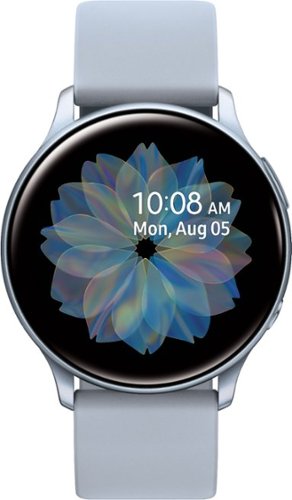
Balance work and play with this Samsung Galaxy Active2 smartwatch. Automatic activity tracking with heart rate and sleep monitoring helps you stay mindful of your fitness goals, and LTE connectivity supports hands-free calls and high-speed Internet access. The Super AMOLED display and touch bezel of this Samsung Galaxy Active2 smartwatch enables intuitive operation.
Is this watch compatible with an Lg Stylo 6? And does it have any fitness goals?

Hello sabrina, thanks for asking! This watch is compatible with Android OS 5.0 and above RAM 1.5GB and above. Its advanced sensors keep your pace on a jog, helping you better achieve your goals. It also automatically tracks your most popular activities, from cycling to swimming, and lets you manually track other exercises. ^Elizabeth
5 years, 8 months ago
by
Posted by:
Samsung
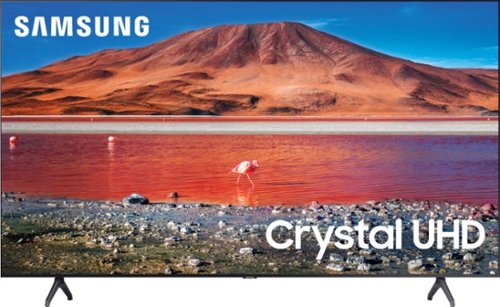
Samsung - 70 Class 7 Series LED 4K UHD Smart Tizen TV (2020)
Enhance your viewing experience with this 70-inch Samsung 4K UHD smart TV. The HDR technology and 4K UHD resolution render sharp details and realistic colors, while a Crystal processor delivers exceptional picture quality on the flat-panel display. This Bluetooth-enabled Samsung 4K UHD smart TV is voice controllable for hands-free operation and seamless wireless streaming.
How many pixels is this tv ?
Hi Vettman! The TU7000 is a 4K TV featuring approximately 8.3 million pixels for crystal clear picture quality. ^Tim
5 years, 8 months ago
by
Posted by:
Samsung
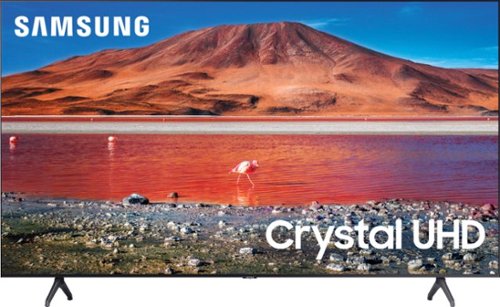
Samsung - 43" Class 7 Series LED 4K UHD Smart Tizen TV
Upgrade your home entertainment setup with this 43-inch Samsung LED Smart TV. Tizen OS provides access to popular streaming services, while the 4K Ultra HD resolution delivers true-to-life picture quality. This Samsung LED Smart TV is compatible with several virtual assistants for voice control, and the HDMI and USB inputs connect to external sources.
how to install the legs on a 43 inch 2020 samsung
Hi Billy! The legs on the 43TU7000 install without the need for screws, simply insert the legs in the designated positions on the bottom of the TV and you are done. Refer to the included quick setup guide, or check out the following link for the support page from Samsung to view the guide online: https://www.samsung.com/us/support/owners/product/crystal-uhd-tvs-tu7000-2020
^Tim
^Tim
5 years, 8 months ago
by
Posted by:
Samsung
Samsung - 70 Class 7 Series LED 4K UHD Smart Tizen TV (2020)
Enhance your viewing experience with this 70-inch Samsung 4K UHD smart TV. The HDR technology and 4K UHD resolution render sharp details and realistic colors, while a Crystal processor delivers exceptional picture quality on the flat-panel display. This Bluetooth-enabled Samsung 4K UHD smart TV is voice controllable for hands-free operation and seamless wireless streaming.
TU7000 (Series 7) vs TU6980 (Series 6) Difference? Hi, what's the difference between these 2 models, specifically the 70"? Thanks!
Hi mpbaker12! The TU7000 features cable clips providing a clean look by managing additional cables from external devices. ^Tim
5 years, 8 months ago
by
Posted by:
Samsung
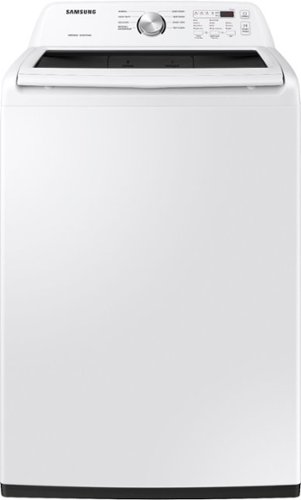
Samsung~s Large 4.5 cu. ft. Capacity Top Load washer fits more in every load and cuts down on laundry time. It is equipped with Vibration Reduction Technology+ to reduce noise for quiet washing and features Self Clean to eliminate bacteria from the drum.
Is this energy star rated? What is the rating if not?
Hi there,
I can answer this for you. This particular unit is not Energy Star rated. The energy consumption is 240 KWh/Year. Thank you for choosing Samsung. ^Brad
I can answer this for you. This particular unit is not Energy Star rated. The energy consumption is 240 KWh/Year. Thank you for choosing Samsung. ^Brad
5 years, 8 months ago
by
Posted by:
Samsung
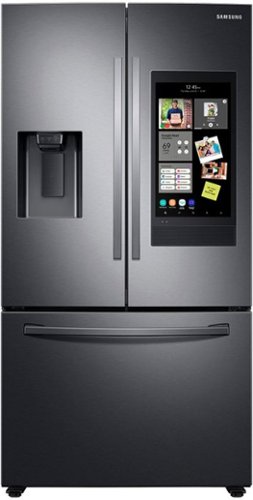
Samsung - 26.5 cu. ft. 3-Door French Door Smart Refrigerator with Family Hub - Black Stainless Steel
Samsung~s 26.5 cu. ft. large capacity, 3-Door French Door Family Hub Refrigerator, is beautifully designed with a minimal dispenser and sleek-edge doors with modern handles. The clean lines and modern form blend beautifully into any kitchen, while the fingerprint resistant finish withstands everyday smudges.
What model year is this?
Hi there,
I can help with that. This Samsung Refrigerator is a 2020 model. Thank you for choosing Samsung. ^Brad
I can help with that. This Samsung Refrigerator is a 2020 model. Thank you for choosing Samsung. ^Brad
5 years, 8 months ago
by
Posted by:
Samsung
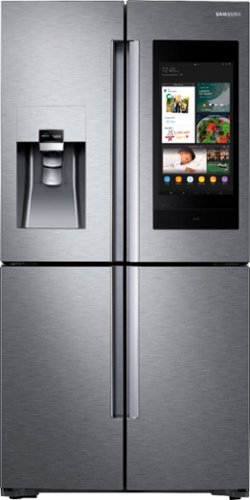
Samsung - 22 cu. ft. 4-Door Flex French Door Counter Depth Smart Refrigerator with Family Hub - Stainless steel
Samsung~s Family Hub refrigerator helps you connect to what~s most important: your family and home, whenever and wherever. Family Hub lets you see inside your refrigerator from anywhere, manage your family~s calendars, stream music and stay connected right from your Family Hub screen. Now with Family Board, a digital bulletin board, you can create a home screen with personalized pictures, stickers and hand-written notes for your family.
Some one dented our top left door and I was wondering where to buy replacement doors?
Hi there,
I can help with that. You can either purchase a new door or a Certified Samsung Technician might be able to replace the panel for a cheaper option. To purchase the door, you can visit our parts website (https://www.samsungparts.com/Default.aspx). To look into a service repair, you can visit our Service Locator website, (https://www.samsung.com/us/support/service/locations/). Thank you for choosing Samsung. ^Brad
I can help with that. You can either purchase a new door or a Certified Samsung Technician might be able to replace the panel for a cheaper option. To purchase the door, you can visit our parts website (https://www.samsungparts.com/Default.aspx). To look into a service repair, you can visit our Service Locator website, (https://www.samsung.com/us/support/service/locations/). Thank you for choosing Samsung. ^Brad
5 years, 8 months ago
by
Posted by:
Samsung
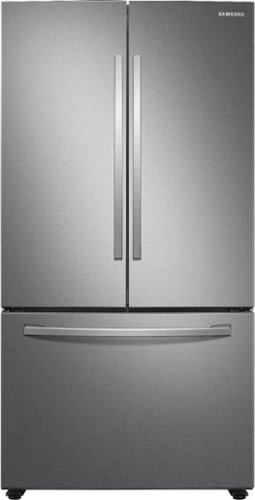
Samsung - 28 cu. ft. 3-Door French Door Refrigerator with AutoFill Water Pitcher - Stainless Steel
Samsung~s 28 cu. ft. large capacity 3-Door French Door refrigerator is beautifully designed, with sleek-edge doors and AutoFill Water Pitcher. The clean lines and modern form blend beautifully into your kitchen while the fingerprint resistant finish withstands everyday smudges.
What is the width of the fridge with the doors open? (how big does the opening need to be to fit the fridge)
Hi there,
I can help with that. The measurement with the doors open at a 90 degree from handle to handle is 43 inches. If you are needing different measurements, check out page 20 in the Owners Manual. See link below:
https://downloadcenter.samsung.com/content/UM/202007/20200721031931478/DA68-04012L-00_FDR_RF6000T_ND__EN-MES-CFR_USA.pdf
Thank you for choosing Samsung. ^Brad
I can help with that. The measurement with the doors open at a 90 degree from handle to handle is 43 inches. If you are needing different measurements, check out page 20 in the Owners Manual. See link below:
https://downloadcenter.samsung.com/content/UM/202007/20200721031931478/DA68-04012L-00_FDR_RF6000T_ND__EN-MES-CFR_USA.pdf
Thank you for choosing Samsung. ^Brad
5 years, 8 months ago
by
Posted by:
Samsung
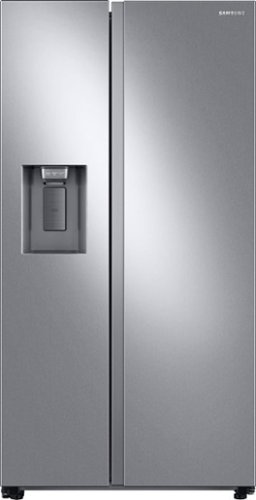
Samsung 27.4 cu. ft. large capacity Side-by-Side refrigerator that is beautifully designed with a minimal display dispenser, modern design that blends beautifully into your kitchen, and a finish that withstands everyday smudges.
What is the warranty on this refrigerator ?
Hi there,
I can help with that. Our Samsung Refrigerator is provided with One (1) year parts and labor, Five (5) years parts and labor on Sealed Refrigeration System Only (Compressor, Evaporator, Condenser, Drier, and Connecting Tubing), and Ten (10) years part and Five (5) years labor on Digital Inverter Compressor Only. Thank you for choosing Samsung. ^Brad
I can help with that. Our Samsung Refrigerator is provided with One (1) year parts and labor, Five (5) years parts and labor on Sealed Refrigeration System Only (Compressor, Evaporator, Condenser, Drier, and Connecting Tubing), and Ten (10) years part and Five (5) years labor on Digital Inverter Compressor Only. Thank you for choosing Samsung. ^Brad
5 years, 8 months ago
by
Posted by:
Samsung
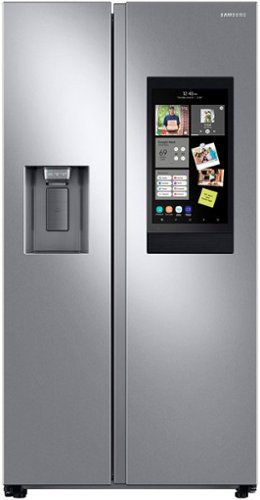
Samsung's 22 cu. ft. counter-depth side-by-side Family Hub refrigerator is designed with a built-in look for a seamless fit. It offers smooth and streamlined exterior design features, beautiful flat doors, a minimal display dispenser, and easy-to-open recessed handles that blend beautifully into your cabinetry, adding function and style to your kitchen.
My freezer door keeps opening and will not seal. I have had the model since 10/2/2020. What is the number to call to have Samsung look at my refrigerator? I am disappointed with such an expensive piece of equipment. All of my frozen food is frozen over
Images for this Question
(click to see full-size image)


Hi there,
I see you are having concerns with your Samsung Refrigerator. There are several important factors that can cause this issue. Make sure that your unit is leveled properly. Our Samsung Refrigerators should slightly tilt back at a two degree angle. You will need to extend the leveling legs in the front of the unit all the way out and then level the unit side to side. Also check to make sure that your Energy saver is turned off. This will affect the seal performance from your doors. Thank you for choosing Samsung. ^Brad
I see you are having concerns with your Samsung Refrigerator. There are several important factors that can cause this issue. Make sure that your unit is leveled properly. Our Samsung Refrigerators should slightly tilt back at a two degree angle. You will need to extend the leveling legs in the front of the unit all the way out and then level the unit side to side. Also check to make sure that your Energy saver is turned off. This will affect the seal performance from your doors. Thank you for choosing Samsung. ^Brad
5 years, 8 months ago
by
Posted by:
Samsung