Samsung
Samsung's Stats
Reviews
- Review Count0
- Helpfulness Votes0
- First ReviewNone
- Last ReviewNone
- Featured Reviews0
- Average Rating0
Reviews Comments
- Review Comment Count0
- Helpfulness Votes0
- First Review CommentNone
- Last Review CommentNone
- Featured Review Comments0
Questions
- Question Count0
- Helpfulness Votes0
- First QuestionNone
- Last QuestionNone
- Featured Questions0
- Answer Count73632
- Helpfulness Votes37,926
- First AnswerApril 24, 2013
- Last AnswerAugust 14, 2026
- Featured Answers0
- Best Answers3940
Samsung's Reviews
Samsung has not submitted any reviews.
Samsung's Questions
Samsung has not submitted any questions.
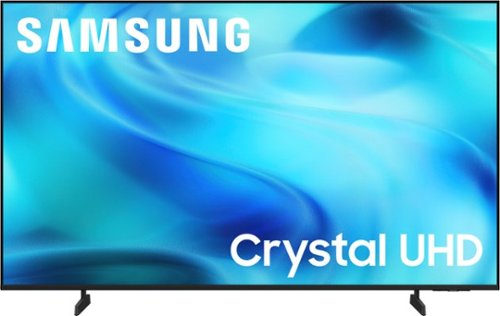
Watch all your content in crisp 4K resolution, with rich contrast, amazing color and clear picture. Discover thousands of subscription-free channels, including 700+ premium channels with Samsung TV Plus. Also, play thousands of video games without a console thanks to Samsung Gaming Hub. Enjoy peace of mind for years to come with the TV brand rated #1 in durability.
Is it a good tv to watch at closer range?

Hi,
While personal preference plays a role, the recommended viewing distance is usually about twice the diagonal size of your TV. For example, for a 65" TV, sitting roughly 8 to 10 feet away offers an optimal viewing experience.
~ Samsung Advisor
While personal preference plays a role, the recommended viewing distance is usually about twice the diagonal size of your TV. For example, for a 65" TV, sitting roughly 8 to 10 feet away offers an optimal viewing experience.
~ Samsung Advisor
3 weeks, 5 days ago
by
Posted by:
Samsung
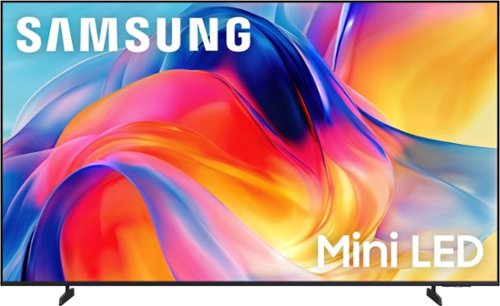
Bright, detailed colors pair together with deep, cinematic contrast in your favorite smart apps and video games thanks to precise control with Mini LEDs, delivering a realistic picture no matter what you watch. Get thousands of subscription free channels, including 700+ premium channels with Samsung TV Plus. Rest assured your personal data is secured with Knox Security.
What is the weight of the 65 inch sam sung tv
Hi Cheryl,
The 65" M70H TV weighs 31.7 pounds.
~Samsung Advisor
The 65" M70H TV weighs 31.7 pounds.
~Samsung Advisor
3 weeks, 5 days ago
by
Posted by:
Samsung
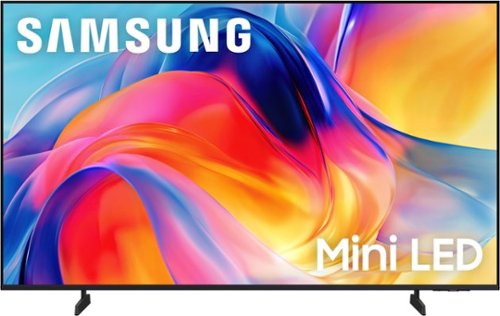
Bright, detailed colors pair together with deep, cinematic contrast in your favorite smart apps and video games thanks to precise control with Mini LEDs, delivering a realistic picture no matter what you watch. Get thousands of subscription free channels, including 700+ premium channels with Samsung TV Plus. Rest assured your personal data is secured with Knox Security.
headphone jack
Hi Tim,
The M70H does not feature a headphone jack input.
~Samsung Advisor
The M70H does not feature a headphone jack input.
~Samsung Advisor
3 weeks, 5 days ago
by
Posted by:
Samsung
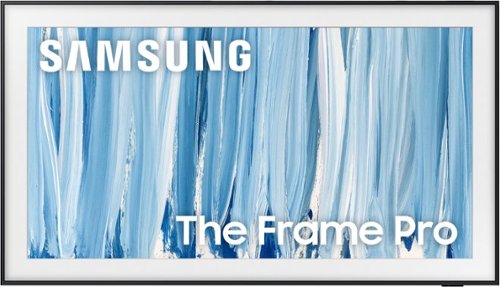
Our most advanced Art TV blurs the lines between showpiece and entertainment for art and movie lovers alike. The modern, slim-bezel frame, matte screen and wireless connection allow you to create a clutter-free gallery experience at home, featuring a selection of world-renowned artwork. Whether you're beholding a masterpiece or curling up to watch your favorite movie, enjoy spectacular, 4K Neo QLED picture and sound quality, along with personalized TV experiences powered by Samsung Vision AI.
To promote the flat profile against the wall, Can the power cord plug fit onto a recessed wall outlet? Thank you
TBone - Please give us the opportunity to better assist with this by reaching Samsung Support at: 1-800-SAMSUNG (8AM – 9PM EST Mon – Fri, 8AM – 6PM Sat – Sun) or Chat with us on Samsung.com: https://www.samsung.com/us/support/contact/
~ Samsung Specialist
~ Samsung Specialist
3 weeks, 5 days ago
by
Posted by:
Samsung
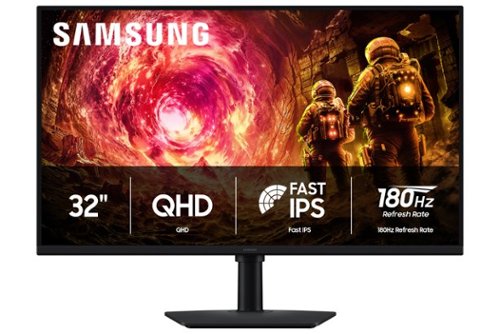
Samsung~s 32" Odyssey G5 QHD Gaming Monitor delivers brilliant visuals for exhilarating gameplay that~s more immersive than ever before. QHD resolution (2560 x 1440), with more than 1.7 times the pixel density of Full HD, boasts incredibly detailed, pin-sharp images. The fast IPS panel, with its 178~ viewing angle, provides an engaging gaming experience by consistently delivering crisp, clear hues from various viewpoints. 180Hz Refresh Rate and 1ms response time (GtG) allow ultimate speed for ultra-smooth gaming precision, while G-Sync compatibility syncs the GPU and panel to reduce choppiness, screen lag, and image tearing. Scenes feel more realistic with HDR10, which provides brighter highlights and nuanced shadows for added depth. Black Equalizer improves visibility in the deepest shadows, while Virtual Aim Point increases the accuracy of the player~s aim when the action peaks. Auto Source Switch+ allows instantaneous switching between connected devices without having to flip through multiple inputs. Maintain winning streaks in total comfort with the height-adjustable Ergonomic Stand that easily pivots, tilts, and swivels for the perfect view.
Can 2 of these monitors be daisy chained together? Or will I need to have 2 HDMI cables to my monitor?
Jake:
No, you cannot daisy chain Samsung G50F monitors. Daisy chaining requires specialized hardware, specifically a dedicated DisplayPort OUT port or a USB-C MST hub. Because the G50F features only DisplayPort IN and HDMI ports, it does not support daisy chaining.
You will need to run two separate video cables directly from your computer's graphics card to the monitors. This means connecting one monitor with an HDMI cable and the other with either a DisplayPort or a second HDMI cable, depending on the available ports on your PC.
- Samsung Monitors
No, you cannot daisy chain Samsung G50F monitors. Daisy chaining requires specialized hardware, specifically a dedicated DisplayPort OUT port or a USB-C MST hub. Because the G50F features only DisplayPort IN and HDMI ports, it does not support daisy chaining.
You will need to run two separate video cables directly from your computer's graphics card to the monitors. This means connecting one monitor with an HDMI cable and the other with either a DisplayPort or a second HDMI cable, depending on the available ports on your PC.
- Samsung Monitors
3 weeks, 5 days ago
by
Posted by:
Samsung
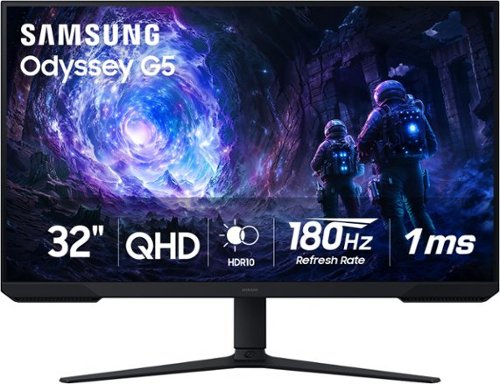
Samsung~s 32~ Odyssey G5 G51F Gaming Monitor boasts incredibly detailed, pin-sharp images with QHD resolution (2560x1440). HDR10 provides brighter highlights, improved contrast and color accuracy, making every scene feel more vivid and realistic. 180Hz Refresh Rate and near-instant 1ms Response Time (MPRT) captures all your moves with reduced lag for ultra-smooth gameplay. AMD FreeSync Premium Pro reduces choppiness, screen lag, and image tears. Black Equalizer allows you to adjust dark areas in games, so you can locate opponents hiding in the deepest shadows. Virtual Aim Point allows you to hit your marks with next-level accuracy, giving you the optimal aim with crosshairs on the screen. Auto Source Switch+ instantly switches to a new source signal when connected devices are turned on, without having to use multiple inputs. Ergonomic stand makes it simple to tilt and adjust the monitor for total gaming comfort.
Can I use the monitor to power my surface?
Jonny:
No, the Samsung G51F monitor cannot power your Microsoft Surface. The monitor does not feature USB-C connectivity or Power Delivery. It relies on a dedicated external AC power adapter to run itself and cannot output power to charge a laptop. Because the monitor lacks USB-C Power Delivery, you must keep your Surface plugged into its standard wall charger.
- Samsung Monitors
No, the Samsung G51F monitor cannot power your Microsoft Surface. The monitor does not feature USB-C connectivity or Power Delivery. It relies on a dedicated external AC power adapter to run itself and cannot output power to charge a laptop. Because the monitor lacks USB-C Power Delivery, you must keep your Surface plugged into its standard wall charger.
- Samsung Monitors
3 weeks, 5 days ago
by
Posted by:
Samsung

Samsung - HW-B650/ZA 3.1 Channel Soundbar with Wireless Subwoofer, Dolby 5.1 / DTS Virtual:X - Black
Dolby Atmos creates realistic 3D sound by projecting it from all around you, including from above, while DTS Virtual: X expands your listening experience without having to add extra speakers. Boost the bass with a touch of a button. The built-in center speaker delivers enhanced dialogue so you won't miss a word. Experience the intensity of action movies with the powerful bass coming from the included subwoofer. Enjoy optimized audio with enhanced voice clarity on all your favorite video content.
Don’t hear the subwoofer very much
Hello there! By pressing the TONE CONTROL button, you can adjust the volume of the treble or bass sound. Press the button to select TREBLE or BASS and then adjust the volume between -6~+6 by using the Up/Down buttons. Additionally, using the WOOFER button on the remote, you can adjust the subwoofer’s volume between -6 to +6 by toggling the button up or down. To set the subwoofer volume level to 0, press the button down. ~ Samsung Solutions
3 weeks, 5 days ago
by
Posted by:
Samsung
Samsung - HW-B650/ZA 3.1 Channel Soundbar with Wireless Subwoofer, Dolby 5.1 / DTS Virtual:X - Black
Dolby Atmos creates realistic 3D sound by projecting it from all around you, including from above, while DTS Virtual: X expands your listening experience without having to add extra speakers. Boost the bass with a touch of a button. The built-in center speaker delivers enhanced dialogue so you won't miss a word. Experience the intensity of action movies with the powerful bass coming from the included subwoofer. Enjoy optimized audio with enhanced voice clarity on all your favorite video content.
Is this compatible with an LG tv?
Hi Brian! The HW-B650 features three ways to connect to an external device: HDMI (ARC), digital optical audio, and Bluetooth wireless audio technology. If your TV is compatible with one of these three audio connections, you should have no issue connecting the soundbar to your TV. ~Samsung Solutions
3 weeks, 5 days ago
by
Posted by:
Samsung
Samsung - HW-B650/ZA 3.1 Channel Soundbar with Wireless Subwoofer, Dolby 5.1 / DTS Virtual:X - Black
Dolby Atmos creates realistic 3D sound by projecting it from all around you, including from above, while DTS Virtual: X expands your listening experience without having to add extra speakers. Boost the bass with a touch of a button. The built-in center speaker delivers enhanced dialogue so you won't miss a word. Experience the intensity of action movies with the powerful bass coming from the included subwoofer. Enjoy optimized audio with enhanced voice clarity on all your favorite video content.
I need to replace the battery cover on the remote
Hi there! Please give us the opportunity to assist you by contacting Samsung Customer Support. Just give us a call at 1-800-SAMSUNG (Ask for Soundbars), Mon – Fri 8 AM – 9 PM EST, Sat & Sun 8 AM – 6 PM EST. Our Live Chat agents are also available by clicking on the ‘Support’ link on our website.
~ Samsung Solutions
~ Samsung Solutions
3 weeks, 5 days ago
by
Posted by:
Samsung
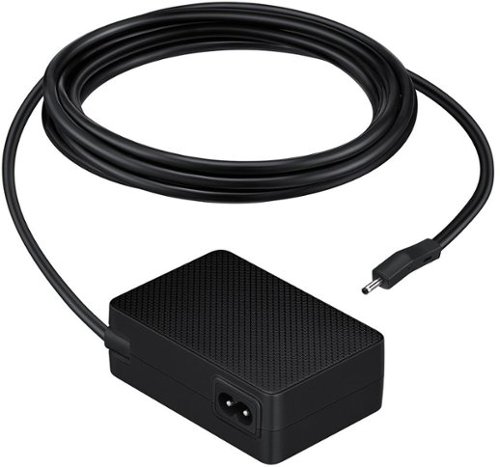
Does it include the wall plug cable?
Hi RC, No, but you can use the one from the original power block. ~ Samsung Solutions
3 weeks, 5 days ago
by
Posted by:
Samsung