Samsung
Samsung's Stats
Reviews
- Review Count0
- Helpfulness Votes0
- First ReviewNone
- Last ReviewNone
- Featured Reviews0
- Average Rating0
Reviews Comments
- Review Comment Count0
- Helpfulness Votes0
- First Review CommentNone
- Last Review CommentNone
- Featured Review Comments0
Questions
- Question Count0
- Helpfulness Votes0
- First QuestionNone
- Last QuestionNone
- Featured Questions0
- Answer Count73632
- Helpfulness Votes37,926
- First AnswerApril 24, 2013
- Last AnswerAugust 14, 2026
- Featured Answers0
- Best Answers3940
Samsung's Reviews
Samsung has not submitted any reviews.
Samsung's Questions
Samsung has not submitted any questions.
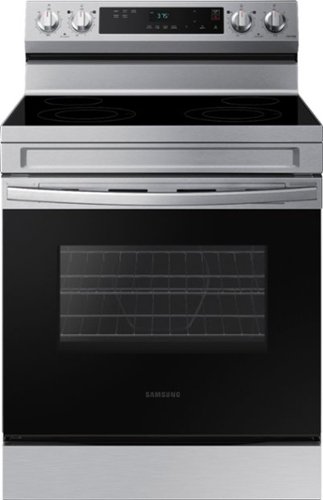
Elevate the look of your kitchen with Samsung~s Smart Freestanding Electric Range. Our Stainless Steel design elegantly wraps around cooktop sides and up through the slim control panel. Upgraded technology makes cooking on your stove simple and fun.
does this oven come with a broiler pan?

Hi Ella, thanks for your question!
This range can be paired with a compatible broiler pan for added cooking versatility. If you'd like to use the broil feature, compatible broiler pans are available for separate purchase.
For a visual reference of the accessories and components that come with the ranges, please visit:
https://www.samsung.com/us/support/troubleshooting/TSG01212436/
Hope this helps!
Khristine
Samsung Care
This range can be paired with a compatible broiler pan for added cooking versatility. If you'd like to use the broil feature, compatible broiler pans are available for separate purchase.
For a visual reference of the accessories and components that come with the ranges, please visit:
https://www.samsung.com/us/support/troubleshooting/TSG01212436/
Hope this helps!
Khristine
Samsung Care
1 month ago
by
Posted by:
Samsung
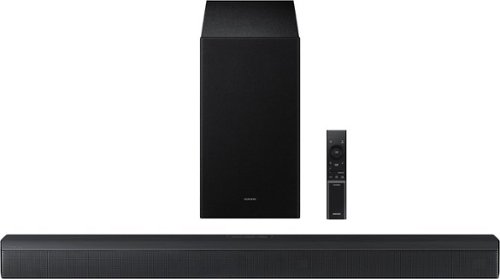
Upgrade your home theater setup with a 3.1 Channel sound system, featuring a built in center speaker to enhance voices and a wireless subwoofer for booming bass. Get rich and balanced sound in your movies and shows while voices are intelligently separated from background noise, delivering clear dialogue even at low volume. Plus, you won't have to hassle with pairing and unpairing your devices to play music - you can connect two simultaneously and switch between them seamlessly.
Will this connect to the Samsung QN75 tv
Hi Buckb44! The HW-B650F features three ways to connect to an external device: HDMI (ARC), digital optical audio, and Bluetooth wireless audio technology. If your TV is compatible with one of these three audio connections, you should have no issue connecting the soundbar to your TV. ~Samsung Solutions
1 month ago
by
Posted by:
Samsung
Upgrade your home theater setup with a 3.1 Channel sound system, featuring a built in center speaker to enhance voices and a wireless subwoofer for booming bass. Get rich and balanced sound in your movies and shows while voices are intelligently separated from background noise, delivering clear dialogue even at low volume. Plus, you won't have to hassle with pairing and unpairing your devices to play music - you can connect two simultaneously and switch between them seamlessly.
I cannot get the subwoofer connected to soundbar
Hello Chris, When powered on for the first time, the subwoofer should automatically connect to the soundbar wirelessly. If the auto-connection process fails, you can try manually connecting the sub to the soundbar.
Before performing the manual connection procedure, check whether the power cables for the Soundbar and subwoofer are connected properly and make sure that the Soundbar is turned off.
Press and hold ID SET on the rear of the subwoofer for at least 5 seconds. The red indicator on the rear of the subwoofer turns off and the blue indicator blinks. Press and hold the Up button on the remote control for at least 5 seconds. The ID SET message appears on the display of the Soundbar for a moment, and then it disappears. The Soundbar will automatically power on when ID SET is complete. The LINK LED indicator stops blinking and glows a solid blue when a connection is established between the Soundbar and the Wireless Subwoofer.
~ Samsung Solutions
Before performing the manual connection procedure, check whether the power cables for the Soundbar and subwoofer are connected properly and make sure that the Soundbar is turned off.
Press and hold ID SET on the rear of the subwoofer for at least 5 seconds. The red indicator on the rear of the subwoofer turns off and the blue indicator blinks. Press and hold the Up button on the remote control for at least 5 seconds. The ID SET message appears on the display of the Soundbar for a moment, and then it disappears. The Soundbar will automatically power on when ID SET is complete. The LINK LED indicator stops blinking and glows a solid blue when a connection is established between the Soundbar and the Wireless Subwoofer.
~ Samsung Solutions
1 month ago
by
Posted by:
Samsung
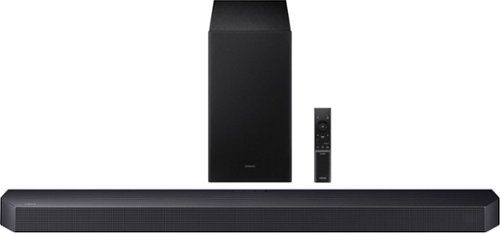
Get swept away into any film, concert or soundtrack with Dolby Atmos 3D sound that reveals rich depth and intricate details. Be surrounded by sound and feel at the center of it all with up-firing channels that project audio overhead, a dedicated center channel for clear dialogue and a wireless subwoofer that delivers room-shaking bass. Pair the soundbar with a Samsung TV to experience powerful, robust audio with Q-Symphony and level up your entertainment a notch or two or three.
How to connect subwoofer to bar
Hi Subwoofer! When powered on for the first time, the subwoofer should automatically connect to the soundbar wirelessly. If the auto-connection process fails, you can try manually connecting the sub to the soundbar.
Before performing the manual connection procedure, check whether the power cables for the Soundbar and subwoofer are connected properly and make sure that the Soundbar is turned off.
Press and hold ID SET on the rear of the subwoofer for at least 5 seconds. The red indicator on the rear of the subwoofer turns off and the blue indicator blinks. Press and hold the Up button on the remote control for at least 5 seconds. The ID SET message appears on the display of the Soundbar for a moment, and then it disappears. The Soundbar will automatically power on when ID SET is complete. The LINK LED indicator stops blinking and glows a solid blue when a connection is established between the Soundbar and the Wireless Subwoofer.
~ Samsung Solutions
Before performing the manual connection procedure, check whether the power cables for the Soundbar and subwoofer are connected properly and make sure that the Soundbar is turned off.
Press and hold ID SET on the rear of the subwoofer for at least 5 seconds. The red indicator on the rear of the subwoofer turns off and the blue indicator blinks. Press and hold the Up button on the remote control for at least 5 seconds. The ID SET message appears on the display of the Soundbar for a moment, and then it disappears. The Soundbar will automatically power on when ID SET is complete. The LINK LED indicator stops blinking and glows a solid blue when a connection is established between the Soundbar and the Wireless Subwoofer.
~ Samsung Solutions
1 month ago
by
Posted by:
Samsung
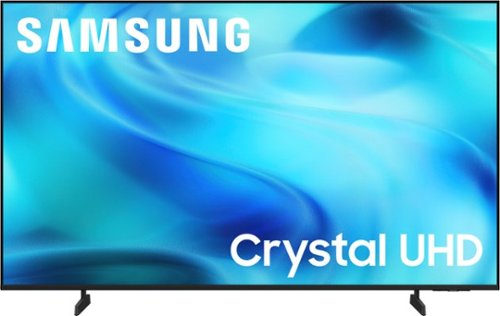
Watch all your content in crisp 4K resolution, with rich contrast, amazing color and clear picture. Discover thousands of subscription-free channels, including 700+ premium channels with Samsung TV Plus. Also, play thousands of video games without a console thanks to Samsung Gaming Hub. Enjoy peace of mind for years to come with the TV brand rated #1 in durability.
Can a blue ray player be hooked up to the t v ?
Hi John,
Yes, you can connect a DVD Player via HDMI.
~Samsung Advisor
Yes, you can connect a DVD Player via HDMI.
~Samsung Advisor
1 month ago
by
Posted by:
Samsung
Watch all your content in crisp 4K resolution, with rich contrast, amazing color and clear picture. Discover thousands of subscription-free channels, including 700+ premium channels with Samsung TV Plus. Also, play thousands of video games without a console thanks to Samsung Gaming Hub. Enjoy peace of mind for years to come with the TV brand rated #1 in durability.
Is it possible to hook up a DVD player to the T V ?
Hi John,
Yes, you can connect a DVD Player via HDMI.
~Samsung Advisor
Yes, you can connect a DVD Player via HDMI.
~Samsung Advisor
1 month ago
by
Posted by:
Samsung
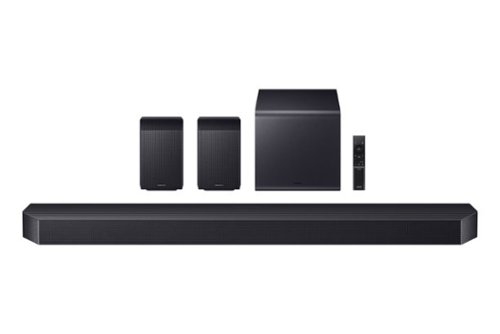
Experience our top of the line 11.1.4 soundbar, delivering breathtaking surround sound that elevates your home theater to new heights. With the included rear speakers, get an immersive audio experience that surrounds you from every angle. Feel heightened emotion with every thunderstorm, explosion, or car chase thanks to powerful, booming bass. Sit back and let the action come to life, with audio that makes every moment feel more real.
What rear speaker stand mounts fit well with these speakers? I’d prefer the stands to be height adjustable.
Hi there! For the rear speakers included with the HW-Q990F, there are various universal speaker stands that are compatible with them that offer adjustable height from 33" to 42" along with built-in cable management for a clean setup. ~ Samsung Solutions
1 month ago
by
Posted by:
Samsung
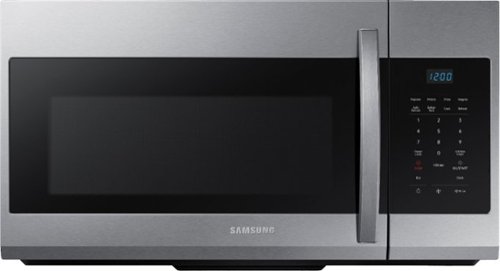
A stylish design for a seamless and modern look, this over-the-range microwave features large 1.7 cu. ft. capacity and a fingerprint-resistant finish.
Is installation free
Hi there, thanks for your question!
Installation options and services may vary and are determined by the retailer. For the most accurate information regarding installation availability and any associated costs, we recommend checking with Best Buy directly or reviewing the product listing for your area.
You can reach Best Buy at 888-BEST BUY (888-237-8289) or visit www.bestbuy.com.
Hope this helps!
Khristine
Samsung Care
Installation options and services may vary and are determined by the retailer. For the most accurate information regarding installation availability and any associated costs, we recommend checking with Best Buy directly or reviewing the product listing for your area.
You can reach Best Buy at 888-BEST BUY (888-237-8289) or visit www.bestbuy.com.
Hope this helps!
Khristine
Samsung Care
1 month ago
by
Posted by:
Samsung

Enjoy room filling sound in an all in one design. Experience captivating 3D audio with Dolby Digital 5.1 capable and DTS Virtual :X. Perfectly synchronized TV and soundbar sound brings a new level of immersion. Plus, don't miss a word, thanks to a built in center speaker.
Will this sound bar work with a directv remote?
Hi Tippy! Yes, the HW-S50B Soundbar can be controlled using a compatible DIRECTV IR remote. Simply enable the All-TV Remote setting by turning the soundbar off and holding the WOOFER button for 5 seconds until the mode changes to All-TV Remote. Once enabled, you should be able to control the soundbar volume and mute functions with your DIRECTV remote. ~ Samsung Solutions
1 month ago
by
Posted by:
Samsung
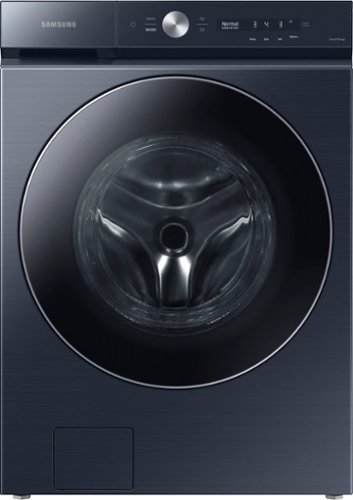
Samsung~s Bespoke 5.3 cu. ft. Ultra Capacity Front Load Washer has a sleek, flat-panel design, comes in new premium colors, and is equipped with smart features that simplify your laundry experience. It has our AI OptiWash, which senses soil levels and automatically adjusts time and detergent for a worry-free wash, and Auto Dispense, which conveniently stores and automatically dispenses up to 32 loads of detergent and softener.
What's the height for the machines stacked
Hi there, when this washer is paired with a compatible Samsung dryer and stacked using the SKK-9MCD, the approximate stacked height is 77 5/8 inches.
For complete stacking dimensions and installation specifications, please review the Samsung specification sheet below:
https://images.samsung.com/is/content/samsung/p6pim/us/wf53bb8900adus/specsheet/us-specsheet-wf53bb8900adus-551589054.pdf
For the best fit and a smooth setup, working with a professional installer can really help make sure everything is done properly.
Hope this helps!
Khristine
Samsung Care
For complete stacking dimensions and installation specifications, please review the Samsung specification sheet below:
https://images.samsung.com/is/content/samsung/p6pim/us/wf53bb8900adus/specsheet/us-specsheet-wf53bb8900adus-551589054.pdf
For the best fit and a smooth setup, working with a professional installer can really help make sure everything is done properly.
Hope this helps!
Khristine
Samsung Care
1 month ago
by
Posted by:
Samsung