Samsung
Samsung's Stats
Reviews
- Review Count0
- Helpfulness Votes0
- First ReviewNone
- Last ReviewNone
- Featured Reviews0
- Average Rating0
Reviews Comments
- Review Comment Count0
- Helpfulness Votes0
- First Review CommentNone
- Last Review CommentNone
- Featured Review Comments0
Questions
- Question Count0
- Helpfulness Votes0
- First QuestionNone
- Last QuestionNone
- Featured Questions0
- Answer Count73632
- Helpfulness Votes37,926
- First AnswerApril 24, 2013
- Last AnswerAugust 14, 2026
- Featured Answers0
- Best Answers3940
Samsung's Reviews
Samsung has not submitted any reviews.
Samsung's Questions
Samsung has not submitted any questions.
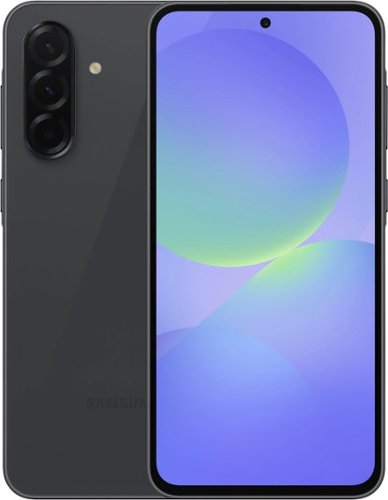
Samsung - Galaxy A36 5G 128GB (Unlocked) - Awesome Black
Unbeatable value with a slim, durable design and all the essential features you need await on Galaxy A36 5G. With more storage, you can keep your favorite photos, apps and memories without worrying about running out of space. Capture stunning studio grade selfies with the enhanced front camera and easily polish them with AI photo editing tools. The large 6.7" display makes gaming, scrolling and movie nights more enjoyable than ever. Enjoy all the awesome perks that come with an A Series phone, including Samsung TV Plus and partner offers like three months of free Peacock Premium. Plus, the redesigned One UI 7 interface offers smoother navigation and personalized design, giving you effortless access to the features you love most. Whether you're staying connected, capturing moments or browsing, A36 5G gives you premium performance at an affordable price. It's the smart choice you~ve been waiting for. Awesome price. Amazing value.
Can I switch my android Xfinity account to this phone

Hey there Hoss, thank you for asking us your question about the Samsung Galaxy A36 5G. The advertised unlocked Galaxy A36 5G is compatible with AT&T, Boost Mobile, Cricket, Google Fi, H2O Wireless, Metro by T-Mobile, Sprint, T-Mobile, US Cellular, Verizon, and Visible. If you have additional questions, please feel free to reach out to Support. Thanks for choosing Samsung! - Debra
1 month, 1 week ago
by
Posted by:
Samsung
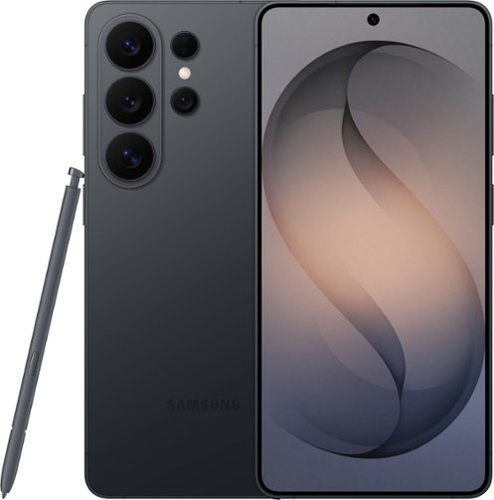
When everything just works, you stay in the moment. Samsung Galaxy S26 Ultra anticipates what you need next, empowers your creativity, delivers powerful performance with stunning, ultra-vivid viewing and even gives you the freedom to keep your screen private~whenever you choose. Out with friends and capturing the night? Nightography brings every scene to life, revealing rich detail even in low light. Snap photos or record video confidently as the night goes on, and then use Photo Assist with Galaxy AI to refine your shots in seconds ~cleaning up distractions, enhancing details and helping every memory look the way it felt. No extra apps. No slowing down. Creativity doesn~t stop once the moment is captured. Creative Studio with Galaxy AI on Galaxy S26 Ultra turns inspiration into creation, just like that. Transform photos into custom stickers, design invitations or generate entirely new images using a simple prompt ~all without switching apps or learning new tools. Whether you~re refining a memory or imagining something brand new, Galaxy AI helps bring ideas to life effortlessly, so creativity feels intuitive, not technical. When it~s time to turn ideas into plans, Galaxy S26 Ultra makes it simple. Now Nudge with Galaxy AI helps you stay on top of conversations by suggesting quick actions like adding an event, sharing a photo or finding a location ~all without slowing things down. All of this happens with privacy in mind. With the world~s first privacy display built into a phone, you can keep personal moments for your eyes only. Whether you~re creating, checking emails or just catching up, everything feels effortless and on your terms. Samsung Galaxy S26 Ultra is more than a smartphone ~it~s your companion.
Is this phone compatible with straight talk?
Hey, thanks for reaching out and asking us your question about the Samsung Galaxy S26 Ultra. The advertised unlocked Galaxy S26 Ultra is compatible with AT&T, Boost Mobile, Cricket, Google Fi, H2O Wireless, Mint Mobile, Sprint, T-Mobile, Ultra Mobile, US Cellular, Verizon, and Visible. If you have any other questions, please let us know by contacting Support at your leisure. Thank you for being a staunch Samsung customer. - Debra
1 month, 1 week ago
by
Posted by:
Samsung
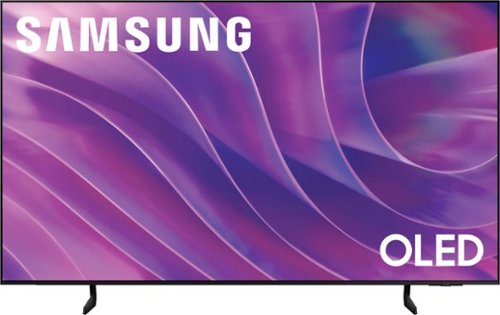
Self-illuminating pixels deliver the dramatic contrast of OLED and dazzling, expert-validated color, driven by our advanced AI processor. Experience a stunning picture with enhanced brightness and depth, all in a sleek design with a thin bezel. Dive into your content with Samsung Vision AI experiences and immerse yourself in multi-dimensional audio with top-firing speakers.
What app do the tv have and is good for a home theater ?
Hi KHI - Please give us the opportunity to better assist with this by reaching Samsung Support at: 1-800-SAMSUNG (8AM – 9PM EST Mon – Fri, 8AM – 6PM Sat – Sun) or Chat with us on Samsung.com: https://www.samsung.com/us/support/contact/
~ Samsung Specialist
~ Samsung Specialist
1 month, 1 week ago
by
Posted by:
Samsung
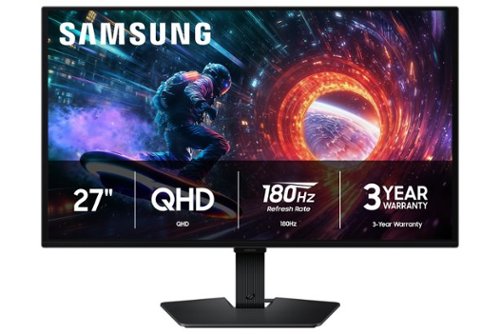
Samsung~s 27" Odyssey OLED G5 QHD Gaming Monitor delivers hyper-real visuals and lightning-fast action for exhilarating gameplay, and QD-OLED with QHD resolution provides unmatched picture quality and produces the highest levels of color accuracy and brightness. OLED Safeguard keeps the screen cool by actively helping to prevent burn-in with a Thermal Modulation System, Logo and Taskbar Detection, and Screen Saver while 3-year warranty protects the monitor for the long haul. Glare Free technology enables uninterrupted gaming as it keeps the screen clear of reflections from external light sources. The Pantone Validated screen accurately reproduces 2100+ colors for more immersive gameplay, while HDR10 provides brighter highlights and nuanced shadows for added depth. 180Hz Refresh Rate and 0.03ms (GtG) response time enables fast reactions for ultra-smooth gaming, plus G-Sync compatibility along with AMD FreeSync~ reduces choppiness, screen lag, and image tearing. Black Equalizer improves visibility in shadows, and Virtual Aim Point increases accuracy. Auto Source Switch+ allows instantaneous switching between connected devices.
What is the screen finish?
The Samsung G50SF monitor features a matte, glare-free screen finish.
- Samsung Monitors
- Samsung Monitors
1 month, 1 week ago
by
Posted by:
Samsung
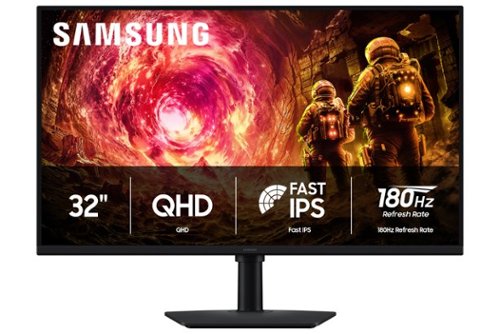
Samsung~s 32" Odyssey G5 QHD Gaming Monitor delivers brilliant visuals for exhilarating gameplay that~s more immersive than ever before. QHD resolution (2560 x 1440), with more than 1.7 times the pixel density of Full HD, boasts incredibly detailed, pin-sharp images. The fast IPS panel, with its 178~ viewing angle, provides an engaging gaming experience by consistently delivering crisp, clear hues from various viewpoints. 180Hz Refresh Rate and 1ms response time (GtG) allow ultimate speed for ultra-smooth gaming precision, while G-Sync compatibility syncs the GPU and panel to reduce choppiness, screen lag, and image tearing. Scenes feel more realistic with HDR10, which provides brighter highlights and nuanced shadows for added depth. Black Equalizer improves visibility in the deepest shadows, while Virtual Aim Point increases the accuracy of the player~s aim when the action peaks. Auto Source Switch+ allows instantaneous switching between connected devices without having to flip through multiple inputs. Maintain winning streaks in total comfort with the height-adjustable Ergonomic Stand that easily pivots, tilts, and swivels for the perfect view.
Will this monitor work with a MacBook Pro?
MA:
Yes, the Samsung G50F monitor works perfectly with a MacBook Pro. You will need the correct cable or adapter to bridge the connection, as MacBooks rely on USB-C/Thunderbolt ports while the monitor features HDMI and DisplayPort inputs.
- Samsung Monitors
Yes, the Samsung G50F monitor works perfectly with a MacBook Pro. You will need the correct cable or adapter to bridge the connection, as MacBooks rely on USB-C/Thunderbolt ports while the monitor features HDMI and DisplayPort inputs.
- Samsung Monitors
1 month, 1 week ago
by
Posted by:
Samsung

Odyssey G5~s lightning-fast 165Hz refresh rate ensures flawlessly smooth action scenes even in games with high frame rates. The Odyssey G5 range allows you to make the most out of the games you love to play, at a fantastic price point.
Is it ps5 compatible and does it have built in speakers
Joe:
The Samsung G55T is compatible with the PS5, but it does not have built-in speakers. You will need to use a headset or connect external speakers.
- Samsung Monitors
The Samsung G55T is compatible with the PS5, but it does not have built-in speakers. You will need to use a headset or connect external speakers.
- Samsung Monitors
1 month, 1 week ago
by
Posted by:
Samsung
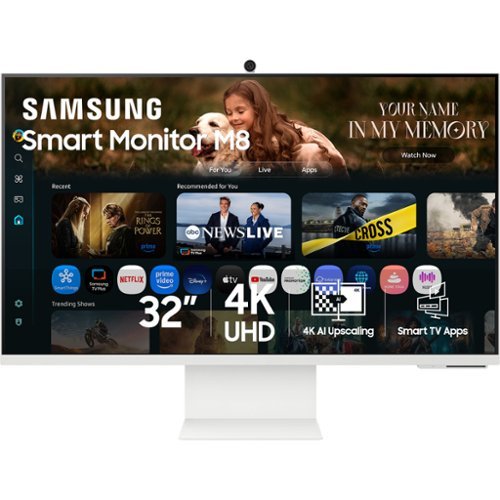
Samsung~s 32" M8 Smart Monitor, with the NQM AI Processor and featuring 4K UHD resolution, delivers an AI-powered experience. Smart TV Apps provide instant access to your favorite content. The processor upscales lower-resolution content to 4K, while the AI Picture Optimizer adapts visuals for optimal quality whether you're working, gaming, or watching videos. Knox Security protects your data and enhances the safety of your IoT connections through tightly controlled access. Click-to-Search provides instant content details. Gaming Hub gives access to the biggest games from top streaming partners with no PC or console required. Active Voice Amplifier Pro uses advanced audio processing to ensure dialogue comes through clearly. SmartThings enables control of connected devices, turning your monitor into a central IoT hub. The SlimFit Camera attaches to the monitor and provides clear picture quality. The ergonomically designed stand supports comfortable viewing with height adjustment, tilt, and pivot capabilities. Multiple ports, including USB-C, HDMI, and USB-A, make connectivity simple.
From the base of the stand to the bottom of the screen, what are the minimum and maximum heights when you adjust the height of the monitor (i.e. how many inches are underneath the screen when you set it to the lowest height vs. the maximum height)?
Lia:
The Samsung M80F features a 120 mm (4.7 inches) height adjustment range. The minimum clearance underneath the screen is approximately (1.4 inches (3.6 cm) at its lowest setting, and the maximum clearance is approximately (6.1 inches (15.6 cm) at its highest setting.
- Samsung Monitors
The Samsung M80F features a 120 mm (4.7 inches) height adjustment range. The minimum clearance underneath the screen is approximately (1.4 inches (3.6 cm) at its lowest setting, and the maximum clearance is approximately (6.1 inches (15.6 cm) at its highest setting.
- Samsung Monitors
1 month, 1 week ago
by
Posted by:
Samsung
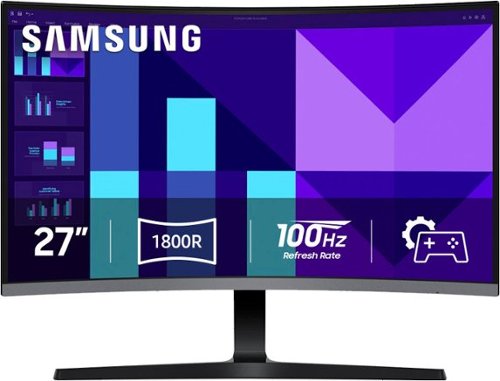
Samsung's 27" S3 FHD 100Hz Curved Monitor with Speakers provides an immersive viewing experience. The 1800R Curved Screen enhances depth perception and minimizes peripheral distractions, enabling greater focus. The 100Hz Refresh Rate reduces lag and motion blur when playing games, watching videos, or working on creative projects. Game Mode with optimizable settings allows color and image contrast to be instantly adjusted, filling the screen with every detail in view. Built-in Speakers free up desk space, minimize connections, and create a more efficient working environment for listening with ease. Eye Saver Mode with T~V-certified eye comfort technology reduces irritating screen flicker and minimizes excessive blue light, even during long sessions. Multiple Connectivity enables devices to be plugged straight into the monitor for a more convenient computing environment.
Will this monitor connect to a MacBook Air (13inch, M3, 2024)? If so, is the connection cable included?
MacBookAir:
Yes, the Samsung S39GD monitor will connect to your MacBook Air (M3, 2024)
The monitor features an HDMI port, while your MacBook Air features Thunderbolt/USB 4 ports. A standard HDMI cable is included in the box with the Samsung S39GD. Since your MacBook Air only has USB-C ports, you will need a USB-C to HDMI adapter or a direct USB-C to HDMI cable to link them together.
- Samsung Monitors
Yes, the Samsung S39GD monitor will connect to your MacBook Air (M3, 2024)
The monitor features an HDMI port, while your MacBook Air features Thunderbolt/USB 4 ports. A standard HDMI cable is included in the box with the Samsung S39GD. Since your MacBook Air only has USB-C ports, you will need a USB-C to HDMI adapter or a direct USB-C to HDMI cable to link them together.
- Samsung Monitors
1 month, 1 week ago
by
Posted by:
Samsung
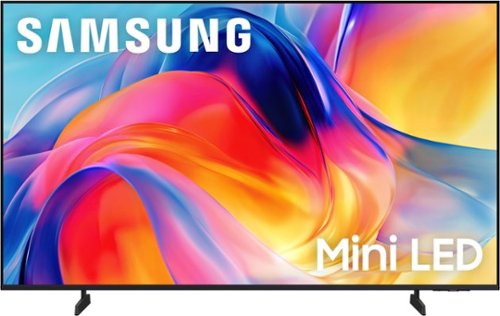
Bright, detailed colors pair together with deep, cinematic contrast in your favorite smart apps and video games thanks to precise control with Mini LEDs, delivering a realistic picture no matter what you watch. Get thousands of subscription free channels, including 700+ premium channels with Samsung TV Plus. Rest assured your personal data is secured with Knox Security.
What is the base width
Hi,
The stand dimensions of the 50” M70H are 29.41" x 7.83" (WxD). The distance between the two legs is 29.4”.
~Samsung Advisor
The stand dimensions of the 50” M70H are 29.41" x 7.83" (WxD). The distance between the two legs is 29.4”.
~Samsung Advisor
1 month, 1 week ago
by
Posted by:
Samsung
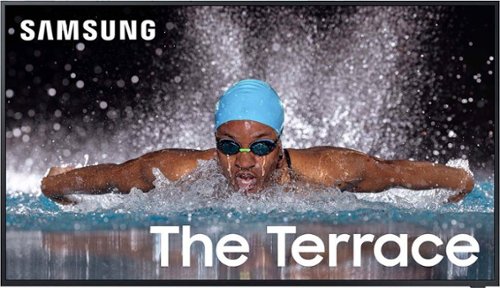
Patio season shines brighter with The Terrace Partial Sun, from the Global No.1 TV brand. AI technology optimizes your ent ert aining experience in either a shaded or partially shaded outdoor space. With our highest rating (IP56) for durability against water and dust, it makes it seamless to watch from the best se at outside of the house.
Is the remote control waterproof?
Hi Vik,
The Terrace Partial Sun Neo QLED TV includes an IP56-rated remote control that stands up to water and dust.
~Samsung Advisor
The Terrace Partial Sun Neo QLED TV includes an IP56-rated remote control that stands up to water and dust.
~Samsung Advisor
1 month, 1 week ago
by
Posted by:
Samsung