Samsung
Samsung's Stats
Reviews
- Review Count0
- Helpfulness Votes0
- First ReviewNone
- Last ReviewNone
- Featured Reviews0
- Average Rating0
Reviews Comments
- Review Comment Count0
- Helpfulness Votes0
- First Review CommentNone
- Last Review CommentNone
- Featured Review Comments0
Questions
- Question Count0
- Helpfulness Votes0
- First QuestionNone
- Last QuestionNone
- Featured Questions0
- Answer Count73632
- Helpfulness Votes37,926
- First AnswerApril 24, 2013
- Last AnswerAugust 14, 2026
- Featured Answers0
- Best Answers3940
Samsung's Reviews
Samsung has not submitted any reviews.
Samsung's Questions
Samsung has not submitted any questions.
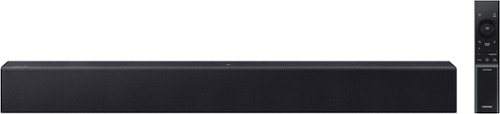
All you need is one this soundbar delivers balanced audio and features a built in woofer so you can enjoy everyday content with robust, rich sound. Enjoy clearer voices in your shows and movies with automatically amplified dialogue, so you won't have to rewind or turn on t he subtitles. Plus, you can simplify your home theatre setup by controlling everything with your Samsung TV remote. Simple like that.
So all I need to do is plug into the outlet and pair it?

Hi Allen! The HW-B400F features three ways to connect to an external device: HDMI (ARC), digital optical audio, and Bluetooth wireless audio technology. If your TV is compatible with one of these three audio connections, you should have no issue connecting the soundbar to your TV. ~Samsung Solutions
1 month, 1 week ago
by
Posted by:
Samsung
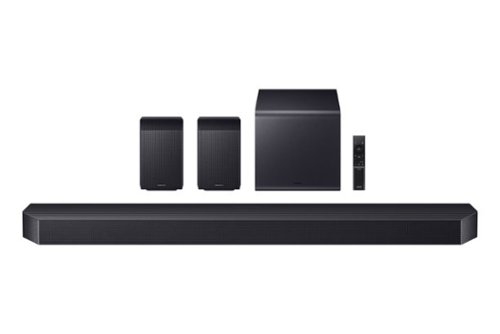
Experience our top of the line 11.1.4 soundbar, delivering breathtaking surround sound that elevates your home theater to new heights. With the included rear speakers, get an immersive audio experience that surrounds you from every angle. Feel heightened emotion with every thunderstorm, explosion, or car chase thanks to powerful, booming bass. Sit back and let the action come to life, with audio that makes every moment feel more real.
Do the rear speakers need to be plugged into each other?
Hi there! No, the HW-Q990F's included rear speakers don't need to be connected to each other, however each one will need to be plugged into a power outlet. ~ Samsung Solutions
1 month, 1 week ago
by
Posted by:
Samsung
Experience our top of the line 11.1.4 soundbar, delivering breathtaking surround sound that elevates your home theater to new heights. With the included rear speakers, get an immersive audio experience that surrounds you from every angle. Feel heightened emotion with every thunderstorm, explosion, or car chase thanks to powerful, booming bass. Sit back and let the action come to life, with audio that makes every moment feel more real.
Hello, could you please recommend a soundbar mount? Thank-you!
Hello Juero! The HW-Q990F Soundbar comes with a wall mount kit. With it you can mount your soundbar to your wall. ~ Samsung Solutions
1 month, 1 week ago
by
Posted by:
Samsung
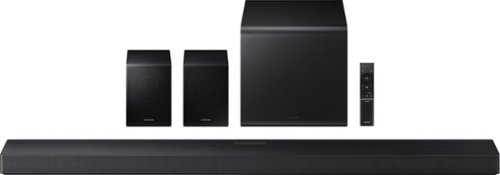
Enjoy a sleek, low profile design that fits into your space while delivering rich, multidimensional true surround sound with included rear speakers. Built in sensors detect whether the soundbar is placed flat on a table or is mounted flush against a wall and automatically recalibrates speaker direction for powerful Dolby Atmos audio, regardless of the setup. Enhance your home theater experience with crystal clear dialogue and booming bass, perfect for fast paced thrillers or action movies.
Are the rear speakers wireless? And can more than two rear speakers be connected into the system
Hi Tony! No, only one set of rear speakers can be connected to the HW-QS750F Soundbar. ~ Samsung Solutions
1 month, 1 week ago
by
Posted by:
Samsung
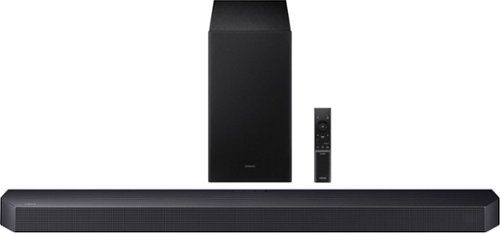
Get swept away into any film, concert or soundtrack with Dolby Atmos 3D sound that reveals rich depth and intricate details. Be surrounded by sound and feel at the center of it all with up-firing channels that project audio overhead, a dedicated center channel for clear dialogue and a wireless subwoofer that delivers room-shaking bass. Pair the soundbar with a Samsung TV to experience powerful, robust audio with Q-Symphony and level up your entertainment a notch or two or three.
Why is the subwoofer volume so low. I have it maxed out and its barely audible. Yes its paired with a solid blue/white light.
Hello Jneg, To control the volume of the treble or bass sound, press the TONE CONTROL button and then adjust the volume between -6 to +6 by using the Up/Down buttons. ~ Samsung Solutions
1 month, 1 week ago
by
Posted by:
Samsung

Meet our thinnest, lightest Chromebook Plus ever ~ now with Google AI built in to supercharge your productivity.
Does the Samsung Galaxy Chromebook plus include the charger?
Hey there Mari, thanks for asking us your question about the Samsung Galaxy Chromebook Plus. Here's what's included in the box when you purchase this PC: 1. Galaxy Chromebook Plus | 2. Data Cable | 3. Power Adapter. If you have any other questions for us or if you would like further assistance, please feel free to reach out to Support. Thank you for being a staunch Samsung customer. - Debra
1 month, 1 week ago
by
Posted by:
Samsung
Enjoy a sleek, low profile design that fits into your space while delivering rich, multidimensional true surround sound with included rear speakers. Built in sensors detect whether the soundbar is placed flat on a table or is mounted flush against a wall and automatically recalibrates speaker direction for powerful Dolby Atmos audio, regardless of the setup. Enhance your home theater experience with crystal clear dialogue and booming bass, perfect for fast paced thrillers or action movies.
Are the rear speakers wireless?
Hello Fin! The HW-QS750F's included rear speakers connect wirelessly to the soundbar, however 1 will require to be plugged into a power outlet and be connected to each other with speaker wire. ~ Samsung Solutions
1 month, 1 week ago
by
Posted by:
Samsung
Enjoy a sleek, low profile design that fits into your space while delivering rich, multidimensional true surround sound with included rear speakers. Built in sensors detect whether the soundbar is placed flat on a table or is mounted flush against a wall and automatically recalibrates speaker direction for powerful Dolby Atmos audio, regardless of the setup. Enhance your home theater experience with crystal clear dialogue and booming bass, perfect for fast paced thrillers or action movies.
Can you hook up more than two rear speakers?
Hello Tony! No, you can only have 1 set of rear speakers connected to the HW-QS750F Soundbar. ~ Samsung Solutions
1 month, 1 week ago
by
Posted by:
Samsung

Enjoy Dolby Atmos sound from above and around without requiring HDMI cables. Perfectly synchronized TV and soundbar audio~ bring s a new level of immersion. This all in one soundbar delivers sharp and rich audio with a compact design. ~ Q Symphony requires a compatible 2020 2024 Samsung TV. Please refer to samsung.com for more information.
Can auxillary speakers be added to this sound bar?
Hello Dave! With the HW-S60D you can add the SWA-9200S Wireless Rear Speaker Kit, SWA-W510 Wireless Subwoofer, and if using it with a Q-Symphony compatible Samsung TV it can utilize the Samsung Music Frame or Music Studios. ~ Samsung Solutions
1 month, 1 week ago
by
Posted by:
Samsung

Enjoy room filling sound in an all in one design. Experience captivating 3D audio with Dolby Digital 5.1 capable and DTS Virtual :X. Perfectly synchronized TV and soundbar sound brings a new level of immersion. Plus, don't miss a word, thanks to a built in center speaker.
Will this work with my Samsung G8 32 in gaming monitor for
Hi! The HW-S50B features three ways to connect to an external device: HDMI (ARC), digital optical audio, and Bluetooth wireless audio technology. If your device is compatible with one of these three audio connections, you should have no issue connecting the soundbar. ~Samsung Solutions
1 month, 1 week ago
by
Posted by:
Samsung