Lenovo Product Expert
Lenovo Product Expert's Stats
Reviews
- Review Count0
- Helpfulness Votes0
- First ReviewNone
- Last ReviewNone
- Featured Reviews0
- Average Rating0
Reviews Comments
- Review Comment Count0
- Helpfulness Votes0
- First Review CommentNone
- Last Review CommentNone
- Featured Review Comments0
Questions
- Question Count0
- Helpfulness Votes0
- First QuestionNone
- Last QuestionNone
- Featured Questions0
- Answer Count37797
- Helpfulness Votes24,818
- First AnswerApril 21, 2014
- Last AnswerOctober 8, 2026
- Featured Answers0
- Best Answers2825
Lenovo Product Expert's Reviews
Lenovo Product Expert has not submitted any reviews.
Lenovo Product Expert's Questions
Lenovo Product Expert has not submitted any questions.

Lenovo - IdeaPad 3 15" HD Touch Screen Laptop - Intel Core i3-1115G4 - Intel UHD Graphics - 8GB Memory - 256GB SSD - Almond
Engineered for long-lasting performance, the Lenovo IdeaPad 3 is the perfect laptop for your everyday tasks with features that you can depend on.
what accessories come in the box, does it have charging cable and wall plug?

This Lenovo IdeaPad 3 15 Laptop, model number 81X800KLUS, ships with the computer, its 65W round tip, device side (2-pin, wall-mount, USA compatible, wall plug) AC adapter/charger, 100-240V, 50-60Hz included and a User Guide.
3 years, 11 months ago
by
Posted by:
Lenovo Product Expert
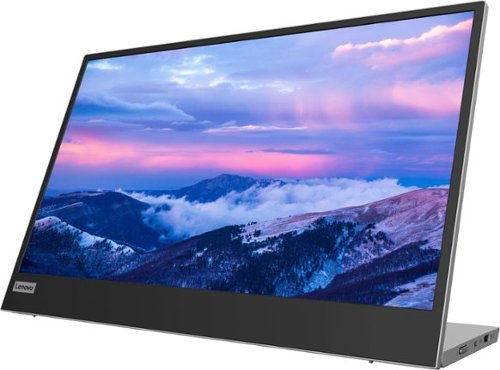
Lenovo - L15 15.6" IPS LED FHD USB-C Portable Monitor - Silver
For users who are constantly on the move, engaged in some work from home, or busy studying in a crowded dormitory, the ultra-portable Lenovo L15 mobile monitor makes perfect sense. Weighing only 860g with an ultra-slim 6mm head thickness and an integrated stand, the L15 is easy to carry around and fits on the corner of a multipurpose table or shelving unit. With its 15.6-inch screen, the L15 is a handy ~second screen~ that gives you flexibility whether you are taking notes while attending online lectures or simply binge-watching your favorite content. It easily connects to Notebooks of any screen size via a USB Type-C cable, and power pass-through support lets you charge the PC and power the monitor simultaneously. With eye care technology to prevent eye strain and Lenovo Artery software3 to control settings, the L15 delivers an uncomplicated and delightful experience.
If this is portable, I assume it can go in a work bag. It doesn't appear to have any screen protection/cover for travel. Is there a cover or case available that would protect the screen if it were being transported in a bag?
This Lenovo L15 USB-c Portable Monitor, model number 66E4UCC1US, ships with a sleeve for the monitor, which then can be placed in another bag for transport.
3 years, 11 months ago
by
Posted by:
Lenovo Product Expert
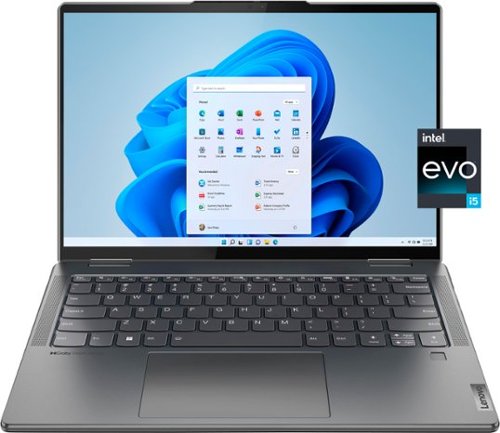
Lenovo - Yoga 7i 14" 2.2K Touch 2-in-1 Laptop - Intel Evo Platform - Core i5-1235U - 8GB Memory - 512GB SSD - Storm Grey
The Lenovo Yoga 7i combines versatile portability and enhanced productivity, thanks to the boundary-breaking performance and responsiveness of 12th generation Intel Core processors and vibrant 2.2K clarity with Intel Iris Xe graphics. Go anywhere with a sleek 2-in-1 metal chassis featuring thoughtful details including a webcam privacy shutter.
Des it have a fingerprint sensor and backlit keyboard?
Yes. not only does this Intel Evo-Certified, Lenovo Yoga 7i 14, model number 82QE000LUS, ship with a Touch style fingerprint reader on palm rest, there is also a IR (infrared - compatible with Windows Hello Facial Recognition Security) & FHD 1080p Hybrid webcam with Privacy Shutter and Dual Array Microphones built in as well. This Yoga 7i 14 also has a Backlit, English (US) Version, standard QWERTY keyboard as well.
3 years, 11 months ago
by
Posted by:
Lenovo Product Expert
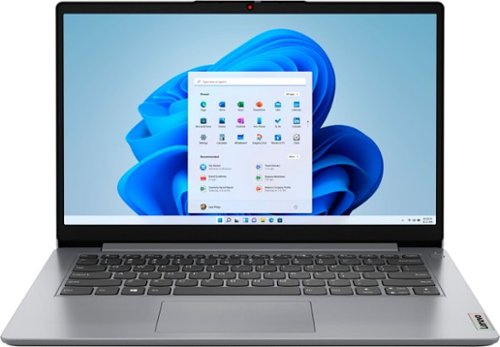
Lenovo - Ideapad 1i 14.0" HD Laptop - Celeron N4020 - 4GB Memory - 64GB eMMC - Cloud Grey
The IdeaPad 1i raises the bar on every affordable laptop with a super-efficient Intel Celeron N4020 processor in a thin and compact 17.9 mm chassis with up-to-10 hours of battery life and rapid charge. Get more value with four-sided narrow bezels for maximum screen, Dolby Audio speakers and Flip to Start for instant bootup.
This model is possible with wired internet connection?
Although this entry-level, Lenovo IdeaPad 1i 14 Laptop, model number 82V6S00000, does not ship with a built in RJ-45 network/ethernet jack, you can connect this entry-level IdeaPad 1i 14 Laptop to a ethernet cable by using a USB to ethernet adapter, like this one: https://www.bestbuy.com/site/insignia-usb-to-ethernet-adapter-black/6483535.p?skuId=6483535. This Lenovo IdeaPad 1i 14 laptop is an entry-level configuration, capable of handling light workloads with light demand software APPs. We always recommend you check the requirements and compatibility of any software you will be installing on your new computer, before you invest in any computer. Be sure your new computer can support the software you will need to use and your workload.
3 years, 11 months ago
by
Posted by:
Lenovo Product Expert
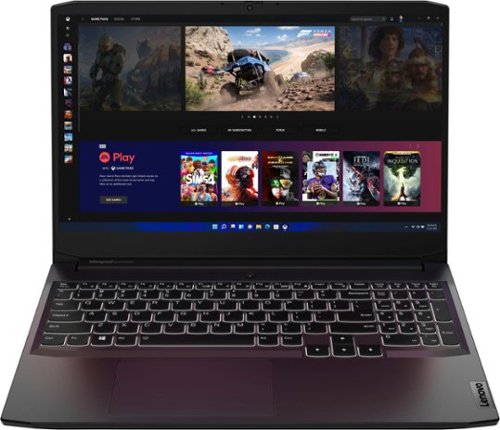
Lenovo - Ideapad Gaming 3 15.6" FHD Laptop - Ryzen 5 5600H - 8GB Memory - NVIDIA GeForce RTX 3050 Ti - 256GB SSD - Shadow Black
Time to elevate your game and esports experience beyond the realm of the ~just acceptable." Engineered with the latest generation AMD Ryzen processor and NVIDIA GeForce graphics, DDR4 memory and SSD storage options, the Lenovo IdeaPad Gaming 3 stays cool with a reengineered high-performance thermal system.
Is this computer user upgradable?
Yes. This Lenovo IdeaPad 3 15 Gaming Laptop, model number 82K201XCUS, ships with 8GB DDR4-3200MHz RAM installed (1x 8GB SO-DIMM DDR4-3200MHz RAM). There are two DDR4 SO-DIMM slots, dual-channel capable. The maximum RAM that this model configuration can support is: Up to 16GB DDR4-3200MHz RAM. There is also a 256GB M.2 2242 PCIe 3.0x4 NVMe solid state hard drive installed. The maximum storage capacity that this model configuration can support is: up to two drives, 1x 2.5 inch HDD + 1x M.2 2242 SSD or 1x M.2 2242/2280 SSD + 1x M.2 2242 SSD: • 2.5 inch HDD up to 1TB plus • M.2 2242 SSD up to 512GB or • M.2 2280 SSD up to 1TB. We recommend you consult with your certified technician about your upgrade options.
3 years, 11 months ago
by
Posted by:
Lenovo Product Expert
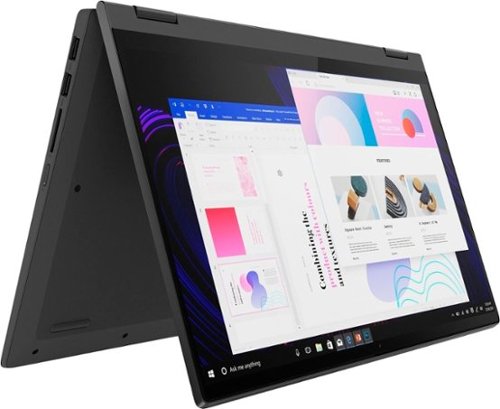
Lenovo - IdeaPad Flex 5 15ITL05 2-in-1 15.6" Laptop - Intel Core i5 - with 8GB Memory - 256 GB SSD - Graphite Gray
The IdeaPad Flex 5 2-in-1 Laptop. Featuring fast processors, an IPS touchscreen, and a 360-degree hinge to get things done efficiently for work, home, or school. Boasting a long battery life and security assets that include a webcam privacy shutter and fingerprint reader, the IdeaPad Flex 5 2-in-1 Laptop allows you to be creative and stay on point with your tasks.
Does this model come with a headphone input jack?
Yes, this Lenovo Flex 5i 15, model number 82HT00CQUS, ships with 1x Headphone / microphone combo jack (3.5mm).
3 years, 11 months ago
by
Posted by:
Lenovo Product Expert
Lenovo - IdeaPad Flex 5 15ITL05 2-in-1 15.6" Laptop - Intel Core i5 - with 8GB Memory - 256 GB SSD - Graphite Gray
The IdeaPad Flex 5 2-in-1 Laptop. Featuring fast processors, an IPS touchscreen, and a 360-degree hinge to get things done efficiently for work, home, or school. Boasting a long battery life and security assets that include a webcam privacy shutter and fingerprint reader, the IdeaPad Flex 5 2-in-1 Laptop allows you to be creative and stay on point with your tasks.
Can you get this laptop with Windows 10 or with no OS at all? Windows 11 is such a downgrade from 10 that I've no nterest in it.
This Lenovo Flex 5i 15, model number 82HT00CQUS, ships with Windows 11 Home, 64-bit Operating System, factory installed. You can down grade the factory installed Windows 11 to Windows 10. Here is a link to more information: https://www.computerworld.com/article/3646191/new-windows-11-device-want-to-downgrade-to-10-youve-got-options.html. If you have questions about Windows 11 down grade to Windows 10, we recommend you contact Microsoft Software Support, directly here: https://support.microsoft.com/
3 years, 11 months ago
by
Posted by:
Lenovo Product Expert
Lenovo - Yoga 7i 14" 2.2K Touch 2-in-1 Laptop - Intel Evo Platform - Core i5-1235U - 8GB Memory - 512GB SSD - Storm Grey
The Lenovo Yoga 7i combines versatile portability and enhanced productivity, thanks to the boundary-breaking performance and responsiveness of 12th generation Intel Core processors and vibrant 2.2K clarity with Intel Iris Xe graphics. Go anywhere with a sleek 2-in-1 metal chassis featuring thoughtful details including a webcam privacy shutter.
Can you charge this via a USB-C port? Does the laptop come with a USB-C charger?
Yes. This Intel Evo-Certified, Lenovo Yoga 7i 14, model number 82QE000LUS, charges through a USB-c - Thunderbolt 4.0 Port on the left side of the computer and ships with its own 65W USB-C, device side (3-pin, USA compatible, wall side plug) AC adapter/charger, supports PD 3.0, 100-240V, 50-60Hz included with the Yoga 7i 14.
3 years, 11 months ago
by
Posted by:
Lenovo Product Expert
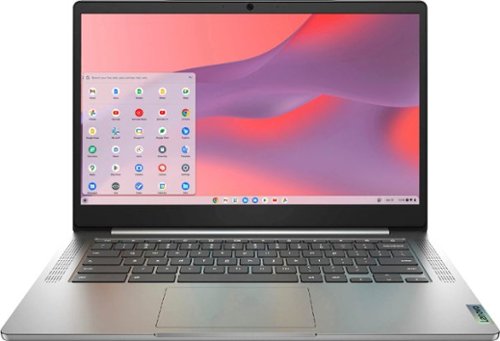
Fast, flexible, and fun, the Chromebook 3-14" brings everyone~s favorite Chromebook features, running on the lightning-fast Chrome OS that boots up in seconds, updates automatically, and is protected by built-in virus protection. Powered by a MediaTek processor and up to 10 hours of battery life, it~ll seamlessly run all of your favorite apps at the same time. Get Minecraft and 3 months of Realms Plus at no cost* with purchase of a new Chromebook. Terms Apply. *Offer valid for qualifying Chromebooks purchased on or after July 1st, 2023 through September 30th, 2023 while supplies last.
Can you use a mouse with this computer
Yes. You can use any wired or wireless mouse that is compatible with the Chrome Operating System. We recommend you check with your mouse manufacturer's web site for the compatibility and requirements of your specific model mouse.
3 years, 11 months ago
by
Posted by:
Lenovo Product Expert
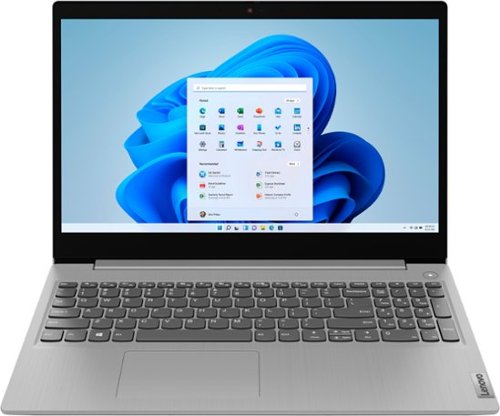
Lenovo - Ideapad 3i 15.6" HD Touch Laptop - Core i3-1115G4 - 8GB Memory - 256GB SSD - Platinum Grey
Engineered for long-lasting performance, the Lenovo IdeaPad 3i with an 11th Gen Intel Core Processor is the perfect laptop for your everyday tasks with dependable features. Dolby Audio delivers crystal-clear sound whether you~re watching a video, streaming music, or video-chatting, you~re sure to love what you hear on the IdeaPad 3i.
Which Ideapad series is this laptop?
This Lenovo IdeaPad 3i 15 Laptop, model number 81X800MCUS, is an IdeaPad 3 Series, 5th Generation Laptop.
3 years, 11 months ago
by
Posted by:
Lenovo Product Expert