Lenovo Product Expert
Lenovo Product Expert's Stats
Reviews
- Review Count0
- Helpfulness Votes0
- First ReviewNone
- Last ReviewNone
- Featured Reviews0
- Average Rating0
Reviews Comments
- Review Comment Count0
- Helpfulness Votes0
- First Review CommentNone
- Last Review CommentNone
- Featured Review Comments0
Questions
- Question Count0
- Helpfulness Votes0
- First QuestionNone
- Last QuestionNone
- Featured Questions0
- Answer Count37797
- Helpfulness Votes24,818
- First AnswerApril 21, 2014
- Last AnswerOctober 8, 2026
- Featured Answers0
- Best Answers2825
Lenovo Product Expert's Reviews
Lenovo Product Expert has not submitted any reviews.
Lenovo Product Expert's Questions
Lenovo Product Expert has not submitted any questions.
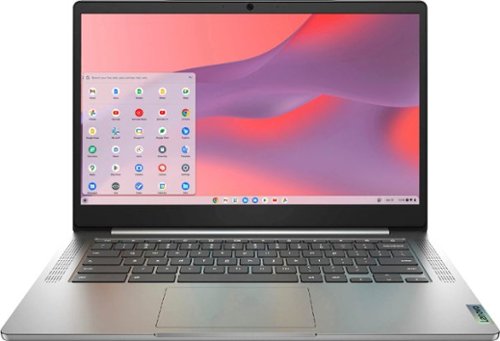
Fast, flexible, and fun, the Chromebook 3-14" brings everyone~s favorite Chromebook features, running on the lightning-fast Chrome OS that boots up in seconds, updates automatically, and is protected by built-in virus protection. Powered by a MediaTek processor and up to 10 hours of battery life, it~ll seamlessly run all of your favorite apps at the same time. Get Minecraft and 3 months of Realms Plus at no cost* with purchase of a new Chromebook. Terms Apply. *Offer valid for qualifying Chromebooks purchased on or after July 1st, 2023 through September 30th, 2023 while supplies last.
What apps are already installed. What accessories go with this.

This Lenovo Chromebook 3 14, model number 82KN0001US, ships with the Chrome Operating System, Google Play Store and Google Assistant APPs installed.
3 years, 11 months ago
by
Posted by:
Lenovo Product Expert
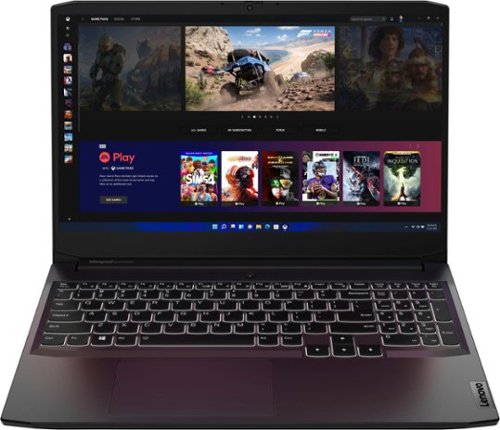
Lenovo - Ideapad Gaming 3 15.6" FHD Laptop - Ryzen 5 5600H - 8GB Memory - NVIDIA GeForce RTX 3050 Ti - 256GB SSD - Shadow Black
Time to elevate your game and esports experience beyond the realm of the ~just acceptable." Engineered with the latest generation AMD Ryzen processor and NVIDIA GeForce graphics, DDR4 memory and SSD storage options, the Lenovo IdeaPad Gaming 3 stays cool with a reengineered high-performance thermal system.
Does it have a mux switch or advanced Optimus?
You will be able to use Power Management settings within this Lenovo IdeaPad 3 15 Gaming Laptop, model number 82K201XCUS, to manually control system performance, by either using a Performance Mode Power Management Setting or a Hybrid Power Management setting to increase battery life between charges.
3 years, 11 months ago
by
Posted by:
Lenovo Product Expert
Lenovo - Ideapad Gaming 3 15.6" FHD Laptop - Ryzen 5 5600H - 8GB Memory - NVIDIA GeForce RTX 3050 Ti - 256GB SSD - Shadow Black
Time to elevate your game and esports experience beyond the realm of the ~just acceptable." Engineered with the latest generation AMD Ryzen processor and NVIDIA GeForce graphics, DDR4 memory and SSD storage options, the Lenovo IdeaPad Gaming 3 stays cool with a reengineered high-performance thermal system.
Could I play metro exodus on this?
That will depend on the requirements and compatibility of the specific version of the game you want to play. We recommend you check with the specific version of the game's software publisher's web site, of the specific game version you want to play, for their compatibility with Windows 11 Home 64-bit operating system and the minimum/recommended hardware requirements (Is a Graphics card required, the processor speed and the minimum required system RAM and the minimum available hard drive space) to run their program, then compare those requirements to this system's configuration.
3 years, 11 months ago
by
Posted by:
Lenovo Product Expert
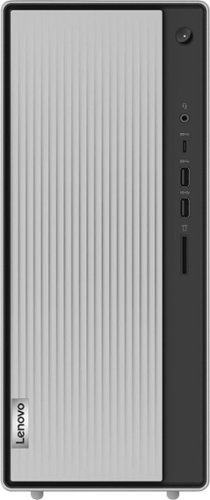
Lenovo - IdeaCentre 5i Desktop - Intel Core i3 - 8GB Memory - 512GB SSD - Mineral Grey
Lenovo IdeaCentre 5i is a powerful, contemporary desktop powered by the latest Intel Core processors. Featuring gaming-grade graphics, fast DDR4 memory, and plenty ofstorage, it~s up to the task of having fun and will immerse you in it~and looks great in your home.
Does this tower come with a port for a SanDisk 32GB???
This Lenovo IdeaCentre 5i Desktop Computer, model number 90RJ0080US, ships with a 3-in-1 card reader that is compatible with SD, SDHC, SDXC format Smart Cards, which are sold separately. This IdeaCentre 5i Desktop is compatible with any SD, SDHC, SDXC Smart Card that his compatible with the Windows 11 Operating System.
3 years, 11 months ago
by
Posted by:
Lenovo Product Expert
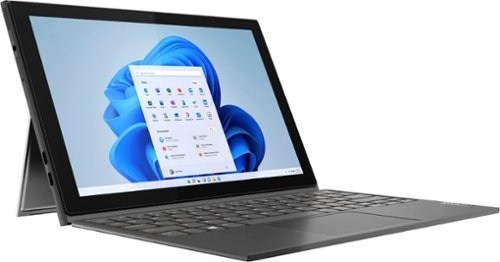
Lenovo - IdeaPad Windows Duet 3i - 10.3" (1920x1200) Touch 2-in-1 Tablet - Celeron N4020 - 4GB RAM - 128GB eMMC - with Keyboard - Graphite Grey
With a detachable Bluetooth keyboard and folio kickstand, you can detach yourself from the ordinary on the Lenovo~ IdeaPad~ Duet 3i and use your keyboard remotely from the tablet portion of the PC.
What does letter i after 3 means? Why is this listed under Tablets, while 82AT00F1US listed under Laptops, even though the only difference between them is support of digital pen, according to Lenovo official website?
The Product Name description of this Lenovo IdeaPad Windows Duet 3i, signifies that this model configuration ships with an Intel Processor. This configuration ships with the entry-level, 2-Core, Intel Celeron N4020 Processor installed. This IdeaPad Windows Duet 3i configuration is a detachable, 2 in 1 model that ships with a detachable keyboard that allows this IdeaPad Windows Duet 3i to be used either as a Laptop with the keyboard attached or as a tablet, with the keyboard detached. This is also the case with model number 82AT00F1US. Both models are detachable, 2 in 1 configurations. You are correct that the Lenovo IdeaPad Windows Duet 3i, model number 82AT00F2US, has a 10-point Multi-touch screen that is not compatible with a digital pen, while the Lenovo IdeaPad Duet 3, model number 82AT00F1US, does have a 10-point Multi-touch screen, that also has compatibility with an AES Protocol active/digital pen, which is sold separately, like this one: https://www.bestbuy.com/site/wacom-bamboo-ink-smart-stylus-for-windows-ink-2nd-generation-gray/6374981.p?skuId=6374981
3 years, 11 months ago
by
Posted by:
Lenovo Product Expert
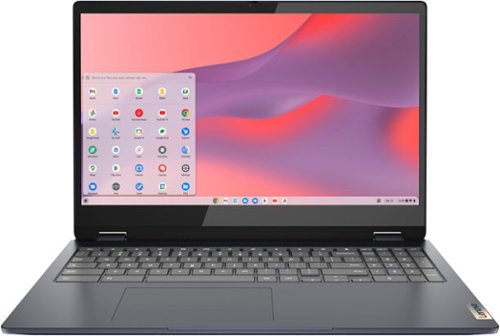
Lenovo - Flex 3i Chromebook 15.6" FHD Touch-Screen Laptop - Celeron N4500 - 4GB Memory - 64GB eMMC - Abyss Blue
One of the most versatile Chromebooks on the market, the IdeaPad Flex 3i Chromebook 15" merges accessibility with power, with an Intel Celeron N4500 processor to handle even the most arduous tasks without a hint of strain. Its slim and light 360~ convertible design and 10 hours of battery life makes it suitable for any setting. And as a Chromebook, you can quickly access all your files, photos, music, and more. You can also talk to Google to help you multitask, control your smart home devices or manage your day. Get Minecraft and 3 months of Realms Plus at no cost* with purchase of a new Chromebook. Terms Apply. *Offer valid for qualifying Chromebooks purchased on or after July 1st, 2023 through September 30th, 2023 while supplies last.
Is thus computer compatible with word
This Lenovo Flex 3i 15 Chromebook, model number 82T3000DUS, uses Google Workspace for office type programs. Google Workspace is completely compatible with Microsoft Office Programs and this is a free service through the Google Server. If you currently have a Microsoft Office 365 Account, you can access that existing account through a Chromebook. Here is a link to more information: https://support.microsoft.com/en-gb/office/how-to-access-microsoft-office-on-a-chromebook-32f14a23-2c1a-4579-b973-d4b1d78561ad#:~:text=Open%20the%20browser%20on%20your,with%20your%20Microsoft%20365%20subscription.
3 years, 11 months ago
by
Posted by:
Lenovo Product Expert
Fast, flexible, and fun, the Chromebook 3-14" brings everyone~s favorite Chromebook features, running on the lightning-fast Chrome OS that boots up in seconds, updates automatically, and is protected by built-in virus protection. Powered by a MediaTek processor and up to 10 hours of battery life, it~ll seamlessly run all of your favorite apps at the same time. Get Minecraft and 3 months of Realms Plus at no cost* with purchase of a new Chromebook. Terms Apply. *Offer valid for qualifying Chromebooks purchased on or after July 1st, 2023 through September 30th, 2023 while supplies last.
is the processor 8 a good one
This Lenovo Chromebook 3 14, model number 82KN0001US, ships with the 8-Core, MediaTek MT8183 Processor, with a maximum speed of 2.0GHz. This processor is built on the MediaTek SoC (System on a Chip)Platform.
3 years, 11 months ago
by
Posted by:
Lenovo Product Expert
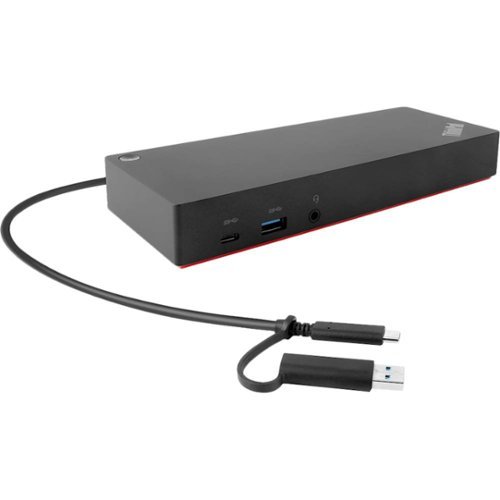
Lenovo - ThinkPad Hybrid USB-C with USB-A Docking Station - Black
Maximize productivity with your laptop by using this universal Lenovo ThinkPad hybrid USB-C dock. Three USB 3.1 ports enable high-speed data transfers with multiple devices, and the USB-C to USB-A adapter lets you connect to non-Lenovo or previous-generation Lenovo laptops. Connect up to two 4K monitors via the DisplayPort and HDMI outputs of this enterprise-class Lenovo ThinkPad hybrid USB-C dock.
Will this work on Windows 11 or just Window 10?
This Lenovo ThinkPad Hybrid USB-c with USB-A Docking Station, model number 40AF0135US, is compatible with Windows 11 -7 Operating System. Here is a link to more information and driver updates: https://support.lenovo.com/us/en/solutions/pd500180-thinkpad-hybrid-usb-c-with-usb-a-dock-overview-and-service-parts
3 years, 11 months ago
by
Posted by:
Lenovo Product Expert
Lenovo - Ideapad Gaming 3 15.6" FHD Laptop - Ryzen 5 5600H - 8GB Memory - NVIDIA GeForce RTX 3050 Ti - 256GB SSD - Shadow Black
Time to elevate your game and esports experience beyond the realm of the ~just acceptable." Engineered with the latest generation AMD Ryzen processor and NVIDIA GeForce graphics, DDR4 memory and SSD storage options, the Lenovo IdeaPad Gaming 3 stays cool with a reengineered high-performance thermal system.
How many watts is the Nvidia RTX 350 ti rated for in this Lenovo IdeaPad gaming 3 model # 82K201XCUS? Does it run at full wattage all the time or is it according to demand? Can I set the wattage in a settings menu?
This Lenovo IdeaPad 3 15 Gaming Laptop, model number 82K201XCUS, ships with the discrete, NVIDIA GeForce RTX 3050 Ti GPU, with 4GB GDDR6 VRAM on the card, and has a Boost Clock of 1485 / 1597.5MHz with a maximum TGP of 85W. You can change your Power Management Settings for either Performance or Hybrid Power Management settings, which will conserve battery life between charges. You can also use Lenovo Smart Power to manually control fan and system performance: ( Fn + Q ) option to change the fan speed by undervolting the processor. If you have questions about your Lenovo IdeaPad 3 15 Gaming Laptop, we recommend you contact Lenovo Tech Support for additional information at: 877-453-6686.
3 years, 11 months ago
by
Posted by:
Lenovo Product Expert
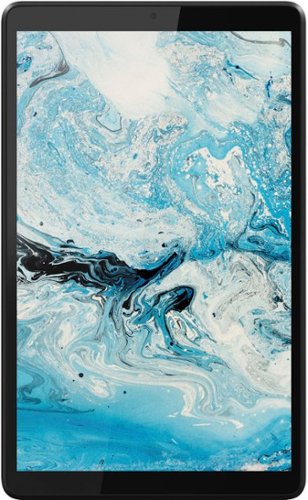
Lenovo - Tab M8 HD (2nd Gen) - 8" - Tablet - 32GB - Iron Grey
Lenovo Tab M8 is the 2nd generation mainstream tablet that comes with standout metal design, and is tailored to make your entertainment experience richer. The stunning 8" HD display brings you a crispier and brighter visual world. More than that, no matter you are watching a thrilling online movie or playing an exciting game, the fast speed and stable connection can also make your enjoyment perfect. Non-stop entertainment is just ON. Lenovo Tab M8, your best companion device with stunning performance and stylish design. The device that everyone wants to have.
Is this a cellular tablet? If so, is it unlocked? If not unlocked, can you recommend an unlocked cellular tablet?
This Lenovo Tab M8 2nd Gen Tablet, model number ZA5G0060US, uses only 802.11a/b/g/n/ac frequency WiFi for internet connectivity. This Tab M8 Tablet has no cellular/broadband data capability built in.
3 years, 11 months ago
by
Posted by:
Lenovo Product Expert