Lenovo Product Expert
Lenovo Product Expert's Stats
Reviews
- Review Count0
- Helpfulness Votes0
- First ReviewNone
- Last ReviewNone
- Featured Reviews0
- Average Rating0
Reviews Comments
- Review Comment Count0
- Helpfulness Votes0
- First Review CommentNone
- Last Review CommentNone
- Featured Review Comments0
Questions
- Question Count0
- Helpfulness Votes0
- First QuestionNone
- Last QuestionNone
- Featured Questions0
- Answer Count37797
- Helpfulness Votes24,818
- First AnswerApril 21, 2014
- Last AnswerOctober 8, 2026
- Featured Answers0
- Best Answers2825
Lenovo Product Expert's Reviews
Lenovo Product Expert has not submitted any reviews.
Lenovo Product Expert's Questions
Lenovo Product Expert has not submitted any questions.
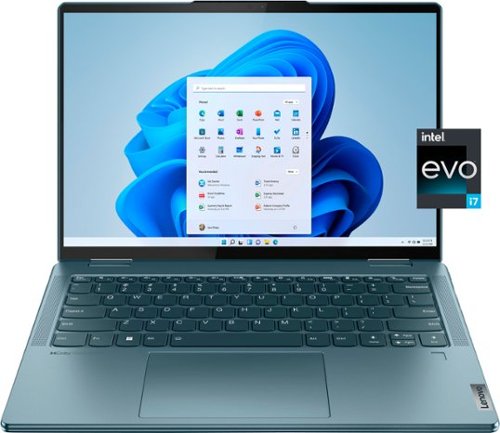
Lenovo - Yoga 7i 14" 2.2K Touch 2-in-1 Laptop - Intel Evo Platform - Core i7-1255U - 16GB Memory - 512GB SSD - Stone Blue
The Lenovo Yoga 7i combines versatile portability and enhanced productivity, thanks to the boundary-breaking performance and responsiveness of 12th generation Intel Core processors and vibrant 2.2K clarity with Intel Iris Xe graphics. Go anywhere with a sleek 2-in-1 metal chassis featuring thoughtful details including a webcam privacy shutter.
Is the body made of aluminium or plastic?

This Intel Evo-Certified, Lenovo Yoga 7i 14, model number 82QE000KUS, ships with a case material made of: Aluminum (Top), Aluminum (Bottom).
3 years, 11 months ago
by
Posted by:
Lenovo Product Expert
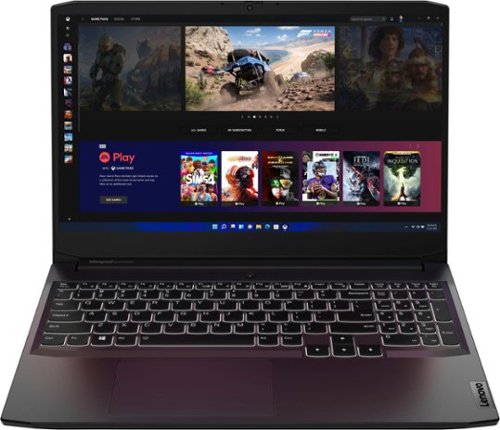
Lenovo - Ideapad Gaming 3 15.6" FHD Laptop - Ryzen 5 5600H - 8GB Memory - NVIDIA GeForce RTX 3050 Ti - 256GB SSD - Shadow Black
Time to elevate your game and esports experience beyond the realm of the ~just acceptable." Engineered with the latest generation AMD Ryzen processor and NVIDIA GeForce graphics, DDR4 memory and SSD storage options, the Lenovo IdeaPad Gaming 3 stays cool with a reengineered high-performance thermal system.
Can I use the usb c port on the side of the laptop for an oculus link cable, or do I need to use a regular usb?
This Lenovo IdeaPad 3 15 Gaming Laptop, model number 82K201XCUS, ships with 1x USB-C 3.2 Gen 1 (support data transfer only) port. We recommend you check with your device manufacturer's web site for the compatibility and requirements of the USB-c connection required for your specific model.
3 years, 11 months ago
by
Posted by:
Lenovo Product Expert
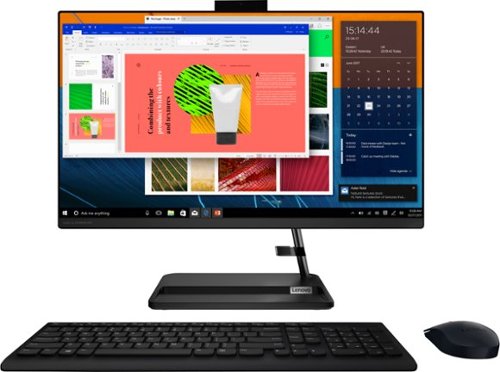
Lenovo - IdeaCentre AIO 3i 24" Touch-Screen All-In-One - Intel Core i3 - 8GB Memory - 256GB Solid State Drive - Black
Great things do come in the smallest packages. Housed in a sleek and compact frame, Lenovo IdeaCentre AIO 3i delivers peak performance with 11th generation Intel Core processing, while holding plenty of storage with a 256GB SSD. Three-sided narrow bezels on the FHD display and Harman-certified stereo speakers make this the consummate family PC.
Does this computer have a cd/dvd slot
Yes. This Lenovo IdeaCentre 3i 24 All-In-One System, model number F0G000FWUS, ships with a 9.0mm CD/DVD±RW Drive, located on the back, left side of the computer screen. Here is a link to the User Guide for this model IdeaCentre 3i 24 AIO that illustrates the location of the CD/DVD drive on page 2: https://download.lenovo.com/consumer/desktop_pub/aio_3_6_ug_en_202105.pdf
3 years, 11 months ago
by
Posted by:
Lenovo Product Expert

Lenovo - IdeaPad 3 15" HD Touch Screen Laptop - Intel Core i3-1115G4 - Intel UHD Graphics - 8GB Memory - 256GB SSD - Almond
Engineered for long-lasting performance, the Lenovo IdeaPad 3 is the perfect laptop for your everyday tasks with features that you can depend on.
The manual that came out the box with this laptop said part (8), which is the power button, doubles as a fingerprint reader. How do I get it to work?
This Lenovo IdeaPad 3 15 Laptop, model number 81X800KLUS, does not have a fingerprint reader.
3 years, 11 months ago
by
Posted by:
Lenovo Product Expert
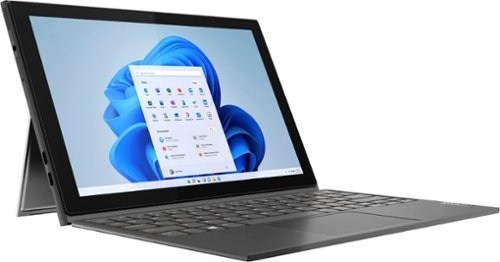
Lenovo - IdeaPad Windows Duet 3i - 10.3" (1920x1200) Touch 2-in-1 Tablet - Celeron N4020 - 4GB RAM - 128GB eMMC - with Keyboard - Graphite Grey
With a detachable Bluetooth keyboard and folio kickstand, you can detach yourself from the ordinary on the Lenovo~ IdeaPad~ Duet 3i and use your keyboard remotely from the tablet portion of the PC.
Will this work with an ax router? I have a TP Link AX3000 router, but read in a review this tablet is compatible with "802.11ac router". Assuming it will be fine, but want to confirm before purchase. Thanks.
This Lenovo IdeaPad Windows Duet 3i, model number 82AT00F2US, ships with WiFi-5, 2x2 802.11ac frequency WiFi capability built in. Your WiFi-6, 802.11ax frequency Router should be backward compatible to older a/b/g/n/ac frequency WiFi signals, but we recommend you check with your router manufacturer's web site for the backward compatibility of your specific model router to the 802.11ac frequency WiFi signal.
3 years, 11 months ago
by
Posted by:
Lenovo Product Expert

Lenovo - Yoga 7i 2-in-1 15.6" HDR Touch Screen Laptop - Intel Evo Platform Core i7 - 12GB Memory - 512GB Solid State Drive - Dark Moss
The Lenovo~ Yoga~ 7i 15" combines versatile portability and enhanced productivity, thanks to the boundary-breaking performance and responsiveness of 11th generation Intel~ Core~ i7 processors and a vibrant VESA Dolby HDR 400 display in FHD clarity with Intel~ Iris~ Xe graphics. Go anywhere with a sleek 2-in-1 metal chassis featuring thoughtful details including a webcam privacy shutter.
When it will be re-stocked? I need this urgently.
This Intel Evo-Certified, Lenovo Yoga 7i 15, model number 82BJ0003US, is a clearance model. We recommend you check with your local Best Buy Store location for help sourcing this model in your area.
3 years, 11 months ago
by
Posted by:
Lenovo Product Expert
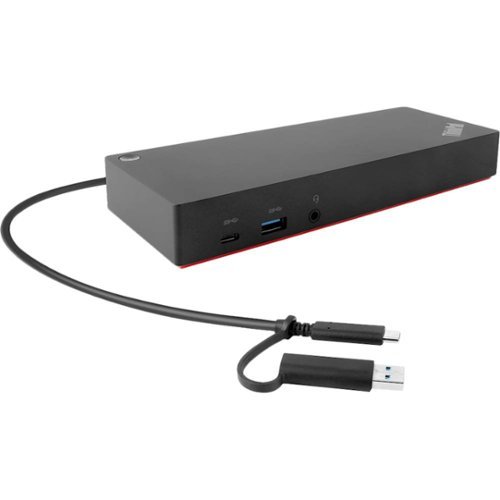
Lenovo - ThinkPad Hybrid USB-C with USB-A Docking Station - Black
Maximize productivity with your laptop by using this universal Lenovo ThinkPad hybrid USB-C dock. Three USB 3.1 ports enable high-speed data transfers with multiple devices, and the USB-C to USB-A adapter lets you connect to non-Lenovo or previous-generation Lenovo laptops. Connect up to two 4K monitors via the DisplayPort and HDMI outputs of this enterprise-class Lenovo ThinkPad hybrid USB-C dock.
Will this docking station charge my laptop or do I need to plug into docking station and laptop charger? I have a Lenovo Legion.
This Hybrid Lenovo ThinkPad USB-c to USB Type A compatible docking station has a 90W Power Delivery pass through to a connected device. Your Lenovo Legion model most likely requires a higher wattage AC adapter/charger to power the high performance configuration of the Legion Gaming Laptop configuration. Check the power requirements of your specific model Legion Gaming Laptop. It will most likely require you to also plug in the AC adapter/charger that shipped with your Lenovo Legion Gaming Laptop to properly power your Legion Gaming Laptop and/or charge its internal battery.
3 years, 11 months ago
by
Posted by:
Lenovo Product Expert
Lenovo - Ideapad Gaming 3 15.6" FHD Laptop - Ryzen 5 5600H - 8GB Memory - NVIDIA GeForce RTX 3050 Ti - 256GB SSD - Shadow Black
Time to elevate your game and esports experience beyond the realm of the ~just acceptable." Engineered with the latest generation AMD Ryzen processor and NVIDIA GeForce graphics, DDR4 memory and SSD storage options, the Lenovo IdeaPad Gaming 3 stays cool with a reengineered high-performance thermal system.
Does the storage have an extra slot to fit in another SSD? Also is the current SSD replaceable to upgrade to a higher storage amount?
This Lenovo IdeaPad 3 15 Gaming Laptop, model number 82K201XCUS, ships with a 256GB M.2 2242 PCIe 3.0x4 NVMe solid state hard drive installed. The maximum storage capacity that this model configuration can support is: up to two drives, 1x 2.5 inch HDD + 1x M.2 2242 SSD or 1x M.2 2242/2280 SSD + 1x M.2 2242 SSD: • 2.5 inch HDD up to 1TB plus • M.2 2242 SSD up to 512GB or • M.2 2280 SSD up to 1TB. We recommend you consult with your certified technician about your storage upgrade options.
3 years, 11 months ago
by
Posted by:
Lenovo Product Expert
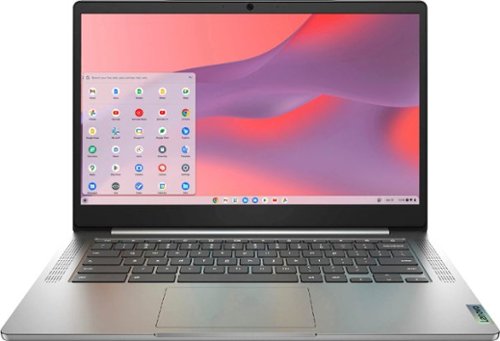
Fast, flexible, and fun, the Chromebook 3-14" brings everyone~s favorite Chromebook features, running on the lightning-fast Chrome OS that boots up in seconds, updates automatically, and is protected by built-in virus protection. Powered by a MediaTek processor and up to 10 hours of battery life, it~ll seamlessly run all of your favorite apps at the same time. Get Minecraft and 3 months of Realms Plus at no cost* with purchase of a new Chromebook. Terms Apply. *Offer valid for qualifying Chromebooks purchased on or after July 1st, 2023 through September 30th, 2023 while supplies last.
Does Lenovo Chromebook 3 14" touch laptop lid rotate ,fold backwards?
No. This Lenovo Chromebook 3 14, model number 82KN0001US, is a traditional Laptop Configuration. It can not be used in Tablet Mode. This Lenovo Chromebook 3 14 does have a 10-point Multi-touch screen that is: 15.6 Inches (screen size measured diagonally) TN - HD (1366x768) 10-point Multi-touch screen, with a brightness level of 220 nits and has an Anti-glare Coating. This screen provides 67 Percent of the sRGB (45 Percent NTSC) color gamut.
3 years, 11 months ago
by
Posted by:
Lenovo Product Expert
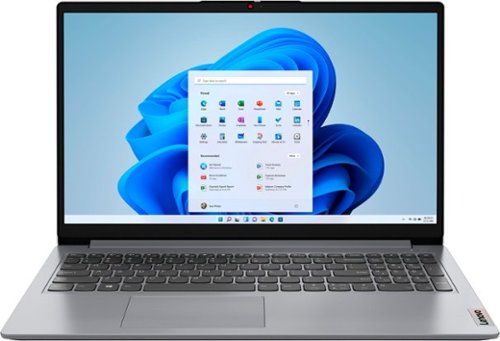
Lenovo - Ideapad 1 15.6" HD Laptop - Athlon Silver 3050U - 4GB Memory - 128GB eMMC - Cloud Grey
The Lenovo IdeaPad 1 is powered by an ultra-fast AMD Athlon Silver processor and it packs responsive performance in a thin and compact 17.9 mm chassis, making multitasking on-the-go a breeze. Get the most out of your device with a frameless display for more screen and Dolby Audio speakers, along with 10 hours of battery life and rapid charge.
I'm wondering whether this computer can run MS Office products when not connected to the internet?
This Lenovo IdeaPad 1 15 Laptop, model number 82R1006VUS, ships with a 30-day trial of Microsoft Office 365 included as part of the Windows 11 operating system, that is available offline as well as online. To keep the program active after the trial period, you will need to purchase a product key. You will not need to download any additional software.
3 years, 11 months ago
by
Posted by:
Lenovo Product Expert