Lenovo Product Expert
Lenovo Product Expert's Stats
Reviews
- Review Count0
- Helpfulness Votes0
- First ReviewNone
- Last ReviewNone
- Featured Reviews0
- Average Rating0
Reviews Comments
- Review Comment Count0
- Helpfulness Votes0
- First Review CommentNone
- Last Review CommentNone
- Featured Review Comments0
Questions
- Question Count0
- Helpfulness Votes0
- First QuestionNone
- Last QuestionNone
- Featured Questions0
- Answer Count37798
- Helpfulness Votes24,825
- First AnswerApril 21, 2014
- Last AnswerOctober 8, 2026
- Featured Answers0
- Best Answers2826
Lenovo Product Expert's Reviews
Lenovo Product Expert has not submitted any reviews.
Lenovo Product Expert's Questions
Lenovo Product Expert has not submitted any questions.
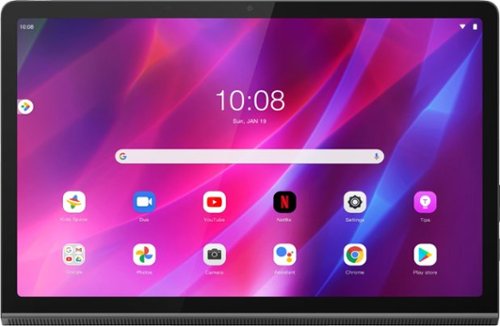
Lenovo - Yoga Tab 11 - 11" - Tablet - 256GB - Storm Gray
Recreate cinema everywhere you go on the Lenovo Yoga Tab 11. Start with the stunning 2K display with Dolby Vision. Add in quad JBL speakers with Dolby Atmos moving audio tuned by Lenovo Premium Audio. It's cinema styled for smaller spaces.
Can this tablet be used as a second monitor for a laptop?

No. This Lenovo Yoga Tab 11, model number ZA8W0084US, ships with 1x USB-C 2.0 (support data transfer, OTG and Power Delivery 2.0) port that does not have video in/out capability.
3 years, 11 months ago
by
Posted by:
Lenovo Product Expert
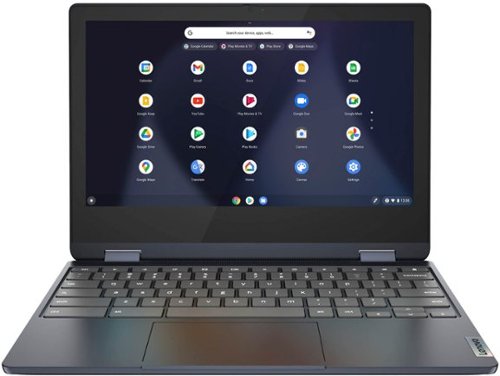
Lenovo - Flex 3 Chromebook 11.6" HD Touch-screen Laptop - Mediatek MT8183 - 4GB - 64GB eMMC - Abyss Blue
Packs what makes Chromebook so amazing into one svelte 360-degree convertible. Versatile and portable, the IdeaPad Flex 3 Chromebook measures just 19.6 mm thick and weighs 1.2 kg with a full keyboard and spacious trackpad, and can be viewed in tent, tablet, laptop or stand modes. Watch crisp visuals in high definition with its 10-point touchscreen on the 11.6" IPS display while being more productive with help from Google. Just say ~Hey Google,~ to manage tasks, enjoy your entertainment, get answers, or control smart home devices.
Is the screen anti-reflective?
No. This Lenovo Flex 3 11 Chromebook, model number 82KM0003US, ships with a Glossy Finish, 11.6 Inch (screen size measured diagonally) IPS - HD (1366x768) 10-point Multi-touch screen, with a brightness level of 250 nits. This screen provides 67 Percent of the sRGB ( 45 Percent NTSC) color gamut.
3 years, 11 months ago
by
Posted by:
Lenovo Product Expert
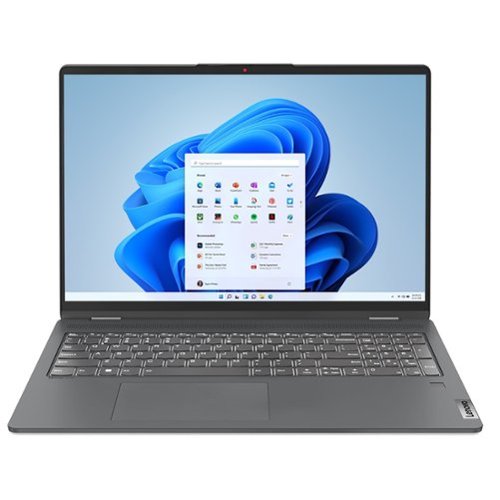
Lenovo - IdeaPad Flex 5 16IAU7 16" Laptop - Intel Core i7 - 16 GB Memory - 512 GB SSD - Storm Gray
IdeaPad Flex Series Laptops. Where performance and connectivity meet productivity and entertainment. Portable multimode laptops with next-gen performance, all-day battery life, and built-in versatility. For life on the go.
Does this laptop have the stylus?
This Lenovo IdeaPad Flex 5 16, model number 82R80003US, is compatible with a AES Protocol active/digital pen, which is sold separately, like this one: https://www.bestbuy.com/site/wacom-bamboo-ink-smart-stylus-for-windows-ink-2nd-generation-gray/6374981.p?skuId=6374981
3 years, 11 months ago
by
Posted by:
Lenovo Product Expert
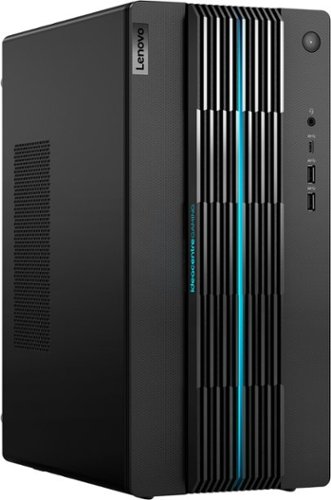
Lenovo - IdeaCentre Gaming 5i Gaming Desktop - Intel Core i7-12700 - 16GB Memory - NVIDIA GeForce RTX 3060 LHR - 512GB SSD - Raven Black
Fast-track your entry into gaming and esports with the Lenovo IdeaCentre Gaming 5i, powered by the latest 12th Generation Intel Core i7 processors, a seriously powerful, future-proof machine that keeps pace with top games for years to come, with the upgradeability to go even further. Complement your home office or elite battlestation with the functional aesthetics of the generous 17L chassis accented by blue lighting along the bezels and 2D/3D striped patterns across the front, enhancing ventilation and looking cool.
What is the cooling like. It looks like it would get hot in there, with not a lot of ventilation. Does it have water cooler?
This Lenovo IdeaCentre Gaming 5i Desktop, mode number 90T00007US, ships with 2 internal fans installed (1x Front + 1x Rear). This IdeaCentre Gaming 5i is configured with an ample 65W CPU cooler, more wattage over previous generations and 50% better airflow. You can Fine-tune your
system cooling to favor either speed or acoustics with Smart Power - You can use Lenovo Smart Power to manually control fan and system performance: ( Fn + Q ) option to change the fan speed by undervolting the processor.
system cooling to favor either speed or acoustics with Smart Power - You can use Lenovo Smart Power to manually control fan and system performance: ( Fn + Q ) option to change the fan speed by undervolting the processor.
3 years, 11 months ago
by
Posted by:
Lenovo Product Expert
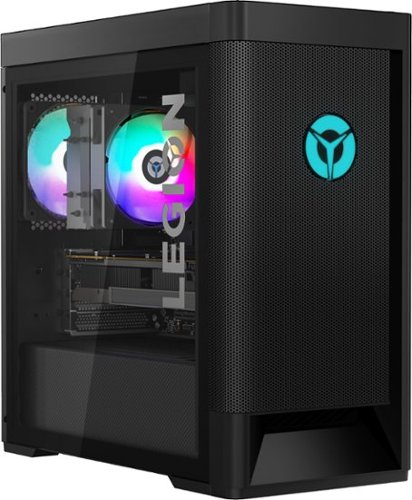
Lenovo - Legion Tower 5 AMD Gaming Desktop - AMD Ryzen 7-5800 - 16GB Memory - NVIDIA GeForce RTX 3060 - 256GB SSD + 1TB HDD - Raven Black
Engineered out of a passion for savage power and unmatched speed, the Lenovo Legion Tower 5 AMD delivers mind-blowing performance that combines AMD Ryzen processors and top-of-the-line NVIDIA GeForce graphics cards for blazing-fast frame rates at up to 4K resolution. Pushing far beyond the upper bounds of smaller rig configurations while keeping things cool and whisper quiet, the Legion Tower 5 is a marvel of build and design, accentuated by its illuminated blue LED logo and lighting, as well a transparent side panel that can properly showcase your internals.
What type of display port does it have?
This Lenovo Legion Tower 5 AMD Gaming Desktop, model number 90RB002AUS, ships with the discrete, NVIDIA GeForce RTX 3060 12GB GDDR6 GPU with 3x DisplayPort 1.4a, 1x HDMI 2.1 video connections on the GPU. 7680x4320@60Hz(HDMI), 7680x4320@60Hz(DP) maximum resolution.
3 years, 11 months ago
by
Posted by:
Lenovo Product Expert
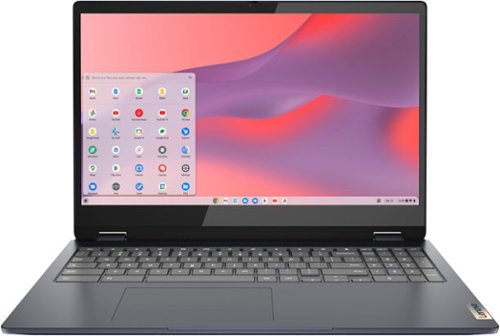
Lenovo - Flex 3i Chromebook 15.6" FHD Touch-Screen Laptop - Celeron N4500 - 4GB Memory - 64GB eMMC - Abyss Blue
One of the most versatile Chromebooks on the market, the IdeaPad Flex 3i Chromebook 15" merges accessibility with power, with an Intel Celeron N4500 processor to handle even the most arduous tasks without a hint of strain. Its slim and light 360~ convertible design and 10 hours of battery life makes it suitable for any setting. And as a Chromebook, you can quickly access all your files, photos, music, and more. You can also talk to Google to help you multitask, control your smart home devices or manage your day. Get Minecraft and 3 months of Realms Plus at no cost* with purchase of a new Chromebook. Terms Apply. *Offer valid for qualifying Chromebooks purchased on or after July 1st, 2023 through September 30th, 2023 while supplies last.
Does this laptop have HDMI port thanks
Yes. This Lenovo Flex 3i 15 Chromebook, model number 82T3000DUS, ships with these ports: 2x USB 3.2 Gen 1, 1x USB-C 3.2 Gen 1 (support data transfer, Power Delivery 3.0 and DisplayPort 1.4) with video out, 1x HDMI 1.4b, 1x microSD card reader, 1x Headphone / microphone combo jack (3.5mm) and this Flex 3i 15 Chromebook supports up to 3 independent displays (native display and 2 external monitors via HDMI and USB-C). HDMI supports up to 3840x2160@30Hz. USB-C supports up to 3840x2160@60Hz.
3 years, 11 months ago
by
Posted by:
Lenovo Product Expert
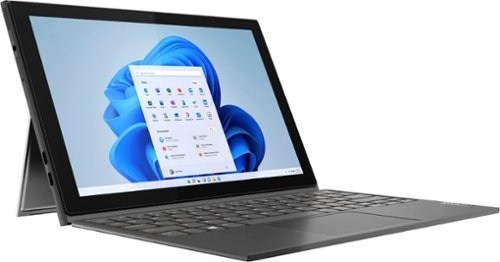
Lenovo - IdeaPad Windows Duet 3i - 10.3" (1920x1200) Touch 2-in-1 Tablet - Celeron N4020 - 4GB RAM - 128GB eMMC - with Keyboard - Graphite Grey
With a detachable Bluetooth keyboard and folio kickstand, you can detach yourself from the ordinary on the Lenovo~ IdeaPad~ Duet 3i and use your keyboard remotely from the tablet portion of the PC.
can i make n edit video's for youtube? my chromebook sucks!
That will depend on the requirements and compatibility of the specific video editing/creation software APP you will be using. This Lenovo IdeaPad Windows Duet 3i, model number 82AT00F2US, is an entry-level configuration with its 2-Core Intel Celeron N4500 Processor and 4GB Soldered LPDDR4x-2933MHz RAM Memory soldered to systemboard, no slots, single-channel and is not upgradeable. This IdeaPad Duet 3i also ships with Windows 11 S-Mode, 64-bit Operating System installed. Windows 11 S-Mode provides added security by only allowing APPs available ( and therefore certified by Microsoft) at the Microsoft Store. If you don't need the added security or you need to install APPs not available at the Microsoft Store, you can switch to standard Windows 11 Home 64-bit Operating System, at no additional cost. We recommend you check with the specific video editing software publisher's web site, of the specific version of the video editing APP you will be using, for their compatibility with Windows 11 S-Mode 64-bit operating system and the minimum/recommended hardware requirements (Is a Graphics card required, the processor speed and the minimum required system RAM and the minimum available hard drive space) to run their program, then compare those requirements to this system's configuration. If you choose to switch out of S-Mode for Windows 11 Home: Here is a link to instructions for switching from Windows 11 S-Mode to Windows 11 Home: https://support.microsoft.com/en-us/windows/switching-out-of-s-mode-in-windows-4f56d9be-99ec-6983-119f-031bfb28a307#WindowsVersion=Windows_11
3 years, 11 months ago
by
Posted by:
Lenovo Product Expert
Lenovo - Flex 3i Chromebook 15.6" FHD Touch-Screen Laptop - Celeron N4500 - 4GB Memory - 64GB eMMC - Abyss Blue
One of the most versatile Chromebooks on the market, the IdeaPad Flex 3i Chromebook 15" merges accessibility with power, with an Intel Celeron N4500 processor to handle even the most arduous tasks without a hint of strain. Its slim and light 360~ convertible design and 10 hours of battery life makes it suitable for any setting. And as a Chromebook, you can quickly access all your files, photos, music, and more. You can also talk to Google to help you multitask, control your smart home devices or manage your day. Get Minecraft and 3 months of Realms Plus at no cost* with purchase of a new Chromebook. Terms Apply. *Offer valid for qualifying Chromebooks purchased on or after July 1st, 2023 through September 30th, 2023 while supplies last.
Is this an ideapad?
Yes. This Lenovo Flex 3i 15 Chromebook 15IJL7, is part of the Lenovo IdeaPad Product Family.
3 years, 11 months ago
by
Posted by:
Lenovo Product Expert
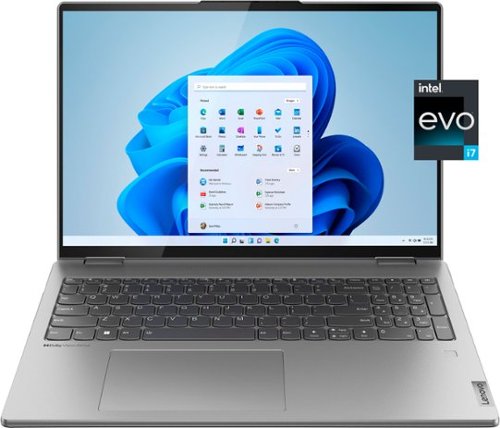
Lenovo - Yoga 7i 16" 2.5K Touch 2-in-1 Laptop - Intel Evo Platform - Core i7-1260P - 16GB Memory - 512GB SSD - Arctic Grey
The Lenovo Yoga 7i combines versatile portability and enhanced productivity, thanks to the boundary-breaking performance and responsiveness of 12th generation Intel Core processors and vibrant WQXGA clarity with Intel Iris Xe 96EU graphics. Go anywhere with a sleek 2-in-1 metal chassis featuring thoughtful details including a webcam privacy shutter.
Does it have Bluetooth capabilities for connecting such items as a mouse?
Yes, this Intel Evo-Certified, Lenovo Yoga 7i 16, model number 82QG0000US, ships with Bluetooth 5.1 Version capability built in and can connect with compatible peripheral devices.
3 years, 11 months ago
by
Posted by:
Lenovo Product Expert
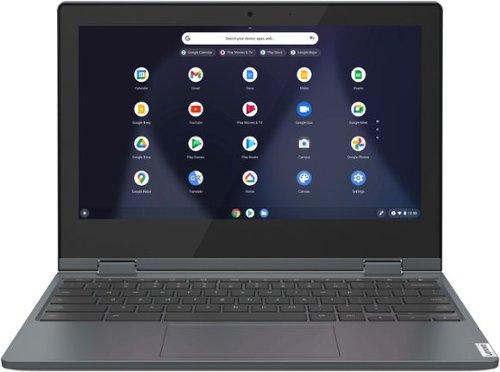
Lenovo - Flex 3 Chromebook 11.6" HD Touch-screen Laptop - Celeron N4020 - 4GB - 64GB eMMC - Abyss Blue
Fast, flexible, and fun, the Lenovo~ IdeaPad~ Flex 3 Chromebook 11" brings everyone~s favorite Chromebook features, housed in a slim 2-in-1 chassis, running on the lightning-fast Chrome OS that boots up in seconds, updates automatically, and is protected by built-in virus protection. Smaller than a piece of A4 paper, the IdeaPad Flex 3 Chromebook 11" features an Intel processor with up to 10 hours battery life. IdeaPad Flex 3 Chromebook 11" is your best companion from day to night.
Does this tablet computer have NFC?
No. This Lenovo Flex 3 11 Chromebook, model number 82BB000AUS, does not have Near Field Communication (NFC) capability, built in. This Flex 3 11 Chromebook uses Bluetooth 4.2 Version for short-range, wireless communication with compatible peripheral devices.
3 years, 11 months ago
by
Posted by:
Lenovo Product Expert