Lenovo Product Expert
Lenovo Product Expert's Stats
Reviews
- Review Count0
- Helpfulness Votes0
- First ReviewNone
- Last ReviewNone
- Featured Reviews0
- Average Rating0
Reviews Comments
- Review Comment Count0
- Helpfulness Votes0
- First Review CommentNone
- Last Review CommentNone
- Featured Review Comments0
Questions
- Question Count0
- Helpfulness Votes0
- First QuestionNone
- Last QuestionNone
- Featured Questions0
- Answer Count37808
- Helpfulness Votes24,825
- First AnswerApril 21, 2014
- Last AnswerOctober 9, 2026
- Featured Answers0
- Best Answers2827
Lenovo Product Expert's Reviews
Lenovo Product Expert has not submitted any reviews.
Lenovo Product Expert's Questions
Lenovo Product Expert has not submitted any questions.
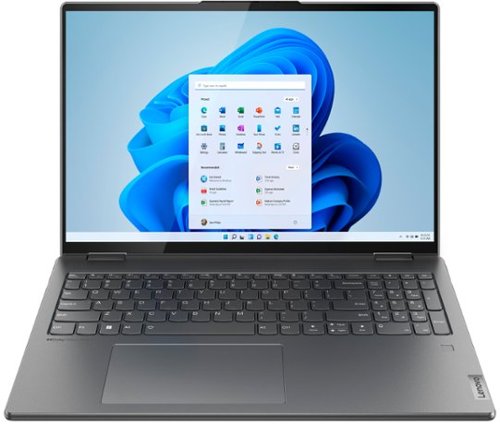
Lenovo - Yoga 7i 16" 2.5K Touch 2-in-1 Laptop - Intel Evo Platform - Core i5-1240P - 8GB Memory - 256GB SSD - Storm Grey
The Lenovo Yoga 7i combines versatile portability and enhanced productivity, thanks to the boundary-breaking performance and responsiveness of 12th generation Intel Core processors and vibrant WQXGA clarity with Intel Iris Xe graphics. Go anywhere with a sleek 2-in-1 metal chassis featuring thoughtful details including a webcam privacy shutter.
What preloaded software come on this model

This Intel Evo-Certified, Lenovo Yoga 7i 16, model number 82QG0001US, ships with this factory installed software: Lenovo Vantage, • Lenovo Utility/Smart Key, • Lenovo Smart Note,, • Lenovo Smart Appearance, • Lenovo Voice Assistant, • 30-day trial of Microsoft Office 365, • 30-day trial of McAfee LiveSafe, • Dolby Vision & Atmos, • Amazon Alexa, • Intel Connectivity Performance Suite.
4 years ago
by
Posted by:
Lenovo Product Expert
Lenovo - Yoga 7i 16" 2.5K Touch 2-in-1 Laptop - Intel Evo Platform - Core i5-1240P - 8GB Memory - 256GB SSD - Storm Grey
The Lenovo Yoga 7i combines versatile portability and enhanced productivity, thanks to the boundary-breaking performance and responsiveness of 12th generation Intel Core processors and vibrant WQXGA clarity with Intel Iris Xe graphics. Go anywhere with a sleek 2-in-1 metal chassis featuring thoughtful details including a webcam privacy shutter.
Does this computer come with Bluetooth ?
Yes. This Intel Evo-Certified, Lenovo Yoga 7i 16, model number 82QG0001US, ships with Bluetooth 5.1 Version capability built in.
4 years ago
by
Posted by:
Lenovo Product Expert
Lenovo - Yoga 7i 16" 2.5K Touch 2-in-1 Laptop - Intel Evo Platform - Core i5-1240P - 8GB Memory - 256GB SSD - Storm Grey
The Lenovo Yoga 7i combines versatile portability and enhanced productivity, thanks to the boundary-breaking performance and responsiveness of 12th generation Intel Core processors and vibrant WQXGA clarity with Intel Iris Xe graphics. Go anywhere with a sleek 2-in-1 metal chassis featuring thoughtful details including a webcam privacy shutter.
Can you connect boss. Wireless head phones
This Intel Evo-Certified, Lenovo Yoga 7i 16, model number 82QG0001US, ships with Bluetooth 5.1 Version capability installed. We recommend you check with your headphone manufacturer's web site for the compatibility of your specific model headphones with Bluetooth 5.1 Version and the Windows 11 Operating System.
4 years ago
by
Posted by:
Lenovo Product Expert
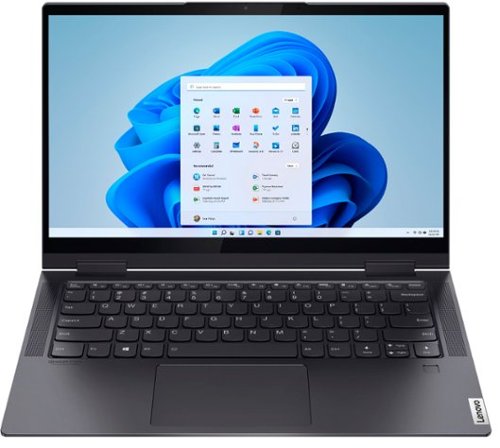
Lenovo - Yoga 7i 2-in-1 14" Touch Screen Laptop - Intel Evo Platform Core i7 - 12GB Memory - 512GB Solid State Drive - Slate Grey
The Lenovo~ Yoga~ 7i 14" combines versatile portability and enhanced productivity, thanks to the boundary-breaking performance and responsiveness of 11th generation Intel~ Core~ i7 processors and vibrant FHD clarity with Intel~ Iris~ Xe graphics. Go anywhere with a sleek 2-in-1 metal chassis featuring thoughtful details including a webcam privacy shutter.
Is the digital pen 2 compatible with this and why does my bamboo 2nd gen keep disconnecting from my yoga 7i?
This Intel Evo-Certified, Lenovo Yoga 7i 14, model number 82BH00DLUS, is compatible with an AES Protocol, active/digital pen, including the Wacom, Bamboo Ink Smart Stylus for Windows Ink - 2nd Generation, active digital pen: https://www.bestbuy.com/site/wacom-bamboo-ink-smart-stylus-for-windows-ink-2nd-generation-gray/6374981.p?skuId=6374981. Here is a link to some troubleshooting tips for fixing issues with the Wacom, Bamboo AES Protocol compatible pens: https://blinqblinq.com/wacom-bamboo-ink-stylus-not-working/. If the issue continues we recommend you contact Wacom Support for more help here: https://support.wacom.com/hc/en-us/articles/4402518273943-How-do-I-contact-Wacom-Support-
4 years ago
by
Posted by:
Lenovo Product Expert

Lenovo - IdeaPad 3 15" HD Touch Screen Laptop - Intel Core i3-1115G4 - Intel UHD Graphics - 8GB Memory - 256GB SSD - Almond
Engineered for long-lasting performance, the Lenovo IdeaPad 3 is the perfect laptop for your everyday tasks with features that you can depend on.
Why when I print it won’t do color
Be sure you have installed the required drivers for your specific model printer on to this Lenovo IdeaPad 3 15 Laptop. This Lenovo IdeaPad 3 15 Laptop, model number 81X800KLUS ships with Windows 11 S-Mode, 64-bit Operating System installed. Windows 11 S-Mode provides added security by only allowing APPs available ( and therefore certified by Microsoft) at the Microsoft Store. If you don't need the added security or you need to install APPs not available at the Microsoft Store, you can switch to standard Windows 11 Home 64-bit Operating System, at no additional cost. We recommend you check with your printer manufacturer's web site, for the compatibility of your specific printer model with Windows 11 S-Mode, 64-bit Operating System, then install all necessary drivers for your printer model, as directed by your printer manufacturer's web site. You may need to switch from S-Mode to Windows 11 Home, 64-bit Operating System to be able to install your printer's required drivers to be able to print properly in color. Here is a link to instructions for switching from Windows 11 S-Mode to Windows 11 Home: https://support.microsoft.com/en-us/windows/switching-out-of-s-mode-in-windows-4f56d9be-99ec-6983-119f-031bfb28a307#WindowsVersion=Windows_11. If you have all necessary drivers for your printer model installed but you still can not print in color, try the following troubleshooting suggestions: Verify if the Print in Gray Scale option is enabled. Reset Printer to default factory settings. Uninstall and fresh install the Printer software. Here is a link to more information: https://www.thewindowsclub.com/printer-not-printing-in-color-on-windows-10#:~:text=If%20Windows%2011%20or%20Windows,fresh%20install%20the%20Printer%20software. If the issue continues we recommend you contact your printer manufacturer for additional help.
4 years ago
by
Posted by:
Lenovo Product Expert
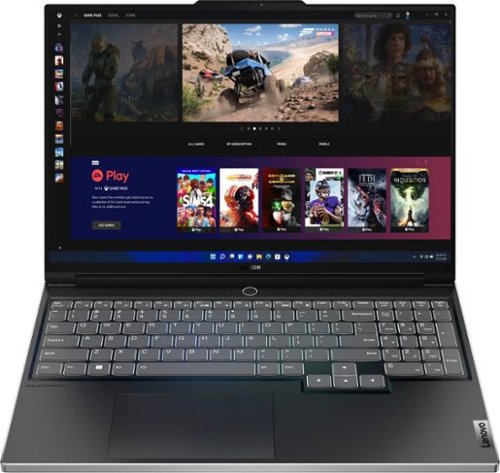
Lenovo - Legion Slim 7i 16" Full HD Gaming Laptop - Core i7-12700H - 16GB Memory - NVIDIA GeForce RTX 3060 - 512GB SSD - Onyx Grey
Engineered for those who know gaming is a way of life, the Lenovo~ Legion Slim 7, in Onyx Grey, is calibrated for next-gen creation and gaming alike. Redefine gaming experiences with the latest generation Intel Core i7 processor and NVIDIA GeForce RTX graphics that are AI-optimized via the Legion AI Engine, all the while cooled by the Legion Coldfront 3.0~s thermal system. The Legion Slim 7~s light and exhilarating design is further machined from an Aluminum and Magnesium blend that defies all basic laws of laptop engineering. Crush the competition in WUXGA for immersive gaming anywhere life takes you.
Does this laptop have video card of 6 or 8gb? 3060?
This Lenovo Legion Slim 7i 16 Gaming Laptop, model number 82TF000RUS, ships with the NVIDIA GeForce RTX 3060 GPU, with 6GB GDDR6 VRAM on the card and has a Boost Clock of 1605MHz and a TGP of 100W.
4 years ago
by
Posted by:
Lenovo Product Expert
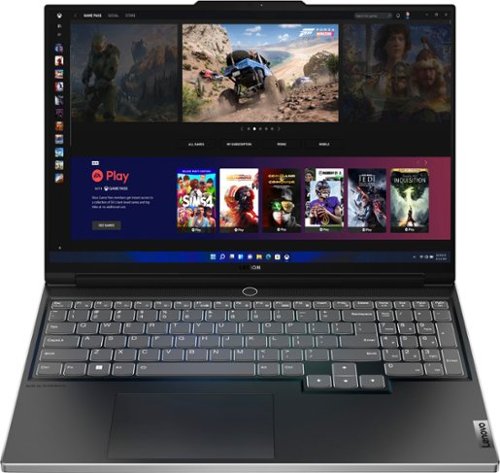
Lenovo - Legion Slim 7 AMD Advantage Edition 16" 2.5k Gaming Laptop - AMD Ryzen 9 6900HX-16GB Memory-AMD Radeon RX 6800S-1TB SSD - Onyx Grey
Engineered for those who know gaming is a way of life, the Lenovo Legion Slim 7, in Onyx Grey, is calibrated for next-gen creation and gaming alike. Redefine gaming experiences with the latest generation AMD Ryzen processor and AMD Radeon RX graphics that are AI-optimized via the Legion AI Engine, all the while cooled by the Legion Coldfront 3.0~s thermal system. The Legion Slim 7~s light and exhilarating design is further machined from an Aluminum and Magnesium blend that defies all basic laws of laptop engineering. Crush the competition in WQXGA for immersive gaming anywhere life takes you.
Does this laptop has RGB keyboard?
No. This Lenovo Legion Slim 7 16 AMD Advantage Edition Gaming laptop, model number 82UG0002US, ships with a White Backlit, English (US) Version, standard QWERTY keyboard, with 10-Key Numeric Pad included.
4 years ago
by
Posted by:
Lenovo Product Expert
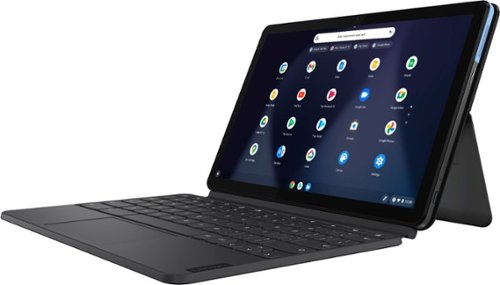
Lenovo - IdeaPad Duet Chromebook - 10.1 (1920x1200) Touch 2-in-1 Tablet - MediaTek P60T - 4G RAM - 128G eMCP4x - with Keyboard - Ice Blue + Iron Gray
Work on pending assignments while on the move with this Lenovo Chromebook Duet. The 10.1-inch touch screen provides an interactive user experience, while the 128GB of internal storage offer ample space for apps and media files. This Lenovo Chromebook Duet features a MediaTek Helio P60T processor and 4GB of RAM for effortless multitasking.
How can I replace a cracked screen?
We recommend you contact your local Best Buy Store location and make an appointment with their Geek Squad and have a Geek Squad Agent assess your Lenovo Chromebook Duet and provide you with your options.
4 years ago
by
Posted by:
Lenovo Product Expert

Lenovo - Chromebook 3 11.6" HD Laptop - Celeron N4020 - 4GB Memory - 64GB eMMC - Onyx Black
Fast, flexible, and fun, the Lenovo IdeaPad 3 Chromebook 11" brings everyone~s favorite Chromebook features, housed in a slim chassis, running on the lightning-fast Chrome OS that boots up in seconds, updates automatically, and is protected by built-in virus protection. Powered by Intel Celeron processor offers up to 10 hours of battery life, to seamlessly run all of your favorite apps at the same time.
Is this device good for working from home in customer service/call centers?
That really will depend on the APPs you will need to use to do your work. This Lenovo Chromebook 3 11, model number 82BA001FUS, ships with the Chrome Operating System installed and is compatible with Google Play Store APPs. Not all Google Play Store APPs are optimized for the Chrome OS. We recommend you check with the specific APPs software publisher's web sites, of the specific APPs you will need to use to do your work, for their compatibility with the Chrome operating system and the minimum/recommended hardware requirements (Is a Graphics card required, the processor speed and the minimum required system RAM and the minimum available hard drive space) to run their program, then compare those requirements to this Chromebook's configuration.
4 years ago
by
Posted by:
Lenovo Product Expert
Lenovo - Legion Slim 7 AMD Advantage Edition 16" 2.5k Gaming Laptop - AMD Ryzen 9 6900HX-16GB Memory-AMD Radeon RX 6800S-1TB SSD - Onyx Grey
Engineered for those who know gaming is a way of life, the Lenovo Legion Slim 7, in Onyx Grey, is calibrated for next-gen creation and gaming alike. Redefine gaming experiences with the latest generation AMD Ryzen processor and AMD Radeon RX graphics that are AI-optimized via the Legion AI Engine, all the while cooled by the Legion Coldfront 3.0~s thermal system. The Legion Slim 7~s light and exhilarating design is further machined from an Aluminum and Magnesium blend that defies all basic laws of laptop engineering. Crush the competition in WQXGA for immersive gaming anywhere life takes you.
Is RAM upgradeable?
Yes. This Lenovo Legion Slim 7 16 AMD Advantage Edition Gaming Laptop, model number 82UG0002US, ships with 16GB DDR5-4800MHz RAM factory installed (8GB Soldered DDR5-4800 + 8GB SO-DIMM DDR5-4800MHz RAM). One memory soldered to systemboard, one DDR4 SO-DIMM slot, dual-channel capable. The maximum RAM that this model configuration can support is: Up to 24GB (8GB soldered + 16GB SO-DIMM) DDR5-4800MHz RAM. We recommend you consult with your certified technician about your RAM upgrade options.
4 years ago
by
Posted by:
Lenovo Product Expert