Lenovo Product Expert
Lenovo Product Expert's Stats
Reviews
- Review Count0
- Helpfulness Votes0
- First ReviewNone
- Last ReviewNone
- Featured Reviews0
- Average Rating0
Reviews Comments
- Review Comment Count0
- Helpfulness Votes0
- First Review CommentNone
- Last Review CommentNone
- Featured Review Comments0
Questions
- Question Count0
- Helpfulness Votes0
- First QuestionNone
- Last QuestionNone
- Featured Questions0
- Answer Count37808
- Helpfulness Votes24,825
- First AnswerApril 21, 2014
- Last AnswerOctober 9, 2026
- Featured Answers0
- Best Answers2827
Lenovo Product Expert's Reviews
Lenovo Product Expert has not submitted any reviews.
Lenovo Product Expert's Questions
Lenovo Product Expert has not submitted any questions.
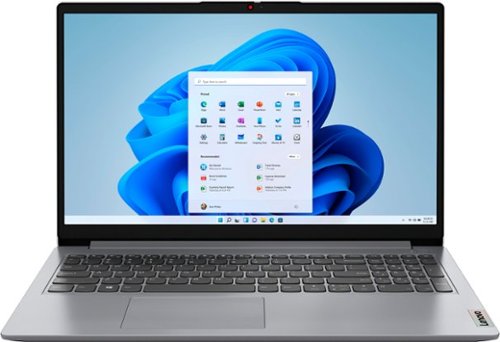
Lenovo - Ideapad 1 15.6" FHD Touch-Screen Laptop - Ryzen 7 5700U - 12GB Memory - 512GB SSD - Cloud Grey
Browse, explore and connect with confidence on the Lenovo IdeaPad 1 powered by ultra-fast AMD Ryzen~ 5000 U Series Mobile Processors on selected models. The IdeaPad 1 packs responsive performance in a thin and compact 17.9 mm chassis, making multitasking on-the-go a breeze. Get the most out of your device with a frameless display for more screen and Dolby Audio~ speakers, along with 10 hours of battery life and rapid charge. Great for video calls, the 1MP camera comes with a privacy shutter to keep out spying eyes, as well as Smart Noise Cancelling to eliminate background noise.
What is the average battery life for this computer?

This Lenovo IdeaPad 1 15 laptop, model number 82R4002PUS, ships with an Integrated 42Wh, Lithium-Polymer Battery, which within this model configuration has a battery life of up to 9 hours, depending on the work the device is performing.
4 years ago
by
Posted by:
Lenovo Product Expert
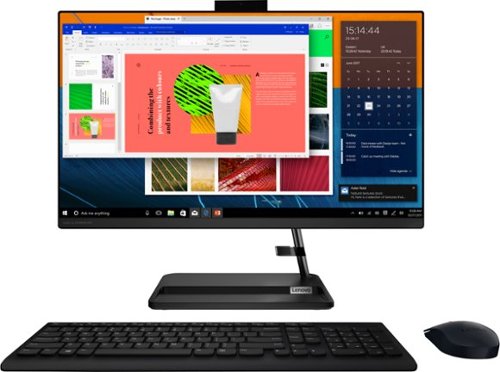
Lenovo - IdeaCentre AIO 3i 24" Touch-Screen All-In-One - Intel Core i3 - 8GB Memory - 256GB Solid State Drive - Black
Great things do come in the smallest packages. Housed in a sleek and compact frame, Lenovo IdeaCentre AIO 3i delivers peak performance with 11th generation Intel Core processing, while holding plenty of storage with a 256GB SSD. Three-sided narrow bezels on the FHD display and Harman-certified stereo speakers make this the consummate family PC.
What operating system comes on this unit? I am needing windows 10 professional.
This Lenovo IdeaCentre 3i 24 All-In-One System, model number F0G000FWUS, ships with Windows 11 Home, 64-bit Operating System installed.
4 years ago
by
Posted by:
Lenovo Product Expert
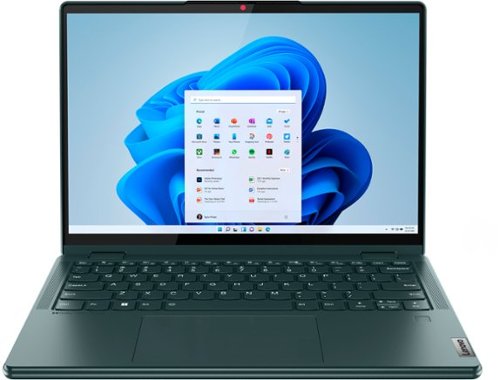
Lenovo - Yoga 6 13.3" WUXGA (1920 x 1200) Touch 2-in-1 Laptop -Ryzen 7 5700U - 16GB Memory - 512GB SSD - Dark Teal
Thin, light and framed by the comfort edge of the Lenovo Yoga 6 is both portable and comfortable to use. Add into that our commitment to sustainability, and we have the perfect on-the-go product for throwing in your bag and taking anywhere. Bring big-screen cinema to life with Dolby Vision on the breathtaking 16:10 FHD display with 100% sRGB for color accuracy paired with immersive Dolby Atmos optimized on front-firing speakers.
Is the case aluminum or plastic?
This Lenovo Yoga 6 13 model number 82UD0000US, ships with case material made of: Aluminum (Top), PC + ABS Plastic (Bottom).
4 years ago
by
Posted by:
Lenovo Product Expert
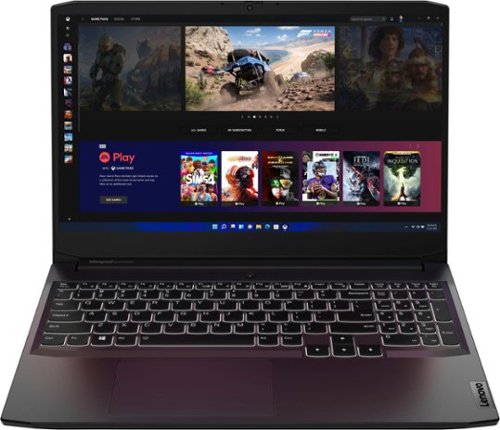
Lenovo - Ideapad Gaming 3 15.6" FHD Laptop - Ryzen 5 5600H - 8GB Memory - NVIDIA GeForce RTX 3050 Ti - 256GB SSD - Shadow Black
Time to elevate your game and esports experience beyond the realm of the ~just acceptable." Engineered with the latest generation AMD Ryzen processor and NVIDIA GeForce graphics, DDR4 memory and SSD storage options, the Lenovo IdeaPad Gaming 3 stays cool with a reengineered high-performance thermal system.
What is the actual watt hour rating of the battery ?
This Lenovo IdeaPad 3 15 Gaming laptop, model number 82K201XCUS, ships with a Integrated 45Wh, Lithium-Polymer Battery, installed.
4 years ago
by
Posted by:
Lenovo Product Expert
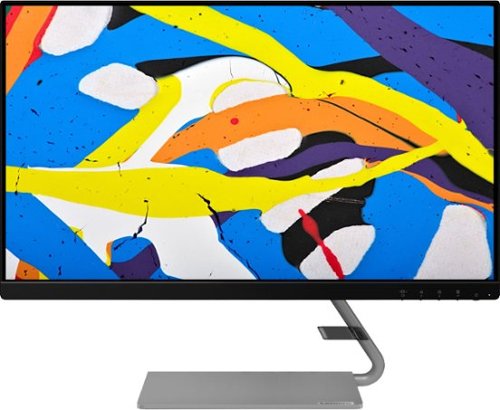
Lenovo - Q24i-1L 23.8" IPS LED FHD FreeSync Monitor Natural Low Blue Light Built-in Speakers (HDMI, VGA) - Black
Add a touch of class and confidence to your living space with the elegantly designed, ultra-slim Lenovo Q24i-1L monitor. Be it in the living room or the study, this sleek display with Full-HD resolution and NearEdgeless bezels bring beauty and functionality together in a perfect 23.8-inch package. Experience superior visuals with its In-Plane Switching display that makes the view from any angle striking. Bid goodbye to eye strain with Natural Low Blue Light and Eyesafe Display Certification that minimize harmful blue light and yellow distortions without impacting color accuracy. Moreover, T~V Rheinland Eye Comfort-certified panel ensures endless viewing comfort. Take your world of entertainment to the next level with the AMD FreeSync~ technology and dual speakers that offer seamless picture quality and rich audio for an immersive experience, every time.
brought a new Lenovo- Lenovo Q24i-1L 23.8" IPS LED FHD FreeSync Monitor Natural Low Blue Light Built-in Speakers (HDMI, VGA) - Black is there a camera for this or can I buy a universal?
The Lenovo Q24i-1L Monitor, model number 66C0KCC3US, does not have a built in camera. Adding an external webcam will depend on the requirements and compatibility of the computer you are connecting to this Lenovo Q24i-1L Monitor to.
4 years ago
by
Posted by:
Lenovo Product Expert
Lenovo - Q24i-1L 23.8" IPS LED FHD FreeSync Monitor Natural Low Blue Light Built-in Speakers (HDMI, VGA) - Black
Add a touch of class and confidence to your living space with the elegantly designed, ultra-slim Lenovo Q24i-1L monitor. Be it in the living room or the study, this sleek display with Full-HD resolution and NearEdgeless bezels bring beauty and functionality together in a perfect 23.8-inch package. Experience superior visuals with its In-Plane Switching display that makes the view from any angle striking. Bid goodbye to eye strain with Natural Low Blue Light and Eyesafe Display Certification that minimize harmful blue light and yellow distortions without impacting color accuracy. Moreover, T~V Rheinland Eye Comfort-certified panel ensures endless viewing comfort. Take your world of entertainment to the next level with the AMD FreeSync~ technology and dual speakers that offer seamless picture quality and rich audio for an immersive experience, every time.
Is there any cords or is it cordless
This Lenovo Q24i-1L Monitor, model number 66C0KCC3US, is a wired connectivity monitor and it will also need to be connected to a wall socket power supply. This Lenovo Q24i-1L Monitor has both 1 x HDMI 1.4 port and 1 x VGA port for wired connectivity to a video source. There is 1 x HDMI cable and 1 x Power cable included with this monitor.
4 years ago
by
Posted by:
Lenovo Product Expert
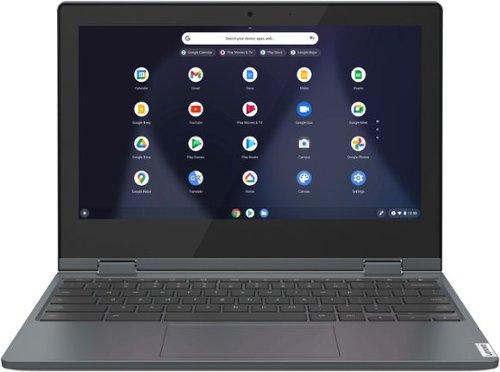
Lenovo - Flex 3 Chromebook 11.6" HD Touch-screen Laptop - Celeron N4020 - 4GB - 64GB eMMC - Abyss Blue
Fast, flexible, and fun, the Lenovo~ IdeaPad~ Flex 3 Chromebook 11" brings everyone~s favorite Chromebook features, housed in a slim 2-in-1 chassis, running on the lightning-fast Chrome OS that boots up in seconds, updates automatically, and is protected by built-in virus protection. Smaller than a piece of A4 paper, the IdeaPad Flex 3 Chromebook 11" features an Intel processor with up to 10 hours battery life. IdeaPad Flex 3 Chromebook 11" is your best companion from day to night.
How bright does the screen get? Is it IPS or TN?
This Lenovo Flex 3 11 Chromebook, model number 82BB000AUS, ships with a 11.6 inch (screen size measured diagonally) IPS - HD (1366x768) 10-point Multi-touch screen, with a brightness level of 250 nits, and has a Glossy Finish.
4 years ago
by
Posted by:
Lenovo Product Expert
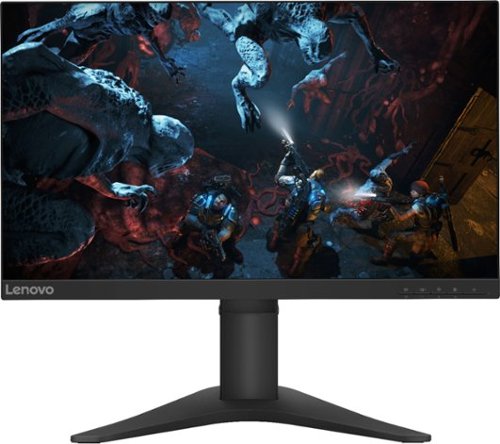
Lenovo - G25-10 24.5" LED FHD FreeSync Gaming Monitor (HDMI) - Raven Black
Amplify your gaming excitement with this Lenovo gaming monitor. The 24.5-inch screen features 1920 x 1080 resolution and NearEdgeless bezels, while a 144MHz refresh rate eliminates lag during intense gameplay. This Lenovo monitor is fueled by AMD FreeSync technology, and the blue light filter and height-adjustable stand provide hours of gaming comfort.
Can I use this through bluetooth
No. This Lenovo G25-10 Monitor, model number 65FEGCC2US, does not have Bluetooth connectivity. It will only connect to a compatible video source via either 1x HDMI 1.4 version port or 1x DisplayPort 1.2 version port. This Lenovo G25-10 Monitor ships with 1x HDMI 1.4 cable included.
4 years ago
by
Posted by:
Lenovo Product Expert

Lenovo - Chromebook 3 11.6" HD Laptop - Celeron N4020 - 4GB Memory - 64GB eMMC - Onyx Black
Fast, flexible, and fun, the Lenovo IdeaPad 3 Chromebook 11" brings everyone~s favorite Chromebook features, housed in a slim chassis, running on the lightning-fast Chrome OS that boots up in seconds, updates automatically, and is protected by built-in virus protection. Powered by Intel Celeron processor offers up to 10 hours of battery life, to seamlessly run all of your favorite apps at the same time.
Can lenovo screen use like a tablet
No. This Lenovo Chromebook 3 11 model number 82BA001FUS, is a traditional laptop configuration without a touch screen and can not be used in Tablet Mode. The screen will open to a maximum of approximately 110 degrees.
4 years ago
by
Posted by:
Lenovo Product Expert
Lenovo - Ideapad 1 15.6" FHD Touch-Screen Laptop - Ryzen 7 5700U - 12GB Memory - 512GB SSD - Cloud Grey
Browse, explore and connect with confidence on the Lenovo IdeaPad 1 powered by ultra-fast AMD Ryzen~ 5000 U Series Mobile Processors on selected models. The IdeaPad 1 packs responsive performance in a thin and compact 17.9 mm chassis, making multitasking on-the-go a breeze. Get the most out of your device with a frameless display for more screen and Dolby Audio~ speakers, along with 10 hours of battery life and rapid charge. Great for video calls, the 1MP camera comes with a privacy shutter to keep out spying eyes, as well as Smart Noise Cancelling to eliminate background noise.
Can I update to extend internal storage capacity from 512 gb ssd to 1tb by any means..
Yes. This Lenovo IdeaPad 1 15 laptop, model number 82R4002PUS, ships with a 512GB M.2 2280 PCIe 3.0x4 NVMe solid state hard drive installed. The maximum storage capacity that this model configuration can support is: One drive, up to 1TB M.2 2242 SSD or 512GB M.2 2280 SSD. The available storage slot is: One M.2 2280 PCIe Gen 3x4 slot, supports M.2 2242/2280 SSD. We recommend you consult with your certified technician about your storage upgrade options.
4 years ago
by
Posted by:
Lenovo Product Expert