Lenovo Product Expert
Lenovo Product Expert's Stats
Reviews
- Review Count0
- Helpfulness Votes0
- First ReviewNone
- Last ReviewNone
- Featured Reviews0
- Average Rating0
Reviews Comments
- Review Comment Count0
- Helpfulness Votes0
- First Review CommentNone
- Last Review CommentNone
- Featured Review Comments0
Questions
- Question Count0
- Helpfulness Votes0
- First QuestionNone
- Last QuestionNone
- Featured Questions0
- Answer Count37808
- Helpfulness Votes24,825
- First AnswerApril 21, 2014
- Last AnswerOctober 9, 2026
- Featured Answers0
- Best Answers2827
Lenovo Product Expert's Reviews
Lenovo Product Expert has not submitted any reviews.
Lenovo Product Expert's Questions
Lenovo Product Expert has not submitted any questions.
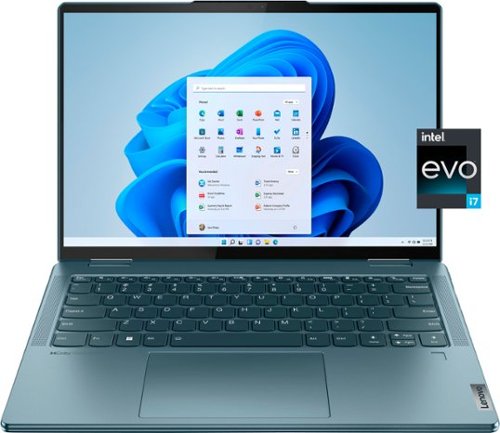
Lenovo - Yoga 7i 14" 2.2K Touch 2-in-1 Laptop - Intel Evo Platform - Core i7-1255U - 16GB Memory - 512GB SSD - Stone Blue
The Lenovo Yoga 7i combines versatile portability and enhanced productivity, thanks to the boundary-breaking performance and responsiveness of 12th generation Intel Core processors and vibrant 2.2K clarity with Intel Iris Xe graphics. Go anywhere with a sleek 2-in-1 metal chassis featuring thoughtful details including a webcam privacy shutter.
What is the projected battery life of this laptop?

This Intel Evo-Certified, lenovo Yoga 7i 14, model number 82QE000KUS ships with a 4CELL_71WH_INTERNAL, Lithium Polymer Battery that is projected to last the life of the laptop, approximately 5 to 8 years. Over time, the battery's projected charge time of up to 16 hours will lessen, but will remain functional and capable of charging fully and powering the laptop for its useable lifetime.
4 years, 1 month ago
by
Posted by:
Lenovo Product Expert
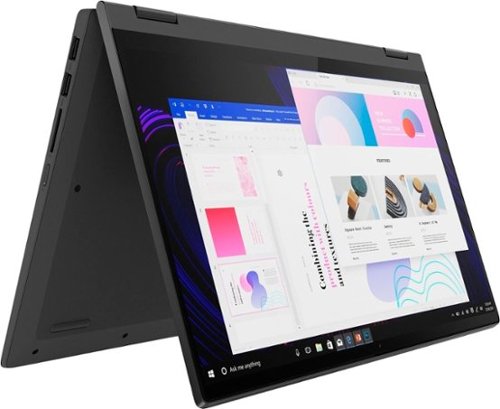
Lenovo - IdeaPad Flex 5 15ITL05 2-in-1 15.6" Laptop - Intel Core i5 - with 8GB Memory - 256 GB SSD - Graphite Gray
The IdeaPad Flex 5 2-in-1 Laptop. Featuring fast processors, an IPS touchscreen, and a 360-degree hinge to get things done efficiently for work, home, or school. Boasting a long battery life and security assets that include a webcam privacy shutter and fingerprint reader, the IdeaPad Flex 5 2-in-1 Laptop allows you to be creative and stay on point with your tasks.
Does this laptop have a backlit keyboard
Yes. This Lenovo Flex 5i 15, model number 82HT00CQUS, ships with a backlit keyboard.
4 years, 1 month ago
by
Posted by:
Lenovo Product Expert

Lenovo - Chromebook 3 11.6" HD Laptop - Celeron N4020 - 4GB Memory - 64GB eMMC - Onyx Black
Fast, flexible, and fun, the Lenovo IdeaPad 3 Chromebook 11" brings everyone~s favorite Chromebook features, housed in a slim chassis, running on the lightning-fast Chrome OS that boots up in seconds, updates automatically, and is protected by built-in virus protection. Powered by Intel Celeron processor offers up to 10 hours of battery life, to seamlessly run all of your favorite apps at the same time.
What is the weight?
This Lenovo Chromebook 3 11, model number 82BA001FUS, weighs approximately 2.42 lbs.
4 years, 1 month ago
by
Posted by:
Lenovo Product Expert
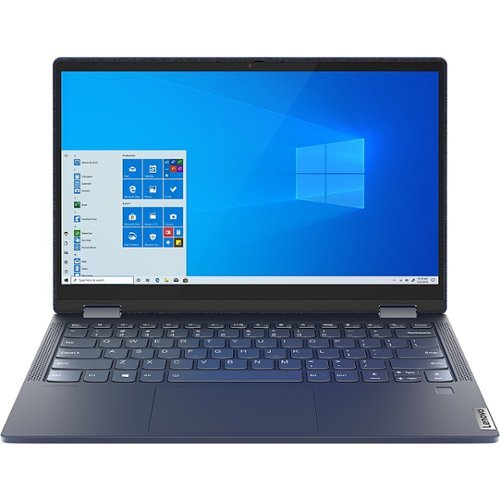
Lenovo - Yoga 6 13.3" Laptop - AMD Ryzen 5 - 8 GB Memory - 512 GB SSD - Abyss Blue
Featuring a premium textile cover, the Lenovo Yoga 6 is an ultra-portable 2-in-1 that combines unique style with the powerful responsiveness of an AMD Ryzen 5000 Series Mobile Processor, abundant memory and SSD storage. Enjoy a rich multimedia experience with the clarity of a 13.3" FHD touchscreen display, and enveloping sound with Dolby Atmos-optimized stereo speakers.
Does this model have wireless connection capability? In a comparison the wireless networking field showed blank. Also, who long does the battery usually last? That field is also blank
This Lenovo Yoga 6 13, model number 82ND006WUS, ships with WiFi-6, wide range/high speed 2x2 802.11ax frequency WiFi capability built in, which is also backward compatible to older, a/b/g/n/ac frequency WiFi. This model also ships with a 4CELL_60WH_INTERNAL, Lithium Polymer Battery, which within this model configuration, has a battery life of up to 18 hours, depending on the work the device is performing.
4 years, 1 month ago
by
Posted by:
Lenovo Product Expert
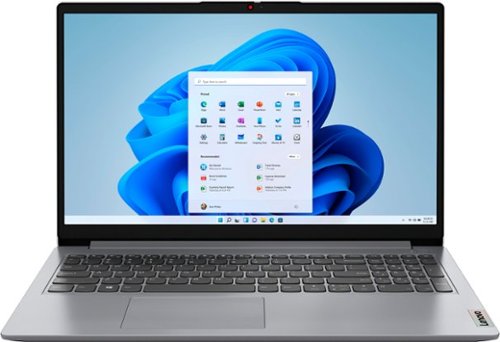
Lenovo - Ideapad 1 15.6" FHD Touch-Screen Laptop - Ryzen 7 5700U - 12GB Memory - 512GB SSD - Cloud Grey
Browse, explore and connect with confidence on the Lenovo IdeaPad 1 powered by ultra-fast AMD Ryzen~ 5000 U Series Mobile Processors on selected models. The IdeaPad 1 packs responsive performance in a thin and compact 17.9 mm chassis, making multitasking on-the-go a breeze. Get the most out of your device with a frameless display for more screen and Dolby Audio~ speakers, along with 10 hours of battery life and rapid charge. Great for video calls, the 1MP camera comes with a privacy shutter to keep out spying eyes, as well as Smart Noise Cancelling to eliminate background noise.
Can you run two dual external monitors with this computer? If so what docking station is needed since it does not support USB-c video output?
Yes. You can use a universal USB 3.0 Type A docking station to add two external monitors to this Lenovo IdeaPad 1 15 Laptop, like this one: https://www.bestbuy.com/site/kensington-usb-3-0-docking-station-dual-dvi-hdmi-vga-sd3500v-black/8874383.p?skuId=8874383
4 years, 1 month ago
by
Posted by:
Lenovo Product Expert
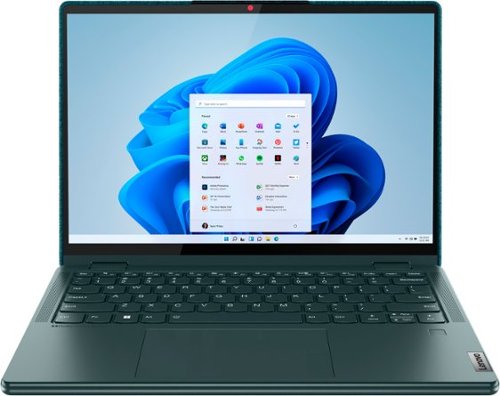
Lenovo - Yoga 6 13.3" WUXGA (1920 x 1200) Touch 2-in-1 Laptop -Ryzen 5 5500U - 8GB Memory - 256GB SSD - Dark Teal
Thin, light and framed by the comfort edge of the Lenovo Yoga 6 is both portable and comfortable to use. Add into that our commitment to sustainability, and we have the perfect on-the-go product for throwing in your bag and taking anywhere. Bring big-screen cinema to life with Dolby Vision on the breathtaking 16:10 FHD display with 100% sRGB for color accuracy paired with immersive Dolby Atmos optimized on front firing speakers.
Does the product come with international warranty like would warrant by supported in INDIA? Earlier i had purchased an Lenovo yoga laptop and because of warranty issues i had to send it back to USA for repair.
This Lenovo Yoga 6 13, model number 82UD0002US, does not have an International Manufacturer's Warranty. The limited 1-year manufacturer's warranty covering OEM hardware issues is valid in the USA and Canada only.
4 years, 1 month ago
by
Posted by:
Lenovo Product Expert
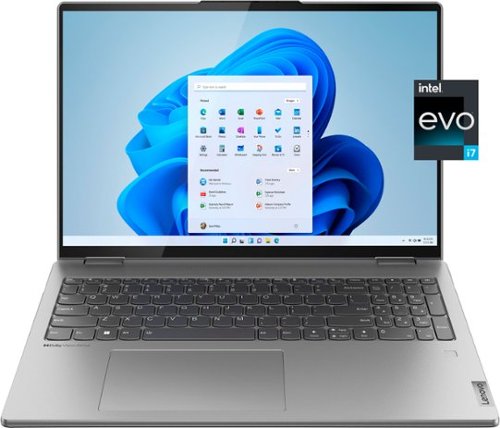
Lenovo - Yoga 7i 16" 2.5K Touch 2-in-1 Laptop - Intel Evo Platform - Core i7-1260P - 16GB Memory - 512GB SSD - Arctic Grey
The Lenovo Yoga 7i combines versatile portability and enhanced productivity, thanks to the boundary-breaking performance and responsiveness of 12th generation Intel Core processors and vibrant WQXGA clarity with Intel Iris Xe 96EU graphics. Go anywhere with a sleek 2-in-1 metal chassis featuring thoughtful details including a webcam privacy shutter.
Can I use the touchscreen when in laptop mode or only when in tablet mode?
The touch screen will remain active whether the Intel Evo-Certified Lenovo Yoga 7i 16 is in Laptop Mode or Tablet Mode. The keyboard and touchpad will automatically deactivate when the screen is placed in Tablet Mode. To reactivate automatically, simply return the screen to Laptop Mode.
4 years, 1 month ago
by
Posted by:
Lenovo Product Expert
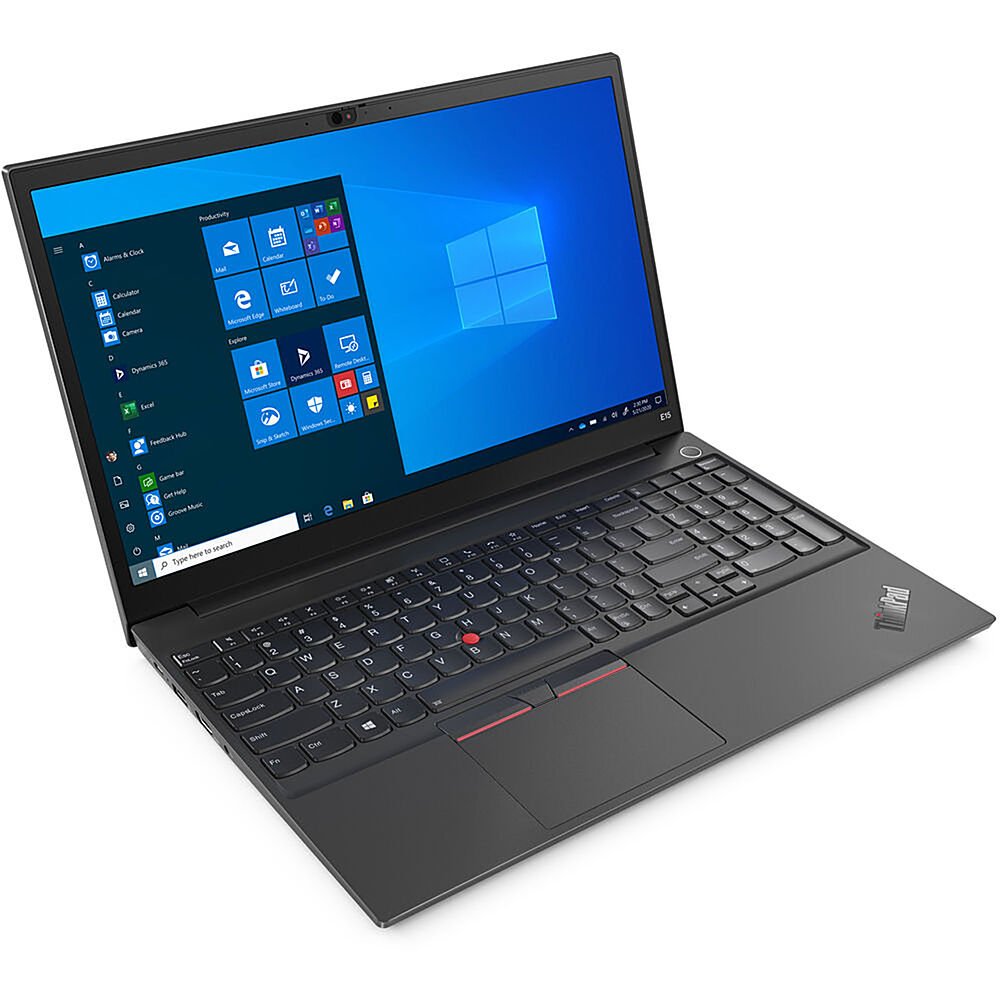
Lenovo - 15.6" ThinkPad E15 Gen 2 Laptop - Intel Core i5 - 8GB Memory - 256 SSD - Black
The ThinkPad E15 Gen 2 laptop harnesses the power of an 11th Gen Intel Core processor along with DDR4 memory and up to 1TB solid state storage drive to deliver high performance to your workday. It confidently handles whatever tasks come your way, and it even intelligently maintains the optimum temperature while running multiple apps.
Does this laptop have ethernet port, HDMI port, SD card reader?
This Lenovo ThinkPad E15 Gen 2 Laptop, model number 20TD003KUS, ships with 1x Ethernet (RJ-45) port for connecting a network/ethernet cable. There is no built in SD card slot, but you can use an external, USB-based SD card reader with this laptop, like this one: https://www.bestbuy.com/site/platinum-uhs-i-usb-3-2-gen-1-memory-card-reader-black/6439244.p?skuId=6439244
4 years, 1 month ago
by
Posted by:
Lenovo Product Expert
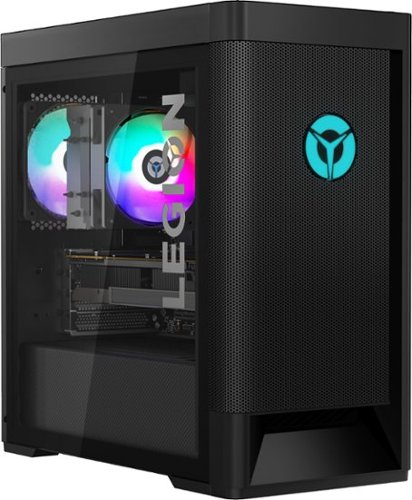
Lenovo - Legion Tower 5 AMD Gaming Desktop - AMD Ryzen 7-5800 - 16GB Memory - NVIDIA GeForce RTX 3060 - 256GB SSD + 1TB HDD - Raven Black
Engineered out of a passion for savage power and unmatched speed, the Lenovo Legion Tower 5 AMD delivers mind-blowing performance that combines AMD Ryzen processors and top-of-the-line NVIDIA GeForce graphics cards for blazing-fast frame rates at up to 4K resolution. Pushing far beyond the upper bounds of smaller rig configurations while keeping things cool and whisper quiet, the Legion Tower 5 is a marvel of build and design, accentuated by its illuminated blue LED logo and lighting, as well a transparent side panel that can properly showcase your internals.
Is the warranty voided on this PC if I upgrade the RAM with the CORSAIR - VENGEANCE PRO 32GB (2PK x 16GB) 3600MHz DDR4 C18 DIMM Desktop Memory with RGB? Is this RAM compatible within this PC?
No. The limited Manufacturer's warranty from Lenovo covering Lenovo OEM hardware is still in place. We recommend you consult your 3rd party parts supplier about any warranty on the parts you add.
4 years, 1 month ago
by
Posted by:
Lenovo Product Expert
Lenovo - Yoga 6 13.3" WUXGA (1920 x 1200) Touch 2-in-1 Laptop -Ryzen 5 5500U - 8GB Memory - 256GB SSD - Dark Teal
Thin, light and framed by the comfort edge of the Lenovo Yoga 6 is both portable and comfortable to use. Add into that our commitment to sustainability, and we have the perfect on-the-go product for throwing in your bag and taking anywhere. Bring big-screen cinema to life with Dolby Vision on the breathtaking 16:10 FHD display with 100% sRGB for color accuracy paired with immersive Dolby Atmos optimized on front firing speakers.
is this a chrome book
No. This Lenovo Yoga 6 13, model number 82UD0002US, ships with Windows 11 Home, 64-bit Operating System installed.
4 years, 1 month ago
by
Posted by:
Lenovo Product Expert