Lenovo Product Expert
Lenovo Product Expert's Stats
Reviews
- Review Count0
- Helpfulness Votes0
- First ReviewNone
- Last ReviewNone
- Featured Reviews0
- Average Rating0
Reviews Comments
- Review Comment Count0
- Helpfulness Votes0
- First Review CommentNone
- Last Review CommentNone
- Featured Review Comments0
Questions
- Question Count0
- Helpfulness Votes0
- First QuestionNone
- Last QuestionNone
- Featured Questions0
- Answer Count37808
- Helpfulness Votes24,825
- First AnswerApril 21, 2014
- Last AnswerOctober 9, 2026
- Featured Answers0
- Best Answers2827
Lenovo Product Expert's Reviews
Lenovo Product Expert has not submitted any reviews.
Lenovo Product Expert's Questions
Lenovo Product Expert has not submitted any questions.
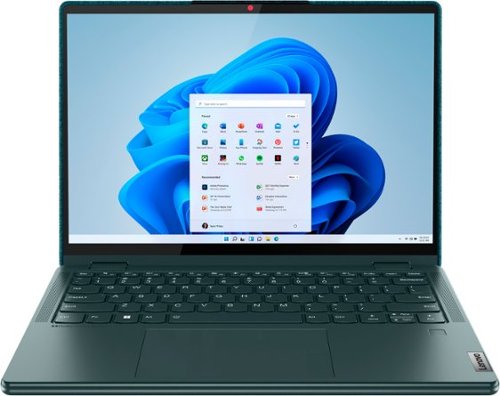
Lenovo - Yoga 6 13.3" WUXGA (1920 x 1200) Touch 2-in-1 Laptop -Ryzen 5 5500U - 8GB Memory - 256GB SSD - Dark Teal
Thin, light and framed by the comfort edge of the Lenovo Yoga 6 is both portable and comfortable to use. Add into that our commitment to sustainability, and we have the perfect on-the-go product for throwing in your bag and taking anywhere. Bring big-screen cinema to life with Dolby Vision on the breathtaking 16:10 FHD display with 100% sRGB for color accuracy paired with immersive Dolby Atmos optimized on front firing speakers.
Is this a good laptop I just purchased it today

Thank you for choosing the Lenovo Yoga 6 13, model number 82UD0002US. We always recommend you check the requirements and compatibility of any software you will be installing on your new computer, before you invest in any computer. Be sure your new computer can support the software you will need to use and your workload.
4 years, 1 month ago
by
Posted by:
Lenovo Product Expert
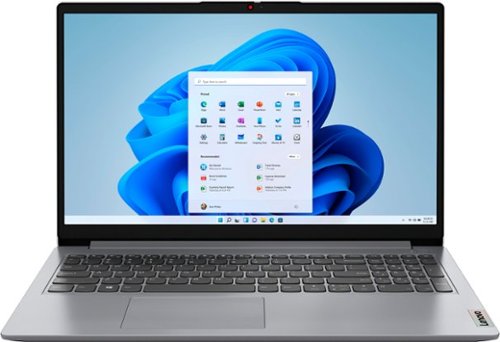
Lenovo - Ideapad 1 15.6" FHD Touch-Screen Laptop - Ryzen 7 5700U - 12GB Memory - 512GB SSD - Cloud Grey
Browse, explore and connect with confidence on the Lenovo IdeaPad 1 powered by ultra-fast AMD Ryzen~ 5000 U Series Mobile Processors on selected models. The IdeaPad 1 packs responsive performance in a thin and compact 17.9 mm chassis, making multitasking on-the-go a breeze. Get the most out of your device with a frameless display for more screen and Dolby Audio~ speakers, along with 10 hours of battery life and rapid charge. Great for video calls, the 1MP camera comes with a privacy shutter to keep out spying eyes, as well as Smart Noise Cancelling to eliminate background noise.
This item as purchased will not allow access to the Google Play Store. How do I modify the computer so that I can access Google apps?
This Lenovo IdeaPad 1 15 Laptop, model number 82R4002PUS, ships with Windows 11 S-Mode, 64-bit Operating System installed. Windows 11 S-Mode provides added security by only allowing APPs available ( and therefore certified by Microsoft) at the Microsoft Store. If you don't need the added security or you need to install APPs not available at the Microsoft Store, you can switch to standard Windows 11 Home 64-bit Operating System, at no additional cost. If you choose to switch out of S-Mode for Windows 11 Home: Here is a link to instructions for switching from Windows 11 S-Mode to Windows 11 Home: https://support.microsoft.com/en-us/windows/switching-out-of-s-mode-in-windows-4f56d9be-99ec-6983-119f-031bfb28a307#WindowsVersion=Windows_11. As of February 2022, Android apps are available in the stable channel of Windows 11—but only in the US. If your PC can run Windows 11, you already meet the requirements to run Android apps as well. Make sure to check for Windows updates and install any that are available before proceeding. Here is a link to more information: https://www.howtogeek.com/765131/how-to-install-the-google-play-store-on-windows-11/#:~:text=As%20of%20February%202022%2C%20Android,that%20are%20available%20before%20proceeding.
4 years, 1 month ago
by
Posted by:
Lenovo Product Expert

Lenovo - IdeaPad 3 15" HD Touch Screen Laptop - Intel Core i3-1115G4 - Intel UHD Graphics - 8GB Memory - 256GB SSD - Almond
Engineered for long-lasting performance, the Lenovo IdeaPad 3 is the perfect laptop for your everyday tasks with features that you can depend on.
Can this be switched to Windows 10 easily?
This Lenovo IdeaPad 3 15 Laptop, model number 81X800KLUS, ships with Windows 11 S-Mode, 64-bit Operating System installed. Windows 11 S-Mode provides added security by only allowing APPs available ( and therefore certified by Microsoft) at the Microsoft Store. If you don't need the added security or you need to install APPs not available at the Microsoft Store, you can switch to standard Windows 11 Home 64-bit Operating System, at no additional cost. Here is a link to instructions for switching from Windows 11 S-Mode to Windows 11 Home: https://support.microsoft.com/en-us/windows/switching-out-of-s-mode-in-windows-4f56d9be-99ec-6983-119f-031bfb28a307#WindowsVersion=Windows_11. If you have further questions about downgrading Windows 11 to Windows 10, we recommend you contact Microsoft Software Support directly at: https://support.microsoft.com/
4 years, 1 month ago
by
Posted by:
Lenovo Product Expert
Lenovo - Yoga 6 13.3" WUXGA (1920 x 1200) Touch 2-in-1 Laptop -Ryzen 5 5500U - 8GB Memory - 256GB SSD - Dark Teal
Thin, light and framed by the comfort edge of the Lenovo Yoga 6 is both portable and comfortable to use. Add into that our commitment to sustainability, and we have the perfect on-the-go product for throwing in your bag and taking anywhere. Bring big-screen cinema to life with Dolby Vision on the breathtaking 16:10 FHD display with 100% sRGB for color accuracy paired with immersive Dolby Atmos optimized on front firing speakers.
Can I play FIFA 2022 on this device?
That will depend on the requirements and compatibility of the specific game version you want to play. This Lenovo Yoga 6 16, model number 82UD0002US, ships with Windows 11 Home, 64-bit Operating System installed. We recommend you check with the specific game's software publisher's web site, of the specific version of the game you want to play, for their compatibility with Windows 11 Home 64-bit operating system and the minimum/recommended hardware requirements (Is a Graphics card required, the processor speed and the minimum required system RAM and the minimum available hard drive space) to run their program, then compare those requirements to this system's configuration.
4 years, 1 month ago
by
Posted by:
Lenovo Product Expert
Lenovo - Ideapad 1 15.6" FHD Touch-Screen Laptop - Ryzen 7 5700U - 12GB Memory - 512GB SSD - Cloud Grey
Browse, explore and connect with confidence on the Lenovo IdeaPad 1 powered by ultra-fast AMD Ryzen~ 5000 U Series Mobile Processors on selected models. The IdeaPad 1 packs responsive performance in a thin and compact 17.9 mm chassis, making multitasking on-the-go a breeze. Get the most out of your device with a frameless display for more screen and Dolby Audio~ speakers, along with 10 hours of battery life and rapid charge. Great for video calls, the 1MP camera comes with a privacy shutter to keep out spying eyes, as well as Smart Noise Cancelling to eliminate background noise.
Would this work for ArcGIS Pro 2.9 well? How many cores does this have?
This Lenovo IdeaPad 1 15 Laptop, model number 82R4002PUS, ships with the 8-Core/16-Thread AMD Ryzen 7 5700U Processor, with a base speed of 1.8GHz and a boost speed of up to 4.3GHz. This IdeaPad 1 15 uses integrated AMD Radeon RX Vega 8 version graphics processing, integrated within the AMD Ryzen 7 5700U processor. This IdeaPad 1 15 also ships with Windows 11 S-Mode, 64-bit Operating System installed. Windows 11 S-Mode provides added security by only allowing APPs available ( and therefore certified by Microsoft) at the Microsoft Store. If you don't need the added security or you need to install APPs not available at the Microsoft Store, you can switch to standard Windows 11 Home 64-bit Operating System, at no additional cost. Whether this IdeaPad 1 15 laptop configuration is compatible with a specific APP will depend on the requirements and compatibility of the specific APP. We recommend you check with the specific APPs software publisher's web site, of the APP you want to use, for their compatibility with Windows 11 S-Mode 64-bit operating system and the minimum/recommended hardware requirements (Is a Graphics card required, the processor speed and the minimum required system RAM and the minimum available hard drive space) to run their program, then compare those requirements to this system's configuration. If you choose to switch out of S-Mode for Windows 11 Home: Here is a link to instructions for switching from Windows 11 S-Mode to Windows 11 Home: https://support.microsoft.com/en-us/windows/switching-out-of-s-mode-in-windows-4f56d9be-99ec-6983-119f-031bfb28a307#WindowsVersion=Windows_11
4 years, 1 month ago
by
Posted by:
Lenovo Product Expert
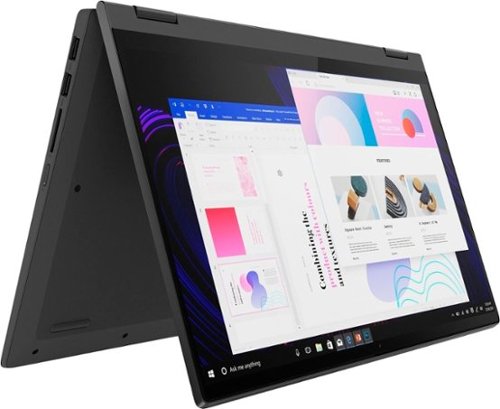
Lenovo - IdeaPad Flex 5 15ITL05 2-in-1 15.6" Laptop - Intel Core i5 - with 8GB Memory - 256 GB SSD - Graphite Gray
The IdeaPad Flex 5 2-in-1 Laptop. Featuring fast processors, an IPS touchscreen, and a 360-degree hinge to get things done efficiently for work, home, or school. Boasting a long battery life and security assets that include a webcam privacy shutter and fingerprint reader, the IdeaPad Flex 5 2-in-1 Laptop allows you to be creative and stay on point with your tasks.
Does this laptop work with the sims 4?
That really will depend on the requirements and compatibility of the specific game you want to play. This Lenovo Flex 5i 15, model number 82HT00CQUS, ships with Windows 11 Home, 64-bit Operating System installed. We recommend you check with the specific game's software publisher's web site, for the specific version of the game you want to play, for their compatibility with Windows 11 Home 64-bit operating system and the minimum/recommended hardware requirements (Is a Graphics card required, the processor speed and the minimum required system RAM and the minimum available hard drive space) to run their program, then compare those requirements to this system's configuration.
4 years, 1 month ago
by
Posted by:
Lenovo Product Expert
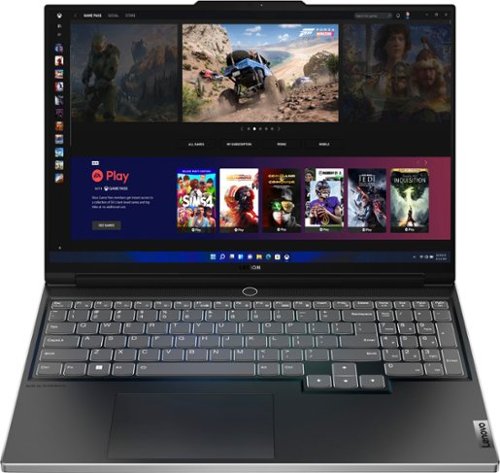
Lenovo - Legion Slim 7 AMD Advantage Edition 16" 2.5k Gaming Laptop - AMD Ryzen 9 6900HX-16GB Memory-AMD Radeon RX 6800S-1TB SSD - Onyx Grey
Engineered for those who know gaming is a way of life, the Lenovo Legion Slim 7, in Onyx Grey, is calibrated for next-gen creation and gaming alike. Redefine gaming experiences with the latest generation AMD Ryzen processor and AMD Radeon RX graphics that are AI-optimized via the Legion AI Engine, all the while cooled by the Legion Coldfront 3.0~s thermal system. The Legion Slim 7~s light and exhilarating design is further machined from an Aluminum and Magnesium blend that defies all basic laws of laptop engineering. Crush the competition in WQXGA for immersive gaming anywhere life takes you.
What is Display Specs & Brightness (Nits) of this laptop?
This Lenovo Legion Slim 7 16 Gaming Laptop, AMD Advantage Edition, model number 82UG0002US, ships with a 16:10 aspect ratio, 16 Inch (screen size measured diagonally) IPS - WQXGA (2560x1600) screen, with a brightness level of 500 nits, has an Anti-glare Coating, a refresh rate of 165Hz. This screen provides 100 Percent of the sRGB color gamut for excellent color accuracy. This screen is Dolby Vision, HDR 400 and FreeSync Certified. This screen uses DC dimmer and TÜV Low Blue Light, TÜV High Gaming Performance for added eye care.
4 years, 1 month ago
by
Posted by:
Lenovo Product Expert
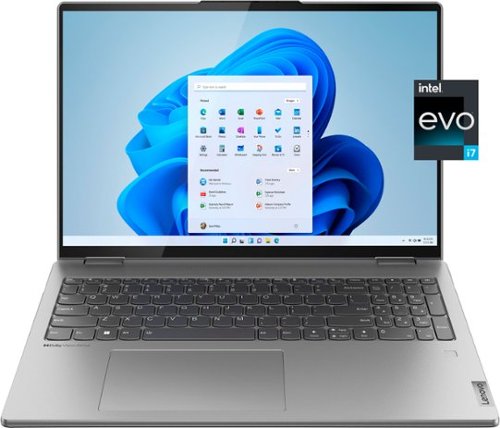
Lenovo - Yoga 7i 16" 2.5K Touch 2-in-1 Laptop - Intel Evo Platform - Core i7-1260P - 16GB Memory - 512GB SSD - Arctic Grey
The Lenovo Yoga 7i combines versatile portability and enhanced productivity, thanks to the boundary-breaking performance and responsiveness of 12th generation Intel Core processors and vibrant WQXGA clarity with Intel Iris Xe 96EU graphics. Go anywhere with a sleek 2-in-1 metal chassis featuring thoughtful details including a webcam privacy shutter.
Can the SSD be upgraded to 2 TB?
No. This Intel Evo-Certified, Lenovo Yoga 7i 16, model number 82QG0000US, ships with a 512GB M.2 2242 PCIe 4.0x4 NVMe solid state hard drive installed. The maximum storage capacity that this model configuration can support is: One drive, up to 1TB M.2 2242 SSD. We recommend you consult with your certified technician about your storage upgrade options.
4 years, 1 month ago
by
Posted by:
Lenovo Product Expert
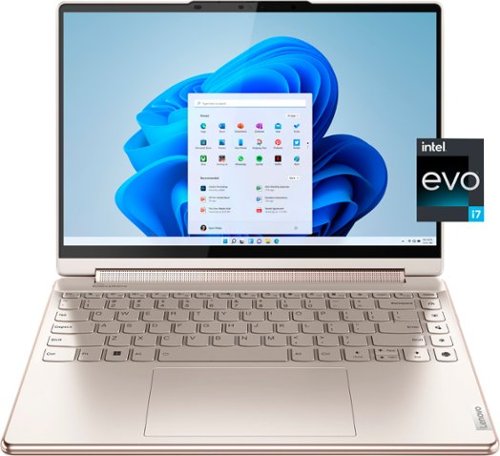
Lenovo - Yoga 9i 14" 2.8K OLED Touch 2-in-1 Laptop with Pen - Intel Evo Platform - Core i7-1260P - 16GB Memory - 512GB SSD - Oatmeal
The Lenovo Yoga 9i, features the world~s first Bowers & Wilkins speaker system on a laptop offering unparalleled entertainment with Dolby Atmos and powered by the advanced 12th Generation Intel Core processor. Featuring four modes, the Yoga 9i is crafted to merge comfort and aesthetics with rounded edges that allow you to grip, carry or use for longer complimenting the extended battery life and its versatility with smart features like the 1-click function keys and Windows Hello Smart Login on an FHD IR hybrid camera.
Can the SSD be upgraded to 2 TB?
No. This Intel Evo-Certified, Lenovo Yoga 9i 14, model number 82LU0001US, ships with a 512GB M.2 2280 PCIe 4.0x4 NVMe solid state hard drive installed. The maximum storage capacity that this model configuration can support is: One drive, up to 256GB M.2 2242 SSD or 1TB M.2 2280 SSD. We recommend you consult with your certified technician about your storage upgrade options.
4 years, 1 month ago
by
Posted by:
Lenovo Product Expert
Lenovo - Yoga 6 13.3" WUXGA (1920 x 1200) Touch 2-in-1 Laptop -Ryzen 5 5500U - 8GB Memory - 256GB SSD - Dark Teal
Thin, light and framed by the comfort edge of the Lenovo Yoga 6 is both portable and comfortable to use. Add into that our commitment to sustainability, and we have the perfect on-the-go product for throwing in your bag and taking anywhere. Bring big-screen cinema to life with Dolby Vision on the breathtaking 16:10 FHD display with 100% sRGB for color accuracy paired with immersive Dolby Atmos optimized on front firing speakers.
Does this use the Intel AX Wifi 6 chip?
No. This Lenovo Yoga 6 13, model number 82UD0002US, ships with the Mediatek MT7921 WiFi-6 Chip, with wide range/high speed 2x2 802.11ax frequency WiFi capability, which is also backward compatible to older, a/b/g/n/ac frequency WiFi.
4 years, 1 month ago
by
Posted by:
Lenovo Product Expert