Lenovo Product Expert
Lenovo Product Expert's Stats
Reviews
- Review Count0
- Helpfulness Votes0
- First ReviewNone
- Last ReviewNone
- Featured Reviews0
- Average Rating0
Reviews Comments
- Review Comment Count0
- Helpfulness Votes0
- First Review CommentNone
- Last Review CommentNone
- Featured Review Comments0
Questions
- Question Count0
- Helpfulness Votes0
- First QuestionNone
- Last QuestionNone
- Featured Questions0
- Answer Count37808
- Helpfulness Votes24,825
- First AnswerApril 21, 2014
- Last AnswerOctober 9, 2026
- Featured Answers0
- Best Answers2827
Lenovo Product Expert's Reviews
Lenovo Product Expert has not submitted any reviews.
Lenovo Product Expert's Questions
Lenovo Product Expert has not submitted any questions.
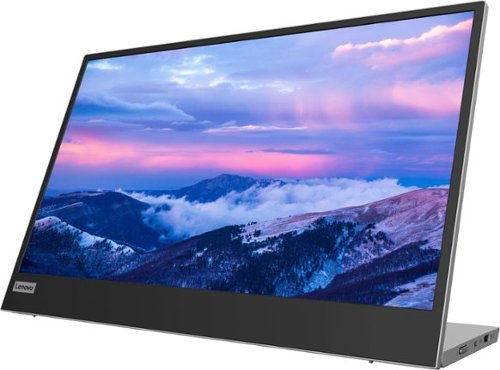
Lenovo - L15 15.6" IPS LED FHD USB-C Portable Monitor - Silver
For users who are constantly on the move, engaged in some work from home, or busy studying in a crowded dormitory, the ultra-portable Lenovo L15 mobile monitor makes perfect sense. Weighing only 860g with an ultra-slim 6mm head thickness and an integrated stand, the L15 is easy to carry around and fits on the corner of a multipurpose table or shelving unit. With its 15.6-inch screen, the L15 is a handy ~second screen~ that gives you flexibility whether you are taking notes while attending online lectures or simply binge-watching your favorite content. It easily connects to Notebooks of any screen size via a USB Type-C cable, and power pass-through support lets you charge the PC and power the monitor simultaneously. With eye care technology to prevent eye strain and Lenovo Artery software3 to control settings, the L15 delivers an uncomplicated and delightful experience.
Has anybody else had difficulties using this monitor as a second screen? I've hooked it up to a Lenovo laptop and it won't separate from the laptop display. It merely duplicates the first screen. In display settings it does not detect a separable monitor

We are sorry to hear that you are having difficulty extending your Lenovo Laptop screen to this Lenovo L15 USB-c Portable Monitor. If you can see the laptop screen on the L15 USB-c monitor, your monitor is performing properly, you just need to change your display settings from Duplicate to extend your monitor view. Here is a link to more information about selecting to extend your laptop screen view to an external monitor like this Lenovo L15 USB-c Portable Monitor: https://answers.microsoft.com/en-us/windows/forum/all/how-to-add-and-use-a-second-monitor-in-windows-11/527d487a-f124-4254-892d-177b08d90e1e#:~:text=Launch%20the%20Settings%20app%2C%20click,Click%20Extend%20these%20displays.&text=After%20extending%20your%20monitor%2C%20you,for%20working%20with%20multiple%20monitors. If you continue to have issues we recommend you contact Lenovo tech Support for Monitors for additional help at: 866-426-0911.
4 years, 1 month ago
by
Posted by:
Lenovo Product Expert
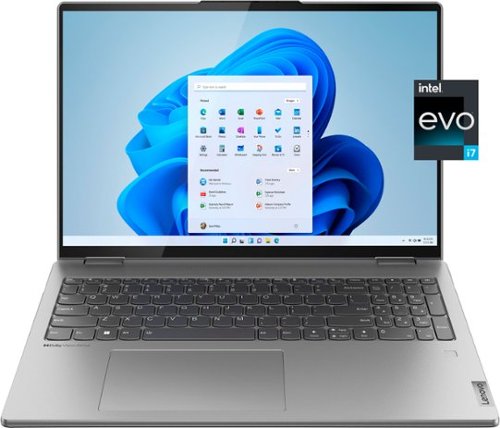
Lenovo - Yoga 7i 16" 2.5K Touch 2-in-1 Laptop - Intel Evo Platform - Core i7-1260P - 16GB Memory - 512GB SSD - Arctic Grey
The Lenovo Yoga 7i combines versatile portability and enhanced productivity, thanks to the boundary-breaking performance and responsiveness of 12th generation Intel Core processors and vibrant WQXGA clarity with Intel Iris Xe 96EU graphics. Go anywhere with a sleek 2-in-1 metal chassis featuring thoughtful details including a webcam privacy shutter.
Are Micro-Soft Excel, Word, etc. included with the operating system? Is it compatible via bluetooth with a remote mouse and keyboard?
This Intel Evo-Certified, Lenovo Yoga 7i 16, model number 82QG0000US, ships with a 30-day trial of Microsoft Office 365 included as part of the Windows 11 operating system. To keep the program active after the trial period, you will need to purchase a product key. You will not need to download any additional software. This Yoga 7i 16 ships with Bluetooth 5.2 Version capability built in.
4 years, 1 month ago
by
Posted by:
Lenovo Product Expert

Lenovo - Chromebook 3 11.6" HD Laptop - Celeron N4020 - 4GB Memory - 64GB eMMC - Onyx Black
Fast, flexible, and fun, the Lenovo IdeaPad 3 Chromebook 11" brings everyone~s favorite Chromebook features, housed in a slim chassis, running on the lightning-fast Chrome OS that boots up in seconds, updates automatically, and is protected by built-in virus protection. Powered by Intel Celeron processor offers up to 10 hours of battery life, to seamlessly run all of your favorite apps at the same time.
Is this a good option for VUDU and will it allow you to download purchased movies to watch offline? Can you store items on an external SD card?
That will depend on the requirements and compatibility of both the APPs you want to use and and the requirements and compatibility of the movie files you want to download. This Lenovo Chromebook 3 11, model number 82BA001FUS, ships with the Chrome Operating System installed and is compatible with Google Play Store APPs. Not all Google Play Store APPs are optimized for the Chrome OS. We recommend you check with the both the specific APPs software publisher's web sites as well as the movie file formats you want to download, for their compatibility with the Chrome operating system and the minimum/recommended hardware requirements (Is a Graphics card required, the processor speed and the minimum required system RAM and the minimum available hard drive space) to run their program, then compare those requirements to this Chromebook's configuration. Whether you will be able to download a commercial (purchased movie file) movie to removable storage like a MicroSD Card or a USB-based external hard drive will depend on the Copyright Protection the publisher puts on the movie file. Whether it will play on this Chromebook 3 11 will depend on the compatibility of the Movie file with the Chrome OS.
4 years, 1 month ago
by
Posted by:
Lenovo Product Expert
Lenovo - Chromebook 3 11.6" HD Laptop - Celeron N4020 - 4GB Memory - 64GB eMMC - Onyx Black
Fast, flexible, and fun, the Lenovo IdeaPad 3 Chromebook 11" brings everyone~s favorite Chromebook features, housed in a slim chassis, running on the lightning-fast Chrome OS that boots up in seconds, updates automatically, and is protected by built-in virus protection. Powered by Intel Celeron processor offers up to 10 hours of battery life, to seamlessly run all of your favorite apps at the same time.
Will I be able zoom meeting and watch movies on airplane?
That will depend on the requirements and compatibility of the APPs you want to use and the WiFi connectivity available. This Lenovo Chromebook 3 11, model number 82BA001FUS, ships with the Chrome Operating System installed and is compatible with Google Play Store APPs. Not all Google Play Store APPs are optimized for the Chrome OS. We recommend you check with the specific video conferencing APPs software publisher's web site, of the video conferencing APP you want to use, for their compatibility with the Chrome operating system and the minimum/recommended hardware requirements (Is a Graphics card required, the processor speed and the minimum required system RAM and the minimum available hard drive space) to run their program, then compare those requirements to this Chromebook's configuration. This Lenovo Chromebook 3 11 ships with WiFi-5, 802.11ac frequency WiFi capability and is backward compatible to older a/b/g/n frequency WiFi. We recommend you check with your airline for their WiFi capabilities.
4 years, 1 month ago
by
Posted by:
Lenovo Product Expert
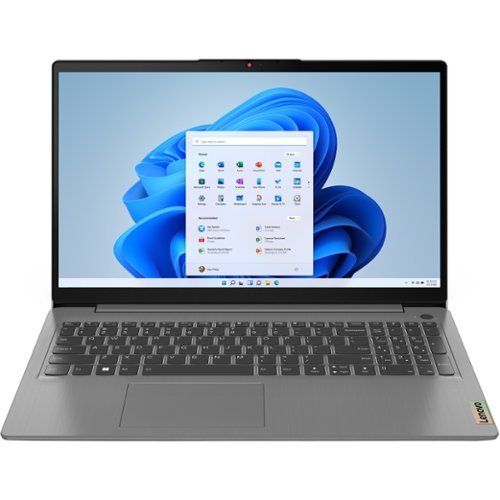
Lenovo - IdeaPad 3 15ABA7 15.6" Laptop - AMD Ryzen 5 - 8 GB Memory - 256 GB SSD - Arctic Gray
IdeaPad. Lenovo IdeaPad 3. Looking for a good laptop without breaking the bank? Lenovo IdeaPad 3 laptops are meticulously designed to both save you money and ensure top-level performance. IdeaPad 3 laptops are stylish, lightweight, highly reliable, and powered for your on-the-go work, study, or play needs.
Does ths laptop have a battery? Specs say "NA".
Yes. This Lenovo IdeaPad 3 15 Laptop, model number 82RN000WUS, ships with a Integrated 45Wh, Lithium-Polymer Battery, which within this model configuration, has a battery life of up to 10 hours, depending on the work the device is performing.
4 years, 1 month ago
by
Posted by:
Lenovo Product Expert
Lenovo - Chromebook 3 11.6" HD Laptop - Celeron N4020 - 4GB Memory - 64GB eMMC - Onyx Black
Fast, flexible, and fun, the Lenovo IdeaPad 3 Chromebook 11" brings everyone~s favorite Chromebook features, housed in a slim chassis, running on the lightning-fast Chrome OS that boots up in seconds, updates automatically, and is protected by built-in virus protection. Powered by Intel Celeron processor offers up to 10 hours of battery life, to seamlessly run all of your favorite apps at the same time.
Is it touch screen?
No. This Lenovo Chromebook 3 11, model number 82BA001FUS, does not have a touch screen. It ships with a non-touch, 11.6 inch (screen size measured diagonally) TN - HD (1366x768) screen, with a brightness level of 250 nits and has an Anti-glare Coating. This screen provides 67 Percent of the sRGB (45 Percent NTSC) color gamut.
4 years, 1 month ago
by
Posted by:
Lenovo Product Expert
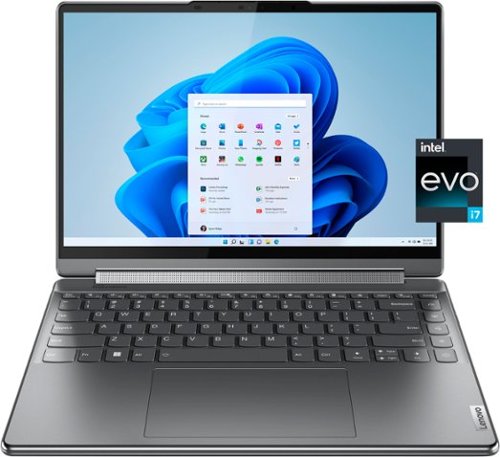
Lenovo - Yoga 9i 14" 4K OLED Touch 2-in-1 Laptop with Pen - Intel Evo Platform - Core i7-1260P - 16GB Memory - 1TB SSD - Storm Grey
The Lenovo Yoga 9i, features the world~s first Bowers & Wilkins speaker system on a laptop offering unparalleled entertainment with Dolby Atmos and powered by the advanced 12th Generation Intel Core processor. Featuring four modes, the Yoga 9i is crafted to merge comfort and aesthetics with rounded edges that allow you to grip, carry or use for longer complimenting the extended battery life and its versatility with smart features like the 1-click function keys and Windows Hello Smart Login on an FHD IR hybrid camera.
Does this laptop come with the case that holds the laptop and the pen? How does the pen charge?
Yes, this Intel Evo-Certified, Lenovo Yoga 9i 14, model number 82LU0000US, ships with both a laptop sleeve and the Lenovo Precision Pen 2. There is a pocket within the included laptop sleeve to hold the Lenovo Precision Pen 2 as well. The Lenovo Precision Pen 2 is USB-c rechargeable and can be charged with the included 65W USB-C Slim (3-pin) AC adapter/charger. The USB-c format automatically adjusts power delivery to the specific device being charged, so that both the laptop and pen receive the correct charging voltage.
4 years, 1 month ago
by
Posted by:
Lenovo Product Expert
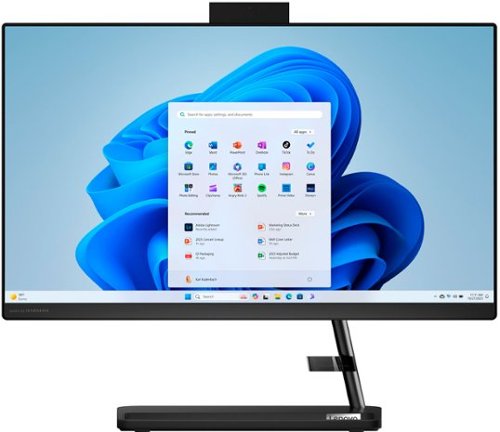
Lenovo - IdeaCentre AIO 3i 22" All-In-One - Intel Pentium - 8GB Memory - 256GB Solid State Drive - Black
A family PC for all generations, the Lenovo IdeaCentre AIO 3i seamlessly handles heavy multitasking sessions from demanding households with Intel Pentium processors, in a compact space-saving design that looks good anywhere you put it. Watch shows with the family on a vivid IPS FHD display with room-filling audio by Harman Kardon
Can you add another screen to this computer
Yes. This Lenovo IdeaCentre 3i 22 All-In-One System, model number F0GG000PUS, ships with 1x HDMI 1.4 port for video out to an external monitor.
4 years, 1 month ago
by
Posted by:
Lenovo Product Expert
Lenovo - L15 15.6" IPS LED FHD USB-C Portable Monitor - Silver
For users who are constantly on the move, engaged in some work from home, or busy studying in a crowded dormitory, the ultra-portable Lenovo L15 mobile monitor makes perfect sense. Weighing only 860g with an ultra-slim 6mm head thickness and an integrated stand, the L15 is easy to carry around and fits on the corner of a multipurpose table or shelving unit. With its 15.6-inch screen, the L15 is a handy ~second screen~ that gives you flexibility whether you are taking notes while attending online lectures or simply binge-watching your favorite content. It easily connects to Notebooks of any screen size via a USB Type-C cable, and power pass-through support lets you charge the PC and power the monitor simultaneously. With eye care technology to prevent eye strain and Lenovo Artery software3 to control settings, the L15 delivers an uncomplicated and delightful experience.
can it be daisy-chained with another usb-c monitor?
Yes. This Lenovo L15 USB-c Portable Monitor, model number 66E4UCC1US, ships with 2x USB-C 3.2 Gen 1 (DP 1.2 Alt Mode) ports with video in/out capability.
4 years, 1 month ago
by
Posted by:
Lenovo Product Expert

Lenovo - IdeaPad 3 15" HD Touch Screen Laptop - Intel Core i3-1115G4 - Intel UHD Graphics - 8GB Memory - 256GB SSD - Almond
Engineered for long-lasting performance, the Lenovo IdeaPad 3 is the perfect laptop for your everyday tasks with features that you can depend on.
Can I create ADS on this laptop for my Social Media Marketing business?
That will depend on the requirements and compatibility of the software you will be using to create the advertising format. This Lenovo IdeaPad 3 15 Laptop, model number 81X800KLUS, ships with the Windows 11 S-Mode, 64-bit Operating System installed. Windows 11 S-Mode provides added security by only allowing APPs available ( and therefore certified by Microsoft) at the Microsoft Store. If you don't need the added security or you need to install APPs not available at the Microsoft Store, you can switch to standard Windows 11 Home 64-bit Operating System, at no additional cost. We recommend you check with the specific software publisher's web sites, of the specific software APPs you will be using to create your advertisements, for their compatibility with Windows 11 S-Mode 64-bit operating system and the minimum/recommended hardware requirements (Is a Graphics card required, the processor speed and the minimum required system RAM and the minimum available hard drive space) to run their program, then compare those requirements to this system's configuration. If you choose to switch out of S-Mode for Windows 11 Home: Here is a link to instructions for switching from Windows 11 S-Mode to Windows 11 Home: https://support.microsoft.com/en-us/windows/switching-out-of-s-mode-in-windows-4f56d9be-99ec-6983-119f-031bfb28a307#WindowsVersion=Windows_11
4 years, 1 month ago
by
Posted by:
Lenovo Product Expert