Lenovo Product Expert
Lenovo Product Expert's Stats
Reviews
- Review Count0
- Helpfulness Votes0
- First ReviewNone
- Last ReviewNone
- Featured Reviews0
- Average Rating0
Reviews Comments
- Review Comment Count0
- Helpfulness Votes0
- First Review CommentNone
- Last Review CommentNone
- Featured Review Comments0
Questions
- Question Count0
- Helpfulness Votes0
- First QuestionNone
- Last QuestionNone
- Featured Questions0
- Answer Count37808
- Helpfulness Votes24,825
- First AnswerApril 21, 2014
- Last AnswerOctober 9, 2026
- Featured Answers0
- Best Answers2827
Lenovo Product Expert's Reviews
Lenovo Product Expert has not submitted any reviews.
Lenovo Product Expert's Questions
Lenovo Product Expert has not submitted any questions.
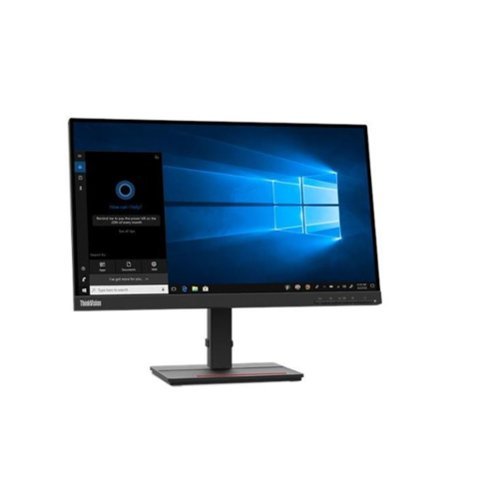
Lenovo - ThinkVision SSe-20 21.5 LCD FreeSync Monitor - Black
ThinkVision S22e-20, the 21.5-inch, FHD resolution, VA panel display, gives users the fine detail they need while working out the small print on long contracts or inputting data for long periods.
Is this really a touch screen? BBY's listing says yes, but Lenovo references say no.

This Lenovo ThinkVision S22e-20 Monitor, model number 62C6KAR1US, has a non-touch screen.
4 years, 1 month ago
by
Posted by:
Lenovo Product Expert
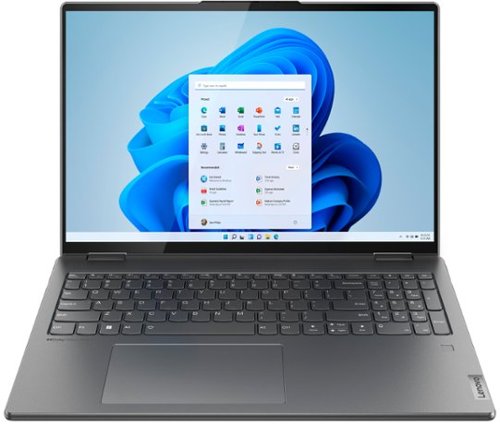
Lenovo - Yoga 7i 16" 2.5K Touch 2-in-1 Laptop - Intel Evo Platform - Core i5-1240P - 8GB Memory - 256GB SSD - Storm Grey
The Lenovo Yoga 7i combines versatile portability and enhanced productivity, thanks to the boundary-breaking performance and responsiveness of 12th generation Intel Core processors and vibrant WQXGA clarity with Intel Iris Xe graphics. Go anywhere with a sleek 2-in-1 metal chassis featuring thoughtful details including a webcam privacy shutter.
Is this good for playing games through facebook?
That really will depend on the requirements and compatibility of the specific games you will be playing. This Intel Evo-Certified, Lenovo Yoga 7i 16, model number 82QG0001US, ships with the Windows 11 Home, 64-bit Operating System installed. We recommend you check with the game's software publisher's web site, of the specific games you want to play, for their compatibility with Windows 11 Home 64-bit operating system and the minimum/recommended hardware requirements (Is a Graphics card required, the processor speed and the minimum required system RAM and the minimum available hard drive space) to run their program, then compare those requirements to this system's configuration.
4 years, 1 month ago
by
Posted by:
Lenovo Product Expert
Lenovo - Yoga 7i 16" 2.5K Touch 2-in-1 Laptop - Intel Evo Platform - Core i5-1240P - 8GB Memory - 256GB SSD - Storm Grey
The Lenovo Yoga 7i combines versatile portability and enhanced productivity, thanks to the boundary-breaking performance and responsiveness of 12th generation Intel Core processors and vibrant WQXGA clarity with Intel Iris Xe graphics. Go anywhere with a sleek 2-in-1 metal chassis featuring thoughtful details including a webcam privacy shutter.
Can I hook up a 2nd monitor to this laptop?
Yes. This Intel Evo-Certified, lenovo Yoga 7i 16, model number 82QG0001US supports up to 4 independent displays (native display and 3 external monitors via HDMI and Thunderbolt). • HDMI supports up to 4096x2160@60Hz, • Thunderbolt supports up to 4096x2304@60Hz.
4 years, 1 month ago
by
Posted by:
Lenovo Product Expert
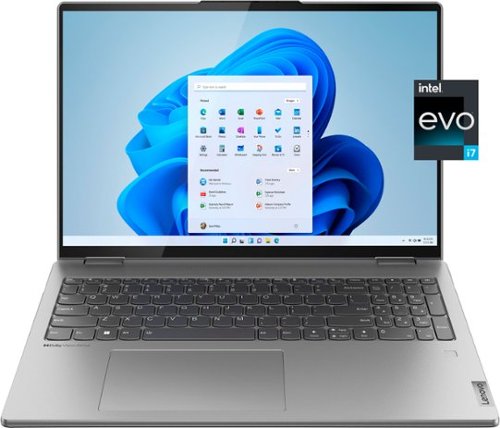
Lenovo - Yoga 7i 16" 2.5K Touch 2-in-1 Laptop - Intel Evo Platform - Core i7-1260P - 16GB Memory - 512GB SSD - Arctic Grey
The Lenovo Yoga 7i combines versatile portability and enhanced productivity, thanks to the boundary-breaking performance and responsiveness of 12th generation Intel Core processors and vibrant WQXGA clarity with Intel Iris Xe 96EU graphics. Go anywhere with a sleek 2-in-1 metal chassis featuring thoughtful details including a webcam privacy shutter.
Would this laptop be good for daily gaming?
That really will depend on the requirements and compatibility of the specific games you want to play. We recommend you check with the specific game's software publisher's web sites, of the specific version of the games you want to play, for their compatibility with Windows 11 Home 64-bit operating system and the minimum/recommended hardware requirements (Is a Graphics card required, the processor speed and the minimum required system RAM and the minimum available hard drive space) to run their programs, then compare those requirements to this Intel Evo-Certified, Lenovo Yoga 7i 16, model number 82QG0000US laptop's configuration.
4 years, 1 month ago
by
Posted by:
Lenovo Product Expert
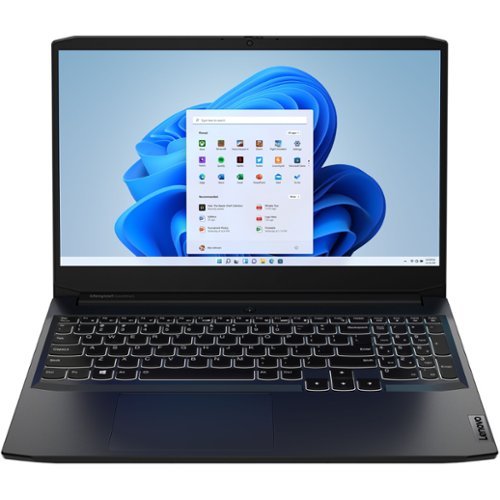
Lenovo - IdeaPad Gaming 3 15IHU6 15.6" Gaming Laptop - Intel Core i5 - 8 GB Memory - NVIDIA GeForce RTX 3050 - 256 GB SSD - Shadow Black
Lenovo Gaming 3 Series. Experience gaming like never before on the IdeaPad Gaming 3i laptop powered by an Intel Core processor. Play and stream PC games at peak performance on the IdeaPad Gaming 3i with up to 4.4GHz clock speed, 4 core, 8MB cache, NVIDIA GeForce RTX 3050 Graphics, High Definition Audio, and Wi-Fi 6 with Bluetooth 5.0.
What is the power config of the 3050?
This Lenovo IdeaPad 3 15 Gaming Laptop, model number 82K1015EUS, ships with the NVIDIA GeForce RTX 3050 GPU installed, with 4GB GDDR6 VRAM on the card, it has a Boost Clock of 1500 / 1740MHz and a TGP of 90W.
4 years, 1 month ago
by
Posted by:
Lenovo Product Expert
Lenovo - Yoga 7i 16" 2.5K Touch 2-in-1 Laptop - Intel Evo Platform - Core i5-1240P - 8GB Memory - 256GB SSD - Storm Grey
The Lenovo Yoga 7i combines versatile portability and enhanced productivity, thanks to the boundary-breaking performance and responsiveness of 12th generation Intel Core processors and vibrant WQXGA clarity with Intel Iris Xe graphics. Go anywhere with a sleek 2-in-1 metal chassis featuring thoughtful details including a webcam privacy shutter.
Would this be good for daily gaming? If not, could you recommend a good one under $1000. That is fast.
That really will depend on the requirements and compatibility of the specific games you want to play. We recommend you check with the specific game's software publisher's web sites, of the specific games you want to play, for their compatibility with Windows 11 Home 64-bit operating system and the minimum/recommended hardware requirements (Is a Graphics card required, the processor speed and the minimum required system RAM and the minimum available hard drive space) to run their programs, then compare those requirements to this Intel Evo-Certified, Lenovo Yoga 7i 16, model number 82QG0001US laptop's configuration.
4 years, 1 month ago
by
Posted by:
Lenovo Product Expert
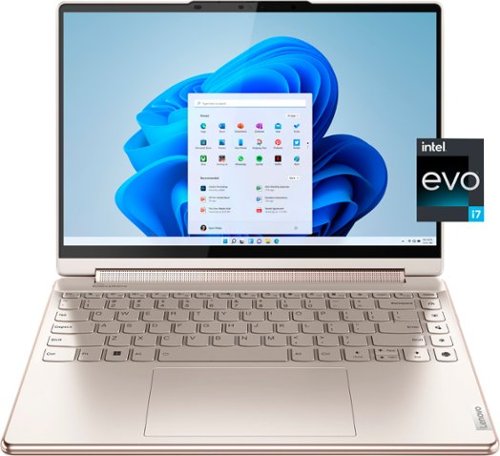
Lenovo - Yoga 9i 14" 2.8K OLED Touch 2-in-1 Laptop with Pen - Intel Evo Platform - Core i7-1260P - 16GB Memory - 512GB SSD - Oatmeal
The Lenovo Yoga 9i, features the world~s first Bowers & Wilkins speaker system on a laptop offering unparalleled entertainment with Dolby Atmos and powered by the advanced 12th Generation Intel Core processor. Featuring four modes, the Yoga 9i is crafted to merge comfort and aesthetics with rounded edges that allow you to grip, carry or use for longer complimenting the extended battery life and its versatility with smart features like the 1-click function keys and Windows Hello Smart Login on an FHD IR hybrid camera.
Will this computer support autoCAD and/or revit 2022
That will depend on the requirements and compatibility of the specific software you want to run on this Intel Evo-Certified, Lenovo Yoga 9i 14, model number 82LU0001US. We recommend you check with the specific APPs software publisher's web sites, of the specific version of the APP you want to use, for their compatibility with Windows 11 Home 64-bit operating system and the minimum/recommended hardware requirements (Is a Graphics card required, the processor speed and the minimum required system RAM and the minimum available hard drive space) to run their program, then compare those requirements to this system's configuration.
4 years, 1 month ago
by
Posted by:
Lenovo Product Expert
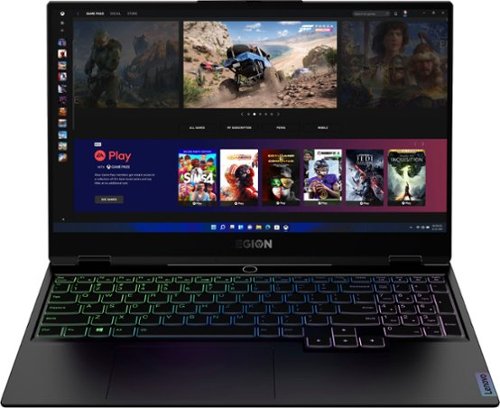
Lenovo - Legion Slim 7 15" Gaming Laptop - AMD Ryzen 7 5800H - 16GB Memory - NVIDIA GeForce RTX 3060 - 512GB SSD - Shadow Black
The Lenovo~ Legion Slim 7 was engineered for gamers who demand mobility and performance for day and night. Sporting a finely crafted chassis machined from 100% aluminum that is shockingly thin and impressively light, the Legion Slim 7 was expertly crafted for gamers who demand more.
Does this laptop run all adobe programs.
That really will depend on the requirements and compatibility of the specific software APPs you want to use with this Lenovo Legion Slim 7 15 Gaming Laptop, model number 82K80083US. We recommend you check with the specific APPs software publisher's web sites, of the specific version of the APP you want to use, for their compatibility with Windows 11 Home 64-bit operating system and the minimum/recommended hardware requirements (Is a Graphics card required, the processor speed and the minimum required system RAM and the minimum available hard drive space) to run their program, then compare those requirements to this system's configuration.
4 years, 1 month ago
by
Posted by:
Lenovo Product Expert
Lenovo - IdeaPad Gaming 3 15IHU6 15.6" Gaming Laptop - Intel Core i5 - 8 GB Memory - NVIDIA GeForce RTX 3050 - 256 GB SSD - Shadow Black
Lenovo Gaming 3 Series. Experience gaming like never before on the IdeaPad Gaming 3i laptop powered by an Intel Core processor. Play and stream PC games at peak performance on the IdeaPad Gaming 3i with up to 4.4GHz clock speed, 4 core, 8MB cache, NVIDIA GeForce RTX 3050 Graphics, High Definition Audio, and Wi-Fi 6 with Bluetooth 5.0.
Is the battery contained in the laptop lithium? If not, what type of battery does it use?
This Lenovo IdeaPad 3 15 Gaming Laptop, model number 82K1015EUS, ships with a Integrated 45Wh, Lithium-Polymer Battery installed.
4 years, 1 month ago
by
Posted by:
Lenovo Product Expert

Lenovo - Chromebook 3 11.6" HD Laptop - Celeron N4020 - 4GB Memory - 64GB eMMC - Onyx Black
Fast, flexible, and fun, the Lenovo IdeaPad 3 Chromebook 11" brings everyone~s favorite Chromebook features, housed in a slim chassis, running on the lightning-fast Chrome OS that boots up in seconds, updates automatically, and is protected by built-in virus protection. Powered by Intel Celeron processor offers up to 10 hours of battery life, to seamlessly run all of your favorite apps at the same time.
It says 4GB if storage can that be updgraded?
This Lenovo Chromebook 3 11, model number 82BA001FUS, ships with a 64GB eMMC 5.1 solid state hard drive for storage, soldered on the systemboard and is not upgradeable. There is also a MicroSD Card Reader Slot built into this Chromebook 3 11 that can be used to expand the external storage space of your Chromebook 3 11, with a MicroSD Card. The MicroSD Card is sold separately. There is 4GB Soldered LPDDR4-2400MHz RAM Memory soldered to systemboard, no slots and is not upgradeable.
4 years, 1 month ago
by
Posted by:
Lenovo Product Expert