Lenovo Product Expert
Lenovo Product Expert's Stats
Reviews
- Review Count0
- Helpfulness Votes0
- First ReviewNone
- Last ReviewNone
- Featured Reviews0
- Average Rating0
Reviews Comments
- Review Comment Count0
- Helpfulness Votes0
- First Review CommentNone
- Last Review CommentNone
- Featured Review Comments0
Questions
- Question Count0
- Helpfulness Votes0
- First QuestionNone
- Last QuestionNone
- Featured Questions0
- Answer Count37808
- Helpfulness Votes24,825
- First AnswerApril 21, 2014
- Last AnswerOctober 9, 2026
- Featured Answers0
- Best Answers2827
Lenovo Product Expert's Reviews
Lenovo Product Expert has not submitted any reviews.
Lenovo Product Expert's Questions
Lenovo Product Expert has not submitted any questions.

Lenovo - Chromebook 3 11.6" HD Laptop - Celeron N4020 - 4GB Memory - 64GB eMMC - Onyx Black
Fast, flexible, and fun, the Lenovo IdeaPad 3 Chromebook 11" brings everyone~s favorite Chromebook features, housed in a slim chassis, running on the lightning-fast Chrome OS that boots up in seconds, updates automatically, and is protected by built-in virus protection. Powered by Intel Celeron processor offers up to 10 hours of battery life, to seamlessly run all of your favorite apps at the same time.
Does Playstore Come With the Chromebook?

Yes, the Google Play Store APP is installed on this Lenovo Chromebook 3 11. Not all Google Play Store APPs are optimized for the Chrome OS. We recommend you check with the specific APPs software publisher's web sites, of the APPs you want to use, for their compatibility with the Chrome operating system and the minimum/recommended hardware requirements (Is a Graphics card required, the processor speed and the minimum required system RAM and the minimum available hard drive space) to run their program, then compare those requirements to this Chromebook's configuration.
4 years, 1 month ago
by
Posted by:
Lenovo Product Expert

Lenovo - IdeaCentre AIO A340 22" Touch-Screen All-In-One - Intel Pentium - 8GB Memory - 1TB Hard Drive - Black
With its sleek, modern stand and thin bezel display, the Lenovo IdeaCentre A340 is sure to catch your eye. Fire it up and marvel at the super fast, smooth performance, where 8th Generation Intel~ Core~ processing is backed by the latest graphics and memory technology. And with the vast storage space, you~ll see why this space-saving all-in-one makes the perfect family PC.
Does it have 64 bit operating system? And is it strong enough to run premiere pro?
This Lenovo IdeaCentre A340 22 All-In-One System, model number F0EA0088US, ships with Windows 11 Home, 64-bit Operating System installed. Whether it can run a specific software APP will depend on the requirements and compatibility of the specific APP you want to use. We recommend you check with the specific software publisher's web site, of the specific App version you want to use, for their compatibility with Windows 11 Home 64-bit operating system and the minimum/recommended hardware requirements (Is a Graphics card required, the processor speed and the minimum required system RAM and the minimum available hard drive space) to run their program, then compare those requirements to this system's configuration.
4 years, 1 month ago
by
Posted by:
Lenovo Product Expert
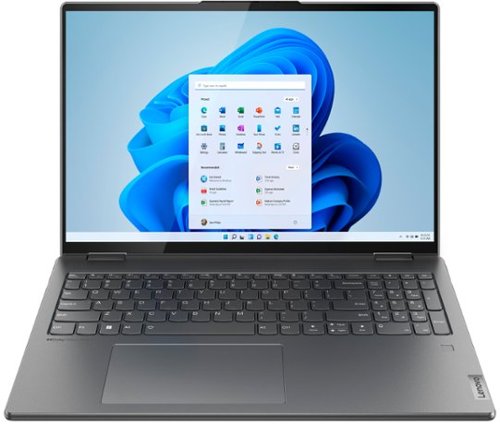
Lenovo - Yoga 7i 16" 2.5K Touch 2-in-1 Laptop - Intel Evo Platform - Core i5-1240P - 8GB Memory - 256GB SSD - Storm Grey
The Lenovo Yoga 7i combines versatile portability and enhanced productivity, thanks to the boundary-breaking performance and responsiveness of 12th generation Intel Core processors and vibrant WQXGA clarity with Intel Iris Xe graphics. Go anywhere with a sleek 2-in-1 metal chassis featuring thoughtful details including a webcam privacy shutter.
What is the manufacturer’s warranty that comes with this laptop? I can’t find it in the details.
This Intel Evo-Certified, lenovo Yoga 7i 16, model number 82QG0001US, ships with a limited, 1-year manufacturer's warranty, covering OEM hardware issues.
4 years, 1 month ago
by
Posted by:
Lenovo Product Expert
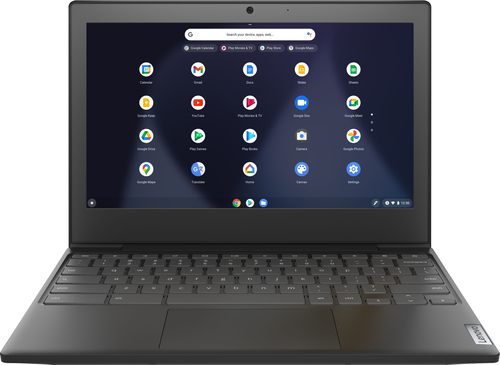
Lenovo - Chromebook 3 11" Chromebook - AMD A6 - 4GB Memory - 32GB eMMC Flash Memory
Fast, flexible, and fun, the Chromebook 3-11" brings everyone~s favorite Chromebook features, housed in a slim chassis, running on the lightning-fast Chrome OS that boots up in seconds, updates automatically, and is protected by built-in virus protection. Powered by an AMD A6 processor with up to 10 hours of battery life, the IdeaPad 3 Chromebook can seamlessly run all of your favorite apps at the same time
Does it have a spot to put CDs in
No. This Lenovo Chromebook 3 11 does not have a CD/DVD drive.
4 years, 1 month ago
by
Posted by:
Lenovo Product Expert
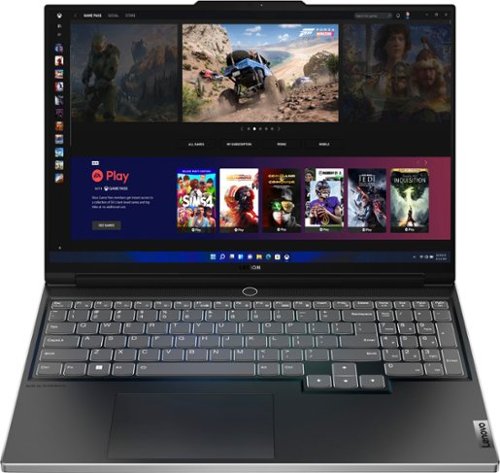
Lenovo - Legion Slim 7 AMD Advantage Edition 16" 2.5k Gaming Laptop - AMD Ryzen 9 6900HX-16GB Memory-AMD Radeon RX 6800S-1TB SSD - Onyx Grey
Engineered for those who know gaming is a way of life, the Lenovo Legion Slim 7, in Onyx Grey, is calibrated for next-gen creation and gaming alike. Redefine gaming experiences with the latest generation AMD Ryzen processor and AMD Radeon RX graphics that are AI-optimized via the Legion AI Engine, all the while cooled by the Legion Coldfront 3.0~s thermal system. The Legion Slim 7~s light and exhilarating design is further machined from an Aluminum and Magnesium blend that defies all basic laws of laptop engineering. Crush the competition in WQXGA for immersive gaming anywhere life takes you.
What is the resolution of the webcam?
This Lenovo Legion Slim 7 16, model number 82UG0002US, ships with a FHD (1080p) with E-camera Shutter and Dual Array Microphones, built in.
4 years, 1 month ago
by
Posted by:
Lenovo Product Expert
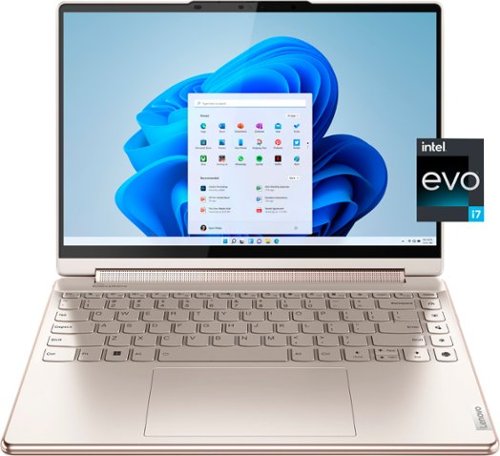
Lenovo - Yoga 9i 14" 2.8K OLED Touch 2-in-1 Laptop with Pen - Intel Evo Platform - Core i7-1260P - 16GB Memory - 512GB SSD - Oatmeal
The Lenovo Yoga 9i, features the world~s first Bowers & Wilkins speaker system on a laptop offering unparalleled entertainment with Dolby Atmos and powered by the advanced 12th Generation Intel Core processor. Featuring four modes, the Yoga 9i is crafted to merge comfort and aesthetics with rounded edges that allow you to grip, carry or use for longer complimenting the extended battery life and its versatility with smart features like the 1-click function keys and Windows Hello Smart Login on an FHD IR hybrid camera.
Are both the battery and SSD accessible and/or replaceable by the consumer?
This Intel Evo-Certified, Lenovo Yoga 9i 14, model number 82LU0001US, ships with an Integrated 75Wh, Lithium-Polymer Battery, that is not user replaceable. There is also a 512GB M.2 2280 PCIe 4.0x4 NVMe solid state hard drive installed. The maximum storage capacity that this model configuration can support is: One drive, up to 256GB M.2 2242 SSD or 1TB M.2 2280 SSD. The one M.2 2280 PCIe Gen 4x4 slot, supports M.2 2242/2280 SSD. We recommend you consult your certified technician about your storage upgrade options.
4 years, 1 month ago
by
Posted by:
Lenovo Product Expert
Lenovo - Yoga 7i 16" 2.5K Touch 2-in-1 Laptop - Intel Evo Platform - Core i5-1240P - 8GB Memory - 256GB SSD - Storm Grey
The Lenovo Yoga 7i combines versatile portability and enhanced productivity, thanks to the boundary-breaking performance and responsiveness of 12th generation Intel Core processors and vibrant WQXGA clarity with Intel Iris Xe graphics. Go anywhere with a sleek 2-in-1 metal chassis featuring thoughtful details including a webcam privacy shutter.
Is there a regular size computer keyboard that’s compatible with the Lenovo Yoga laptop computer? The keyboard to connect into the laptop USB port.
This Intel Evo-Certified Lenovo Yoga 7i 16 is compatible with any external keyboard that is compatible with the Windows 11 Operating System and connects to the computer via USB.
4 years, 1 month ago
by
Posted by:
Lenovo Product Expert
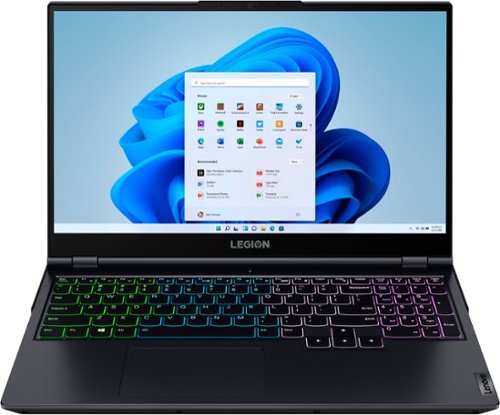
Lenovo - Legion 5 15" Gaming Laptop - AMD Ryzen 7 5800H - NVIDIA GeForce RTX 3050 Ti - 8GB Memory - 512GB SSD - Phantom Blue
Offering a plethora of performance options for any gamer in a clean, minimalist design, the Lenovo~ Legion 5 pairs the latest AMD Ryzen 5800 H-Series processor, NVIDIA GeForce RTX 3050 Ti Graphics, 3200 MHz DDR4 memory, and NVMe TLC SSD storage.
If I upgraded the OEM SSD to a new one, will I have to reinstall windows or is it just plug and play?
This Lenovo Legion 5 15 Gaming Laptop ships with Windows 11 Home, 64-bit Operating System factory installed on the included 512GB M.2 2280 PCIe 3.0x4 NVMe solid state drive. If you replace this factory installed hard drive, you will need to reinstall the Windows 11 Operating System on the replacement hard drive.
4 years, 1 month ago
by
Posted by:
Lenovo Product Expert
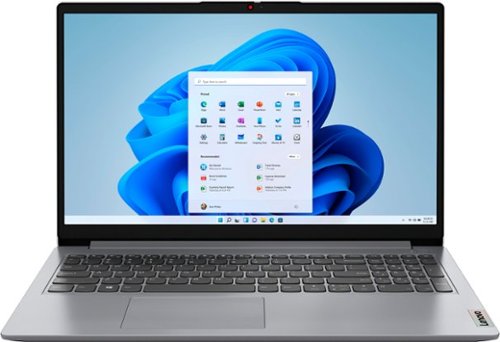
Lenovo - Ideapad 1 15.6" FHD Touch-Screen Laptop - Ryzen 7 5700U - 12GB Memory - 512GB SSD - Cloud Grey
Browse, explore and connect with confidence on the Lenovo IdeaPad 1 powered by ultra-fast AMD Ryzen~ 5000 U Series Mobile Processors on selected models. The IdeaPad 1 packs responsive performance in a thin and compact 17.9 mm chassis, making multitasking on-the-go a breeze. Get the most out of your device with a frameless display for more screen and Dolby Audio~ speakers, along with 10 hours of battery life and rapid charge. Great for video calls, the 1MP camera comes with a privacy shutter to keep out spying eyes, as well as Smart Noise Cancelling to eliminate background noise.
Can you run a second monitor providing an additional desktop using the existing HDMI port?
This Lenovo IdeaPad 1 15 Laptop, model number 82R4002PUS, supports up to 2 independent displays (native display and 1 external monitor via HDMI). HDMI supports up to 3840x2160@30Hz.
4 years, 1 month ago
by
Posted by:
Lenovo Product Expert
Lenovo - Yoga 7i 16" 2.5K Touch 2-in-1 Laptop - Intel Evo Platform - Core i5-1240P - 8GB Memory - 256GB SSD - Storm Grey
The Lenovo Yoga 7i combines versatile portability and enhanced productivity, thanks to the boundary-breaking performance and responsiveness of 12th generation Intel Core processors and vibrant WQXGA clarity with Intel Iris Xe graphics. Go anywhere with a sleek 2-in-1 metal chassis featuring thoughtful details including a webcam privacy shutter.
Does this Yoga 7i 16" use AES 1.0 or AES 2.0 for stylus? And which stylus is recommended for use with this Yoga 7i 16"?
This Intel Evo-Certified, Lenovo Yoga 7i 16, model number 82QG0001US, is compatible with an AES Protocol Active/Digital Pen that is sold separately, like this one: https://www.bestbuy.com/site/wacom-bamboo-ink-smart-stylus-for-windows-ink-2nd-generation-gray/6374981.p?skuId=6374981
4 years, 1 month ago
by
Posted by:
Lenovo Product Expert