Lenovo Product Expert
Lenovo Product Expert's Stats
Reviews
- Review Count0
- Helpfulness Votes0
- First ReviewNone
- Last ReviewNone
- Featured Reviews0
- Average Rating0
Reviews Comments
- Review Comment Count0
- Helpfulness Votes0
- First Review CommentNone
- Last Review CommentNone
- Featured Review Comments0
Questions
- Question Count0
- Helpfulness Votes0
- First QuestionNone
- Last QuestionNone
- Featured Questions0
- Answer Count37808
- Helpfulness Votes24,825
- First AnswerApril 21, 2014
- Last AnswerOctober 9, 2026
- Featured Answers0
- Best Answers2827
Lenovo Product Expert's Reviews
Lenovo Product Expert has not submitted any reviews.
Lenovo Product Expert's Questions
Lenovo Product Expert has not submitted any questions.
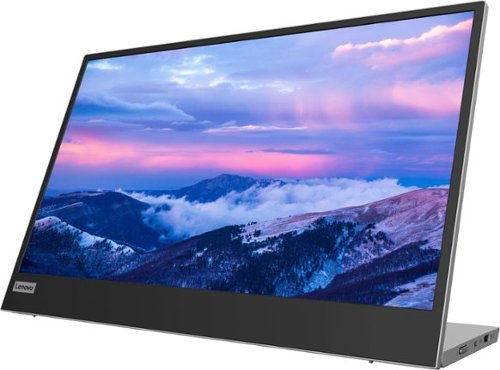
Lenovo - L15 15.6" IPS LED FHD USB-C Portable Monitor - Silver
For users who are constantly on the move, engaged in some work from home, or busy studying in a crowded dormitory, the ultra-portable Lenovo L15 mobile monitor makes perfect sense. Weighing only 860g with an ultra-slim 6mm head thickness and an integrated stand, the L15 is easy to carry around and fits on the corner of a multipurpose table or shelving unit. With its 15.6-inch screen, the L15 is a handy ~second screen~ that gives you flexibility whether you are taking notes while attending online lectures or simply binge-watching your favorite content. It easily connects to Notebooks of any screen size via a USB Type-C cable, and power pass-through support lets you charge the PC and power the monitor simultaneously. With eye care technology to prevent eye strain and Lenovo Artery software3 to control settings, the L15 delivers an uncomplicated and delightful experience.
Does this monitor work with macbooks?

This Lenovo L15, USB-c Portable Monitor, model number 66E4UCC1US, is Operating System independent. It will connect to a compatible computer via USB-C 3.2 Gen 1 (DP 1.2 Alt Mode) port. We recommend you check with the manufacturer's web site of your specific computer model for the requirements and compatibility for connecting an external monitor to your specific computer model.
4 years, 2 months ago
by
Posted by:
Lenovo Product Expert
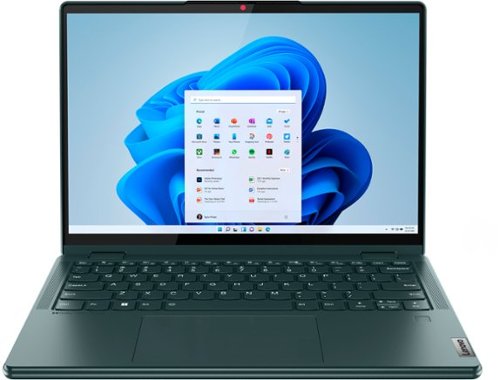
Lenovo - Yoga 6 13.3" WUXGA (1920 x 1200) Touch 2-in-1 Laptop -Ryzen 7 5700U - 16GB Memory - 512GB SSD - Dark Teal
Thin, light and framed by the comfort edge of the Lenovo Yoga 6 is both portable and comfortable to use. Add into that our commitment to sustainability, and we have the perfect on-the-go product for throwing in your bag and taking anywhere. Bring big-screen cinema to life with Dolby Vision on the breathtaking 16:10 FHD display with 100% sRGB for color accuracy paired with immersive Dolby Atmos optimized on front-firing speakers.
What is the battery life for this computer?
This Lenovo Yoga 6 13 model number 82UD0000US, ships with a Integrated 59Wh, Lithium-Polymer Battery, which within this model configuration, has a battery life of up to 13 hours, depending on the work the device is performing.
4 years, 2 months ago
by
Posted by:
Lenovo Product Expert

Lenovo - Chromebook 3 11.6" HD Laptop - Celeron N4020 - 4GB Memory - 64GB eMMC - Onyx Black
Fast, flexible, and fun, the Lenovo IdeaPad 3 Chromebook 11" brings everyone~s favorite Chromebook features, housed in a slim chassis, running on the lightning-fast Chrome OS that boots up in seconds, updates automatically, and is protected by built-in virus protection. Powered by Intel Celeron processor offers up to 10 hours of battery life, to seamlessly run all of your favorite apps at the same time.
Is it a touch screen?
No. This Lenovo Chromebook 3 11, model number 82BA001FUS, does not have a touch screen. The Chromebook 3 11 ships with a non-touch, 11.6 inch (screen size measured diagonally) TN - HD (1366x768) screen, with a brightness level of 250 nits and has an Anti-glare Coating.
4 years, 2 months ago
by
Posted by:
Lenovo Product Expert

Lenovo - IdeaPad 3 15" HD Touch Screen Laptop - Intel Core i3-1115G4 - Intel UHD Graphics - 8GB Memory - 256GB SSD - Almond
Engineered for long-lasting performance, the Lenovo IdeaPad 3 is the perfect laptop for your everyday tasks with features that you can depend on.
What does "open box" mean exactly? Display model, used and refurbished, with or without manufacturer's warranty?
You can scroll down this web page at bestbuy.com for more information about Open Box items at Best Buy: https://www.bestbuy.com/site/electronics/outlet-refurbished-clearance/pcmcat142300050026.c?id=pcmcat142300050026
4 years, 2 months ago
by
Posted by:
Lenovo Product Expert
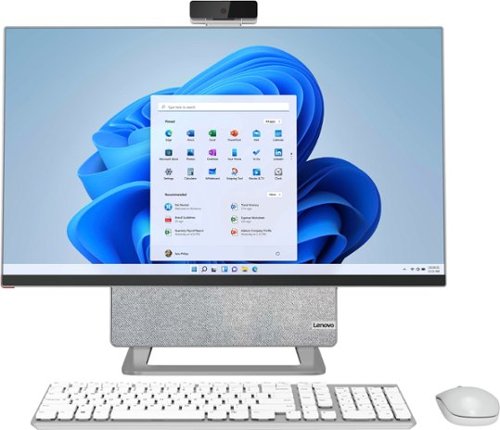
Lenovo - Yoga AIO 7 27" Touch-Screen All-In-One - AMD Ryzen 7 - 16GB Memory - AMD Radeon RX 6600M - 512GB SSD - Cloud Gray/Moon White
The Lenovo Yoga AIO 7 redefines the smart desktop, pushing the boundaries with leading-class performance of AMD Ryzen 5000 Series Mobile Processors and the world~s first 27" 4K display. Enjoy a mind-blowing visual experience, thanks to DCI-P3 99% color space, 99% Adobe RGB color gamut and effortless 90~ rotations. Best of all, the Yoga AIO 7 offers peerless device-sharing features adapted to the multi-screen workflows and lifestyles of today~s users. Streamline your work by pairing your AIO with a portable notebook. Access the same hard disk, keyboard, mouse and speakers as your notebook charges, and set your smartphone on the built-in dock, so you can easily work and play across screens.
How can I tell if my keyboard is charging? It seems my keyboard died and I plugged it into the usb-c port on the side and I can't tell if it is charging as there are no indicator lights. How long does it take?
It will take approximately 2 hours to fully charge the wireless keyboard that ships with this Lenovo Yoga 7 27 All-In-One System. You will be able to use the keyboard while it is plugged in and charging, as well. Add another 1 hour to the charge time if you are using the keyboard while it is charging.
4 years, 2 months ago
by
Posted by:
Lenovo Product Expert
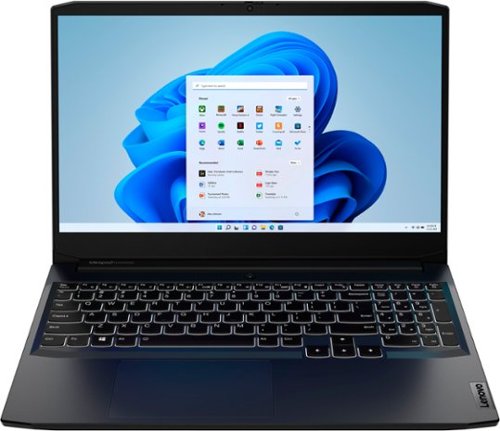
Lenovo - IdeaPad Gaming 3 15.6" FHD 120Hz Laptop - AMD Ryzen 5 5600H - NVIDIA GeForce GTX 1650 - 8GB Memory - 256GB SSD - Shadow Black
Time to elevate your game and esports experience beyond the realm of the ~just acceptable~ with a PC that stands tall amongst your gaming circle. Engineered with AMD Ryzen~ 5600H processor, NVIDIA~ GeForce~ GTX 1650 graphics, DDR4 memory and M.2 NVMe SSD storage options, the Lenovo~ IdeaPad~ Gaming 3 projects a quiet and serene confidence with smooth, crystal-clear visuals and seamless gameplay that stays cool through improved thermals. The IdeaPad Gaming 3 is also stunning visually turned on or off with an 120 Hz clear FHD display and an advanced gaming keyboard.
Can you charge this by usb-c?
No, this high performance Lenovo IdeaPad 3 15 Gaming laptop, model number 82K201QMUS, requires a 135W external power supply - AC adapter/charger. There is 1x USB-C 3.2 Gen 1 (support data transfer only) port on this model configuration that does not support power delivery.
4 years, 2 months ago
by
Posted by:
Lenovo Product Expert
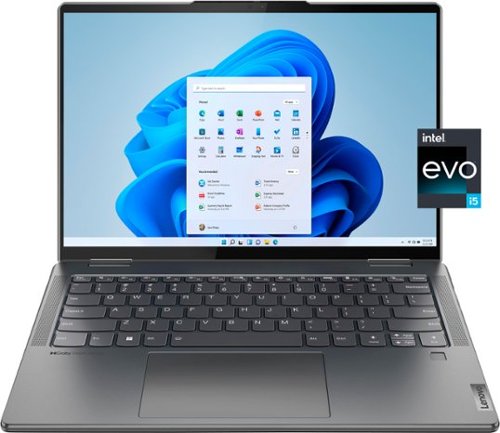
Lenovo - Yoga 7i 14" 2.2K Touch 2-in-1 Laptop - Intel Evo Platform - Core i5-1235U - 8GB Memory - 512GB SSD - Storm Grey
The Lenovo Yoga 7i combines versatile portability and enhanced productivity, thanks to the boundary-breaking performance and responsiveness of 12th generation Intel Core processors and vibrant 2.2K clarity with Intel Iris Xe graphics. Go anywhere with a sleek 2-in-1 metal chassis featuring thoughtful details including a webcam privacy shutter.
Hi can I add another ram ? can I Upgrade the ram or example to 16gb ? thanks
No, this Intel Evo-Certified, lenovo Yoga 7i 14, model number 82QE000LUS, ships with 8GB Soldered LPDDR5-4800MHz RAM Memory soldered to systemboard, no slots, dual-channel and is not upgradeable.
4 years, 2 months ago
by
Posted by:
Lenovo Product Expert
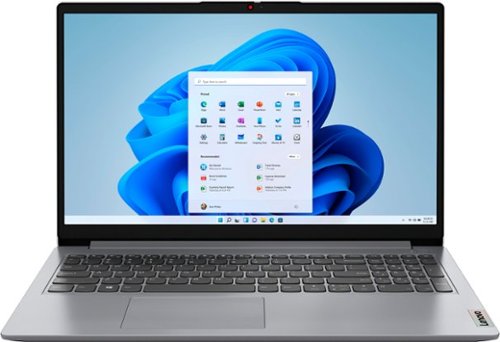
Lenovo - Ideapad 1 15.6" FHD Touch-Screen Laptop - Ryzen 7 5700U - 12GB Memory - 512GB SSD - Cloud Grey
Browse, explore and connect with confidence on the Lenovo IdeaPad 1 powered by ultra-fast AMD Ryzen~ 5000 U Series Mobile Processors on selected models. The IdeaPad 1 packs responsive performance in a thin and compact 17.9 mm chassis, making multitasking on-the-go a breeze. Get the most out of your device with a frameless display for more screen and Dolby Audio~ speakers, along with 10 hours of battery life and rapid charge. Great for video calls, the 1MP camera comes with a privacy shutter to keep out spying eyes, as well as Smart Noise Cancelling to eliminate background noise.
What's the maximum possible RAM and SSD upgrade for this PC? Is it possible to fix a second SSD?
This Lenovo IdeaPad 1 15 Laptop, model number 82R4002PUS, ships with 12GB DDR4-3200MHz RAM installed (8GB Soldered DDR4-3200 + 4GB SO-DIMM DDR4-3200MHz RAM). One memory soldered to systemboard, one DDR4 SO-DIMM slot, dual-channel capable. The maximum RAM that this model configuration can support is: Up to 16GB (8GB soldered + 8GB SO-DIMM) DDR4-3200MHz RAM. There is also a 512GB M.2 2280 PCIe 3.0x4 NVMe solid state hard drive installed. The maximum storage capacity that this model configuration can support is: One drive, up to 1TB M.2 2242 SSD or 512GB M.2 2280 SSD. We recommend you consult with your certified technician about your upgrade options.
4 years, 2 months ago
by
Posted by:
Lenovo Product Expert
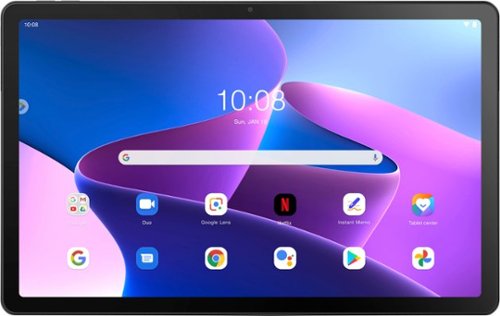
Lenovo - Tab M10 Plus (3rd Gen) - 10.61" - Tablet - 32GB - Storm Grey
Lenovo Tab M10 Plus is one impressive media tablet from the 3rd generation tab family. Its standout metal design gives you a premium look and feel with modern simplicity. Inside lies a 10.6" FHD IPS screen and four Dolby Atmos speakers for truly immersive entertainment. This is one tablet you will want to use and pass around the house.
If I install a nano sim card from my my older tablet into the lenovo tab m10 (3rd gen) tablet, will i have a cellular data capabilities?
No. This Lenovo Tab M10 Plus 3rd Gen Tablet, model number ZAAJ0006US, uses WiFi-5, 802.11 a/b/g/n/ac frequency WiFi for internet connectivity only. It has no cellular/broadband capabililities built in.
4 years, 2 months ago
by
Posted by:
Lenovo Product Expert
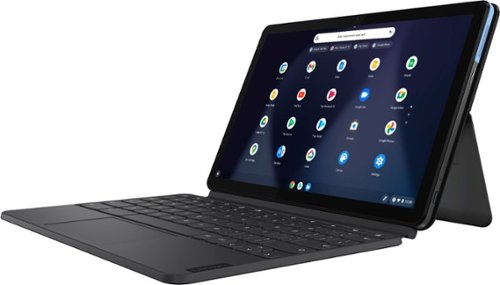
Lenovo - IdeaPad Duet Chromebook - 10.1 (1920x1200) Touch 2-in-1 Tablet - MediaTek P60T - 4G RAM - 128G eMCP4x - with Keyboard - Ice Blue + Iron Gray
Work on pending assignments while on the move with this Lenovo Chromebook Duet. The 10.1-inch touch screen provides an interactive user experience, while the 128GB of internal storage offer ample space for apps and media files. This Lenovo Chromebook Duet features a MediaTek Helio P60T processor and 4GB of RAM for effortless multitasking.
Is this model compatible with the Google Play store?
This Lenovo Chromebook Duet, model number ZA6F0016US, ships with the Chrome Operating System installed and is compatible with Google Play Store APPs. Not all Google Play Store APPs are optimized for the Chrome OS. We recommend you check with the specific APPs software publisher's web sites, of the specific APPs you want to use, for their compatibility with the Chrome operating system and the minimum/recommended hardware requirements (Is a Graphics card required, the processor speed and the minimum required system RAM and the minimum available hard drive space) to run their program, then compare those requirements to this Chromebook's configuration.
4 years, 2 months ago
by
Posted by:
Lenovo Product Expert