Lenovo Product Expert
Lenovo Product Expert's Stats
Reviews
- Review Count0
- Helpfulness Votes0
- First ReviewNone
- Last ReviewNone
- Featured Reviews0
- Average Rating0
Reviews Comments
- Review Comment Count0
- Helpfulness Votes0
- First Review CommentNone
- Last Review CommentNone
- Featured Review Comments0
Questions
- Question Count0
- Helpfulness Votes0
- First QuestionNone
- Last QuestionNone
- Featured Questions0
- Answer Count37808
- Helpfulness Votes24,825
- First AnswerApril 21, 2014
- Last AnswerOctober 9, 2026
- Featured Answers0
- Best Answers2827
Lenovo Product Expert's Reviews
Lenovo Product Expert has not submitted any reviews.
Lenovo Product Expert's Questions
Lenovo Product Expert has not submitted any questions.
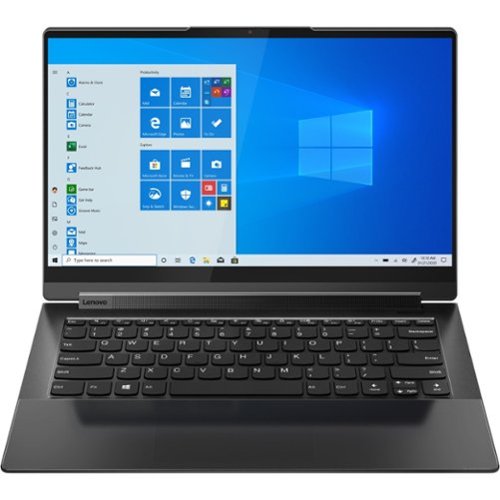
Lenovo - Yoga 9 14ITL5 2-in-1 14" Touch-Screen Laptop - Intel Core i7 with 16GB Memory - 512 GB SSD - Shadow Black
The Yoga 9 14" was engineered to put your experience first. It's packed with innovative features in a sleek 2-in-1 metal chassis in Shadow Black. The 11th Gen Intel Core processor enables you to explore the reaches of your creativity and productivity. And with a 14" up to UHD display optimized with Dolby Vision, you'll enjoy powerfully immersive visuals, combined with a rotating sound bar for three-dimensional audio.
On a regular touchpad the top is usually firm and the bottom clicks when pressed, but on this laptop the bottom is firm and the top of the touchpad clicks. It's as if it's installed upside down. Is that normal for this model?

This Intel Evo-Certified, Lenovo Yoga 9i 14 model number 82BG0091US, ships with a integrated, Buttonless glass surface multi-touch touchpad, supports Precision TouchPad (PTP). Since there are no buttons on this integrated touchpad, tapping the touchpad acts as a click would. Here is a link to a YouTube Video that demonstrates the features and functions of the Precision Touchpad format. It uses Windows 10, but the settings features are the same within the Windows 11 OS on your Yoga 9i 14: https://www.youtube.com/watch?v=vKT_lfudIqU. If you have questions about your Lenovo Yoga 9i 14, we recommend you contact Lenovo Premium Care for additional information at: 888-278-9707.
4 years, 2 months ago
by
Posted by:
Lenovo Product Expert
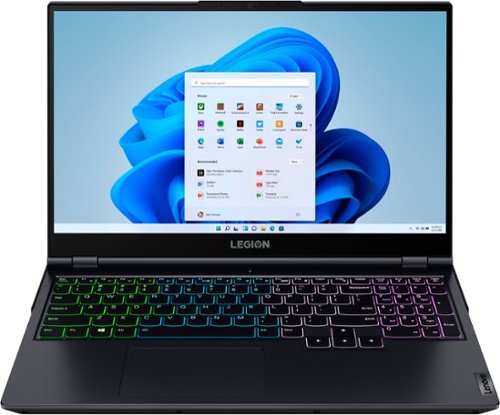
Lenovo - Legion 5 15" Gaming Laptop - AMD Ryzen 7 5800H - NVIDIA GeForce RTX 3050 Ti - 8GB Memory - 512GB SSD - Phantom Blue
Offering a plethora of performance options for any gamer in a clean, minimalist design, the Lenovo~ Legion 5 pairs the latest AMD Ryzen 5800 H-Series processor, NVIDIA GeForce RTX 3050 Ti Graphics, 3200 MHz DDR4 memory, and NVMe TLC SSD storage.
Does this laptop only come with 8gb or I can find 16gb of this laptop?
This Lenovo Legion 5 15 Gaming Laptop, model number 82JW00BFUS, ships with 8GB DDR4-3200MHz RAM factory installed. Here is a link to the Lenovo Legion 5 Pro 16 with 16GB DDR5-4800MHz RAM (2x 8GB SO-DIMM DDR5-4800MHz Ram) installed: https://www.bestbuy.com/site/lenovo-legion-5-pro-16-wqxga-gaming-laptop-ryzen-7-6800h-16gb-memory-nvidia-geforce-rtx-3050-ti-512gb-ssd-storm-grey/6504429.p?skuId=6504429
4 years, 2 months ago
by
Posted by:
Lenovo Product Expert
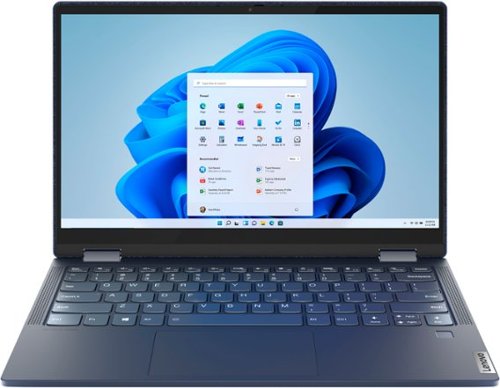
Lenovo - Yoga 6 13 2-in-1 13.3" Touch Screen Laptop - AMD Ryzen 5 - 8GB Memory - 256GB SSD - Abyss Blue Fabric Cover
Featuring a premium textile cover, the Lenovo~ Yoga~ 6 is an ultra-portable 2-in-1 that combines unique style with the powerful responsiveness of an AMD Ryzen~ 4000 Series Mobile Processor, abundant memory and SSD storage. Enjoy a rich multimedia experience with the clarity of a 13.3" FHD touchscreen display, and enveloping sound with Dolby Atmos~-optimized stereo speakers
Can I connect the laptop to an external monitor and use the external monitor to join online meeting via Zoom (fullscreen) while in tablet mode and writing stuff on the laptop screen using the pen?
This Lenovo Yoga 6 13, model number 82FN003TUS, ships with 2x USB-C 3.2 Gen 1 (support data transfer and DisplayPort 1.4) ports with video out capability and supports up to 3 independent displays (native display and 2 external monitors via USB-C). USB-C supports up to 3840x2160@60Hz. Here is a link to information about using a dual monitor configuration within a Zoom Meeting: https://support.zoom.us/hc/en-us/articles/201362583-Using-Zoom-desktop-client-with-dual-monitors
4 years, 2 months ago
by
Posted by:
Lenovo Product Expert

Lenovo - IdeaPad 3 15" HD Touch Screen Laptop - Intel Core i3-1115G4 - Intel UHD Graphics - 8GB Memory - 256GB SSD - Almond
Engineered for long-lasting performance, the Lenovo IdeaPad 3 is the perfect laptop for your everyday tasks with features that you can depend on.
I see the Xbox app in the pictures, will you be able to play games through the Xbox app?
This Lenovo IdeaPad 3 15 Laptop, model number 81X800KLUS, ships with Windows 11 S-Mode, 64-bit Operating System installed. Windows 11 S-Mode provides added security by only allowing APPs available ( and therefore certified by Microsoft) at the Microsoft Store. If you don't need the added security or you need to install APPs not available at the Microsoft Store, you can switch to standard Windows 11 Home 64-bit Operating System, at no additional cost. You can download the Xbox APP from the Microsoft Store. To access Xbox Play Anywhere, follow these steps: Visit the Xbox Play Anywhere website. Log into your Microsoft account. Install games with the Xbox Play Anywhere digital game license directly to your PC.
4 years, 2 months ago
by
Posted by:
Lenovo Product Expert
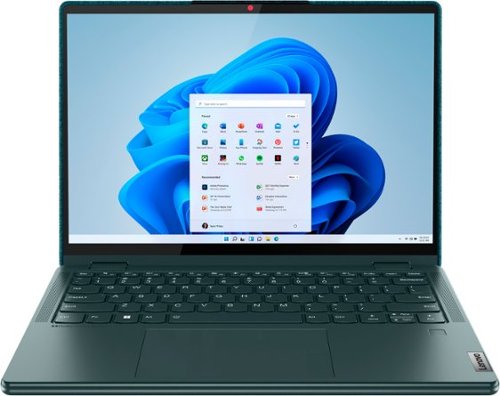
Lenovo - Yoga 6 13.3" WUXGA (1920 x 1200) Touch 2-in-1 Laptop -Ryzen 5 5500U - 8GB Memory - 256GB SSD - Dark Teal
Thin, light and framed by the comfort edge of the Lenovo Yoga 6 is both portable and comfortable to use. Add into that our commitment to sustainability, and we have the perfect on-the-go product for throwing in your bag and taking anywhere. Bring big-screen cinema to life with Dolby Vision on the breathtaking 16:10 FHD display with 100% sRGB for color accuracy paired with immersive Dolby Atmos optimized on front firing speakers.
Does this come with a pen?
No. This Lenovo Yoga 6 13, model number 82UD0002US, is compatible with an AES Protocol active/digital pen which is sold separately, like this one: https://www.bestbuy.com/site/wacom-bamboo-ink-smart-stylus-for-windows-ink-2nd-generation-gray/6374981.p?skuId=6374981
4 years, 2 months ago
by
Posted by:
Lenovo Product Expert
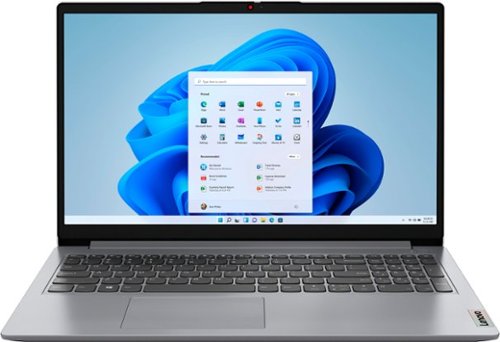
Lenovo - Ideapad 1 15.6" FHD Touch-Screen Laptop - Ryzen 7 5700U - 12GB Memory - 512GB SSD - Cloud Grey
Browse, explore and connect with confidence on the Lenovo IdeaPad 1 powered by ultra-fast AMD Ryzen~ 5000 U Series Mobile Processors on selected models. The IdeaPad 1 packs responsive performance in a thin and compact 17.9 mm chassis, making multitasking on-the-go a breeze. Get the most out of your device with a frameless display for more screen and Dolby Audio~ speakers, along with 10 hours of battery life and rapid charge. Great for video calls, the 1MP camera comes with a privacy shutter to keep out spying eyes, as well as Smart Noise Cancelling to eliminate background noise.
Does this have international warranty? I might be assigned to Asia. How many years is the warranty?
This Lenovo IdeaPad 1 15 Laptop, model number 82R4002PUS, does not have an International manufacturer's warranty.
4 years, 2 months ago
by
Posted by:
Lenovo Product Expert
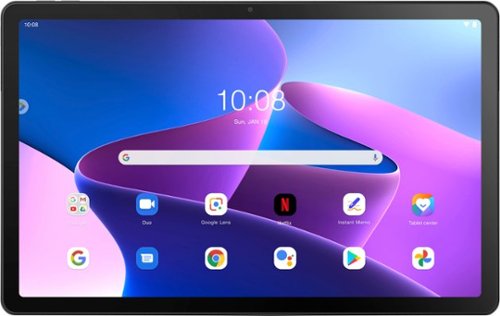
Lenovo - Tab M10 Plus (3rd Gen) - 10.61" - Tablet - 32GB - Storm Grey
Lenovo Tab M10 Plus is one impressive media tablet from the 3rd generation tab family. Its standout metal design gives you a premium look and feel with modern simplicity. Inside lies a 10.6" FHD IPS screen and four Dolby Atmos speakers for truly immersive entertainment. This is one tablet you will want to use and pass around the house.
Can you play Minecraft on this tablet?
That will depend on the requirements and compatibility of the specific game you want to play. This Lenovo Tab M10 Plus 3rd Gen Tablet, model number ZAAJ0006US, ships with Android 12.0 Operating System installed and is compatible with Google Play Store APPs. We recommend you check with the specific game's software publisher's web site for their compatibility with the Android 12.0 operating system and the minimum/recommended hardware requirements (Is a Graphics card required, the processor speed and the minimum required system RAM and the minimum available hard drive space) to run their program, then compare those requirements to this tablet's configuration.
4 years, 2 months ago
by
Posted by:
Lenovo Product Expert
Lenovo - Ideapad 1 15.6" FHD Touch-Screen Laptop - Ryzen 7 5700U - 12GB Memory - 512GB SSD - Cloud Grey
Browse, explore and connect with confidence on the Lenovo IdeaPad 1 powered by ultra-fast AMD Ryzen~ 5000 U Series Mobile Processors on selected models. The IdeaPad 1 packs responsive performance in a thin and compact 17.9 mm chassis, making multitasking on-the-go a breeze. Get the most out of your device with a frameless display for more screen and Dolby Audio~ speakers, along with 10 hours of battery life and rapid charge. Great for video calls, the 1MP camera comes with a privacy shutter to keep out spying eyes, as well as Smart Noise Cancelling to eliminate background noise.
Is this laptop locked to Windows or am I able to load linux onto it?
This Lenovo IdeaPad 1 15 Laptop, model number 82R4002PUS, ships with Windows 11 S-Mode, 64-bit Operating System installed and is not locked. Windows 11 S-Mode provides added security by only allowing APPs available ( and therefore certified by Microsoft) at the Microsoft Store. If you don't need the added security or you need to install APPs not available at the Microsoft Store, you can switch to standard Windows 11 Home 64-bit Operating System, at no additional cost. Whether another version operating system is compatible will depend on the requirements and compatibility of that software. We recommend you check with the specific software publisher's web site for their compatibility with Windows 11 S-Mode 64-bit operating system and the minimum/recommended hardware requirements (Is a Graphics card required, the processor speed and the minimum required system RAM and the minimum available hard drive space) to run their program, then compare those requirements to this system's configuration. If you choose to switch out of S-Mode for Windows 11 Home: Here is a link to instructions for switching from Windows 11 S-Mode to Windows 11 Home: https://support.microsoft.com/en-us/help/4456067/windows-10-switch-out-of-s-mode
4 years, 2 months ago
by
Posted by:
Lenovo Product Expert
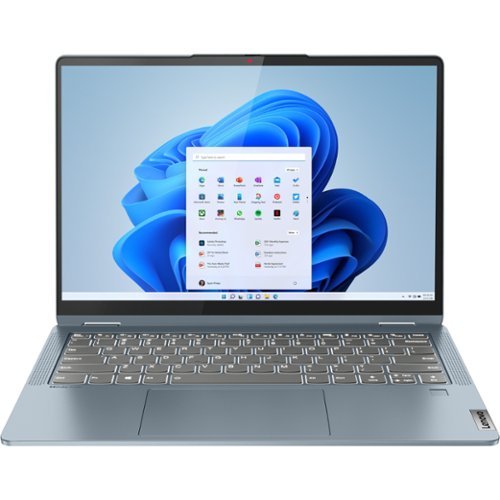
Lenovo - IdeaPad Flex 5 14ALC7 14" Laptop - AMD Ryzen 5 - 8 GB Memory - 256 GB SSD - Stone Blue
IdeaPad Flex Series Laptops. Where performance and connectivity meet productivity and entertainment. Portable multimode laptops with next-gen performance, all-day battery life, and built-in versatility. For life on the go.
Hi what is screen nits ? and can i upgrade their ram ? and what is maximum ram support ? thanks
This Lenovo IdeaPad Flex 5 14, model number 82R9000RUS, ships with a 16:10 aspect ratio, 14 inch (screen size measured diagonally) IPS - WUXGA (1920x1200) 10-point Multi-touch screen, with a brightness level of 300 nits has a Glossy finish. This screen provides 67 Percent of the sRGB (45 Percent NTSC) color gamut. This screen is TUV Low Blue Light Certified, and uses DC dimming for added eye care. This model also ships with 8GB Soldered LPDDR4x-4266MHz RAM Memory soldered to systemboard, no slots, dual-channel and is not upgradeable.
4 years, 2 months ago
by
Posted by:
Lenovo Product Expert
Lenovo - Yoga 9 14ITL5 2-in-1 14" Touch-Screen Laptop - Intel Core i7 with 16GB Memory - 512 GB SSD - Shadow Black
The Yoga 9 14" was engineered to put your experience first. It's packed with innovative features in a sleek 2-in-1 metal chassis in Shadow Black. The 11th Gen Intel Core processor enables you to explore the reaches of your creativity and productivity. And with a 14" up to UHD display optimized with Dolby Vision, you'll enjoy powerfully immersive visuals, combined with a rotating sound bar for three-dimensional audio.
Does it come with a pen? and does it connect to the laptop?
Yes. This Intel Evo-Certified, Lenovo Yoga 9i 14, model number 82BG0091US, ships with its own active/digital pen that is garaged within the body of the Yoga 9i 14, where it charges the pen when not in use.
4 years, 2 months ago
by
Posted by:
Lenovo Product Expert