Lenovo Product Expert
Lenovo Product Expert's Stats
Reviews
- Review Count0
- Helpfulness Votes0
- First ReviewNone
- Last ReviewNone
- Featured Reviews0
- Average Rating0
Reviews Comments
- Review Comment Count0
- Helpfulness Votes0
- First Review CommentNone
- Last Review CommentNone
- Featured Review Comments0
Questions
- Question Count0
- Helpfulness Votes0
- First QuestionNone
- Last QuestionNone
- Featured Questions0
- Answer Count37808
- Helpfulness Votes24,827
- First AnswerApril 21, 2014
- Last AnswerOctober 9, 2026
- Featured Answers0
- Best Answers2827
Lenovo Product Expert's Reviews
Lenovo Product Expert has not submitted any reviews.
Lenovo Product Expert's Questions
Lenovo Product Expert has not submitted any questions.
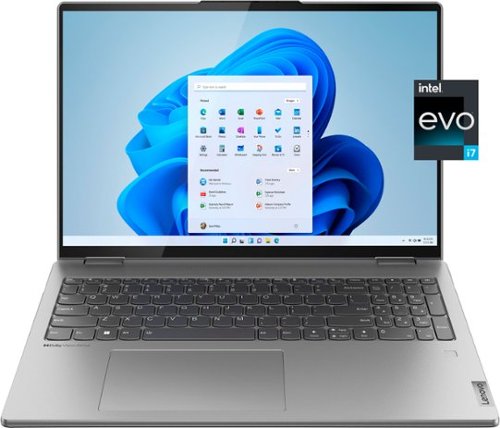
Lenovo - Yoga 7i 16" 2.5K Touch 2-in-1 Laptop - Intel Evo Platform - Core i7-1260P - 16GB Memory - 512GB SSD - Arctic Grey
The Lenovo Yoga 7i combines versatile portability and enhanced productivity, thanks to the boundary-breaking performance and responsiveness of 12th generation Intel Core processors and vibrant WQXGA clarity with Intel Iris Xe 96EU graphics. Go anywhere with a sleek 2-in-1 metal chassis featuring thoughtful details including a webcam privacy shutter.
The Lenovo Yoga 7i 15" 82BJ0003US last year's model, has a VESA Dolby HDR 400 display. It also has Dolby Vision. This new version doesn't, only Dolby Vision. It does not have HDR certification and USE HDR is not supported. Why not? Thanks.
Images for this Question
(click to see full-size image)


This Lenovo Yoga 7i 16, model number 82QG0000US, ships with a 16:10 aspect ratio, 16 inch (screen size measured diagonally) IPS - 2.5K WQXGA (2560x1600) 10-point Multi-touch screen, with a brightness level of 400 nits, has a Glossy finish. This screen provide 100 Percent of the sRGB color gamut for excellent color accuracy. This screen is Low Blue Light and Dolby Vision Certified. Lenovo has chosen to use Dolby Vision exclusively for the highest quality video playback at 2560 x 1600 resolution. When compared to Dynamic HDR, this means that if you are watching an HDR movie on an HDR display, HDR10 will set the same metadata for the entire film. In contrast, Dolby Vision can change information such as color and brightness dynamically, thus making the viewing experience more immersive.
4 years, 2 months ago
by
Posted by:
Lenovo Product Expert
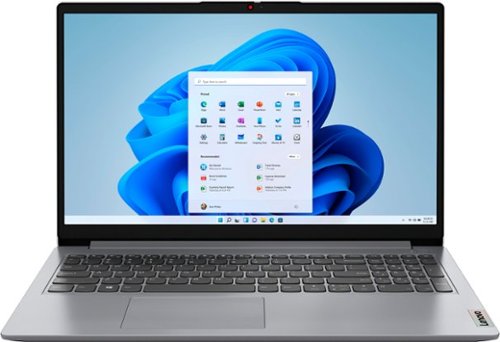
Lenovo - Ideapad 1 15.6" FHD Touch-Screen Laptop - Ryzen 7 5700U - 12GB Memory - 512GB SSD - Cloud Grey
Browse, explore and connect with confidence on the Lenovo IdeaPad 1 powered by ultra-fast AMD Ryzen~ 5000 U Series Mobile Processors on selected models. The IdeaPad 1 packs responsive performance in a thin and compact 17.9 mm chassis, making multitasking on-the-go a breeze. Get the most out of your device with a frameless display for more screen and Dolby Audio~ speakers, along with 10 hours of battery life and rapid charge. Great for video calls, the 1MP camera comes with a privacy shutter to keep out spying eyes, as well as Smart Noise Cancelling to eliminate background noise.
what coolling system does this laptop comes with built in
This Lenovo IdeaPad 1 15 Laptop, model number 82R4002PUS, uses an air cooling system with an internal system fan - System FAN L 82R4 AVC FAN, Lenovo Part Number: 5F10S14012.
4 years, 2 months ago
by
Posted by:
Lenovo Product Expert
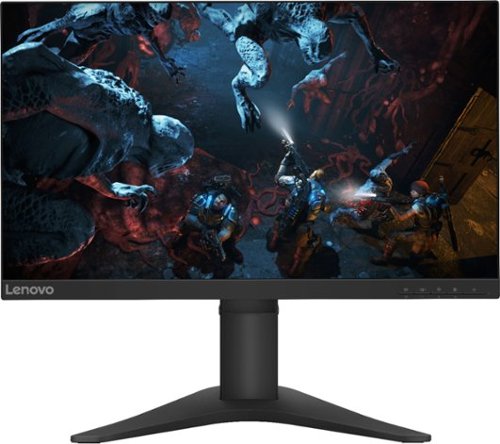
Lenovo - G25-10 24.5" LED FHD FreeSync Gaming Monitor (HDMI) - Raven Black
Amplify your gaming excitement with this Lenovo gaming monitor. The 24.5-inch screen features 1920 x 1080 resolution and NearEdgeless bezels, while a 144MHz refresh rate eliminates lag during intense gameplay. This Lenovo monitor is fueled by AMD FreeSync technology, and the blue light filter and height-adjustable stand provide hours of gaming comfort.
What is the height of this product with the stand?
This Lenovo G25-10 Monitor has a height adjustable stand. Size Unpacked w/ Stand (D x H x W,
mm/inch) (lowest position): 234.8 x 366.53 x 557.49 mm, 9.24 x 14.43 x 21.95 inches. Size Unpacked w/ Stand (D x H x W, mm/inch) (highest position) - 234.8 x 476.53 x 557.49 mm, 9.24 x 18.76 x 21.95 inches.
mm/inch) (lowest position): 234.8 x 366.53 x 557.49 mm, 9.24 x 14.43 x 21.95 inches. Size Unpacked w/ Stand (D x H x W, mm/inch) (highest position) - 234.8 x 476.53 x 557.49 mm, 9.24 x 18.76 x 21.95 inches.
4 years, 2 months ago
by
Posted by:
Lenovo Product Expert
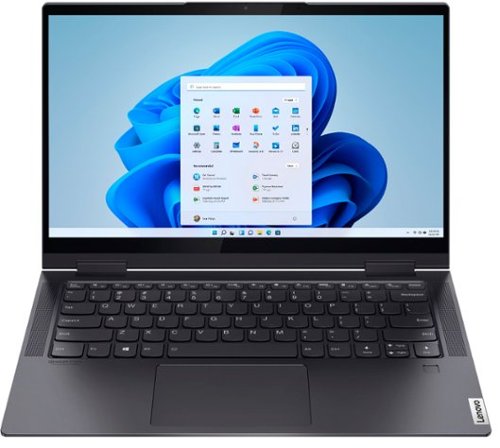
Lenovo - Yoga 7i 2-in-1 14" Touch Screen Laptop - Intel Evo Platform Core i7 - 12GB Memory - 512GB Solid State Drive - Slate Grey
The Lenovo~ Yoga~ 7i 14" combines versatile portability and enhanced productivity, thanks to the boundary-breaking performance and responsiveness of 11th generation Intel~ Core~ i7 processors and vibrant FHD clarity with Intel~ Iris~ Xe graphics. Go anywhere with a sleek 2-in-1 metal chassis featuring thoughtful details including a webcam privacy shutter.
Does it have an HDMI port (not listed).
No. This Intel Evo-Certified, Lenovo Yoga 7i 14, model number 82BH00DLUS, ships with these ports: 1x USB 3.2 Gen 1 (Always On), 1x Headphone / microphone combo jack (3.5mm), 2x Thunderbolt 4 (support data transfer, Power Delivery 3.0, and DisplayPort 1.4) with video out capability. This Yoga 7i 14 supports up to 3 independent displays (native display and 2 external monitors via Thunderbolt). Thunderbolt supports up to 7680×4320@60Hz. You can connect an HDMI monitor to this Yoga 7i 14, by using a USB-c Thunderbolt compatible to HDMI adapter, like this one from a Best Buy advertising partner: https://www.govets.com/startech-com-audio-video-output-devices-065030879712-277-5464313.html?gclid=EAIaIQobChMIxefz8ojz-AIVz9SzCh2fOQKWEAYYASABEgIb6PD_BwE
4 years, 2 months ago
by
Posted by:
Lenovo Product Expert
Lenovo - Ideapad 1 15.6" FHD Touch-Screen Laptop - Ryzen 7 5700U - 12GB Memory - 512GB SSD - Cloud Grey
Browse, explore and connect with confidence on the Lenovo IdeaPad 1 powered by ultra-fast AMD Ryzen~ 5000 U Series Mobile Processors on selected models. The IdeaPad 1 packs responsive performance in a thin and compact 17.9 mm chassis, making multitasking on-the-go a breeze. Get the most out of your device with a frameless display for more screen and Dolby Audio~ speakers, along with 10 hours of battery life and rapid charge. Great for video calls, the 1MP camera comes with a privacy shutter to keep out spying eyes, as well as Smart Noise Cancelling to eliminate background noise.
is this laptops display made of glass
Yes. This Lenovo IdeaPad 1 15 Laptop, model number 82R4002PUS, ships with a glass surfaced, 15.6 inch (screen size measured diagonally) IPS - FHD (1920x1080) 10-point Multi-touch screen, with a brightness level of 300 nits and has an Anti-glare Coating.
4 years, 2 months ago
by
Posted by:
Lenovo Product Expert
Lenovo - Yoga 7i 16" 2.5K Touch 2-in-1 Laptop - Intel Evo Platform - Core i7-1260P - 16GB Memory - 512GB SSD - Arctic Grey
The Lenovo Yoga 7i combines versatile portability and enhanced productivity, thanks to the boundary-breaking performance and responsiveness of 12th generation Intel Core processors and vibrant WQXGA clarity with Intel Iris Xe 96EU graphics. Go anywhere with a sleek 2-in-1 metal chassis featuring thoughtful details including a webcam privacy shutter.
When was this laptop released?
This Lenovo Yoga 7i 16, model number 82QG0000US, was first available for sale on: 2022-04-06.
4 years, 2 months ago
by
Posted by:
Lenovo Product Expert
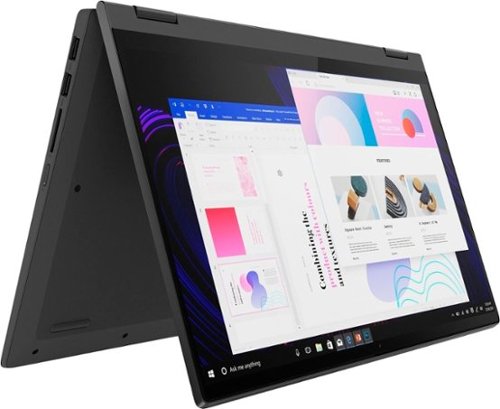
Lenovo - IdeaPad Flex 5 15ITL05 2-in-1 15.6" Laptop - Intel Core i5 - with 8GB Memory - 256 GB SSD - Graphite Gray
The IdeaPad Flex 5 2-in-1 Laptop. Featuring fast processors, an IPS touchscreen, and a 360-degree hinge to get things done efficiently for work, home, or school. Boasting a long battery life and security assets that include a webcam privacy shutter and fingerprint reader, the IdeaPad Flex 5 2-in-1 Laptop allows you to be creative and stay on point with your tasks.
Can I use a stylus to write notes directly on the screen like on a PowerPoint slide when it is in tablet mode?
This Lenovo Flex 5i 15, model number 82HT00CQUS, is compatible with an AES Protocol active/digital pen, like this one: https://www.bestbuy.com/site/wacom-bamboo-ink-smart-stylus-for-windows-ink-2nd-generation-gray/6374981.p?skuId=6374981
4 years, 2 months ago
by
Posted by:
Lenovo Product Expert
Lenovo - Yoga 7i 16" 2.5K Touch 2-in-1 Laptop - Intel Evo Platform - Core i7-1260P - 16GB Memory - 512GB SSD - Arctic Grey
The Lenovo Yoga 7i combines versatile portability and enhanced productivity, thanks to the boundary-breaking performance and responsiveness of 12th generation Intel Core processors and vibrant WQXGA clarity with Intel Iris Xe 96EU graphics. Go anywhere with a sleek 2-in-1 metal chassis featuring thoughtful details including a webcam privacy shutter.
The new model shows Use HDR is not supported. Play streaming HDR video is. Curious why it isn't supported? I had an older Lenovo model 82BJ0003US and that one supported both. You could see HDR listed on Youtube videos played through Edge. Thank you.
Images for this Question
(click to see full-size image)

This Lenovo Yoga 7i 16, model number 82QG0000US, ships with a 16 inch (screen size measured diagonally) IPS - 2.5K WQXGA (2560x1600) 10-point Multi-touch screen, with a brightness level of 400 nits, has a Glossy finish. This screen provides 100 Percent of the sRGB color gamut for excellent color accuracy, has Low Blue Light and Dolby Vision Cerification. This screen does not have HDR certification, but we recommend you check with your streaming service for the requirements for streaming HDR quality video to see if the screen on this Yoga 7i 16 would qualify.
4 years, 2 months ago
by
Posted by:
Lenovo Product Expert
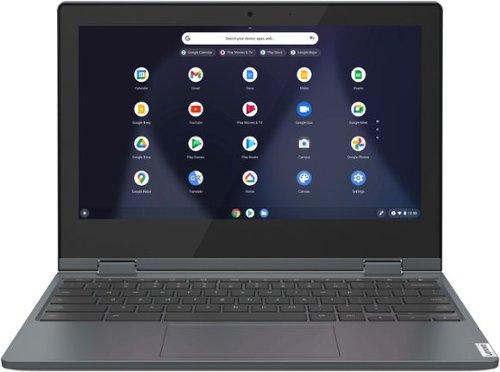
Lenovo - Flex 3 Chromebook 11.6" HD Touch-screen Laptop - Celeron N4020 - 4GB - 64GB eMMC - Abyss Blue
Fast, flexible, and fun, the Lenovo~ IdeaPad~ Flex 3 Chromebook 11" brings everyone~s favorite Chromebook features, housed in a slim 2-in-1 chassis, running on the lightning-fast Chrome OS that boots up in seconds, updates automatically, and is protected by built-in virus protection. Smaller than a piece of A4 paper, the IdeaPad Flex 3 Chromebook 11" features an Intel processor with up to 10 hours battery life. IdeaPad Flex 3 Chromebook 11" is your best companion from day to night.
Will this computer be good for a student?
That really will depend on the specific APPs the student will need to use and the requirements and compatibility of those required APPs. This Lenovo Flex 3 11 Chromebook ships with the Chrome Operating System installed and is compatible with Google Play Store APPs. Not all APPs at the Google Play Store are optimized for the Chrome OS. We recommend you check with the specific APPs software publisher's web sites, of the specific APPs the student will need to use, for their compatibility with the Chrome operating system and the minimum/recommended hardware requirements (Is a Graphics card required, the processor speed and the minimum required system RAM and the minimum available hard drive space) to run their program, then compare those requirements to this Chromebook's configuration.
4 years, 2 months ago
by
Posted by:
Lenovo Product Expert
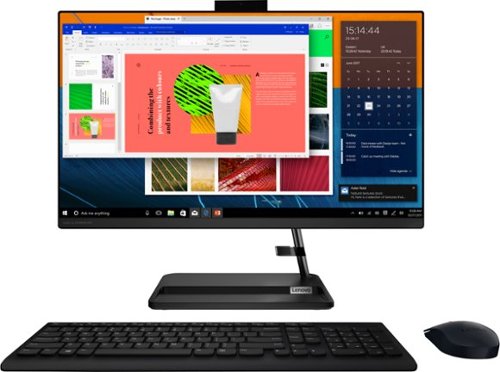
Lenovo - IdeaCentre AIO 3i 24" Touch-Screen All-In-One - Intel Core i3 - 8GB Memory - 256GB Solid State Drive - Black
Great things do come in the smallest packages. Housed in a sleek and compact frame, Lenovo IdeaCentre AIO 3i delivers peak performance with 11th generation Intel Core processing, while holding plenty of storage with a 256GB SSD. Three-sided narrow bezels on the FHD display and Harman-certified stereo speakers make this the consummate family PC.
Can you play sims 4 on this?
That really will depend on the requirements and compatibility of the specific game you want to play. This Lenovo IdeaCentre 3i 24 All-In-One System, model number F0G000FWUS, ships with the Windows 11 Home, 64-bit Operating System installed. We recommend you check with the specific game's software publisher's web site for their compatibility with Windows 11 Home 64-bit operating system and the minimum/recommended hardware requirements (Is a Graphics card required, the processor speed and the minimum required system RAM and the minimum available hard drive space) to run their program, then compare those requirements to this system's configuration.
4 years, 2 months ago
by
Posted by:
Lenovo Product Expert