Lenovo Product Expert
Lenovo Product Expert's Stats
Reviews
- Review Count0
- Helpfulness Votes0
- First ReviewNone
- Last ReviewNone
- Featured Reviews0
- Average Rating0
Reviews Comments
- Review Comment Count0
- Helpfulness Votes0
- First Review CommentNone
- Last Review CommentNone
- Featured Review Comments0
Questions
- Question Count0
- Helpfulness Votes0
- First QuestionNone
- Last QuestionNone
- Featured Questions0
- Answer Count37808
- Helpfulness Votes24,827
- First AnswerApril 21, 2014
- Last AnswerOctober 9, 2026
- Featured Answers0
- Best Answers2827
Lenovo Product Expert's Reviews
Lenovo Product Expert has not submitted any reviews.
Lenovo Product Expert's Questions
Lenovo Product Expert has not submitted any questions.
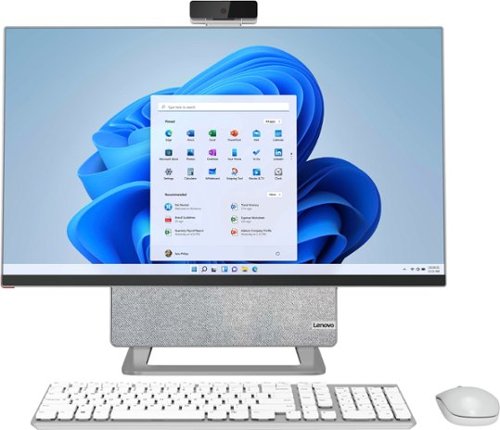
Lenovo - Yoga AIO 7 27" Touch-Screen All-In-One - AMD Ryzen 7 - 16GB Memory - AMD Radeon RX 6600M - 512GB SSD - Cloud Gray/Moon White
The Lenovo Yoga AIO 7 redefines the smart desktop, pushing the boundaries with leading-class performance of AMD Ryzen 5000 Series Mobile Processors and the world~s first 27" 4K display. Enjoy a mind-blowing visual experience, thanks to DCI-P3 99% color space, 99% Adobe RGB color gamut and effortless 90~ rotations. Best of all, the Yoga AIO 7 offers peerless device-sharing features adapted to the multi-screen workflows and lifestyles of today~s users. Streamline your work by pairing your AIO with a portable notebook. Access the same hard disk, keyboard, mouse and speakers as your notebook charges, and set your smartphone on the built-in dock, so you can easily work and play across screens.
Can more than 2 monitors work with this? If not, any recommendations?

This Lenovo Yoga 7 27 All-In-One System, model number F0G7001MUS, supports up to 2 independent displays via native display and 1 external monitor; supports external monitor via HDMI.
You can also streamline your work by pairing your Lenovo Yoga 7 27 AIO with a compatible notebook computer, speakers, keyboard and mouse through a Type-C cable, so that these peripherals can be shared with your notebook, while charging your compatible notebook computer at the same time with 65W of full power. You can also share the standard 2TB hard drive on this Yoga 7 27 AIO with your laptop to enable seamless data transfer and backup. Use the USB-C 3.2 Gen 2 (for LINK MODE) port available on the Yoga 7 27 AIO for this unique device-sharing capability.
You can also streamline your work by pairing your Lenovo Yoga 7 27 AIO with a compatible notebook computer, speakers, keyboard and mouse through a Type-C cable, so that these peripherals can be shared with your notebook, while charging your compatible notebook computer at the same time with 65W of full power. You can also share the standard 2TB hard drive on this Yoga 7 27 AIO with your laptop to enable seamless data transfer and backup. Use the USB-C 3.2 Gen 2 (for LINK MODE) port available on the Yoga 7 27 AIO for this unique device-sharing capability.
4 years, 2 months ago
by
Posted by:
Lenovo Product Expert
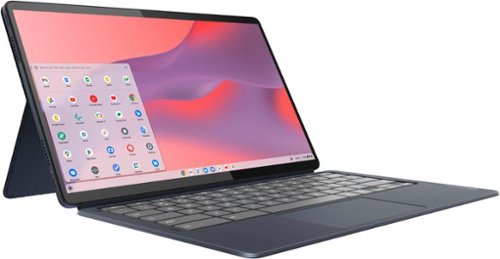
Lenovo - IdeaPad Duet 5 Chromebook 2-in1 Laptop - 13.3" Full HD Touchscreen - Snapdragon SC7180 - 8GB - 128GB - with Keyboard - Abyss Blue
The thin and light 13" IdeaPad Duet 5 Chromebook now packs a brilliant OLED 1920 x 1080 touch screen featuring narrow bezels for true blacks and a cinematic experience, as well as four speakers for clear and resonant audio. Get Minecraft and 3 months of Realms Plus at no cost* with purchase of a new Chromebook. Terms Apply. *Offer valid for qualifying Chromebooks purchased on or after July 1st, 2023 through September 30th, 2023 while supplies last.
Can this run Office 365 modules (Excel, Word, PowerPoint, etc.)
This Lenovo Chromebook Duet 5 uses Google Docs for office type programs. Google Docs is completely compatible with Microsoft Office Programs and this is a free service through the Google Server. If you currently have a Microsoft Office 365 Account, you can access that existing account through a Chromebook. Here is a link to more information: https://support.microsoft.com/en-gb/office/how-to-access-microsoft-office-on-a-chromebook-32f14a23-2c1a-4579-b973-d4b1d78561ad#:~:text=Open%20the%20browser%20on%20your,with%20your%20Microsoft%20365%20subscription.
4 years, 2 months ago
by
Posted by:
Lenovo Product Expert

Lenovo - Chromebook 3 11.6" HD Laptop - Celeron N4020 - 4GB Memory - 64GB eMMC - Onyx Black
Fast, flexible, and fun, the Lenovo IdeaPad 3 Chromebook 11" brings everyone~s favorite Chromebook features, housed in a slim chassis, running on the lightning-fast Chrome OS that boots up in seconds, updates automatically, and is protected by built-in virus protection. Powered by Intel Celeron processor offers up to 10 hours of battery life, to seamlessly run all of your favorite apps at the same time.
Do I need to purchase anti virus for this chrome book?
Chromebooks like this Lenovo Chromebook 3 11, model number 82BA001FUS, come with some in-built antivirus features that are provided by the Google Server, free of charge. The protection provided isn't foolproof. Here is a link to more information: https://cybernews.com/best-antivirus-software/antivirus-for-chromebook/#:~:text=Yes%2C%20Google%20Chromebooks%20need%20antivirus,online%20scam%20or%20phishing%20site.
4 years, 2 months ago
by
Posted by:
Lenovo Product Expert
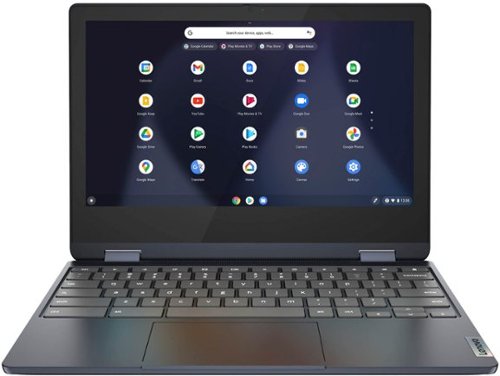
Lenovo - Flex 3 Chromebook 11.6" HD Touch-screen Laptop - Mediatek MT8183 - 4GB - 64GB eMMC - Abyss Blue
Packs what makes Chromebook so amazing into one svelte 360-degree convertible. Versatile and portable, the IdeaPad Flex 3 Chromebook measures just 19.6 mm thick and weighs 1.2 kg with a full keyboard and spacious trackpad, and can be viewed in tent, tablet, laptop or stand modes. Watch crisp visuals in high definition with its 10-point touchscreen on the 11.6" IPS display while being more productive with help from Google. Just say ~Hey Google,~ to manage tasks, enjoy your entertainment, get answers, or control smart home devices.
What is the bluetooth version on this model? I am having issues connecting devices that are capable of connecting to other devices. Also, it states this has 1 HDMI port which isn't true. It's USB-C and USB only.
This Lenovo Flex 3 11 Chromebook, model number 82KM0003US, ships with Bluetooth 4.2 Version Capability built in. Be sure the Bluetooth devices you are trying to pair with this Flex 3 11 Chromebook are compatible with the Chrome OS. We recommend you check with the device manufacturer's web site for compatibility with the Chrome OS. The Lenovo Flex 3 11 Chromebook, model number 82KM0003US, ships with 1x USB-C 2.0 (support data transfer, Power Delivery 2.0, and DisplayPort 1.1a) port with video out capability to an exrernal monitor. There is no HDMI port on this model. The Flex 3 11 Chromebook supports up to 2 independent displays (native display and 1 external monitor via USB-C). USB-C supports up to 1920x1080@60Hz. You can connect an HDMI monitor to this Chromebook by using a USB-c to HDMI adapter, like this one: https://www.bestbuy.com/site/insignia-usb-c-to-hdmi-adapter-black/6473497.p?skuId=6473497
4 years, 2 months ago
by
Posted by:
Lenovo Product Expert
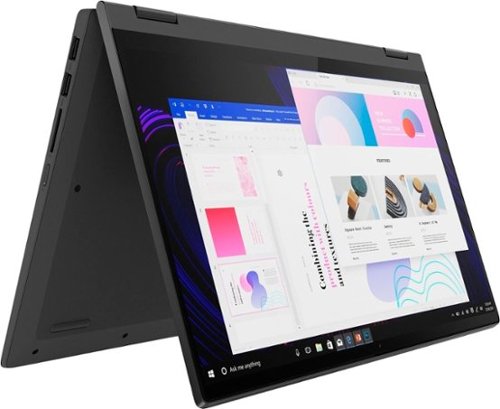
Lenovo - IdeaPad Flex 5 15ITL05 2-in-1 15.6" Laptop - Intel Core i5 - with 8GB Memory - 256 GB SSD - Graphite Gray
The IdeaPad Flex 5 2-in-1 Laptop. Featuring fast processors, an IPS touchscreen, and a 360-degree hinge to get things done efficiently for work, home, or school. Boasting a long battery life and security assets that include a webcam privacy shutter and fingerprint reader, the IdeaPad Flex 5 2-in-1 Laptop allows you to be creative and stay on point with your tasks.
can I hook this to my tv monitor and hook my external keyboard to it? Plus my wireless mouse?
This Lenovo Flex 5i 15, model number 82HT00CQUS, ships with these ports: 1x USB 3.2 Gen 1
1x USB 3.2 Gen 1 (Always On), 1x USB-C 3.2 Gen 1 (support data transfer and Power Delivery), 1x HDMI 1.4b, 1x Card reader, 1x Headphone / microphone combo jack (3.5mm), 1x Power connector. This Flex 5i 15 supports up to 2 independent displays (native display and 1 external monitor via HDMI). HDMI supports up to 4096x2160@30Hz. This Flex 5i 15 also ships with Bluetooth 5.0 Version capability installed as well.
1x USB 3.2 Gen 1 (Always On), 1x USB-C 3.2 Gen 1 (support data transfer and Power Delivery), 1x HDMI 1.4b, 1x Card reader, 1x Headphone / microphone combo jack (3.5mm), 1x Power connector. This Flex 5i 15 supports up to 2 independent displays (native display and 1 external monitor via HDMI). HDMI supports up to 4096x2160@30Hz. This Flex 5i 15 also ships with Bluetooth 5.0 Version capability installed as well.
4 years, 2 months ago
by
Posted by:
Lenovo Product Expert
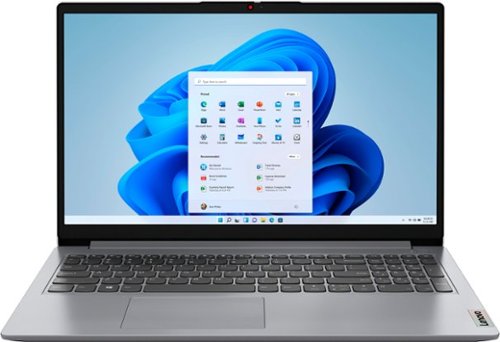
Lenovo - Ideapad 1 15.6" FHD Touch-Screen Laptop - Ryzen 7 5700U - 12GB Memory - 512GB SSD - Cloud Grey
Browse, explore and connect with confidence on the Lenovo IdeaPad 1 powered by ultra-fast AMD Ryzen~ 5000 U Series Mobile Processors on selected models. The IdeaPad 1 packs responsive performance in a thin and compact 17.9 mm chassis, making multitasking on-the-go a breeze. Get the most out of your device with a frameless display for more screen and Dolby Audio~ speakers, along with 10 hours of battery life and rapid charge. Great for video calls, the 1MP camera comes with a privacy shutter to keep out spying eyes, as well as Smart Noise Cancelling to eliminate background noise.
Is this laptop able run video and photo editing programs?
That really will depend on the requirements and compatibility of the specific editting software you will need to use. This Lenovo IdeaPad 1 15 laptop, model number 82R4002PUS, ships with Windows 11 S-Mode, 64-bit Operating System installed. Windows 11 S-Mode provides added security by only allowing APPs available ( and therefore certified by Microsoft) at the Microsoft Store. If you don't need the added security or you need to install APPs not available at the Microsoft Store, you can switch to standard Windows 11 Home 64-bit Operating System, at no additional cost. We recommend you check with the specific editting software publisher's web sites, of the specific editting software you will need to use, for their compatibility with Windows 11 S-Mode 64-bit operating system and the minimum/recommended hardware requirements (Is a Graphics card required, the processor speed and the minimum required system RAM and the minimum available hard drive space) to run their program, then compare those requirements to this system's configuration. If you choose to switch out of S-Mode for Windows 11 Home: Here is a link to instructions for switching from Windows 11 S-Mode to Windows 11 Home: https://support.microsoft.com/en-us/help/4456067/windows-10-switch-out-of-s-mode
4 years, 2 months ago
by
Posted by:
Lenovo Product Expert
Lenovo - Flex 3 Chromebook 11.6" HD Touch-screen Laptop - Mediatek MT8183 - 4GB - 64GB eMMC - Abyss Blue
Packs what makes Chromebook so amazing into one svelte 360-degree convertible. Versatile and portable, the IdeaPad Flex 3 Chromebook measures just 19.6 mm thick and weighs 1.2 kg with a full keyboard and spacious trackpad, and can be viewed in tent, tablet, laptop or stand modes. Watch crisp visuals in high definition with its 10-point touchscreen on the 11.6" IPS display while being more productive with help from Google. Just say ~Hey Google,~ to manage tasks, enjoy your entertainment, get answers, or control smart home devices.
Can I use this laptop for college online classes?
That really will depend on the requirements and compatibility od the APPs you will need to use. This Lenovo Flex 3 11 Chromebook, model number 82KM0003US, ships with the Chrome Operating System and is compatible with Google Play Store APPs. The Flex 3 11 Chromebook has a HD (720p) webcam with Privacy Shutter and Dual Array Microphones built in. Not all Google Play Store APPs are optimized for the Chrome OS. We recommend you check with the specific APPs software publisher's web sites, of the specific APPs you will need to use, for their compatibility with the Chrome operating system and the minimum/recommended hardware requirements (Is a Graphics card required, the processor speed and the minimum required system RAM and the minimum available hard drive space) to run their program, then compare those requirements to this Chromebook's configuration.
4 years, 2 months ago
by
Posted by:
Lenovo Product Expert
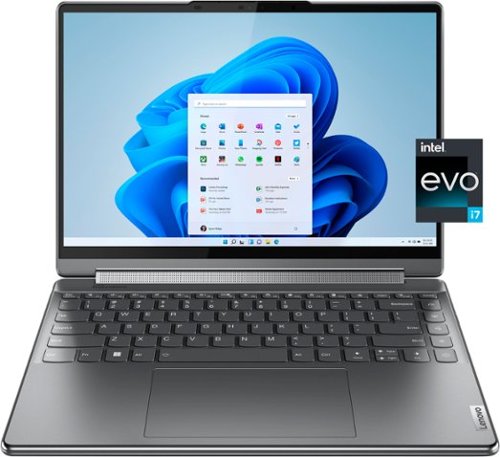
Lenovo - Yoga 9i 14" 4K OLED Touch 2-in-1 Laptop with Pen - Intel Evo Platform - Core i7-1260P - 16GB Memory - 1TB SSD - Storm Grey
The Lenovo Yoga 9i, features the world~s first Bowers & Wilkins speaker system on a laptop offering unparalleled entertainment with Dolby Atmos and powered by the advanced 12th Generation Intel Core processor. Featuring four modes, the Yoga 9i is crafted to merge comfort and aesthetics with rounded edges that allow you to grip, carry or use for longer complimenting the extended battery life and its versatility with smart features like the 1-click function keys and Windows Hello Smart Login on an FHD IR hybrid camera.
Is this a GEN 7 device?
Yes. This Lenovo Yoga 9i 14, model number 82LU0000US, is the 7th Generation Model.
4 years, 2 months ago
by
Posted by:
Lenovo Product Expert
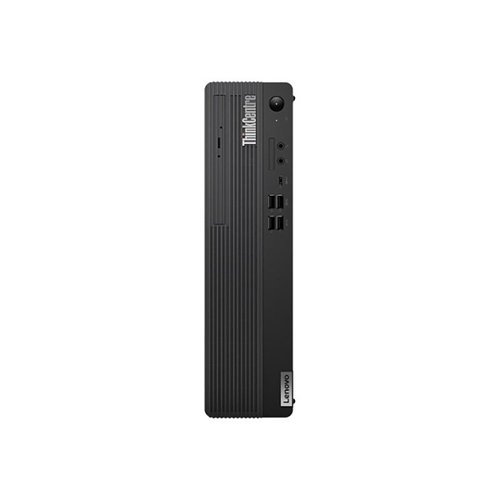
Lenovo - ThinkCentre M80s Tiny Desktop - Intel Core i5-10500 - 8GB Memory - Integrated Intel UHD Graphics 630 - 256 SSD - Black
The ThinkCentre M80s SFF PC was designed to efficiently tackle all your business tasks. Powerful 10th Gen Intel Core processors and fast DDR4 memory let you multitask with ease, handling anything from email to complex data operations. Further boost productivity with dedicated graphics options.
What are the dimensions?
The dimensions of this Lenovo ThinkCentre M80s Tiny Desktop Computer are: (WxDxH) - 93 x 298 x 340 mm (3.6 x 11.7 x 13.4 inches).
4 years, 2 months ago
by
Posted by:
Lenovo Product Expert
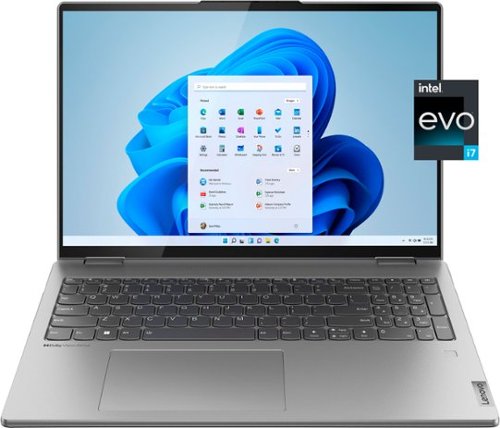
Lenovo - Yoga 7i 16" 2.5K Touch 2-in-1 Laptop - Intel Evo Platform - Core i7-1260P - 16GB Memory - 512GB SSD - Arctic Grey
The Lenovo Yoga 7i combines versatile portability and enhanced productivity, thanks to the boundary-breaking performance and responsiveness of 12th generation Intel Core processors and vibrant WQXGA clarity with Intel Iris Xe 96EU graphics. Go anywhere with a sleek 2-in-1 metal chassis featuring thoughtful details including a webcam privacy shutter.
If I buy this laptop in the US, will the warranty be covered internationally? I am interested in knowing whether the warranty be valid in India?
There is no International manufacturer's warranty coverage for this Lenovo Yoga 7i 16, model number 82QG0000US, within India.
4 years, 2 months ago
by
Posted by:
Lenovo Product Expert