Lenovo Product Expert
Lenovo Product Expert's Stats
Reviews
- Review Count0
- Helpfulness Votes0
- First ReviewNone
- Last ReviewNone
- Featured Reviews0
- Average Rating0
Reviews Comments
- Review Comment Count0
- Helpfulness Votes0
- First Review CommentNone
- Last Review CommentNone
- Featured Review Comments0
Questions
- Question Count0
- Helpfulness Votes0
- First QuestionNone
- Last QuestionNone
- Featured Questions0
- Answer Count37808
- Helpfulness Votes24,827
- First AnswerApril 21, 2014
- Last AnswerOctober 9, 2026
- Featured Answers0
- Best Answers2827
Lenovo Product Expert's Reviews
Lenovo Product Expert has not submitted any reviews.
Lenovo Product Expert's Questions
Lenovo Product Expert has not submitted any questions.
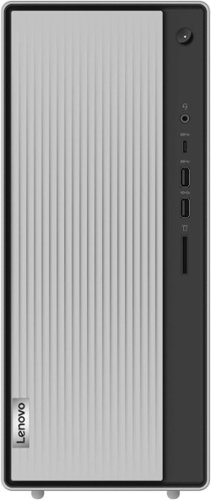
Lenovo - IdeaCentre 5i Desktop - Intel Core i5 - 12GB Memory - 512GB SSD - Mineral Grey
Lenovo IdeaCentre 5i is a powerful, contemporary desktop powered by the latest Intel Core processors. Featuring gaming-grade graphics, fast DDR4 memory, and plenty ofstorage, it~s up to the task of having fun and will immerse you in it~and looks great in your home.
1. What external speakers would work with this tower? 2. "What's included" indicates a "User Guide". I did not see same in the box. What form is it in?

You can use any 3.5mm compatible-Windows OS compatible, external computer speakers with this Lenovo IdeaCentre 5i Desktop Computer. There is a 3.5mm audio out jack on the back of the computer for connecting compatible external computer speakers. Here is a link to the online copy of the User Guide for this model that can be printed out: https://download.lenovo.com/consumer/desktop_pub/5-14iob6_5-14acn6_ug_en_202104.pdf. If you have questions about your Lenovo IdeaCentre 5i Desktop Computer, we recommend you contact lenovo Tech Support for more information at: 877-453-6686.
4 years, 3 months ago
by
Posted by:
Lenovo Product Expert
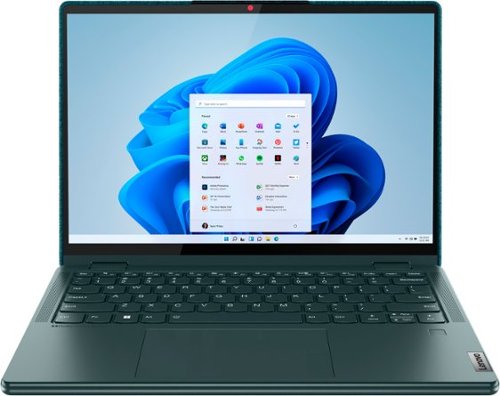
Lenovo - Yoga 6 13.3" WUXGA (1920 x 1200) Touch 2-in-1 Laptop -Ryzen 5 5500U - 8GB Memory - 256GB SSD - Dark Teal
Thin, light and framed by the comfort edge of the Lenovo Yoga 6 is both portable and comfortable to use. Add into that our commitment to sustainability, and we have the perfect on-the-go product for throwing in your bag and taking anywhere. Bring big-screen cinema to life with Dolby Vision on the breathtaking 16:10 FHD display with 100% sRGB for color accuracy paired with immersive Dolby Atmos optimized on front firing speakers.
How is the battery life on this unit? Is this suitable for a medium-heavy user?
This Lenovo Yoga 6 13 model number 82UD0002US, shiips with a Integrated 59Wh, Lithium-Polymer Battery, which within this model configuration, has a battery life of up to 13 Hours, depending on the work the device is performing. This configuration ships with the 6-Core/12-Thread AMD Ryzen 5 5500U Processor and uses integrated AMD Radeon RX Vega 7 Version graphics processing, integrated within the AMD Ryzen 5 5500U Processor. This processor is supported by 8GB Soldered LPDDR4x-4266MHz RAM Memory, soldered to systemboard, no slots, dual-channel and is not upgradeable. This model has Windows 11 Home 64-bit Operating System installed. We always recommend you check the requirements and compatibility of any software you will be installing on your new computer, before you invest in any computer. Be sure your new computer can support the software you will need to use and your workload.
4 years, 3 months ago
by
Posted by:
Lenovo Product Expert
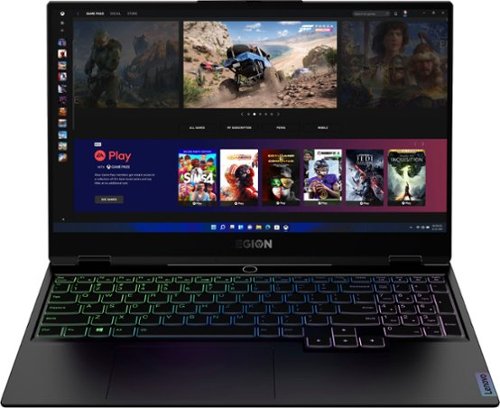
Lenovo - Legion Slim 7 15" Gaming Laptop - AMD Ryzen 7 5800H - 16GB Memory - NVIDIA GeForce RTX 3060 - 512GB SSD - Shadow Black
The Lenovo~ Legion Slim 7 was engineered for gamers who demand mobility and performance for day and night. Sporting a finely crafted chassis machined from 100% aluminum that is shockingly thin and impressively light, the Legion Slim 7 was expertly crafted for gamers who demand more.
Where can I find replacement keys for this laptop? I have two keys that need replacing.
Here is a link to the complete parts list for this model configuration of the Lenovo Legion Slim 7 15 Gaming Laptop, model number 82K80083US: https://pcsupport.lenovo.com/us/en/products/laptops-and-netbooks/legion-series/legion-s7-15ach6/82k8/82k80083us/parts/display/model. We recommend you consult with your certified technician about replacement parts installation.
4 years, 3 months ago
by
Posted by:
Lenovo Product Expert

Lenovo - Tab M8 HD (2nd Gen) - 8" - Tablet - 32GB - Iron Grey
Lenovo Tab M8 is the 2nd generation mainstream tablet that comes with standout metal design, and is tailored to make your entertainment experience richer. The stunning 8" HD display brings you a crispier and brighter visual world. More than that, no matter you are watching a thrilling online movie or playing an exciting game, the fast speed and stable connection can also make your enjoyment perfect. Non-stop entertainment is just ON. Lenovo Tab M8, your best companion device with stunning performance and stylish design. The device that everyone wants to have.
How many GHz does it have
This Lenovo TYab M8 2nd Gen Tablet, model number ZA5G0060US, ships with the 4-Core MediaTek Helio A22 Processor with a speed of 2.0GHz through the 4-Cores.
4 years, 3 months ago
by
Posted by:
Lenovo Product Expert

Lenovo - IdeaCentre AIO A340 22" Touch-Screen All-In-One - Intel Pentium - 8GB Memory - 1TB Hard Drive - Black
With its sleek, modern stand and thin bezel display, the Lenovo IdeaCentre A340 is sure to catch your eye. Fire it up and marvel at the super fast, smooth performance, where 8th Generation Intel~ Core~ processing is backed by the latest graphics and memory technology. And with the vast storage space, you~ll see why this space-saving all-in-one makes the perfect family PC.
I used microsoft edge on my laptop and wrote schedules on it using Kronos, Do you know if I will be able to access Kronos with this computer?
That will depend on the requirements and compatibility of the specific software version you will be using. This Lenovo IdeaCentre A340 22 All-In-One System, model number F0EA0088US, ships with the Windows 11, Home 64-bit Operating System installed. We recommend you check with the specific software publisher's web site, of the specific version of the software you will be using, for their compatibility with Windows 11 Home 64-bit operating system and the minimum/recommended hardware requirements (Is a Graphics card required, the processor speed and the minimum required system RAM and the minimum available hard drive space) to run their program, then compare those requirements to this system's configuration.
4 years, 3 months ago
by
Posted by:
Lenovo Product Expert
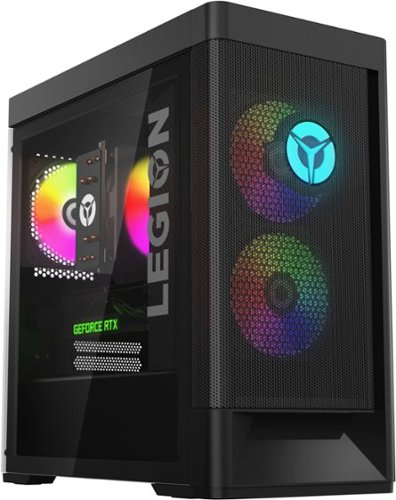
Lenovo - Legion Tower 5i Gaming Desktop - Intel Core i5-12400 - 16GB Memory - NVIDIA GeForce RTX 3050 - 256GB SSD + 1TB HDD - Black
Dominate your competition with the savage power and blistering speeds of your essential battlestation: the Lenovo Legion Tower 5i. 12th Generation Intel Core processors and the latest NVIDIA GeForce graphics cards deliver a stunning show of force with speed-barrier-breaking refresh rates at 4K, along with cool and quiet performance in a compact casing marked by a clean design and build.
Is this atx or micro-atx?
This Lenovo Legion Tower 5i Gaming Desktop, model number 90SU000RUS, (Lenovo Legion T5 26IAB7) is a standard-ATX systemboard form factor. The part name is: 5B20W27666 MB FRU WIN DPK SYSTEM BOARD, Lenovo part number - 5B20W27666. Here is a link to the complete parts list for this model configuration: https://pcsupport.lenovo.com/us/en/products/desktops-and-all-in-ones/legion-series/legion-t5-26iab7/90su/90su000rus/parts/display/model
4 years, 3 months ago
by
Posted by:
Lenovo Product Expert
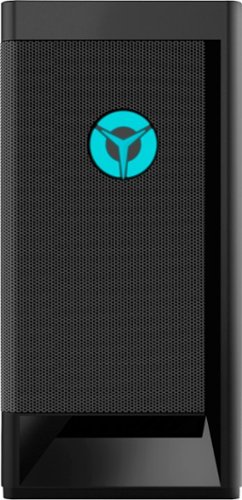
Lenovo - 16.48 - Raven Black
Engineered out of a passion for savage power and unmatched speed, the Lenovo Legion Tower 5i delivers mind-blowing performance that combines 11th Generation Intel Core processors and top-of-the-line NVIDIA GeForce graphics cards for blazing-fast frame rates at up to 4K resolution. Pushing far beyond the upper bounds of smaller rig configurations while keeping things cool and whisper quiet, the Legion Tower 5i is a marvel of build and design, accentuated by its illuminated blue LED logo and lighting, as well a transparent side panel that can properly showcase your internals.
is this pc a mid tower case
This Lenovo Legion Tower 5i Gaming Desktop Computer, model number 90RS001UUS, uses a Tower format, 26 liter case.
4 years, 3 months ago
by
Posted by:
Lenovo Product Expert
Lenovo - Legion Tower 5i Gaming Desktop - Intel Core i5-12400 - 16GB Memory - NVIDIA GeForce RTX 3050 - 256GB SSD + 1TB HDD - Black
Dominate your competition with the savage power and blistering speeds of your essential battlestation: the Lenovo Legion Tower 5i. 12th Generation Intel Core processors and the latest NVIDIA GeForce graphics cards deliver a stunning show of force with speed-barrier-breaking refresh rates at 4K, along with cool and quiet performance in a compact casing marked by a clean design and build.
How big is the psu in this pc?
This Lenovo Legion Tower 5i Gaming Desktop Computer, model number 90SU000RUS, ships with an internal 500W 100V - 240V power supply that is 85 Percent efficient.
4 years, 3 months ago
by
Posted by:
Lenovo Product Expert
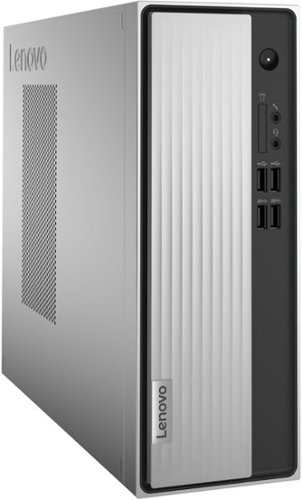
Lenovo - IdeaCentre 3 Desktop - AMD Athlon Silver-Series - 8GB Memory - 256GB SSD - Mineral Grey
Lenovo IdeaCentre 3 07ADA Desktop: Get the job done with this silver Lenovo IdeaCentre 3 desktop computer. An AMD Athlon 3050U processor and 8GB of RAM run multiple programs simultaneously for increased productivity, while the 256GB SSD offers vast storage space for your files and applications. This Lenovo IdeaCentre 3 desktop computer includes a wired mouse and keyboard for easy operation.
so I installed a 1tb wd blue hdd. connected the connectors that fit. it doesn't work. suggestions?
Images for this Question
(click to see full-size image)


This Lenovo IdeaCentre 3 Desktop Computer, model number 90MV00ELUS, ships with a 256GB M.2 2242 PCIe NVMe solid stat hard drive installed. The maximum storage capacity that this model configuration can support is: Up to two drives, 1x 3.5 inch HDD + 1x M.2 SSD: 3.5 inch HDD up to 2TB + M.2 SSD up to 512GB. We recommend you consult with your certified technician about your storage upgrade options.
4 years, 3 months ago
by
Posted by:
Lenovo Product Expert

Lenovo - Chromebook 3 11.6" HD Laptop - Celeron N4020 - 4GB Memory - 64GB eMMC - Onyx Black
Fast, flexible, and fun, the Lenovo IdeaPad 3 Chromebook 11" brings everyone~s favorite Chromebook features, housed in a slim chassis, running on the lightning-fast Chrome OS that boots up in seconds, updates automatically, and is protected by built-in virus protection. Powered by Intel Celeron processor offers up to 10 hours of battery life, to seamlessly run all of your favorite apps at the same time.
Does this chromebook have an SD micro/standard slot?
Yes. This Lenovo Chromebook 3 11, model number 82BA001FUS, ships with a MicroSD Card Reader Slot, built in.
4 years, 3 months ago
by
Posted by:
Lenovo Product Expert