Lenovo Product Expert
Lenovo Product Expert's Stats
Reviews
- Review Count0
- Helpfulness Votes0
- First ReviewNone
- Last ReviewNone
- Featured Reviews0
- Average Rating0
Reviews Comments
- Review Comment Count0
- Helpfulness Votes0
- First Review CommentNone
- Last Review CommentNone
- Featured Review Comments0
Questions
- Question Count0
- Helpfulness Votes0
- First QuestionNone
- Last QuestionNone
- Featured Questions0
- Answer Count37808
- Helpfulness Votes24,827
- First AnswerApril 21, 2014
- Last AnswerOctober 9, 2026
- Featured Answers0
- Best Answers2827
Lenovo Product Expert's Reviews
Lenovo Product Expert has not submitted any reviews.
Lenovo Product Expert's Questions
Lenovo Product Expert has not submitted any questions.
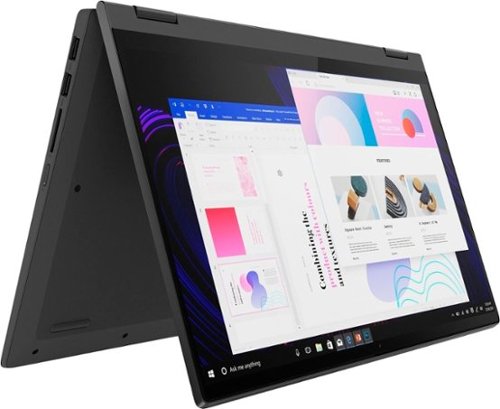
Lenovo - IdeaPad Flex 5 15ITL05 2-in-1 15.6" Laptop - Intel Core i5 - with 8GB Memory - 256 GB SSD - Graphite Gray
The IdeaPad Flex 5 2-in-1 Laptop. Featuring fast processors, an IPS touchscreen, and a 360-degree hinge to get things done efficiently for work, home, or school. Boasting a long battery life and security assets that include a webcam privacy shutter and fingerprint reader, the IdeaPad Flex 5 2-in-1 Laptop allows you to be creative and stay on point with your tasks.
What does this laptop use for apps, like apple uses iTunes what does this use

This Lenovo Flex 5i 15, model number 82HT00CQUS, ships with the Windows 11 Home, 64-bit Operating System installed. Here is a link to the top 5 music player APPs that are compatible with Windows 11: https://windowsreport.com/best-windows-11-music-player/
4 years, 3 months ago
by
Posted by:
Lenovo Product Expert
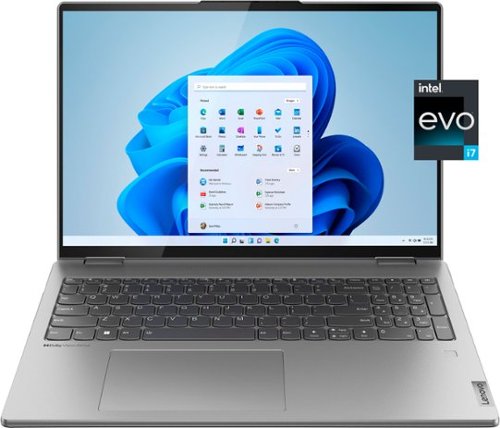
Lenovo - Yoga 7i 16" 2.5K Touch 2-in-1 Laptop - Intel Evo Platform - Core i7-1260P - 16GB Memory - 512GB SSD - Arctic Grey
The Lenovo Yoga 7i combines versatile portability and enhanced productivity, thanks to the boundary-breaking performance and responsiveness of 12th generation Intel Core processors and vibrant WQXGA clarity with Intel Iris Xe 96EU graphics. Go anywhere with a sleek 2-in-1 metal chassis featuring thoughtful details including a webcam privacy shutter.
Does this really work with two monitors and screen? I'm in the process of returning another brand's laptop because it doesn't support two hdmi external monitors. The hdmi port works but the USB-C isn't recognizing a monitor.
This Lenovo Yoga 7i 16, model number 82QG0000US, supports up to 4 independent displays (native display and 3 external monitors via HDMI and Thunderbolt). HDMI supports up to 4096x2160@60Hz, Thunderbolt supports up to 4096x2304@60Hz.
4 years, 3 months ago
by
Posted by:
Lenovo Product Expert
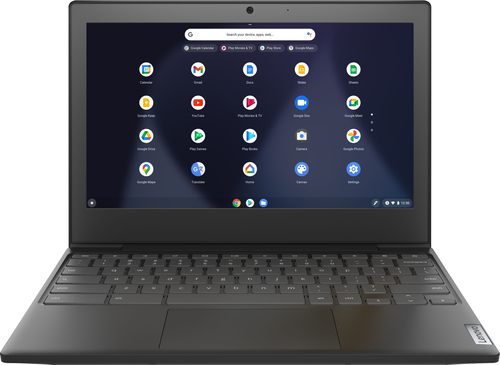
Lenovo - Chromebook 3 11" Chromebook - AMD A6 - 4GB Memory - 32GB eMMC Flash Memory
Fast, flexible, and fun, the Chromebook 3-11" brings everyone~s favorite Chromebook features, housed in a slim chassis, running on the lightning-fast Chrome OS that boots up in seconds, updates automatically, and is protected by built-in virus protection. Powered by an AMD A6 processor with up to 10 hours of battery life, the IdeaPad 3 Chromebook can seamlessly run all of your favorite apps at the same time
can you watch cds or download movies
There is no CD/DVD player within this Chromebook 3 11, model number 82H40000US. Whether you can download movies and play them on this Chromebook 3 11, will depend on the requirements and compatibility of the movie file format you want to download. This Lenovo Chromebook 3 11 ships with the Chrome Operating System installed and is compatible with Google Play Store APPs. Not all APPs available at the Google Play Store are optimized for the Chrome OS. We recommend you check with the specific movie player APP software publisher's web sites, of the movie file format you will be using, for their compatibility with the Chrome operating system and the minimum/recommended hardware requirements (Is a Graphics card required, the processor speed and the minimum required system RAM and the minimum available hard drive space) to run their program, then compare those requirements to this Chromebook's configuration.
4 years, 3 months ago
by
Posted by:
Lenovo Product Expert

Lenovo - Yoga 7i 2-in-1 15.6" HDR Touch Screen Laptop - Intel Evo Platform Core i7 - 12GB Memory - 512GB Solid State Drive - Dark Moss
The Lenovo~ Yoga~ 7i 15" combines versatile portability and enhanced productivity, thanks to the boundary-breaking performance and responsiveness of 11th generation Intel~ Core~ i7 processors and a vibrant VESA Dolby HDR 400 display in FHD clarity with Intel~ Iris~ Xe graphics. Go anywhere with a sleek 2-in-1 metal chassis featuring thoughtful details including a webcam privacy shutter.
Is there an included styles/pen?
No. This Intel Evo-Certified, Lenovo Yoga 7i 15 is compatible with an AES Protocol Active/Digital pen, which is sold separately, like this one: https://www.bestbuy.com/site/wacom-bamboo-ink-smart-stylus-for-windows-ink-2nd-generation-gray/6374981.p?skuId=6374981
4 years, 3 months ago
by
Posted by:
Lenovo Product Expert
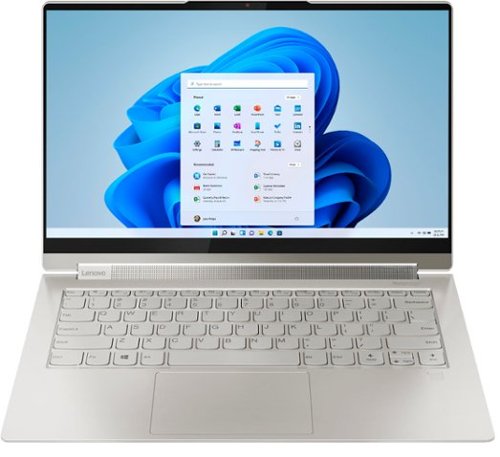
Lenovo - Yoga 9i 14 2-in-1 14" Touch-Screen Laptop - Intel Evo Platform Core i7 - 16GB Memory - 512GB SSD - Mica
Meet the Lenovo Yoga 9i, designed to put your experience first with the Intel Evo platform~s powerhouse combination of performance, responsiveness, battery life and stunning visuals. Innovative features are encased directly in a sleek 2-in-1 metal chassis, combined with the advanced mobile performance of 11th generation Intel Core processors and powerfully immersive entertainment.
can this be used without wi-fi?
Although this Inteo Evo-Certified, Lenovo Yoga 9i 14, model number 82BG0090US, does not ship with a built in RJ-45, network ethernet port, you can connect this Yoga 9i 14 to an ethernet cable with a USB to ethernet adapter, like this one, and connect to the internet without using WiFi: https://www.bestbuy.com/site/best-buy-essentials-usb-to-ethernet-adapter-white/6451327.p?skuId=6451327
4 years, 3 months ago
by
Posted by:
Lenovo Product Expert
Lenovo - Yoga 9i 14 2-in-1 14" Touch-Screen Laptop - Intel Evo Platform Core i7 - 16GB Memory - 512GB SSD - Mica
Meet the Lenovo Yoga 9i, designed to put your experience first with the Intel Evo platform~s powerhouse combination of performance, responsiveness, battery life and stunning visuals. Innovative features are encased directly in a sleek 2-in-1 metal chassis, combined with the advanced mobile performance of 11th generation Intel Core processors and powerfully immersive entertainment.
Will this laptop support 2 external displays via the Thunderbolt and an appropriate Thunderbolt dock?
This Intel Evo-Certified, Lenovo Yoga 9i 14, model number 82BG0090US, ships with 2x Thunderbolt 4 (support data transfer, Power Delivery 3.0, DisplayPort 1.4, and Always On) ports with video out capabilities and Supports up to 3 independent displays (native display and 2 external monitors via Thunderbolt). Thunderbolt supports up to 5120x3200@60Hz.
4 years, 3 months ago
by
Posted by:
Lenovo Product Expert
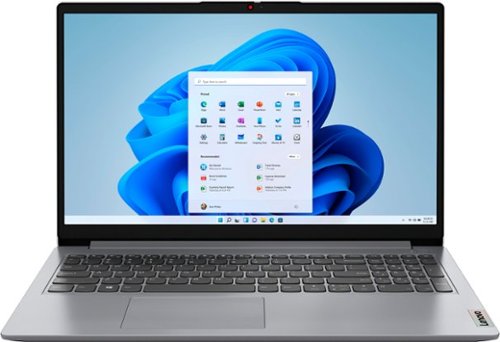
Lenovo - Ideapad 1 15.6" FHD Touch-Screen Laptop - Ryzen 7 5700U - 12GB Memory - 512GB SSD - Cloud Grey
Browse, explore and connect with confidence on the Lenovo IdeaPad 1 powered by ultra-fast AMD Ryzen~ 5000 U Series Mobile Processors on selected models. The IdeaPad 1 packs responsive performance in a thin and compact 17.9 mm chassis, making multitasking on-the-go a breeze. Get the most out of your device with a frameless display for more screen and Dolby Audio~ speakers, along with 10 hours of battery life and rapid charge. Great for video calls, the 1MP camera comes with a privacy shutter to keep out spying eyes, as well as Smart Noise Cancelling to eliminate background noise.
Is this being sold anywhere else, like on the official Lenovo site? I can only find it on Best Buy
This Lenovo IdeaPad 1 15 Laptop, model number 82R4002PUS, is a configuration created specifically for our retail partners and is not sold at lenovo.com.
4 years, 3 months ago
by
Posted by:
Lenovo Product Expert

Lenovo - IdeaPad 3 15" HD Touch Screen Laptop - Intel Core i3-1115G4 - Intel UHD Graphics - 8GB Memory - 256GB SSD - Almond
Engineered for long-lasting performance, the Lenovo IdeaPad 3 is the perfect laptop for your everyday tasks with features that you can depend on.
Can you operate this system without a Microsoft account? Can you access Zoom, or only Microsoft products? Can you download non-Microsoft products, such as open source word processing apps, or do you absolutely have to purchase Microsoftsoftware?
It is possible to setp this Lenovo IdeaPad 3 15 laptop without a Microsoft Account. Here is a link to more information: https://www.windowscentral.com/how-set-windows-11-without-microsoft-account. This Lenovo IdeaPad 3 15 model number 81X800KLUS, ships with Windows 11 S-Mode, 64-bit Operating System installed. Windows 11 S-Mode provides added security by only allowing APPs available ( and therefore certified by Microsoft) at the Microsoft Store. If you don't need the added security or you need to install APPs not available at the Microsoft Store, you can switch to standard Windows 11 Home 64-bit Operating System, at no additional cost. If you choose to switch out of S-Mode for Windows 11 Home: Here is a link to instructions for switching from Windows 11 S-Mode to Windows 11 Home: https://support.microsoft.com/en-us/help/4456067/windows-10-switch-out-of-s-mode
4 years, 3 months ago
by
Posted by:
Lenovo Product Expert
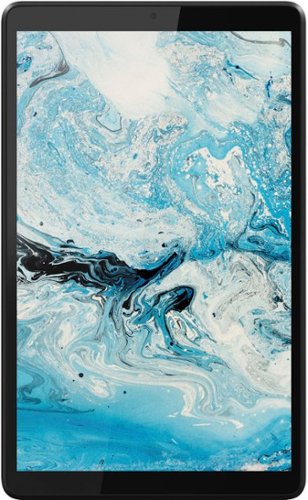
Lenovo - Tab M8 HD (2nd Gen) - 8" - Tablet - 32GB - Iron Grey
Lenovo Tab M8 is the 2nd generation mainstream tablet that comes with standout metal design, and is tailored to make your entertainment experience richer. The stunning 8" HD display brings you a crispier and brighter visual world. More than that, no matter you are watching a thrilling online movie or playing an exciting game, the fast speed and stable connection can also make your enjoyment perfect. Non-stop entertainment is just ON. Lenovo Tab M8, your best companion device with stunning performance and stylish design. The device that everyone wants to have.
does Lenovo-Tab M8 come with SIM
No. This Lenovo Tab M8 2nd Gen Tablet, model number ZA5G0060US, uses 802.11a/b/g/n/ac frequency WiFi only for internet connectivity. This Tab M8 Tablet has no built in cellular/broadband capability. You can create a WiFi Hotspot with a compatible cell phone, then connect this Tab M8 Tablet to that WiFi signal. We recommend you contact your cellular provider for more information.
4 years, 3 months ago
by
Posted by:
Lenovo Product Expert
Lenovo - Ideapad 1 15.6" FHD Touch-Screen Laptop - Ryzen 7 5700U - 12GB Memory - 512GB SSD - Cloud Grey
Browse, explore and connect with confidence on the Lenovo IdeaPad 1 powered by ultra-fast AMD Ryzen~ 5000 U Series Mobile Processors on selected models. The IdeaPad 1 packs responsive performance in a thin and compact 17.9 mm chassis, making multitasking on-the-go a breeze. Get the most out of your device with a frameless display for more screen and Dolby Audio~ speakers, along with 10 hours of battery life and rapid charge. Great for video calls, the 1MP camera comes with a privacy shutter to keep out spying eyes, as well as Smart Noise Cancelling to eliminate background noise.
Could this run fall guys and Roblox well?
That really will depend on the requirements and compatibility of the specific software you want to run. This Lenovo IdeaPad 1 15 laptop, model number 82R4002PUS, ships with Windows 11 S-Mode, 64-bit Operating System installed. Windows 11 S-Mode provides added security by only allowing APPs available ( and therefore certified by Microsoft) at the Microsoft Store. If you don't need the added security or you need to install APPs not available at the Microsoft Store, you can switch to standard Windows 11 Home 64-bit Operating System, at no additional cost. We recommend you check with the specific software publisher's web sites, of the specific software you want to run, for their compatibility with Windows 11 S-Mode 64-bit operating system and the minimum/recommended hardware requirements (Is a Graphics card required, the processor speed and the minimum required system RAM and the minimum available hard drive space) to run their program, then compare those requirements to this system's configuration.
4 years, 3 months ago
by
Posted by:
Lenovo Product Expert