Lenovo Product Expert
Lenovo Product Expert's Stats
Reviews
- Review Count0
- Helpfulness Votes0
- First ReviewNone
- Last ReviewNone
- Featured Reviews0
- Average Rating0
Reviews Comments
- Review Comment Count0
- Helpfulness Votes0
- First Review CommentNone
- Last Review CommentNone
- Featured Review Comments0
Questions
- Question Count0
- Helpfulness Votes0
- First QuestionNone
- Last QuestionNone
- Featured Questions0
- Answer Count37808
- Helpfulness Votes24,827
- First AnswerApril 21, 2014
- Last AnswerOctober 9, 2026
- Featured Answers0
- Best Answers2827
Lenovo Product Expert's Reviews
Lenovo Product Expert has not submitted any reviews.
Lenovo Product Expert's Questions
Lenovo Product Expert has not submitted any questions.

Lenovo - Chromebook 3 11.6" HD Laptop - Celeron N4020 - 4GB Memory - 64GB eMMC - Onyx Black
Fast, flexible, and fun, the Lenovo IdeaPad 3 Chromebook 11" brings everyone~s favorite Chromebook features, housed in a slim chassis, running on the lightning-fast Chrome OS that boots up in seconds, updates automatically, and is protected by built-in virus protection. Powered by Intel Celeron processor offers up to 10 hours of battery life, to seamlessly run all of your favorite apps at the same time.
can i use the keyboard to write other languages

This Lenovo Chromebook 3 11 model number 82BA001FUS, ships with a Non-backlit, English Version Keyboard.
4 years, 3 months ago
by
Posted by:
Lenovo Product Expert
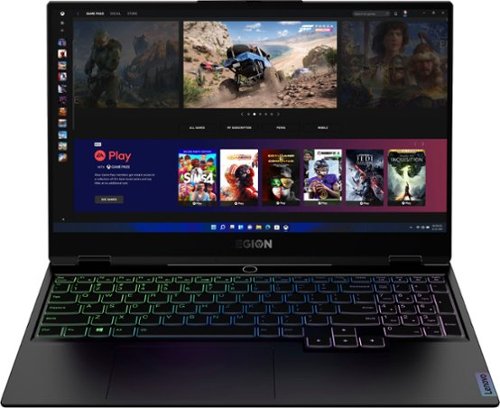
Lenovo - Legion Slim 7 15" Gaming Laptop - AMD Ryzen 7 5800H - 16GB Memory - NVIDIA GeForce RTX 3060 - 512GB SSD - Shadow Black
The Lenovo~ Legion Slim 7 was engineered for gamers who demand mobility and performance for day and night. Sporting a finely crafted chassis machined from 100% aluminum that is shockingly thin and impressively light, the Legion Slim 7 was expertly crafted for gamers who demand more.
Can you please tell me if this laptop will work from a 220V outlet? Thank you.
This Lenovo Legion Slim 7 15 Gaming Laptop, model number 82K80083US, ships with a 230W external power supply, slim tip (3-pin) AC adapter/charger, 100-240V, 50-60Hz, with a USA compatible wall side plug. To use this computer outside the USA, you will need to add a compatible wall side plug adapter, compatible with the Country where the computer will be used. This wall side plug adapter is sold separately.
4 years, 3 months ago
by
Posted by:
Lenovo Product Expert
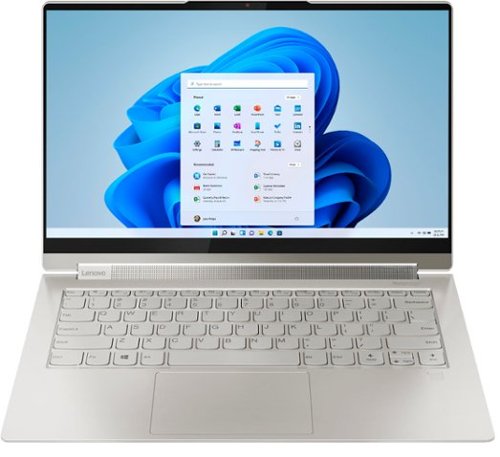
Lenovo - Yoga 9i 14 2-in-1 14" Touch-Screen Laptop - Intel Evo Platform Core i7 - 16GB Memory - 512GB SSD - Mica
Meet the Lenovo Yoga 9i, designed to put your experience first with the Intel Evo platform~s powerhouse combination of performance, responsiveness, battery life and stunning visuals. Innovative features are encased directly in a sleek 2-in-1 metal chassis, combined with the advanced mobile performance of 11th generation Intel Core processors and powerfully immersive entertainment.
Which styluses can I use on this laptop? The one it comes with is extremely tiny and it makes drawing impossible.
This Intel Evo-Certified, Lenovo Yoga 9i 14, model number 82BG0090US, ships with its own Lenovo Integrated, AES Protocol Active/Digital Pen with built-in rechargeable battery, that has 4096 levels of pressure sensitivity, and is stored within its own on-board garage where the pen recharges. You can also use an AES Protocol Active/Digaital Pen like this one with the Yoga 9i 14, which is sold separately: https://www.bestbuy.com/site/wacom-bamboo-ink-smart-stylus-for-windows-ink-2nd-generation-gray/6374981.p?skuId=6374981
4 years, 3 months ago
by
Posted by:
Lenovo Product Expert
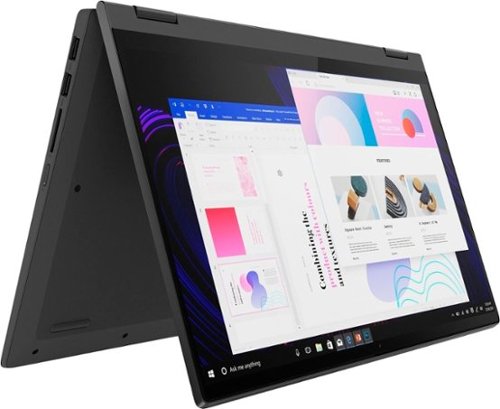
Lenovo - IdeaPad Flex 5 15ITL05 2-in-1 15.6" Laptop - Intel Core i5 - with 8GB Memory - 256 GB SSD - Graphite Gray
The IdeaPad Flex 5 2-in-1 Laptop. Featuring fast processors, an IPS touchscreen, and a 360-degree hinge to get things done efficiently for work, home, or school. Boasting a long battery life and security assets that include a webcam privacy shutter and fingerprint reader, the IdeaPad Flex 5 2-in-1 Laptop allows you to be creative and stay on point with your tasks.
Why Lenovo web site does not know about this model ? Bestbuy, does the model number 82HT00CQUS is correct one ?
This Lenovo Flex 5i 15 model number 82HT00CQUS, is a configuration specificially manufactured for our retailers and is not sold at lenovo.com.
4 years, 3 months ago
by
Posted by:
Lenovo Product Expert
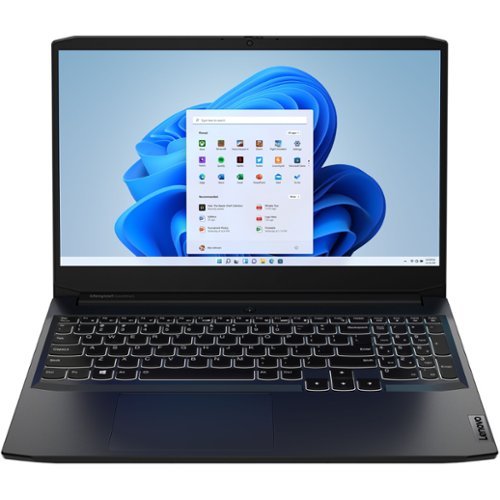
Lenovo - IdeaPad Gaming 3 15IHU6 15.6" Gaming Laptop - Intel Core i5 - 8 GB Memory - NVIDIA GeForce RTX 3050 - 256 GB SSD - Shadow Black
Lenovo Gaming 3 Series. Experience gaming like never before on the IdeaPad Gaming 3i laptop powered by an Intel Core processor. Play and stream PC games at peak performance on the IdeaPad Gaming 3i with up to 4.4GHz clock speed, 4 core, 8MB cache, NVIDIA GeForce RTX 3050 Graphics, High Definition Audio, and Wi-Fi 6 with Bluetooth 5.0.
Battery how long i can use
This Lenovo IdeaPad 3 15 Gaming Laptop, model number 82K1015EUS, ships with a Integrated 45Wh, Lithium-Polymer Battery installed, which within this model configuration, has a battery life of up to 6 hours, depending on the work the device is performing.
4 years, 3 months ago
by
Posted by:
Lenovo Product Expert
Lenovo - Chromebook 3 11.6" HD Laptop - Celeron N4020 - 4GB Memory - 64GB eMMC - Onyx Black
Fast, flexible, and fun, the Lenovo IdeaPad 3 Chromebook 11" brings everyone~s favorite Chromebook features, housed in a slim chassis, running on the lightning-fast Chrome OS that boots up in seconds, updates automatically, and is protected by built-in virus protection. Powered by Intel Celeron processor offers up to 10 hours of battery life, to seamlessly run all of your favorite apps at the same time.
since this uses usb-c to charge via a cable and I assume power cube to plug into the wall, does it need to be plugged in all the time? Also, some people say this has a I3, not a celeron processor, but specs say celeron, which is it and which is better?
This Lenovo Chromebook 3 11 model number 82BA001FUS, ships with a 45W USB-C (3-pin) AC adapter/charger, supports PD 3.0, 100-240V, 50-60Hz and has a Integrated 42Wh, Lithium-Polymer rechargeable Battery, which within this model configuration, has a Google power load test, battery life of up to 10 hrs, depending on the work the device is performing, so you do not need to keep the Chromebook 3 11 plugged in all of the time. This Lenovo Chromebook 3 11 model number 82BA001FUS, configuration ships with the Intel Celeron N4020 Processor installed.
4 years, 3 months ago
by
Posted by:
Lenovo Product Expert
Lenovo - Chromebook 3 11.6" HD Laptop - Celeron N4020 - 4GB Memory - 64GB eMMC - Onyx Black
Fast, flexible, and fun, the Lenovo IdeaPad 3 Chromebook 11" brings everyone~s favorite Chromebook features, housed in a slim chassis, running on the lightning-fast Chrome OS that boots up in seconds, updates automatically, and is protected by built-in virus protection. Powered by Intel Celeron processor offers up to 10 hours of battery life, to seamlessly run all of your favorite apps at the same time.
Can this laptop be used with Microsoft Office
The Lenovo Chromebook 3 11 uses Google Docs for office type programs. Google Docs is completely compatible with Microsoft Office Programs and this is a free service through the Google Server. If you currently have a Microsoft Office 365 Account, you can access that existing account through a Chromebook. Here is a link to more information: https://support.microsoft.com/en-gb/office/how-to-access-microsoft-office-on-a-chromebook-32f14a23-2c1a-4579-b973-d4b1d78561ad#:~:text=Open%20the%20browser%20on%20your,with%20your%20Microsoft%20365%20subscription.
4 years, 3 months ago
by
Posted by:
Lenovo Product Expert
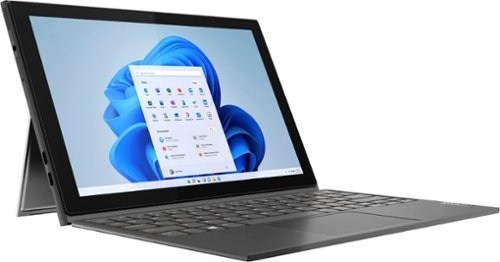
Lenovo - IdeaPad Windows Duet 3i - 10.3" (1920x1200) Touch 2-in-1 Tablet - Celeron N4020 - 4GB RAM - 128GB eMMC - with Keyboard - Graphite Grey
With a detachable Bluetooth keyboard and folio kickstand, you can detach yourself from the ordinary on the Lenovo~ IdeaPad~ Duet 3i and use your keyboard remotely from the tablet portion of the PC.
Can I use on on this tablet?
Yes. This Lenovo Windows Duet 3i, model number 82AT00F2US, is a detachable, 2 in 1 configuration device. You can detach the keyboard and fold flat the easel kickstand on the tablet screen and use the 10-point Multi-touch screen on the tablet screen in Tablet Mode.
4 years, 3 months ago
by
Posted by:
Lenovo Product Expert
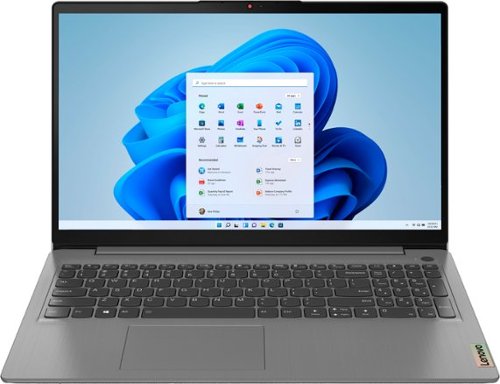
Lenovo - Ideapad 3 15.6" FHD Touch Screen Laptop - Intel Core i5 11th Gen - 12GB Memory - 256GB SSD - Arctic Grey
Engineered for long-lasting performance, the Lenovo~ IdeaPad~ 3 delivers powerful performance with the latest Intel 11th Generation Processors with Intel~ Iris Xe Graphics, in a laptop that's perfect for your everyday tasks, with features that you can depend on.
Hello! Can a 2.5 inch hard drive be installed in this laptop?
No. This Lenovo IdeaPad 3 15 Laptop, model number 82H801DQUS, ships with a 256GB M.2 2242 PCIe 3.0x4 NVMe solid state hard drive installed. The maximum storage capacity that this model configuration can support is: one drive, 1x M.2 SSD: M.2 2242 SSD up to 512GB or M.2 2280 SSD up to 1TB. We recommend you consult with your certified technician about your storage upgrade options.
4 years, 3 months ago
by
Posted by:
Lenovo Product Expert
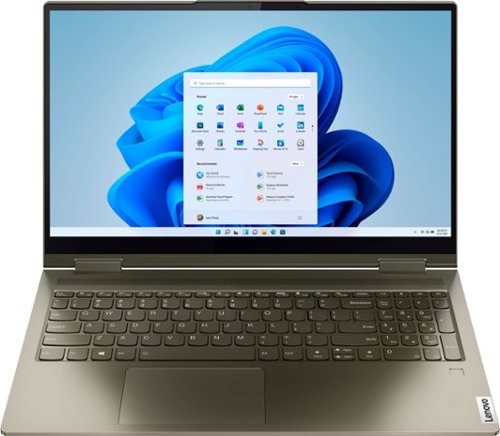
Lenovo - Yoga 7 15ITL5 2-in-1 15.6" Touch-Screen Laptop - Intel Core i7 with 12GB Memory - 512 GB SSD - Dark Moss
Enjoy vibrant visuals on a 15.6 inch FHD display edged with microborders and optimized with an Intel Core processor and Iris Xe graphics. Combining that with a user-facing Dolby Atmos Speaker System, the Yoga 7 2-in-1 laptop offers entertainment that will go anywhere. Crafted from sandblasted anodized metal, the Yoga 7~s subtly rounded edges are designed to feel comfortable in your hands. A 360-degree hinge offers stability as you transition from tablet to laptop mode and back. Thoughtful details include a webcam privacy shutter and a color-matched keyboard with backlighting.
hi there, please my lenovo yoga 7i windows 11 cant use facial and finger print to unlock my laptop. it seems the window 11 doesnt support that.any reasons for that? thanks.
This Intel Evo-Certified, Lenovo Yoga 7i 15 model number, 82BJ007WUS, ships with a Touch style fingerprint reader on palm rest that is compatible with Windows Hello biometric security login in.
Here is a link to a YouTube video that demonstrates how to setup your fingerprint reader within Windows OS: https://www.youtube.com/watch?v=E_ikyE5QMIg. The HD (720p) webcam within this Yoga 7i 15 is not setup for facial recognition biometric login. Once you have the fingerprint reader setup, here's a tip for making your fingerprint reader work every time: Try lightly sliding your finger over the fingerprint reader. No need to press hard on the reader, in fact pressing hard on the fingerprint reader will distort your fingerprint and cause read errors. If you continue to have issues with your fingerprint reader, we recommend you contact Lenovo Premium Care for additional help at: 888-278-9707.
Here is a link to a YouTube video that demonstrates how to setup your fingerprint reader within Windows OS: https://www.youtube.com/watch?v=E_ikyE5QMIg. The HD (720p) webcam within this Yoga 7i 15 is not setup for facial recognition biometric login. Once you have the fingerprint reader setup, here's a tip for making your fingerprint reader work every time: Try lightly sliding your finger over the fingerprint reader. No need to press hard on the reader, in fact pressing hard on the fingerprint reader will distort your fingerprint and cause read errors. If you continue to have issues with your fingerprint reader, we recommend you contact Lenovo Premium Care for additional help at: 888-278-9707.
4 years, 3 months ago
by
Posted by:
Lenovo Product Expert