Lenovo Product Expert
Lenovo Product Expert's Stats
Reviews
- Review Count0
- Helpfulness Votes0
- First ReviewNone
- Last ReviewNone
- Featured Reviews0
- Average Rating0
Reviews Comments
- Review Comment Count0
- Helpfulness Votes0
- First Review CommentNone
- Last Review CommentNone
- Featured Review Comments0
Questions
- Question Count0
- Helpfulness Votes0
- First QuestionNone
- Last QuestionNone
- Featured Questions0
- Answer Count37808
- Helpfulness Votes24,833
- First AnswerApril 21, 2014
- Last AnswerOctober 9, 2026
- Featured Answers0
- Best Answers2827
Lenovo Product Expert's Reviews
Lenovo Product Expert has not submitted any reviews.
Lenovo Product Expert's Questions
Lenovo Product Expert has not submitted any questions.
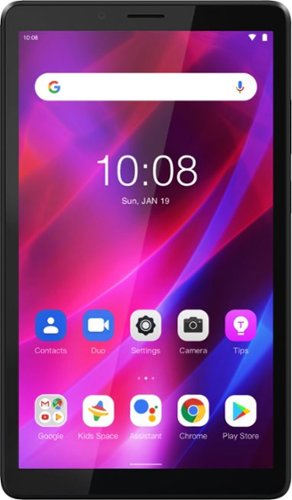
Lenovo - Tab M7 (3rd Gen) - 7" - Tablet - 32GB - Iron Grey
Fitted in a clean, compact and classic all-metal casing, the third generation Lenovo~ Tab M7 is now significantly faster and longer lasting than its predecessors, having inherited major performance boosts with the new quad-core processor and faster LPDDR4 RAM. Stream and play all day with a battery that enables up to 12 hours of video on a single charge and up to 30% faster charging speeds.
does this unit handle the libby app

That really will depend on the requirements and compatibility of the specific APP you want to use. This entry-level, Lenovo Tab M7 3rd Gen Tablet, model number ZA8C0027US, ships with the Android 11 Go operating system installed and is compatible with Google Play Store APPs. We recommend you check with the specific APPs software publisher's web site for their compatibility with Android 11 Go operating system and the minimum/recommended hardware requirements (Is a Graphics card required, the processor speed and the minimum required system RAM and the minimum available hard drive space) to run their program, then compare those requirements to this entry-level tablet's configuration.
4 years, 4 months ago
by
Posted by:
Lenovo Product Expert
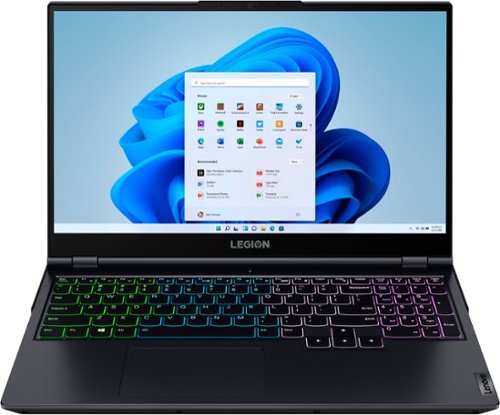
Lenovo - Legion 5 15" Gaming Laptop - AMD Ryzen 7 5800H - NVIDIA GeForce RTX 3050 Ti - 8GB Memory - 512GB SSD - Phantom Blue
Offering a plethora of performance options for any gamer in a clean, minimalist design, the Lenovo~ Legion 5 pairs the latest AMD Ryzen 5800 H-Series processor, NVIDIA GeForce RTX 3050 Ti Graphics, 3200 MHz DDR4 memory, and NVMe TLC SSD storage.
Does the laptop come with fully loaded MS Office? If yes, is it available for lifetime?
This Lenovo Legion 5 15 Gaming Laptop, model number 82JW00BFUS, ships with a 30-day trial of Microsoft Office 365 included as part of the Windows 11 operating system. To keep the program active after the trial period, you will need to purchase a product key. You will not need to download any additional software.
4 years, 4 months ago
by
Posted by:
Lenovo Product Expert

Lenovo - IdeaPad 3 15" HD Touch Screen Laptop - Intel Core i3-1115G4 - Intel UHD Graphics - 8GB Memory - 256GB SSD - Almond
Engineered for long-lasting performance, the Lenovo IdeaPad 3 is the perfect laptop for your everyday tasks with features that you can depend on.
Does this laptop come with a DVD drive? I am looking for a good laptop with a DVD drive.
Although this Lenovo IdeaPad 3 15 Laptop, model number 81X800KLUS, does not ships with a built in CD/DVD drive, you can use an external, USB-based Windows compatible CD/DVD drive with this laptop, like this one: https://www.bestbuy.com/site/lg-8x-external-usb-2-0-double-layer-dvdrw-r-ram-cd-rw-drive-black/5581020.p?skuId=5581020
4 years, 4 months ago
by
Posted by:
Lenovo Product Expert
Lenovo - Tab M7 (3rd Gen) - 7" - Tablet - 32GB - Iron Grey
Fitted in a clean, compact and classic all-metal casing, the third generation Lenovo~ Tab M7 is now significantly faster and longer lasting than its predecessors, having inherited major performance boosts with the new quad-core processor and faster LPDDR4 RAM. Stream and play all day with a battery that enables up to 12 hours of video on a single charge and up to 30% faster charging speeds.
does it come with a charger wire
Yes. This Lenovo Tab M7 3rd Gen Tablet, model number ZA8C0027US, ships with a Dual Voltage, USA compatible wall side plug, 5V/2A (10W) micro-USB 2.0 AC adapter/charger, 100-240V, 50-60Hz, included.
4 years, 4 months ago
by
Posted by:
Lenovo Product Expert
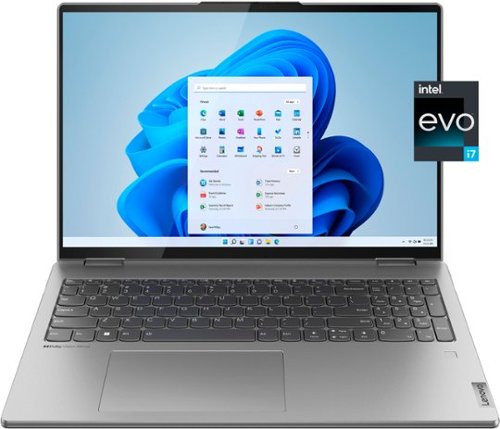
Lenovo - Yoga 7i 16" 2.5K Touch 2-in-1 Laptop - Intel Evo Platform - Core i7-12700H - 32GB Memory - Intel Arc A370M - 1TB SSD - Arctic Grey
The Lenovo Yoga 7i combines versatile portability and enhanced productivity, thanks to the boundary-breaking performance and responsiveness of 12th generation Intel Core processors and vibrant WQXGA clarity with Intel Arc A370M graphics. Go anywhere with a sleek 2-in-1 metal chassis featuring thoughtful details including an IR camera with privacy shutter.
What is the capacity of the battery in Whrs?
This Lenovo Yoga 7i 16 model number 82UF0000US, ships with a Integrated Li-Polymer 99.99Wh battery, which supports Rapid Charge Express (get 3 hours of runtime with a 15-minute charge). Within this model configuration, this integrated battery has a battery life of up to 10 hours, depending on the work the device is performing.
4 years, 4 months ago
by
Posted by:
Lenovo Product Expert
Lenovo - Yoga 7i 16" 2.5K Touch 2-in-1 Laptop - Intel Evo Platform - Core i7-12700H - 32GB Memory - Intel Arc A370M - 1TB SSD - Arctic Grey
The Lenovo Yoga 7i combines versatile portability and enhanced productivity, thanks to the boundary-breaking performance and responsiveness of 12th generation Intel Core processors and vibrant WQXGA clarity with Intel Arc A370M graphics. Go anywhere with a sleek 2-in-1 metal chassis featuring thoughtful details including an IR camera with privacy shutter.
What is the power limit on the processor?
This Lenovo Yoga 7i 16 model number 82UF0000US, ships with the 12th Gen, 14-Core (6P + 8E) 20-Thread, Intel Core i7-12700H processor. This processor has a potential power draw that is rated for a minimum of 35W, a base power of 45W, and a maximum turbo power of 115W. These are the minimum and maximum power limits, this specific Yoga 7i 16 is configured at a maximum of 100W.
4 years, 4 months ago
by
Posted by:
Lenovo Product Expert
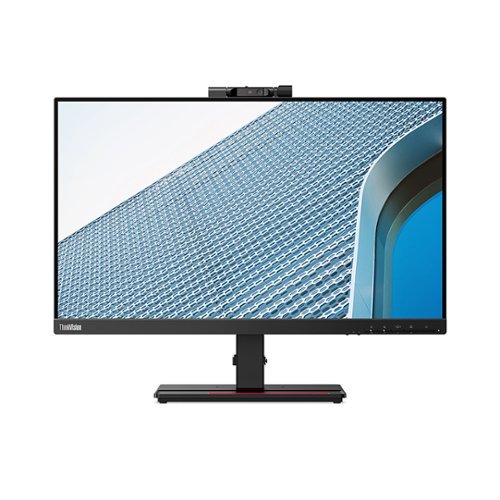
Lenovo - ThinkVision T24v-20 23.8" Full HD LED Backlit LCD Monitor (HDMI, DP, VGA) - Black
Built to empower the next-generation workforce, the ThinkVision T24v-20 redefines workplace collaboration with its smart, innovative features. This 23.8-inch monitor has an IR camera, which along with Windows Hello and enterprise-grade security, ensures instant and secure login.
Does the video camera have a privacy screen? Can’t quite tell from the photos.
Yes. This Lenovo ThinkVision T24v-20 Monitor, Model Number 61FCMAR6US, ships with a 1080p IRRGB - Windows Hello Compatible camera with a manual Privacy Shutter and microphone, built in.
4 years, 4 months ago
by
Posted by:
Lenovo Product Expert
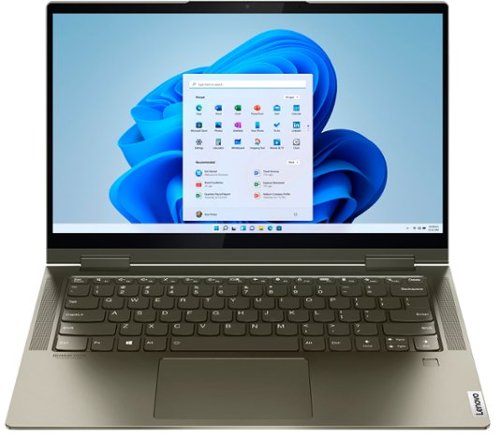
Lenovo - Yoga 7i 2-in-1 14" Touch Screen Laptop - Intel Evo Platform Core i5 - 12GB Memory - 512GB Solid State Drive - Dark Moss
The Lenovo Yoga 7i 14" combines versatile portability and enhanced productivity, thanks to the boundary-breaking performance and responsiveness of 11th generation Intel Core i5 processors and vibrant FHD clarity with Intel Iris X graphics. Go anywhere with a sleek 2-in-1 metal chassis featuring thoughtful details including a webcam privacy shutter.
Is this compatible with a MS surface electronic pen? I cannot get mine to pair. Thank you
No. This Intel Evo-Certified, Lenovo Yoga 7i 14, model number 82BH00DQUS, is compatible with an AES Protocol Active/Digital Pen, like this one: https://www.bestbuy.com/site/wacom-bamboo-ink-smart-stylus-for-windows-ink-2nd-generation-gray/6374981.p?skuId=6374981
4 years, 4 months ago
by
Posted by:
Lenovo Product Expert
Lenovo - IdeaPad 3 15" HD Touch Screen Laptop - Intel Core i3-1115G4 - Intel UHD Graphics - 8GB Memory - 256GB SSD - Almond
Engineered for long-lasting performance, the Lenovo IdeaPad 3 is the perfect laptop for your everyday tasks with features that you can depend on.
Is lenovo a good brand for games like minecraft ,roblox ,valorant ,fortnite and more but still can do work
That really will depend on the requirements and compatibility of the software/games you want to use on this Lenovo IdeaPad 3 15 Laptop, model number 81X800KLUS. This IdeaPad 3 15 ships with Windows 11 S-Mode, 64-bit Operating System installed. Windows 11 S-Mode provides added security by only allowing APPs available ( and therefore certified by Microsoft) at the Microsoft Store. If you don't need the added security or you need to install APPs not available at the Microsoft Store, you can switch to standard Windows 11 Home 64-bit Operating System, at no additional cost. We recommend you check with the specific software publisher's web sites, of the specific APPs you will want to use, for their compatibility with Windows 11 S-Mode 64-bit operating system and the minimum/recommended hardware requirements (Is a Graphics card required, the processor speed and the minimum required system RAM and the minimum available hard drive space) to run their program, then compare those requirements to this system's configuration. If you choose to switch out of S-Mode for Windows 11 Home: Here is a link to instructions for switching from Windows 11 S-Mode to Windows 11 Home: https://support.microsoft.com/en-us/help/4456067/windows-10-switch-out-of-s-mode
4 years, 4 months ago
by
Posted by:
Lenovo Product Expert
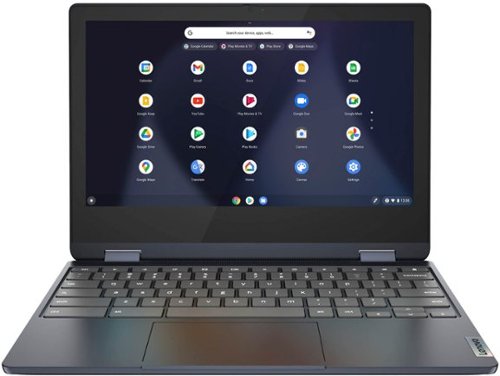
Lenovo - Flex 3 Chromebook 11.6" HD Touch-screen Laptop - Mediatek MT8183 - 4GB - 64GB eMMC - Abyss Blue
Packs what makes Chromebook so amazing into one svelte 360-degree convertible. Versatile and portable, the IdeaPad Flex 3 Chromebook measures just 19.6 mm thick and weighs 1.2 kg with a full keyboard and spacious trackpad, and can be viewed in tent, tablet, laptop or stand modes. Watch crisp visuals in high definition with its 10-point touchscreen on the 11.6" IPS display while being more productive with help from Google. Just say ~Hey Google,~ to manage tasks, enjoy your entertainment, get answers, or control smart home devices.
is this a touch screen?
Yes. This Lenovo Flex 3 11 Chromebook, model number 82KM0003US, ships with a 11.6 inch (screen size measured diagonally) IPS - HD (1366x768) 10-point Multi-touch screen, with a brightness level of 250 nits and has a Glossy finish. This screen supports 67 Percent of the sRGB (45 Percent NTSC) color gamut.
4 years, 4 months ago
by
Posted by:
Lenovo Product Expert