Lenovo Product Expert
Lenovo Product Expert's Stats
Reviews
- Review Count0
- Helpfulness Votes0
- First ReviewNone
- Last ReviewNone
- Featured Reviews0
- Average Rating0
Reviews Comments
- Review Comment Count0
- Helpfulness Votes0
- First Review CommentNone
- Last Review CommentNone
- Featured Review Comments0
Questions
- Question Count0
- Helpfulness Votes0
- First QuestionNone
- Last QuestionNone
- Featured Questions0
- Answer Count37809
- Helpfulness Votes24,834
- First AnswerApril 21, 2014
- Last AnswerOctober 9, 2026
- Featured Answers0
- Best Answers2828
Lenovo Product Expert's Reviews
Lenovo Product Expert has not submitted any reviews.
Lenovo Product Expert's Questions
Lenovo Product Expert has not submitted any questions.
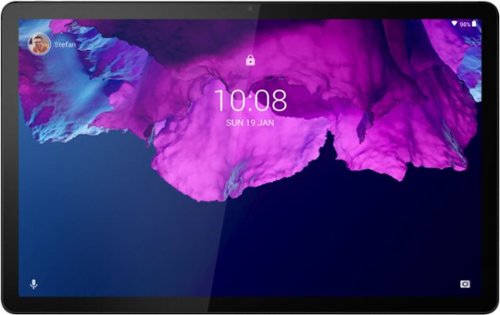
Lenovo - Tab P11 - 11" - Tablet - 128GB - Platinum Grey
Get bumped up to first-class experiences through the Lenovo Tab P11~s eye-catching 2K visuals on its 11" display, quad speakers with persistent user-facing stereo tuned by Dolby Atmos and 15 hours of battery life*, all housed in a slim aluminum-alloy casing with contemporary dual-tone finish. . And it also comes with the latest new kids mode with Google Kids Space, featuring content that helps kids discover, create and grow.
Does this tablet have a blue light filter? Or some kind of comfort view?

Yes. This Lenovo Tab P 11 Tablet, model number ZA7R0150US, ships with a 11 inch (screen size measured diagonally) IPS - 2K (2000x1200) 10-point Multi-touch screen, with a brightness level of 400 nits. This screen uses Eye care mode with TUV certification for additional eye protection.
4 years, 5 months ago
by
Posted by:
Lenovo Product Expert
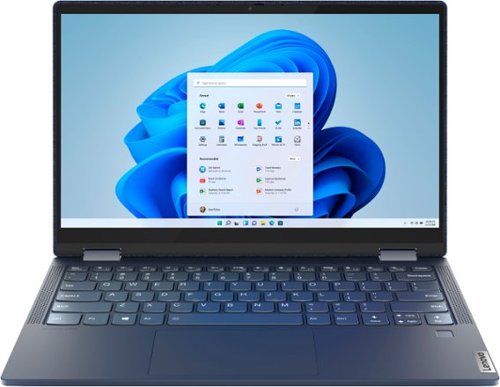
Lenovo - Yoga 6 13 2-in-1 13.3" Touch Screen Laptop - AMD Ryzen 7 - 16GB Memory - 512GB SSD - Abyss Blue with Fabric Cover
The Lenovo~ Yoga~ 6 is an ultra-portable 2-in-1 that combines unique style with the powerful responsiveness of an AMD Ryzen~ 5000 Series Mobile Processor, abundant memory and SSD storage. Enjoy a rich multimedia experience with the clarity of a 13.3" FHD touchscreen display, and enveloping sound with Dolby Atmos~-optimized stereo speakers.
Does the laptop have a factory reset button on it like the previous yoga models?
Yes. The OneKey Recovery Port on this Lenovo 6 13 Laptop is on the bottom of the computer, near the bottom right corner of the cooling vent on the bottom of this computer.
4 years, 5 months ago
by
Posted by:
Lenovo Product Expert
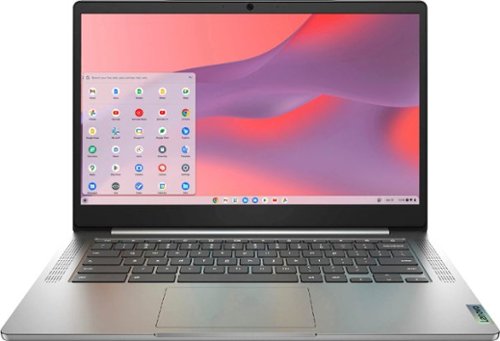
Fast, flexible, and fun, the Chromebook 3-14" brings everyone~s favorite Chromebook features, running on the lightning-fast Chrome OS that boots up in seconds, updates automatically, and is protected by built-in virus protection. Powered by a MediaTek processor and up to 10 hours of battery life, it~ll seamlessly run all of your favorite apps at the same time. Get Minecraft and 3 months of Realms Plus at no cost* with purchase of a new Chromebook. Terms Apply. *Offer valid for qualifying Chromebooks purchased on or after July 1st, 2023 through September 30th, 2023 while supplies last.
I just got the laptop and when it is connected to an external monitor, there's no option for 1920x1080. The highest resolution available is 1440 x 900 resolution. Monitor supports 1920x 1080. It's connected with a USB C to HDMI adapter.
This Lenovo Chromebook 3 14 model number 82KN0001US, ships with 1x USB-C 2.0 (support data transfer, Power Delivery 2.0, and DisplayPort 1.1a) port for video out to an external monitor. The Chromebook 3 14 supports up to 2 independent displays (native display and 1 external monitor via USB-C). USB-C supports up to 1920x1080@60Hz. You can connect an HDMI monitor to this Chromebook by using a USB-c to HDMI adapter, like this one: https://www.bestbuy.com/site/insignia-usb-c-to-hdmi-adapter-black/6473497.p?skuId=6473497. Be sure the USB-c to HDMI adapter you are using is first compatible with the Chrome Operating System. Will support resolutions of 1920 x 1080. We recommend you check with the adapter's manufacturer's web site for the compatibility and capabilities of the specific adapter you are using. If the issue continues we recommend you contact Lenovo Tech Support for Chromebooks at: 800-426-7378.
4 years, 5 months ago
by
Posted by:
Lenovo Product Expert
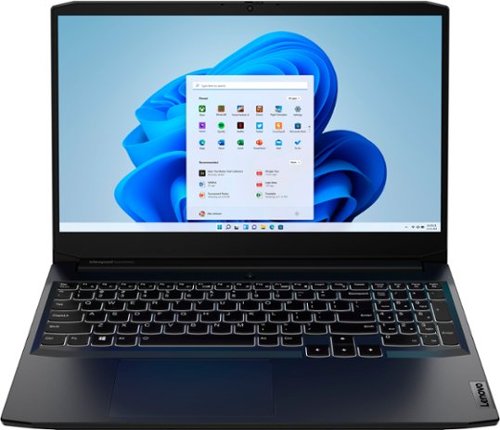
Lenovo - Ideapad Gaming 3i 15.6" FHD Laptop - Core i5-11300H - 8GB Memory - NVIDIA GeForce GTX 1650 - 256GB SSD - Shadow Black
With the latest 11th Generation Intel~ Core~ processor and NVIDIA GeForce graphics, squeeze out maximum value from the IdeaPad~ Gaming 3i and hit peak gaming potential. Match up to the pros with pristine, ultra-smooth and stutterless graphics on the FHD IPS display, drive harder with 100% N-key rollover on your keyboard, dissipate heat faster with high-performance thermals and pinpoint your enemies~ location instantly with Nahimic surround sound audio.
Can I add a 2TB M.2 SSD?
This Lenovo IdeaPad 3i 15 Gaming Laptop, model number 82K1015CUS, ships with a 256GB M.2 2242 PCIe 3.0x4 NVMe solid state hard drive installed. The maximum supported storage capacity of this model configuration is: Up to two drives, 1x 2.5 inch HDD + 1x M.2 2242 SSD or 1x M.2 2242/2280 SSD + 1x M.2 2242 SSD - 2.5 inch HDD up to 1TB + M.2 2242 SSD up to 512GB or M.2 2280 SSD up to 1TB. We recommend you consult with your certified technician about your storage upgrade options.
4 years, 5 months ago
by
Posted by:
Lenovo Product Expert
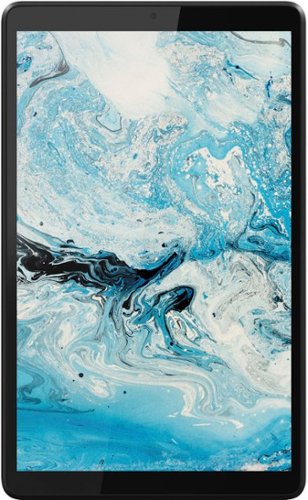
Lenovo - Tab M8 HD (2nd Gen) - 8" - Tablet - 32GB - Iron Grey
Lenovo Tab M8 is the 2nd generation mainstream tablet that comes with standout metal design, and is tailored to make your entertainment experience richer. The stunning 8" HD display brings you a crispier and brighter visual world. More than that, no matter you are watching a thrilling online movie or playing an exciting game, the fast speed and stable connection can also make your enjoyment perfect. Non-stop entertainment is just ON. Lenovo Tab M8, your best companion device with stunning performance and stylish design. The device that everyone wants to have.
Does it have GPS?
Yes. This Lenovo Tab M8 Tablet, model number ZA5G0060US, ships with both GPS and A-GPS capability. This feature will only work when the Tab M8 Tablet is connected to a WiFi signal.
4 years, 5 months ago
by
Posted by:
Lenovo Product Expert
Lenovo - Ideapad Gaming 3i 15.6" FHD Laptop - Core i5-11300H - 8GB Memory - NVIDIA GeForce GTX 1650 - 256GB SSD - Shadow Black
With the latest 11th Generation Intel~ Core~ processor and NVIDIA GeForce graphics, squeeze out maximum value from the IdeaPad~ Gaming 3i and hit peak gaming potential. Match up to the pros with pristine, ultra-smooth and stutterless graphics on the FHD IPS display, drive harder with 100% N-key rollover on your keyboard, dissipate heat faster with high-performance thermals and pinpoint your enemies~ location instantly with Nahimic surround sound audio.
What GPU does this specific model have?
This Lenovo IdeaPad 3i 15 Gaming Laptop, model number 82K1015CUS, ships with the NVIDIA GeForce GTX 1650 discrete GPU, with 4GB GDDR6 VRAM on the card.
4 years, 5 months ago
by
Posted by:
Lenovo Product Expert
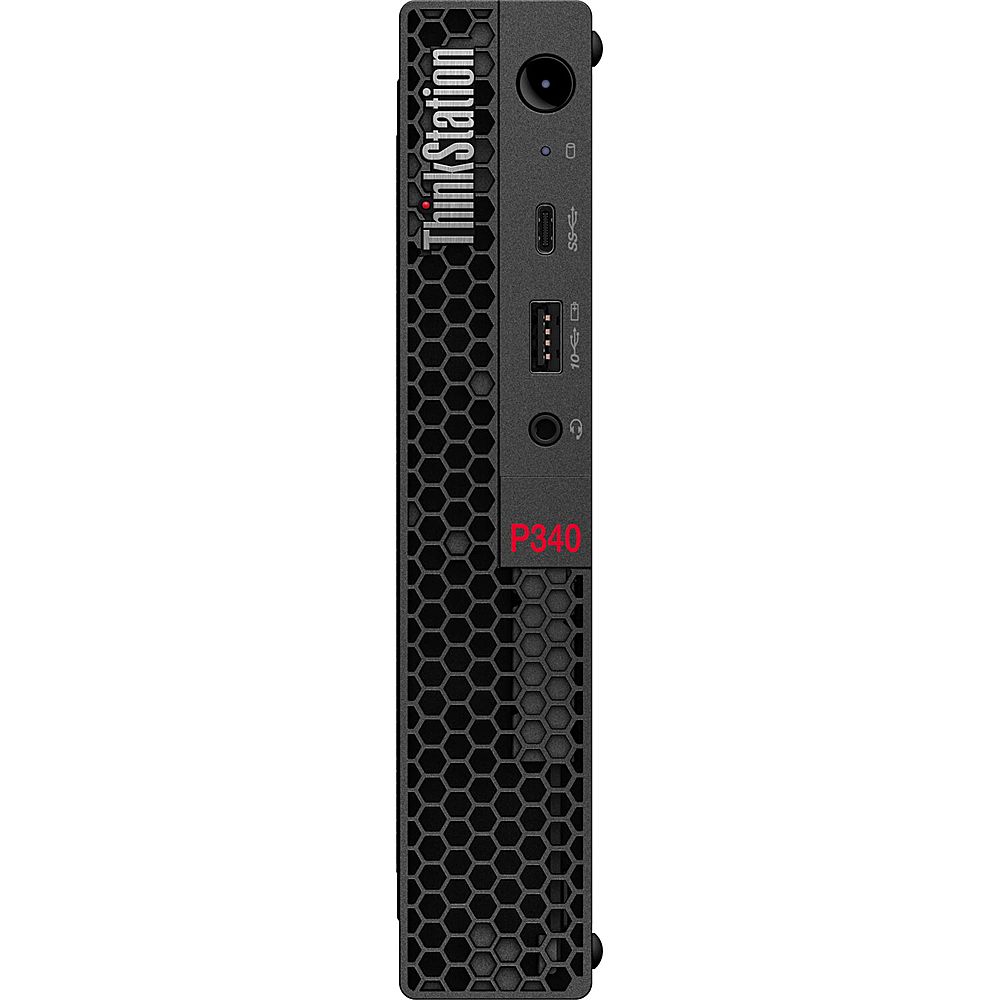
Lenovo - ThinkStation P340 Tiny Intel Core i9-10900T - 16GB Memory - NVIDIA Quadro P1000 - 512GB Hard Drive - Raven Black
Enhance the productivity of your home or office while maximizing your desktop space with the Lenovo ThinkStation P340 Tiny Desktop Computer. This small form-factor desktop system is packed with power, featuring a 10th generation 1.9 GHz Intel Core i9-10900T 10-core processor with 16GB of DDR4-2933 memory and a fast 512GB M.2 PCIe NVMe solid-state drive to quickly load and multitask demanding applications. You can upgrade the system's memory to by installing a 260-pin SO-DIMM into the available slot to help increase the computer's efficiency when handling large projects. The system supports up to 64GB of RAM. A second M.2 slot is also available for additional storage. The dedicated NVIDIA Quadro P620 graphics card has 2GB of GDDR5 VRAM and is designed to handle intensive applications such as 3D modeling, design, architecture, and more. Up to four monitors can be connected across the video card~~~s mini DisplayPort outputs for enhanced viewing and multitasking efficiency.
Is this computer Windows 11 compatible
Yes. This Lenovo ThinkStation P340 Tiny Desktop Computer, model number 30DF001VUS, ships with the Discrete TPM 2.0, TCG certified Security Chip that is required for upgrading to Windows 11. Here is a link to more information about upgrading to Windows 11: https://docs.microsoft.com/en-us/windows/whats-new/windows-11-requirements
4 years, 5 months ago
by
Posted by:
Lenovo Product Expert
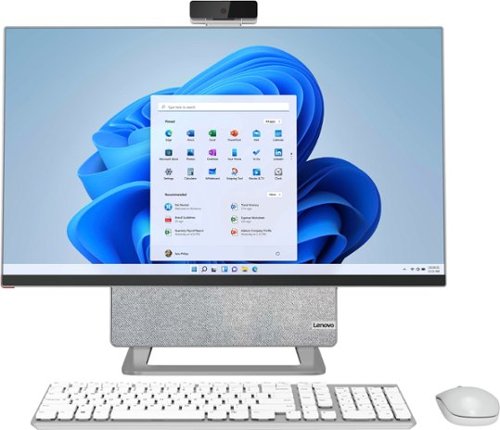
Lenovo - Yoga AIO 7 27" Touch-Screen All-In-One - AMD Ryzen 7 - 16GB Memory - AMD Radeon RX 6600M - 512GB SSD - Cloud Gray/Moon White
The Lenovo Yoga AIO 7 redefines the smart desktop, pushing the boundaries with leading-class performance of AMD Ryzen 5000 Series Mobile Processors and the world~s first 27" 4K display. Enjoy a mind-blowing visual experience, thanks to DCI-P3 99% color space, 99% Adobe RGB color gamut and effortless 90~ rotations. Best of all, the Yoga AIO 7 offers peerless device-sharing features adapted to the multi-screen workflows and lifestyles of today~s users. Streamline your work by pairing your AIO with a portable notebook. Access the same hard disk, keyboard, mouse and speakers as your notebook charges, and set your smartphone on the built-in dock, so you can easily work and play across screens.
Could a second monitor be connected?
Yes. This Lenovo Yoga 7 27 All-In-One System ships with 1x HDMI-out 2.0 port and supports up to 2 independent displays via native display and 1 external monitor; supports external monitor via HDMI.
4 years, 5 months ago
by
Posted by:
Lenovo Product Expert
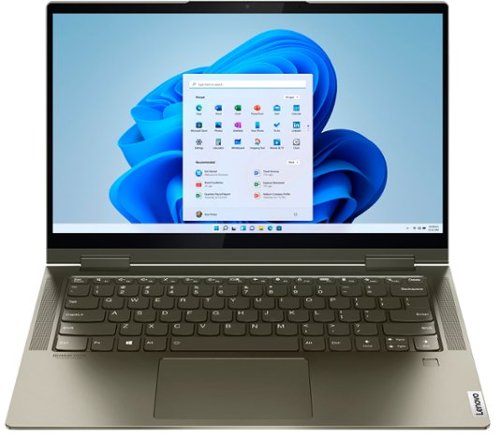
Lenovo - Yoga 7i 2-in-1 14" Touch Screen Laptop - Intel Evo Platform Core i5 - 12GB Memory - 512GB Solid State Drive - Dark Moss
The Lenovo Yoga 7i 14" combines versatile portability and enhanced productivity, thanks to the boundary-breaking performance and responsiveness of 11th generation Intel Core i5 processors and vibrant FHD clarity with Intel Iris X graphics. Go anywhere with a sleek 2-in-1 metal chassis featuring thoughtful details including a webcam privacy shutter.
Does the Lenovo 7i have a CD burner
Although there is no built in CD/DVD drive within this Intel Evo-Certified, Lenovo Yoga 7i 14, you can use an external, USB-based Windows compatible CD/DVD drive with this Yoga 7i 14, like this one: https://www.bestbuy.com/site/lg-8x-external-usb-double-layer-dvdrw-cd-rw-drive-black/5852919.p?skuId=5852919
4 years, 5 months ago
by
Posted by:
Lenovo Product Expert
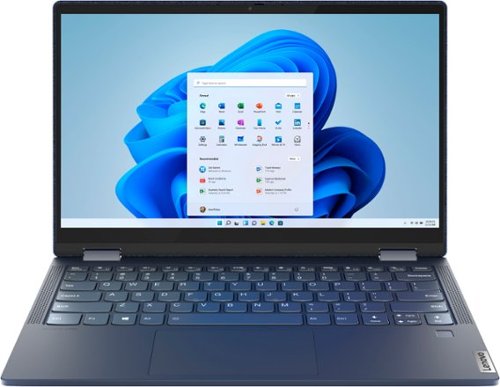
Lenovo - Yoga 6 13 2-in-1 13.3" Touch Screen Laptop - AMD Ryzen 5 - 8GB Memory - 256GB SSD - Abyss Blue with Fabric Cover
The Lenovo~ Yoga~ 6 is an ultra-portable 2-in-1 that combines unique style with the powerful responsiveness of an AMD Ryzen~ 5000 Series Mobile Processor, abundant memory and SSD storage. Enjoy a rich multimedia experience with the clarity of a 13.3" FHD touchscreen display, and enveloping sound with Dolby Atmos~-optimized stereo speakers.
What case covers can be used for this laptop?
You can use any 13 - 14 inch universal laptop case with this Lenovo Yoga 6 13, like these: https://www.bestbuy.com/site/searchpage.jsp?st=13+-+14+inch+universal+laptop+cases&_dyncharset=UTF-8&_dynSessConf=&id=pcat17071&type=page&sc=Global&cp=1&nrp=&sp=&qp=&list=n&af=true&iht=y&usc=All+Categories&ks=960&keys=keys
4 years, 5 months ago
by
Posted by:
Lenovo Product Expert