Lenovo Product Expert
Lenovo Product Expert's Stats
Reviews
- Review Count0
- Helpfulness Votes0
- First ReviewNone
- Last ReviewNone
- Featured Reviews0
- Average Rating0
Reviews Comments
- Review Comment Count0
- Helpfulness Votes0
- First Review CommentNone
- Last Review CommentNone
- Featured Review Comments0
Questions
- Question Count0
- Helpfulness Votes0
- First QuestionNone
- Last QuestionNone
- Featured Questions0
- Answer Count37809
- Helpfulness Votes24,834
- First AnswerApril 21, 2014
- Last AnswerOctober 9, 2026
- Featured Answers0
- Best Answers2828
Lenovo Product Expert's Reviews
Lenovo Product Expert has not submitted any reviews.
Lenovo Product Expert's Questions
Lenovo Product Expert has not submitted any questions.
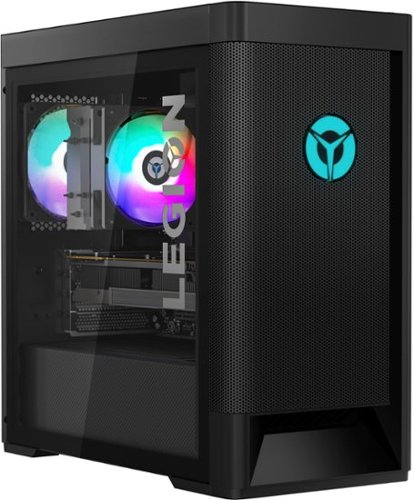
Lenovo - Legion Tower 5 AMD - 90RB001PUS 26/Ryzen 7 5700G/16GB/256GB/1TB/Nvidia GeForce GTX1660 Super/Windows 11 Home - Raven Black
Engineered out of a passion for savage power and unmatched speed, the Lenovo Legion Tower 5 AMD delivers mind-blowing performance that combines AMD Ryzen processors and top-of-the-line NVIDIA GeForce graphics cards for blazing-fast frame rates at up to 4K resolution. Pushing far beyond the upper bounds of smaller rig configurations while keeping things cool and whisper quiet, the Legion Tower 5 is a marvel of build and design, accentuated by its illuminated blue LED logo and lighting, as well a transparent side panel that can properly showcase your internals.
Does the processor have integrated graphics?

Yes. This Lenovo Legion Tower 5 AMD Gaming Desktop Computer, model number 90RB001PUS, ships with the discrete NVIDIA GeForce GTX 1660 SUPER, GPU with 6GB GDDR6 VRAM on the card and also has integrated, AMD Radeon RX Vega 8 Version graphics processing capability, integrated within the AMD Ryzen 7 5700G Processor. You can balance graphics processing for maximum frame rates, within the Lenovo Legion Vantage Dashboard, installed on this computer.
4 years, 5 months ago
by
Posted by:
Lenovo Product Expert

Lenovo - IdeaCentre AIO A340 22" Touch-Screen All-In-One - Intel Pentium - 8GB Memory - 1TB Hard Drive - Black
With its sleek, modern stand and thin bezel display, the Lenovo IdeaCentre A340 is sure to catch your eye. Fire it up and marvel at the super fast, smooth performance, where 8th Generation Intel~ Core~ processing is backed by the latest graphics and memory technology. And with the vast storage space, you~ll see why this space-saving all-in-one makes the perfect family PC.
Can the stand be taken off? I want to buy a pc but I don’t want it to be too high because I have a tv directly on top of it.
The stand of this Lenovo IdeaCentre A340 22 All-In-One System is not removeable.
4 years, 5 months ago
by
Posted by:
Lenovo Product Expert
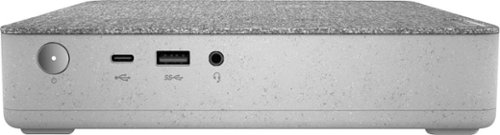
Lenovo - IdeaCentre Mini 5i Desktop - Intel Core i3 - 8GB Memory - 256GB SSD - Mineral Grey
Lenovo~ IdeaCentre~ Mini 5i packs a deceptively powerful punch within a compact and friendly textile-covered exterior, featuring a 10th generation Intel~ Core~ i3 processor, 8GB of fast DDR4 RAM memory, 256GB of solid state storage, and plenty of ports for your everyday computing needs.
Hello, does it have an internal HDD in addition to the SSD. I have read that they usually come with internal HDD of 1TB +SSD
This Lenovo IdeaCentre Mini 5i Desktop Computer, model number 90Q6000HUT, ships with one 256GB M.2 2242 PCIe NVMe solid state hard drive, installed. The maximum storage capacity that this model configuration can support is: Up to two drives, 1x 2.5 inch HDD + 1x M.2 SSD - 2.5 inch HDD up to 2TB plus M.2 SSD up to 1TB. We recommend you consult with your certified technician about your storage upgrade options.
4 years, 5 months ago
by
Posted by:
Lenovo Product Expert
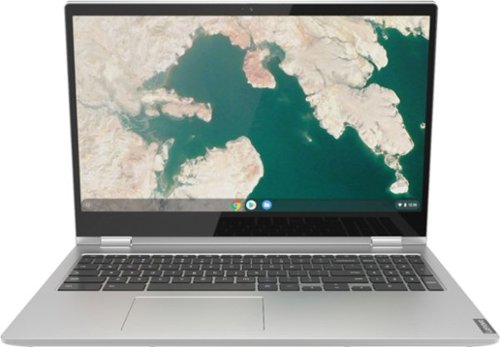
Lenovo - C340-15 2-in-1 15.6" Touch-Screen Chromebook - Intel Core i3 - 4GB Memory - 64GB eMMC Flash Memory - Mineral Gray
Lenovo C340-15 Convertible 2-in-1 Chromebook: The Chromebook C340 brings you everyone's favorite Chromebook features in a slim 2-in-1 chassis, running on the lightning fast Chrome OS. It boots up in seconds, updates automatically, and is protected by built-in virus protection.
Do open box items have same warranty as new?
This Open-Box Lenovo C340 15 Chromebook will have the remainder of any time left on the limited 1-year manufacturer's warranty, which covers OEM hardware issues.
4 years, 5 months ago
by
Posted by:
Lenovo Product Expert
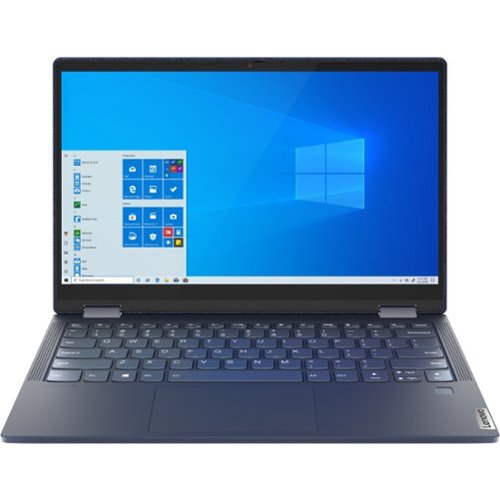
Lenovo - Yoga 6 13.3" Laptop - AMD Ryzen 7 - 16 GB Memory - 1 TB SSD - Abyss Blue
Featuring a premium textile cover, the Lenovo Yoga 6 is an ultra-portable 2-in-1 that combines unique style with the powerful responsiveness of an AMD Ryzen 5000 Series Mobile Processor, abundant memory and SSD storage. Enjoy a rich multimedia experience with the clarity of a 13.3" FHD touchscreen display, and enveloping sound with Dolby Atmos-optimized stereo speakers.
What is the screen brightness rating for this model? How many nits? 300?
This Lenovo Yoga 6 13 model number 82ND006NUS, ships with a 13.3 inch (screen size measured diagonally) IPS - FHD (1920x1080) 10-point Multi-touch screen, with a brightness level of 300 nits, has a Glossy finish. This screen provides 100 Percent of the sRGB (72 Percent NTSC) color gamut for excellent color accuracy.
4 years, 5 months ago
by
Posted by:
Lenovo Product Expert
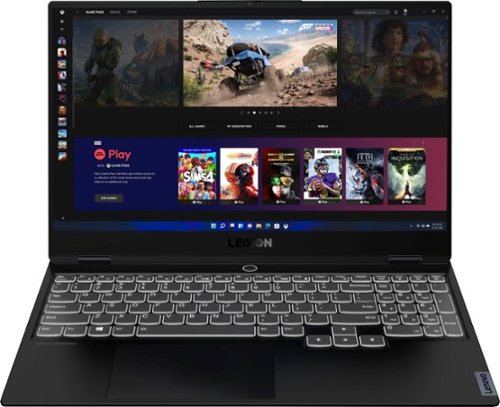
Lenovo - Legion Slim 7 15" 4K Ultra HD Gaming Laptop - AMD Ryzen 9 5900HX - 16GB Memory - NVIDIA GeForce RTX 3050 Ti - 1TB SSD - Shadow Black
The Lenovo~ Legion Slim 7 was engineered for gamers who demand mobility and performance for day and night. Sporting a finely crafted chassis machined from 100% aluminum that is shockingly thin and impressively light, the Legion Slim 7 was expertly crafted for gamers who demand more.
Even with very light usage (browsing on Chrome + reading PDF documents) I'm only getting 2.5-3 hours of battery life. Brightness is always kept below 50% and I'm not using the GPU. Is there a way to extend the battery life to 7-8 hours as advertised?
This Lenovo Legion Slim 7 15 Gaming Laptop, Content Creator's Configuration, model number 82K80081US, ships with a Integrated 71Wh, Lithium-Polymer Battery, which within this configuration, has a battery life of up to 6 hours, depending on the work the device is performing. To maximize battery life, try setting your Power Management to Hybrid within the Lenovo Legion Vantage Dashboard, installed on this computer. Additionally, if you are getting substantially less battery life, first, set your screen brightness at less than 100-percent - try 80-percent to start with. Then, be sure Battery conservation Mode is turned off. This power management setting should only be used when the laptop is plugged in all the time. It will prolong overall battery life by only charging the battery to 60-percent of capacity. Here is a link to instructions for turning off Battery Conservation Mode: https://support.lenovo.com/us/en/solutions/ht103159. Also check what programs are running in the background on the computer. Be sure only the programs you want running in the background are. These programs will drain the battery. Here is a link to information about how to find out what programs are running in the background on your Windows 11 computer and how to manage them for better system performance: https://websiteforstudents.com/how-to-find-what-is-running-in-windows-11/. Then, finally, be sure any software you installed is compatible with Windows 11. Incompatible software will drain the battery at a faster rate. There is no need to install Microsoft Office software. The software is already part of the operating system, you just need to activate the software with a purchased product key. If you have installed a copy of Microsoft Office, this is conflicting with the existing copy on the system and this will slow your system down. If you have installed a 3rd party anti-virus program, be sure that Windows Defender is turned off and that the trial version of McAfee Anti-Virus software is uninstalled. There can only be one anti-virus program on the system. You may need to restore your system to original factory default settings if any of the programming errors have occurred. You can do that by typing "restore" in the Cortana search window. Just click on the magnifying glass icon at the bottom of your Windows 11 Desktop. Click on "Reset This PC" Then click on "Get Started" and follow the on screen directions to restore to factory defaults. If the problem persists, we recommend you contact Lenovo Legion Ultimate Support for additional tips about configuring your lenovo Legion Slim 7 for maximum battery life at: 888-278-9707.
4 years, 5 months ago
by
Posted by:
Lenovo Product Expert
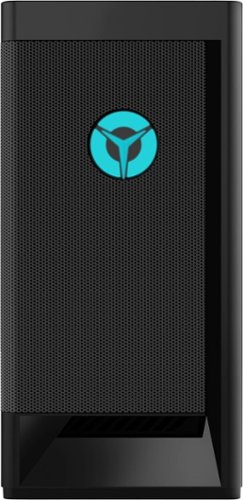
Lenovo - Legion Tower 5i - 90RS0016US 26 / Core i5-11400 / 8GB / 256GB / 1TB / Nvidia GeForce GTX1660 Super / Windows 11 Home - Raven Black
Engineered out of a passion for savage power and unmatched speed, the Lenovo~ Legion Tower 5i delivers mind-blowing performance that combines 11th Generation Intel~ Core~ processors and top-of-the-line NVIDIA~ GeForce~ graphics cards for blazing-fast frame rates at up to 4K resolution. Pushing far beyond the upper bounds of smaller rig configurations while keeping things cool and whisper quiet, the Legion Tower 5i is a marvel of build and design, accentuated by its illuminated blue LED logo and lighting, as well a transparent side panel that can properly showcase your internals.
does it come with a keyboard and mouse if yes what type of keyboard is it
This Lenovo Legion Tower 5i Gaming Desktop Computer, model number 90RS0016US, ships with a basic, wired, USB Calliope Keyboard, Black, English Version, standard QWERTY keyboard with 10-Key Numeric Pad and a basic wired, USB Calliope Mouse, Black.
4 years, 5 months ago
by
Posted by:
Lenovo Product Expert
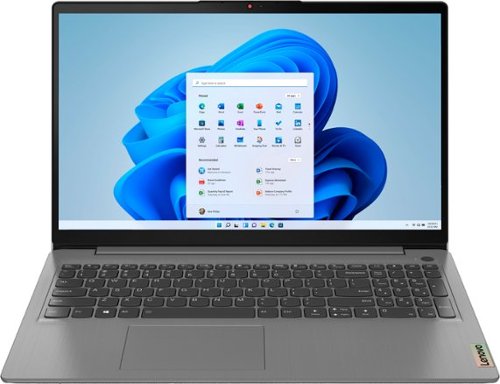
Lenovo - Ideapad 3 15.6" FHD Touch Screen Laptop - Intel Core i5 11th Gen - 12GB Memory - 256GB SSD - Arctic Grey
Engineered for long-lasting performance, the Lenovo~ IdeaPad~ 3 delivers powerful performance with the latest Intel 11th Generation Processors with Intel~ Iris Xe Graphics, in a laptop that's perfect for your everyday tasks, with features that you can depend on.
Could I add an internal hard drive to get more storage or only ssd is allowed?
This Lenovo IdeaPad 3 15 Laptop, model number 82H801DQUS, ships with a 256GB M.2 2242 PCIe 3.0x4 NVMe solid state hard drive installed. The maximum storage capacity that this model configuration can support is: one drive, 1x M.2 SSD - Either a M.2 2242 SSD up to 512GB or a M.2 2280 SSD up to 1TB. We recommend you consult with your certified technician about your storage upgrade options.
4 years, 5 months ago
by
Posted by:
Lenovo Product Expert
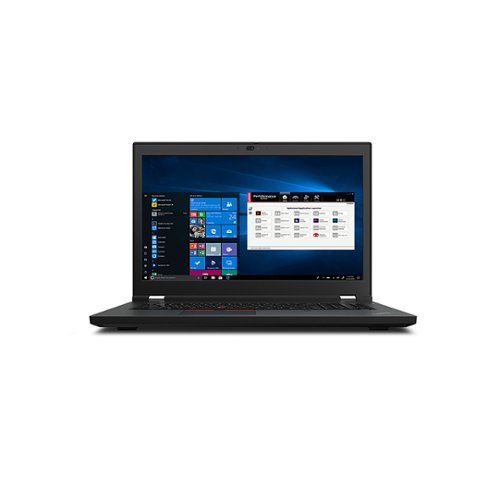
Lenovo - 17.3" Mobile Workstation P17 Gen 2 Laptop - Intel Core i7 - 8GB Memory - NVIDIA T1200 4GB GDDR6 - 512GB SSD - Black
The ThinkPad P17 Gen 2 mobile workstation PC is equipped with your choice of high-performing 11th Gen Intel Core or Intel Xeon processors that deliver the mobile power and features you need to succeed. You get top-notch visuals, too, thanks to a wide selection of pro-grade NVIDIA RTX graphics cards~up to RTX A5000 with 16GB of onboard vRAM.
Can system memory be added?
This Lenovo ThinkPad P17 Gen 2 Mobile Workstation Laptop, model number 20YU001LUS, ships with 8GB DDR4-3200MHz RAM (1x 8GB SO-DIMM DDR4-3200 Non-ECC) installed. There are Four DDR4 SO-DIMM slots, dual-channel capable. The maximum RAM Memory that this model configuration can support is: Up to 128GB DDR4-3200MHz RAM. There is also a 512GB M.2 2280 PCIe 4.0x4 Performance NVMe Opal2 solid state hard drive installed. The maximum storage space that this model configuration can support is: Up to three drives, 3x M.2 SSD - M.2 2280 SSD up to 2TB. We recommend you consult with your certified technician about your upgrade options.
4 years, 5 months ago
by
Posted by:
Lenovo Product Expert
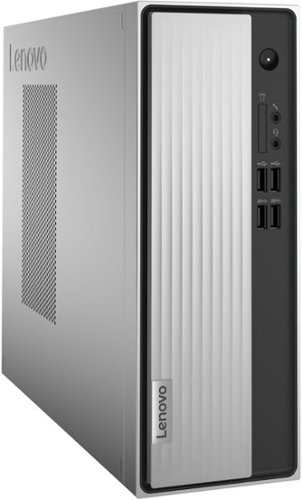
Lenovo - IdeaCentre 3 Desktop - AMD Athlon Silver-Series - 8GB Memory - 256GB SSD - Mineral Grey
Lenovo IdeaCentre 3 07ADA Desktop: Get the job done with this silver Lenovo IdeaCentre 3 desktop computer. An AMD Athlon 3050U processor and 8GB of RAM run multiple programs simultaneously for increased productivity, while the 256GB SSD offers vast storage space for your files and applications. This Lenovo IdeaCentre 3 desktop computer includes a wired mouse and keyboard for easy operation.
Can I connect a DVD player to it?
Yes, you can connect an external, USB-based Windows compatible CD/DVD drive to this Lenovo IdeaCentre 3 Desktop Computer, like this one: https://www.bestbuy.com/site/lg-8x-external-usb-double-layer-dvdrw-cd-rw-drive-black/5852919.p?skuId=5852919
4 years, 5 months ago
by
Posted by:
Lenovo Product Expert