Lenovo Product Expert
Lenovo Product Expert's Stats
Reviews
- Review Count0
- Helpfulness Votes0
- First ReviewNone
- Last ReviewNone
- Featured Reviews0
- Average Rating0
Reviews Comments
- Review Comment Count0
- Helpfulness Votes0
- First Review CommentNone
- Last Review CommentNone
- Featured Review Comments0
Questions
- Question Count0
- Helpfulness Votes0
- First QuestionNone
- Last QuestionNone
- Featured Questions0
- Answer Count37832
- Helpfulness Votes24,835
- First AnswerApril 21, 2014
- Last AnswerOctober 12, 2026
- Featured Answers0
- Best Answers2828
Lenovo Product Expert's Reviews
Lenovo Product Expert has not submitted any reviews.
Lenovo Product Expert's Questions
Lenovo Product Expert has not submitted any questions.
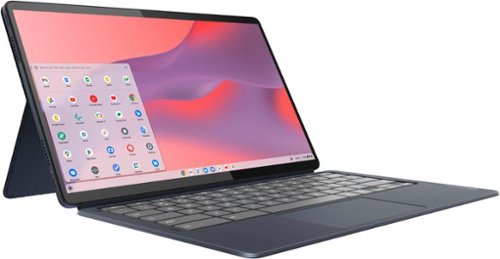
Lenovo - IdeaPad Duet 5 Chromebook 2-in1 Laptop - 13.3" Full HD Touchscreen - Snapdragon SC7180 - 8GB - 128GB - with Keyboard - Abyss Blue
The thin and light 13" IdeaPad Duet 5 Chromebook now packs a brilliant OLED 1920 x 1080 touch screen featuring narrow bezels for true blacks and a cinematic experience, as well as four speakers for clear and resonant audio. Get Minecraft and 3 months of Realms Plus at no cost* with purchase of a new Chromebook. Terms Apply. *Offer valid for qualifying Chromebooks purchased on or after July 1st, 2023 through September 30th, 2023 while supplies last.
is this compatible with a stylus? if so, any specific kind?

This Lenovo Chromebook Duet 5, model number 82QS001HUS, is compatible with a USI Protocol active/digital pen, which is sold separately, like this one from a Best Buy advertising partner: https://www.lenovo.com/us/en/p/accessories-and-software/stylus-pens-and-supplies/stylus-pens-&-supplies_pens/4x80z49662?orgRef=https%253A%252F%252Fwww.google.com%252F&cid=us:sem|se|google|mid-funnel_SSC_Accessories|gs_accessories||4X80Z49662|15914561996|129233503381|pla-296417366329|shopping|brand&gclid=EAIaIQobChMI1LnCzOnF9gIVlKCGCh0IhQolEAYYASABEgITCPD_BwE
4 years, 6 months ago
by
Posted by:
Lenovo Product Expert
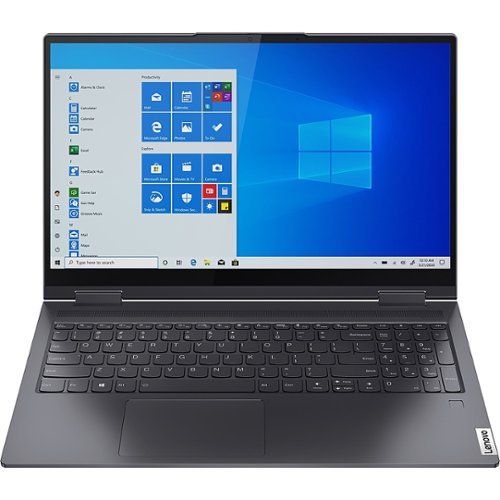
Lenovo - Yoga 7 14" 2in1 Touchscreen Laptop - Intel Core i5-1135G7 - 12 GB Memory - 512GB SSD - Slate Gray
This sleek 2 in 1 laptop offers a contemporary style. Crafted from sandblasted and anodized metal, the Yoga 7i's subtly rounded edges are designed to feel comfortable in your hands. A 360-degree hinge offers stability as you transition from tablet to laptop mode and back.
Does it come with the pen? I read other reviews, which say a pen is included in the box.
No. This Lenovo Yoga 7 14 model number 82BH00DNUS, is compatible with an AES Protocol active/digital pen, which is sold separately, like this one: https://www.bestbuy.com/site/wacom-bamboo-ink-smart-stylus-for-windows-ink-2nd-generation-gray/6374981.p?skuId=6374981
4 years, 6 months ago
by
Posted by:
Lenovo Product Expert
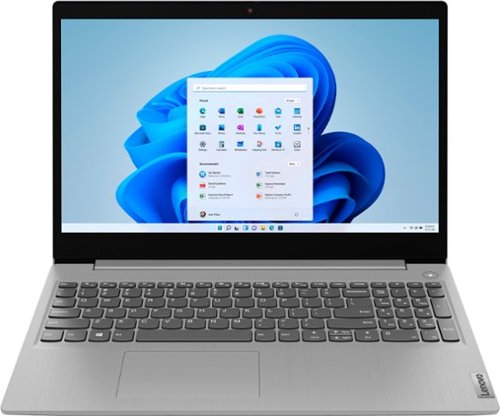
Lenovo - IdeaPad 3 15" HD Touch Screen Laptop - Intel Core i3-1115G4 - Intel UHD Graphics - 8GB Memory - 256GB SSD - Platinum Grey
Engineered for long-lasting performance, the Lenovo~ IdeaPad~ 3 is the perfect laptop for your everyday tasks with features that you can depend on.
is the keyboard lighted ?
No. This Lenovo IdeaPad 3 15 Laptop, model number 81X800ENUS, does not have a backlit keyboard.
4 years, 6 months ago
by
Posted by:
Lenovo Product Expert
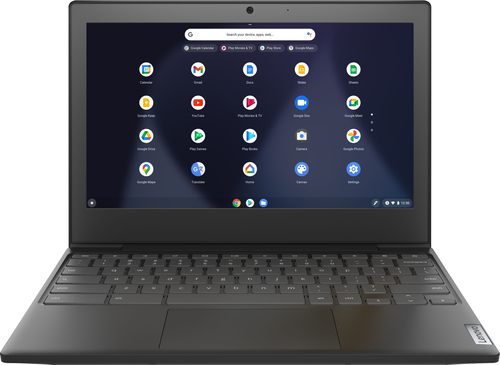
Lenovo - Chromebook 3 11" Chromebook - AMD A6 - 4GB Memory - 32GB eMMC Flash Memory
Fast, flexible, and fun, the Chromebook 3-11" brings everyone~s favorite Chromebook features, housed in a slim chassis, running on the lightning-fast Chrome OS that boots up in seconds, updates automatically, and is protected by built-in virus protection. Powered by an AMD A6 processor with up to 10 hours of battery life, the IdeaPad 3 Chromebook can seamlessly run all of your favorite apps at the same time
Is the ram and storage upgradable? If so what is the maximum ram and storage
No. This Lenovo Chromebook 3 11 model number 82H40000US, ships with 4GB Soldered to the systemboard, DDR4-1866MHz RAM and a 32GB eMMC 5.1 soldered on the systemboard, both of which are not upgradeable.
4 years, 6 months ago
by
Posted by:
Lenovo Product Expert
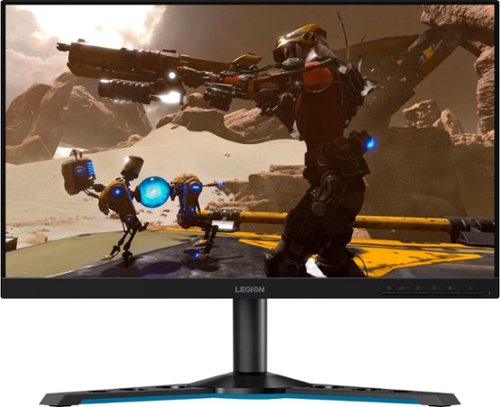
Lenovo - Legion Y25-25 24.5" IPS LED FHD FreeSync and G-SYNC Compatible Gaming Monitor (DisplayPort, HDMI, USB) - Raven Black
Professional Esport gaming is an extremely competitive space~where the difference between winning and losing comes down to the minutest of details. To stand out from the competition, you need equipment that matches the speed of your thought and actions. The Legion Y25-25 delivers wins in the toughest, most critical situations. NVIDIA~ G-SYNC~ Compatible technology takes motion blur out of the equation, improving visual clarity and making prolonged gaming sessions enjoyable. This monitor~s 24.5-inch In-Plane Switching (IPS) panel with a 240 Hz refresh rate and 1ms response time makes it possible to spot an opponent before they see you. When it comes down to a quickfire duel, that is the difference between firing first and getting shot.
Can you mount this monitor to a Gas spring Monitor mount instead of the mount it comes with? There are no picture of the back of the monitor with the back removed to see if it's possible.
This Lenovo Legion Y25-25 Monitor, model number 66AAGAC6US, is compatible with a 100 x 100 mm VESA Mount format. The VESA Mount is sold separately.
4 years, 7 months ago
by
Posted by:
Lenovo Product Expert
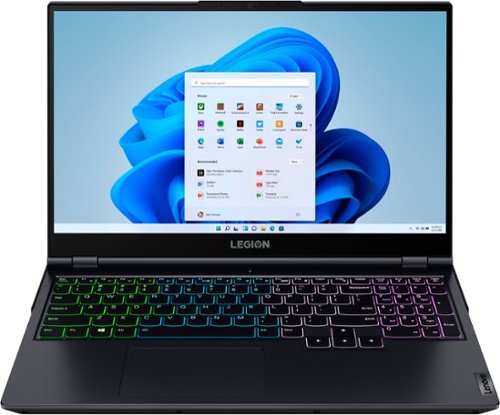
Lenovo - Legion 5 15" Gaming Laptop - AMD Ryzen 7 5800H - NVIDIA GeForce RTX 3050 Ti - 8GB Memory - 512GB SSD - Phantom Blue
Offering a plethora of performance options for any gamer in a clean, minimalist design, the Lenovo~ Legion 5 pairs the latest AMD Ryzen 5800 H-Series processor, NVIDIA GeForce RTX 3050 Ti Graphics, 3200 MHz DDR4 memory, and NVMe TLC SSD storage.
Does this laptop support a Samsung 980 PRO 1TB with Gen 4 or does the board only support gen 3 and not gen 4?
This Lenovo Legion 5 15 Gaming Laptop, model number 82JW00BFUS, ships with a 512GB M.2 2280 PCIe 3.0x4 NVMe solid state hard drive (SAM PM981a 512G M.2 PCIe 2280 SSD SOLID STATE DRIVE, Lenovo Part Number - 01FR595). The maximum supported storage capacity that this model configuration can support is: Up to two drives, 2x M.2 SSD M.2 2242 SSD up to 512GB or M.2 2280 SSD up to 1TB. Here is a link to the complete parts list for this model configuration, with substitute parts listed, where applicable: https://pcsupport.lenovo.com/us/en/products/laptops-and-netbooks/legion-series/legion-5-15ach6/82jw/82jw00bfus/parts/display/model. If you have questions about this Lenovo Legion 5 15 Gaming Laptop, we recommend you contact a Legion Gaming Expert at Lenovo Legion Ultimate Support for more information at: 888-278-9707.
4 years, 7 months ago
by
Posted by:
Lenovo Product Expert
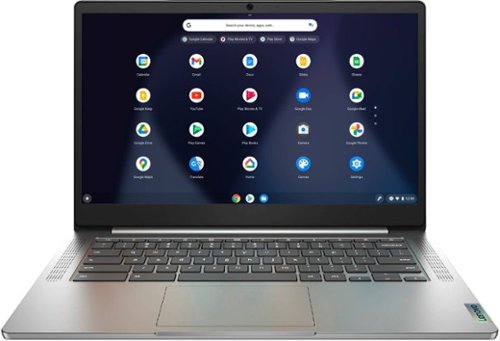
Lenovo - Chromebook 3 14" Laptop - Mediatek MT8183 - 4GB Memory - 64GB eMMC - Arctic Grey
Fast, flexible, and fun, the Chromebook 3-14" brings everyone~s favorite Chromebook features, running on the lightning-fast Chrome OS that boots up in seconds, updates automatically, and is protected by built-in virus protection. Powered by a MediaTek processor and up to 10 hours of battery life, it~ll seamlessly run all of your favorite apps at the same time.
Does this computer have a camera for zoom calls? If not can you please suggest one that does? Thank you
Yes. This Lenovo Chromebook 3 14, model number 82KN0000US, ships with a HD (720p) webcam with Privacy Shutter and Dual Array Microphones built in.
4 years, 7 months ago
by
Posted by:
Lenovo Product Expert
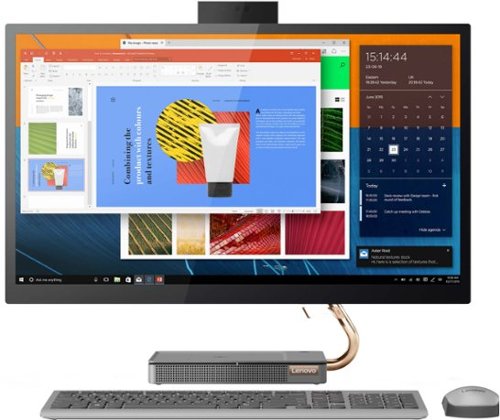
Lenovo - IdeaCentre AIO 5i 27" Touch-Screen All-In-One - Intel Core i5 - 12GB Memory - 512GB Solid State Drive - Mineral Gray
Inspired by the great outdoors, the eye-catching Lenovo IdeaCentre AIO 5i takes its cue from the mighty Cypress tree. Perfectly balanced and durable without sacrificing an ounce of performance with 10th generation Intel Core i5 processor, this all-in-one PC represents an appealing addition to any home.
Does the camera pivot on a hinge or some other way to move up and down once it is deployed from the top?
No. Once the webcam is raised it will remain in that position until the user pushes it back into the storage slot.
4 years, 7 months ago
by
Posted by:
Lenovo Product Expert
Lenovo - IdeaPad 3 15" HD Touch Screen Laptop - Intel Core i3-1115G4 - Intel UHD Graphics - 8GB Memory - 256GB SSD - Platinum Grey
Engineered for long-lasting performance, the Lenovo~ IdeaPad~ 3 is the perfect laptop for your everyday tasks with features that you can depend on.
Is there a Lenovo Docking Station available that is compatible with this laptop? Is this laptop compatible with any USB-C docking station?
This Lenovo IdeaPad 3 15 Laptop, model number 81X800ENUS, ships with these ports: 1x USB 2.0, 2x USB 3.2 Gen 1, 1x HDMI 1.4, 1x Card reader, 1x Headphone / microphone combo jack (3.5mm),
1x Power connector - There are no USB-c ports on this laptop. You can use a universal USB docking station with this IdeaPad 3 15, like this one from a Best Buy advertising partner, this is just one example, there are many varieties of USB universal docking stations available: https://www.ecotradecompany.com/products/plugable-usb-3-0-universal-laptop-docking-station-dual-monitor-for-windows-and-mac-dual-video-hdmi-and-dvi-vga-hdmi-gigabit-ethernet-audio-6-usb-ports?currency=USD&variant=37702079414440&utm_campaign=gs-2019-10-21&utm_source=google&utm_medium=smart_campaign&gclid=EAIaIQobChMIloTD9rq-9gIVhOCzCh0lUAzVEAYYBCABEgKQ5PD_BwE
1x Power connector - There are no USB-c ports on this laptop. You can use a universal USB docking station with this IdeaPad 3 15, like this one from a Best Buy advertising partner, this is just one example, there are many varieties of USB universal docking stations available: https://www.ecotradecompany.com/products/plugable-usb-3-0-universal-laptop-docking-station-dual-monitor-for-windows-and-mac-dual-video-hdmi-and-dvi-vga-hdmi-gigabit-ethernet-audio-6-usb-ports?currency=USD&variant=37702079414440&utm_campaign=gs-2019-10-21&utm_source=google&utm_medium=smart_campaign&gclid=EAIaIQobChMIloTD9rq-9gIVhOCzCh0lUAzVEAYYBCABEgKQ5PD_BwE
4 years, 7 months ago
by
Posted by:
Lenovo Product Expert
Lenovo - IdeaPad 3 15" HD Touch Screen Laptop - Intel Core i3-1115G4 - Intel UHD Graphics - 8GB Memory - 256GB SSD - Platinum Grey
Engineered for long-lasting performance, the Lenovo~ IdeaPad~ 3 is the perfect laptop for your everyday tasks with features that you can depend on.
Is this laptop compatible with Cricut maker?
That will depend on the requirements and compatibility of the specific device you want to connect. This Lenovo IdeaPad 3 15 Laptop, model number 81X800ENUS, ships with the Windows 11 S-Mode 64-bit Operating System installed. Windows 11 S-Mode provides added security by only allowing APPs available ( and therefore certified by Microsoft) at the Microsoft Store. If you don't need the added security or you need to install APPs not available at the Microsoft Store, you can switch to standard Windows 11 Home 64-bit Operating System, at no additional cost. We recommend you check with the specific device manufacturer's web site for their compatibility with Windows 11 S-Mode 64-bit operating system and the minimum/recommended hardware requirements (Is a Graphics card required, the processor speed and the minimum required system RAM and the minimum available hard drive space) to run their program, then compare those requirements to this system's configuration. If you choose to switch out of S-Mode for Windows 11 Home: Here is a link to instructions for switching from Windows 11 S-Mode to Windows 11 Home: https://support.microsoft.com/en-us/help/4456067/windows-10-switch-out-of-s-mode
4 years, 7 months ago
by
Posted by:
Lenovo Product Expert