Lenovo Product Expert
Lenovo Product Expert's Stats
Reviews
- Review Count0
- Helpfulness Votes0
- First ReviewNone
- Last ReviewNone
- Featured Reviews0
- Average Rating0
Reviews Comments
- Review Comment Count0
- Helpfulness Votes0
- First Review CommentNone
- Last Review CommentNone
- Featured Review Comments0
Questions
- Question Count0
- Helpfulness Votes0
- First QuestionNone
- Last QuestionNone
- Featured Questions0
- Answer Count37817
- Helpfulness Votes24,835
- First AnswerApril 21, 2014
- Last AnswerOctober 12, 2026
- Featured Answers0
- Best Answers2828
Lenovo Product Expert's Reviews
Lenovo Product Expert has not submitted any reviews.
Lenovo Product Expert's Questions
Lenovo Product Expert has not submitted any questions.
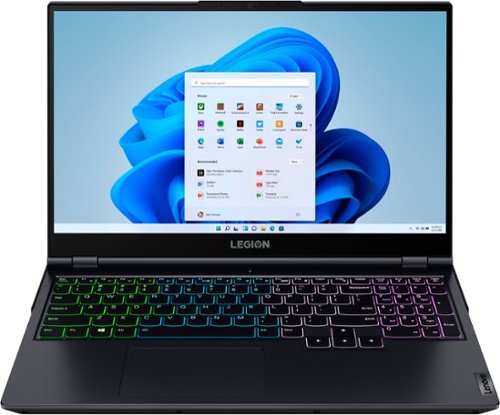
Lenovo - Legion 5 15" Gaming Laptop - AMD Ryzen 7 5800H - NVIDIA GeForce RTX 3050 Ti - 8GB Memory - 512GB SSD - Phantom Blue
Offering a plethora of performance options for any gamer in a clean, minimalist design, the Lenovo~ Legion 5 pairs the latest AMD Ryzen 5800 H-Series processor, NVIDIA GeForce RTX 3050 Ti Graphics, 3200 MHz DDR4 memory, and NVMe TLC SSD storage.
Is the monitor 144hz?

No. This Lenovo Legion 5 15 Gaming laptop, model number 82JW00BFUS, ships with a 15.6 inch (screen size measured diagonally) IPS - FHD (1920x1080) screen with a brightness level of 300 nits, has an Anti-glare Coating, a refresh rate of 165Hz. This screen provides 100 Percent of the sRGB color gamut for excellent color accuracy. This screen is Dolby Vision, Free-Sync and G-Sync Certified. This screen uses DC dimmer for additional eye care.
4 years, 6 months ago
by
Posted by:
Lenovo Product Expert
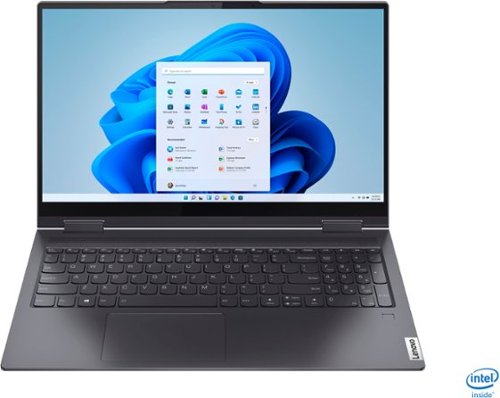
Lenovo - Yoga 7i 2-in-1 15.6" Touch Screen Laptop - Intel Core i5 - 8GB Memory - 256GB Solid State Drive - Slate Grey
The Lenovo Yoga 7i 15" combines versatile portability and enhanced productivity, thanks to the boundary-breaking performance and responsiveness of 11th generation Intel Core i5 processors and vibrant FHD clarity with Intel Iris Xe graphics. Go anywhere with a sleek 2-in-1 metal chassis featuring thoughtful details including a webcam privacy shutter..
What do I need to hook this laptop up to my tv?
This Lenovo Yoga 7i 15 model number 82BJ007TUS, ships with 2x Thunderbolt 4 / USB4 40Gbps (support data transfer, Power Delivery 3.0 and DisplayPort 1.4) ports, with video out to an external monitor. This Yoga 7i 15 supports up to 3 independent displays (native display and 2 external monitors via Thunderbolt). Thunderbolt supports up to 7680×4320@60Hz. You can connect an HDMI monitor to this laptop by using a USB-c Thunderbolt compatible to HDMI adapter, like this one: https://www.bestbuy.com/site/startech-com-usb-c-to-hdmi-adapter-black/5086618.p?skuId=5086618
4 years, 6 months ago
by
Posted by:
Lenovo Product Expert
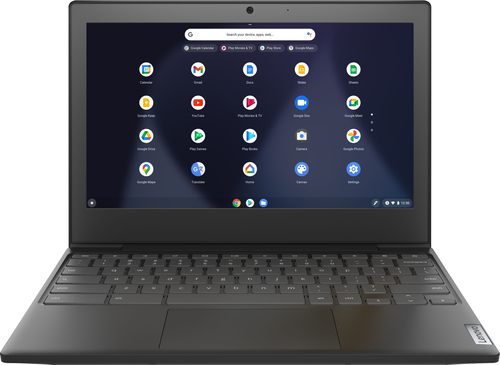
Lenovo - Chromebook 3 11" Chromebook - AMD A6 - 4GB Memory - 32GB eMMC Flash Memory
Fast, flexible, and fun, the Chromebook 3-11" brings everyone~s favorite Chromebook features, housed in a slim chassis, running on the lightning-fast Chrome OS that boots up in seconds, updates automatically, and is protected by built-in virus protection. Powered by an AMD A6 processor with up to 10 hours of battery life, the IdeaPad 3 Chromebook can seamlessly run all of your favorite apps at the same time
Does is have wi fi connection built in?
Yes. This Lenovo Chromebook 3 11 model number 82H40000US, ships with 2x2 802.11ac frequency WiFi built in.
4 years, 6 months ago
by
Posted by:
Lenovo Product Expert
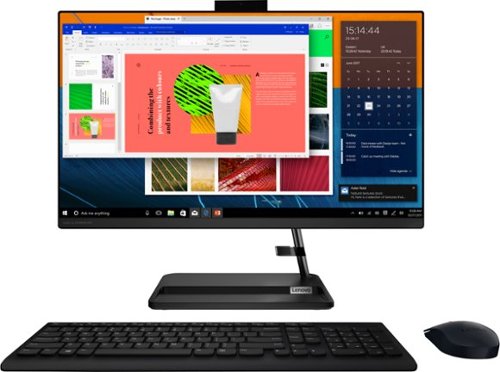
Lenovo - IdeaCentre AIO 3i 24" Touch-Screen All-In-One - Intel Core i3 - 8GB Memory - 256GB Solid State Drive - Black
Great things do come in the smallest packages. Housed in a sleek and compact frame, Lenovo IdeaCentre AIO 3i delivers peak performance with 11th generation Intel Core processing, while holding plenty of storage with a 256GB SSD. Three-sided narrow bezels on the FHD display and Harman-certified stereo speakers make this the consummate family PC.
how do i open the optical drive (DVD+RW)., to load sotware or play a cd,etc? is it the Storage drive door* on the bottom? which I cant get to open,don't see any place else to put in a disc
This Lenovo IdeaCentre 3i 24 All-In-One System, model number F0G000FWUS, has a 9.0mm CD/DVD±RW drive, built in and located on the left side of the screen. Here is a link to the User Guide for this IdeaCentre 3i 24 AIO which illustrates the location of the CD/DVD drive on page 2: https://download.lenovo.com/consumer/desktop_pub/aio_3_6_ug_en_202105.pdf
4 years, 6 months ago
by
Posted by:
Lenovo Product Expert
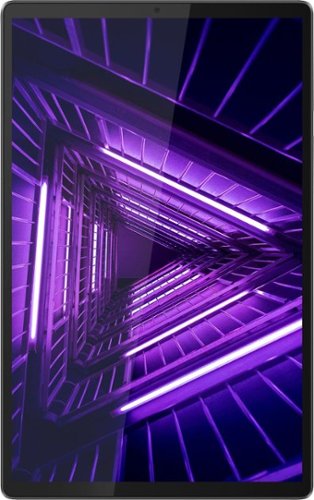
Lenovo - Tab M10 FHD Plus (2nd Gen) - 10.3" - Tablet - 32GB - Iron Gray
Lenovo~ Tab M10 Plus is one impressive media tablet from the 2nd generation tab family. Its standout metal design gives you a premium look and feel with modern simplicity. Inside lies a 10.3" FHD screen and dual speakers for truly immersive entertainment. This is one tablet you will want to use and pass around the house.
Does it have GPS? Will the Square app run on it?
This Lenovo Tab M10 Plus Tablet, model number ZA5T0380US, has GPS capability built in. This GPS feature will only function when the Tab M10 Tablet is connected to a WiFi signal. This Tab M10 Tablet has no cellular/broadband capability built in. You can create a WiFi Hotspot with a compatible cell p-hone, then connect this tablet to that WiFi signal. We recommend you contact your cellular provider for more details. This Tab M10 Plus Tablet ships with the Android 9.0 Operating System installed and is compatible with Google Play Store APPs. We recommend you check with the specific APPs software publisher's web site, of the APP you want to use, for their compatibility with the Android 9.0 operating system and the minimum/recommended hardware requirements (Is a Graphics card required, the processor speed and the minimum required system RAM and the minimum available hard drive space) to run their program, then compare those requirements to this system's configuration.
4 years, 6 months ago
by
Posted by:
Lenovo Product Expert
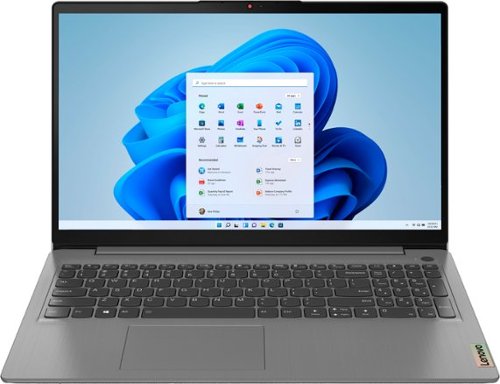
Lenovo - Ideapad 3 15.6" FHD Touch Screen Laptop - Intel Core i5 11th Gen - 12GB Memory - 256GB SSD - Arctic Grey
Engineered for long-lasting performance, the Lenovo~ IdeaPad~ 3 delivers powerful performance with the latest Intel 11th Generation Processors with Intel~ Iris Xe Graphics, in a laptop that's perfect for your everyday tasks, with features that you can depend on.
What printers are compatible?
This Lenovo IdeaPad 3 15 laptop, model number 82H801DQUS, is compatible with any printer that is compatible with Windows 11 S-Mode 64-bit Operating System. Windows 11 S-Mode provides added security by only allowing APPs available ( and therefore certified by Microsoft) at the Microsoft Store. If you don't need the added security or you need to install APPs not available at the Microsoft Store, you can switch to standard Windows 11 Home 64-bit Operating System, at no additional cost. We recommend you check with your printer manufacturer's web site for the compatibility of your specific model printer. If you choose to switch out of S-Mode for Windows 11 Home: Here is a link to instructions for switching from Windows 11 S-Mode to Windows 11 Home: https://support.microsoft.com/en-us/help/4456067/windows-10-switch-out-of-s-mode
4 years, 6 months ago
by
Posted by:
Lenovo Product Expert
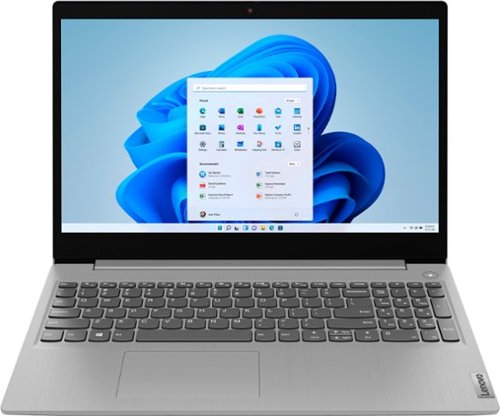
Lenovo - IdeaPad 3 15" HD Touch Screen Laptop - Intel Core i3-1115G4 - Intel UHD Graphics - 8GB Memory - 256GB SSD - Platinum Grey
Engineered for long-lasting performance, the Lenovo~ IdeaPad~ 3 is the perfect laptop for your everyday tasks with features that you can depend on.
Which side does the charger plug in (I prefer the left side) Also does open box include full warranty
This Lenovo IdeaPad 3 15 Laptop, model number 81X800ENUS, has a dedicated, barrel-type, device-side charging port for charging/powering this laptop. Any opened/previously activated Lenovo computer will have what remains of the time left on the limited 1-year manufacturer's warranty, covering hardware OEM issues.
4 years, 6 months ago
by
Posted by:
Lenovo Product Expert
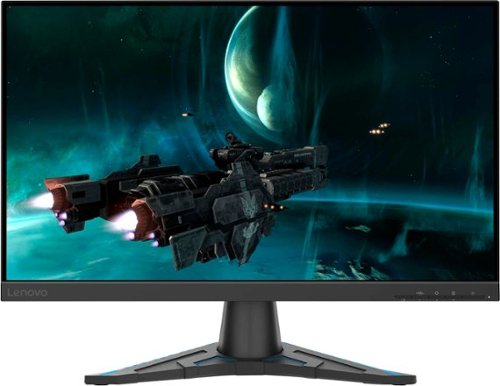
Lenovo - G24e-20 23.8" VA LED FHD FreeSync Gaming Monitor - Black
TRUE-TO-LIFE SCREEN PERFORMANCE FOR ALL THINGS GAMING.With the Lenovo G24e-20 in your arsenal, dominate every game with extraordinary ease. The 23.8-inch screen, and a three-side NearEdgeless VA display offer stunning clarity, giving you a quick-footed advantage whenever you are embroiled in fast-paced games.Players can focus on the game and successfully work out their game plan, thanks to AMD FreeSync~ Premium technology, a 100 Hz refresh rate that you can overclock to 120 Hz, and super-fast 1ms MPRT that virtually eliminate screen tearing and input delay. Moreover, with 95% sRGB color gamut and 3000:1 contrast ratio, you get to enjoy uncompromised color performance for light work and entertainment. Natural Low Blue Light technology protects your eyes while keeping colors accurate. There is no color distortion, unlike the low blue light software solution that makes the visual appear yellowish. Exclusive Lenovo Artery software enables advanced gaming tools and settings to optimize your experience. Everything to ensure you are well-equipped when going for the win.
Can I connect this to two computers (one via DisplayPort, one via HDMI) and toggle which one is the active connection? Looking for a monitor I can connect to both work and personal computers at the same time to streamline my WAH setup.
You can connect two separate computers to this Lenovo G24e-20 Monitor, model number 66D7GCR1US, either via the 1 x HDMI 2.0 port or the 1 x DisplayPort 1.2 port, but this monitor can only support one video signal at a time.
4 years, 6 months ago
by
Posted by:
Lenovo Product Expert
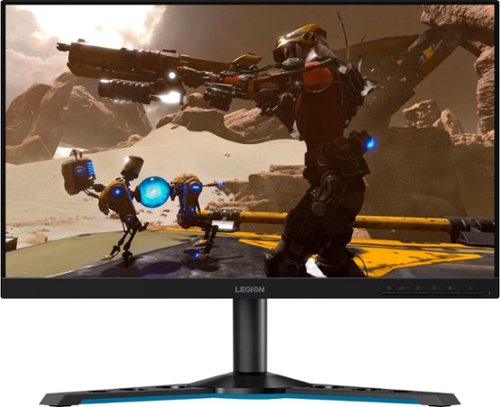
Lenovo - Legion Y25-25 24.5" IPS LED FHD FreeSync and G-SYNC Compatible Gaming Monitor (DisplayPort, HDMI, USB) - Raven Black
Professional Esport gaming is an extremely competitive space~where the difference between winning and losing comes down to the minutest of details. To stand out from the competition, you need equipment that matches the speed of your thought and actions. The Legion Y25-25 delivers wins in the toughest, most critical situations. NVIDIA~ G-SYNC~ Compatible technology takes motion blur out of the equation, improving visual clarity and making prolonged gaming sessions enjoyable. This monitor~s 24.5-inch In-Plane Switching (IPS) panel with a 240 Hz refresh rate and 1ms response time makes it possible to spot an opponent before they see you. When it comes down to a quickfire duel, that is the difference between firing first and getting shot.
is there a place where I can plug in my mouse or keyboard on the monitor?
Yes. This Lenovo Legion Y25-25 Monitor, model number 66AAGAC6US, ships with USB-Hub feature and has 4x USB 3.2 Gen 1 (2x Battery Charge Capable 1.2) ports. Here is a link to the User Guide for this Legion Y25-25 monitor, which illustrates the USB-Hub features of this monitor on page 1.6: https://download.lenovo.com/consumer/monitor/y25_25_ug_en.pdf
4 years, 6 months ago
by
Posted by:
Lenovo Product Expert
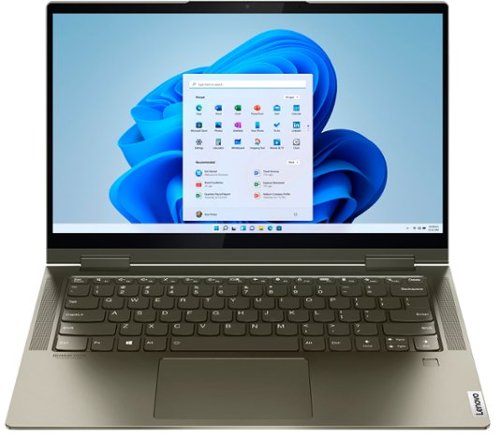
Lenovo - Yoga 7i 2-in-1 14" Touch Screen Laptop - Intel Evo Platform Core i5 - 12GB Memory - 512GB Solid State Drive - Dark Moss
The Lenovo Yoga 7i 14" combines versatile portability and enhanced productivity, thanks to the boundary-breaking performance and responsiveness of 11th generation Intel Core i5 processors and vibrant FHD clarity with Intel Iris X graphics. Go anywhere with a sleek 2-in-1 metal chassis featuring thoughtful details including a webcam privacy shutter.
Hi there! Does this laptop have the extended desktop feature? I would like to two additional monitors. Also, what is this feature labeled as when I am conducting a search or looking at the specifications? Thanks! Tedra
This Intel Evo-Certified, Lenovo Yoga 7i 14 model number 82BH00DQUS, ships with 2x Thunderbolt 4 / USB4 40Gbps (support data transfer, Power Delivery 3.0 and DisplayPort 1.4) ports, with video out to external monitors. This Yoga 7i 14 supports up to 3 independent displays (native display and 2 external monitors via Thunderbolt). Thunderbolt supports up to 7680×4320@60Hz.
4 years, 6 months ago
by
Posted by:
Lenovo Product Expert