Lenovo Product Expert
Lenovo Product Expert's Stats
Reviews
- Review Count0
- Helpfulness Votes0
- First ReviewNone
- Last ReviewNone
- Featured Reviews0
- Average Rating0
Reviews Comments
- Review Comment Count0
- Helpfulness Votes0
- First Review CommentNone
- Last Review CommentNone
- Featured Review Comments0
Questions
- Question Count0
- Helpfulness Votes0
- First QuestionNone
- Last QuestionNone
- Featured Questions0
- Answer Count37834
- Helpfulness Votes24,836
- First AnswerApril 21, 2014
- Last AnswerOctober 12, 2026
- Featured Answers0
- Best Answers2829
Lenovo Product Expert's Reviews
Lenovo Product Expert has not submitted any reviews.
Lenovo Product Expert's Questions
Lenovo Product Expert has not submitted any questions.
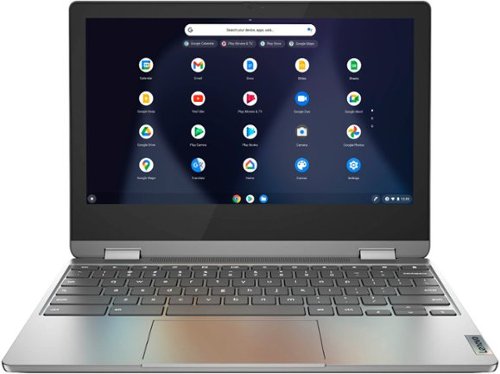
Lenovo - Flex 3 Chromebook 11" Laptop - Mediatek MT8183 - ARM Mali-G72 MP3 Graphics - 4GB Memory - 32GB eMMC
Versatile and portable, the IdeaPad~ Flex 3 Chromebook measures just 19.6 mm thick and weighs 1.2 kg with a full keyboard and spacious trackpad, and can be viewed in tent, tablet, laptop or stand modes. Watch crisp visuals in high definition with its 10-point touchscreen on the 11.6" IPS display while being more productive with help from Google. Just say ~Hey Google*,~ to manage tasks, enjoy your entertainment, get answers, or control smart home devices.
Can you use a stylus with this Chromebook?

This Lenovo Flex 3 11 Chromebook, model number 82KM0002US, is not compatible with any active/digital pen. You can use a capacitive touch stylus is a finger replacement on the touch screen, like this one: https://www.bestbuy.com/site/insignia-stylus-silver/3695185.p?skuId=3695185
4 years, 8 months ago
by
Posted by:
Lenovo Product Expert
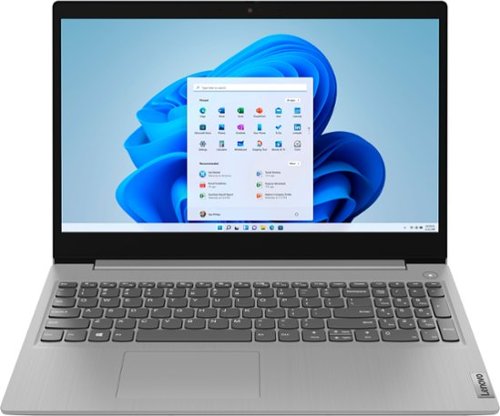
Lenovo - Ideapad 3 15 15.6" Laptop - AMD Ryzen 3 - 8GB Memory - 128GB SSD
Engineered for long-lasting performance, the Lenovo~ IdeaPad~ 3 delivers powerful performance with the latest AMD Mobile Processors with Radeon~ Graphics, in a laptop that's perfect for your everyday tasks, with features that you can depend on.
What specifically is the GPU? Says AMD Radeon but which series is it? 3, 5, RX, etc.
This Lenovo IdeaPad 3 15 Laptop, model number 81W1018XUS, ships with integrated, AMD Radeon RX Vega 3 Version graphics processing, integrated on the AMD Ryzen 3 3250U processor.
4 years, 8 months ago
by
Posted by:
Lenovo Product Expert
Lenovo - Flex 3 Chromebook 11" Laptop - Mediatek MT8183 - ARM Mali-G72 MP3 Graphics - 4GB Memory - 32GB eMMC
Versatile and portable, the IdeaPad~ Flex 3 Chromebook measures just 19.6 mm thick and weighs 1.2 kg with a full keyboard and spacious trackpad, and can be viewed in tent, tablet, laptop or stand modes. Watch crisp visuals in high definition with its 10-point touchscreen on the 11.6" IPS display while being more productive with help from Google. Just say ~Hey Google*,~ to manage tasks, enjoy your entertainment, get answers, or control smart home devices.
can i download candy crush
That will depend on the requirements and compatibility of the specific APP you want to download. This Lenovo Flex 3 11 Chromebook ships with the Chrome Operating System and is compatible with Google Play Store APPs. Not all Google Play Store APPs are optimized for the Chrome Operating System. We recommend you check with the specific APPs software publisher's web site for their compatibility with the Chrome operating system and the minimum/recommended hardware requirements (Is a Graphics card required, the processor speed and the minimum required system RAM and the minimum available hard drive space) to run their program, then compare those requirements to this system's configuration.
4 years, 8 months ago
by
Posted by:
Lenovo Product Expert
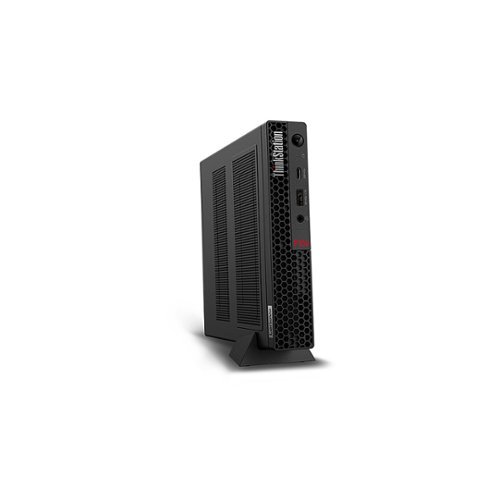
Lenovo - ThinkStation P350 Tiny Desktop - Intel Core i7-11700 - 32GB Memory - Intel UHD Graphics 750 - 1TB SSD - Black
Designed for flexibility, the ThinkStation P350 Tiny workstation easily fits on a bookshelf, on a desk, or tucked away~even behind your monitor. This compact system boasts support for a wide range of enclosures and mounts to maximize your location options. And with its small size, you can even take it with you for a powerful on-the-go desktop.
Does this Lenovo ThinkStation have a usb Type C? The specs just say "number of usb 5" and doesn't say what kind of usb this model has.
This Lenovo ThinkStation P350 Tiny Desktop Computer, model number 30EF0013US, ships with these ports: Front Ports - 1x USB 3.2 Gen 2 (Always On and fast charge), 1x USB-C 3.2 Gen 2
1x headphone / microphone combo jack (3.5mm). Rear Ports - 2x USB 3.2 Gen 1 (one supports Smart Power On), 2x USB 3.2 Gen 2, 1x HDMI, 1x DisplayPort, 1x Ethernet (RJ-45).
1x headphone / microphone combo jack (3.5mm). Rear Ports - 2x USB 3.2 Gen 1 (one supports Smart Power On), 2x USB 3.2 Gen 2, 1x HDMI, 1x DisplayPort, 1x Ethernet (RJ-45).
4 years, 8 months ago
by
Posted by:
Lenovo Product Expert
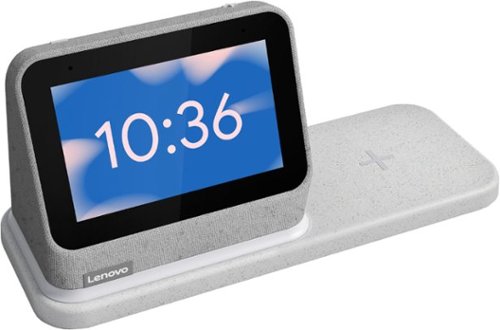
Lenovo - Smart Clock (2nd Gen) 4" Smart Display with Google Assistant and Wireless Charging Dock - Heather Grey
The best bedroom Smart Clock just got even better. The Lenovo Smart Clock Gen 2 with Wireless Charging Dock keeps your nightstand clutter free. Charge up to two additional devices at once: your phone (using the wireless dock) and another accessory, like a smart watch (using the USB port). The 4~ color touchscreen showcases the time, weather and your family photos with a choice of customizable clock faces or check in on your smart cameras feeds before bed. Enhanced with a built-in nightlight when docked, the light is just bright enough to illuminate your way without waking your partner. With multiroom audio, you can add your Lenovo Smart Clock Gen 2 to a speaker group and play media across multiple devices and rooms.
Are you able to get AM radio on this smart clock?
You can stream radio through APPs such as IHeartRadio APP when you have an IHeartRadio account setup on the device you have paired to the Lenovo Smart Clock 2 with your Google Account information.
4 years, 8 months ago
by
Posted by:
Lenovo Product Expert
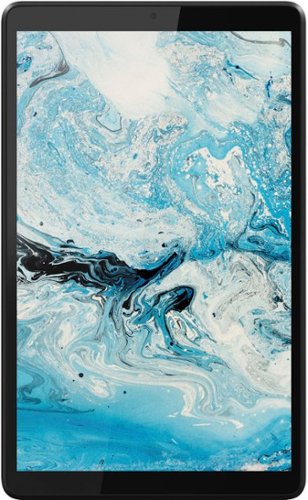
Lenovo - Tab M8 HD (2nd Gen) - 8" - Tablet - 32GB - Iron Grey
Lenovo Tab M8 is the 2nd generation mainstream tablet that comes with standout metal design, and is tailored to make your entertainment experience richer. The stunning 8" HD display brings you a crispier and brighter visual world. More than that, no matter you are watching a thrilling online movie or playing an exciting game, the fast speed and stable connection can also make your enjoyment perfect. Non-stop entertainment is just ON. Lenovo Tab M8, your best companion device with stunning performance and stylish design. The device that everyone wants to have.
Does this take a sim card
No. The Lenovo Tab M8 Tablet, model number ZA5G0060US, uses 802.1ac frequency WiFi only to connect to the internet. You could create a WiFi HotSpot with a compatible cell phone, then connect this Tab M8 to that WiFi signal. We recommend you contact your cellular provider for more information.
4 years, 8 months ago
by
Posted by:
Lenovo Product Expert
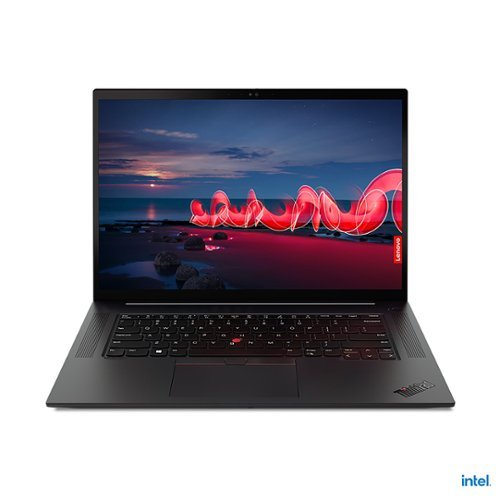
Lenovo - 16" ThinkPad X1 Extreme Gen 4 Laptop - Intel Core i7 - 16GB Memory - NVIDIA GeForce RTX 3060 - 512GB SSD
The ThinkPad X1 Extreme Gen 4 is built for extreme performance with up to the latest 11th Gen Intel Core i9 vPro H series processor, up to 64GB DDR4 (3200MHz) memory, and dual storage with up to 4TB total with Gen 4 performance PCIe SSDs.
Is the system memory currently taking up one slot or two? Is the memory upgradable?
This Lenovo ThinkPad X1 Extreme Gen 4 Laptop, model number 20Y50016US, ships with 16GB DDR4-3200MHz RAM (1x 16GB SO-DIMM DDR4-3200 Non-ECC). There are two DDR4 SO-DIMM slots, dual-channel capable. The maximum supported RAM this model configuration can support is: Up to 64GB DDR4-3200MHz RAM. We recommend you consult with your certified technician about your RAM upgrade options.
4 years, 8 months ago
by
Posted by:
Lenovo Product Expert
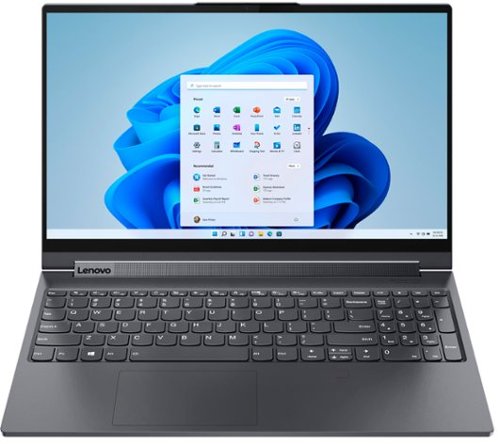
Lenovo - Yoga 9i 15" 2-in-1 Touch-Screen Laptop - Intel Core i7 - 16GB Memory - NVIDIA GeForce GTX 1650 Ti - 1TB SSD - Slate Gray
The Lenovo~ Yoga~ 9i was designed and engineered to put your experience first. Innovative features are encased directly in a sleek 2-in-1 metal chassis. Packed with powerhouse performance typically only available from desktops, 10th generation Intel~ Core~ H-Series processors enable desktop-caliber creativity and productivity.
Is the ssd internal or external?
This Lenovo Yoga 9i 15 model number 82DE002XUS, ships with an internal, 1TB M.2 2280 PCIe 3.0x4 NVMe solid state hard drive.
4 years, 8 months ago
by
Posted by:
Lenovo Product Expert
Lenovo - Flex 3 Chromebook 11" Laptop - Mediatek MT8183 - ARM Mali-G72 MP3 Graphics - 4GB Memory - 32GB eMMC
Versatile and portable, the IdeaPad~ Flex 3 Chromebook measures just 19.6 mm thick and weighs 1.2 kg with a full keyboard and spacious trackpad, and can be viewed in tent, tablet, laptop or stand modes. Watch crisp visuals in high definition with its 10-point touchscreen on the 11.6" IPS display while being more productive with help from Google. Just say ~Hey Google*,~ to manage tasks, enjoy your entertainment, get answers, or control smart home devices.
What kind of wireless mouses work with this model? I have tried 2 USB wireless mouses from Logitech that did not work with this model. Please share manufacturer makes and models of wirelsss mouses please, thank you.
Be sure the wireless mouse you are trying to use with this Lenovo Flex 3 11 Chromebook is compatible with the Chrome Operating System. We recommend you check with the mouse manufacturer's web site for the compatibility of the specific model mouse you are using. This Lenovo Flex 3 11 Chromebook is compatible with any wireless mouse (WiFi 2.4GHz with included USB Chromebook-side Receiver installed) that is compatible with the Chrome Operating System. This Flex 3 11 Chromebook also ships with Bluetooth 4.2 capability built in and can support a compatible Bluetooth 4.2 mouse that is also compatible with the Chrome Operating System. We recommend you check with the mouse manufacturer's web site for compatibility.
4 years, 8 months ago
by
Posted by:
Lenovo Product Expert
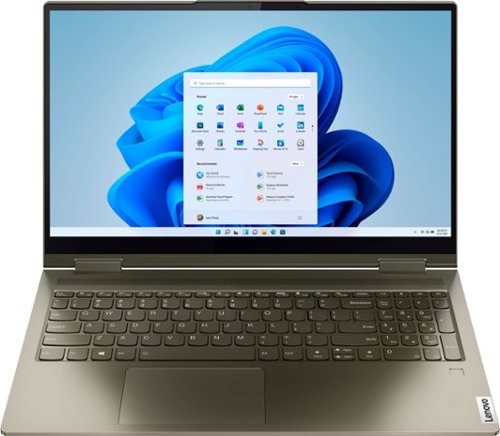
Lenovo - Yoga 7 15ITL5 2-in-1 15.6" Touch-Screen Laptop - Intel Core i7 with 12GB Memory - 512 GB SSD - Dark Moss
Enjoy vibrant visuals on a 15.6 inch FHD display edged with microborders and optimized with an Intel Core processor and Iris Xe graphics. Combining that with a user-facing Dolby Atmos Speaker System, the Yoga 7 2-in-1 laptop offers entertainment that will go anywhere. Crafted from sandblasted anodized metal, the Yoga 7~s subtly rounded edges are designed to feel comfortable in your hands. A 360-degree hinge offers stability as you transition from tablet to laptop mode and back. Thoughtful details include a webcam privacy shutter and a color-matched keyboard with backlighting.
Does this model have a spill resistant keyboard like the ThinkPad’s?
No. This Intel Evo-Certified, lenovo Yoga 7i 15 model number 82BJ007WUS, does not have a spill resistant keyboard.
4 years, 8 months ago
by
Posted by:
Lenovo Product Expert