Lenovo Product Expert
Lenovo Product Expert's Stats
Reviews
- Review Count0
- Helpfulness Votes0
- First ReviewNone
- Last ReviewNone
- Featured Reviews0
- Average Rating0
Reviews Comments
- Review Comment Count0
- Helpfulness Votes0
- First Review CommentNone
- Last Review CommentNone
- Featured Review Comments0
Questions
- Question Count0
- Helpfulness Votes0
- First QuestionNone
- Last QuestionNone
- Featured Questions0
- Answer Count37840
- Helpfulness Votes24,840
- First AnswerApril 21, 2014
- Last AnswerOctober 13, 2026
- Featured Answers0
- Best Answers2830
Lenovo Product Expert's Reviews
Lenovo Product Expert has not submitted any reviews.
Lenovo Product Expert's Questions
Lenovo Product Expert has not submitted any questions.
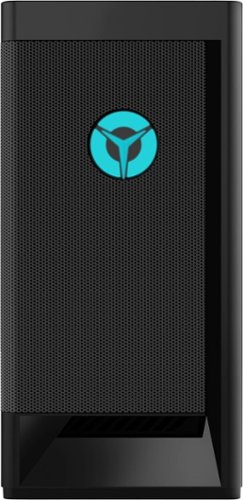
Lenovo - Legion Tower 5i - 90RS0016US 26 / Core i5-11400 / 8GB / 256GB / 1TB / Nvidia GeForce GTX1660 Super / Windows 11 Home - Raven Black
Engineered out of a passion for savage power and unmatched speed, the Lenovo~ Legion Tower 5i delivers mind-blowing performance that combines 11th Generation Intel~ Core~ processors and top-of-the-line NVIDIA~ GeForce~ graphics cards for blazing-fast frame rates at up to 4K resolution. Pushing far beyond the upper bounds of smaller rig configurations while keeping things cool and whisper quiet, the Legion Tower 5i is a marvel of build and design, accentuated by its illuminated blue LED logo and lighting, as well a transparent side panel that can properly showcase your internals.
can i put a stick of ram thats 3200mhz or the mother borad cant hald it

This Lenovo Legion Tower 5i Gaming Desktop Computer, model number 90RS0016US, ships with 8GB DDR4-3200MHz RAM installed (UDIMM, 8GB, DDR4, 3200, Hynix MEMORY - Lenovo Part Number - 5M30V06945). Here is a link to the complete parts list for this model configuration: https://pcsupport.lenovo.com/us/en/products/desktops-and-all-in-ones/legion-series/legion-t5-26iob6/90rs/90rs0016us/parts/display/model
4 years, 9 months ago
by
Posted by:
Lenovo Product Expert
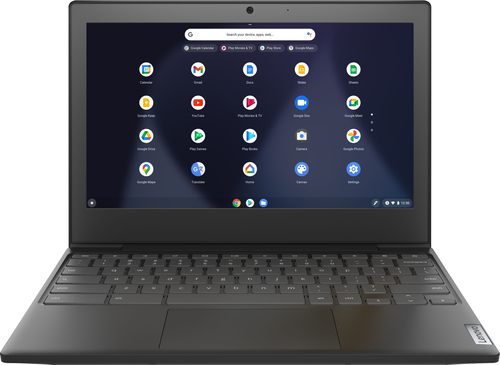
Lenovo - Chromebook 3 11" Chromebook - AMD A6 - 4GB Memory - 32GB eMMC Flash Memory
Fast, flexible, and fun, the Chromebook 3-11" brings everyone~s favorite Chromebook features, housed in a slim chassis, running on the lightning-fast Chrome OS that boots up in seconds, updates automatically, and is protected by built-in virus protection. Powered by an AMD A6 processor with up to 10 hours of battery life, the IdeaPad 3 Chromebook can seamlessly run all of your favorite apps at the same time
Can you download premier pro on here ?
That will depend on the requirements and compatibility of the specific APP you want to use. This Lenovo Chromebook 3 11 ships with the Chrome Operating System and is compatible with Google Play Store APPs. We recommend you check with the specific APPs software publisher's web site, of the specific APP you want to use, for their compatibility with the Chrome operating system and the minimum/recommended hardware requirements (Is a Graphics card required, the processor speed and the minimum required system RAM and the minimum available hard drive space) to run their program, then compare those requirements to this system's configuration.
4 years, 9 months ago
by
Posted by:
Lenovo Product Expert
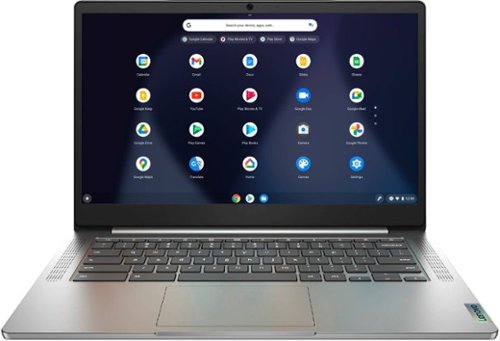
Lenovo - Chromebook 3 14" Laptop - Mediatek MT8183 - 4GB Memory - 64GB eMMC - Arctic Grey
Fast, flexible, and fun, the Chromebook 3-14" brings everyone~s favorite Chromebook features, running on the lightning-fast Chrome OS that boots up in seconds, updates automatically, and is protected by built-in virus protection. Powered by a MediaTek processor and up to 10 hours of battery life, it~ll seamlessly run all of your favorite apps at the same time.
What type of attachment do I need to extend the display to a monitor? I tried a multiport hub but it made the screen look blurry and warped.
This Lenovo Chromebook 3 14 model number 82KN0000US, ships with 1x USB-C 2.0 (support data transfer, Power Delivery 2.0 and DisplayPort 1.1a) port with video out capability to an external monitor. This Chromebook 3 14 supports up to 2 independent displays via native display and 1 external monitor; supports external monitor via USB-C (up to 1920x1080@60Hz). You can connect an HDMI monitor to this Chromebook by using a USB-c to HDMI adapter like this one: https://www.bestbuy.com/site/best-buy-essentials-usb-c-to-hdmi-adapter-white/6458562.p?skuId=6458562
4 years, 9 months ago
by
Posted by:
Lenovo Product Expert
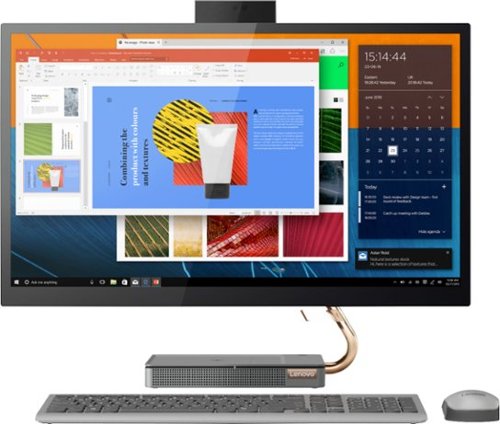
Lenovo - IdeaCentre A540-27ICB 27" Touch-Screen All-In-One - Intel Core i5 - 12GB Memory - 256GB SSD - Mineral Gray
Increase your productivity with this 27-inch QHD Lenovo IdeaCenter All-in-One desktop. The Intel Core i5 processor and 12GB of RAM support seamless multitasking, while a 256GB M.2 SSD combines rapid boots and ample storage. This Bluetooth-enabled Lenovo IdeaCenter All-in-One desktop features a Full HD camera for smooth videoconferencing and arrives with Windows 10 Home 64 bit installed to get you started right away.
When logging onto my account the screen turned black and hat not shown any movement in 20 minutes. Is there something I can do to fix this?
This may be due to a Operating System update. Let the computer remain as-is for the moment. If the issue continues for more than 30-minutes total, we recommend you contact Lenovo Tech Support for additional help at: 877-453-6686.
4 years, 9 months ago
by
Posted by:
Lenovo Product Expert
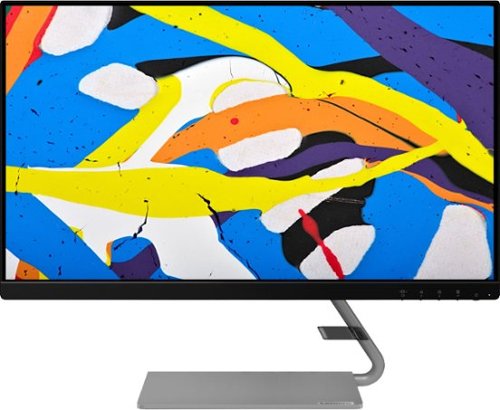
Lenovo - Q24i-1L 23.8" IPS LED FHD FreeSync Monitor Natural Low Blue Light Built-in Speakers (HDMI, VGA) - Black
Add a touch of class and confidence to your living space with the elegantly designed, ultra-slim Lenovo Q24i-1L monitor. Be it in the living room or the study, this sleek display with Full-HD resolution and NearEdgeless bezels bring beauty and functionality together in a perfect 23.8-inch package. Experience superior visuals with its In-Plane Switching display that makes the view from any angle striking. Bid goodbye to eye strain with Natural Low Blue Light and Eyesafe Display Certification that minimize harmful blue light and yellow distortions without impacting color accuracy. Moreover, T~V Rheinland Eye Comfort-certified panel ensures endless viewing comfort. Take your world of entertainment to the next level with the AMD FreeSync~ technology and dual speakers that offer seamless picture quality and rich audio for an immersive experience, every time.
how do i hook up the speakers to my computer. The speakers do not work on two computers, so it must be something i am doing wrong
Once you have this Lenovo Q24i-1L Monitor connected to your computer with an HDMI cable, right clink on the speaker icon on your computer's desktop screen. Select Playback Devices from the menu that appears. You will see Q24i-1L listed. Select Q24i-1L and make it set as your default speakers. Then clink OK. Adjust your computer audio to your volume preference and select an audio source to test the speaker audio level.
4 years, 9 months ago
by
Posted by:
Lenovo Product Expert
Lenovo - IdeaCentre A540-27ICB 27" Touch-Screen All-In-One - Intel Core i5 - 12GB Memory - 256GB SSD - Mineral Gray
Increase your productivity with this 27-inch QHD Lenovo IdeaCenter All-in-One desktop. The Intel Core i5 processor and 12GB of RAM support seamless multitasking, while a 256GB M.2 SSD combines rapid boots and ample storage. This Bluetooth-enabled Lenovo IdeaCenter All-in-One desktop features a Full HD camera for smooth videoconferencing and arrives with Windows 10 Home 64 bit installed to get you started right away.
can you connect a pen pad to the Lenovo - IdeaCentre A540-27ICB
That will depend on the requirements and compatibility of the external pen pad you want to connect to this Lenovo IdeaCentre A540 27 All-In-One system, model number F0EK007HUS. We recommend you check with the specific pen pad manufacturer's web site that you will be using, for their compatibility with Windows 10/11 Home 64-bit operating system and the minimum/recommended hardware requirements (Is a Graphics card required, the processor speed and the minimum required system RAM and the minimum available hard drive space) to run their program, then compare those requirements to this system's configuration.
4 years, 9 months ago
by
Posted by:
Lenovo Product Expert
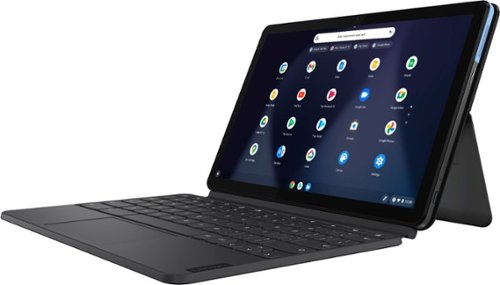
Lenovo - IdeaPad Duet Chromebook - 10.1 (1920x1200) Touch 2-in-1 Tablet - MediaTek P60T - 4G RAM - 128G eMCP4x - with Keyboard - Ice Blue + Iron Gray
Work on pending assignments while on the move with this Lenovo Chromebook Duet. The 10.1-inch touch screen provides an interactive user experience, while the 128GB of internal storage offer ample space for apps and media files. This Lenovo Chromebook Duet features a MediaTek Helio P60T processor and 4GB of RAM for effortless multitasking.
Does this device have "Touch Screen" capability?
Yes. This Lenovo Chromebook Duet, model number ZA6F0016US, has a 10-point Multi-touch screen.
4 years, 9 months ago
by
Posted by:
Lenovo Product Expert
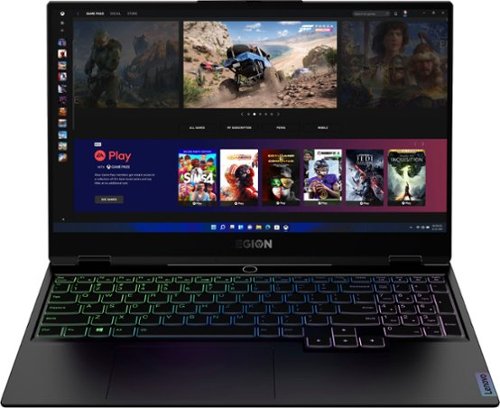
Lenovo - Legion Slim 7 15" Gaming Laptop - AMD Ryzen 7 5800H - 16GB Memory - NVIDIA GeForce RTX 3060 - 512GB SSD - Shadow Black
The Lenovo~ Legion Slim 7 was engineered for gamers who demand mobility and performance for day and night. Sporting a finely crafted chassis machined from 100% aluminum that is shockingly thin and impressively light, the Legion Slim 7 was expertly crafted for gamers who demand more.
Is this compatible with the oculus quest 2?
That will depend on the requirements and compatibility of both the VR hardware and the VR software you will be using. We recommend you check with both the VR hardware manufacturer's web site as well as the VR game's software publisher's web sites for their compatibility with Windows 10/11 Home 64-bit operating system and the minimum/recommended hardware requirements (Is a Graphics card required, the processor speed and the minimum required system RAM and the minimum available hard drive space) to run their program, then compare those requirements to this system's configuration.
4 years, 9 months ago
by
Posted by:
Lenovo Product Expert
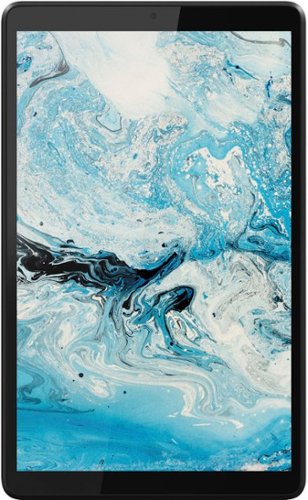
Lenovo - Tab M8 HD (2nd Gen) - 8" - Tablet - 32GB - Iron Grey
Lenovo Tab M8 is the 2nd generation mainstream tablet that comes with standout metal design, and is tailored to make your entertainment experience richer. The stunning 8" HD display brings you a crispier and brighter visual world. More than that, no matter you are watching a thrilling online movie or playing an exciting game, the fast speed and stable connection can also make your enjoyment perfect. Non-stop entertainment is just ON. Lenovo Tab M8, your best companion device with stunning performance and stylish design. The device that everyone wants to have.
Can this tablet get the BARD app?
That will depend on the requirements and compatibility of the specific APP software you want to use. This Lenovo Tab M8 Tablet, model number ZA5G0060US, ships with the Android 9.0 Operating System installed and is compatible with Google Play Store APPs. We recommend you check with the specific APPs software publisher's web site for their compatibility with the Android 9.0 operating system and the minimum/recommended hardware requirements (Is a Graphics card required, the processor speed and the minimum required system RAM and the minimum available hard drive space) to run their program, then compare those requirements to this system's configuration.
4 years, 9 months ago
by
Posted by:
Lenovo Product Expert
Lenovo - Chromebook 3 11" Chromebook - AMD A6 - 4GB Memory - 32GB eMMC Flash Memory
Fast, flexible, and fun, the Chromebook 3-11" brings everyone~s favorite Chromebook features, housed in a slim chassis, running on the lightning-fast Chrome OS that boots up in seconds, updates automatically, and is protected by built-in virus protection. Powered by an AMD A6 processor with up to 10 hours of battery life, the IdeaPad 3 Chromebook can seamlessly run all of your favorite apps at the same time
Does this have google play store
Yes it does. Keep in mind that not all APPs at the Google Play Store are optimized for the Chrome Operating System. We recommend you check with the any specific APPs software publisher's web sites, of any required APPs you will need to use, for their compatibility with the Chrome operating system and the minimum/recommended hardware requirements (Is a Graphics card required, the processor speed and the minimum required system RAM and the minimum available hard drive space) to run their program, then compare those requirements to this system's configuration.
4 years, 9 months ago
by
Posted by:
Lenovo Product Expert