Lenovo Product Expert
Lenovo Product Expert's Stats
Reviews
- Review Count0
- Helpfulness Votes0
- First ReviewNone
- Last ReviewNone
- Featured Reviews0
- Average Rating0
Reviews Comments
- Review Comment Count0
- Helpfulness Votes0
- First Review CommentNone
- Last Review CommentNone
- Featured Review Comments0
Questions
- Question Count0
- Helpfulness Votes0
- First QuestionNone
- Last QuestionNone
- Featured Questions0
- Answer Count37840
- Helpfulness Votes24,840
- First AnswerApril 21, 2014
- Last AnswerOctober 13, 2026
- Featured Answers0
- Best Answers2830
Lenovo Product Expert's Reviews
Lenovo Product Expert has not submitted any reviews.
Lenovo Product Expert's Questions
Lenovo Product Expert has not submitted any questions.
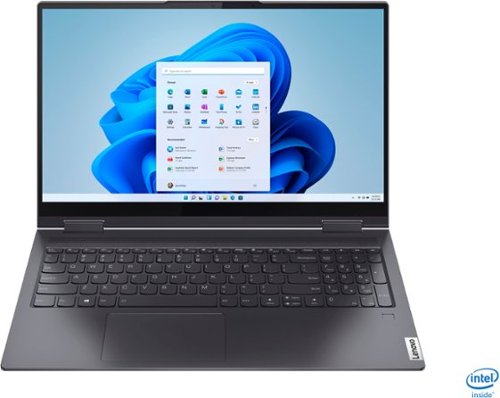
Lenovo - Yoga 7i 2-in-1 15.6" Touch Screen Laptop - Intel Core i5 - 8GB Memory - 256GB Solid State Drive - Slate Grey
The Lenovo Yoga 7i 15" combines versatile portability and enhanced productivity, thanks to the boundary-breaking performance and responsiveness of 11th generation Intel Core i5 processors and vibrant FHD clarity with Intel Iris Xe graphics. Go anywhere with a sleek 2-in-1 metal chassis featuring thoughtful details including a webcam privacy shutter..
silly question but does it come with security anti virus ? if not, what do you recommend?

This Lenovo Yoga 7i 15 model number 82BJ007TUS, ships with a 30-day trial of McAfee Virus Protection Software installed. It will activate automatically with the initial activation of Windows 11 and protect your computer for the 30-day trial period. You do not need to use McAfee VPS. You can uninstall McAfee and use the free Windows Defender VPS that comes with Windows 11 or you can uninstall McAfee and then install your choice of any compatible 3rd party VPS. The key is to uninstall McAfee if you will not be using it, as there can only be one active VPS on the computer at a time. Here is a link to information on uninstalling McAfee from Windows 11: https://service.mcafee.com/webcenter/portal/oracle/webcenter/page/scopedMD/s55728c97_466d_4ddb_952d_05484ea932c6/Page29.jspx?wc.contextURL=%2Fspaces%2Fcp&articleId=TS101331&_afrLoop=1355161020222084&leftWidth=0%25&showFooter=false&showHeader=false&rightWidth=0%25¢erWidth=100%25#!%40%40%3FshowFooter%3Dfalse%26_afrLoop%3D1355161020222084%26articleId%3DTS101331%26leftWidth%3D0%2525%26showHeader%3Dfalse%26wc.contextURL%3D%252Fspaces%252Fcp%26rightWidth%3D0%2525%26centerWidth%3D100%2525%26_adf.ctrl-state%3Dx25crirbo_9
4 years, 9 months ago
by
Posted by:
Lenovo Product Expert
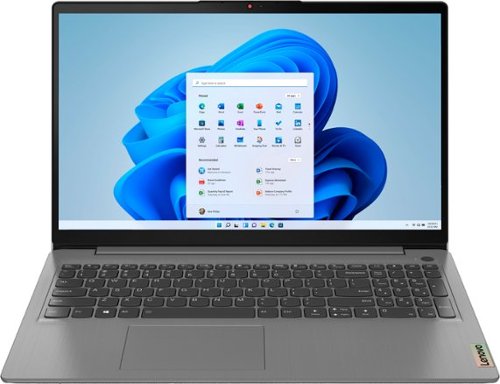
Lenovo - Ideapad 3 15.6" FHD Touch Screen Laptop - Intel Core i5 11th Gen - 12GB Memory - 256GB SSD - Arctic Grey
Engineered for long-lasting performance, the Lenovo~ IdeaPad~ 3 delivers powerful performance with the latest Intel 11th Generation Processors with Intel~ Iris Xe Graphics, in a laptop that's perfect for your everyday tasks, with features that you can depend on.
How is the 12GB RAM configured? 3x4GB? 1x4GB and 1x8GB? Is the RAM soldered to the motherboard and can it be replaced?
This Lenovo IdeaPad 3 15 Laptop, model number 82H801DQUS, ships with 12GB DDR4-3200MHz RAM (4GB Soldered DDR4-3200 + 8GB SO-DIMM DDR4-3200MHz RAM), One memory soldered to systemboard, one DDR4 SO-DIMM slot, dual-channel capable. This is the maximum RAM this model configuration can support.
4 years, 9 months ago
by
Posted by:
Lenovo Product Expert
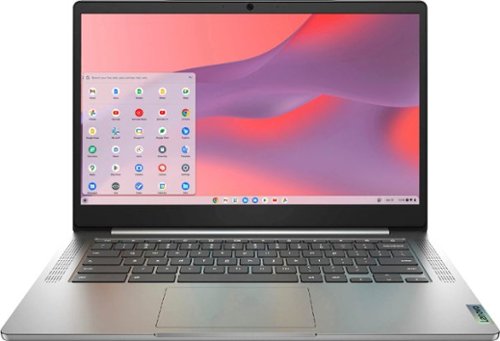
Fast, flexible, and fun, the Chromebook 3-14" brings everyone~s favorite Chromebook features, running on the lightning-fast Chrome OS that boots up in seconds, updates automatically, and is protected by built-in virus protection. Powered by a MediaTek processor and up to 10 hours of battery life, it~ll seamlessly run all of your favorite apps at the same time. Get Minecraft and 3 months of Realms Plus at no cost* with purchase of a new Chromebook. Terms Apply. *Offer valid for qualifying Chromebooks purchased on or after July 1st, 2023 through September 30th, 2023 while supplies last.
Can I watch Netflix movies on it?
That will depend on the requirements and compatibility of the specific APP you want to use. This Lenovo Chromebook 3 14 ships with the Chrome Operating System and is compatible with Google Play Store APPs. Not all Google Play Store APPs are optimized for the Chrome Operating System. We recommend you check with the specific APPs software publisher's web site for their compatibility with the Chrome operating system and the minimum/recommended hardware requirements (Is a Graphics card required, the processor speed and the minimum required system RAM and the minimum available hard drive space) to run their program, then compare those requirements to this system's configuration.
4 years, 9 months ago
by
Posted by:
Lenovo Product Expert
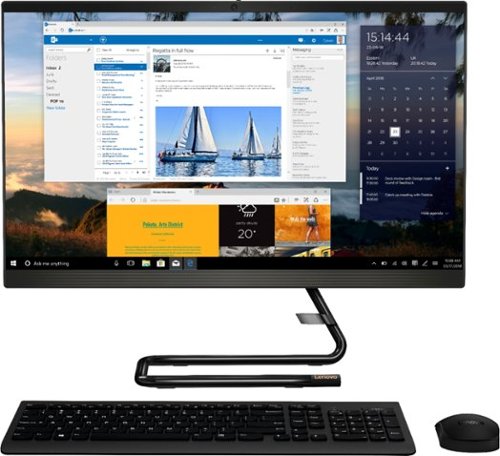
Lenovo - IdeaCentre AIO 3i 24" 23.8" Non-Touch All-In-One - Intel Core i3 - 8GB Memory - 256GB Solid State Drive - Black
For real slick performance and truly stylish engineering, take a look at the Lenovo~ IdeaCentre~ AIO 3i. It~s powered by a 10th generation Intel~ Core~ i3 processor, DDR4 memory, and a 256GB solid-state storage drive, so it can handle any task. With its streamlined stand and near-borderless display, it saves on desk space, too.
Does this all in one have windows media player so I can rip my cd collection into this computer and sync to a MP3 thumb drive and burn music to a cd ? My old hp did . but it has Xp and now windows doesn’t even boot up Thank you
This Lenovo IdeaCentre 3i 24 All-In-One system ships with Windows 10 Home 64-bit Operating System. Here is a link to instructions for download, installing and enabling Windows Media Player within this version of Windows 10: https://www.makeuseof.com/tag/download-install-windows-media-player-12-windows-10/
4 years, 9 months ago
by
Posted by:
Lenovo Product Expert
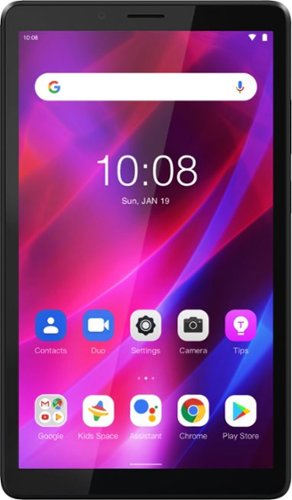
Lenovo - Tab M7 (3rd Gen) - 7" - Tablet - 32GB - Iron Grey
Fitted in a clean, compact and classic all-metal casing, the third generation Lenovo~ Tab M7 is now significantly faster and longer lasting than its predecessors, having inherited major performance boosts with the new quad-core processor and faster LPDDR4 RAM. Stream and play all day with a battery that enables up to 12 hours of video on a single charge and up to 30% faster charging speeds.
This comes with QI (wireless) charging?
No. This Lenovo Tab M7 Tablet is not compatible with wireless charging. It must be charged via the included, wired, 5V/2A (10W) micro-USB 2.0 AC adapter/charger.
4 years, 9 months ago
by
Posted by:
Lenovo Product Expert
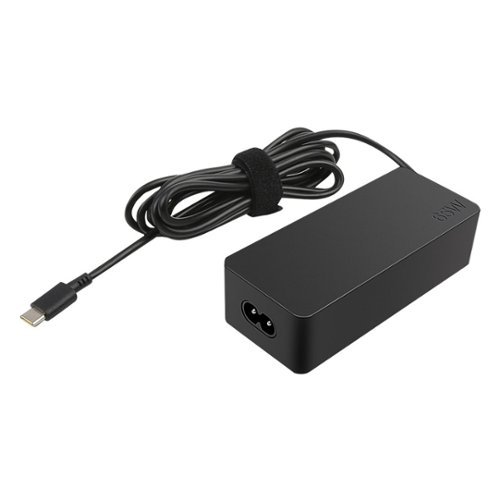
Lenovo - Power Adapter for Tablet 10, ThinkPad 11, 11e Chromebook, Thinkpad 13, 13 Chromebook, ThinkPad A275, A475 and A485 - Black
Enjoy fast, efficient charging while traveling or at home with this 65W Lenovo AC adapter. Its Smart Voltage technology automatically delivers the right amperage and voltage depending on the device.
Is this charger compatible with a Lenovo ThinkPad P52s? The model number of my current Lenovo charger is ADLX65YCC2A. A picture of the charger label is attached for reference. Thanks.
Yes, this is a compatible 65W USB-c type, replacement for the ADLX65YCC2A AC adapter/charger and is compatible with the Lenovo ThinkPad P52s Laptop.
4 years, 9 months ago
by
Posted by:
Lenovo Product Expert
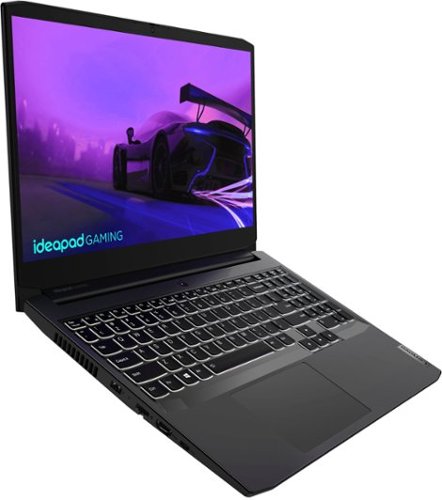
Lenovo - IdeaPad Gaming 3i 15" Laptop - Intel Core i5-11300H - NVIDIA GeForce GTX 1650 - 8GB Memory - 512GB SSD - Shadow Black
Time to elevate your game and esports experience beyond the realm of the ~just acceptable~ with a PC that stands tall amongst your gaming circle. Engineered with Intel i5 H-series processor, NVIDIA~ GeForce~ GTX 1650 graphics, DDR4 memory and M.2 NVMe SSD storage options, the Lenovo~ IdeaPad~ Gaming 3 projects a quiet and serene confidence with smooth, crystal-clear visuals and seamless gameplay that stays cool through improved thermals. The IdeaPad Gaming 3 is also stunning visually turned on or off with an FHD display and an advanced gaming keyboard.
Does this have an rgb keyboard?
No. This Lenovo IdeaPad 3 15 Gaming Laptop, model number 82K100LUUS, ships with a white backlit keyboard.
4 years, 9 months ago
by
Posted by:
Lenovo Product Expert
Lenovo - IdeaPad Gaming 3i 15" Laptop - Intel Core i5-11300H - NVIDIA GeForce GTX 1650 - 8GB Memory - 512GB SSD - Shadow Black
Time to elevate your game and esports experience beyond the realm of the ~just acceptable~ with a PC that stands tall amongst your gaming circle. Engineered with Intel i5 H-series processor, NVIDIA~ GeForce~ GTX 1650 graphics, DDR4 memory and M.2 NVMe SSD storage options, the Lenovo~ IdeaPad~ Gaming 3 projects a quiet and serene confidence with smooth, crystal-clear visuals and seamless gameplay that stays cool through improved thermals. The IdeaPad Gaming 3 is also stunning visually turned on or off with an FHD display and an advanced gaming keyboard.
How many headphone jacks does this laptop have? Looking for gaming laptop with 2,
This Lenovo IdeaPad 3i 15 Gaming Laptop, model number 82K100LUUS, ships with 1x Headphone / microphone combo jack (3.5mm). The best way to be able to connect 2 sets of headphones to one computer is with a 3.5mm splitter like this one: https://www.bestbuy.com/site/best-buy-essentials-6-2-way-audio-splitter-black/6458773.p?skuId=6458773
4 years, 9 months ago
by
Posted by:
Lenovo Product Expert
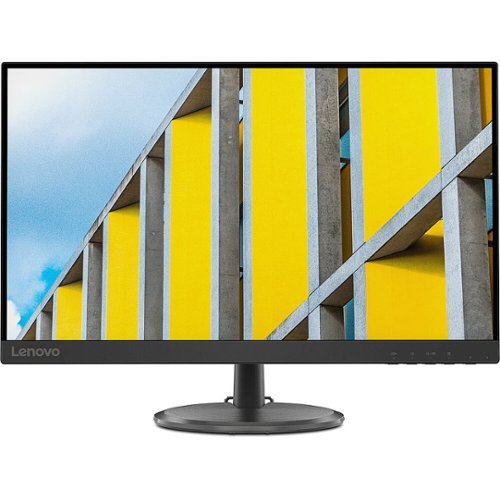
Lenovo - C27-30 27" LED Monitor (HDMI, VGA) - Black
The 27-inch VA panel of C27-30 with 3-side near-edgeless design delivers a large size display area as well as a modern look. AMD FreeSync applied on this product takes image tearing out of the picture.
Is this a computer monitor?
Yes. This Lenovo C27-30 is a monitor only. You will need to connect it to a computer.
4 years, 9 months ago
by
Posted by:
Lenovo Product Expert
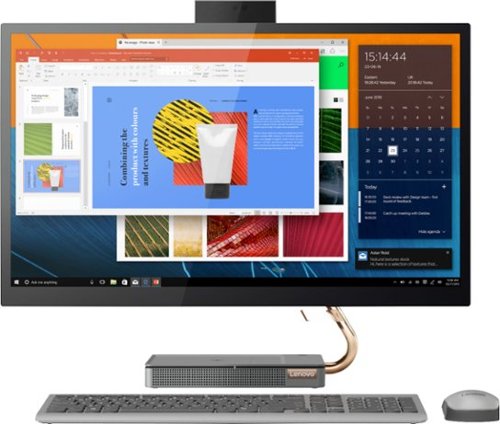
Lenovo - IdeaCentre A540-27ICB 27" Touch-Screen All-In-One - Intel Core i5 - 12GB Memory - 256GB SSD - Mineral Gray
Increase your productivity with this 27-inch QHD Lenovo IdeaCenter All-in-One desktop. The Intel Core i5 processor and 12GB of RAM support seamless multitasking, while a 256GB M.2 SSD combines rapid boots and ample storage. This Bluetooth-enabled Lenovo IdeaCenter All-in-One desktop features a Full HD camera for smooth videoconferencing and arrives with Windows 10 Home 64 bit installed to get you started right away.
The computer is turning on but the monitor isn’t. When I press the small button in the back it says input signal is not detected. Does anyone know a fix??
The button in back of the Lenovo IdeaCentre A540 27 All-In-One System, model number F0EK007HUS, activates the HDMI-In port for connecting an external video source to your computer, using the IdeaCentre A540 27 AIO screen for external video input from a video source, like a game console. It sounds like your computer is looking for the new video signal, but there is none. Try pushing the button one more time. Then restart your computer. Your computer should now boot normally, displaying the Windows Login Screen. If the issue continues, we recommend you contact Lenovo Tech Support for additional help at: 877-453-6686.
4 years, 9 months ago
by
Posted by:
Lenovo Product Expert