Lenovo Product Expert
Lenovo Product Expert's Stats
Reviews
- Review Count0
- Helpfulness Votes0
- First ReviewNone
- Last ReviewNone
- Featured Reviews0
- Average Rating0
Reviews Comments
- Review Comment Count0
- Helpfulness Votes0
- First Review CommentNone
- Last Review CommentNone
- Featured Review Comments0
Questions
- Question Count0
- Helpfulness Votes0
- First QuestionNone
- Last QuestionNone
- Featured Questions0
- Answer Count37840
- Helpfulness Votes24,840
- First AnswerApril 21, 2014
- Last AnswerOctober 13, 2026
- Featured Answers0
- Best Answers2830
Lenovo Product Expert's Reviews
Lenovo Product Expert has not submitted any reviews.
Lenovo Product Expert's Questions
Lenovo Product Expert has not submitted any questions.

Lenovo - Smart Frame 21.5" - Gray
A digital photo frame in a contemporary design, the Lenovo Smart Frame is customized to blend seamlessly into your home's interior. It's your household's entry point to your favorite memories, re-lived directly from your cloud collection. The Lenovo Smart Frame can also transform into live wall art that's customizable to your taste and surroundings, letting you choose from world-famous pieces to display on a brilliant screen. Whether mounted on a wall, placed on an easel or perched on a shelf, the display looks gorgeous from any angle. Easy to install, set up and navigate, the Lenovo Smart Frame delights each and every time you catch a glimpse.
Can you upload photos remotely through an app?

Yes. You can display your Google Photos on the Lenovo Smart Frame, model number ZA6G0006US, that are part of the Google Account you use to setup this Smart Frame. Here is a link to a YouTube video that demonstrates the setup, features and functions of the Lenovo Smart Frame: https://www.youtube.com/watch?v=jKn9aHccCHs&t=184s
4 years, 9 months ago
by
Posted by:
Lenovo Product Expert
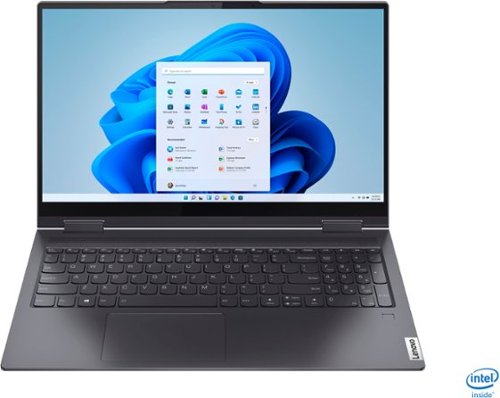
Lenovo - Yoga 7i 2-in-1 15.6" Touch Screen Laptop - Intel Core i5 - 8GB Memory - 256GB Solid State Drive - Slate Grey
The Lenovo Yoga 7i 15" combines versatile portability and enhanced productivity, thanks to the boundary-breaking performance and responsiveness of 11th generation Intel Core i5 processors and vibrant FHD clarity with Intel Iris Xe graphics. Go anywhere with a sleek 2-in-1 metal chassis featuring thoughtful details including a webcam privacy shutter..
I specifically bought this laptop to stream on twitch. But the computer does not seem powerful enough to play a game and run the streaming software. Is there anyway to add enough power to run two tabs at the same time?
This Lenovo Yoga 7i 15 model number 82BJ007TUS, ships with 8GB Soldered DDR4-3200MHz RAM, Memory soldered to systemboard, no slots, dual-channel and is not upgradeable.
4 years, 9 months ago
by
Posted by:
Lenovo Product Expert
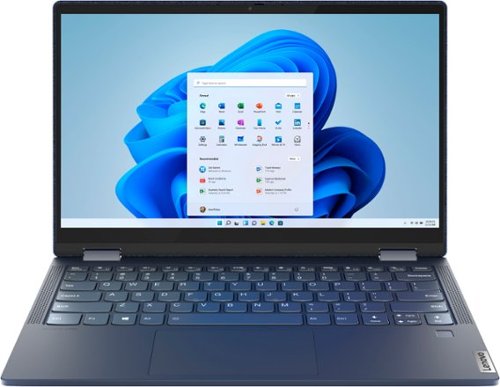
Lenovo - Yoga 6 13 2-in-1 13.3" Touch Screen Laptop - AMD Ryzen 5 - 8GB Memory - 256GB SSD - Abyss Blue with Fabric Cover
The Lenovo~ Yoga~ 6 is an ultra-portable 2-in-1 that combines unique style with the powerful responsiveness of an AMD Ryzen~ 5000 Series Mobile Processor, abundant memory and SSD storage. Enjoy a rich multimedia experience with the clarity of a 13.3" FHD touchscreen display, and enveloping sound with Dolby Atmos~-optimized stereo speakers.
Does the Lenovo Yoga 6 have QI charging?
No. The Lenovo Yoga 6 13 is not wireless charging compatible.
4 years, 9 months ago
by
Posted by:
Lenovo Product Expert
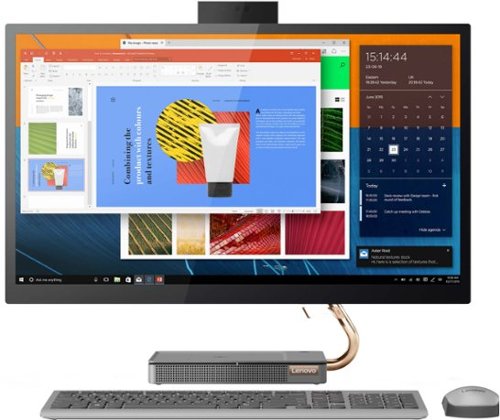
Lenovo - IdeaCentre AIO 5i 27" Touch-Screen All-In-One - Intel Core i5 - 12GB Memory - 512GB Solid State Drive - Mineral Gray
Inspired by the great outdoors, the eye-catching Lenovo IdeaCentre AIO 5i takes its cue from the mighty Cypress tree. Perfectly balanced and durable without sacrificing an ounce of performance with 10th generation Intel Core i5 processor, this all-in-one PC represents an appealing addition to any home.
Can I add 2 additional external HDMI monitors to this PC for a total of 3 screens?
No. This Lenovo IdeaCentre 5i 27 All-In-One System Computer ships with 1x HDMI-Out port and 1x HDMI-In Port. Only the HDMI-Out Port can support an external monitor. The HDMI-In Port is for connecting another video source, like a gaming console, to use the screen on this IdeaCentre 5i 27 AIO. This system can support up to 2 independent displays, via the HDMI-Out Port and the native display.
4 years, 9 months ago
by
Posted by:
Lenovo Product Expert
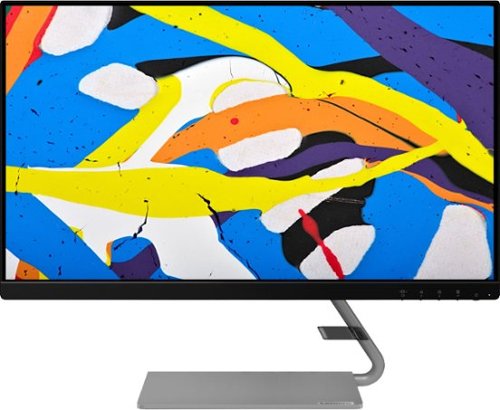
Lenovo - Q24i-1L 23.8" IPS LED FHD FreeSync Monitor Natural Low Blue Light Built-in Speakers (HDMI, VGA) - Black
Add a touch of class and confidence to your living space with the elegantly designed, ultra-slim Lenovo Q24i-1L monitor. Be it in the living room or the study, this sleek display with Full-HD resolution and NearEdgeless bezels bring beauty and functionality together in a perfect 23.8-inch package. Experience superior visuals with its In-Plane Switching display that makes the view from any angle striking. Bid goodbye to eye strain with Natural Low Blue Light and Eyesafe Display Certification that minimize harmful blue light and yellow distortions without impacting color accuracy. Moreover, T~V Rheinland Eye Comfort-certified panel ensures endless viewing comfort. Take your world of entertainment to the next level with the AMD FreeSync~ technology and dual speakers that offer seamless picture quality and rich audio for an immersive experience, every time.
Can you change the direction the stand goes in? I want to buy two of these but it would look silly if the stands were both facing in the same direction.
No. The stand for the Lenovo Q24i 1L Monitor can only be installed one way.
4 years, 9 months ago
by
Posted by:
Lenovo Product Expert
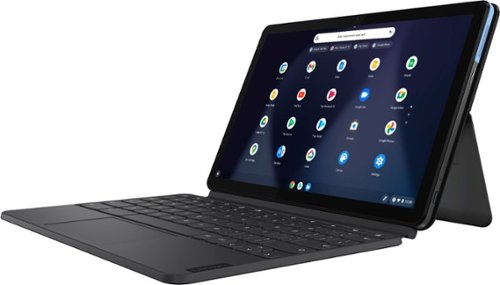
Lenovo - IdeaPad Duet Chromebook - 10.1 (1920x1200) Touch 2-in-1 Tablet - MediaTek P60T - 4G RAM - 128G eMCP4x - with Keyboard - Ice Blue + Iron Gray
Work on pending assignments while on the move with this Lenovo Chromebook Duet. The 10.1-inch touch screen provides an interactive user experience, while the 128GB of internal storage offer ample space for apps and media files. This Lenovo Chromebook Duet features a MediaTek Helio P60T processor and 4GB of RAM for effortless multitasking.
Is this a touchscreen?
Yes. This Lenovo Chromebook Duet, model number ZA6F0016US, ships with a 10-point Multi-touch screen.
4 years, 9 months ago
by
Posted by:
Lenovo Product Expert

Lenovo - IdeaPad 3 15ITL05 15.6" Laptop - Intel Core i3 - 8 GB Memory - 256 GB SSD - Almond
The Lenovo IdeaPad tailored to work and learn from home solutions that address eye strain, posture problems and at-home distractions, while deploying intelligent thermals for a cool and whisper-quiet system. The new privacy shutter on the camera also lets you reserve complete control over your privacy in the home and beyond.
Is this good to use with cricuit air 2
That will depend on the requirements and compatibility of the device you want to connect and run with this Lenovo IdeaPad 3 15 Laptop, model number 81X800ECUS. This IdeaPad 3 15 ships with Windows 10 S-Mode 64-bit Operating System. Windows 10 S-Mode provides added security by only allowing APPs available ( and therefore certified by Microsoft) at the Microsoft Store. If you don't need the added security or you need to install APPs not available at the Microsoft Store, you can switch to standard Windows 10 Home 64-bit Operating System, at no additional cost. We recommend you check with the specific device manufacturer's web site for their compatibility with Windows 10 S-Mode 64-bit operating system and the minimum/recommended hardware requirements (Is a Graphics card required, the processor speed and the minimum required system RAM and the minimum available hard drive space) to run their program, then compare those requirements to this system's configuration. If you choose to switch out of S-Mode for Windows 10 Home: Here is a link to instructions for switching from Windows 10 S-Mode to Windows 10 Home: https://support.microsoft.com/en-us/help/4456067/windows-10-switch-out-of-s-mode
4 years, 9 months ago
by
Posted by:
Lenovo Product Expert
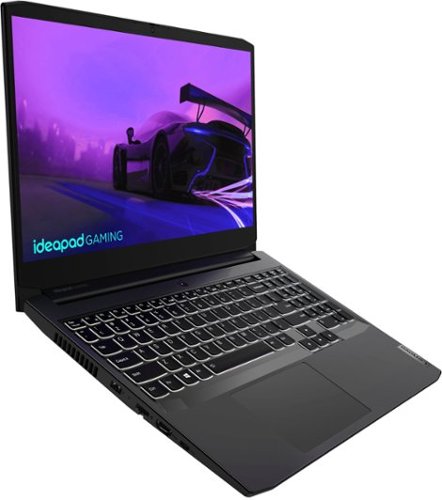
Lenovo - IdeaPad Gaming 3i 15" Laptop - Intel Core i5-11300H - NVIDIA GeForce GTX 1650 - 8GB Memory - 512GB SSD - Shadow Black
Time to elevate your game and esports experience beyond the realm of the ~just acceptable~ with a PC that stands tall amongst your gaming circle. Engineered with Intel i5 H-series processor, NVIDIA~ GeForce~ GTX 1650 graphics, DDR4 memory and M.2 NVMe SSD storage options, the Lenovo~ IdeaPad~ Gaming 3 projects a quiet and serene confidence with smooth, crystal-clear visuals and seamless gameplay that stays cool through improved thermals. The IdeaPad Gaming 3 is also stunning visually turned on or off with an FHD display and an advanced gaming keyboard.
Does this model have two fans?
This Lenovo IdeaPad 3i 15 Gaming Laptop, model number 82K100LUUS, ships with 1x Thermal module C 82K1 P1P1_HY FAN, Lenovo Part Number - 5H40S20395. Here is a link to the complete parts list for this model configuration: https://pcsupport.lenovo.com/us/en/products/laptops-and-netbooks/3-series/ideapad-gaming-3-15ihu6/82k1/82k100luus/parts/display/model
4 years, 9 months ago
by
Posted by:
Lenovo Product Expert
Lenovo - IdeaPad 3 15ITL05 15.6" Laptop - Intel Core i3 - 8 GB Memory - 256 GB SSD - Almond
The Lenovo IdeaPad tailored to work and learn from home solutions that address eye strain, posture problems and at-home distractions, while deploying intelligent thermals for a cool and whisper-quiet system. The new privacy shutter on the camera also lets you reserve complete control over your privacy in the home and beyond.
Which pen/stylus can I use with this laptop since it is touch screen? Lenovo Ideapad 3 15.6" Touch Screen Laptop - Intel Core i3 - 8GB Memory - 256GB SSD - Almond
This Lenovo IdeaPad 3 15 Laptop, model number 81X800ECUS, is not compatible with any active/digital pen. You can use a capacitive touch stylus on the touch screen as a finger replacement, like this one: https://www.bestbuy.com/site/insignia-stylus-silver/3695185.p?skuId=3695185
4 years, 9 months ago
by
Posted by:
Lenovo Product Expert
Lenovo - Q24i-1L 23.8" IPS LED FHD FreeSync Monitor Natural Low Blue Light Built-in Speakers (HDMI, VGA) - Black
Add a touch of class and confidence to your living space with the elegantly designed, ultra-slim Lenovo Q24i-1L monitor. Be it in the living room or the study, this sleek display with Full-HD resolution and NearEdgeless bezels bring beauty and functionality together in a perfect 23.8-inch package. Experience superior visuals with its In-Plane Switching display that makes the view from any angle striking. Bid goodbye to eye strain with Natural Low Blue Light and Eyesafe Display Certification that minimize harmful blue light and yellow distortions without impacting color accuracy. Moreover, T~V Rheinland Eye Comfort-certified panel ensures endless viewing comfort. Take your world of entertainment to the next level with the AMD FreeSync~ technology and dual speakers that offer seamless picture quality and rich audio for an immersive experience, every time.
I'm unable to get better than 1600x900 at 75Hertz. The specs say it supports 1920, but how? I've tried dropping the refresh rate. Nothing helps. I have a 16" MacBook Pro from 2019 running Big Sur. It's miserable. If there's no fix it's going back!
This Lenovo Q24i-1L Monitor, model number 66C0KCC3US, has a resolution of 1920x1080 with a refresh rate of 75 Hz, when used with a compatible computer. The Q24i-1L monitor has both HDMI and VGA connection ports to a compatible computer. We recommend you check with the manufacturer's web site of your specific model computer for the requirements and compatibility of connecting an external monitor to your specific model computer.
4 years, 9 months ago
by
Posted by:
Lenovo Product Expert