Lenovo Product Expert
Lenovo Product Expert's Stats
Reviews
- Review Count0
- Helpfulness Votes0
- First ReviewNone
- Last ReviewNone
- Featured Reviews0
- Average Rating0
Reviews Comments
- Review Comment Count0
- Helpfulness Votes0
- First Review CommentNone
- Last Review CommentNone
- Featured Review Comments0
Questions
- Question Count0
- Helpfulness Votes0
- First QuestionNone
- Last QuestionNone
- Featured Questions0
- Answer Count37861
- Helpfulness Votes24,847
- First AnswerApril 21, 2014
- Last AnswerOctober 15, 2026
- Featured Answers0
- Best Answers2830
Lenovo Product Expert's Reviews
Lenovo Product Expert has not submitted any reviews.
Lenovo Product Expert's Questions
Lenovo Product Expert has not submitted any questions.
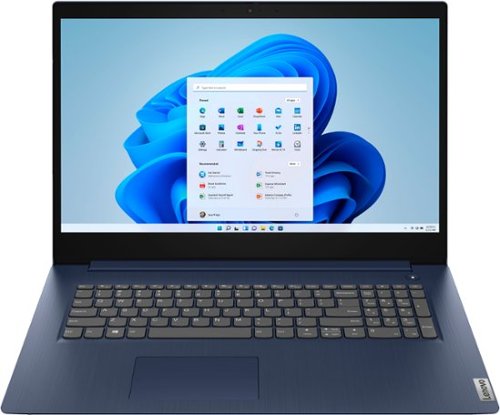
Lenovo - Ideapad 3 17 17" Laptop - Intel Core i5 - 8GB Memory - 1TB HDD - Abyss Blue
Engineered for long-lasting performance, the Lenovo~ IdeaPad~ 3 17 delivers power in a laptop that's perfect for your everyday tasks, with features that you can depend on such as advanced mobile 10th Generation Intel Core processors and all day battery.
Do you have the serial numbers on this laptop?

The laptop serial number is unique for every model. Here is a link to information about how to locate the serial number of your specific laptop if the label on the bottom of the computer is missing or unreadable: https://support.lenovo.com/us/en/solutions/ht510152-how-to-find-serial-numbers-pc
4 years, 11 months ago
by
Posted by:
Lenovo Product Expert
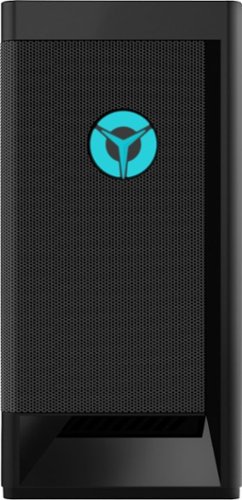
Lenovo - Legion Tower 5i Gaming Desktop - Intel Core i5-11400 - 8GB Memory - NVIDIA GeForce GTX 1660 Super - 256GB SSD + 1TB HDD - Raven Black
Engineered out of a passion for savage power and unmatched speed, the Lenovo~ Legion Tower 5i delivers mind-blowing performance that combines 11th Generation Intel~ Core~ processors and top-of-the-line NVIDIA~ GeForce~ graphics cards for blazing-fast frame rates at up to 4K resolution. Pushing far beyond the upper bounds of smaller rig configurations while keeping things cool and whisper quiet, the Legion Tower 5i is a marvel of build and design, accentuated by its illuminated blue LED logo and lighting, as well a transparent side panel that can properly showcase your internals.
Can the motherboard handle 3200mhz of ram and if not, can it support any lower speed ram sticks?
The Lenovo Legion Tower 5i Gaming Desktop model number 90RS000DUS, ships with 1x 8GB DDR4-3200MHz RAM installed (UDIMM, 8GB, DDR4, 3200, Hynix MEMORY, Lenovo Part Number - 5M30V06945). This model configuration ships with the Intel Rocket-Lake B560 WIN DPK
SYSTEM BOARD, Lenovo Part Number - 5B20W27656. Here is a link to the complete parts list for this model configuration, with substitute parts listed, where available: https://pcsupport.lenovo.com/hr/en/products/desktops-and-all-in-ones/legion-series/legion-t5-26iob6/90rs/90rs000dus/parts/display/model
SYSTEM BOARD, Lenovo Part Number - 5B20W27656. Here is a link to the complete parts list for this model configuration, with substitute parts listed, where available: https://pcsupport.lenovo.com/hr/en/products/desktops-and-all-in-ones/legion-series/legion-t5-26iob6/90rs/90rs000dus/parts/display/model
4 years, 11 months ago
by
Posted by:
Lenovo Product Expert
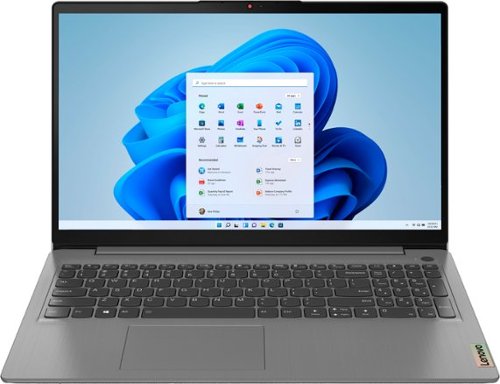
Lenovo - Ideapad 3 15.6" FHD Touch Screen Laptop - Intel Core i5 11th Gen - 12GB Memory - 256GB SSD - Arctic Grey
Engineered for long-lasting performance, the Lenovo~ IdeaPad~ 3 delivers powerful performance with the latest Intel 11th Generation Processors with Intel~ Iris Xe Graphics, in a laptop that's perfect for your everyday tasks, with features that you can depend on.
Does the laptop come with an international warranty? If not, is there any way to apply international warranty from Lenovo?
No. The Lenovo IdeaPad 3 15 Laptop, model number 82H801DQUS, does not have an International Manufacturer's Warranty. There is a limited 1-year Manufacturer's Warranty, covering hardware OEM issues, valid in the USA and Canada only.
4 years, 11 months ago
by
Posted by:
Lenovo Product Expert
Lenovo - Ideapad 3 15.6" FHD Touch Screen Laptop - Intel Core i5 11th Gen - 12GB Memory - 256GB SSD - Arctic Grey
Engineered for long-lasting performance, the Lenovo~ IdeaPad~ 3 delivers powerful performance with the latest Intel 11th Generation Processors with Intel~ Iris Xe Graphics, in a laptop that's perfect for your everyday tasks, with features that you can depend on.
Is this laptop compatible with any pen or stylus?
The Lenovo IdeaPad 3 15 Laptop, model number 82H801DQUS, is not compatible with any active/digital pen. You can use a capacitive touch stylus on this model's touch screen, as a finger replacement, like this one: https://www.bestbuy.com/site/insignia-stylus-silver/3695185.p?skuId=3695185
4 years, 11 months ago
by
Posted by:
Lenovo Product Expert
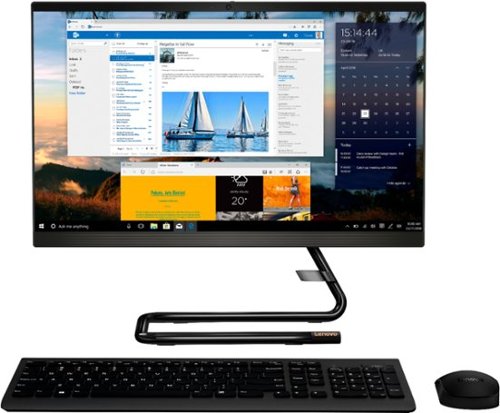
Lenovo - IdeaCentre A340-22IGM 21.5" Touch-Screen All-In-One - Intel Pentium Silver - 8GB Memory - 1TB HDD - Business Black
Finish office work flawlessly with this all-in-one Lenovo IdeaCentre desktop computer. The 1TB HDD provides ample storage space for projects and media, while the 8GB of RAM and Intel Pentium Silver processor let you run multiple programs effortlessly. This 21.5-inch Lenovo IdeaCentre desktop computer includes a Full HD touchscreen, and integrated Intel UHD graphics produce quality visuals.
Does this ship with Windows 11: Lenovo - IdeaCentre A340-22IGM 21.5" Touch-Screen All-In-One - Intel Pentium Silver - 8GB Memory - 1TB HDD - Business Black ?
The Lenovo IdeaCentre A340-22 All-In-One system, model number F0EA003RUS, ships with Windows 10 Home 64-bit Operating System installed. It will upgrade to Windows 11 free, when the upgrade is available for this specific model.
4 years, 11 months ago
by
Posted by:
Lenovo Product Expert
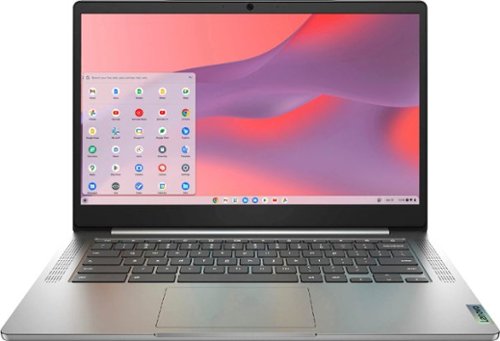
Fast, flexible, and fun, the Chromebook 3-14" brings everyone~s favorite Chromebook features, running on the lightning-fast Chrome OS that boots up in seconds, updates automatically, and is protected by built-in virus protection. Powered by a MediaTek processor and up to 10 hours of battery life, it~ll seamlessly run all of your favorite apps at the same time. Get Minecraft and 3 months of Realms Plus at no cost* with purchase of a new Chromebook. Terms Apply. *Offer valid for qualifying Chromebooks purchased on or after July 1st, 2023 through September 30th, 2023 while supplies last.
How much storage does this laptop have for holding apps? and does it have a web browser?
The Lenovo Chromebook 3 14 model number 82KN0001US, ships with a 64GB eMMC 5.1 solid state hard drive for storage. Approximately 59GB will be available for the user. Chromebooks use the Google Chrome Browser for browsing the internet.
4 years, 11 months ago
by
Posted by:
Lenovo Product Expert
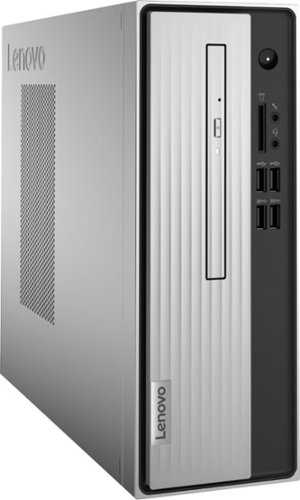
Lenovo - IdeaCentre 3 07ADA Desktop - AMD Athlon -Series - 4GB Memory - 1TB HDD - Silver
Lenovo IdeaCentre 3 07ADA Desktop: Get the job done with this silver Lenovo IdeaCentre 3 desktop computer. An AMD Athlon 3050U processor and 4GB of RAM run multiple programs simultaneously for increased productivity, while the 1TB HDD offers vast storage space for your files and applications. This Lenovo IdeaCentre 3 desktop computer includes a wired mouse and keyboard for easy operation.
Can this operate 3 monitors
No. The Lenovo IdeaCentre 3 Desktop Computer, model number 90MV0001US, supports up to 2 independent displays via onboard ports (VGA and HDMI).
4 years, 11 months ago
by
Posted by:
Lenovo Product Expert
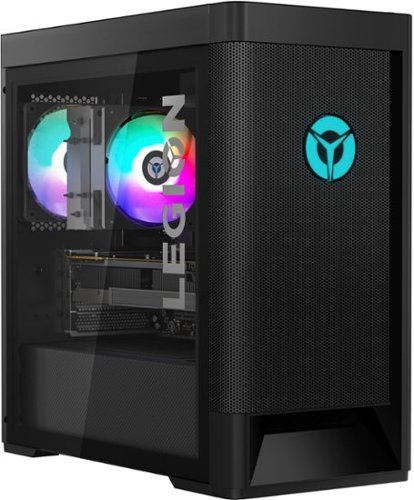
Lenovo - Legion Tower 5 AMD - 90RB001LUS 26/Ryzen 7 5700G/16GB/512GB/1TB/NVIDIA GeForce RTX 3060/Windows 11 Home - Raven Black
Engineered out of a passion for savage power and unmatched speed, the Lenovo Legion Tower 5 AMD delivers mind-blowing performance that combines AMD Ryzen processors and top-of-the-line NVIDIA GeForce graphics cards for blazing-fast frame rates at up to 4K resolution. Pushing far beyond the upper bounds of smaller rig configurations while keeping things cool and whisper quiet, the Legion Tower 5 is a marvel of build and design, accentuated by its illuminated blue LED logo and lighting, as well a transparent side panel that can properly showcase your internals.
What is the motherboard that this pc uses?
The Lenovo Legion Tower 5 AMD Gaming Desktop Computer, model number 90RB001LUS, ships with the AMD Vermeer B550 WIN DPK SYSTEM BOARD, Lenovo Part Number - 5B20W27654. Here is a link to the complete parts list for this model configuration: https://pcsupport.lenovo.com/us/en/products/desktops-and-all-in-ones/legion-series/legion-t5-26amr5/90rb/90rb001lus/parts/display/model
4 years, 11 months ago
by
Posted by:
Lenovo Product Expert
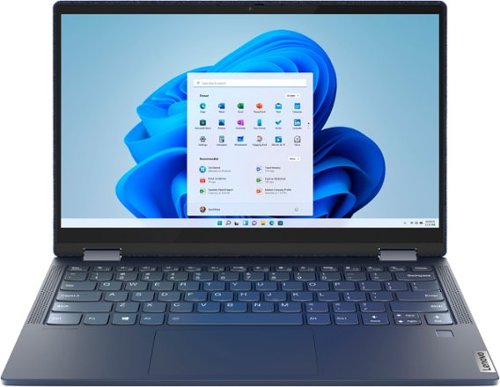
Lenovo - Yoga 6 13 2-in-1 13.3" Touch Screen Laptop - AMD Ryzen 7 - 16GB Memory - 512GB SSD - Abyss Blue Fabric Cover
Featuring a premium textile cover, the Lenovo~ Yoga~ 6 is an ultra-portable 2-in-1 that combines unique style with the powerful responsiveness of an AMD Ryzen~ 4000 Series Mobile Processor, abundant memory and SSD storage. Enjoy a rich multimedia experience with the clarity of a 13.3" FHD touchscreen display, and enveloping sound with Dolby Atmos~-optimized stereo speakers
I recently purchased one of these an I cannot figure out how to connect a Bluetooth mouse. Does it have Bluetooth? I can’t find a setting to turn on Bluetooth even. Surely this is just dumb operator error??
The Lenovo Yoga 6 13 model number 82FN0003US, ships with Bluetooth 5.0 capability built in. This model ships with Windows 10 Operating System installed. Here is a link to instructions for turning on Bluetooth within Windows 10, if you have upgraded to Windows 11 just click on the Windows 11 tab on this page for those instructions: https://support.microsoft.com/en-us/windows/turn-bluetooth-on-or-off-in-windows-9e92fddd-4e12-e32b-9132-5e36bdb2f75a#Category=Windows_10. If you continue to have issues, we recommend you contact Lenovo Premium Care at: 888-278-9707.
4 years, 11 months ago
by
Posted by:
Lenovo Product Expert
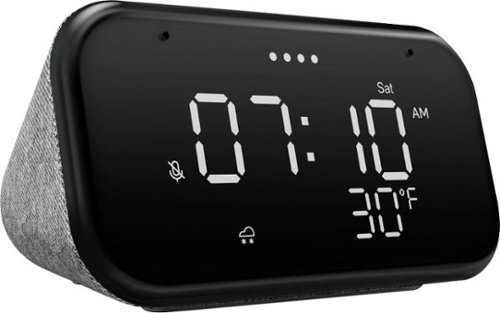
Lenovo - Smart Clock Essential 4" Smart Display with Google Assistant - Soft Touch Gray
The Lenovo Smart Clock Essential is the ultimate smart clock for any room. With a big & bold display you can check out the time from across the room, whether in the kitchen, in the living room or on a shelf. Talk to Google for hands-free help. From checking the time and weather, setting timers for cooking, adding items to your shopping list or making hands-free calls, the Lenovo Smart Clock Essential is here to help you be more productive and take back time. It~s also a great night-time companion with its built-in nightlight that provides a small source of light without waking up the whole family. No more stumbling around in the dark when searching for things. Listen to music, news, podcasts, and more with the clock~s quality speakers. Control over 40,000 compatible smart devices from over 5,000 brands. Ask Google to set the temperature, dim the lights, and more. Just say ~Hey Google.~
Can you choose a different time zone, live in Central but work in Eastern?
Yes. You can go to settings on your Android device that you use to setup your Smart Clock Essential. Use the search function to find Automatic time zone Disable Automatic date & time & Automatic time zone Go into Select time zone and manually select the time zone you want to use for the display time.
4 years, 11 months ago
by
Posted by:
Lenovo Product Expert