Lenovo Product Expert
Lenovo Product Expert's Stats
Reviews
- Review Count0
- Helpfulness Votes0
- First ReviewNone
- Last ReviewNone
- Featured Reviews0
- Average Rating0
Reviews Comments
- Review Comment Count0
- Helpfulness Votes0
- First Review CommentNone
- Last Review CommentNone
- Featured Review Comments0
Questions
- Question Count0
- Helpfulness Votes0
- First QuestionNone
- Last QuestionNone
- Featured Questions0
- Answer Count37880
- Helpfulness Votes24,854
- First AnswerApril 21, 2014
- Last AnswerOctober 16, 2026
- Featured Answers0
- Best Answers2830
Lenovo Product Expert's Reviews
Lenovo Product Expert has not submitted any reviews.
Lenovo Product Expert's Questions
Lenovo Product Expert has not submitted any questions.
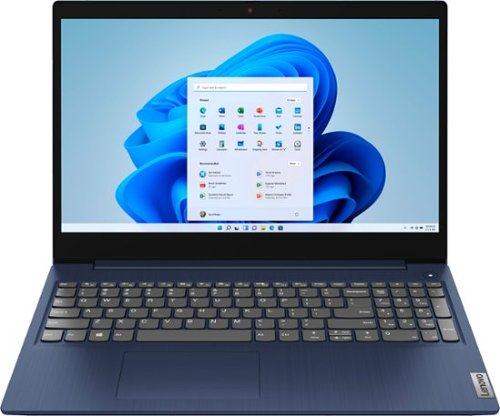
Lenovo - Ideapad 3 15 15.6" Touch-Screen Laptop - Intel Core i3 - 8GB Memory - 256GB SSD - Abyss Blue
Engineered for long-lasting performance, the Lenovo~ IdeaPad~ 3 15 delivers power in a laptop that's perfect for your everyday tasks, with features that you can depend on such as advanced mobile 10th Generation Intel Core processors and all day battery.
Does this computer have a TPM (Trusted Platform Module) for the purposes of the upcoming Windows 11 upgrade?

The Lenovo IdeaPad 3 15 laptop, model number 81WR000FUS, ships with the Firmware TPM 2.0 Security Chip.
5 years, 3 months ago
by
Posted by:
Lenovo Product Expert
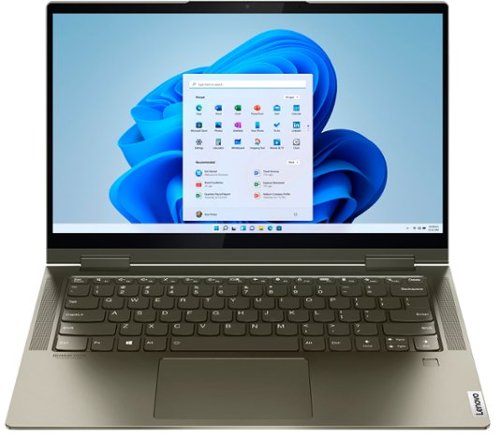
Lenovo - Yoga 7i 2-in-1 14" Touch Screen Laptop - Intel Evo Platform Core i5 - 12GB Memory - 512GB Solid State Drive - Dark Moss
The Lenovo Yoga 7i 14" combines versatile portability and enhanced productivity, thanks to the boundary-breaking performance and responsiveness of 11th generation Intel Core i5 processors and vibrant FHD clarity with Intel Iris X graphics. Go anywhere with a sleek 2-in-1 metal chassis featuring thoughtful details including a webcam privacy shutter.
IS THIS A GOOD COMPUTER FOR GAMERS
That will depend on the requirements and compatibility of the specific games you want to play. We recommend you check with the specific game's software publisher's web sites of the specific games you want to play, for their compatibility with Windows 10 Home 64-bit operating system and the minimum/recommended hardware requirements (Is a Graphics card required, the processor speed and the minimum required system RAM and the minimum available hard drive space) to run their program, then compare those requirements to this system's configuration.
5 years, 3 months ago
by
Posted by:
Lenovo Product Expert
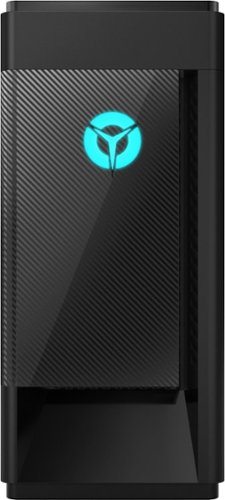
Lenovo - Legion Tower 5i - 90NC00R5US 28/Core i5-10400F/8/256GB/1TB/Nvidia GeForce GTX1650 Super/Windows 10 - Phantom Black
Engineered out of a passion for savage power and unmatched speed, the Lenovo~ Legion Tower 5i delivers mind-blowing performance that combines 10th Generation Intel~ Core~ processors and top-of-the-line NVIDIA~ GeForce~ graphics cards for blazing-fast frame rates at up to 4K resolution. Pushing far beyond the upper bounds of smaller rig configurations while keeping things cool and whisper quiet, the Legion Tower 5i is a marvel of build and design, accentuated by its illuminated blue LED logo and lighting, as well a transparent side panel that can properly showcase your internals.
Will this run any high-end VR games, like boneworks, or blades and sorcery?
That will depend on the requirements and compatibility of the VR hardware you want to use. We recommend you check with the VR hardware manufacturer's web site for their compatibility with Windows 10 Home 64-bit operating system and the minimum/recommended hardware requirements (Is a Graphics card required, the processor speed and the minimum required system RAM and the minimum available hard drive space) to run their program, then compare those requirements to this system's configuration.
5 years, 3 months ago
by
Posted by:
Lenovo Product Expert
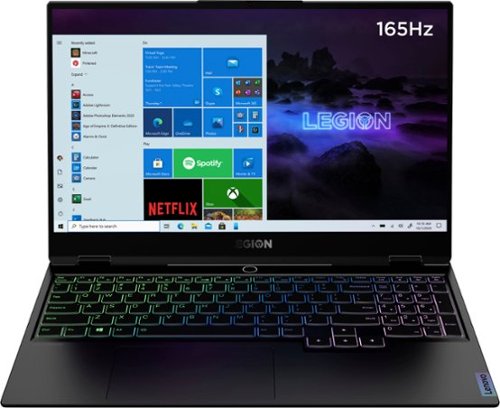
Lenovo - Legion Slim 7 15" Gaming Laptop - AMD Ryzen 7 5800H - NVIDIA GeForce RTX 3060 Max-Q - 16GB Memory - 512GB SSD
The Lenovo~ Legion Slim 7 was engineered for gamers who demand mobility and performance for day and night. Sporting a finely crafted chassis machined from 100% aluminum that is shockingly thin and impressively light, the Legion Slim 7 was expertly crafted for gamers who demand more.
Connecting an external monitor only works on one of the USB-C ports. It does not work on the other. Is this a known limitation for this laptop?
The Lenovo Legion Slim 7 15 Gaming Laptop, model number 82K80001US, ships with 2x USB-C 3.2 Gen 2 (support data transfer, Power Delivery 100w and DisplayPort 1.4) and can support up to 3 independent displays via native display and 2 external monitors; supports external monitors via USB-C (up to 5120x2160@60Hz). Be sure you have your settings correct for multiple monitors within Windows 10. Here is a link to instructions for doing this: https://support.microsoft.com/en-us/windows/how-to-use-multiple-monitors-in-windows-10-329c6962-5a4d-b481-7baa-bec9671f728a. If the issue continues, we recommend you contact a Legion Gaming Expert at Legion Ultimate Support for additional help at: 888-278-9707.
5 years, 3 months ago
by
Posted by:
Lenovo Product Expert
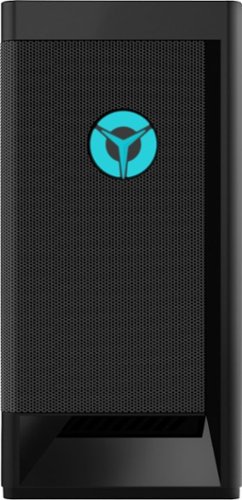
Lenovo - Legion Tower 5i Gaming Desktop - Intel Core i5-11400 - 8GB Memory - NVIDIA GeForce GTX 1660 Super - 256GB SSD + 1TB HDD - Raven Black
Engineered out of a passion for savage power and unmatched speed, the Lenovo~ Legion Tower 5i delivers mind-blowing performance that combines 11th Generation Intel~ Core~ processors and top-of-the-line NVIDIA~ GeForce~ graphics cards for blazing-fast frame rates at up to 4K resolution. Pushing far beyond the upper bounds of smaller rig configurations while keeping things cool and whisper quiet, the Legion Tower 5i is a marvel of build and design, accentuated by its illuminated blue LED logo and lighting, as well a transparent side panel that can properly showcase your internals.
Hi this is my very first gaming pc, will I be able to run games like read dead redemption 2 and gta 5 or call of duty perfectly fine ???
That really will depend on the requirements and compatibility of the specific games you want to run. We recommend you check with the specific game's software publisher's web sites of the games you want to run, for their compatibility with Windows 10 Home 64-bit operating system and the minimum/recommended hardware requirements (Is a Graphics card required, the processor speed and the minimum required system RAM and the minimum available hard drive space) to run their program, then compare those requirements to this system's configuration.
5 years, 3 months ago
by
Posted by:
Lenovo Product Expert
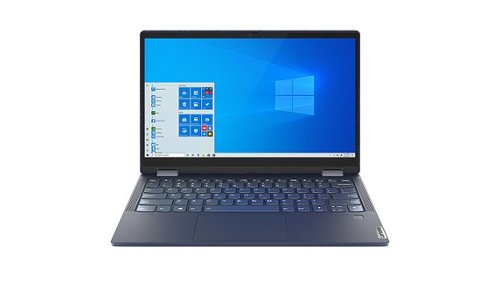
Lenovo - Yoga 6 13 2-in-1 13.3" Touch Screen Laptop - AMD Ryzen 5 - 8GB Memory - 512GB SSD - Abyss Blue Fabric Cover
Featuring a premium textile cover, the Lenovo~ Yoga~ 6 is an ultra-portable 2-in-1 that combines unique style with the powerful responsiveness of an AMD Ryzen~ 4000 Series Mobile Processor, abundant memory and SSD storage. Enjoy a rich multimedia experience with the clarity of a 13.3" FHD touchscreen display, and enveloping sound with Dolby Atmos~-optimized stereo speakers
Is the RAM soldered and what is the colour gamut?
The Lenovo Yoga 6 13 model number 82FN000QUS, ships with 8GB Soldered DDR4-3200MHz RAM, not upgradable. This model ships with a 13.3 inch (screen size measured diagonally) IPS - FHD (1920x1080) 10-point Multi-touch screen, with a brightness level of 300 nits, has a Glossy finish. This screen provides 100 Percent of the sRGB (72 Percent NTSC) color gamut for excellent color accuracy.
5 years, 3 months ago
by
Posted by:
Lenovo Product Expert
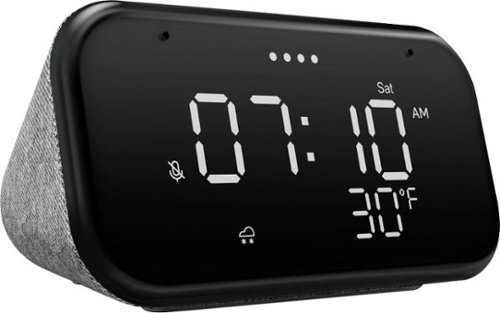
Lenovo - Smart Clock Essential 4" Smart Display with Google Assistant - Soft Touch Gray
The Lenovo Smart Clock Essential is the ultimate smart clock for any room. With a big & bold display you can check out the time from across the room, whether in the kitchen, in the living room or on a shelf. Talk to Google for hands-free help. From checking the time and weather, setting timers for cooking, adding items to your shopping list or making hands-free calls, the Lenovo Smart Clock Essential is here to help you be more productive and take back time. It~s also a great night-time companion with its built-in nightlight that provides a small source of light without waking up the whole family. No more stumbling around in the dark when searching for things. Listen to music, news, podcasts, and more with the clock~s quality speakers. Control over 40,000 compatible smart devices from over 5,000 brands. Ask Google to set the temperature, dim the lights, and more. Just say ~Hey Google.~
What will the clock display when the internet goes out?
No. The Lenovo Smart Clock Essential needs to be connected to a power source and WiFi to function.
5 years, 3 months ago
by
Posted by:
Lenovo Product Expert
Lenovo - Legion Slim 7 15" Gaming Laptop - AMD Ryzen 7 5800H - NVIDIA GeForce RTX 3060 Max-Q - 16GB Memory - 512GB SSD
The Lenovo~ Legion Slim 7 was engineered for gamers who demand mobility and performance for day and night. Sporting a finely crafted chassis machined from 100% aluminum that is shockingly thin and impressively light, the Legion Slim 7 was expertly crafted for gamers who demand more.
Does this model use the Vapor Chamber cooling that is present in other Legion series gaming laptops?
The Lenovo Legion Slim 7 15 Gaming Laptop, model number 82K80001US, uses Legion Coldfront 3.0’s thermal system. Lenovo Legion Coldfront 3.0 thermals provide an increased airflow of 18 percent gen-to-gen and lower system temperatures for longer gameplay with zero throttling.
5 years, 3 months ago
by
Posted by:
Lenovo Product Expert
Lenovo - Legion Slim 7 15" Gaming Laptop - AMD Ryzen 7 5800H - NVIDIA GeForce RTX 3060 Max-Q - 16GB Memory - 512GB SSD
The Lenovo~ Legion Slim 7 was engineered for gamers who demand mobility and performance for day and night. Sporting a finely crafted chassis machined from 100% aluminum that is shockingly thin and impressively light, the Legion Slim 7 was expertly crafted for gamers who demand more.
Will this laptop work with the oculus quest?
That will depend on the requirements and compatibility of the specific VR hardware you want to use. We recommend you check with the specific VR hardware manufacturer's web site for their compatibility with Windows 10 Home 64-bit operating system and the minimum/recommended hardware requirements (Is a Graphics card required, the processor speed and the minimum required system RAM and the minimum available hard drive space) to run their program, then compare those requirements to this system's configuration.
5 years, 3 months ago
by
Posted by:
Lenovo Product Expert
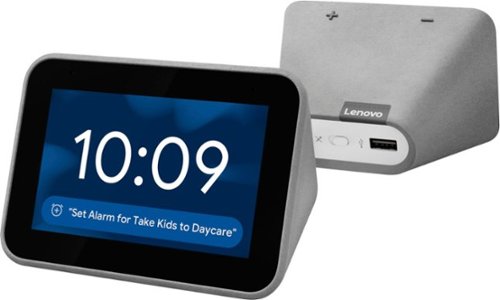
Lenovo - Smart Clock with Google Assistant - Gray
Wake up and start your day with this Lenovo smart clock. Wi-Fi connectivity and Google Assistant integration let you use voice commands to play music, check schedules and control smart home devices. This Lenovo smart clock offers hundreds of audio and media alarm options so you can choose how to wake up.
Wat are thr overall dimensions?
Lenovo Smart Clock with Google Assistant product Dimensions (L x W x H) - 4.48 x 3.14 x 2.95 Inches
5 years, 3 months ago
by
Posted by:
Lenovo Product Expert