Lenovo Product Expert
Lenovo Product Expert's Stats
Reviews
- Review Count0
- Helpfulness Votes0
- First ReviewNone
- Last ReviewNone
- Featured Reviews0
- Average Rating0
Reviews Comments
- Review Comment Count0
- Helpfulness Votes0
- First Review CommentNone
- Last Review CommentNone
- Featured Review Comments0
Questions
- Question Count0
- Helpfulness Votes0
- First QuestionNone
- Last QuestionNone
- Featured Questions0
- Answer Count37880
- Helpfulness Votes24,854
- First AnswerApril 21, 2014
- Last AnswerOctober 16, 2026
- Featured Answers0
- Best Answers2830
Lenovo Product Expert's Reviews
Lenovo Product Expert has not submitted any reviews.
Lenovo Product Expert's Questions
Lenovo Product Expert has not submitted any questions.
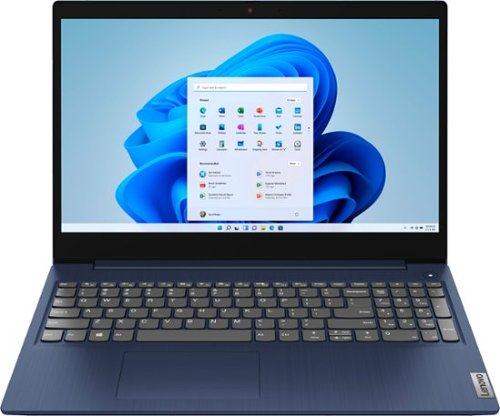
Lenovo - Ideapad 3 15 15.6" Touch-Screen Laptop - Intel Core i3 - 8GB Memory - 256GB SSD - Abyss Blue
Engineered for long-lasting performance, the Lenovo~ IdeaPad~ 3 15 delivers power in a laptop that's perfect for your everyday tasks, with features that you can depend on such as advanced mobile 10th Generation Intel Core processors and all day battery.
can you still use a wireless mouse with this laptop

Yes you can, so long as the wireless mouse is compatible with Windows 10 S-Mode 64-bit Operating System. Windows 10 S-Mode provides added security by only allowing APPs available ( and therefore certified by Microsoft) at the Microsoft Store. If you don't need the added security or you need to install APPs not available at the Microsoft Store, you can switch to standard Windows 10 Home 64-bit Operating System, at no additional cost.
5 years, 3 months ago
by
Posted by:
Lenovo Product Expert
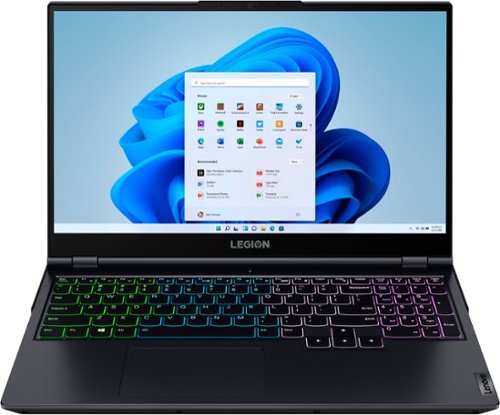
Lenovo - Legion 5 15" Gaming Laptop - AMD Ryzen 7 5800H - NVIDIA GeForce RTX 3050 Ti - 8GB Memory - 512GB SSD - Phantom Blue
Offering a plethora of performance options for any gamer in a clean, minimalist design, the Lenovo~ Legion 5 pairs the latest AMD Ryzen 5800 H-Series processor, NVIDIA GeForce RTX 3050 Ti Graphics, 3200 MHz DDR4 memory, and NVMe TLC SSD storage.
nits for this screen?
The Lenovo Legion 5 15 Gaming Laptop, model number 82JW000XUS, ships with a 15.6 inch (screen size measured diagonally) IPS - FHD (1920x1080) screen, with a brightness level of 300 nits, has an Anti-glare coating, a refresh rate of 165Hz. This screen provides 100 Percent sRGB (72 Percent NTSC) color gamut for excellent color accuracy. This screen is Dolby Vision, Free-Sync\ and G-Sync Certified. This screen uses DC dimmer for improved eye health.
5 years, 3 months ago
by
Posted by:
Lenovo Product Expert
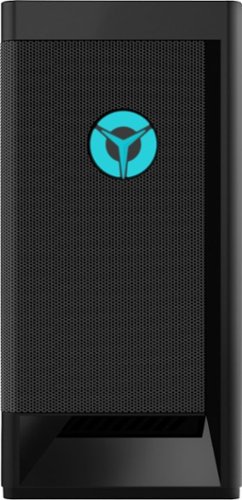
Lenovo - Legion Tower 5i Gaming Desktop - Intel Core i5-11400 - 8GB Memory - NVIDIA GeForce GTX 1660 Super - 256GB SSD + 1TB HDD - Raven Black
Engineered out of a passion for savage power and unmatched speed, the Lenovo~ Legion Tower 5i delivers mind-blowing performance that combines 11th Generation Intel~ Core~ processors and top-of-the-line NVIDIA~ GeForce~ graphics cards for blazing-fast frame rates at up to 4K resolution. Pushing far beyond the upper bounds of smaller rig configurations while keeping things cool and whisper quiet, the Legion Tower 5i is a marvel of build and design, accentuated by its illuminated blue LED logo and lighting, as well a transparent side panel that can properly showcase your internals.
How many slots are there for additional ram?
The Lenovo Legion Tower 5i Gaming Desktop Computer model number 90RS000DUS, ships with a total of 4 RAM slots.
5 years, 3 months ago
by
Posted by:
Lenovo Product Expert
Lenovo - Legion Tower 5i Gaming Desktop - Intel Core i5-11400 - 8GB Memory - NVIDIA GeForce GTX 1660 Super - 256GB SSD + 1TB HDD - Raven Black
Engineered out of a passion for savage power and unmatched speed, the Lenovo~ Legion Tower 5i delivers mind-blowing performance that combines 11th Generation Intel~ Core~ processors and top-of-the-line NVIDIA~ GeForce~ graphics cards for blazing-fast frame rates at up to 4K resolution. Pushing far beyond the upper bounds of smaller rig configurations while keeping things cool and whisper quiet, the Legion Tower 5i is a marvel of build and design, accentuated by its illuminated blue LED logo and lighting, as well a transparent side panel that can properly showcase your internals.
Can this graphics card be replaced by another graphics card as an upgrade without replacing motherboard?
That will depend on the requirements and compatibility of the replacement GPU you want to use. The Lenovo Legion Tower 5i Gaming Desktop, model number 90RS000DUS, ships with a 400W internal Power supply. Here is a link to the complete parts list for this configuration with compatible substitutes listed: https://pcsupport.lenovo.com/us/en/products/desktops-and-all-in-ones/legion-series/legion-t5-26iob6/90rs/90rs000dus/parts/display/model
5 years, 3 months ago
by
Posted by:
Lenovo Product Expert
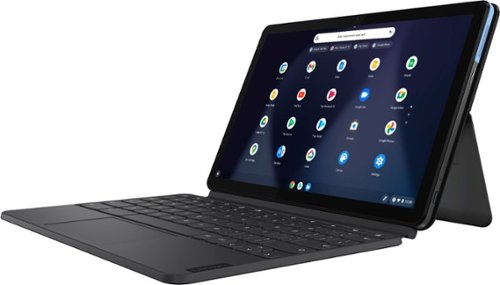
Lenovo - IdeaPad Duet Chromebook - 10.1 (1920x1200) Touch 2-in-1 Tablet - MediaTek P60T - 4G RAM - 128G eMCP4x - with Keyboard - Ice Blue + Iron Gray
Work on pending assignments while on the move with this Lenovo Chromebook Duet. The 10.1-inch touch screen provides an interactive user experience, while the 128GB of internal storage offer ample space for apps and media files. This Lenovo Chromebook Duet features a MediaTek Helio P60T processor and 4GB of RAM for effortless multitasking.
Does this model have a slot for a Kensington Cable to lock it? In one of the images on left side, it looks like it might.
No. There is no Kensington Lock port on the Chromebook Duet.
5 years, 3 months ago
by
Posted by:
Lenovo Product Expert
Lenovo - IdeaPad Duet Chromebook - 10.1 (1920x1200) Touch 2-in-1 Tablet - MediaTek P60T - 4G RAM - 128G eMCP4x - with Keyboard - Ice Blue + Iron Gray
Work on pending assignments while on the move with this Lenovo Chromebook Duet. The 10.1-inch touch screen provides an interactive user experience, while the 128GB of internal storage offer ample space for apps and media files. This Lenovo Chromebook Duet features a MediaTek Helio P60T processor and 4GB of RAM for effortless multitasking.
Is it touch screen? Can my daughter play games on it? Thank you!
Yes. The Lenovo Chromebook Duet has a touchscreen. Whether the Chromebook Duet will be able to play a specific game will depend on the requirements and compatibility of the specific game. The Chromebook Duet ships with the Chrome Operating System and is compatible with Google Play Store APPs. We recommend you check with the specific game's software publisher's web sites of the games your daughter likes to play, for their compatibility with the Chrome operating system and the minimum/recommended hardware requirements (Is a Graphics card required, the processor speed and the minimum required system RAM and the minimum available hard drive space) to run their program, then compare those requirements to this system's configuration.
5 years, 3 months ago
by
Posted by:
Lenovo Product Expert
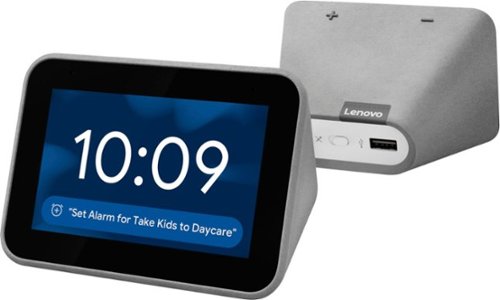
Lenovo - Smart Clock with Google Assistant - Gray
Wake up and start your day with this Lenovo smart clock. Wi-Fi connectivity and Google Assistant integration let you use voice commands to play music, check schedules and control smart home devices. This Lenovo smart clock offers hundreds of audio and media alarm options so you can choose how to wake up.
Is it possible to have the unit display the day of week ( Mon,Tue, Wed ) as part of the "normal" time of day screen without having to ask Google. I don't see this in your images. Covid has caused me to constantly lose track of time, lol
There are a selection of available clock face designs available with the Lenovo Smart Clock with Google assistant. If fact, there is a multi-colored clock face available with the day of the week abbreviation showing at the top of the screen. Here is a YouTube Video that demonstrates all of the features and functions of the Smart clock, including the multi-colored clock face with day of the week displayed: https://www.youtube.com/watch?v=PpidA-n6fLM&t=527s
5 years, 3 months ago
by
Posted by:
Lenovo Product Expert
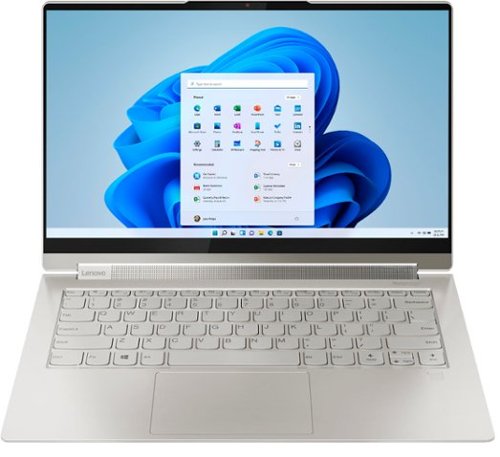
Lenovo - Yoga 9i 14 2-in-1 14" Touch-Screen Laptop - Intel Evo Platform Core i7 - 16GB Memory - 512GB SSD - Mica
Meet the Lenovo Yoga 9i, designed to put your experience first with the Intel Evo platform~s powerhouse combination of performance, responsiveness, battery life and stunning visuals. Innovative features are encased directly in a sleek 2-in-1 metal chassis, combined with the advanced mobile performance of 11th generation Intel Core processors and powerfully immersive entertainment.
Is it possible to get this computer in a darker color without the leather?
The Yoga 9i-15 model number 82DE0009US, may be what you are looking for. This model is configured differently than the Yoga 9i-14, with a larger 15.6 inch (screen side measured diagonally) and discrete GPU: https://www.bestbuy.com/site/lenovo-yoga-9i-15-2-in-1-touch-screen-laptop-intel-core-i7-16gb-memory-nvidia-geforce-gtx-1650ti-1tb-ssd-slate-gray/6426711.p?skuId=6426711
5 years, 3 months ago
by
Posted by:
Lenovo Product Expert
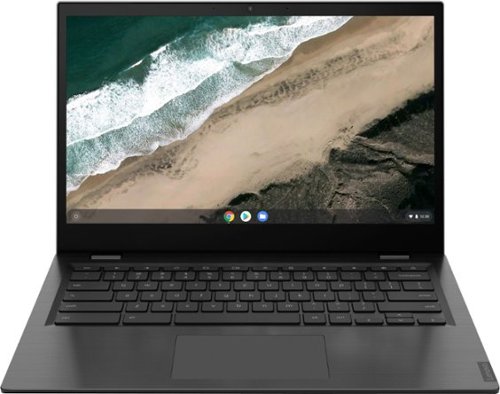
Lenovo - S345-14AST 14" Touch-Screen Chromebook - AMD A6-Series - 4GB Memory - AMD Radeon R5 - 32GB eMMC Flash Memory - Platinum Gray
Lenovo S345-14AST Chromebook: Complete daily computing tasks with this Lenovo Chromebook. The AMD processor offers performance for executing tasks quickly, and the 4GB of RAM let you run several applications seamlessly. This Lenovo Chromebook has a 32GB eMMC SSD for swift data access and start-up times, while the AMD Radeon R5 graphics deliver crisp visuals on the 14-inch Full HD display.
Does this laptop work well with virtual reality?
That will depend on the requirements and compatibility of the specific VR hardware and software you want to use. The Lenovo S345-14 Chromebook ships with the Chrome Operating System and is compatible with Google Play Store APPs. We recommend you check with the specific game's software publisher's web sites for their compatibility with the Chrome operating system and the minimum/recommended hardware requirements (Is a Graphics card required, the processor speed and the minimum required system RAM and the minimum available hard drive space) to run their program, then compare those requirements to this system's configuration.
5 years, 3 months ago
by
Posted by:
Lenovo Product Expert
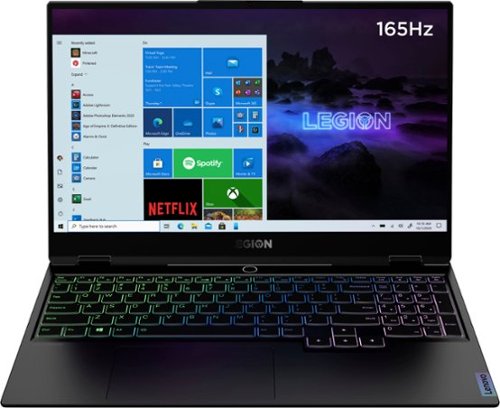
Lenovo - Legion Slim 7 15" Gaming Laptop - AMD Ryzen 7 5800H - NVIDIA GeForce RTX 3060 Max-Q - 16GB Memory - 512GB SSD
The Lenovo~ Legion Slim 7 was engineered for gamers who demand mobility and performance for day and night. Sporting a finely crafted chassis machined from 100% aluminum that is shockingly thin and impressively light, the Legion Slim 7 was expertly crafted for gamers who demand more.
What is the CPU TDP ? Does GPU have boost wattage ?
The Lenovo Legion Slim 7 15 Gaming Laptop, mode number 82K80001US, ships with the 8-Core/16-Thread AMD Ryzen 7 5800H processor, with a TDP of 45W. The GPU within this configuration is the NVIDIA GeForce RTX 3060 6GB GDDR6, Boost Clock 1282 / 1425MHz, TGP 100W.
5 years, 3 months ago
by
Posted by:
Lenovo Product Expert