Lenovo Product Expert
Lenovo Product Expert's Stats
Reviews
- Review Count0
- Helpfulness Votes0
- First ReviewNone
- Last ReviewNone
- Featured Reviews0
- Average Rating0
Reviews Comments
- Review Comment Count0
- Helpfulness Votes0
- First Review CommentNone
- Last Review CommentNone
- Featured Review Comments0
Questions
- Question Count0
- Helpfulness Votes0
- First QuestionNone
- Last QuestionNone
- Featured Questions0
- Answer Count37964
- Helpfulness Votes24,861
- First AnswerApril 21, 2014
- Last AnswerOctober 27, 2026
- Featured Answers0
- Best Answers2831
Lenovo Product Expert's Reviews
Lenovo Product Expert has not submitted any reviews.
Lenovo Product Expert's Questions
Lenovo Product Expert has not submitted any questions.
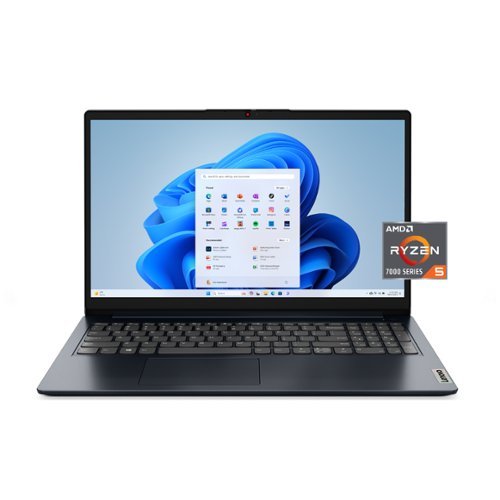
Lenovo - IdeaPad 1 15.6" Full HD Laptop - AMD Ryzen 5 7520U 2022 - 8GB Memory- 256GB SSD - Abyss Blue
Browse, explore and connect with confidence on the Lenovo IdeaPad 1 powered by ultra-fast AMD Ryzen 5 7000 Series Mobile Processors on selected models. The IdeaPad 1 packs responsive performance in a thin and compact 17.9 mm chassis, making multitasking on-the go a breeze. Get the most out of your device with a frameless display for more screen and Dolby Audio speakers, along with 9 hours of battery life and rapid charge. Great for video calls, the 1MP camera comes with a privacy shutter to keep out spying eyes, as well as Smart Noise Cancelling to eliminate background noise.
Will this laptop run adobe Photoshop?

Hey Beebo,
If you're using the cloud platform version of Adobe Photoshop, Creative Cloud, you shouldn't have an issue. If you're using the desktop version of the app, you could run into productivity slowdowns when working with larger files or premium editing tools, as this system doesn't feature the tier of processing speed or memory often found in primarily editing use PCs.
Please feel free to reach out to us with any other questions!
If you're using the cloud platform version of Adobe Photoshop, Creative Cloud, you shouldn't have an issue. If you're using the desktop version of the app, you could run into productivity slowdowns when working with larger files or premium editing tools, as this system doesn't feature the tier of processing speed or memory often found in primarily editing use PCs.
Please feel free to reach out to us with any other questions!
5 months, 3 weeks ago
by
Posted by:
Lenovo Product Expert
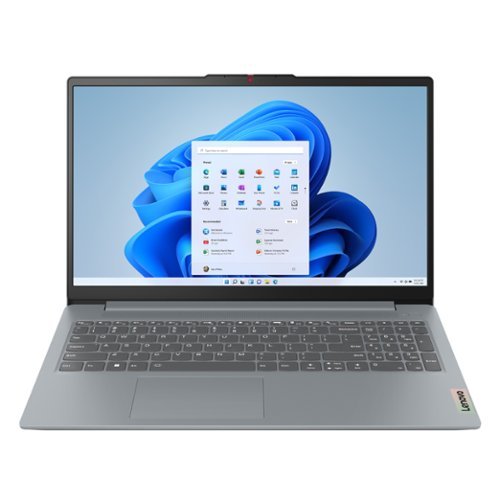
The smart IdeaPad Slim 3 lets you work, study, and play on the go anywhere in the world with a lightweight and thin profile that's 10% slimmer than the previous generation yet still military-grade rugged. Take care of important business with powerful up-to-the-latest AMD Ryzen 7000 processors, enhanced with the adaptive performance of Smart Power and full-function Type-C port while you learn, work, and stream on an up-to-WUXGA IPS display with up to 88% AAR.
It appears that half of the video feed is blacked out and Im trying to figure out why. There doesn't appear to be anything blocking the camera.
Hey Planetjennifer,
We're sorry to hear that this is the case. We're happy to help you try to resolve this. To start, based on what you shared, we believe that the laptop's Privacy Shutter is still partially obstructing the camera. Please ensure that the Privacy Shutter is completely open by using the small slider, directly above the webcam lens. Move the tab to the right to open the Privacy Shutter. There is a red dot over the webcam lens that will disappear when the Privacy Shutter is fully open, but if partially moved, you may not notice this. The Red Dot will appear over the webcam lens when the Privacy Shutter is completely closed. If your camera is still not functional after fully opening the shutter, please let us know so that we can try another approach to figure out what's going on.
Looking forward to hearing from you, and feel free to reach out to us with any other questions!
We're sorry to hear that this is the case. We're happy to help you try to resolve this. To start, based on what you shared, we believe that the laptop's Privacy Shutter is still partially obstructing the camera. Please ensure that the Privacy Shutter is completely open by using the small slider, directly above the webcam lens. Move the tab to the right to open the Privacy Shutter. There is a red dot over the webcam lens that will disappear when the Privacy Shutter is fully open, but if partially moved, you may not notice this. The Red Dot will appear over the webcam lens when the Privacy Shutter is completely closed. If your camera is still not functional after fully opening the shutter, please let us know so that we can try another approach to figure out what's going on.
Looking forward to hearing from you, and feel free to reach out to us with any other questions!
5 months, 3 weeks ago
by
Posted by:
Lenovo Product Expert
The smart IdeaPad Slim 3 lets you work, study, and play on the go anywhere in the world with a lightweight and thin profile that's 10% slimmer than the previous generation yet still military-grade rugged. Take care of important business with powerful up-to-the-latest AMD Ryzen 7000 processors, enhanced with the adaptive performance of Smart Power and full-function Type-C port while you learn, work, and stream on an up-to-WUXGA IPS display with up to 88% AAR.
Does this computer have touchscreen backlight end antiglare
Hey,
This IdeaPad Slim 3 does not feature a backlit keyboard, but it is equipped with an anti-glare finish display.
Please feel free to reach out to us with any other questions!
This IdeaPad Slim 3 does not feature a backlit keyboard, but it is equipped with an anti-glare finish display.
Please feel free to reach out to us with any other questions!
5 months, 3 weeks ago
by
Posted by:
Lenovo Product Expert
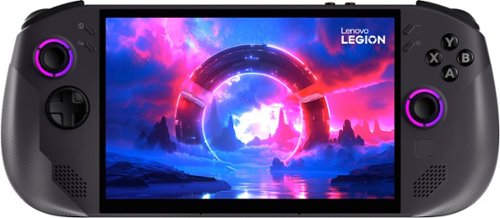
Lenovo Legion Go S, powered by SteamOS, features AMD Ryzen Z1 Extreme for gaming performance. The 8" 120Hz PureSight Display allows for immersive gaming. VRR, adjustable triggers, and an ergonomic design ensure comfort. SteamOS delivers quick resume, seamless updates, and full Steam access, including Steam Cloud, Steam Chat, Steam Game Recording, and more.
What is the value proposition I can get if I trade in a steam deck oled 1tb model for this one
Hey Kiyan,
We searched for the Steam Deck OLED on Best Buy's Trade-In segment of their site and received no relevant items for trade-in. To see the results, please visit this web address: https://www.bestbuy.com/trade-in/r/choose?searchQuery=Steam%20Deck%20OLED |
Please feel free to reach out to us with any other questions!
We searched for the Steam Deck OLED on Best Buy's Trade-In segment of their site and received no relevant items for trade-in. To see the results, please visit this web address: https://www.bestbuy.com/trade-in/r/choose?searchQuery=Steam%20Deck%20OLED |
Please feel free to reach out to us with any other questions!
5 months, 3 weeks ago
by
Posted by:
Lenovo Product Expert
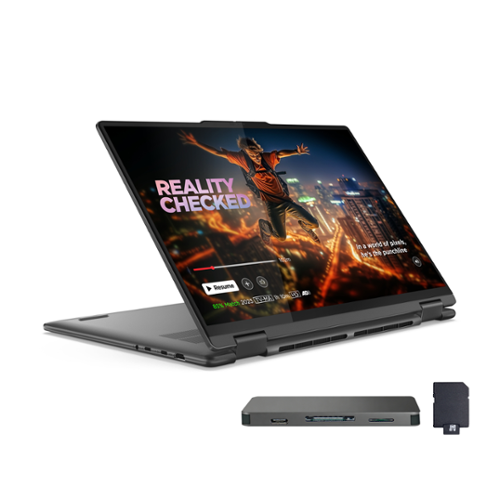
Lenovo - Upgraded - Yoga 7i 2-in-1 16" 2K Touchscreen Laptop - Intel Core Ultra 7 155U 2023 - 16GB Memory - 2TB SSD - Storm Grey
At PC Heaven, we offer computers with professionally customized and upgraded configurations designed to maximize performance. To complete these enhancements, our certified technicians carefully open the manufacturer~s sealed packaging for inspection, testing, and precise installation according to the advertised specifications. All systems and components are brand new. Warranty service is handled directly by PC Heaven, not the manufacturer. It~s inspiration all around with the Lenovo Yoga 7i 2-in-1, delivering 360~ of flexibility, impressive performance, and ultra-immersive audio-visuals. Primed with creating power from up to the latest Intel Core Ultra processor, you can unleash greatness in every way. The larger 16~ 16:10 WUXGA display makes entertainment and creative projects come to life like never before. All that with a fast-charging battery and all the ports you need, it's your art studio, home office, and cinema all in one.
I like what Im seeing for reviews on this product but when I switch back & forth from 1000GB and 2048GB, I can see the suppliers change. I would like to buy the 2048GB option but I would like clarification on whether its the same product given the reviews
Hey David,
The option offered by the third-party seller (2TB) is the same core product, but varies due to the seller's modifications or additions, as this series of Yoga is not offered with 2TB natively.
We hope that this clarifies things for you. Please feel free to reach out to us with any other questions!
The option offered by the third-party seller (2TB) is the same core product, but varies due to the seller's modifications or additions, as this series of Yoga is not offered with 2TB natively.
We hope that this clarifies things for you. Please feel free to reach out to us with any other questions!
5 months, 3 weeks ago
by
Posted by:
Lenovo Product Expert
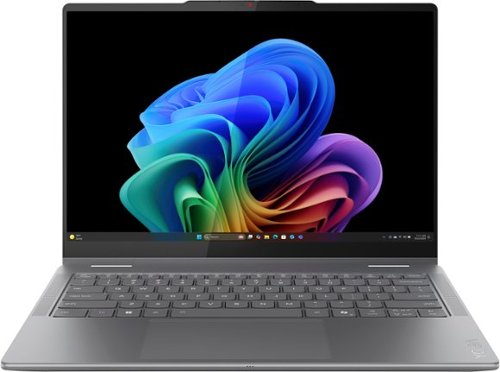
Lenovo - Yoga 7i 2-in-1 - Copilot+ PC - 14" 2K OLED Touchscreen Laptop - Intel Core Ultra 5 226V 2024 - 16GB Memory - 512GB SSD - Luna Grey
Create anywhere with the Yoga 7i 2-in-1. Its 360~ design and touchscreen let you work in any scenario. Powered by Intel Core Ultra 5 Evo and 40+ TOPS NPU, this Copilot+ PC manages power efficiently. A 14" PureSight OLED display with Dolby Vision bring your ideas to life.
Can AI features be disabled easily?
Hey Alexander,
The easiest way to disable Window's AI features is to install the Copilot app, which is the root of a majority of Windows 11's newest AI features that are offered.
Please feel free to reach out to us with any other questions!
The easiest way to disable Window's AI features is to install the Copilot app, which is the root of a majority of Windows 11's newest AI features that are offered.
Please feel free to reach out to us with any other questions!
5 months, 3 weeks ago
by
Posted by:
Lenovo Product Expert
The smart IdeaPad Slim 3 lets you work, study, and play on the go anywhere in the world with a lightweight and thin profile that's 10% slimmer than the previous generation yet still military-grade rugged. Take care of important business with powerful up-to-the-latest AMD Ryzen 7000 processors, enhanced with the adaptive performance of Smart Power and full-function Type-C port while you learn, work, and stream on an up-to-WUXGA IPS display with up to 88% AAR.
Does it come with an extended warranty?
Hey Jrockyt,
The IdeaPad Slim 3 ships with a 1-year manufacturer warranty. When purchased from Best Buy, you can opt-in for extended Geek Squad coverage, along with working with Lenovo to extend your existing warranty.
Please feel free to reach out to us with any other questions!
The IdeaPad Slim 3 ships with a 1-year manufacturer warranty. When purchased from Best Buy, you can opt-in for extended Geek Squad coverage, along with working with Lenovo to extend your existing warranty.
Please feel free to reach out to us with any other questions!
5 months, 3 weeks ago
by
Posted by:
Lenovo Product Expert
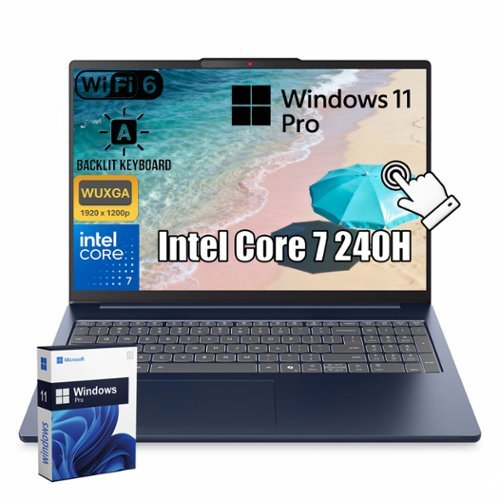
Lenovo - IdeaPad Slim 5 16" WUXGA Touch - Intel Core 7 240H - 32GB RAM - 2TB SSD - Backlit KB - Windows 11 Pro - Cosmic Blue
Lenovo IdeaPad Slim 5 16" WUXGA Touch Laptop powered by Intel Core 7 240H delivers fast, reliable performance for work and everyday tasks. The responsive touchscreen enhances productivity and interaction, while versatile ports and wireless connectivity keep you connected. A backlit keyboard and built-in webcam improve usability, and Windows 11 Pro provides a secure and efficient experience.
Return policy on this product?
Hey AC,
Since this IdeaPad Slim 5 offered is sold by a third-party seller, we recommend visiting this Best Buy webpage: https://www.bestbuy.com/site/help-topics/return-exchange-policy/pcmcat260800050014.c?id=pcmcat260800050014, to review details on Marketplace returns.
Please feel free to reach out to us with any other questions!
Since this IdeaPad Slim 5 offered is sold by a third-party seller, we recommend visiting this Best Buy webpage: https://www.bestbuy.com/site/help-topics/return-exchange-policy/pcmcat260800050014.c?id=pcmcat260800050014, to review details on Marketplace returns.
Please feel free to reach out to us with any other questions!
5 months, 3 weeks ago
by
Posted by:
Lenovo Product Expert
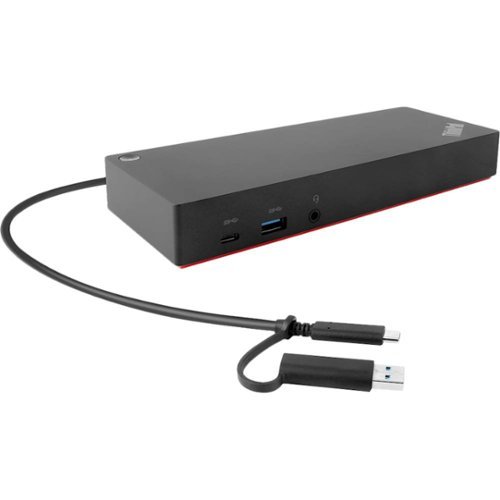
Maximize productivity with your laptop by using this universal Lenovo ThinkPad hybrid USB-C dock. Three USB 3.1 ports enable high-speed data transfers with multiple devices, and the USB-C to USB-A adapter lets you connect to non-Lenovo or previous-generation Lenovo laptops. Connect up to two 4K monitors via the DisplayPort and HDMI outputs of this enterprise-class Lenovo ThinkPad hybrid USB-C dock.
Does this docking station can support HDR in 4K?
Hey,
You shouldn't have any issue with the ThinkPad Hybrid USB-C Docking Station driving video output to a 4K HDR monitor.
Please feel free to reach out to us with any other questions!
You shouldn't have any issue with the ThinkPad Hybrid USB-C Docking Station driving video output to a 4K HDR monitor.
Please feel free to reach out to us with any other questions!
5 months, 3 weeks ago
by
Posted by:
Lenovo Product Expert
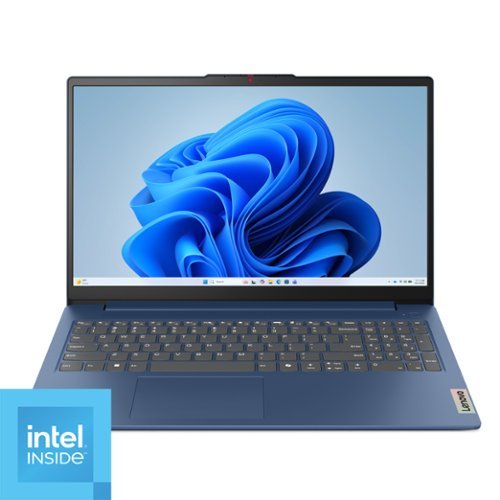
Impossibly slim, the Lenovo IdeaPad Slim 3i is amazingly dynamic and remarkably smart to take your work and play to the next level. Combined with an array of AI-driven productivity features, you~ve got the full works right in your hands.
Is this in s mode
Hey,
This IdeaPad Slim 3i ships with Windows 11 Home preinstalled, not with Home in S Mode.
Please feel free to reach out to us with any other questions!
This IdeaPad Slim 3i ships with Windows 11 Home preinstalled, not with Home in S Mode.
Please feel free to reach out to us with any other questions!
5 months, 3 weeks ago
by
Posted by:
Lenovo Product Expert