Lenovo Product Expert
Lenovo Product Expert's Stats
Reviews
- Review Count0
- Helpfulness Votes0
- First ReviewNone
- Last ReviewNone
- Featured Reviews0
- Average Rating0
Reviews Comments
- Review Comment Count0
- Helpfulness Votes0
- First Review CommentNone
- Last Review CommentNone
- Featured Review Comments0
Questions
- Question Count0
- Helpfulness Votes0
- First QuestionNone
- Last QuestionNone
- Featured Questions0
- Answer Count38033
- Helpfulness Votes24,868
- First AnswerApril 21, 2014
- Last AnswerNovember 6, 2026
- Featured Answers0
- Best Answers2833
Lenovo Product Expert's Reviews
Lenovo Product Expert has not submitted any reviews.
Lenovo Product Expert's Questions
Lenovo Product Expert has not submitted any questions.
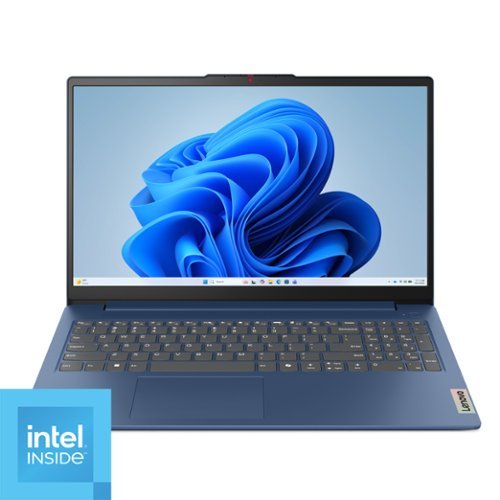
Impossibly slim, the Lenovo IdeaPad Slim 3i is amazingly dynamic and remarkably smart to take your work and play to the next level. Combined with an array of AI-driven productivity features, you~ve got the full works right in your hands.
How good would this computer be for photo and video editing with cap cut? I know it's a budget computer but some do okay to quite well. And this was listed as an option but looking for more info.

Hey Gerridwynn,
Based on the system requirements listed by CapCut for the app in the Microsoft Store (which can be viewed at this web address: https://apps.microsoft.com/detail/xp9kn75rrb9nhs?hl=en-US&gl=US), this IdeaPad should run the software decently well. You may experience slowdowns with background apps in use, when working with larger video projects / file sizes, but it should cover the basics for light editing.
Please feel free to reach out to us with any other questions!
Based on the system requirements listed by CapCut for the app in the Microsoft Store (which can be viewed at this web address: https://apps.microsoft.com/detail/xp9kn75rrb9nhs?hl=en-US&gl=US), this IdeaPad should run the software decently well. You may experience slowdowns with background apps in use, when working with larger video projects / file sizes, but it should cover the basics for light editing.
Please feel free to reach out to us with any other questions!
6 months ago
by
Posted by:
Lenovo Product Expert

For aspiring esports gamers, Intel Core Ultra Processors with 24 cores deliver powerful performance for gaming and content creation. Next-gen NVIDIA GeForce RTX graphics with AI-enhanced DLSS and ray tracing provide a leap in gaming performance. Lenovo AI Engine+ optimizes your system in real-time for peak performance. Encased in sleek Eclipse Black with AI-synced RGB lighting, the Lenovo PureSight OLED display ensures low latency and high refresh rates for competitive gaming. Legion Coldfront: Hyper~s turbo-charged fans and vacuum-sealed heat pipes keep your system cool and quiet. With Legion Truestrike~s 1.6mm key travel and soft-landing switches, your precision improves. Legion Space offers custom overclocking and AI-driven game coaching for your path to success.
Does this computer have an audio port to connect external speakers?
Hey Ron,
The Legion Pro 5i features a headphone / microphone combo audio jack (3.5mm) that can be used for audio output.
Please feel free to reach out to us with any other questions!
The Legion Pro 5i features a headphone / microphone combo audio jack (3.5mm) that can be used for audio output.
Please feel free to reach out to us with any other questions!
6 months ago
by
Posted by:
Lenovo Product Expert
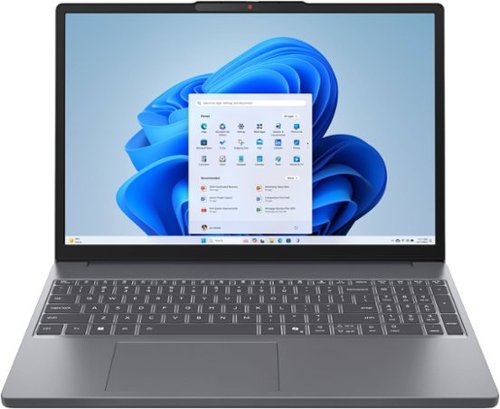
Lenovo - IdeaPad Slim 3 15.3" 2K Touchscreen Laptop - AMD Ryzen 7 170 2025 - 16GB Memory - 512GB Storage - Luna Grey
Stay mobile with the IdeaPad Slim 3. Featuring AMD Ryzen~ 100 Series Processors with revolutionary Zen 3+ architecture and AI, it offers top performance. The 15.3" WQXGA 16:10 display with TUV certification ensuring less eye strain with prolonged use, and the 60Wh battery provides it with rapid charge technology to just keep going.
Is the USB-C port on this laptop full function so that it can be charged from this port?
Hey Chief,
Yes, this IdeaPad Slim 3 features a full-function USB-C port (USB 5Gbps / USB 3.2 Gen 1), with USB PD 45-65W and DisplayPort™ 1.2.
Please feel free to reach out to us with any other questions!
Yes, this IdeaPad Slim 3 features a full-function USB-C port (USB 5Gbps / USB 3.2 Gen 1), with USB PD 45-65W and DisplayPort™ 1.2.
Please feel free to reach out to us with any other questions!
6 months ago
by
Posted by:
Lenovo Product Expert

At IST Computers, we offer computers with professionally customized and upgraded configurations designed to maximize performance. To complete these enhancements, our certified technicians carefully open the manufacturer~s sealed packaging for inspection, testing, and precise installation according to the advertised specifications. All systems and components are brand new. Warranty service is handled directly by IST Computers, not the manufacturer. The IdeaPad Slim 3 boasts a slim, lightweight portable build paired with MIL-STD 810H-certified durability to stand up to daily use, making it the ideal choice for commuters, students and travelers, while its up to 10-hour battery life maintains consistent productivity through classes, workdays and travel without the need for constant recharging; powered by an AMD Ryzen 7 5825U processor with 8 cores and speeds up to 4.5GHz alongside Radeon Graphics, this laptop effortlessly handles multitasking, office work, online learning and light creative tasks, and the combination of 16GB RAM and 1TB SSD delivers fast boot times, instant app launches and ample storage for documents, media and professional software; it features a 16" FHD touchscreen with 1920~1080 resolution, 300 nits of brightness and anti-glare technology for comfortable long-hour use during work, studying or streaming, supports connection to an external 4K@60Hz monitor via HDMI for smooth multitasking, presentations and dual-screen setups without a docking station, and is equipped with a 720p webcam with a privacy shutter to ensure clear and secure video calls perfect for virtual meetings, online learning and staying connected; this laptop provides versatile connectivity with USB-C 3.2 Gen 1, dual USB-A 3.2 Gen 1, HDMI and an SD card reader to easily link with external monitors, storage devices and accessories, catering ideally to hybrid workers, freelancers and mobile professionals, while Wi-Fi 6 and Bluetooth 5.2 offer fast, stable connections for lag-free video conferencing, cloud collaboration and wireless device usage; pre-installed with Windows 11 Home for a smooth and intuitive daily computing experience and enhanced by AI-powered Copilot that streamlines research, writing, document editing and creative workflows, it is perfectly designed for home users and everyday work, excelling at web browsing, video streaming and video calls, suiting families and casual users while reliably handling documents, spreadsheets and light photo or content editing for all-around daily computing needs.
Is Windows 11 pre instaled on this Computer?
Hey mafiosi,
Yes, this IdeaPad Slim 3 ships with Windows 11 Home preinstalled.
Please feel free to reach out to us with any other questions!
Yes, this IdeaPad Slim 3 ships with Windows 11 Home preinstalled.
Please feel free to reach out to us with any other questions!
6 months ago
by
Posted by:
Lenovo Product Expert
Lenovo - IdeaPad Slim 3 15.3" 2K Touchscreen Laptop - AMD Ryzen 7 170 2025 - 16GB Memory - 512GB Storage - Luna Grey
Stay mobile with the IdeaPad Slim 3. Featuring AMD Ryzen~ 100 Series Processors with revolutionary Zen 3+ architecture and AI, it offers top performance. The 15.3" WQXGA 16:10 display with TUV certification ensuring less eye strain with prolonged use, and the 60Wh battery provides it with rapid charge technology to just keep going.
Are you able to upgrade the memory from 16GB?
Hey Mike,
You can upgrade the memory to 24GB, as the system ships with 8GB soldered and a removable 8GB memory stick, enabling you to swap it for 16GB SODIMM DDR5-4800.
Please feel free to reach out to us with any other questions!
You can upgrade the memory to 24GB, as the system ships with 8GB soldered and a removable 8GB memory stick, enabling you to swap it for 16GB SODIMM DDR5-4800.
Please feel free to reach out to us with any other questions!
6 months ago
by
Posted by:
Lenovo Product Expert
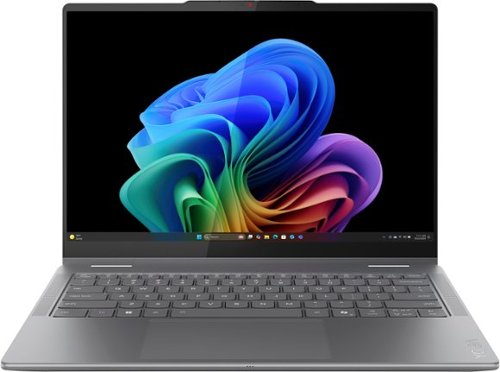
Lenovo - Yoga 7i 2-in-1 - Copilot+ PC - 14" 2K OLED Touchscreen Laptop - Intel Core Ultra 5 226V 2024 - 16GB Memory - 512GB SSD - Luna Grey
Create anywhere with the Yoga 7i 2-in-1. Its 360~ design and touchscreen let you work in any scenario. Powered by Intel Core Ultra 5 Evo and 40+ TOPS NPU, this Copilot+ PC manages power efficiently. A 14" PureSight OLED display with Dolby Vision bring your ideas to life.
Is the webcam 1080p?
Hey JC,
Yes, the Yoga 7i 2-in-1 features a 5.0 MP camera with IR, set for 1080p resolution by default.
Please feel free to reach out to us with any other questions!
Yes, the Yoga 7i 2-in-1 features a 5.0 MP camera with IR, set for 1080p resolution by default.
Please feel free to reach out to us with any other questions!
6 months ago
by
Posted by:
Lenovo Product Expert
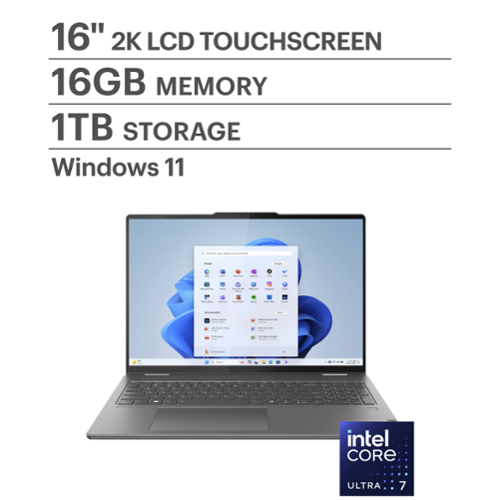
It~s inspiration all around with the Lenovo Yoga 7i 2-in-1, delivering 360~ of flexibility, impressive performance, and ultra-immersive audio-visuals. Primed with creating power from up to the latest Intel Core Ultra processor, you can unleash greatness in every way. The larger 16~ 16:10 WUXGA display makes entertainment and creative projects come to life like never before. All that with a fast-charging battery and all the ports you need, it's your art studio, home office, and cinema all in one.
Can I increase the volume?
Hey,
Yes, you can control volume using the F1 (mute), F2 (volume down), and F3 (volume up) keys on the laptop to control volume.
Please feel free to reach out to us with any other questions!
Yes, you can control volume using the F1 (mute), F2 (volume down), and F3 (volume up) keys on the laptop to control volume.
Please feel free to reach out to us with any other questions!
6 months ago
by
Posted by:
Lenovo Product Expert
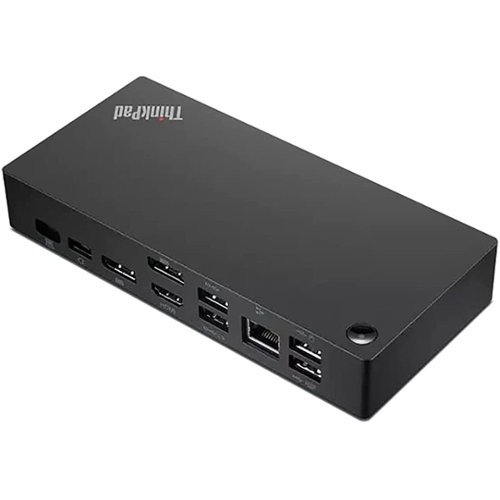
The smarter way to work, Introducing the ThinkPad Universal USB-C Dock. This advanced, universally compatible one-cable docking solution lets you work smarter, not harder. It comes with a vast array of ports, next-gen plug and play functionality, and rapid charging capabilities (up to 100W for most USB-C notebooks*). Smart enough to install critical firmware updates automatically, it~s ideal for any mixed-PC environment and home-based working, and gives you the freedom and power to do more.
If I hook my laptop and a monitor to this, can I work on my monitor, keyboard, mouse, etc. with my laptop closed?
Hey there,
You can do so after adjusting certain settings when connected to a Windows based machine. To learn about the process, please visit the following Microsoft web address: https://www.microsoft.com/en-us/windows/learning-center/how-to-use-external-monitor-with-laptop-closed |
Please feel free to reach out to us with any other questions!
You can do so after adjusting certain settings when connected to a Windows based machine. To learn about the process, please visit the following Microsoft web address: https://www.microsoft.com/en-us/windows/learning-center/how-to-use-external-monitor-with-laptop-closed |
Please feel free to reach out to us with any other questions!
6 months ago
by
Posted by:
Lenovo Product Expert
Lenovo - IdeaPad Slim 3 15.3" 2K Touchscreen Laptop - AMD Ryzen 7 170 2025 - 16GB Memory - 512GB Storage - Luna Grey
Stay mobile with the IdeaPad Slim 3. Featuring AMD Ryzen~ 100 Series Processors with revolutionary Zen 3+ architecture and AI, it offers top performance. The 15.3" WQXGA 16:10 display with TUV certification ensuring less eye strain with prolonged use, and the 60Wh battery provides it with rapid charge technology to just keep going.
All the photos show a backlit keyboard but your specifications say no backlit keyboard. which is correct the photos or the specs?
Hey TheSteverino,
To clarify, this model does not feature a backlit keyboard. We apologize for any confusion. After reviewing the product images on this product page, what we believe can be perceived as keyboard backlighting around the keys is a design feature of keyboard for this system.
Please feel free to reach out to us with any other questions!
To clarify, this model does not feature a backlit keyboard. We apologize for any confusion. After reviewing the product images on this product page, what we believe can be perceived as keyboard backlighting around the keys is a design feature of keyboard for this system.
Please feel free to reach out to us with any other questions!
6 months ago
by
Posted by:
Lenovo Product Expert
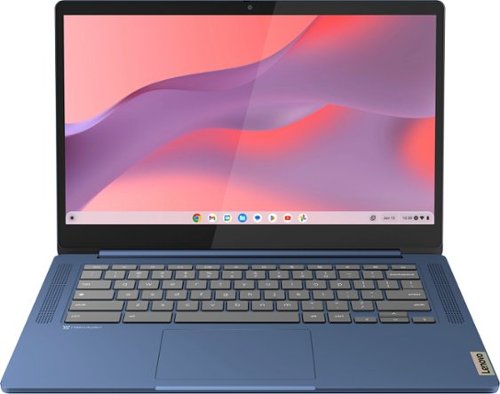
Live animated, live lively, live balanced. When you~re packing the thin and light IdeaPad Slim 3 Chromebook laptop, featuring WiFi 6 and 13.5 hours of battery life, balancing work and play all day becomes effortless. The 14" FHD IPS touchscreen display and MediaTek Kompanio 500 Series processors are a significant upgrade to your work and entertainment, with front-facing Waves-tuned speakers.
What Gen is this?
Hey Dee,
This model is part of the IdeaPad Slim 3 Chromebook (14") 8th gen series.
Please feel free to reach out to us with any other questions!
This model is part of the IdeaPad Slim 3 Chromebook (14") 8th gen series.
Please feel free to reach out to us with any other questions!
6 months ago
by
Posted by:
Lenovo Product Expert