Lenovo Product Expert
Lenovo Product Expert's Stats
Reviews
- Review Count0
- Helpfulness Votes0
- First ReviewNone
- Last ReviewNone
- Featured Reviews0
- Average Rating0
Reviews Comments
- Review Comment Count0
- Helpfulness Votes0
- First Review CommentNone
- Last Review CommentNone
- Featured Review Comments0
Questions
- Question Count0
- Helpfulness Votes0
- First QuestionNone
- Last QuestionNone
- Featured Questions0
- Answer Count37270
- Helpfulness Votes24,641
- First AnswerApril 21, 2014
- Last AnswerJuly 23, 2026
- Featured Answers0
- Best Answers2777
Lenovo Product Expert's Reviews
Lenovo Product Expert has not submitted any reviews.
Lenovo Product Expert's Questions
Lenovo Product Expert has not submitted any questions.
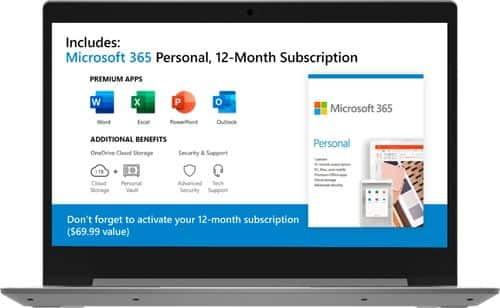
Lenovo - IdeaPad 1 14" Laptop - AMD A6-Series - 4GB Memory - AMD Radeon R4 - 64GB eMMC Flash Memory
Lenovo IdeaPad 1 14" Laptop: Complete daily computing tasks quickly with this Lenovo IdeaPad laptop. The 7th Gen AMD A6-9220E processor and 4GB of RAM offer ample power to run multiple applications seamlessly for efficient multitasking, while the AMD Radeon R4 integrated graphics deliver quality visuals on the 14-inch HD display. This Lenovo IdeaPad laptop has a lithium-polymer battery that provides up to 8 hours of uptime on a single charge.
what's the quality of the camera (web cam)?

The Lenovo IdeaPad 1-14 Laptop, model number 81VS0001US, ships with a 300p webcam and microphone built in.
5 years, 11 months ago
by
Posted by:
Lenovo Product Expert
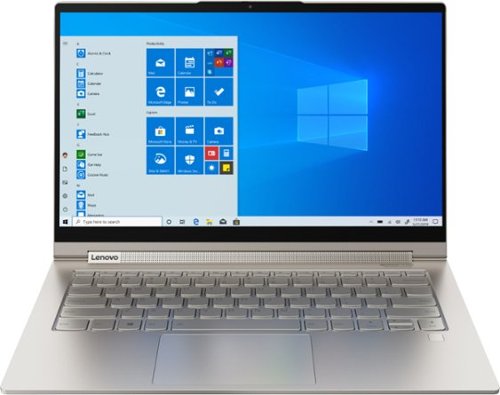
Lenovo - Yoga C940 2-in-1 14" 4K Ultra HD Touch-Screen Laptop - Intel Core i7 - 16GB Memory - 512GB SSD + 32GB Optane
Lenovo Yoga C940 Convertible 2-in-1 Laptop: Enhance digital creativity with this Lenovo Yoga laptop. The 14-inch UHD display with 10-point multi-touch operation offers high-quality visuals and lets you type easily, while the 512GB SSD offers rapid startup and data access times for running complete projects easily. This Lenovo Yoga laptop has an Intel Core i7 processor and 16GB of RAM, which offer fast task execution speeds.
Is it solid state
The Lenovo Yoga C940-14 4K model number 81Q90041US, ships with a 512GB solid state hard drive with 32GB of Intel Optane Memory to boost recall speeds of files and programs stored on the Yoga C940-14 4K.
5 years, 11 months ago
by
Posted by:
Lenovo Product Expert
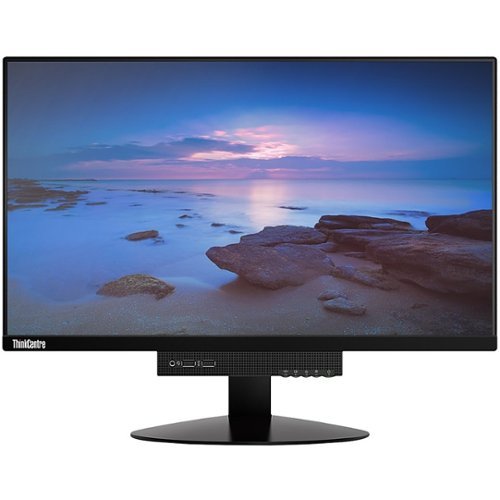
Lenovo - ThinkCentre Tiny-in-One 22 21.5" IPS LED FHD Monitor (DisplayPort) - Black
Enjoy comfortable viewing with this 21.5-inch Lenovo ThinkCentre monitor. The LED backlight lets you see content clearly while minimizing power consumption over extended sessions, and the 25 programmable modes offer convenient customization for optimum results. The adjustable stand of this Lenovo ThinkCentre monitor tilts, swivels and pivots to suit your preference.
I bought this because it said it can work with windows 10, but I have tried every cable option and it doesn’t work.
The Lenovo ThinkCentre Tiny-In-One 22 Monitor has a DisplayPort only connection for video in from a computer. If you are trying to connect a computer that does not have a DisplayPort out port and are using an HDMI-Out port from your computer to this monitor, you need to convert the HDMI port on the computer to a DisplayPort compatible port. You will need a USB powered HDMI to DisplayPort adapter. Here is a link to one example, available through a Best Buy partner advertiser: https://www.cablestogo.com/product/22323/hdmi-to-displayport-converter-4k-30hz?utm_source=Google&utm_medium=Shopping&utm_campaign=SEM&gclid=EAIaIQobChMI-LaolNWQ6wIVg8DACh3vuQsqEAYYASABEgKcGvD_BwE&gclsrc=aw.ds. Use this adapter to connect your standard DisplayPort cable from the computer to the monitor: https://www.bestbuy.com/site/insignia-6-4k-ultra-hd-displayport-cable-black/5580672.p?skuId=5580672. This connection will deliver a video signal to the monitor screen. To get the built in webcam and microphone to work, you will nee a separate cable connection, using a USB Type B to a USB Type A cable like this one: https://www.bestbuy.com/site/insignia-6-usb-2-0-a-male-to-b-male-cable-black/5886035.p?skuId=5886035. If you continue to have difficulty connecting your ThinkCentre 22 Monitor to your HDMI computer, we recommend you contact Lenovo Tech Support for Monitors at: 866-426-0911.
5 years, 11 months ago
by
Posted by:
Lenovo Product Expert
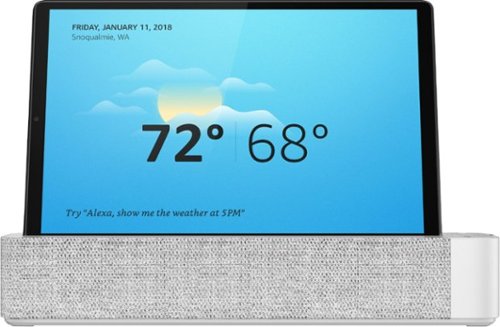
Lenovo - Smart Tab M10 FHD Plus with Amazon Alexa - 10.3" - Tablet - 128GB - Platinum Gray
The Lenovo Smart Tab M10 FHD Plus with Alexa Built-in is our 2nd generation mainstream Android tablet that can help you do more, hands-free. It's a 2-in-1 offering with a tablet plus the Alexa built-in smart dock. The tablet comes with a standout metal design, premium look and feel with modern simplicity, and boasts a 10.3" FHD screen and dual speakers for immersive entertainment - but it's more than that. Dock the device into the smart dock to transform your tablet into a hands-free home assistant. Perfect for the kitchen or living room with enhanced dual speaker sound, charging and a full screen Alexa experience. Just ask, and you can stream music or play videos, check the weather, access tens of thousands of Alexa skills, dim the lights or change the temperature from your favorite chair. Do more, hands-free.
Does this tablet have a touch screen? Also, what is the maximum SD card this tablet can accommodate?
Yes, the Lenovo Tab M10 Tablet has a touchscreen. This tablet ships with a MicroSD card slot, expandable up to 256GB
5 years, 11 months ago
by
Posted by:
Lenovo Product Expert
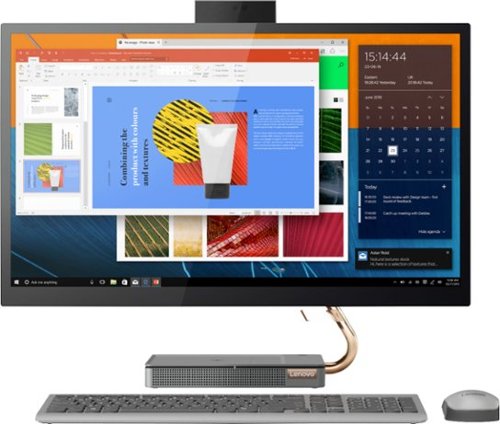
Lenovo - IdeaCentre A540-27ICB 27" Touch-Screen All-In-One - Intel Core i5 - 12GB Memory - 256GB SSD - Mineral Gray
Increase your productivity with this 27-inch QHD Lenovo IdeaCenter All-in-One desktop. The Intel Core i5 processor and 12GB of RAM support seamless multitasking, while a 256GB M.2 SSD combines rapid boots and ample storage. This Bluetooth-enabled Lenovo IdeaCenter All-in-One desktop features a Full HD camera for smooth videoconferencing and arrives with Windows 10 Home 64 bit installed to get you started right away.
Does it come with windows 10??
Yes. This model ships with Windows 10 Home 64-bit Operating System.
5 years, 11 months ago
by
Posted by:
Lenovo Product Expert
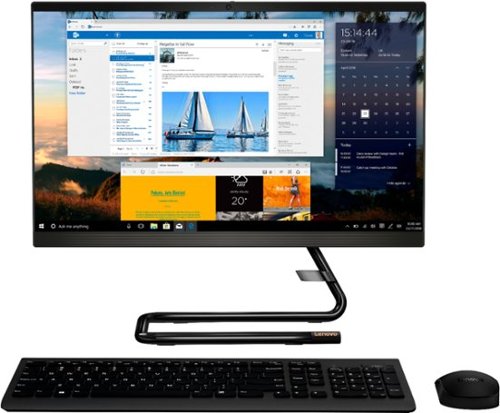
Lenovo - IdeaCentre A340-22IGM 21.5" Touch-Screen All-In-One - Intel Pentium Silver - 8GB Memory - 1TB HDD - Business Black
Finish office work flawlessly with this all-in-one Lenovo IdeaCentre desktop computer. The 1TB HDD provides ample storage space for projects and media, while the 8GB of RAM and Intel Pentium Silver processor let you run multiple programs effortlessly. This 21.5-inch Lenovo IdeaCentre desktop computer includes a Full HD touchscreen, and integrated Intel UHD graphics produce quality visuals.
Does this computer have a webcam and speakers already built in the computer?
Yes. The Lenovo IdeaCentre A340-22 All-In-One system, model number ships with a 720p (HD) webcam and microphone built in.
5 years, 11 months ago
by
Posted by:
Lenovo Product Expert
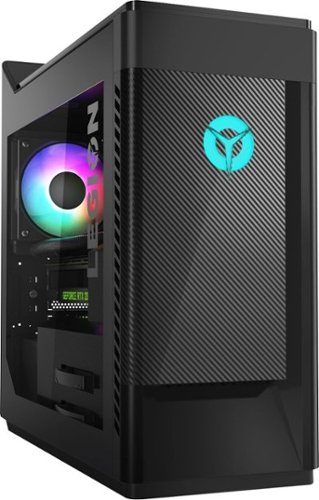
Lenovo - Legion Gaming Desktop - Intel Core i5 - 9400F - 8GB Memory - NVIDIA GeForce GTX 1660 - 1TB HDD + 256GB SSD
Lenovo Legion T5 28IMB05 Desktop: Work and play with this Lenovo Legion laptop computer. The Intel Core i5 processor and 8GB of RAM deliver reliable performance and support smooth multitasking, while the 1TB hard drive and 256GB SSD combine speed and ample storage. This Lenovo Legion laptop computer features NVIDIA GeForce graphics that support design applications and arrives with Windows 10 preinstalled to get you started right away.
Can I install a DVD-ROM drive? It looks like from the external front picture that there 'MIGHT BE' an external drive slot at the top under the power button? Please confirm. If so, what kind of SATA version does it accept. Thank you.
There is no slot for an internal CD/DVD drive within this model. You could use an external, USB-based, Windows 10 compatible CD/DVD drive with this system.
5 years, 11 months ago
by
Posted by:
Lenovo Product Expert
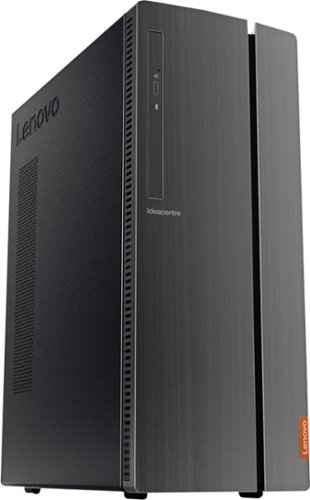
Lenovo - 510A-15ICB Desktop - Intel Core i3 - 8GB Memory - 1TB Hard Drive - Black
Lenovo 510A-15ICB Desktop: Take care of business with this Lenovo IdeaCentre desktop computer. The Intel Core i3 processor and 8GB of RAM let you engage with intensive applications, while the DVD-RW drive lets you watch movies and install new programs. This Lenovo IdeaCentre desktop computer has a 1TB hard drive to store your files.
Does this product come with a keyboard and mouse or have ny deals with accessories and/or a monitor?
Yes. The wired keyboard and mouse are included.
5 years, 11 months ago
by
Posted by:
Lenovo Product Expert
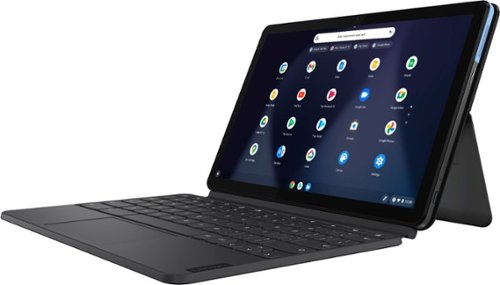
Lenovo - IdeaPad Duet Chromebook - 10.1 (1920x1200) Touch 2-in-1 Tablet - MediaTek P60T - 4G RAM - 128G eMCP4x - with Keyboard - Ice Blue + Iron Gray
Work on pending assignments while on the move with this Lenovo Chromebook Duet. The 10.1-inch touch screen provides an interactive user experience, while the 128GB of internal storage offer ample space for apps and media files. This Lenovo Chromebook Duet features a MediaTek Helio P60T processor and 4GB of RAM for effortless multitasking.
Does it have a camera?
Yes. The Lenovo Duet Chromebook ships with both a Rear Camera, that is a 8 MP Auto-Focus and a
Front Camera, that is 2 MP Fixed-Focus with LED Indicator.
Front Camera, that is 2 MP Fixed-Focus with LED Indicator.
5 years, 11 months ago
by
Posted by:
Lenovo Product Expert
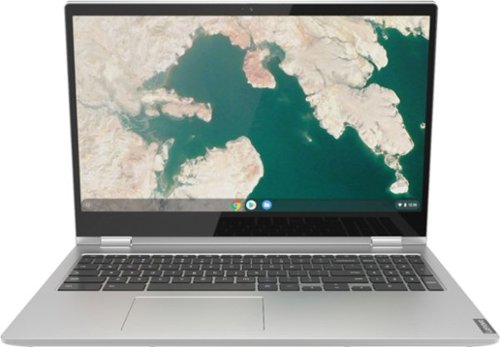
Lenovo - C340-15 2-in-1 15.6" Touch-Screen Chromebook - Intel Core i3 - 4GB Memory - 64GB eMMC Flash Memory - Mineral Gray
Lenovo C340-15 Convertible 2-in-1 Chromebook: The Chromebook C340 brings you everyone's favorite Chromebook features in a slim 2-in-1 chassis, running on the lightning fast Chrome OS. It boots up in seconds, updates automatically, and is protected by built-in virus protection.
Does this laptop have a backlit keyboard
No. The Lenovo C340-15 Chromebook, model number 81T9000VUS, does not have a backlit keyboard.
5 years, 11 months ago
by
Posted by:
Lenovo Product Expert