Lenovo Product Expert
Lenovo Product Expert's Stats
Reviews
- Review Count0
- Helpfulness Votes0
- First ReviewNone
- Last ReviewNone
- Featured Reviews0
- Average Rating0
Reviews Comments
- Review Comment Count0
- Helpfulness Votes0
- First Review CommentNone
- Last Review CommentNone
- Featured Review Comments0
Questions
- Question Count0
- Helpfulness Votes0
- First QuestionNone
- Last QuestionNone
- Featured Questions0
- Answer Count37725
- Helpfulness Votes24,785
- First AnswerApril 21, 2014
- Last AnswerSeptember 26, 2026
- Featured Answers0
- Best Answers2823
Lenovo Product Expert's Reviews
Lenovo Product Expert has not submitted any reviews.
Lenovo Product Expert's Questions
Lenovo Product Expert has not submitted any questions.
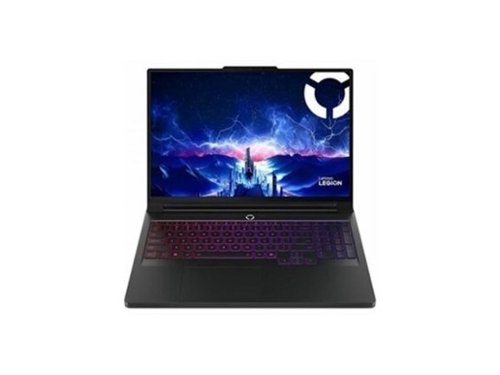
Lenovo Legion Pro 7 16AFR10H 16" Gaming Notebook - AMD Ryzen 9 9955HX3D (2.50 GHz) - 32 GB - 2 TB SSD - Windows 11 Pro - NVIDIA Geforce RTX 5080 16 GB -Webcam - IEEE 802.11be Wireless (83RU0006US )
Hello! Does the CPU use PTM or liquid metal for cooling?

Hey Bob6k,
The Legion Pro 7 features hybrid cooling technology thanks to Legion ColdFront: Vapor--a massive vapor chamber and vacuum-sealed HyperChamber.
Please feel free to reach out to us with any other questions!
The Legion Pro 7 features hybrid cooling technology thanks to Legion ColdFront: Vapor--a massive vapor chamber and vacuum-sealed HyperChamber.
Please feel free to reach out to us with any other questions!
10 months ago
by
Posted by:
Lenovo Product Expert

Lenovo - ThinkCentre Tiny-In-One 27" QHD LCD Monitor - 2560 x 1440 QHD Display - In-plane Switching (IPS) Technology - 99% - Black
Transform your compatible Lenovo Tiny or Nano computer into an All-in-One system and clear cable clutter from your desktop with the ThinkCentre Tiny-In-One 27" 16:9 Video Conferencing QHD IPS Monitor. Featuring a 2560 x 1440 QHD resolution screen, this monitor includes a built-in webcam, a 2W stereo speaker system, and dual-array microphones for clear video calls. The infrared camera works with Windows Hello facial recognition to log you in without having to enter a password. Adjust the screen's height, tilt, swivel, and pivot to match your comfort. It also has Eye Comfort features that help reduce eye fatigue during extended use. Although the ThinkCentre Tiny-In-One has a dedicated compartment on the back for select Lenovo Tiny and Nano PC systems, this monitor works with most DisplayPort- and HDMI-compatible desktop and laptop computers.
Is this monitor compatible with Windows 11?
Hey Tif,
Yes, you shouldn't run into any OS compatibility issues.
Please feel free to reach out to us with any other questions!
Yes, you shouldn't run into any OS compatibility issues.
Please feel free to reach out to us with any other questions!
10 months ago
by
Posted by:
Lenovo Product Expert

For aspiring esports gamers, Intel Core Ultra Processors with 24 cores deliver powerful performance for gaming and content creation. Next-gen NVIDIA GeForce RTX graphics with AI-enhanced DLSS and ray tracing provide a leap in gaming performance. Lenovo AI Engine+ optimizes your system in real-time for peak performance. Encased in sleek Eclipse Black with AI-synced RGB lighting, the Lenovo PureSight OLED display ensures low latency and high refresh rates for competitive gaming. Legion Coldfront: Hyper~s turbo-charged fans and vacuum-sealed heat pipes keep your system cool and quiet. With Legion Truestrike~s 1.6mm key travel and soft-landing switches, your precision improves. Legion Space offers custom overclocking and AI-driven game coaching for your path to success.
Does this laptop support nvidia g-sync and/or amd freesync?
Hey acidblue,
This Legion Pro 5i's OLED display supports G-SYNC.
Please feel free to reach out to us with any other questions!
This Legion Pro 5i's OLED display supports G-SYNC.
Please feel free to reach out to us with any other questions!
10 months ago
by
Posted by:
Lenovo Product Expert
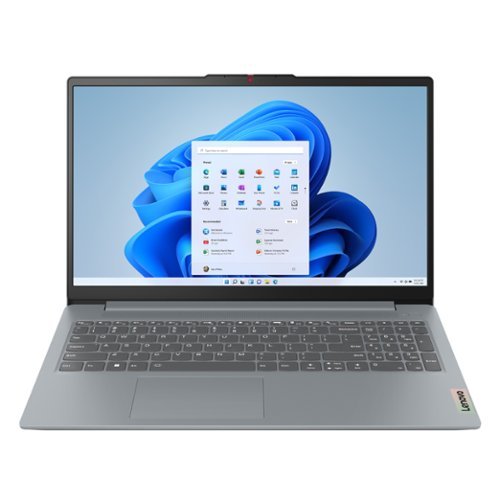
The smart IdeaPad Slim 3 lets you work, study, and play on the go anywhere in the world with a lightweight and thin profile that's 10% slimmer than the previous generation yet still military-grade rugged. Take care of important business with powerful up-to-the-latest AMD Ryzen 7000 processors, enhanced with the adaptive performance of Smart Power and full-function Type-C port while you learn, work, and stream on an up-to-WUXGA IPS display with up to 88% AAR.
Can you download and play old school runescape ?
Hey Dee,
Yes, you shouldn't have any issues with installing and running Old School RuneScape.
Please feel free to reach out to us with any other questions!
Yes, you shouldn't have any issues with installing and running Old School RuneScape.
Please feel free to reach out to us with any other questions!
10 months ago
by
Posted by:
Lenovo Product Expert
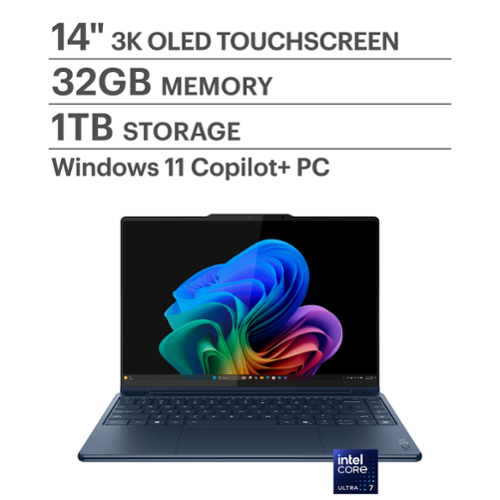
Create anywhere, any way on Yoga 9i 2-in-1 Aura Edition. Powered by Intel Core Ultra and a 45 TOPS NPU, this Copilot+ PC adapts to your flow with AI-driven performance, while the 360~ design lets you create without limits. Aura Smart Modes feel like an extension of your mind, Smart Share connects your phone and PC, and Smart Care has your back.
What does the battery life transfer to amount of hours?
Hey lilian,
The MobileMark battery life rating for this Yoga 9i is 17.5 hours; however, during test like these, the conditions you may be using your Yoga can vary greatly depending on device settings, workload its under, and more. Within user reviews for this series Yoga 9i 2-in-1 Aura Edition, others usually experience around 6-8 hours of use with a moderate workload, being used throughout the day. Putting your device to sleep and making power adjustments are some ways you can easily extend your battery life.
Please feel free to reach out to us with any other questions!
The MobileMark battery life rating for this Yoga 9i is 17.5 hours; however, during test like these, the conditions you may be using your Yoga can vary greatly depending on device settings, workload its under, and more. Within user reviews for this series Yoga 9i 2-in-1 Aura Edition, others usually experience around 6-8 hours of use with a moderate workload, being used throughout the day. Putting your device to sleep and making power adjustments are some ways you can easily extend your battery life.
Please feel free to reach out to us with any other questions!
10 months ago
by
Posted by:
Lenovo Product Expert
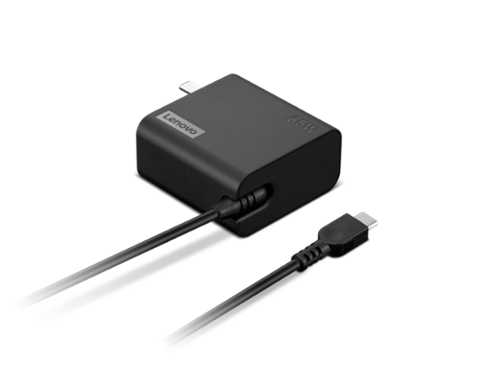
This remarkably economical Lenovo 65W USB-C Wall Adapter is the ultimate charging companion for any journey. It ensures lightning-fast power to your USB-C devices, while its adjustable output voltages (5V/9V/15V/20) have you covered no matter what device needs to be charged. Crafted with convenience and portability in mind, its slim size makes fitting it into luggage or backpacks effortless - ensuring reliable access to mobile power on all of life~s adventures!
Is this compatible with the yoga series?
Hey Kirk,
Yes, USB-C charger should work fine with the most Yoga laptops without a discrete GPU.
Please feel free to reach out to us with any other questions!
Yes, USB-C charger should work fine with the most Yoga laptops without a discrete GPU.
Please feel free to reach out to us with any other questions!
10 months ago
by
Posted by:
Lenovo Product Expert
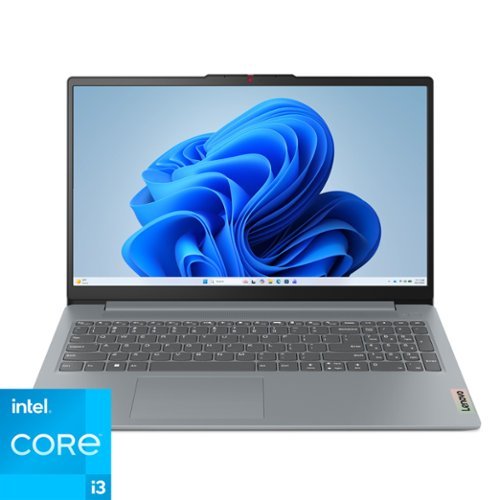
The IdeaPad Slim 3i is smart and made for heavy on-the-go users from libraries and cafes to airport terminals, with a lightweight and thin profile that's 10% slimmer than the previous generation yet still military-grade rugged. Get the important stuff done on the go with powerful 13th Gen Intel Core i3 processors, the adaptive performance of Smart Power, and full-function Type-C port while you learn, work, and stream on a Full HD display with up to 88% AAR.
Is this laptop compatible with Linux?
Hey Pebbles02865,
Yes, this IdeaPad Slim 3i can run Linux.
Please feel free to reach out to us with any other questions!
Yes, this IdeaPad Slim 3i can run Linux.
Please feel free to reach out to us with any other questions!
10 months ago
by
Posted by:
Lenovo Product Expert
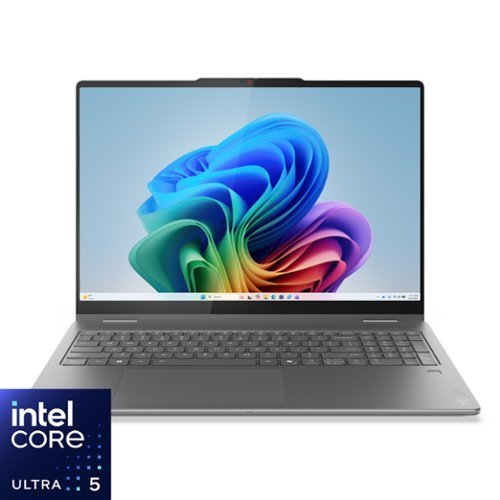
Create anywhere with the Yoga 7i 2-in-1. Its 360~ design, touchscreen, and optional Yoga Pen let you sketch, edit, or present like a pro. Powered by Intel Core Ultra Processor and a 40+ TOPS NPU, this Copilot+ PC balances power and efficiency. The 16" LCD display with 60Hz refresh and Dolby Vision delivers stunning visuals.
Is the keyboard backlit?
Hey cat,
Yes, this Yoga 7i 2-in-1 features a backlit keyboard.
Please feel free to reach out to us with any other questions!
Yes, this Yoga 7i 2-in-1 features a backlit keyboard.
Please feel free to reach out to us with any other questions!
10 months ago
by
Posted by:
Lenovo Product Expert
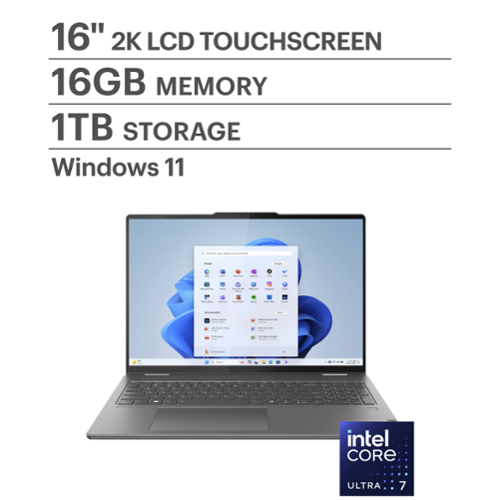
Lenovo - Yoga 7i 2-in-1 16" 2K Touchscreen Laptop - Intel Core Ultra 7 155U 2023 - 16GB Memory - 1TB SSD - Storm Grey
It~s inspiration all around with the Lenovo Yoga 7i 2-in-1, delivering 360~ of flexibility, impressive performance, and ultra-immersive audio-visuals. Primed with creating power from up to the latest Intel Core Ultra processor, you can unleash greatness in every way. The larger 16~ 16:10 WUXGA display makes entertainment and creative projects come to life like never before. All that with a fast-charging battery and all the ports you need, it's your art studio, home office, and cinema all in one.
can I upgrade the RAM on this machine?
Hey DaveMac1,
Memory cannot be upgraded with this Yoga 7i, as it is soldered to the systemboard.
Please feel free to reach out to us with any other questions!
Memory cannot be upgraded with this Yoga 7i, as it is soldered to the systemboard.
Please feel free to reach out to us with any other questions!
10 months ago
by
Posted by:
Lenovo Product Expert
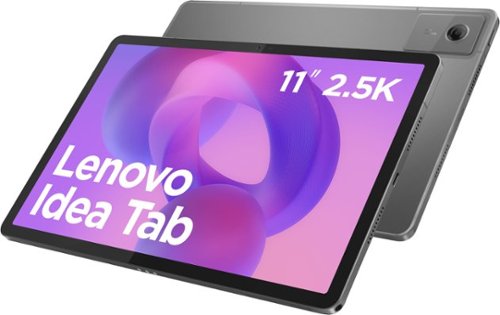
Make studying smoother and staying on track easier with the Lenovo Idea Tab, your AI-powered study buddy. The 11~ 2.5K display with a 90Hz refresh rate and quad Dolby Atmos speakers deliver clear visuals and rich sound for focused learning, lectures and fun. Need help on the spot? Instantly search or translate information on your screen with Circle to Search with Google, all without switching apps, enhanced by the Lenovo Tab Pen (sold separately) with 40% improved latency for smoother, more natural writing. Open the Notepad app and use Lenovo AI Notes to keep writing when you~re stuck, rephrase messy notes, or quickly summarize long content. Powered by the MediaTek D6300 with up to 70% more power*, multitasking feels smooth and effortless. Add the Pogo-pin folio keyboard for easy typing, and count on all-day battery life to keep up wherever your day takes you.
Does it come with parental controls?
Hi Aunt,
Yes, Google offers a service called Family Link that enables parents to establish boundaries online, monitor app activity and permissions, along with managing and securing your child’s account. To learn more about the platform, please visit this Google webpage for details: https://safety.google/families/parental-supervision/, also the Kids Space software is preinstalled. You can visit the following Google site for details on this kid safe platform as well: https://families.google/kidsspace/ |
Please feel free to reach out to us with any other questions!
Yes, Google offers a service called Family Link that enables parents to establish boundaries online, monitor app activity and permissions, along with managing and securing your child’s account. To learn more about the platform, please visit this Google webpage for details: https://safety.google/families/parental-supervision/, also the Kids Space software is preinstalled. You can visit the following Google site for details on this kid safe platform as well: https://families.google/kidsspace/ |
Please feel free to reach out to us with any other questions!
10 months ago
by
Posted by:
Lenovo Product Expert