Lenovo Product Expert
Lenovo Product Expert's Stats
Reviews
- Review Count0
- Helpfulness Votes0
- First ReviewNone
- Last ReviewNone
- Featured Reviews0
- Average Rating0
Reviews Comments
- Review Comment Count0
- Helpfulness Votes0
- First Review CommentNone
- Last Review CommentNone
- Featured Review Comments0
Questions
- Question Count0
- Helpfulness Votes0
- First QuestionNone
- Last QuestionNone
- Featured Questions0
- Answer Count37964
- Helpfulness Votes24,861
- First AnswerApril 21, 2014
- Last AnswerOctober 27, 2026
- Featured Answers0
- Best Answers2831
Lenovo Product Expert's Reviews
Lenovo Product Expert has not submitted any reviews.
Lenovo Product Expert's Questions
Lenovo Product Expert has not submitted any questions.
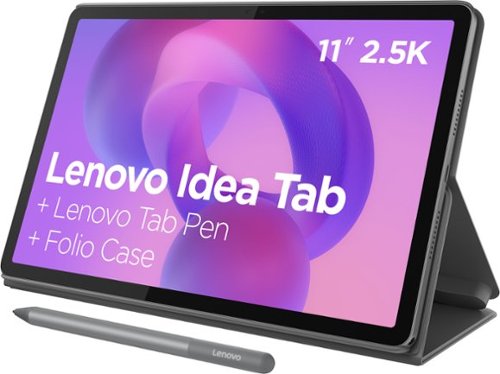
Make studying smoother and staying on track easier with the Lenovo Idea Tab, your AI-powered study buddy. The 11~ 2.5K display with a 90Hz refresh rate and quad Dolby Atmos speakers deliver clear visuals and rich sound for focused learning, lectures and fun. Need help on the spot? Instantly search or translate information on your screen with Circle to Search with Google, all without switching apps, enhanced by the Lenovo Tab Pen with 40% improved latency for smoother, more natural writing. Open the Notepad app and use Lenovo AI Notes to keep writing when you~re stuck, rephrase messy notes, or quickly summarize long content. Powered by the MediaTek D6300 with up to 70% more power*, multitasking feels smooth and effortless. Add the Pogo-pin Folio Keyboard (sold seperately) for easy typing, and count on all-day battery life to keep up wherever your day takes you.
Is there a keyboard that will work for this tablet?

Hi Stef,
There currently is not a keyboard pack made for the Idea Tab, but since this model ships with a Lenovo Folio Case in the box, you could use the compact Lenovo Bluetooth keyboard that's currently at Best Buy, which can be viewed here: https://www.bestbuy.com/product/lenovo-multi-device-wireless-keyboard-luna-gray/JJGYCC4RHW |
Please feel free to reach out to us with any other questions!
There currently is not a keyboard pack made for the Idea Tab, but since this model ships with a Lenovo Folio Case in the box, you could use the compact Lenovo Bluetooth keyboard that's currently at Best Buy, which can be viewed here: https://www.bestbuy.com/product/lenovo-multi-device-wireless-keyboard-luna-gray/JJGYCC4RHW |
Please feel free to reach out to us with any other questions!
2 months, 3 weeks ago
by
Posted by:
Lenovo Product Expert
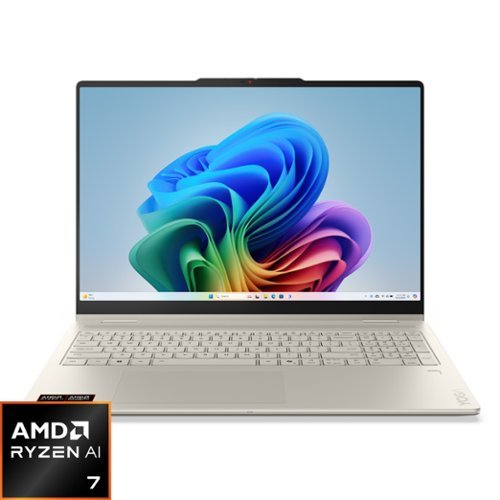
Bring your ideas to life with the Yoga 7 2-in-1. Its 360~ design, touchscreen, and optional Yoga Pen let you sketch, present, or edit with ease. Powered by an AMD Ryzen AI 7 processor and an NPU with up to 50 TOPS, it finely balances power and efficiency. The 16" PureSight LCD display with 60Hz refresh and Dolby Vision delivers stunning visuals.
Does this laptop come with word and excel?
Hey KiKi,
The most common Office apps like Word and Excel are preinstalled; however, without purchasing a long-term Office solution, such as a Microsoft 365 annual subscription, only a 30-day trial can be activated out of the box.
Here is a link to the Microsoft Office landing page on bestbuy.com to learn more about your Office options: https://www.bestbuy.com/site/microsoft/microsoft-office/pcmcat748300511466.c?id=pcmcat748300511466 |
Please feel free to reach out to us with any other questions!
The most common Office apps like Word and Excel are preinstalled; however, without purchasing a long-term Office solution, such as a Microsoft 365 annual subscription, only a 30-day trial can be activated out of the box.
Here is a link to the Microsoft Office landing page on bestbuy.com to learn more about your Office options: https://www.bestbuy.com/site/microsoft/microsoft-office/pcmcat748300511466.c?id=pcmcat748300511466 |
Please feel free to reach out to us with any other questions!
2 months, 3 weeks ago
by
Posted by:
Lenovo Product Expert
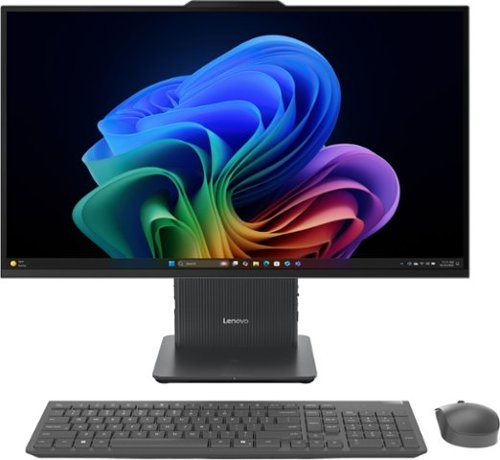
A family PC for all generations, the Lenovo IdeaCentre AIO seamlessly handles heavy multitasking sessions from demanding households with an Intel Core Ultra 7 processor, in a compact space-saving design that looks good anywhere you put it. Watch shows with the family on a vivid IPS FHD touch-screen display with room-filling audio by Nahimic Audio Solutions
What does 3 series mean on the lenovo ultra core
Hi Mia,
Series 3 refers to this IdeaCentre AIO featuring a third generation, or series, of Core Ultra processors.
Please feel free to reach out to us with any other questions!
Series 3 refers to this IdeaCentre AIO featuring a third generation, or series, of Core Ultra processors.
Please feel free to reach out to us with any other questions!
2 months, 3 weeks ago
by
Posted by:
Lenovo Product Expert
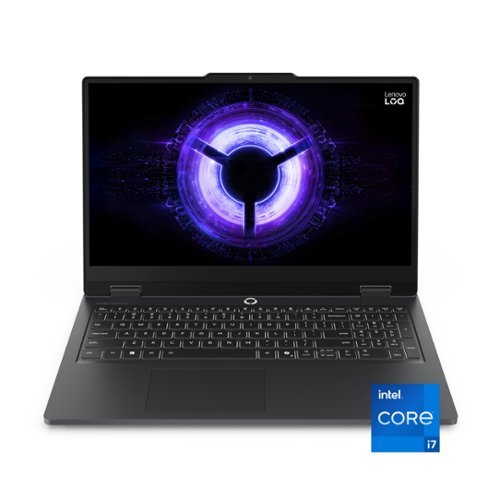
Born from Lenovo~s legacy of gaming innovation, LOQ Essential is engineered to deliver AAA gaming-ready performance for competitive play and everyday domination. Powered by 13th Gen Intel~ Core~ HX processors and NVIDIA~ GeForce RTX~ graphics in an exclusive Eclipse Black design. Stay cool, stay sharp~with whisper-quiet airflow and military-grade durability that~s built for the long game.
As a gaming machine, I assume it can be expanded in both RAM and storage. What is the upper limit, and are both RAM slots presently occupied, for dual channel use?
Hey there again, luislast,
You are right in your assumption, both memory and storage are expandable. As you're used to hearing by now, the max memory and storage support officially are based on test results with max Lenovo memory / storage options, meaning Lenovo doesn't put more than that in that product line. This LOQ Essential 15 supports up to 16GB DDR5-4800, 1TB Each. It features 1x 16GB SODIMM and a 512GB M.2 2242 SSD, leaving an open SODIMM and M.2 2242 PCIe 4.0 NVMe slot for upgrades. It is likely that the system supports higher memory and storage expansion than this, it just hasn't been tested by the manufacturer.
Let us know if you have any other questions!
You are right in your assumption, both memory and storage are expandable. As you're used to hearing by now, the max memory and storage support officially are based on test results with max Lenovo memory / storage options, meaning Lenovo doesn't put more than that in that product line. This LOQ Essential 15 supports up to 16GB DDR5-4800, 1TB Each. It features 1x 16GB SODIMM and a 512GB M.2 2242 SSD, leaving an open SODIMM and M.2 2242 PCIe 4.0 NVMe slot for upgrades. It is likely that the system supports higher memory and storage expansion than this, it just hasn't been tested by the manufacturer.
Let us know if you have any other questions!
2 months, 3 weeks ago
by
Posted by:
Lenovo Product Expert
Born from Lenovo~s legacy of gaming innovation, LOQ Essential is engineered to deliver AAA gaming-ready performance for competitive play and everyday domination. Powered by 13th Gen Intel~ Core~ HX processors and NVIDIA~ GeForce RTX~ graphics in an exclusive Eclipse Black design. Stay cool, stay sharp~with whisper-quiet airflow and military-grade durability that~s built for the long game.
Can you stop calling Full High Definition as the acronym 2K? It is very misleading, as that is not a standard resolution name and can be mistaken for QHD aka 2560x1440
Hey mpetersen71,
We appreciate your inquiry and concern that you've shared. To address this, we'd like to share some reasoning as to why 2K has taken off and is now used widely across the computing space.
2K resolution is one of multiple high-definition image resolution standards. The primary difference is that 2K resolution can refer to more than one image size. For this reason, 2K is generally accepted as an umbrella term. It is typically used when referring to the motion picture industry, as many films are projected at this standard.
These resolutions are defined by the Digital Cinema Initiatives, or DCI, a governing body comprised of major motion picture studios. The 1920x1200 resolution is considered as 2K, as the horizontal resolution (number of pixels across the display) meets the parameters to fall under the 2K umbrella.
If you'd like to learn even more, you can visit the following Lenovo web address for details:
https://www.lenovo.com/us/en/faqs/pc-life-faqs/what-is-2k-resolution/?orgRef=https%253A%252F%252Fwww.google.com%252F |
We hope that this helps, and if you have any other questions, please feel free to reach out!
We appreciate your inquiry and concern that you've shared. To address this, we'd like to share some reasoning as to why 2K has taken off and is now used widely across the computing space.
2K resolution is one of multiple high-definition image resolution standards. The primary difference is that 2K resolution can refer to more than one image size. For this reason, 2K is generally accepted as an umbrella term. It is typically used when referring to the motion picture industry, as many films are projected at this standard.
These resolutions are defined by the Digital Cinema Initiatives, or DCI, a governing body comprised of major motion picture studios. The 1920x1200 resolution is considered as 2K, as the horizontal resolution (number of pixels across the display) meets the parameters to fall under the 2K umbrella.
If you'd like to learn even more, you can visit the following Lenovo web address for details:
https://www.lenovo.com/us/en/faqs/pc-life-faqs/what-is-2k-resolution/?orgRef=https%253A%252F%252Fwww.google.com%252F |
We hope that this helps, and if you have any other questions, please feel free to reach out!
2 months, 3 weeks ago
by
Posted by:
Lenovo Product Expert
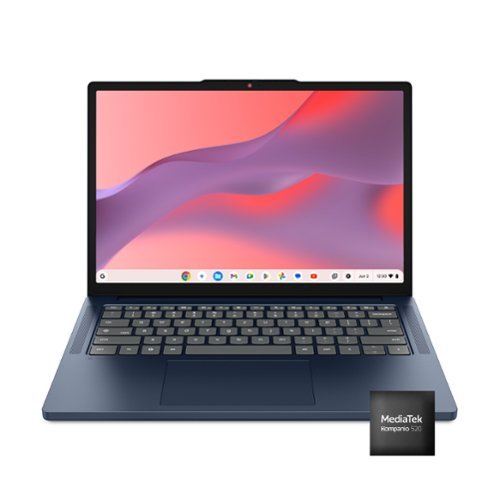
Live animated, live lively, live balanced. When you~re packing the thin and light IdeaPad Slim 3 Chromebook laptop, featuring WiFi 6E and 18 hours of battery life, balancing work and play all day becomes effortless. The 14" 2K IPS touchscreen display and MediaTek Kompanio 500 Series processors are a significant upgrade to your work and entertainment, with front-facing Waves-tuned speakers.
Can the memory and storage be upgraded by user?
Hi Micjduff,
Memory and storage cannot be upgraded, as they are soldered to the systemboard.
Memory and storage cannot be upgraded, as they are soldered to the systemboard.
2 months, 3 weeks ago
by
Posted by:
Lenovo Product Expert
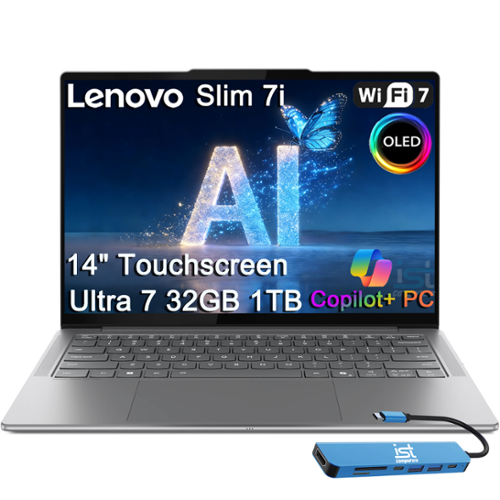
Crafted for professionals and creators on the go, this 14~ ultra-portable laptop weighs just 2.82 lbs with a durable aluminum chassis that meets MIL-STD-810H standards and delivers up to 17 hours of battery life for all-day productivity anywhere, powered by Intel Core Ultra 7 258V with integrated Intel Arc Graphics and a 47 TOPS NPU~making it a Copilot+ PC that handles offline AI workloads and multitasking effortlessly, while 32GB LPDDR5x RAM and 1TB SSD ensure instant boot times and smooth operation even for heavy business applications. Its stunning 14~ 100% DCI-P3 OLED display (up to 600 nits) lets you create and view content in exceptional detail, with T~V Low Blue Light certification to protect your eyes during late-night work and a touchscreen for intuitive control over presentations and design tasks, while you can connect up to 3 external monitors via HDMI 2.1 and Thunderbolt 4 without a docking station~supporting up to 4K@60Hz for expanded productivity~and the 5MP IR webcam with privacy shutter enables secure facial recognition and clear video calls, perfect for remote work and meetings. Equipped with 2~ Thunderbolt 4, USB-A, HDMI 2.1, and an SD card reader, it supports modern peripherals and multi-device setups, complemented by Wi-Fi 7 and Bluetooth 5.4 for faster wireless speeds and stable connections, plus a backlit keyboard for effortless typing in low-light environments, while its dedicated NPU enhances productivity with Copilot+ AI features like Recall (retrieving past actions), Cocreate (AI-driven image tools), Windows Studio Effects (video auto-framing and background blur), and Live Captions for real-time translation. Running Windows 11 Home, it~s ideal for business users, programmers, students, and creators, delivering advanced security, robust multitasking tools, and AI-powered productivity for both work and daily computing.
Doe it have a backlit keypad?
Hey Tony,
The Yoga Slim 7i Aura Edition 14 does feature a backlit keyboard.
Please feel free to reach out to us with any other questions!
The Yoga Slim 7i Aura Edition 14 does feature a backlit keyboard.
Please feel free to reach out to us with any other questions!
2 months, 3 weeks ago
by
Posted by:
Lenovo Product Expert
Live animated, live lively, live balanced. When you~re packing the thin and light IdeaPad Slim 3 Chromebook laptop, featuring WiFi 6E and 18 hours of battery life, balancing work and play all day becomes effortless. The 14" 2K IPS touchscreen display and MediaTek Kompanio 500 Series processors are a significant upgrade to your work and entertainment, with front-facing Waves-tuned speakers.
Will this work with office libre, an dor MS office/ excel/powerpoint?
Hey crispa26,
This Chromebook uses G-Suite for office type programs like Docs for word processing, Slides for presentations, Sheets for spreadsheets, and more. Most G-Suite apps are preinstalled on Chromebooks and are compatible with most Microsoft Office program file types. If you currently have a Microsoft Office 365 subscription, you can access that existing account and use the available apps via the Microsoft 365 app on your Chromebook.
Should you wish to learn more about using M365 on Chromebooks, please following this web address to a Microsoft Support webpage with details: https://support.microsoft.com/en-gb/office/how-to-access-microsoft-office-on-a-chromebook-32f14a23-2c1a-4579-b973-d4b1d78561ad#:~:text=Open%20the%20browser%20on%20your,with%20your%20Microsoft%20365%20subscription. |
Please feel free to reach out to us with any other questions!
This Chromebook uses G-Suite for office type programs like Docs for word processing, Slides for presentations, Sheets for spreadsheets, and more. Most G-Suite apps are preinstalled on Chromebooks and are compatible with most Microsoft Office program file types. If you currently have a Microsoft Office 365 subscription, you can access that existing account and use the available apps via the Microsoft 365 app on your Chromebook.
Should you wish to learn more about using M365 on Chromebooks, please following this web address to a Microsoft Support webpage with details: https://support.microsoft.com/en-gb/office/how-to-access-microsoft-office-on-a-chromebook-32f14a23-2c1a-4579-b973-d4b1d78561ad#:~:text=Open%20the%20browser%20on%20your,with%20your%20Microsoft%20365%20subscription. |
Please feel free to reach out to us with any other questions!
2 months, 3 weeks ago
by
Posted by:
Lenovo Product Expert
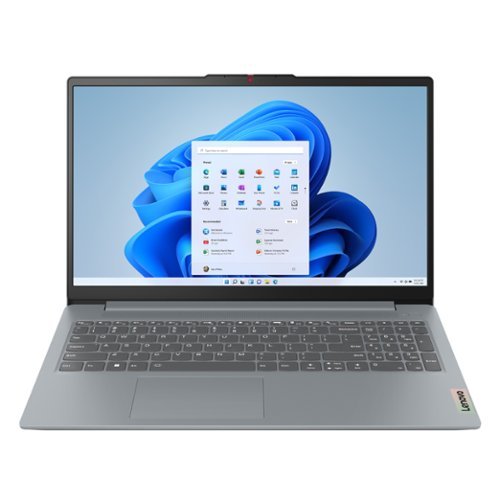
The smart IdeaPad Slim 3 lets you work, study, and play on the go anywhere in the world with a lightweight and thin profile that's 10% slimmer than the previous generation yet still military-grade rugged. Take care of important business with powerful up-to-the-latest AMD Ryzen 7000 processors, enhanced with the adaptive performance of Smart Power and full-function Type-C port while you learn, work, and stream on an up-to-WUXGA IPS display with up to 88% AAR.
is the RAM upgradeable?
Hey Chickie,
Memory cannot be upgraded with this model IdeaPad Slim 3, as it is soldered to the systemboard.
Please feel free to reach out to us with any other questions!
Memory cannot be upgraded with this model IdeaPad Slim 3, as it is soldered to the systemboard.
Please feel free to reach out to us with any other questions!
2 months, 3 weeks ago
by
Posted by:
Lenovo Product Expert
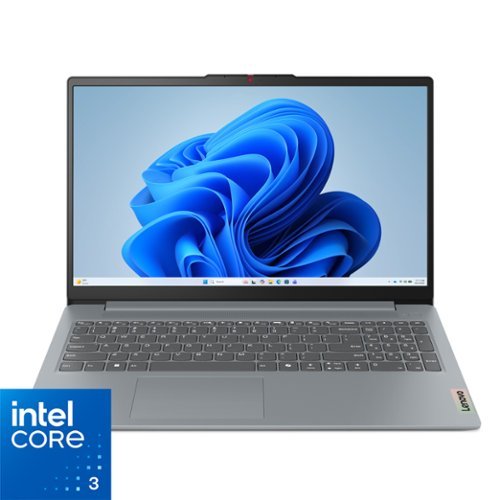
Impossibly slim, the Lenovo IdeaPad Slim 3i is amazingly dynamic and remarkably smart to take your work and play to the next level. Combined with an array of AI-driven productivity features, you~ve got the full works right in your hands.
Is RAM expandable?
Hi,
Memory cannot be expanded with this model IdeaPad Slim 3i, as it is soldered to the systemboard.
Please feel free to reach out to us with any other questions!
Memory cannot be expanded with this model IdeaPad Slim 3i, as it is soldered to the systemboard.
Please feel free to reach out to us with any other questions!
2 months, 3 weeks ago
by
Posted by:
Lenovo Product Expert