Lenovo Product Expert
Lenovo Product Expert's Stats
Reviews
- Review Count0
- Helpfulness Votes0
- First ReviewNone
- Last ReviewNone
- Featured Reviews0
- Average Rating0
Reviews Comments
- Review Comment Count0
- Helpfulness Votes0
- First Review CommentNone
- Last Review CommentNone
- Featured Review Comments0
Questions
- Question Count0
- Helpfulness Votes0
- First QuestionNone
- Last QuestionNone
- Featured Questions0
- Answer Count37786
- Helpfulness Votes24,805
- First AnswerApril 21, 2014
- Last AnswerOctober 6, 2026
- Featured Answers0
- Best Answers2825
Lenovo Product Expert's Reviews
Lenovo Product Expert has not submitted any reviews.
Lenovo Product Expert's Questions
Lenovo Product Expert has not submitted any questions.
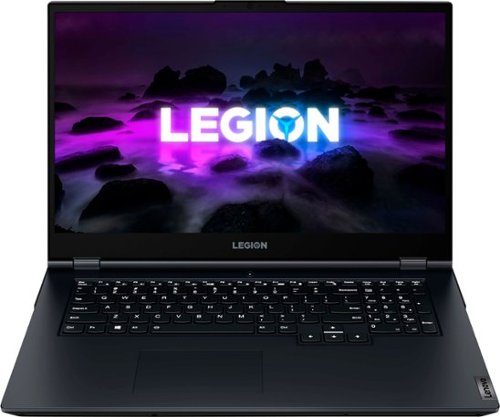
Lenovo - Legion 5 17.3" 144Hz Gaming Laptop FHD - AMD Ryzen 7 with 8GB Memory - NVIDIA GeForce RTX 3050 - 512GB SSD - Phantom Blue
Experience today~s top AAA games on the Lenovo Legion 5. Inside the clean, minimalist chassis of the Legion 5, available in Phantom Blue, is everything you ever need to compete on equal footing with the pros, including the latest generation AMD Ryzen processor and NVIDIA GeForce RTX graphics for performance that~s AI-optimized by the Legion AI Engine powering the revolutionary Legion Coldfront 3.0 and Q Control. Excel across every AAA title with a 17" FHD display at 144 Hz refresh rate, featuring 72% NTSC color accuracy and Nahimic 3D audio.
Percentage of sRGB gamut?

This Lenovo Legion 5 17, model number 82K000ANUS, ships with a 17.3" FHD (1920x1080) IPS 300nits Anti-glare, 72% NTSC, 144Hz, Dolby® Vision™, FreeSync™ Display.
3 years, 6 months ago
by
Posted by:
Lenovo Product Expert

Lenovo - IdeaPad Duet 3 Chromebook 2-in-1 Laptop - 11" 2K Touchscreen - Snapdragon 7cG2 - 4G RAM - 128G eMMC - Keyboard - Misty Blue
Fast, flexible, and fun, the Lenovo Duet 3 Chromebook 11" laptop brings everyone~s favorite Chromebook features, housed in a slim chassis, running on the lightning-fast Chrome OS that boots up in seconds, updates automatically, and is protected by built-in virus protection. Powered by Snapdragon SC7180 processor offers up to 10 hours of battery life, to seamlessly run all of your favorite apps at the same time.
What year did this come out?
This Lenovo IdeaPad Duet 3 Chromebook 11, model number 82T6000EUS, was announced 2022-03-11.
3 years, 6 months ago
by
Posted by:
Lenovo Product Expert
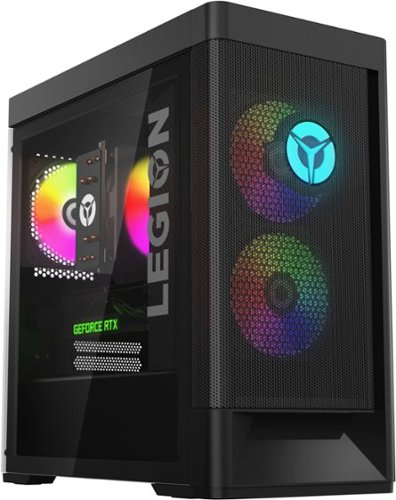
Lenovo - Legion Tower 5i Gaming Desktop - Intel Core i5-12400 - 16GB Memory - NVIDIA GeForce RTX 3050 - 256GB SSD + 1TB HDD - Black
Dominate your competition with the savage power and blistering speeds of your essential battlestation: the Lenovo Legion Tower 5i. 12th Generation Intel Core processors and the latest NVIDIA GeForce graphics cards deliver a stunning show of force with speed-barrier-breaking refresh rates at 4K, along with cool and quiet performance in a compact casing marked by a clean design and build.
Can the i5 be later upgraded to i7. Does the motherboard support that?
This Lenovo Legion Tower 5i, model number 90SU000RUS, ships with an Intel® Core™ i5-12400, and a Lenovo BDPLANAR 5B20W27666 MB FRU WIN DPK Motherboard, Lenovo Part #: 5B20W27666. This motherboard uses the LGA 1700 socket, if you plan to upgrade your CPU we recommend consulting your Certified Technician.
3 years, 6 months ago
by
Posted by:
Lenovo Product Expert
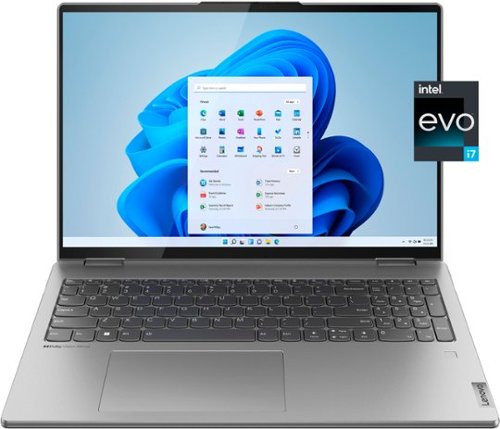
Lenovo - Yoga 7i 16" 2.5K Touch 2-in-1 Laptop - Intel Evo Platform - Core i7-12700H - 32GB Memory - Intel Arc A370M - 1TB SSD - Arctic Grey
The Lenovo Yoga 7i combines versatile portability and enhanced productivity, thanks to the boundary-breaking performance and responsiveness of 12th generation Intel Core processors and vibrant WQXGA clarity with Intel Arc A370M graphics. Go anywhere with a sleek 2-in-1 metal chassis featuring thoughtful details including an IR camera with privacy shutter.
Why is my Keyboard Light No longer working on high or dim. It’s not working period. My LapTop is only 6 months old.
This Lenovo Yoga 7i 16, model number 82UF0000US, ships with a Backlit, English (US) keyboard. If you are having issues with your Yoga 7i 16 we recommend contacting Lenovo Tech Support at: 877-453-6686.
3 years, 6 months ago
by
Posted by:
Lenovo Product Expert
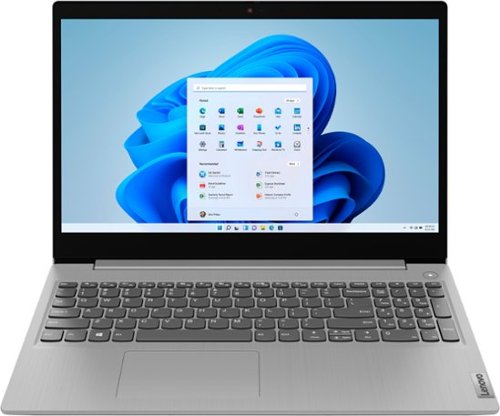
Lenovo - Ideapad 3i 15.6" HD Touch Laptop - Core i3-1115G4 - 8GB Memory - 256GB SSD - Platinum Grey
Engineered for long-lasting performance, the Lenovo IdeaPad 3i with an 11th Gen Intel Core Processor is the perfect laptop for your everyday tasks with dependable features. Dolby Audio delivers crystal-clear sound whether you~re watching a video, streaming music, or video-chatting, you~re sure to love what you hear on the IdeaPad 3i.
i want to upgrade the ssd and transfer the windows there. whats the max ssd internal can it carry. can i put 1tb internal ssd?
This Lenovo IdeaPad 3i 15, model number 81X800MCUS, ships with 256GB SSD M.2 2242 PCIe® 3.0x4 NVMe®, and supports up to two drives, 1x 2.5" HDD + 1x M.2 SSD (2.5" HDD up to 1TB, M.2 2242 SSD up to 512GB, M.2 2280 SSD up to 1TB).
3 years, 6 months ago
by
Posted by:
Lenovo Product Expert
Lenovo - Yoga 7i 16" 2.5K Touch 2-in-1 Laptop - Intel Evo Platform - Core i7-12700H - 32GB Memory - Intel Arc A370M - 1TB SSD - Arctic Grey
The Lenovo Yoga 7i combines versatile portability and enhanced productivity, thanks to the boundary-breaking performance and responsiveness of 12th generation Intel Core processors and vibrant WQXGA clarity with Intel Arc A370M graphics. Go anywhere with a sleek 2-in-1 metal chassis featuring thoughtful details including an IR camera with privacy shutter.
Hello, I was wondering if the screen is a glass screen and not a plastic one? Thank you.
This Lenovo Yoga 7i 16, model number 82UF0000US, ships with a 16" 2.5K (2560x1600) IPS 400nits Glossy, 100% sRGB, Dolby® Vision™, TÜV Low Blue Light, Touch Glass Display.
3 years, 6 months ago
by
Posted by:
Lenovo Product Expert
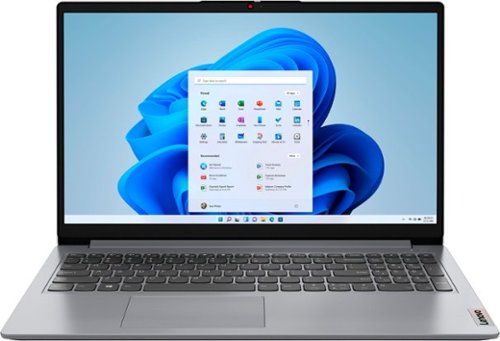
Lenovo - Ideapad 1 15.6" HD Laptop - Athlon Silver 3050U - 4GB Memory - 128GB eMMC - Cloud Grey
The Lenovo IdeaPad 1 is powered by an ultra-fast AMD Athlon Silver processor and it packs responsive performance in a thin and compact 17.9 mm chassis, making multitasking on-the-go a breeze. Get the most out of your device with a frameless display for more screen and Dolby Audio speakers, along with 10 hours of battery life and rapid charge.
what Microsoft Operating System does this laptop run, Windows 10 or 11
This Lenovo IdeaPad 1 15, model number 82R1006VUS, ships with Windows 11 S-Mode, 64-bit Operating System installed. Windows 11 S-Mode provides added security by only allowing APPs available (and therefore certified by Microsoft) at the Microsoft Store. If you don't need the added security or need to install APPs not available at the Microsoft Store, you can switch to standard Windows 11 Home 64-bit Operating System, at no additional cost.
3 years, 6 months ago
by
Posted by:
Lenovo Product Expert
Lenovo - Legion Tower 5i Gaming Desktop - Intel Core i5-12400 - 16GB Memory - NVIDIA GeForce RTX 3050 - 256GB SSD + 1TB HDD - Black
Dominate your competition with the savage power and blistering speeds of your essential battlestation: the Lenovo Legion Tower 5i. 12th Generation Intel Core processors and the latest NVIDIA GeForce graphics cards deliver a stunning show of force with speed-barrier-breaking refresh rates at 4K, along with cool and quiet performance in a compact casing marked by a clean design and build.
how well can this run beamng drive?
That will depend on the specific game's requirements and compatibility. We recommend you check with the specific game's software publisher's web site for their compatibility with Windows 11 Home 64-bit operating system and the minimum/recommended hardware requirements (Is a Graphics card required, the processor speed and the minimum required system RAM and the minimum available hard drive space) to run their program, then compare those requirements to this system's configuration.
3 years, 6 months ago
by
Posted by:
Lenovo Product Expert
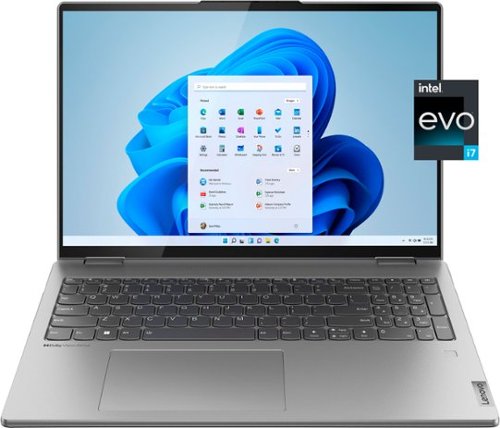
Lenovo - Yoga 7i 16" 2.5K Touch 2-in-1 Laptop - Intel Evo Platform - Core i7-1260P - 16GB Memory - 512GB SSD - Arctic Grey
The Lenovo Yoga 7i combines versatile portability and enhanced productivity, thanks to the boundary-breaking performance and responsiveness of 12th generation Intel Core processors and vibrant WQXGA clarity with Intel Iris Xe 96EU graphics. Go anywhere with a sleek 2-in-1 metal chassis featuring thoughtful details including a webcam privacy shutter.
Does this laptop have the new NVMe Gen4 SSD ??
Hello, Kilokilo7, this model Yoga 7i 16 features a 512GB M.2 2242 PCIe 4.0x4 NVMe SSD.
3 years, 6 months ago
by
Posted by:
Lenovo Product Expert
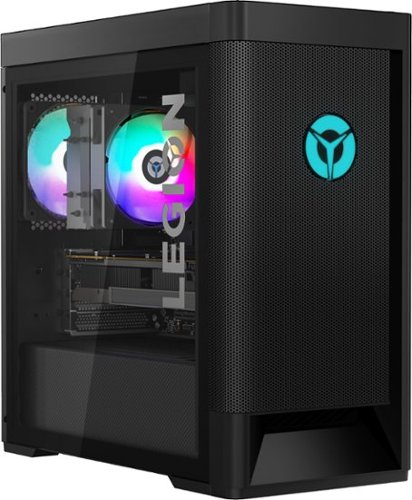
Lenovo - Legion Tower 5 AMD Gaming Desktop - AMD Ryzen 7-5800 - 16GB Memory - NVIDIA GeForce RTX 3060 - 256GB SSD + 1TB HDD - Raven Black
Engineered out of a passion for savage power and unmatched speed, the Lenovo Legion Tower 5 AMD delivers mind-blowing performance that combines AMD Ryzen processors and top-of-the-line NVIDIA GeForce graphics cards for blazing-fast frame rates at up to 4K resolution. Pushing far beyond the upper bounds of smaller rig configurations while keeping things cool and whisper quiet, the Legion Tower 5 is a marvel of build and design, accentuated by its illuminated blue LED logo and lighting, as well a transparent side panel that can properly showcase your internals.
How long is the manufacturer warranty?
Hello, Jake, this model Legion Tower 5 ships with 1 year of Legion Ultimate Support coverage. To see more details about your warranty, there is an application installed on your Legion Tower called Lenovo Vantage. Once the app is setup, at the top of the app window, you will see different labels for device, security and support tabs. Hover over the support tab with your mouse pointer and select "warranty and support" from the dropdown menu.
3 years, 6 months ago
by
Posted by:
Lenovo Product Expert