


lambda100's stats
- Review count110
- Helpfulness votes1,314
- First reviewDecember 20, 2014
- Last reviewSeptember 25, 2026
- Featured reviews0
- Average rating4.7
Reviews comments
- Review comment count0
- Helpfulness votes0
- First review commentNone
- Last review commentNone
- Featured review comments0
Questions
- Question count0
- Helpfulness votes0
- First questionNone
- Last questionNone
- Featured questions0
- Answer count18
- Helpfulness votes115
- First answerNovember 24, 2016
- Last answerDecember 1, 2021
- Featured answers0
- Best answers3
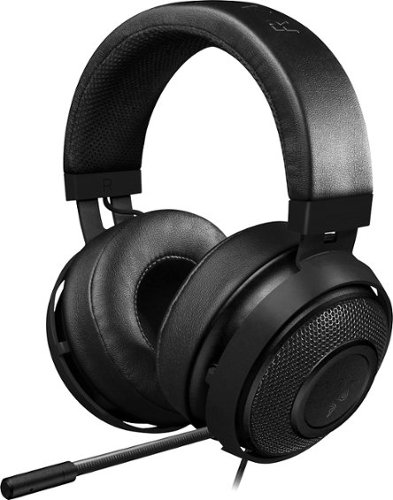
Bring bold color to your gaming hobby with this Razer Kraken analog headset. Thick padding and a lightweight construction make it ideal for extended wear, and the fully retractable microphone lets you adjust the device to meet your needs. This Razer Kraken analog headset has a long cable that provides flexibility of movement as you play.
Customer Rating

5
Gaming Just Got Real! Just Ask Your Ears.
on March 22, 2017
Posted by: lambda100
This headset is a pure joy to use. First of all it is very comfortable. The over-the-ear cushions are thick and roomy. The headband has a layer of foam that makes the headset feel feathery light on the head. I also wear glasses and there were no comfort issues there either. I experienced no fatigue when wearing them for hours.
Next is build quality. It is constructed with a unibody aluminum frame. Feels very firm, no creaking noises. Adjustments along the headband are firm and precise. Pretty good build quality. The 3.5mm audio cord is made of woven fabric.
Audio quality is excellent. Very well balanced across the audio frequency spectrum with the 50mm drivers. The highs/trebles, mids, and lows/bass are all present and well reproduced. Gaming never sounded so good. I think I will also be using it as my daily driver for listening to music. Yes, the sound quality is that awesome!
The main 3.5mm cord is 4.3 feet long and the audio/mic splitter adapter cable is 6.6 feet long which should be of sufficient length for most applications. There is an inline audio controller along the cable with a switch to toggle on/off the microphone.
The microphone on the headset is fully retractable and adjustable. Audio through the mic is crystal clear.
I think the Razer Kraken Pro v2 headset truly creates the immersive experience and should be on any serious gamer's short list of headsets to consider.
My Best Buy number: 3451666665
I would recommend this to a friend!
Share this review:


0points
0of 0voted this as helpful.

Head from hardwood to carpet for quick-and-easy full-house cleanups with this Dyson V7 Motorhead vacuum in hand. The direct-drive cleaner head dives deep into your rugs, getting up dirt from even hard-to-reach spaces. Disconnect the handle of this Dyson V7 Motorhead vacuum, and you've got a cordless handheld vac for simple sweep-ups of spills.
Customer Rating

4
A Pretty Good Cordless Stick Vac
on March 21, 2017
Posted by: lambda100
Here's what I like about the Dyson v7 Motorhead:
(1) Extremely easy to assemble. Just click and snap the attachments into the unit. That's all it takes. It took more time taking it out of the box.
(2) The vacuum is quiet. The Dyson engineers really dampened the noise. All my previous vacuums were so loud I could not hear my wife speaking to me. (That might be a good thing). Not with this vacuum, though. I could carry a normal conversation with it running.
(3) It has very good suction. It picked up dirt, dust, hair, paper, and food particles with no problems. I used it over carpet, rugs, tile floors, and laminate floors. There are two suction modes: a regular mode for normal vacuuming and a maximum mode for more demanding tasks.
(4) The vacuum head is compact. The width of the head measures less than 10” wide, allowing it to get into tight areas.
(5) The vacuum can be laid flat while vacuuming which allows you to easily clean underneath beds.
(6) It converts to a handheld vac to easily clean stairs. It comes with a crevice and combination tool to get into tight areas and corners.
(7) The vacuum is lightweight and can clean in high up spaces. For the first time, I was able to clean out my dusty a/c vents on my ceiling.
(1) Extremely easy to assemble. Just click and snap the attachments into the unit. That's all it takes. It took more time taking it out of the box.
(2) The vacuum is quiet. The Dyson engineers really dampened the noise. All my previous vacuums were so loud I could not hear my wife speaking to me. (That might be a good thing). Not with this vacuum, though. I could carry a normal conversation with it running.
(3) It has very good suction. It picked up dirt, dust, hair, paper, and food particles with no problems. I used it over carpet, rugs, tile floors, and laminate floors. There are two suction modes: a regular mode for normal vacuuming and a maximum mode for more demanding tasks.
(4) The vacuum head is compact. The width of the head measures less than 10” wide, allowing it to get into tight areas.
(5) The vacuum can be laid flat while vacuuming which allows you to easily clean underneath beds.
(6) It converts to a handheld vac to easily clean stairs. It comes with a crevice and combination tool to get into tight areas and corners.
(7) The vacuum is lightweight and can clean in high up spaces. For the first time, I was able to clean out my dusty a/c vents on my ceiling.
Here's what I didn't like about it:
(1) Wish it came in other colors. Fuscia/purple is not my favorite color.
(2) No user replaceable battery. If you have a large home, you will run out of juice before you finish the job. A user replaceable spare battery would have at least eased the range anxiety.
(3) You must keep your finger on the trigger otherwise the vacuum turns off. It would be nice if the Dyson v7 also had a trigger lock feature where you could keep the vacuum in the power-on position without having to keep your finger on the trigger.
(4) The vacuum does not support itself in the free standing position. It will fall over unless you prop it against a wall or mount it on the wall dock that comes with the vacuum.
(1) Wish it came in other colors. Fuscia/purple is not my favorite color.
(2) No user replaceable battery. If you have a large home, you will run out of juice before you finish the job. A user replaceable spare battery would have at least eased the range anxiety.
(3) You must keep your finger on the trigger otherwise the vacuum turns off. It would be nice if the Dyson v7 also had a trigger lock feature where you could keep the vacuum in the power-on position without having to keep your finger on the trigger.
(4) The vacuum does not support itself in the free standing position. It will fall over unless you prop it against a wall or mount it on the wall dock that comes with the vacuum.
Overall, I think I would recommend this vacuum to be on the short list of cordless stick vacuums to consider for someone who is thinking about their next purchase.
My Best Buy number: 3451666665
I would recommend this to a friend!
Share this review:


+35points
37of 39voted this as helpful.
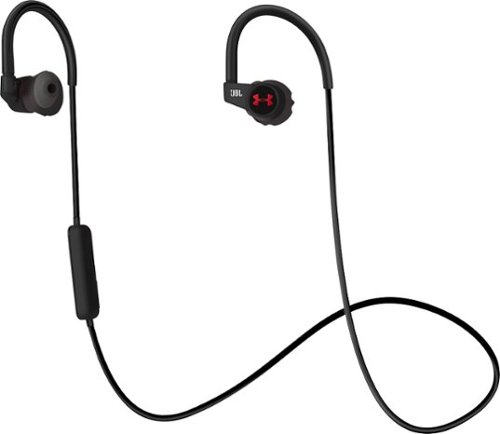
Track your heart rate, listen to music or talk hands-free on these JBL in-ear headphones. The ergonomic ear tips twist into your ear and stay in place with TwistLock technology without causing discomfort. These durable, sweat-proof JBL in-ear headphones have a battery life of up to 5 hours and come with a one-year MapMyFitness premium membership.
Customer Rating
5
Excellent Sound and Stays on Your Ears!
on January 23, 2017
Posted by: lambda100
Being an avid runner, I was eager to put the JBL Under Armour Sport Heart Rate Wireless In-Ear Headphones to the test.
The headphones come in a very nice looking red-colored premium box. The inside contents include:
-wireless headphones with sport clip
-4 sizes of eartips with the medium sized ones pre-installed on the headphones
-1 red-colored micro usb charging cable
-a carrying case
-a quick start guide
-warranty, safety, and FCC info pamphlets
-an access code for a one year membership to the MapMyRun app
-wireless headphones with sport clip
-4 sizes of eartips with the medium sized ones pre-installed on the headphones
-1 red-colored micro usb charging cable
-a carrying case
-a quick start guide
-warranty, safety, and FCC info pamphlets
-an access code for a one year membership to the MapMyRun app
There are no control buttons on the earbuds themselves. The on/off button and +/- buttons are located on the inline microphone on the right hand side of the connecting wire. The heart rate sensor is located inside the left ear bud and is illuminated with a green colored LED light when it is activated.
If you are not familiar with JBL headphones, they have a unique way of securing on the ears. First you insert the earbuds at a slight angle and then rotate or twist it into place on your ear sort of like a screw. Once secured, you simply wrap the over the ear hooks over the back of the ear. There is a sport clip that you can attach your shirt collar to help stabilize the wire.
There are four different sizes of silicone eartips which JBL calls “Enhancers.” They are large (size 8), medium (size 7, pre-installed), small (size 6), and extra small (size 5). It is very critical to get the correct fitment on your ears as this will affect the sound quality as I will describe later. It is best to try the different sizes and select the one that forms the best seal in your ear.
The twistlock method of securing the headphones really do keep the earbuds in the ear. I was impressed at how securely they managed to stay put. I had to really tug on the earbud to remove it from my ear. They are much more secure than the sport earbud offerings from competing companies that utilize a wingtip design to secure the earbuds. However, it did feel a little bit uncomfortable at first as the edge of the securing tip pressed on the bowl of my ear, but after a few adjustments and changing out to the correct eartip, I was used to it and the earbud felt more comfortable.
Connecting via bluetooth to my smartphone was quick. I did not experience any issues. I noticed that there is no NFC option available for the headphones. In my opinion, NFC pairing should be standard on headphones. The bluetooth range is standard. I managed to walk approximately 25-30 feet from my connected smartphone before the audio started cutting out.
If you have used other bluetooth headphones, you will notice that they have an audible hiss. Some manufacturers do a better job of masking the hissing noise. On this set of JBL headphones, the hissing noise is faint, but audible, though it quickly gets drowned out when the audio starts playing.
I was able to wear my headphones for over four hours without any major discomfort. I did have some minor discomfort from the edge of the securing eartip that was pressing on the bowl of my ear as I described earlier that left some red spots on my ear. However, after selecting the correct enhancer tip size, the earbud felt very comfortable.
My headphones came pre-charged from the factory. They live up to their promised 5 hours of battery life. I got a little over 5 hours during my initial test of the headphones. Once fully discharged, it took approximately 1.5 hours to fully re-charge the battery.
Now onto sound quality. If you select the correct eartip, you will get pretty dynamically balanced, bass rich sounds. Initially, I had the incorrect ear tip size on my ear. It did not form a proper seal around the bowl of my ear. As a result there was a gap between my ear and the earbud that made the audio sound like it was mostly treble with a slight hint of bass. Once I had the correct eartip twistlocked onto my ear and a tight seal was formed, the audio really opened up to reveal a strong base response, with mids and trebles present. If the factory tuned, pre-set sound signature is not to your liking, you can adjust the frequency response with an equalizer app on your phone. I adjusted the equalizers on my phone to emphasize a little more treble, and the headphones responded with more highs and crispness in sound without compromising the rich bass tones.
Sound is well contained in the earbud. I turned up the volume and asked my wife to sit next to me and listen for sound leakage. She was unable to hear my music even when I turned the volume up to a level that was unbearable for my liking.
Sport headphones such as these are not designed to isolate sound. With the headphones secured on your ears, you will still hear ambient noise, although a little muffled depending on how securely you twist locked the ear bud to your ears. This is by design as you will want to be able to hear your environment (e.g. oncoming traffic) if you are running outdoors. However, the outside world is drowned away once you turn up the volume on the headphones.
The heart rate monitor is easy to use. With the earbuds secured on your ears, you simply tap the right ear bud to turn on the heart rate monitor which is indicated by a green colored LED light on the left earbud. If the monitor cannot detect your heart rate, it will ask you to adjust the left ear bud until it detects the heart rate. Once detected, you simply tap the right earbud again and the heart rate will be announced through the audio in the headphones.
I tried the headphones while I ran on the treadmill and put up a good soaking, sweaty run. The earbuds stayed securely on my ears, not even loosening up a bit during my entire workout. My sweat soaked the earbuds and made them slippery, but again the earbuds stayed put. I also secured the clip to my shirt collar to prevent the wire from swinging around. Time will tell if the earbuds hold up to sweat resistance.
The inline microphone also works well. The person at the other end of the phone heard my voice clearly. The inline mic has three buttons. The center button is used for powering on/off, pausing the music, answering and disconnecting a phone call, and connecting to a bluetooth device. The + and – buttons are used to increase/decrease volume and skip music tracks. Also located on the inline mic is the LED status light indicator. Two quick blue flashes indicates that it is connected; single blue flashes mean that the power is on, but there is no device connected; alternating blue/red flash indicates that it is pairing; red flashes mean that the battery is low and needs a re-charge; and a constant red light indicates the battery is re-charging.
A very nice looking, premium pouch is included to store the headphones. I'm not sure what material the exterior of the pouch is made out of, but it appears to be some type of moisture resistant silicone, rubber, or neoprene material. There is a very premium feel to it.
The headphone can be connected to Under Armour's Record app which is a fitness app with a dashboard that tracks your exercise activities and progress. Additionally there is an access code for a one year membership to the MapMyRun app.
Finally, although not its intended use, these headphones do very well for the audio-visual experience as well. What I mean here is that if you wanted to watch a movie using these headphones, you will experience pretty much perfect syncing of the sound to the visual movement of the lips. In other words, I could not discern any audio lag when watching a movie.
In summary, I think the JBL Under Armour Sport Wireless Heart Rate headphones should be on any serious athlete's short list of wireless sport headphones. The twistlock method of attaching the headphones really make them stay securely on your ears. With deep, rich bass and sound performance that JBL is known for and coupled with a heart rate monitor that connects with Under Armour's fitness apps, this pair of headphones really tries to outrun the competition. However, all these features come at a premium price. JBL also manufactures wireless sport headphones without the heart rate monitor at a lower price point, so it will be up to you to decide if the heart rate monitor is worth the price premium.
My Best Buy number: 3451666665
I would recommend this to a friend!


Share this review:


0points
0of 0voted this as helpful.
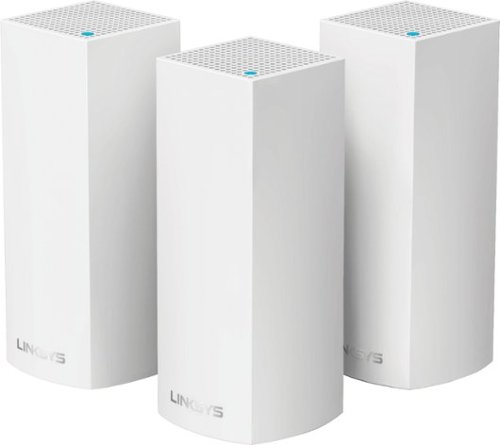
Make your home an internet haven with this versatile Linksys Velop wireless Wi-Fi system. Three identical tri-band dual-stream AC2200 routers, each equipped with a quad-core ARM Cortex-A7 processor, deliver lightning-fast internet. Equipped with Bluetooth 4.0/LE, this Linksys Velop wireless Wi-Fi system is simple to set up and pairs easily with computers, tablets and smart devices.
Customer Rating
5
Lightning Speed Whole Home Wi-Fi
on January 12, 2017
Posted by: lambda100
My six year old wireless router was beginning to show its technological age. It could not keep up with my family's growing consumption of online content. To make matters worse, I live in a three level condo where I had to use a wi-fi range extender to receive a wi-fi signal up to the third floor. Needless to say, I was quite interested to see how the Linksys Velop Whole Home Wi-fi would perform.
The system I received has three identical rectangular columns each measuring 7.25” in height and 3”x3” at its base. The three little towers, or nodes as Linksys calls them, resemble scale model white colored skyscrapers, much like how you would see in architectural models. This sleek, stylish, and contemporary look can easily blend in as a decorative piece in your home.
But enough about how it looks. Inside the nodes are actually wireless routers with three bands – a 2.4GHz band, and two 5GHz bands. There are six vertical antennas. The system will automatically select the 2.4 GHz or 5 GHz band for your device for optimum wi-fi performance. On the underside of each node there are two ethernet ports, a power switch, a reset button, and connector for power. The nodes communicate with each other to create a wireless wi-fi mesh to provide the entire home with a strong, full strength wi-fi network. The wi-fi throughput does not degrade, which is a limitation of wi-fi range extenders which cuts the wi-fi throughput by one-half each time the signal is extended. Depending on the size of your home and your coverage needs, Linksys offers single node, two node, and three node options.
Linksys makes the set-up very easy. The box does not come with a detailed user guide. Instead, there is a set up card that directs you to go to the Google Play or Apple Store to download the Linksys app to your smartphone or tablet which will guide you through the entire set up process. When I went to the Google Play store to select the Linksys app, I noticed there were two apps – a “Linksys Smart Wi-fi” app and a “Linksys Connect” app. Which one to install? I'll save you the trouble of trying to figure out which one is the correct app. Download and install the “Linksys Smart Wi-fi” app. The Linksys app holds your hand through each step, making it one of the easiest wi-fi set ups I have ever experienced. They should win an award just for being so consumer/user friendly. Please note that you will need to turn on your phone or tablet's bluetooth in order for the app to communicate with the node.
It's a simple five step connection process. Step 1 – Disconnect your existing router, Step 2 – Connect the base node (they're all identical, so just choose one of the three nodes to be your base node) to your modem via the supplied ethernet cable, or you can use an existing ethernet cable, Step 3 – Let the app search for the node and make the automatic wireless connection, Step 4 – Personalize the Wi-fi network by creating a name and password, and Step 5 – Add additional nodes or exit if you have no other nodes to set up. As additional nodes are added, the app analyzes the location of the node to determine if the placement is adequate to create the wi-fi mesh.
I placed a node at each of my three floors and was good to go. Perfomance wise, I noticed the improvement immediately. It was like I just came out of the wi-fi stone age and sprinted to the 21st century. No more buffering of video content while multiple devices were connected to the wi-fi network. Web pages load smoothly. My household has over a dozen devices connected via wi-fi, and there were no hiccups downloading and uploading content. This has everything to do with the multi-user, multi-input, multi-output (MU-MIMO) that Linksys has built into its whole home wi-fi. It is a robust system allowing multiple devices to simultaneously receive content. Furthermore, I could walk up the three flights of my condo and the wi-fi signal remained at full strength, and there was no longer a need to connect to a separate wi-fi network like I had to when I used the range extender.
The app is also easy to use. You are able to personalize the names of each node such as naming them “kitchen”, “living room”, etc. whatever will make it easy for me to remember which node was which.
There are also Parental Controls to allow you to manage internet access to your kids, Guest Access to share your internet without having to expose the rest of your wi-fi network, and Device Prioritization to allow up to three devices for priority usage of the internet. For advance users, there are Advanced Settings to allow customizations for Internet Settings, Port Settings, and Wi-Fi MAC Filters.
There is only one negative that I see. There is no usb connection on the node for connections to hard drives.
In summary, here are the Pros and Cons:
Pros
-Easy to set up
-Stylish looking nodes
-Fast full strength wi-fi for each node
-Expandable
-Eliminates the need for range extenders
-Easy to set up
-Stylish looking nodes
-Fast full strength wi-fi for each node
-Expandable
-Eliminates the need for range extenders
Cons
-No USB port
-No USB port
The Linksys Velop Whole Home Wi-fi impressed me with the quality packaging, aesthically looking nodes, seamless set up, and blazing MU-MIMO wi-fi performance that is able to create a wi-fi mesh to provide full strength internet. I have no hesitation recommending this system as an upgrade to an existing router and range extenders. The Linksys Velop has the advantage of enabling a uniform and continuous wi-fi network for the whole house without degradation of the wi-fi signal. For those looking to create a wireless whole home network but aren't confident in their abilities to set one up themselves, the Linksys Velop is the perfect solution as the app virtually holds your hand through the set up.
My Best Buy number: 3451666665
I would recommend this to a friend!


Share this review:


+8points
9of 10voted this as helpful.
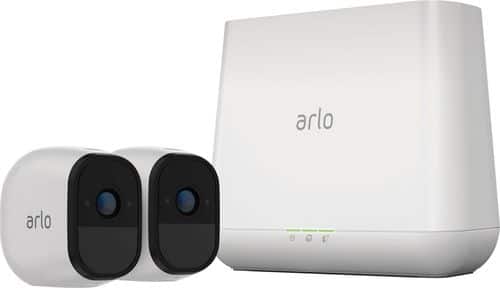
Arlo Pro takes the worrying out of life with the 100% Wire-Free indoor/outdoor home monitoring system. Arlo Pro includes rechargeable batteries, motion and sound-activated alerts, 2-way audio, a 100+ decibel siren, and 7 days of free cloud HD video recordings. Arlo covers every angle to help keep you safe and protected.
Customer Rating
5
One of the Best Home Survellience Systems
on December 21, 2016
Posted by: lambda100
I have been using the Arlo Pro wireless security camera system for some time now and I can say that it is arguably one of the best home survellience devices available in the market today. The fact that it is a wireless system that can be mounted up to 300' away from the base station makes this system worth it. Just imagine the hassle, time, and money spent on running conduit, creating wall and ceiling penetrations, and wiring of a traditional hard-wired system. The cameras can be mounted virtually anywhere imaginable around your home or the outside of your home. The package I have comes with two wireless cameras and the base station. I simply installed one camera at the top of my front porch and another at the rear of the home facing out toward the back porch and rear yard. The cameras are also weatherproof so installing them outdoors shouldn't be an issue.
I won't go into the details of the initial set up of the system, but what I will say is that it is easy to set up that even a non-tech savvy person can do it in less than 10 minutes. It's simply a matter of powering up the base station, inserting the batteries into the cameras, syncing the cameras, downloading the free Arlo app, and signing up for a free account and cloud service. The basic free service allows for the inclusion of up to 5 cameras and for a rolling 7 days of cloud recordings for up to 1GB of cloud storage. Anything more than this will require a monthly subscription service fee plan.
I set the cameras to respond to motion and they have been working very well. With notification alerts set up, I am alerted whenever the camera detects motion and begins recording. Video recordings can be set up for a fixed length from 5 second to 120 second durations. As of the writing of my review, the Arlo app was also updated with the option to automatically “record until activity stops up” to a maximum recording time of 300 seconds. However, this option was not functioning, but I expect that the firmware and app will be updated in the near future to ensure that this option will be fully functioning.
Setting up rules on the Arlo app and arming the system allows the cameras to record video automatically when they sense motion or sound. Motion and sound sensitivities can be adjusted to trigger the cameras when they detect more/less motion or louder/quieter sounds.
When viewing a live stream of video on the Arlo app, you can also manually record the live stream video or take an instantaneous snapshot photo. The manual video recording is not limited to the120 second duration as it is for the automatically triggered recordings. I was able to manually record for 29 minutes with a video file size of 122MB until my video recording stopped.
Each camera is equipped with a speaker and microphone to allow two-way communication. I could hear clearly through the speaker and it is loud enough that people several feet away from the camera can hear it well. Similarly, the microphone works very well. It picked up on very faint noises in the background with no issues.
One of the features I find to be really cool is the night vision capability of the camera. When the camera detects insufficient ambient lighting, it will automatically switch on the infrared lights and you will be able to see the video recording in virtual darkness!
Another useful feature is that you can set a rule to trigger the high pitched siren. The siren can be set for 1 min, 3 min, and 5 min durations and also has three different volume levels from loud, very loud, and extremely loud. At the loudest setting, it actually hurts my ears when I get close to the base station. According to the specs, the siren is rated at over 100dB. This is a great deterrent as the sound of the siren will scare away an intruder.
Video quality is average to good. It is definitely not very sharp especially when zoomed in on an image. Things get blurry pretty quickly when zoomed in. Maximum digital zoom is 8x magnification. Keep in mind that the zoom is a digital and not an optical zoom.
I like that the base station has two usb ports to connect external storage devices to locally store the videos. The videos will simultaneously stream to the cloud and saved onto the local usb storage such as a flash drive. However, one important thing to note is that the local storage drive must be formatted to FAT32. No other format types (e.g. NTFS) for the external storage are allowed.
The batteries can be charged with the supplied usb cable and charger or via a batter charge station that can be purchase separately. Battery life according to the specs is supposed to last 4-6 months. I have been putting the cameras through their paces and testing them over the course of one week now, with constant continuous motion detection monitoring triggering several hundred 2 minute recording durations, and have managed to drain the batteries down to 50%. That's pretty impressive battery life considering the testing I put the cameras through. I have no doubt that they will last the 4-6 months especially for much less rigorous recording intervals and much less motion detect activities that will be experienced in every day real life situations.
Finally, I want to point out one particular use of this system other than for the obvious security survellience benefit that it offers. I wish I had this system when my kids were babies. A wireless system such as this can be used as a baby monitor. For new parents, this is the perfect device to purchase. Why buy a dedicated baby monitor that is only useful for the short infancy period, when you can set up one of these Arlo Pro cameras as a baby monitor. You can have one camera set up as a baby monitor, and your remaining cameras serve as your home survellience. With a dedicated baby monitor, you'll probably need to get rid of it once you no longer need it, but you will find other uses for that Arlo Pro camera that you once used for a baby monitor.
In summary, I think the Arlo Pros are a top contender in the home survellience market. I would recommend that anyone looking to purchase a home survellience system give the Arlo Pro serious consideration. Although it enters the market at a higher price point, it affords great value with a feature rich wireless system that can be expanded as your home monitoring needs grow.
Pros
-ability to view live video feed anywhere on your connected mobile device, tablet, or computer
-wireless camera system can be installed anywhere inside or outside the home
-rolling 7 days of free cloud recordings
-no subscription fees, contracts, or monthly fees
-rechargeable batteries lasts 4-6 months between charges
-battery indicators to indicate remaining battery life for each camera
-very loud, piercing sounding siren
-excellent infrared night vision
-notification alerts or e-mail alerts if motion or sound is detected
-weatherproof
-videos can be backed up locally to a usb connected device
-excellent motion detection
-two way communication via on-camera speaker and microphone
-feature rich customizations
-ability to view live video feed anywhere on your connected mobile device, tablet, or computer
-wireless camera system can be installed anywhere inside or outside the home
-rolling 7 days of free cloud recordings
-no subscription fees, contracts, or monthly fees
-rechargeable batteries lasts 4-6 months between charges
-battery indicators to indicate remaining battery life for each camera
-very loud, piercing sounding siren
-excellent infrared night vision
-notification alerts or e-mail alerts if motion or sound is detected
-weatherproof
-videos can be backed up locally to a usb connected device
-excellent motion detection
-two way communication via on-camera speaker and microphone
-feature rich customizations
Cons
-approximately 3-5 second lag in the video image
-no optical zoom, purely digital zoom of the image resulting in blurry to grainy zoomed video
-video quality is average, not that sharp; images begin to lose detail about 10-15 feet away from the camera
-approximately 3-5 second lag in the video image
-no optical zoom, purely digital zoom of the image resulting in blurry to grainy zoomed video
-video quality is average, not that sharp; images begin to lose detail about 10-15 feet away from the camera
My Best Buy number: 3451666665
I would recommend this to a friend!
Share this review:


0points
0of 0voted this as helpful.
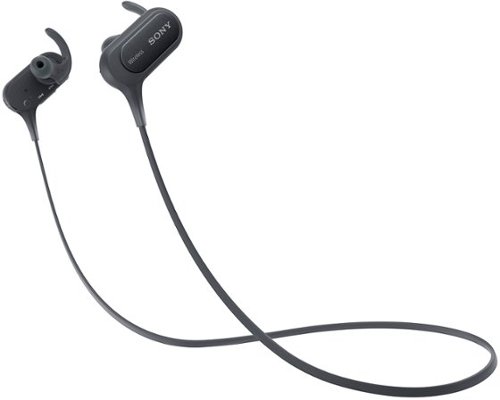
Make hands-free calls and listen to music with these Sony wireless in-ear sport headphones. The wireless design frees your range of motion, and the microphone makes conversations more convenient. Listen to music for over 8 hours on a single charge with these Sony wireless in-ear sport headphones, which are moisture-resistant for use during strenuous workouts.
Customer Rating
4
Good bass, but lacking in the highs
on November 24, 2016
Posted by: lambda100
Let's get right to the sound quality of the Sony MDR-XB50BS. The big selling feature is the extra bass. The bass is deep, tight, and powerful. This is a great in-ear headphone for those who want to get to the lower end of the audio frequency spectrum. I get that the headphones are designed to pump the bass into your ears to give you that extra motivation and energy during your workout routine. However, I believe Sony has tuned the sound too much toward the mids and the lows, neglecting the highs. Treble response is clearly missing, and sometimes you need to hear the crisp highs to help you finish off the workout routine. Don't get me wrong, sound quality is still very good, but it certainly doesn't have the full dynamic range that this headphone should be capable of.
It is a very comfortable headphone to wear. It comes with three different sizes of wings and earbuds so that you can find the one that fits your ears. The wing design is very secure and works really well at preventing the ear buds from falling out during movement. I was able to run, tilt my head in every direction, and even tug gently at the headphones, and it stayed in place in my ears. Even when the ear buds and wings were wet from sweat, they stayed securely on my ears with no problem.
The headphones are very easy to pair via bluetooth and NFC. My headphones came with the battery factory pre-charged. Battery life is excellent. The specs state that it can last up to 8.5 hours on a charge. I've had them on for nearly 8 hours now, and they're still going strong. It will take 2.5 hours to re-charge a fully depleted battery.
I own several different bluetooth headphones, and in my experience they all have a characteristic hissing noise that can be heard at low volumes and in between audio tracks. These headphones are no different.
Volume control, track skipping, play/pause, call answering, and the power button are all managed from the right side of the headphone. The microphone is very good as callers on the other end said my voice came through very clearly. Also, the volume can get very loud on the headphones in case some of you are wondering whether or not you can drown out noise by turning up the volume. Keep in mind that these headphones are not designed to reduce ambient noise. Sport headphones such as these are designed to allow ambient noise to come through so you remain aware of your surroundings.
The headphones do not come with a case or storage pouch so you're going to have to jam the headphones in your bag or pockets. I recommend purchasing some type of protective, padded pouch.
In summary, I think these are good sounding headphones, although the highs/treble is missing. They are strategically value priced between the cheapo low end bluetooth headphones and the more premium sport offerings at the higher price range. They stay securely on your ears and get the job done if you need to hear the extra bass to energize you through your workouts.
My Best Buy number: 3451666665
I would recommend this to a friend!
Share this review:


+38points
47of 56voted this as helpful.
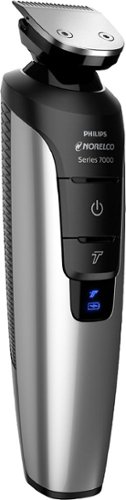
Keep unwanted hair to a minimum with this Philips grooming tool. The waterproof design lets you use it in the shower, and eight attachments make this trimmer perfect for grooming different sections of the face. This Philips grooming tool has a turbo setting to increase cutting speed, and it charges in just one hour to reduce wait time.
Customer Rating
5
Gets the Job Done
on November 12, 2016
Posted by: lambda100
Out of the box and plugged in to the adapter plug, the Philips Norelco Multigroom 7400 took less than half an hour to fully charge up. The lithium ion battery is advertised to last up to sixty minutes of run time, but I have yet to use it that long before plugging it back on the adapter for a recharge. The groomer comes with a total of seven attachments to groom and trim just about anywhere on your body. I used it to trim my beard, sideburns, nose and ear hair. Works like a charm. Complete control and precision. The unit feels light, but sturdy. The trimmer does the job effortlessly. I was able to remove unwanted ear and nose hair in a few seconds. Not only that, I was able to use it in the shower, and clean up afterwards is a breeze since all you have to do is rinse the attachments with warm water. Another nice thing is that the groomer comes with a storage pouch to carry the groomer and all the attachments.
This is a good trimmer if you see yourself using most or all the attachments.
The package also comes with a bottle of lubricating oil which is applied to the metal trimmers in order to maintain optimal trimming performance. However, I found nothing in the instructions as to what type of lubricating oil to use once the supplied bottle is used up. Also keep in mind that in accordance to the instructions the Bodygroom shaver, which is one of the seven attachments, should be replaced once a year. This will add to the cost of ownership of the unit if you will be using the Bodygroom shaver frequently.
My Best Buy number: 3451666665
I would recommend this to a friend!
Share this review:


0points
0of 0voted this as helpful.

Save time when you batch-edit photographs with Adobe Photoshop Elements 15. Sort photos automatically with the software~s enhanced smart tagging feature and find pictures via geotags or visual similarity. Specialized tools within the program let you fix frowns, remove camera shake and remove red-eye, making Adobe Photoshop Elements 15 an invaluable addition to your photography needs.
Customer Rating
5
Adobe Makes Photo Editing Simple and Fun
on November 6, 2016
Posted by: lambda100
Adobe packed a feature rich photo editing, organizing, and creative software in its latest offering of Photoshop Elements 15. I have used competitor photo editing software, and can attest that Photoshop Elements 15 is simply one of the easiest, most user friendly photo editing software on the market today. The software is mainly targeted to the budding photographer or average consumer who enjoys taking photos and wants to take that next step in giving their photos that extra pop or wow factor, but does not need the bells and whistles of the full blown subscription based Photoshop or Lightroom Creative Cloud apps.
I like that the graphical user interface is very clean, not overly cluttered with tool bars, and is easy to navigate. There are three editing spaces within the program: Quick, Guided, and Expert. As the name implies, the Quick work space allows you to make simple and quick adjustments to photos such as exposure, lighting, color, balance, and sharpening. The Guided work space leads you in a step-by-step process through over 40 of the most commonly utilized edits that most of us would use when editing photos. The Expert work space gives you freedom to control and fine tune to your heart's content.
The Guided work space will be most useful for those who are trying to gain familiarity with the program. It makes it easy to achieve your results with several quick clicks on your photos as the program holds your hand through each step of the process. I think the Guided work space reduces the learning curve tremendously without the stress of having to search help menus to figure out which buttons to click.
There are so many cool things that can be done with Photoshop Elements 15, just to name a few, such as merging photos, creating motion blur, moving objects within a photo, turning frowns into smiles, and performing batch edits. The possibilities are endless and are only limited by your imagination. I also want to mention that with version 15, you can actually perform touch edits for your photos if you have a touchscreen monitor. I think that is really nice to have especially now that we are so used to swiping on our screens to get things done.
Although I have concentrated my discussion on the photo editing features of the software, it is also a photo organizer and creative tool. The photo organizer makes it easy to find photos according to smart tags, people, places, and events. It is also a creative tool in that it can help you create greeting cards, collages, borders, frames, and unique slideshows.
I think that this is a valuable and powerful software that is worth the money. Adobe has made the software easy to use and has basically eliminated the frustration factor and time consuming aspect of organizing and editing photos. Instead, it let's you focus on being creative and sharing great memories.
My Best Buy number: 3451666665
I would recommend this to a friend!
Share this review:


0points
0of 0voted this as helpful.
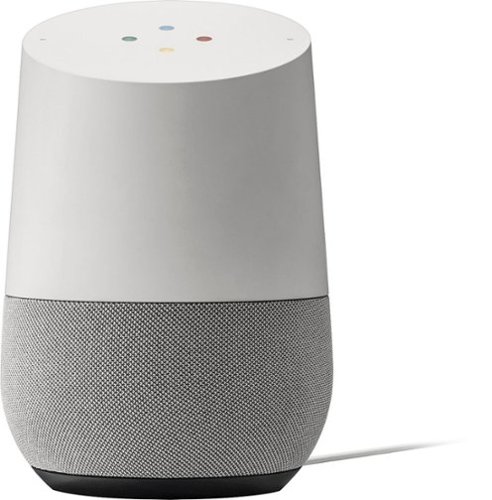
Simplify your everyday life with the Google Home, a voice-activated speaker powered by the Google Assistant. Use voice commands to enjoy music, get answers from Google and manage everyday tasks. Google Home is compatible with Android and iOS operating systems, and can control compatible smart devices such as Chromecast or Nest."
Customer Rating
5
Very Good Voice Activated Speaker
on November 5, 2016
Posted by: lambda100
For what it is, the Google Home is a decent voice activated speaker using the Google Assistant. Set up was easy. Plug in the cord, download the Google Home app on your phone or tablet, open it, and it sets itself up. This is the same Google Assistant that is found on the pixel phone. If you're familiar with that, then you know to say “Okay Google” to begin querying the Assistant.
The Assistant is excellent at performing searches, but that is expected since Google was first developed as a search engine. It was able to tell me about the events I had in my Google calendar, the local weather forecast, the traffic, and news. I was able to create a shopping list, set an alarm, and set a timer. I had the Assistant tell me some jokes, riddles, and poems. I got it to translate phrases into several foreign (French, German, Spanish, Mandarin, Korean) languages. I'm sure it can translate more languages, but those are the only ones I tried. I had the Assistant spell words, define words, perform math functions like simple addition, subtraction, multiplication, and division. It was also able to handle some math functions I threw at it such as the square root and cube roots of a number, squaring a number, and trigonometric functions.
There are some things the Assistant cannot help with such as providing detailed directions to get to a location, making reservations at a restaurant, checking and reading your g-mail to you; but I'm sure that given enough time and technology these things will be integrated into the Assistant in future iterations of the Google Home.
Presently, the Google Home is able to play music from Google Play, YouTube, Spotify, and Pandora. I had it play music from Pandora. It was able to change stations upon my voice command. I also had the Assistant raise and lower the volume from my voice. The speakers on the Google Home are tuned more toward the mid-range frequencies. Bass is very good for a speaker this size, but it is clearly lacking in the highs and treble. Volume is able to fill a medium size room. This is not a bluetooth speaker. There is no bluetooth connection.
It can connect to Google Chromecast, Nest, Philips Hue, IFTTT to take advantage of the full capabilities of the smart home. I do not have smart devices in my home yet, so I was unable to test out this feature.
The Google Assistant can also play some games. It can play madlibs, lucky trivia, spin the wheel, and crystal ball, which would be great entertainment when you have guests over at your home.
Overall, the Google Home is a very useful device to have around in the home when you don't feel like reaching for your smart phone or for situations around the home where it is not convenient to hold your smart phone. For example, you may be in the kitchen in the middle of preparing a meal and your hands are messy, and you want to turn on some music or control your smart thermostat, the Assistant can do that for you. Or if you want to jot down a shopping list and don't have a pen and paper handy, just dictate it to the Assistant. I can see myself using the Google Home more and more everyday. I just have to get used to talking out loud to myself!
My Best Buy number: 3451666665
I would recommend this to a friend!
Share this review:


+1point
1of 1voted this as helpful.
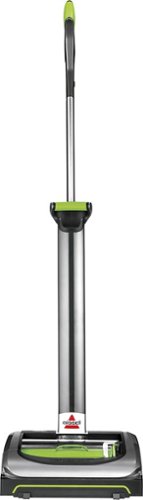
Keep your home dust-free with this Bissell AirRAM cordless vacuum. Its high-performance F.U.E.L. cell provides up to 30 minutes of run time, while the advanced compression technology lets it store as much dirt as typical bagless vacuums. This Bissell AirRAM cordless vacuum has a low profile for easy maneuvering around furniture.
Customer Rating
5
Bissell AirRam is an Excellent Vacuum!
on October 22, 2016
Posted by: lambda100
I live in a two story home with laminate and tile flooring throughout. It is always a chore to have to lift a heavy vacuum to the second floor to do the cleaning. Not only that, I would have to plug and unplug the cord several times to find the closest electrical outlet in order to reach all parts of my home.
I was eager to try the Bissell AirRam Cordless 2-in-1 stick vacuum when it became available. The vacuum is light, weighing only 7.8 lbs. Bissell also made the assembly a snap. It was a simple four step process to attach the upper and lower handle, the lithium ion battery, and the vacuum head. The filter and dirt bin already came pre-assembled in the vacuum head.
The Bissell AirRam performs very well. I was able to vacuum the entire first and second floor of my home without having to deal with the hassles of a cord. Suction is powerful. It picks up dirt, debris, and hair with no problem. The lights on the front of the vacuum illuminate the floor directly ahead showing the dust that is about to be sucked into the vacuum. The motor remains powerful throughout vacuuming. It does not start fading when the battery is close to depleting like many battery operated devices. I also like that the vacuum is easy to maneuver. This is due to both its lightweight and the fact that the handle can swivel freely. Another thing I like is that the handle can be laid down flat horizontally. I was able to vacuum and reach underneath my bed by placing the handle flat against the floor....really impressed by this!
There was an instance when I was vacuuming around the floor where I had some audio cables and the wires accidentally got caught in the brush roll of the vacuum. At that very instant, the vacuum shut down immediately as a safeguard and I was able to remove the wires. A traditional corded vacuum would have eaten up the wires around the cylindrical brush roll and kept on spinning until it is shut off. With this Bissell vacuum, the instant the brush roll exceeds some resistance threshold, it will power off the vacuum. I think this is a great feature to be built into the vacuum.
Emptying the dirt is effortless. Just remove the bin from the vacuum head, open the bin lid, and push a lever to empty the dirt into a wastebasket. The filter is re-usable and washable.
I cannot really think of anything negative to say about the Bissell AirRam. If I nitpicked, I can say that it has trouble picking up the dirt/debris at corners, but then again most vacuums have difficulty in this area.
I would not hesitate recommending this vacuum. In fact, I plan to purchase one or two more to give as gifts. I love that it is cordless, powerful, lightweight, and easy to clean and maintain.
My Best Buy number: 3451666665
I would recommend this to a friend!
Share this review:


+1point
1of 1voted this as helpful.
lambda100's Review Comments
lambda100 has not submitted comments on any reviews.
lambda100's Questions
lambda100 has not submitted any questions.
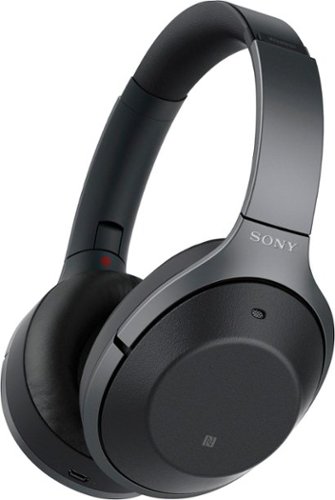
Listen to your playlist in peace with these Sony headphones. They have a 40mm dome driver to deliver the full depth of audio, and the noise cancelling feature minimizes outside disturbances for a better listening experience. These Sony headphones have a battery life of up to 30 hours for extended jam sessions.
Are this headphones are waterproof ?
No, the headphones are not waterproof. The Sony 1000XM2 are not advertised with an IPX rating.
8 years, 11 months ago
by
lambda100
Listen to your playlist in peace with these Sony headphones. They have a 40mm dome driver to deliver the full depth of audio, and the noise cancelling feature minimizes outside disturbances for a better listening experience. These Sony headphones have a battery life of up to 30 hours for extended jam sessions.
The earmuffs can help to reduce more noises than ANC maybe can't do (high frequencies)? How is the passive noise reduction compared with QC35?
I have both the Bose QC35 and the Sony 1000XM2. I qualitatively tested the passive noise reduction for both, and can conclude that passive noise reduction is similar on both. The Sony headphones press tighter onto my ears and gives the perception that they offer better passive noise reduction, but they really do not.
8 years, 11 months ago
by
lambda100
Listen to your playlist in peace with these Sony headphones. They have a 40mm dome driver to deliver the full depth of audio, and the noise cancelling feature minimizes outside disturbances for a better listening experience. These Sony headphones have a battery life of up to 30 hours for extended jam sessions.
I read that the ANC technology don't works well to cancell the high frequency noises (fireguns, fireworks). However, these headphones they have a passive isolation around the ear. The passive isolation, ANC and music combination can help to reduce it?
The passive isolation on the 1000XM2 and all audio headphones on the market for that matter are insufficient at effectively reducing high frequency noises. Of course, if you turn on the volume loud enough, you will be able to block out most of the noise at the expense of your hearing. With that said, please use proper, dedicated earmuffs rated for firearm and industrial use for your specific purpose.
8 years, 11 months ago
by
lambda100
Listen to your playlist in peace with these Sony headphones. They have a 40mm dome driver to deliver the full depth of audio, and the noise cancelling feature minimizes outside disturbances for a better listening experience. These Sony headphones have a battery life of up to 30 hours for extended jam sessions.
What walkman are compatible with these headphones?
The Sony 1000XM2 comes with a standard 3.5mm audio cable. These headphones will work with any walkman that has the standard 3.5mm audio input.
8 years, 11 months ago
by
lambda100
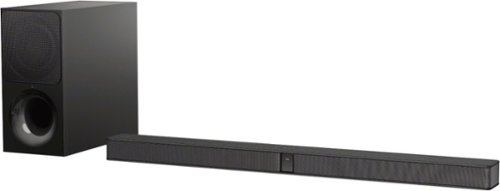
Immerse yourself in rich, vibrant sound with this 2.1-channel Sony sound bar. It has a two-way wireless subwoofer that delivers booming bass and an S-Force PRO front surround for a theater-like audio experience. This Sony sound bar uses Bluetooth connectivity to pair easily with home theater and other audio devices.
Is this entire sound bar wireless or are there any cords to attach to the TV? What's the sound output?
The connection between the soundbar and the subwoofer is wireless. Listening devices can also be connected wirelessly via bluetooth. The soundbar is attached to the TV via HDMI arc or optical cable. The optical cable is included in the packaging. Sound output is rated at 300 watts.
9 years, 3 months ago
by
lambda100
Immerse yourself in rich, vibrant sound with this 2.1-channel Sony sound bar. It has a two-way wireless subwoofer that delivers booming bass and an S-Force PRO front surround for a theater-like audio experience. This Sony sound bar uses Bluetooth connectivity to pair easily with home theater and other audio devices.
how big is the sub woofer on this set
The sub woofer on the Sony HT-CT290 measures 6 3/4" wide x 13 1/2" high x 14 3/8" deep.
9 years, 3 months ago
by
lambda100
Make hands-free calls and listen to music with these Sony wireless in-ear sport headphones. The wireless design frees your range of motion, and the microphone makes conversations more convenient. Listen to music for over 8 hours on a single charge with these Sony wireless in-ear sport headphones, which are moisture-resistant for use during strenuous workouts.
Can you skip songs on Android phones with these?
Yes, you can skip songs on Android phones with the Sony MDR-XB50BS headphones by pressing and holding down the volume button for two seconds. The volume button is located on the right side of the headphone.
9 years, 10 months ago
by
lambda100
Make hands-free calls and listen to music with these Sony wireless in-ear sport headphones. The wireless design frees your range of motion, and the microphone makes conversations more convenient. Listen to music for over 8 hours on a single charge with these Sony wireless in-ear sport headphones, which are moisture-resistant for use during strenuous workouts.
Do these have a blinking light on them while in use?
Yes, there is a blue blinking light when in use.
9 years, 10 months ago
by
lambda100