


BobinVA's stats
- Review count163
- Helpfulness votes454
- First reviewDecember 19, 2014
- Last reviewSeptember 1, 2026
- Featured reviews0
- Average rating4.1
Reviews comments
- Review comment count0
- Helpfulness votes0
- First review commentNone
- Last review commentNone
- Featured review comments0
Questions
- Question count0
- Helpfulness votes0
- First questionNone
- Last questionNone
- Featured questions0
- Answer count28
- Helpfulness votes23
- First answerAugust 12, 2016
- Last answerJanuary 22, 2022
- Featured answers0
- Best answers2
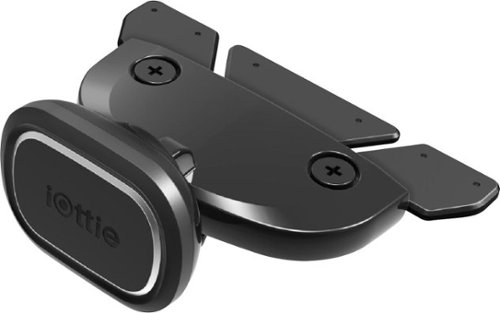
Position your smartphone safely in your vehicle with this iOttie iTap 2 Magnetic CD slot mount. Rare-earth magnets hold your device securely, and the metal plates and protective film offer universal compatibility with wireless and wired charging. The rubberized connector and locking lever of this iOttie iTap 2 Magnetic CD slot mount provide precise, effortless installation.
Customer Rating

4
Good option if your choices are limited
on May 24, 2019
Posted by: BobinVA
from Forest
The iTap2 magnetic CD slot phone holder is an ingenious idea. If your car's vents are the type that can't support holding the weight of a bracket and phone, then this could be your answer.
The iTap2 is very well constructed and sturdy. It has an innovative design that has you insert rubber-covered "fins" into your CD slot in the dash. You then tighten a clip that causes the middle fin to move upward, creating pressure against the edges of the CD slot that holds the mount in place. Once locked in like this, it's basically impossible for it to fall out. It's also pretty tough to unlock that clip, so it's best if you are able to leave it in place for a while. You also shouldn't have a CD in the slot when you use this mount. I'm not sure if this would hold true for multi-CD players, so you may want to see what others are saying about that. Depending on how much you use your CD player, this could be a big drawback.
The part that holds the phone is a magnetic base on a ball joint. This allows you to move it to whatever position gives you the angle you want. This is difficult to move, but that's as it should be, since you don't want your phone moving around while you're driving. The magnet connects to a metal plate that you put either on the back of the phone itself, or inside the phone's case. Two sizes of plates are provided, a larger one and a smaller one. The small one is designed to be small enough not to block the Qi charging area on your phone, if you have that. Ideally, you want the plate to be in the middle back of your phone, so that it doesn't spin around, but that will depend on your phone and what works best for you.
Once everything is in place, the mount holds the phone securely and works very well. The only issue I found (and this could be a big one) is that your phone may block access to buttons on the dash. You'll want to take this into account before you buy the iTap2. The position of your CD slot makes all the difference. If there's nothing you need to access behind the phone, then you'll have no problem and this mount will provide a secure and well-built alternative to window mounted holders or vent mounted holders.
If all of this sounds good to you, then I think you'll enjoy the iTap2 magnetic phone mount.
Mobile Submission: False
I would recommend this to a friend!
Share this review:


+2points
2of 2voted this as helpful.
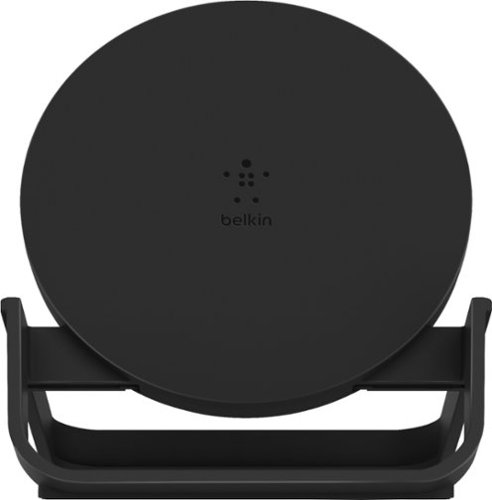
Use your phone while it charges with this Belkin 10W wireless charging stand. The Qi-certified design ensures compatibility with most devices, while an optimized stand holds phones at an angle in portrait or landscape position for maximum visibility. This Belkin 10W wireless charging stand features an LED indicator for monitoring charge status at a glance.
Customer Rating
4
Fast, easy to use Qi charger that's also a stand
on May 19, 2019
Posted by: BobinVA
from Forest
With Apple’s recent announcement that they would not be coming out with their own wireless charging standard, it appears that the Qi standard will emerge as the winner. I’ve recently begun using Qi chargers with my iPhone 8, since my truck includes a Qi charger, so I thought it would be nice to have one for the house as well.
This Belkin 10W charger comes with a USB charging cable, a wall plug adapter, and a the charging unit itself. Having the cable and adapter separately seems like it would allow you to plug into your existing USB outlets, but I think you may have to be careful to supply the right amount of power for the charger to function properly.
The charger is fixed in an upright, angled position, allowing you to charge your phone on a table and still be able to see notifications and other things on the screen. It supports both portrait and landscape positioning, so you could use it to charge your phone while watching a video. I wish that Belkin had also allowed for the possibility of removing the charging pad itself so that it could be laid down flat if desired. I realize that they sell another charging pad that lays flat, but it would be much more versatile if they allowed us to choose whether to use it as a stand or a pad.
The box states that there is an LED light that shows the status of the charging phone. Yes, there is an LED, but it’s either on or off. If the phone is in the stand, then the light is on. If the phone is not in the stand, then it’s off. It does not go out when the phone reaches 100% charge. So, the light is basically useless. Given the fact that it’s behind the phone anyway, you can safely ignore it, as it doesn’t add anything to the function of the charger.
As a charger, the Belkin 10W charger works well. It couldn’t be easier to use--simply put the phone in the stand with the back of the phone against the charger, and you’re good to go. I haven’t done a scientific comparison, but it does seem to charge quicker than using a traditional charging cable.
Is it worth spending $50 to buy one of these? That’ll depend on how much of a hassle you think it is to plug in a charging cable. Or perhaps you want your phone to be visible while charging--I think that’s the real reason to buy this. If you’re not one of the aforementioned people, you can probably get along just fine with your traditional charging cable.
For the next version of this charger, I’d like to see Belkin make it possible to remove the pad from the stand. This would make it more versatile, as well as easier to travel with it. I do like this charging stand, and it’s well built, providing a convenient, elegant way to charge your phone, and it looks better than just having a cable lying across the table.
Mobile Submission: False
I would recommend this to a friend!
Share this review:


+2points
2of 2voted this as helpful.
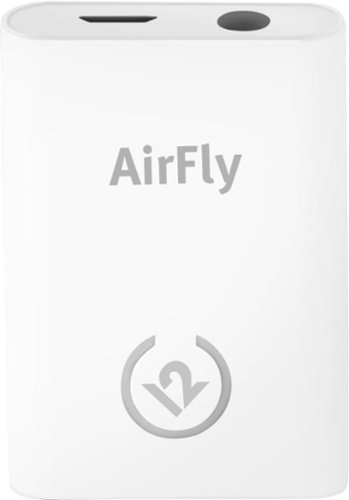
Unlock new potential for your wireless headphones with this Airfly headphone accessory. It plugs into any conventional headphone jack to enhance your listening experience and can pair with in-flight entertainment systems for added convenience. This Airfly headphone accessory has an eight-hour battery life and recharges through USB, so it's easy to take anywhere.
Customer Rating

5
A great way to extend the life of older devices
on May 2, 2019
Posted by: BobinVA
from Forest
I have more than my fair share of bluetooth headphones of many different types, but not all of my devices are equipped with bluetooth. The new AirFly from twelvesouth allows you to use your favorite bluetooth headphones with any device that outputs sound through a standard headphone jack.
My favorite MP3 player was created before bluetooth had taken hold, and the trusty MP3 player is still going strong, so I have no intention of upgrading until I have to. The AirFly lets me use my old audio player with newer headphones, and it really works well! The AirFly features a single button, cleverly disguised as a light-up logo. Holding it down a few seconds puts the device in pairing mode. Simply put your headphones in pairing mode as well, and the two will find each other.
Sound quality was surprisingly good. I expected a big drop-off in quality, but I really didn’t experience that. Like all bluetooth headsets, those used with the AirFly will not be able to be as loud as those that are directly plugged in, but they were actually quite good, and much louder than if I were using them with my iPhone. Aside from loudness, the tonal quality was quite good as well, with clean lows and crisp high notes. Keep in mind that you’re still subject to the capabilities of whatever headphones you’re using, since the AirFly is not a signal booster or processor, it merely passes the music on to your headphones.
It’s nice to find a product that does one thing and does it well. As far as functionality goes, I’ve already described what it can do. It’s up to you to find applications for those capabilities: airplane entertainment systems, older TVs, older music devices. This is a handy thing to have around, and I’m glad I picked one up!
Mobile Submission: False
I would recommend this to a friend!
Share this review:


+1point
1of 1voted this as helpful.
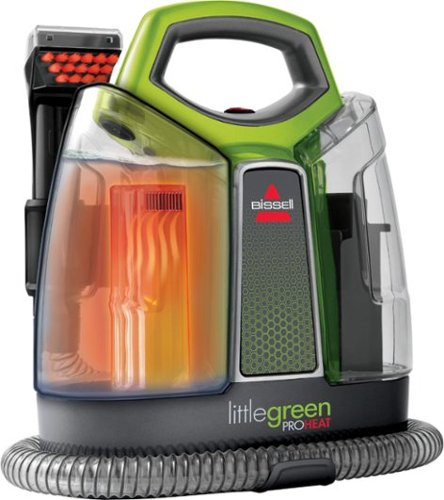
Not every mess calls for a full-size carpet cleaning machine. BISSELL Little Green ProHeat portable deep cleaner is a lightweight and compact machine that permanently removes tough spots and stains with the power of OXY. It~s engineered with Heatwave Technology to help maintain consistent water temperature while cleaning carpets, upholstery, stairs, area rugs, auto interiors, or any other soft surface where stains can occur. It also comes with three specialized tools, including a 3~ Tough Stain Tool, 3-IN-1 Stair Tool and a HydroRinse Self-Cleaning Tool, as well as a trial-size bottle of our PRO OXY Spot and Stain formula. And this portable deep cleaner doesn~t just clean up after pets, it helps save them! BISSELL proudly supports BISSELL Pet Foundation and its mission to help save homeless pets. When you buy a BISSELL product, you help save pets, too. We~re proud to design products that help make pet messes, odors and pet homelessness disappear.
Customer Rating

3
Great for the occasional quick pickup
on April 22, 2019
Posted by: BobinVA
from Forest
The Bissell Little Green ProHeat Handheld Deep Cleaner is great for those times when you need to clean up a small spot on the carpet, but you don’t want to drag out the full-size floor cleaner. My wife and I are big fans of our Bissell upright steam cleaner, but that’s overkill when we just need to clean up a small spot. That’s where the Little Green comes in.
There’s just a little bit of setup to do before you can use the Little Green, but it’s mainly just getting the onboard storage for the hose and power cord in place. Once that’s done, you’re ready to go.
Using the Little Green is incredibly easy. All you have to do is remove the fill tank, fill with water to the indicated line, then add cleaner until it reaches the next line. One thing that’s interesting about this tool is that it doesn’t have a switch that lets you spray water only. Since the cleaner is mixed with the water, whenever you’re spraying water, you’re spraying cleaner. Using the included sample of cleaner, that didn’t seem to be a problem, but I can see why it would be important to use a cleaner that didn’t foam up a lot. Alternately, you could empty out the fill tank and use only water, but this would be an extra step.
The performance of the Little Green was acceptable, but not amazing. It’s easy to change tools on the end of the hose, and there’s even a very cleverly designed tool for cleaning carpeted stairs. The tools have a built-in brush that you use to scrub the carpet, and this works well. I was a little disappointed with the suction, and it took quite a while for me to suck up enough water to consider myself done. Overall, I thought it left the carpet wetter than I would have expected. The suction was definitely better pulling it back versus pushing it forward.
Cleanup is pretty easy. The dirty tank has a small plug that the instructions say should be removed when emptying. However, emptying the tank that way is slow and not as thorough. Instead, unscrew the float mechanism in the middle of the tank, remove it, and you can now easily empty and rinse the tank. I’m not sure why anyone would want to empty and rinse the tank using just that small, inefficient opening.
For small spots, the Little Green is a great tool. It’s really not practical to use over a large floor, but as a quick spot remover, it works very well. Its size also makes it a great tool for cleaning the upholstery in your car, something that an upright carpet cleaner just can’t do very well.
Overall, I really liked the Little Green. Stronger suction and the ability to spray water only would have really made the Little Green a great machine. As it is, it’s a very nice tool that’s convenient for small jobs, especially when a full-sized tool would be too bulky. If you have pets and don’t have something like this, you should really check this out. If you already have a full-sized machine, this isn’t a “must have”, but it is certainly a convenient option to have around.
Mobile Submission: False
I would recommend this to a friend!
Share this review:


+3points
3of 3voted this as helpful.

Logitech C920s is a budget-friendly, work-from-anywhere webcam that delivers a professional video meeting experience. It includes features designed to make you look and sound great in your next meeting. A 78~ diagonal field of view perfectly frames you and your space, while autofocus adjusts smoothly and precisely. RightLight 2 technology automatically adjusts to your lighting situation even in low-light or backlit conditions. And dual integrated mics accurately capture your voice from multiple angles for greater nuance. If you~re streaming or recording, use Logitech~s Capture app to edit and customize. Flip down the lens cover at any point to protect your privacy.
Customer Rating
4
Big improvement over the laptop webcam
on April 10, 2019
Posted by: BobinVA
from Forest
The built-in webcam that most laptops come with is good enough for the occasional video call, but not if you want to start your own YouTube channel. Is the Logitech C920 good enough for that? Well, I’m not sure, but I do think it’s a pretty good performer at a good price point.
This year’s model comes with improved sound and low-light capabilities, and I was impressed with the overall video quality. No, you’re not going to shoot HD movies with this, but it’s a surprisingly good camera for the kinds of videos that you see for things like computer reviews or unboxing videos.
The camera has a clever attachment mechanism, with rubber coatings to prevent scratches on the back of your laptop’s lid. It adjusts so that you can get the angle you want, and it even has a screw-in to allow you to use it with a tripod. This is great if you want to avoid the reflections of your screen’s backlighting on your glasses. It’s a nice touch that doesn’t require you to carry an additional adapter.
I’m not a conspiracy theorist, but I have sometimes accidentally turned on my web cam while on a video conference call. That can be embarrassing, so many people I know have a piece of paper taped over their webcam. With the Logitech C920, there’s an included lens cover that you keep in place unless you’re using the camera. When the camera is in use, two blue accent lights on either side of the lens will light up, letting you know that you’re on camera.
As I mentioned earlier, video quality is very good, and so is the audio quality, thanks to the stereo microphones. Video call quality was very good, so this device does what it should, and does it well. The camera works well with apps such as Skype, but if you want to record your own videos, you’ll want to use dedicated software. Logitech makes the software available as a free download from their website. The software is very good, but it is confusing that Logitech still lists Windows 7 and 8 in its requirements. When I saw that, I wondered if I was at the right place. It turned out that I was, but it would have been better if Logitech were to set up a dedicated link just for getting the software instead of dropping us into their support site. That’s not the end of the world, but with so many other products, it’s not hard to click on the wrong thing and end up in an entirely different place. Once I got the software installed, it worked well and was very easy to create videos, with plenty of different options to choose from.
Overall, this is a definite step up from the built-in webcam, and at a price that makes it worth doing. I haven’t tried other webcams that are available, but I’m happy with this one.
Mobile Submission: False
I would recommend this to a friend!
Share this review:


+3points
3of 3voted this as helpful.
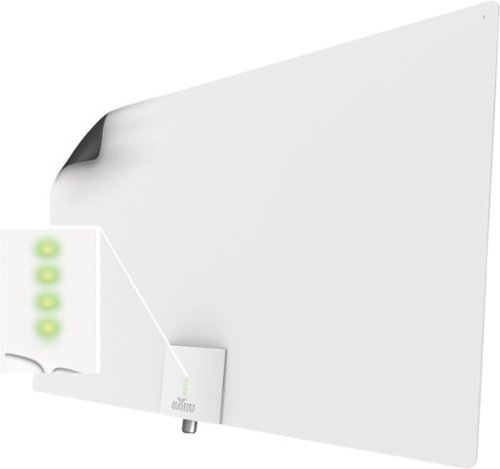
Enjoy quality signal reception with this Mohu Leaf Supreme Pro antenna. A 65-mile range ensures reception of a wide variety of channels, while the integrated TV signal indicator LEDs simplify placement for optimal signal strength. This Mohu Leaf Supreme Pro antenna comes with a 16-foot detachable high-performance coaxial cable for connectivity and features a plug-and-play design for quick installation.
Customer Rating
4
Review of Mohu Supreme Pro
on March 20, 2019
Posted by: BobinVA
from Forest
As cord cutting becomes more popular, alternative services such as Sling TV or DirectTV Now don’t always include local channels. There are currently no good options for getting local channels over the internet. That’s where the Mohu Supreme Pro comes in.
Mohu has been making indoor TV antennas for some time now, and they make great products. This is my third Mohu antenna, and I got the Supreme Pro to replace my original Mohu Leaf, which has served me well. Read on to see how it did.
Mohu has been making indoor TV antennas for some time now, and they make great products. This is my third Mohu antenna, and I got the Supreme Pro to replace my original Mohu Leaf, which has served me well. Read on to see how it did.
There are 2 main differences between the Supreme Pro and the Leaf. One is size: the Supreme Pro is more than twice as wide as the Leaf. This is presumably to help it pull in more signals. The other big difference is that the Supreme Pro is an amplified antenna, meaning that it includes a powered amplifier. Mohu did a great job of making the amplifier convenient. It’s a small aluminum box that gets its power from the USB port on the TV. Since most TVs have a USB port on the back, you can easily hide the amplifier on the back of the TV. The Supreme Pro also features an LED signal meter to indicate the signal strength, although normally the antenna would not be visible if it’s mounted on the wall behind the TV.
Speaking of mounting, the Supreme Pro comes with Velcro dots and push pins. These allow you put it on the wall behind the TV and keep it out of sight. With my old Leaf, I would often have to move it to a window on either side of the TV to pull in certain stations. I was hoping that I wouldn’t have to do that with the Supreme Pro, since it’s much more powerful than the Leaf.
Whenever you hook up a new antenna, you need to allow the TV to scan for channels. I was surprised that the Supreme Pro found 3 fewer channels than I previously had. That was not a big deal, however, since those channels were repeats of others that were lower on the spectrum. It was still a bit odd that it wasn’t able to find them.
The Supreme Pro does seem to be a bit more powerful in that it allows me to keep it behind the TV and pull in almost all of the 29 channels I get without moving it. The additional power isn’t that noticeable, however. Overall, the standard Mohu Leaf antenna still compares favorably to this newer model. For me, a lower-priced model may perform just as well. I am a big fan of Mohu products, and I recommend them to my friends often. I don’t think you can go wrong with a Mohu antenna, but you may want to consider carefully whether it’s worth it to spend extra for the higher models.
Mobile Submission: False
I would recommend this to a friend!
Share this review:


+7points
7of 7voted this as helpful.
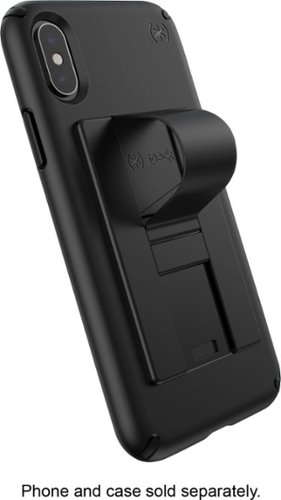
Embellish your device with a functional attachment by using this black Speck GrabTab phone accessory. It~s compatible with most brands and cases, and the card-sized, flat design slips smoothly into your pocket. Use the hanging loop on this Speck GrabTab phone accessory as a grip for a secure hold or as a kickstand for hands-free viewing.
Customer Rating
5
Good alternative to bulky pop-out buttons
on January 4, 2019
Posted by: BobinVA
from Lynchburg, VA
The *speck Grabtab is a different take on phone accessories like popsockets, which give you a firmer grip on your phone, preventing you from accidentally dropping it when it slips through your grasp. Popsockets are good, but for those of us who keep our phones in our pockets, the added bulk is a significant downside.
The Grabtab provides the same functionality that you get from popsockets, but in a very slim package that is barely noticeable when not in use. The Grabtab attaches to the back of your phone with adhesive, like similar accessories. The middle strip can be pushed up with a thumb to form a loop into which you insert a finger to secure the phone in your hand. The loop locks in the forward position, but I found that the loop made this way was too loose to use on my finger. If I allowed it to slide back a bit, it was then tight on the finger and made the phone much more secure.
Leaving the loop in the fully locked position allows you to use the loop as a sort of “kickstand” to prop the phone up in landscape orientation, for watching videos. This worked as advertised and can be flattened out of the way when you don’t want to use it.
This is a simple device that does what it’s supposed to do. It’s an example of doing a couple of things well, and that’s it. I think this is a superior alternative to the popsocket approach, since I appreciate the thinness of this design. If you’ve been avoiding the alternatives because they stick out too much, this might be just what you’ve been looking for.
Mobile Submission: False
I would recommend this to a friend!
Share this review:


0points
0of 0voted this as helpful.

Create digital copies of important documents with this Epson WorkForce scanner. Its versatile document-handling capability accommodates standard paper, ID cards and receipts, and the included Nuance OCR software converts output into editable files or searchable PDFs for efficient archiving. This Epson WorkForce scanner~s small, lightweight design offers portability, and the USB interface provides easy connectivity.
Customer Rating
4
A great tool for the road warrior's arsenal
on December 20, 2018
Posted by: BobinVA
from Lynchburg, VA
When I first saw the line of Epson portable scanners, I passed them by, since I have one of those all-in-one printers that also does scanning. Since I have that, I don’t need a portable scanner, right? Once I thought about that, I decided to give the ES-50 a try, to see if it was worth having.
The first thing I noticed was how small and light this thing is. It’s a little more than an inch wide and about 10 inches long. In case you weren’t sure, this is a sheet-fed scanner, designed to feed pages up to about 8.5 inches wide, with no limit on the length of the pages.
The ES-50 does not have its own power supply, nor does it run on batteries. Instead, it runs off of power from the USB port, making it truly portable. It’s a very simple device to use, and has only one button. When you first connect it to your computer, you are prompted to download the driver/software package from Epson’s website. Navigating printer manufacturer’s websites isn’t always easy, but Epson makes this step very straightforward, so you’ll have the software installed and running in no time.
I wanted to get started right away, so I loaded a sheet and hit the scan button. It moves through the device pretty quickly (5.5 seconds per page) and then you see a preview in the software. I was disappointed in the resolution before I realized that I needed to set the resolution in the software. I changed it to 600 dpi, but then I was not allowed to scan anything, and got a cryptic error message. After a bit of trial and error, I realized that all resolutions are not available for all paper sizes. By default, the software is set to automatically sense the paper type, but you can’t use the higher resolutions unless you specifically choose a paper size, such as letter. With that done, I got much more readable scans.
The software offers a few nice touches, like automatically removing hole punches, or straightening out the scan for you. These are definitely helpful. There’s even a setting to allow you to feed one page after another automatically, which is very useful when you’re scanning in a lot of pages. Using auto-feed mode is the portable substitute for being able to load a stack of pages in a flat-bed scanner and let it feed in automatically. Granted, you probably wouldn’t want to feed in hundreds of pages this way, but it’s not really designed for that use case anyway.
The Epson ES-50 is a great on-the-go solution for getting documents into your computer. On a road trip, this device would make it easy to scan and upload documents that you received during the day, and relieves you from having to keep up with all that paper. It also allows you to scan in receipts and plastic cards (credit card sized) in case you need to do that. It’s quite a versatile machine for its size, and at this price point. Now that I have it, I can imagine getting quite a lot of use out of it. Just having it handy will ensure that it’s used more than my printer’s scanner in the basement. If you need to digitize documents on a regular basis, especially while traveling, this is a good tool to have in your toolkit.
Mobile Submission: False
I would recommend this to a friend!
Share this review:


+3points
3of 3voted this as helpful.
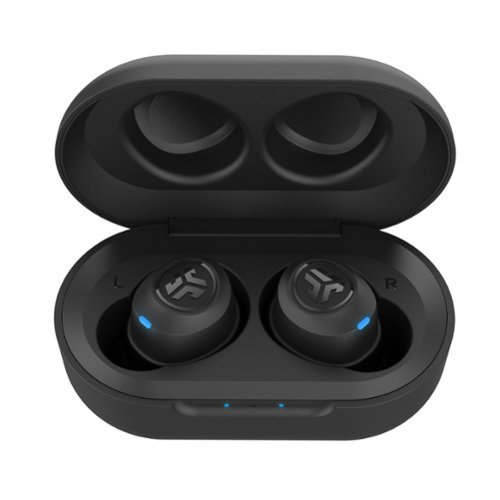
Enjoy your workout and travel playlists with these JBuds Air true wireless earbuds. Three EQ settings include JLab Signature, Balanced and Bass Boost to customize your listening experience, and the charging case provides 10 hours of additional battery life. Take clear, hands-free phone calls with the built-in microphone and Bluetooth 5.0 technology of these JBuds Air true wireless earbuds.
Customer Rating
4
Great performance at a third the price of Air Pods
on December 13, 2018
Posted by: BobinVA
from Lynchburg, VA
I’ve been a little obsessed with Bluetooth headphones this last year, having picked up everything from on-ear headphones to waterproof earbuds to bone conduction headphones. While each of them has their benefits, the main drawback for all of them is how they handle the wire between the ears. Dealing with that wire has been one my big annoyances, as I can’t stand having the wire “pull” across the back of my neck and cause the earbud to shift in my ear. Traditional headphone style handles that by hiding the wire in the headband, and honestly that is one of the better ways to do it, but I’ve always wondered if truly wireless earbuds would be better.
The category of true wireless earbuds has been growing, especially since the introduction of Apple’s Air Pods, but I’m not willing to fork over $169 for something that doesn’t even fit all that well. When I saw the JLab JBuds Air on sale during Black Friday, I decided to give them a try. I already have 2 other JLab Bluetooth headphones, and I’ve been really pleased with them, so I wanted to see how they would do with true wireless earbuds. With a retail price of only $50, the risk is a lot less.
The JBuds come in a black plastic case which also doubles as the charging station. The earbuds themselves provide 3.5 hours of play time, and the case can charge them 3 more times for an additional 10.5 more hours. While I haven’t had them very long, this is a pretty convenient setup.
Pairing the earbuds was very easy, but the first step is to pair them to each other, which is also incredibly easy. Like other JLab headphones, these have 3 EQ settings: signature, balanced and bass boost. While I wish that JLab included the ability to create custom EQ settings (like Jay Bird), I do like the signature setting and think it sounds very good. Speaking of sound, this is an area where the JBuds really shine, especially given their price. Compared to my other Bluetooth earbuds costing between $99 and $129, the JBuds are at least as good, and even better than those more expensive models. One reason the JBuds sound so good is that they fit in the ear very well and seal against the ear, creating much better bass. I was quite surprised at how good they sounded.
Getting a good fit with the JBuds was refreshingly easy. After struggling with those other, more expensive models, I was expecting more of the same here. What a pleasant surprise that I only had to swap out the ear tips to get the right size and put on the cush fins and I was good to go! The fit is excellent for me, and the cush fins provide a great seal, resulting in the aforementioned bass. A slight twist in the ear “locks” them in and seals them. They’re very comfortable and can be worn for long periods without discomfort.
JLab has implemented a pretty clever system of button presses for controlling your music. There is a button on each earbud, with different functions. For example, a click on the right one increases the volume, which clicking the left turns it down. Other functions are similar, except they use multiple clicks or longer holds. My only beef with this system is that the buttons are harder to press than I would like, but I suppose I can’t complain too much at this price point. Pushing as hard as you have to push is not comfortable when you consider you’re pushing the earbud deeper into your ear, requiring you to reseat the ear bud often. Overall, though, it really works well.
Bluetooth connectivity is good, but the JBuds are a little more sensitive than other models. The BT receiver is in the right earbud, so they work better if the phone is on that side. When the signal is interrupted, it causes one of the earbuds to cut out, which is a bit disconcerting. While I wish they were a little better in the connectivity area, I don’t think this is a big problem, and it’s not too much different than other models.
Bluetooth connectivity is good, but the JBuds are a little more sensitive than other models. The BT receiver is in the right earbud, so they work better if the phone is on that side. When the signal is interrupted, it causes one of the earbuds to cut out, which is a bit disconcerting. While I wish they were a little better in the connectivity area, I don’t think this is a big problem, and it’s not too much different than other models.
Surprisingly, the microphones are better than I expected. Callers told me they could hear me very well, so the JBuds are usable for phone calls. The only downside is that calls only use the right earbud, which reduces the overall volume of the call.
I think JLab is getting it right by offering reasonably priced wireless headphones that have better than expected performance. The JLab Retro headphones showed what could be done with a budget-priced set of headphones with 80’s chic, and now the JBuds show that you don’t have to pay a lot to get decent performance in the true wireless arena.
Do yourself a favor: pick up a set of these and pocket the savings!
Mobile Submission: False
I would recommend this to a friend!
Share this review:


+45points
60of 75voted this as helpful.
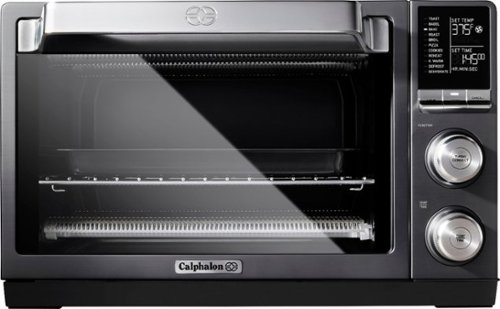
Maximize the efficiency of your kitchen with this Calphalon quartz heat countertop oven. The quartz heating element preheats faster, while the 11 presets make it easy to defrost, bake, roast and dehydrate food. This Calphalon quartz heat countertop oven includes baking and pizza pans as well as a dehydrator and a regular baking rack.
Customer Rating
4
Does everything well!
on November 29, 2018
Posted by: BobinVA
from Lynchburg, VA
There are a lot of toaster ovens on the market, ranging in price from around $30 all the way up to several hundreds of dollars. After almost buying several other models, I settled on this Calphalon, which offers a good mix of features and value.
This oven is very well built! You can feel the quality as soon as you take it out of the box. The dark grey top and sides are textured to hide fingerprints, while the door feels solid and opens smoothly. At this point you start looking for the instruction manual and you find...a pamphlet. Very little is given in the way of instructions. It is an easy to use oven with fairly self-evident controls, but it would have been nice to get some instructions to confirm how things are supposed to work. It would have been especially nice to get some tips on how long particular foods should be cooked, but that is not provided. Since this is a convection oven, it’s supposed to cook faster--how much faster? Unfortunately, you’ll have to guess. There isn’t even much additional information available online.
The display is very nice-looking and easy to read. The oven offers several modes: toast, bagel, bake, roast, broil, pizza, cookies, reheat, keep warm, defrost and dehydrate. Again, it would have been nice to get some information how these modes differ from one another. For example, what’s the difference between roasting and baking? How does “pizza” differ from regular old baking? It’s not a big deal, but it could have been easily remedied.
For most of the modes, preheating is required. While preheating, the display flashes “preheating”, but it doesn’t show the progress of the temperature climbing. Without that, you think it’s taking longer than it is, but it actually heats up pretty fast, getting to 400 degrees in 3 or 4 minutes. Baking is straightforward and the convection fan does indeed speed things up. We’ve cooked chicken, pizza, pies and casseroles and have been very pleased, especially with how evenly it bakes. Reheating foods also worked very well and is much better than microwaving.
We were intrigued by the dehydrate function, so we gave it a try. We sliced up pineapples and put them on the dehydration tray (the oven comes with a pizza pan, standard rack, baking/broiling pan and dehydration rack) and started it up. You can choose from either 150 degrees or 200, but without instructions, we had to guess. We only left the pineapple in there about 3 hours, but it did indeed produce dehydrated fruit! We should probably have left them in there longer, but this was good enough to test it out.
I’ve seen other reviews that were critical of the baking performance of this oven, but I’ve been very pleased. It does heat up and cook faster than my full-sized oven, so that would definitely save on electricity costs. One place where it doesn’t really make sense is for toasting a single piece of bread or a couple Pop Tarts. That’s a case of overkill, where heating up even this size oven is more than you need. It can take as long as 6 or 7 minutes to toast Pop Tarts, and that’s just too long--use your regular toaster for that.
Overall, I really like this oven. I continue to find uses for it, and it’s big enough to be helpful when you’re cooking a big meal and need a second oven. It’s a good value, and I’d recommend it!
Mobile Submission: False
I would recommend this to a friend!
Share this review:


+16points
16of 16voted this as helpful.
BobinVA's Review Comments
BobinVA has not submitted comments on any reviews.
BobinVA's Questions
BobinVA has not submitted any questions.
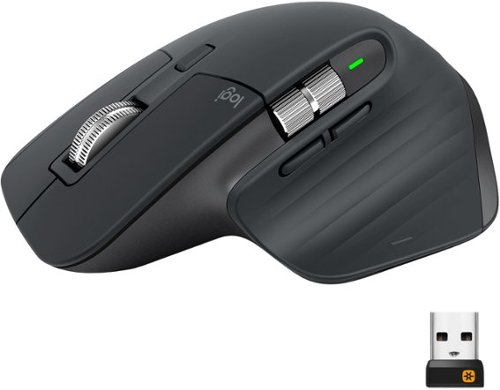
MX Master 3 is instant precision and infinite potential. Designed for designers and engineered for coders, it~s our most advanced Master Series mouse yet. App-specific button customizations speed up your workflow in the apps you use most and the electromagnetic MagSpeed wheel enables fast noiseless scrolling. Your hand rests perfectly on the sculpted form and allows you to work comfortably for hours across multiple computers and operating systems in one fluid workflow. Ready for video calls - predefined settings for Microsoft Teams and Zoom let you instantly mute and Start/Stop your video call. With MX Master 3, you can truly master what you make.
Bluetooth is turned off on our work computers. Will this operate as a wired mouse with the USB cable attached or is it strictly for charging
Yes, it will operate as a wired mouse that way, but that is really defeating its purpose. Can you use the unified receiver instead? I'm doing that instead of bluetooth, and it works very well.
6 years, 11 months ago
by
BobinVA
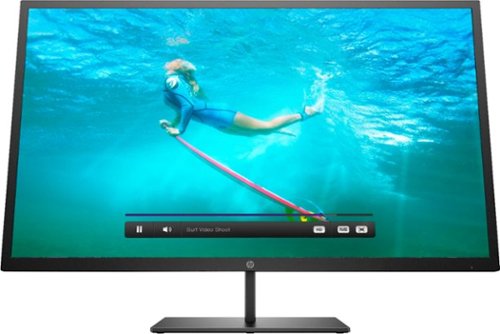
Multitask comfortably using this HP Pavilion 32-inch monitor. The QHD resolution provides immersive visuals for gaming and a spacious work space. Enjoy consistent clarity and color from multiple positions thanks to the 178-degree viewing angle. This HP Pavilion 32-inch monitor features an anti-glare panel for better visibility in bright conditions, while the Low Blue Light mode reduces eyestrain.
Wall mountable - yes How can this be wall mounted? Please suggest a wall mount for this monitor.
The monitor comes with a bracket that you can attach to the back of the monitor. This will allow you to attach it to a mount. I'd suggest a full-motion wall mount that has the square center bracket, as this will match up with the bracket on the monitor itself. I don't think the monitor conforms to the VESA standard for mounting brackets, but I'm not sure. I'm not mounting my monitor, so these are just some thoughts after having just setting mine up. Good luck!
7 years, 3 months ago
by
BobinVA
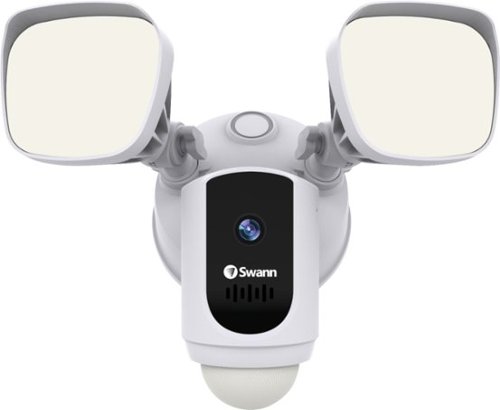
Protect your home or business with this Swann 1080p Wi-Fi floodlight security camera. The Full HD resolution lets you review captured footage in stunning detail, while the floodlight ensures that subjects are illuminated. This Swann 1080p Wi-Fi floodlight security camera includes a siren and two-way audio for scaring off trespassers and potential intruders.
How good is the motion detection really? I have purchased several cams and the motion detection is awful. Thanks
I've found it to be quite good. Sometimes it seems to pick up the motion of swaying tree branches. I'm still trying to figure out the optimal sensitivity setting.
7 years, 4 months ago
by
BobinVA
Protect your home or business with this Swann 1080p Wi-Fi floodlight security camera. The Full HD resolution lets you review captured footage in stunning detail, while the floodlight ensures that subjects are illuminated. This Swann 1080p Wi-Fi floodlight security camera includes a siren and two-way audio for scaring off trespassers and potential intruders.
How long are the recorded clips? Do the clips start before motion is detected?
I think the clips are about 30 seconds. They do seem to start before motion is detected, which results in complete clips of the action.
7 years, 4 months ago
by
BobinVA
Protect your home or business with this Swann 1080p Wi-Fi floodlight security camera. The Full HD resolution lets you review captured footage in stunning detail, while the floodlight ensures that subjects are illuminated. This Swann 1080p Wi-Fi floodlight security camera includes a siren and two-way audio for scaring off trespassers and potential intruders.
Can the floodlight be wired and howlong do the battery last
I'm not sure if there are other models, but mine is wired only. There is no option for it to be battery powered. Given how bright the lights are, and how often they're likely to be tripped, I would think that batteries would go dead pretty often. If you have the choice, hard wire it.
7 years, 4 months ago
by
BobinVA
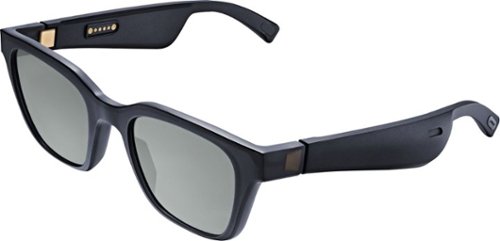
Meet Bose Frames. Bluetooth sunglasses with a soundtrack. The first audio sunglasses with built-in Bose speakers for an immersive audio experience unlike any other. A revolutionary personal audio experience hidden inside two classic designs, each enriched with premium accents and materials. Play music, take calls, and enjoy the sun with UVA/UVB protection. Bose Frames Alto feature a classic angular lenses, available in small and large size.
How long does the battery last?
Unlock new potential for your wireless headphones with this Airfly headphone accessory. It plugs into any conventional headphone jack to enhance your listening experience and can pair with in-flight entertainment systems for added convenience. This Airfly headphone accessory has an eight-hour battery life and recharges through USB, so it's easy to take anywhere.
Can you plug wired headphones into this to make them wireless?
No, this is a wireless transmitter, not a wireless receiver. The headphone jack in the AirFly is for the source of the sound, and it then sends it out to headphones that are able to receive the signal.
7 years, 5 months ago
by
BobinVA
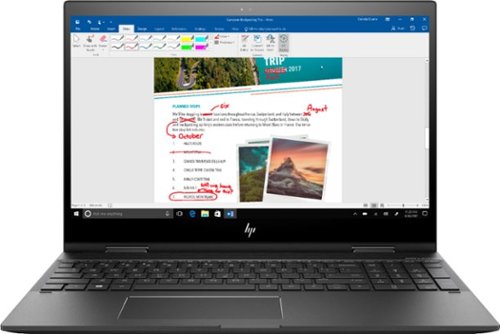
Study or work hard on this HP Envy convertible laptop, which features a large 15-inch screen. The laptop opens up easily to create a tablet for note-taking, while an AMD Ryzen processor supports Windows 10 Home and other applications effortlessly. The reliable128GB solid-state hard drive on this HP Envy convertible laptop stores lots of files and programs.Learn more.
Can this device connect to both 2.4 GHz and 5 GHz WiFi?
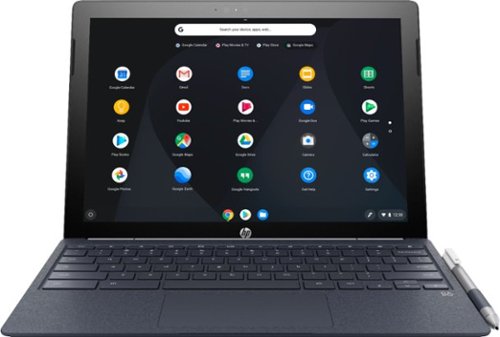
Run programs on this 12.3-inch HP Chromebook convertible laptop. Its detachable touch-screen display lets you enjoy brilliant 2K content, and you can write and draw on it with the included Active Pen. This HP Chromebook convertible laptop has 32GB of storage, and its Intel Core m3 processor and 4GB of RAM provide smooth performance.
Does this computer have a camera in which I can use Skype?
It has both front and rear-facing cameras. However, I don't think there's a version of Skype that will work with Chrome OS. If this is a deal breaker for you, you should research that to find out.
8 years, 3 months ago
by
BobinVA
Run programs on this 12.3-inch HP Chromebook convertible laptop. Its detachable touch-screen display lets you enjoy brilliant 2K content, and you can write and draw on it with the included Active Pen. This HP Chromebook convertible laptop has 32GB of storage, and its Intel Core m3 processor and 4GB of RAM provide smooth performance.