


enem156's stats
- Review count177
- Helpfulness votes342
- First reviewJune 7, 2013
- Last reviewJune 10, 2026
- Featured reviews0
- Average rating4.5
- Review comment count1
- Helpfulness votes1
- First review commentFebruary 25, 2016
- Last review commentFebruary 25, 2016
- Featured review comments0
Questions
- Question count0
- Helpfulness votes0
- First questionNone
- Last questionNone
- Featured questions0
- Answer count2
- Helpfulness votes3
- First answerMarch 24, 2018
- Last answerJuly 15, 2020
- Featured answers0
- Best answers0
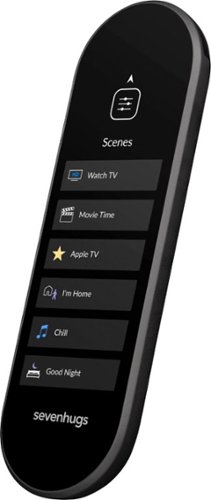
Use this Sevenhugs smart remote to control almost every device in a room. It has Wi-Fi connectivity and infrared learning to capture function codes from the original remotes of devices such as home theater components. This easy-to-use Sevenhugs smart remote automatically displays the controls of the device it~s pointing at.
Customer Rating

4
Great potential and very active development
on December 8, 2018
Posted by: enem156
from Chicago, Il
I've used many universal remotes over the years. Some manufacturers work well and are easy to program and others just don't get it. I was pleasantly surprised when setting up and using the Sevenhugs smart remote. It's easy to set up, easy to modify what you've already set up and quite intuitive as well. But while it does the basics very well, it could be even better. This is not to say that it won't get there, they continue to update and support the firmware and seem very adamant about doing so.
Initial setup was a breeze. Using the remote itself and the free downloaded Android (or Apple) app was very easy. Between the two devices (the remote and your phone), you are walked through every step in the process. I was able to add each of my A/V components very quickly. You're given a choice of entering the model number for your devices or letting the remote try different code sets until it finds the correct one for your device. I found the first method worked the fastest and most reliably. After adding all my components, I was able to create different A/V scenes with the app. It asks you only a few simple questions about your system, and then verifies that all the correct components turn on for a given scene, and that the inputs are correct. If the inputs are not quite right, it's easy to cycle through all the inputs on a component until you find the correct one.
Where I became a bit disappointed, was in attempting to add control for my current lighting. I knew my WiFi bulbs were not yet supported, and support for my WiFi wall switch is in the works, but I was at least hoping to control the IR LED background lighting I currently have. There is currently no easy way to do this, but after searching for a way to program the lights manually, I ran across a thread in their forum that would allow a way to do this. It's currently tedious to manually duplicate a remote control that's not listed, but it can be done and it works well. That being said, I was able to duplicate my LED remote without too much trouble. The company told me they are definitely working on this type of issue and should have things squared away very soon.
I found using the remote control very easy and straight forward. The touch screen is very sensitive and responds very quickly. It was a little strange getting used to not pressing an actual button, and you will have to look at the remote to make sure you're on the correct spot. But button presses each cause a small vibration to let you know the button press was taken. The IR transmitter is quite strong and I didn't have to hunt around for a sweet spot to point at when I wanted to send commands. It's a beautiful hi-res screen but I found it was in desperate need of more color. It would help to be able to color code buttons to make navigating the remote easier. The size is small and unobtrusive and it doesn't take up hardly any space on a coffee table. While I consider that a good thing, some might tend to loose it easily in couch cushions. There is a button on the charging base that is supposed to “find” the remote, but like several other things, it hasn't been implemented yet. But regardless, it's a beautiful remote control. I do hope that at some point they change to a wireless charger. The remote stands vertically on the base with only a USB-C connector to support it. While it has no problem doing it's job, I found it a bit difficult to set it on the stand unless I was looking right at it.
The remote boasts a new innovative feature that allows the remote to switch to the correct set of buttons when you point it to each component or light. The problem for me with this new technology is that virtually all of my components are in one cabinet, right under my monitor. It works by triangulating where the remote is in relation to the components you're pointing it at. To do this you need to hang three hockey puck sized discs on three different walls in the room. Unfortunately for me, this setup just isn't possible, and even if it was, I didn't want to have to look at these things on my walls. They are round and white, so if you have any other color room than white, they're going to stand out. The good thing is, you really don't even need this feature. This remote works great just the way it is. You can set up “scenes” for “AV” and “home” and this allows you to set one button to turn on all the components you need, to do things like Watch a Movie, or listen to CD's, etc. The one touch scene isn't new on universal remotes, but this one really works great. It's very easy to set up with the app on you phone. Likewise setting up all of you individual components. If any buttons are missing after the automated set up process, you can add them manually with no trouble.
I loved using this remote. It takes a bit of getting used to because it has no physical buttons, but it is a well thought out device. The company has big plans to keep updating the functionality and some of the bells and whistles just aren't in there yet, but they're coming. I found it to be a very fresh take on the standard large, clunky, universal remotes with tiny little buttons that you can never see clearly. My house is full of them. If you go to their web site they have a whole list of things that are currently supported, in the process of being supported and also a method of voting for what needs to be developed next. It's small size and light weight are welcome changes. I'm tired of waving around my big remotes like light sabers, trying to get it pointed just right. I like the remote and I like the company. They seem very driven to make us the best remote with the most functionality on the market. Keep up the good work Sevenhugs!
Mobile Submission: False
I would recommend this to a friend!
Share this review:


+4points
6of 8voted this as helpful.
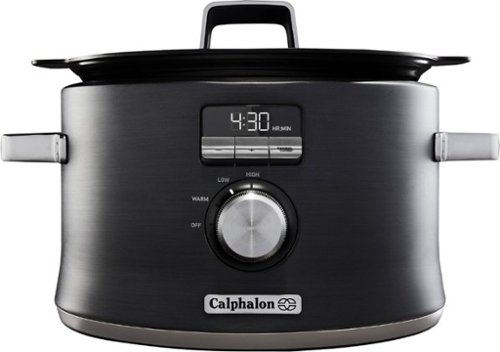
Sear, brown, saut~, and slow cook all in one pot for maximum flavor with the Calphalon Digital Saut~ Slow Cooker. The cooking pot removes and can be placed on electric, gas, or induction cooktops to brown or sear ingredients before slow cooking. The LCD digital display provides intuitive control of multiple cooking modes, for tender pulled pork, curry chicken, paella, and more. The nonstick ceramic coating is easy to clean and delivers 11x more durability* than standard nonstick surfaces, plus it~s PTFE- and PFOA-free. The Calphalon slow cooker is perfect for one-pot family dinners with its 5.3-quart capacity. The cooking pot is also oven safe for further heating, cooking, and warming options. Gorgeous dark stainless steel will enhance any kitchen~s countertop and metal construction provides long-lasting durability.
Customer Rating
4
Good basic cooker that cleans up easily.
on November 26, 2018
Posted by: enem156
from Chicago, Il
The first thing that struck me about this slow cooker was the size. It's on the small side, and on top of that, it's round. This is not necessarily a bad thing, but if you need a slow cooker for cooking roasts or things of that nature you're either going to have to look for very small roasts or look for a larger cooker. But if you want a smaller one to to do things like Chile or keep side dishes warm, this is a good choice. It has a very nice look to it, and the handles on the body and on the lid are comfortable to use. Dark gray, very Calphalon-esque look. Lighted controls look good and are easy to read.
What it does well is cook smaller dishes. The removable pot seems to be made from aluminum and is coated with non-stick coating. Because it's made this way, you're able to put the pot right on a range top and brown meat in it, then put it in the cooker and finish the slow cooking. The metal pot is a different feature and does work well, however having a non-stick coating does present other issues like taking care with the utensils that you use with it (wood or plastic only).
I like the flat lid and it is vented. The rubber seal around the outer edge just fits well without having to pay much attention to getting it on there exactly right. The controls are basic but give you the options you need to cook anything you want to. There's a rotary knob that selects the Warm, Low and High settings, and then there are some nice switch controls above it that allow you to set the cooking time in half hour intervals. While I really liked the feel of the temperature switches, the rotary dial felt a bit flimsy. They could have stepped the quality level up if they had made this knob metal instead of plastic, but that's a very common cost saver these days I guess.
Clean up was very fast and easy and because the pot isn't the normal ceramic found on most slow cookers, it's very light weight as well. Both the pot and the lid clean up with no trouble and are easily dried. I would imagine it could go in the dishwasher, but it was really easy to clean by hand and I tend to hand wash this type of thing anyway.
All in all, I would say that if you're looking to have a single slow cooker in your house, while this one is nice, it's pretty small, so you probably would want to look for a larger one, but as a second slow cooker, it's perfect. It performed very well and cleaned up easily.
Mobile Submission: False
I would recommend this to a friend!
Share this review:


0points
1of 2voted this as helpful.
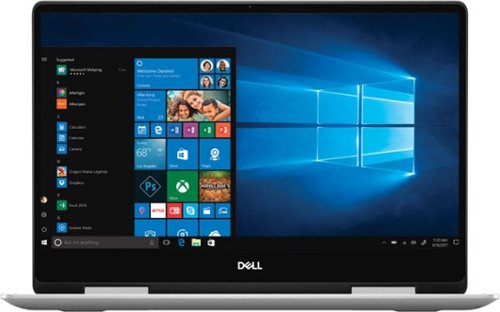
Dell Inspiron Convertible 2-in-1 Laptop: Maximize productivity with this 13.3-inch Dell Inspiron notebook computer. The combination of its Intel Core i5 processor and 8GB of RAM runs multiple programs simultaneously at peak performance, and it's Bluetooth-enabled to connect wireless devices or transmit data. This Dell Inspiron notebook computer has a 256GB solid-state drive to safely store files.
Customer Rating
4
Good, quick student or business machine
on November 22, 2018
Posted by: enem156
from Chicago, Il
I used to be a big fan of Dell, but at some point they became about quantity and not quality. I'm hoping this machine will turn my impression of them back around. First impression is positive. It's smaller size lends it a huge amount of portability. And at only 0.6" thick and less then 3.25 lbs. it's very easy to slide into a backpack or brief case and not get tired lugging it around. The 1920 X 1080 display is pretty standard on a machine like this. The resolution and overall size alone make this a productivity machine, as Dell states. It is not a gaming machine, but with 8GB of DDR4 RAM, an Intel Core i5 1.6GHz processor and a solid state drive, it's set up for speed. You're not going to be able to store a lot of music or video files on this drive due it's rather small size, but it is nice and should more than keep up with any standard business program or web application. Dell chose to go with a 256GB drive which is twice as large as most of the solid state drives that are included on a machine like this, so that is a big plus.
The build quality is decent and looks nice out of the box, although it is silver and looks quite generic because of it, but the metal housing has a good quality look to it. It has all the basics you need and have come to expect. HD Web cam, backlit keyboard, memory card reader and dual band wireless, Bluetooth. And as an added bonus, comes with a built in fingerprint reader. I/O includes an HDMI port, a USB 3.0 port, USB 3.1 "C" port, and a headphone/mic port. So really just the basics here although on a machine of this nature, you do get what you need. I really like the keyboard. The action on the keys is nice, not sloppy or loose feeling at all. The touch pad is one of the nicest I've used. It has a very tactile coating that seems to help the accuracy of the finger movement. I had no trouble scrolling pages or moving the pointer to where I needed it to go. Button action is very solid and I was never guessing at whether my presses registered correctly.
The overall speed of the machine is good. Programs opened quickly and didn't lag even when opening several at once. The attention to speed seems to have paid off on this machine, again, this is not a gaming machine so if you're using it as it's intended, then you should have no trouble. Overall, I was pleased using this machine. It was responsive and performed well. The display is adequate and responsive in tablet mode. Time will tell if it keeps up in the reliability department, but I am hopeful it will. A nice machine for students or business professionals.
Mobile Submission: False
I would recommend this to a friend!
Share this review:


+14points
14of 14voted this as helpful.
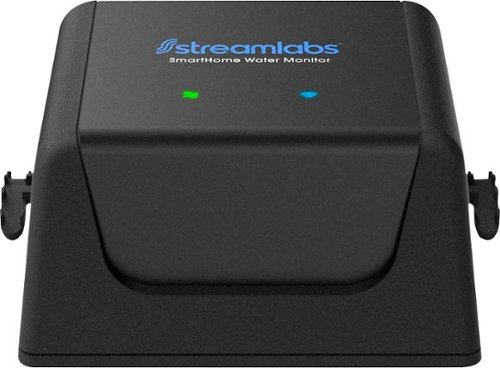
The Streamlabs water monitor gives you the peace of mind that your home is protected from water damage. It attaches easily to your existing plumbing, with no pipe cutting required, and uses ultrasonic technology to measure and detect changes in the flow of the water in your pipes. It's Wi-Fi enabled, so you can check on your home anytime, anywhere using the smartphone app. And real-time leak alerts will notify you if you need to take action. The Streamlabs water monitor is also part of your complete smart home, integrating with both Nest and Alexa systems.
Customer Rating

5
Easy installation and great feedback
on November 2, 2018
Posted by: enem156
from Chicago, Il
This is a really helpful device for anyone that wants to monitor water usage or have an early warning system for water leaks. It has a really nice companion app that goes along with it (and it's free).
Installation in my system was incredibly easy, as it states in the instructions. I have a couple of nice stretches of pipe to choose from. It can't be any easier to attach it to your water feed, all that's needed are 2 cable ties (included), to tie it against your water pipe. What is possibly a bit of a deal breaker for some people is the fact that this guy does need a 120VAC outlet for the small power supply that drives it. The good part is, the power supply has a nice long cord on it so that might make installation easier for most peoples' systems. You don't need to install it right after your water meter if it's not convenient for you, but you do need to install it before your main water line T's or splits.
It connected to my home WiFi without any trouble at all and the app pretty much walks you through the installation step by step. The app is set up nicely and is very intuitive. The main screen is a simple display that shows you if water is running or not, and how many gallons were used so far today. Tapping on the gallons used, it brings you to another page that shows the gallons per minute meter and the room temperature where the device is located. At the bottom of that display it shows a daily, monthly or yearly usage chart so you can see very quickly how much water you've used at any given time of the year. Below that it shows a comparative usage chart that gives you a comparison of water used today and yesterday. Finally at the bottom of the page, it shows you any alerts that have been registered.
This device will also work with Nest or Amazon Alexa if you want to integrate it into either of these systems. I don't use either, so I can't comment on this feature. You can set the alerts based on water flow and length of time. Since I have daughters who like to spend a lot of time in the shower, I found I had to alter the default settings just a bit so that I didn't get alerts every time they showered. You can set alerts for "slow" leaks and "major leaks" independently, and it will notify your phone when any alert has been recorded. It would have been nice to see a "time of day" setting, so that you could set up different monitors for different times of the day, but they did include a basic "home" and "away" mode switch so that you can differentiate between those two conditions.
I found this system to be very well thought out and extremely useful while being intuitive at the same time. Set up for me was a snap, although that's going to depend on how your system is plumbed and if you have an outlet conveniently located near the location you choose to mount it. This is a great way for anyone to monitor your water usage and to also have a way to give a heads up warning of a possible leak. Nice product.
Mobile Submission: False
I would recommend this to a friend!
Share this review:


+4points
4of 4voted this as helpful.
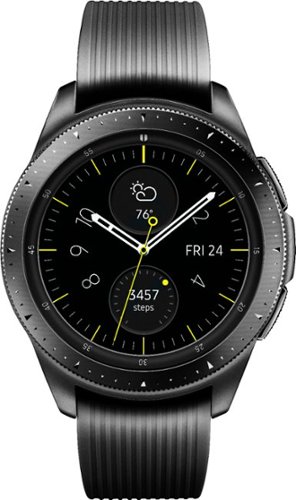
Manage your time more effectively with this Samsung Galaxy Watch. The Samsung Health app helps keep you on track with fitness goals, and it pairs with both Android and iPhone devices. This Samsung Galaxy Watch comes with small and large straps to ensure a good fit, and the battery lasts up to six days after a wireless charge.
Customer Rating
5
A great addition to an already great line.
on October 1, 2018
Posted by: enem156
from Chicago, Il
I have a Gear S3 Frontier that I've used for a couple of years. It's a great watch. The 42mm Galaxy Watch is the perfect size for my wife. It has all the great features of my S3 with some welcome additions.
First off, the battery is much better. After wearing the watch all day at work, she still has about 2/3 battery life leftover. That's much better than my S3 although maybe not as good as what the 46mm is boasting. But getting several days life out of single charge is a really big improvement.
If you're not familiar with the Samsung smartwatches, they are pretty amazing devices. They come preloaded with a large amount of useful apps. One of the new ones I've noticed, is a Theater Mode app that is great for when you're sitting in a theater. It turns off the display so that you can't inadvertently turn it on in the middle of a movie and disturb the people around you. The touch screen is very responsive and recognizes taps the first time. Thanks to the Galaxy app store, there are quite literally thousands and thousands of watch faces (and apps) to choose from. This is a huge deal if you like to change faces a lot. Other smartwatch manufacturers don't have a large selection and really don't offer the tools for people to make their own faces. Samsung does, and by doing so, they have amassed an incredible variety and number of faces.
The SHealth app really makes this watch worth getting. I use it on my S3 and it's one of the best fitness apps I've used. Combine that with the fact that it will automatically recognize various exercises that you start doing, and starts tracking them for you. It works really well and you don't have to remember to turn it on to use it, it starts when you start. The Galaxy also works for swimming. It has an IP68 (50 meter) rating that means aside from actual diving, you're good to go for swimming. It has a nice heart rate monitor which you can set to automatically check your heart rate at different intervals, or you can have it constantly to monitor your heart rate. New to the Galaxy Watch is a stress monitor, which can monitor your stress level.
As it's predecessor does, you can receive and answer calls right from your wrist, get text messages and emails (and respond), and get notifications from a huge list of apps. It charges pretty quickly via a wireless charger (which is included). The rotating bezel is hands down the best user interface you could ask for and that, combined with two intuitive side buttons and the touch screen make for a very easy to use watch.
I've used Android watches running Wear OS, and they don't even compare with the amount of features you get with the Samsung watches running Tizen. If I had any complaint at all (and I'm hard pressed to find any), it would be that it's a bit tall (thick?). That's to be expected with great battery life I guess. My wife loves the 42mm size, and I'm glad to see Samsung has listened to people who complained that the 46mm was just to big for them. These are all very competent and intuitive watches, and I would recommend any of them. They are by far, the best smartwatches available.
First off, the battery is much better. After wearing the watch all day at work, she still has about 2/3 battery life leftover. That's much better than my S3 although maybe not as good as what the 46mm is boasting. But getting several days life out of single charge is a really big improvement.
If you're not familiar with the Samsung smartwatches, they are pretty amazing devices. They come preloaded with a large amount of useful apps. One of the new ones I've noticed, is a Theater Mode app that is great for when you're sitting in a theater. It turns off the display so that you can't inadvertently turn it on in the middle of a movie and disturb the people around you. The touch screen is very responsive and recognizes taps the first time. Thanks to the Galaxy app store, there are quite literally thousands and thousands of watch faces (and apps) to choose from. This is a huge deal if you like to change faces a lot. Other smartwatch manufacturers don't have a large selection and really don't offer the tools for people to make their own faces. Samsung does, and by doing so, they have amassed an incredible variety and number of faces.
The SHealth app really makes this watch worth getting. I use it on my S3 and it's one of the best fitness apps I've used. Combine that with the fact that it will automatically recognize various exercises that you start doing, and starts tracking them for you. It works really well and you don't have to remember to turn it on to use it, it starts when you start. The Galaxy also works for swimming. It has an IP68 (50 meter) rating that means aside from actual diving, you're good to go for swimming. It has a nice heart rate monitor which you can set to automatically check your heart rate at different intervals, or you can have it constantly to monitor your heart rate. New to the Galaxy Watch is a stress monitor, which can monitor your stress level.
As it's predecessor does, you can receive and answer calls right from your wrist, get text messages and emails (and respond), and get notifications from a huge list of apps. It charges pretty quickly via a wireless charger (which is included). The rotating bezel is hands down the best user interface you could ask for and that, combined with two intuitive side buttons and the touch screen make for a very easy to use watch.
I've used Android watches running Wear OS, and they don't even compare with the amount of features you get with the Samsung watches running Tizen. If I had any complaint at all (and I'm hard pressed to find any), it would be that it's a bit tall (thick?). That's to be expected with great battery life I guess. My wife loves the 42mm size, and I'm glad to see Samsung has listened to people who complained that the 46mm was just to big for them. These are all very competent and intuitive watches, and I would recommend any of them. They are by far, the best smartwatches available.
Mobile Submission: False
I would recommend this to a friend!
Share this review:


+3points
3of 3voted this as helpful.
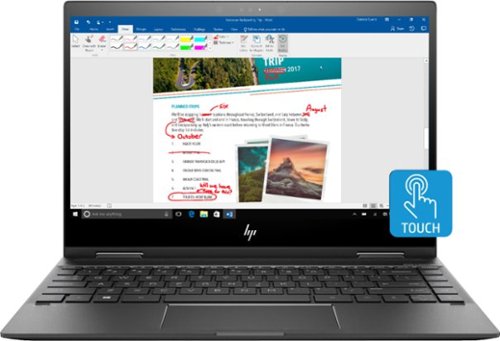
Work and play on this 13-inch convertible HP Envy notebook. It has a 360-degree hinge that takes it from laptop to tablet in moments, and 8GB of memory and an AMD Ryzen 5 processor keep it functioning smoothly. Corning Gorilla Glass ensures the screen of this HP Envy notebook remains free from scratches and dings.Learn more.
Customer Rating
5
A beautiful and competent machine
on July 19, 2018
Posted by: enem156
from Chicago, Il
This is a beautiful machine. The size works really well as a laptop or as a nice sized tablet. The build is very solid and clean in a gray metallic case. The hinges work smoothly and don't bind. It's size allows great portability and it could easily fit in either a brief case or a backpack. It's super thin and just looks good all the way around. It sits on front and rear full width rubber feet (for lack of a better term). It's easy to position solidly even if one corner is off the desk. A nice feature.
The keyboard is backlit, which is always a welcome feature. There's no dimming or color change option for the backlight, but it illuminates the keys well. Due to it's compact size, there is no dedicated number keypad. The keys themselves are a little oversized but fit well, and I found it easy to type on it. The key response is a bit lack luster though, and had a somewhat mushy feel. I've felt worse, but it is noticeable. The mouse touch pad is a nice landscape size and is smooth and responsive. The button clicks are solid and are easy to find regardless of having no visible markers as to their whereabouts. All in all, a nice keyboard setup. The keys are not loose and the entire deck is solid and well designed.
The display is really a pleasure to behold. It has a glossy finish that makes the colors rich and deep. Top end resolution is 1920 x 1080. The screen is made from Corning Gorilla glass which should help to keep it scratch free. The touch feature is very responsive and only requires the lightest of touches to respond. Very clean integration between the glass and the edge.
It's a little light in the number of ports it has. There's two standard USB ports and a USB-C port, an audio combo jack, a MicroSD card reader and the power input jack. There's no HDMI jack on this model, which may be a problem if you need one for presentations. It seems an odd omission for a machine that's clearly meant for business professionals or students.
The audio is by Bang & Olufsen Audio. It's quite good for the size of everything and has a nice spacious feel to it. A cool set of adjustment options including a graphic EQ are also included. Streaming video and audio is very smooth and fast. Typing in my username and password on the Netflix setup page had me at my account in literally two seconds. No lag in the video whatsoever.
This machine has an AMD Ryzen 5 processor with 8GB of DDR4 memory, a solid state 128GB drive, Bluetooth, wireless-AC networking, and a built-in webcam with face recognition. The drive is little on the small side but with a SSD, the size is typically a trade off for speed and price. With a great many applications available today as web based versions, cloud storage is now becoming a way of life anyway. But aside from this minor shortcoming, this machine is fast. It's a really nice selection of components, and it has an extremely fair price point. It would be a good fit as a student machine, and except for the small drive, would make an adequate business machine.
Mobile Submission: False
I would recommend this to a friend!
Share this review:


+1point
1of 1voted this as helpful.
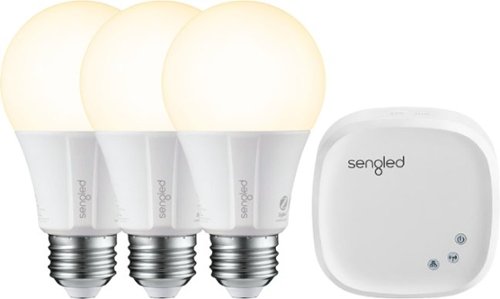
Add lighting control to your smart home platform with this Sengled bulb three-pack plus hub. The hub controls up to 64 smart bulbs, turning them on or off and dimming them in response to app or voice assistant commands and programs. This Sengled bulb three-pack plus hub includes classic A19-style bulbs for compatibility with most home fixtures.
Customer Rating
4
Really good straight forward system
on June 21, 2018
Posted by: enem156
from Chicago, Il
These bulbs are very easy to set up and seem to be very responsive. The dimmer works really well and dims the bulbs subtly, so much so that I had to look close to make sure it was working. The effect is really nice and much better than some other systems I've used. The downloaded app found the network hub easily, and on the first try. Initially you need to connect the hub to a switch or router via the included network cable to set it up, but after that you're free to disconnect the hardwire and it will run wirelessly. The app walks you through the setup of all the bulbs and lets you assign bulbs to rooms, and rename the individual bulbs to a more specific location. For the most part, the app is pretty clear and intuitive.
Being able to control up to 64 bulbs with one hub is really cool. I will never have anywhere near that many on mine but it's nice to know I could. It did take some time for me to realize how the app was meant to be used, but after that, it was very easy to use. I do have a couple of complaints that I think relate more to the app itself rather than the hardware (which operated flawlessly from the start). When setting up the bulbs initially, I was able to choose predefined rooms with images for each room. There's also a user defined room which you can choose in the event the room name you want is not in the list. I did try this feature and was able to set up a bulb in this room. I could rename the room whatever I wanted. It also has customization for choosing an image to represent the room. I could not get this feature to work at all. It would take me to my images to let me choose one, resize the image, etc., but when I had it all done and pressed OK, it just didn't do anything. No error or help popped up. It just didn't do anything, so I couldn't pick a room image. This is trivial I know, but I did think it should work.
Being able to control up to 64 bulbs with one hub is really cool. I will never have anywhere near that many on mine but it's nice to know I could. It did take some time for me to realize how the app was meant to be used, but after that, it was very easy to use. I do have a couple of complaints that I think relate more to the app itself rather than the hardware (which operated flawlessly from the start). When setting up the bulbs initially, I was able to choose predefined rooms with images for each room. There's also a user defined room which you can choose in the event the room name you want is not in the list. I did try this feature and was able to set up a bulb in this room. I could rename the room whatever I wanted. It also has customization for choosing an image to represent the room. I could not get this feature to work at all. It would take me to my images to let me choose one, resize the image, etc., but when I had it all done and pressed OK, it just didn't do anything. No error or help popped up. It just didn't do anything, so I couldn't pick a room image. This is trivial I know, but I did think it should work.
The other thing I noticed that I think should be included (and perhaps it will after another firmware revision) is that there is no scene selection or configuration. You're pretty much limited to turning the bulbs on and off either individually, or by room. The same is true for the dimmer, either all the bulbs in a room, or individually. Scene selection at this point seems like an obvious omission. It would be great to set up the lights in my home theater room so that I could have them all on before and after a movie and then dim them to certain levels when watching a movie. Again, maybe I'm nit picking but it's certainly a feature I looked for, and I'm sure other people would want the same feature. You can setup rooms to turn on or off automatically at certain times for each day of the week. I'm not sure if you can do this at the individual bulb level or not.
One of the biggest benefits to the Sengled system aside from the very responsive functionality is the price. If you've always been curious about adding this type of tech to your home, this is a really nice, really easy system to set up at a dirt cheap price. The bulbs that came with this system are one color and soft white (which is very similar to an incandescent bulb color). I did notice that there are color bulbs available by Sengled as well. All in all, great system with a straight forward user experience, but lacking just a couple of bells and whistles. Nice system.
Mobile Submission: False
I would recommend this to a friend!
Share this review:


+3points
4of 5voted this as helpful.
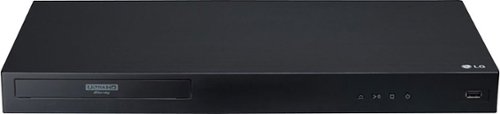
Set up a Dolby Vision home cinema with this LG Ultra HD Blu-ray player. It supports 4K and HDR content, and its Wi-Fi connectivity lets you enjoy premium on-demand programs from your favorite streaming providers. Play media files from a portable device via the USB port of this LG Ultra HD Blu-ray player.
Customer Rating
4
Nice player with a lot of features
on May 31, 2018
Posted by: enem156
from Chicago, Il
I liked this player so much it replaced my theater room player. The transport controls are on the face, not on top. They're easy to see and are raised for a good tactile experience. It's nice to able to see which button you're pressing even in a dim entertainment console. The boot up is nice and fast, and the user home screen is set up well with an intuitive look and feel. It actually has a little weight to it as well which gives it a solid feel.
While I don't have a 4K monitor, I plan to buy one in the future and wanted a player that could accommodate my system now and the system I intend to have in the future. 4K discs play beautifully to my plasma monitor and the colors are inviting and clean. Full motion looks good and I didn't notice any lag or edge problems. I did have one glitch with the playback on one disc. It froze during playback. Actually, the player just stopped playback, the controls on the player all still worked and I was able to restart it, but it shouldn't have happened. It's 3D capable which is a nice feature since I have lot's of 3D discs that I love to watch. It's also able to decode all the highest quality audio codecs from Dolby and DTS, so have no fear there.
Streaming features worked well and were also quite fast. I was surprised to find that there are no DLNA features that I could find on the player which means if you like to use your player to stream music, photos or videos from a network drive, you'll have to figure out some other way to do it. That was disappointing.
As far as movie watching, I love this player. It looks beautiful on my plasma monitor and is able to play a lot of different formats. Aside from the one freeze issue I experienced, I really like this player.
My Best Buy number: 0569030609
Mobile Submission: False
I would recommend this to a friend!
Share this review:


+2points
3of 4voted this as helpful.
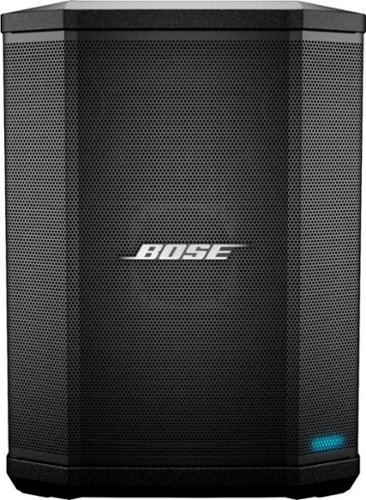
Whether it's streaming music wirelessly or plugging in a microphone, keyboard or guitar, the S1 Pro Portable Bluetooth Speaker and PA System is designed to be your go-anywhere music system for nearly any occasion. With rugged, lightweight materials, the S1 Pro speaker is designed to travel. A convenient carry handle makes it easy to get to the party, and once you're there, let the S1 Pro make it look easy. Place it on the ground, on its side, tilted back, or elevated. The speaker's unique multi-position design and built-in Auto EQ ensure that the music always sounds the way it should and that everyone can hear it. For the ultimate freedom, play for up to 11 hours using the internal rechargeable lithium-ion battery and go wherever the fun is happening. So, when it's your turn to bring the music, bring a pro. Bring the Bose S1 Pro.
Customer Rating
5
Great speaker with a big sound
on May 14, 2018
Posted by: enem156
from Chicago, Il
Bose doesn't disappoint with this not small, but extremely portable Bluetooth speaker. This has more features than I expected. To start, this guy is on the big side but for it's intended purpose, that's just fine because this isn't only a Bluetooth speaker, it's an instrument amp and a PA system as well. The control panel is really unique and has the look of a small mixing board. It has three independent channels. Two are for instruments and/or microphones and one if used for the Bluetooth connection or micro jack input. The top two channels inputs have reverb, bass, treble and volume controls. And the input jack for each is a multi-function jack that accepts 1/4” plugs (instruments or microphones), or 3-pin XLR plugs (microphones).
The bottom channel has a Bluetooth connect button and a micro jack input. I have not had the opportunity to test out the top two channels, but using it as a Bluetooth speaker is really easy to connect and has lots of power to spare. This speaker sounds great outside with plenty of volume and deep rich bass, even outside. One of the best features is the cabinet itself. It has a well thought out shape that allows you to place it in any position you want. You can stand it up on a table, or tilt it straight back. You can set it on it's beveled side and use it as a monitor or even set it up on a tripod stand. There's a beefy handle built into the top of it that doesn't stick out, and allows you to pick it up easily using only one hand.
The rechargeable battery came with my unit although it seems like it may be an option. Battery life is good and the three position switch allows you to put it in fast charge mode to quickly charge the battery. This is a well engineered speaker that seems to cover all the bases. It sounds great, has a big sound with a number of channels to connect to so that it can handle instruments, mics or Bluetooth music. I honestly can't find anything to complain about. Well done Bose!
My Best Buy number: 0569030609
Mobile Submission: False
I would recommend this to a friend!
Share this review:


+4points
4of 4voted this as helpful.
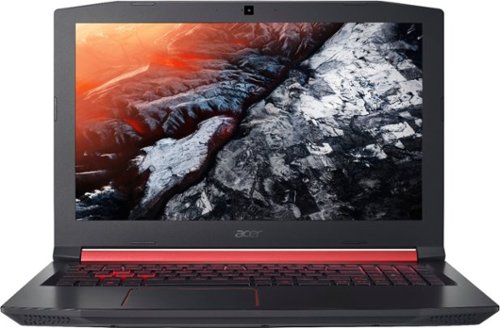
Only at Best BuyAcer Nitro 5 Laptop: Defeat the competition with this Acer Aspire Nitro 5 laptop. Its Intel Core i5 processor and 8GB of DDR4 RAM keep multiple programs running smoothly, and the NVIDIA GTX 1050Ti graphics card renders 3D images and video on the 15.6-inch Full HD display. This Acer Aspire Nitro 5 laptop has a 256GB solid-state drive for fast boot times.
Customer Rating
5
Great machine with all the trimmings!
on April 26, 2018
Posted by: enem156
from Chicago, Il
I can sum this machine up with one word. Nice! There are a ton of great features on it and some of them are not evident until you look a bit closer. It is a gaming laptop and that being said, you won't find things like a touchscreen or a tablet mode. What you will find is an Intel CORE i5 processor, an NVIDIA Gforce GTX graphics card with 4GB of dedicated RAM, 8GB of DDR4 Memory (which uses less power and has much faster speeds), a 1080 full HD monitor with a wide viewing angle, backlit keyboard, wireless-AC, Bluetooth and incredible sound.
The build on this machine is really muscular and solid. It has a cool black with red trim design and a red backlit keyboard. It comes fully equipped with lots of I/O. Three USB ports plus a USB-C port, an HDMI port, uSD card reader and a headphone/microphone jack. It also has an RJ-45 network jack. The first thing I noticed about this laptop was how fast it is. I mean really quick bootup time and hard drive access. Which by the way is a 256GB solid state drive that really makes a difference in the speed department. It had no trouble at all with multiple apps running at the same time. The only game I've run so far is Diablo III. I set everything to the highest levels and it played smoothly without any glitch or stutter. Visually, the game looked phenomenal. Rich colors, sharp edges and deep shadows.
I also have to comment on the sound quality. It is truly amazing how good it sounds. Watching movies in virtual surround has incredible depth and sounds like it has a few more speakers than it actually does. It has Dolby Audio which has a six panel control and fine tuning app complete with a graphic equalizer. The monitor is clear and bright. It has a matte finish on it, this helps prevent any type of glare and also allows clear viewing from wide angles. I actually tend to prefer a glossy monitor because it seems to make everything look like liquid color, but I certainly see the advantage of the matte finish on a gaming laptop.
All in all, I'm really happy with this machine. Plenty of power, great graphics, lifelike sound, all the ports I could ever want and newest, fastest features of a solid state drive and DDR4 memory. Acer packed a huge amount of features into this machine for a really great price.
My Best Buy number: 0569030609
Mobile Submission: False
I would recommend this to a friend!
Share this review:


0points
1of 2voted this as helpful.
enem156's Review Comments
Retire your dustpan and broom and transform your everyday floor cleaning! This sleek, versatile stick vacuum is always ready to deliver upright performance with Fade Free Lithium-Ion battery power. The only stick vacuum with Hoover WindTunnel~ technology and cyclonic filtration even when moving from hard floors to low pile carpet.
Overall 1 out of 5
1 out of 5Not enough suction
By BHIHIFI
I bought this after reading a positive review in a leading consumer magazine. It comes with an impressive number of accessories but the suction is weak. It would not even vacuum up bits of grass on my doormat. I returned it and bought the portable Dyson instead. Night and day difference.

enem156
Chicago, Il
Wrong vacuum review?
February 25, 2016
I'm not sure that you're reviewing the vacuum you think you are. This vacuum really doesn't have any accessories...
+1point
1of 1voted this comment as helpful.
enem156's Questions
enem156 has not submitted any questions.
enem156's Answers
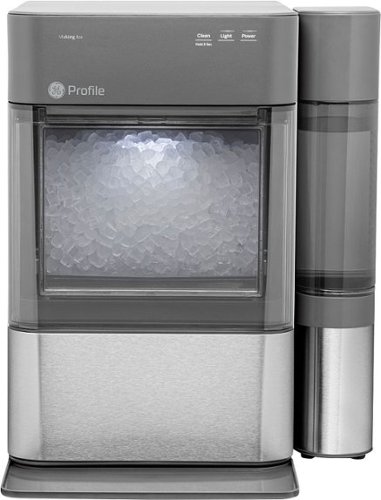
Nugget Ice. Pellet ice. Drive-in ice. Whatever you call it, you know it's "the good ice." Now that chewable ice is available from the convenience of your countertop with the Opal 2.0 Ice Maker. It is capable of producing up to 38 lbs. of ice in 24 hours and stores up to 3 lbs. of ice at one time. The Opal 2.0 Ice Maker has WiFi connection capability and comes with the side tank attachment for 3x more ice production.
Does it need to be connect to waterline
No, it's a completely stand alone unit. It uses a water container on the side that you can remove and refill, much like a coffee maker.
5 years, 10 months ago
by
enem156

With up to 40 hours of battery life, Beats Solo3 Wireless is your perfect everyday headphone. With Fast Fuel, a 5-minute charge gives you 3 hours of playback. Enjoy award-winning Beats sound with Class 1 Bluetooth~ wireless listening freedom. The on-ear, cushioned ear cups are adjustable so you can customize your fit for all-day comfort.
Can you answer phone calls with them
Yes, you can. Provided you're connected with your phone via Bluetooth.
8 years, 2 months ago
by
enem156