


Jturn's stats
- Review count180
- Helpfulness votes202
- First reviewNovember 22, 2014
- Last reviewJune 11, 2026
- Featured reviews0
- Average rating4.1
Reviews comments
- Review comment count0
- Helpfulness votes0
- First review commentNone
- Last review commentNone
- Featured review comments0
Questions
- Question count0
- Helpfulness votes0
- First questionNone
- Last questionNone
- Featured questions0
- Answer count9
- Helpfulness votes4
- First answerJune 3, 2016
- Last answerJuly 9, 2020
- Featured answers0
- Best answers1
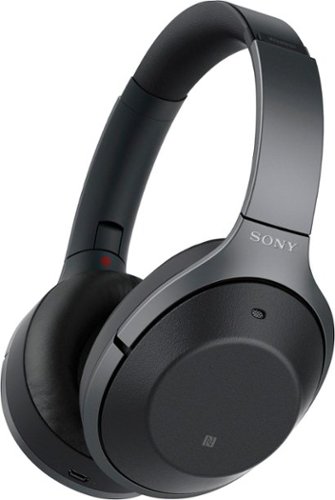
Listen to your playlist in peace with these Sony headphones. They have a 40mm dome driver to deliver the full depth of audio, and the noise cancelling feature minimizes outside disturbances for a better listening experience. These Sony headphones have a battery life of up to 30 hours for extended jam sessions.
Customer Rating

4
Advanced Tech, Less Than Ideal Ergonomics
on November 2, 2017
Posted by: Jturn
from WI
+Awesome noise cancellation
+Best in class sound quality
+Loads of features and tech
+Good look and build quality
+Touchpad works well
+Battery Life
-Button placement not great
-Not as comfortable as the main competitor's headset
+Best in class sound quality
+Loads of features and tech
+Good look and build quality
+Touchpad works well
+Battery Life
-Button placement not great
-Not as comfortable as the main competitor's headset
These headphones are loaded with lots of advanced technology as compared to the main competitors, which lends to great noise cancellation performance, but a couple of shortcomings stop these just short of being my favorite noise cancelling headphones.
To start, these headphones do two important things very well: they sound great and their noise cancelling performance is top notch. As compared to the Bose QC35 II, these have a more lively sound; bass punches harder, mids are a little clearer, and highs sing more. An added bonus over the Bose are the inclusion of equalization functionality in the Sony app, which lets you tailor the sound a bit to your tastes. As far as the sound cancellation ability of these, I've found they're pretty much on par with the Bose QC35 headphones. The various calibration settings they have work well, but may be a bit confusing for some.
Sony has included a wealth of added features which really add to the overall experience of these headphones. In addition to the tweaker settings mentioned above, they've also added some additional features to allow you to be more aware of your surroundings. Place your hand over the right cup and the sound fades out and you can now hear the environment around you. This works great in working environments where you may be approached by others with questions (though, the socially acceptable aspect of this may be suspect). Additionally, they've included a mode which is similar, but that doesn't fade your sound out, allowing you to get a mixture of environment and your sound.
The touchpad controls on the right ear cup, overall, work very well. The gestures are more or less intuitive (up/down to change volume levels, double tap to pause/play, etc). Occasionally, I noticed that they didn't register my gesture, but that's infrequent. The only downside to this layout is that double tapping to play/pause is fairly loud on the ears. Also, Sony included a diagram of gestures inside the case; really nice touch, Sony.
My biggest complaint of these headphones is that, while they're relatively comfortable, they are not as comfortable over long periods of time as the Bose QC35 II. The shape of the cups is somewhat narrow, so they constrict my ears just slightly. Over time, this lends to a bit of headphone fatigue. They also feel a bit heavier on the head than the Bose (not sure if they're physically heavier, but they feel like they are when on).
The two buttons that weren't replaced by the touchpad are the power and mode buttons. Sony did a rather poor job of making these ergonomic; after a couple of weeks of use, I still get the two buttons confused and they're still more difficult to find with the headphones on than they should be.
The one primary thing from keeping these as my main noise cancelling headphones is the comfortability of wearing them for extended periods of time. The performance is top notch, the added features are great, and the app extends functionality in ways that actually make these function better. At the end of the day, however, most of the time when wearing these, it's going to be for extended periods of time (most of my work day, on longer flights, etc). For that reason, more often than not I'll choose the Bose.
My Best Buy number: 2093619626
Mobile Submission: False
I would recommend this to a friend!
Share this review:


+2points
2of 2voted this as helpful.
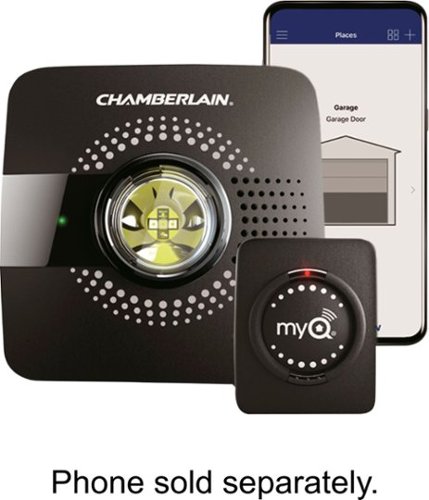
Control access to your garage with this Chamberlain MyQ Garage smart hub. It connects to your Wi-Fi router and lets you remotely control guest access for your existing garage door opener via the MyQ app. This Chamberlain MyQ Garage smart hub pairs with devices for seamless integration with lighting and security cameras.
Customer Rating

5
Simple Installation, Effective Operation
on October 20, 2017
Posted by: Jturn
from WI
+Simple Installation
+Seems to work with a ride range of openers
+Adds smarts to dumb openers
-App/Wifi pairing process was less than intuitive
+Seems to work with a ride range of openers
+Adds smarts to dumb openers
-App/Wifi pairing process was less than intuitive
This is a great product that allows you to very easily add some smarts to your run of the mill opener. Installation was dead simple (mount a sensor on the door, and drill two screws to mount the main unit), although the wifi pairing procedure was more complicated than it should've been.
My phone had trouble initially connecting to unit, and required me to "forget" the unit's network and then reconnect. After that, it worked as expected.
Mounting, as mentioned earlier, was quite simple: two screws for the main unit near a power source, a couple of Velcro strips to attach the sensor to the door, and the power plug. That's it. The process for linking to my opener was equally as easy: start the process via the app, hold the pairing button down for a couple of seconds on the opener, and wait until they connect. That's it.
Overall, I'm very pleased with this unit. Highly recommended!
My Best Buy number: 2093619626
Mobile Submission: True
I would recommend this to a friend!
Share this review:


0points
0of 0voted this as helpful.

Complete your cleaning routine with this Shark IONFLEX vacuum. Its 2x ION power pack system includes two LiIon batteries to provide backup power and longer run time, and it bends to reach floors under low-lying furniture thanks to its MultiFLEX technology. Convert this Shark IONFLEX vacuum into a handheld vac to clean ceilings and small corners.
Customer Rating

3
Great Flexibility Meets So-So Performance
on October 8, 2017
Posted by: Jturn
from WI
After using this vacuum for a couple of weeks, I can safely say that, while this vacuum has an incredible amount of usable flexibility, the so-so suction power means that I'll still rely primarily on my Dyson for most vacuuming duties.
Shark has included a lot of extras in this pack. The best of these included extras has to be the extra battery. Battery life is always an issue with handheld, battery powered vacuums, but this issue is largely mitigated by the fact that you can always have one battery charging while using the unit. Great work, Shark. Additionally, the included attachments cover a wide array of uses and is definitely appreciated.
Shark has done a great job making this little vacuum flexible. The wand flexes in both directions, allowing you to reach far under furniture when flexing one way, and stowing the vacuum in a compact state when flexing the other way. To go along with this, the hand held function works really well and is easy to configure. There are quite a few attachments that serve a wide number of purposes, but I primarily use the typical wand attachment or the full size head attachment. The handheld configuration using the full size head is a life savor for doing stairs; you get the full suction power of the vacuum in a form factor that's remarkably easy to use.
Speaking of suction power, this is an area where the vacuum left me a bit underwhelmed. There are two suction levels on the handle; power saver and full power. Honestly, I found very little use for the power saver mode, save for quick hard floor dustings. Full power mode works well enough, but at the end of the day, this vacuum doesn't have the kind of suction power akin to my yellow Dyson, and as a result, will more than likely be relegated to stairs duty and car cleanup.
The vacuum is incredibly flexible and handles a wide number of scenarios, but in the end, the underwhelming suction power leaves this as a secondary vacuum in my household.
My Best Buy number: 2093619626
Mobile Submission: False
I would recommend this to a friend!
Share this review:


+8points
9of 10voted this as helpful.
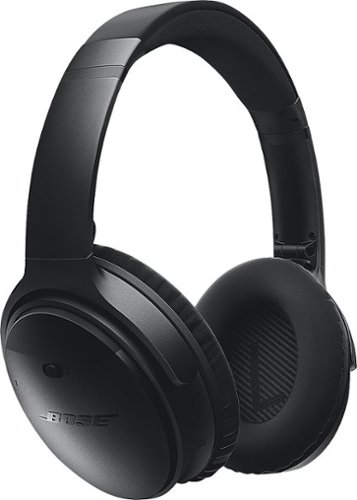
QuietComfort~ 35 wireless noise cancelling headphones are engineered with world-class noise cancellation that makes quiet sound quieter and music sound better. Free yourself from wires and connect easily to your devices with Bluetooth~ and NFC pairing. And enjoy up to 20 hours of wireless listening per battery charge.
Customer Rating
5
Mostly Incremental Update to the Best
on September 28, 2017
Posted by: Jturn
from WI
+Amazing noise cancellation technology
+Great comfort
+Google Assistant works great
+Battery life
-Expensive (though, in line with market prices)
+Great comfort
+Google Assistant works great
+Battery life
-Expensive (though, in line with market prices)
Overall, this seems to be a rather incremental update to what are widely considered the best noise canceling headphones on the market, but the main added feature (Google Assistant) is one that may just make these worth the update.
To get the obvious points out of the way... Battery life is great, stated at around 20 hours wireless and 30 hours wired. That's as much as I'd ever need. These headphones are synonymous with noise cancellation, and for good reason. The noise cancellation is quite incredible. I do not own an original QC35 set, but have used them in the past, and to my ears, these perform at least as good as the original version. Using the Bose Connect app, you can set two levels of cancellation or turn it off altogether. Additionally, you can assign the Google Assist button to switch between the cancellation level modes instead of triggering Google Assistant for those who aren't in the Google universe. The other major pro to these headphones is the fact that they're incredibly comfortable to wear. They feel well balanced, are a comfortable weight, and sit on the ears quite well.
As mentioned earlier, the primary addition to this updated model is the inclusion of the Google Assistant button. I currently have two devices which have Google Assistant built in, the Pixel phone and the Google Home, so I'm very familiar with what it is and how it works. And it works great in this application. The button works as follows; you can tap it once to get a verbal readout of the time and a reading of any new notifications on your phone, or you can long press it to activate two way communication with Assistant. This is a killer feature, and will only get better as Google Assistant continues to evolve (as it has done since they launched it).
The only possible negative I can come up with is the price. I say this with the caveat that these are in line with market price on a set of this quality, so from that perspective, it's a fine deal. I guess you do get what you pay for in this case.
Overall, these are great headphones. Whether they're worth the upgrade if you already have an original QC35 set depends on how much you use Google Assistant, but if you're in the market for noise cancelling headphones, these should be near the top of your list, if not your first option.
My Best Buy number: 2093619626
Mobile Submission: False
I would recommend this to a friend!
Share this review:


0points
0of 0voted this as helpful.
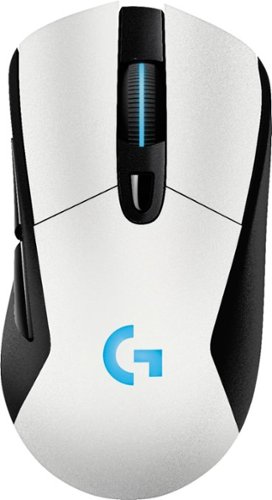
Navigate your games with this Logitech wireless mouse. Its optical sensor maximizes accuracy for a smoother gaming experience, and its 1 ms report rate reduces lag, so you don't fall behind in competition mode. This Logitech wireless mouse has a charging system that lets you power it wirelessly, so it doesn't interrupt your playing time.
Customer Rating
4
Great Performance but Missing Features
on August 14, 2017
Posted by: Jturn
from WI
+Great Feel/Look
+Excellent Performance
+Completely Functional Wireless and Wired
+Compatible With Logitech's Wireless Charging Mouse Pad
+Excellent Performance
+Completely Functional Wireless and Wired
+Compatible With Logitech's Wireless Charging Mouse Pad
-No Free Scroll, No Left/Right Scroll Click
-App Required for Changing All Settings
-Only One Weight Included
-App Required for Changing All Settings
-Only One Weight Included
Anyone looking for a great performing wireless mouse without spending a huge premium should consider the G703. While there are some missing features, the mouse's great look and excellent performance help overcome any shortcomings in the feature set.
Likely the most important spec for anyone looking for a wireless gaming mouse is the wireless performance, and more specifically the lag. This mouse delivers better than any wireless mouse I've ever used; there is no discernible lag that I was able to notice. I did notice some tracking issues initially while using only the small dongle plugged into my computer, but Logitech has included an extender that plugs into the same cord as you use to charge, which allows you to maintain wireless operation while also ensuring you're limiting lag as much as possible by putting the receiver right by the mouse. The addition of Logitech's wireless charging/receiver pad would also greatly help performance, but at $100, I won't be getting one anytime soon. One of my favorite parts of this mouse, however, is how Logitech has made the mouse completely functional either wireless or wired. Lots of other mice I've had require that you place the mouse into a cradle to charge, which makes it convenient to charge and completely unusable when the mouse is dead; the G703 has a long charging cable (usable with the extender as mentioned above) and plugs into the front of the mouse, which essentially turns it into a wired mouse. Great design.
The look and feel of this mouse is absolutely great. The aesthetic of this mouse is understated for the most part, but I really like the look, especially with the LED bar in the mouse wheel. The feel of the mouse in your hand is also awesome, one of the most comfortable I've felt. It doesn't have a wealth of buttons, which is a positive in my book; this may be an issue for anyone that is used to a huge array of customizable buttons. Also, the back/forward buttons on the side are well placed; out of the way so you don't accidentally click them (as I tend to do with other mice) but easily in range when you need them.
One downside to the great hand feel of this mouse is that it's made for right handed people only, so any left-handers will need to look elsewhere. Additionally, while the streamlined button layout is a plus, they've decided to not include a free spin wheel (where you press the button and the mouse will free scroll), and they've also not included left and right clicks on the wheel. Finally, while the mouse has a mechanism for allowing different weights, they've only included a 10g plate.
Overall, this is a great mouse, with a few minor missing features, that performs extremely well and is worth the money for anyone that requires the kind of wireless performance this thing can accommodate.
My Best Buy number: 2093619626
Mobile Submission: False
I would recommend this to a friend!
Share this review:


0points
0of 0voted this as helpful.
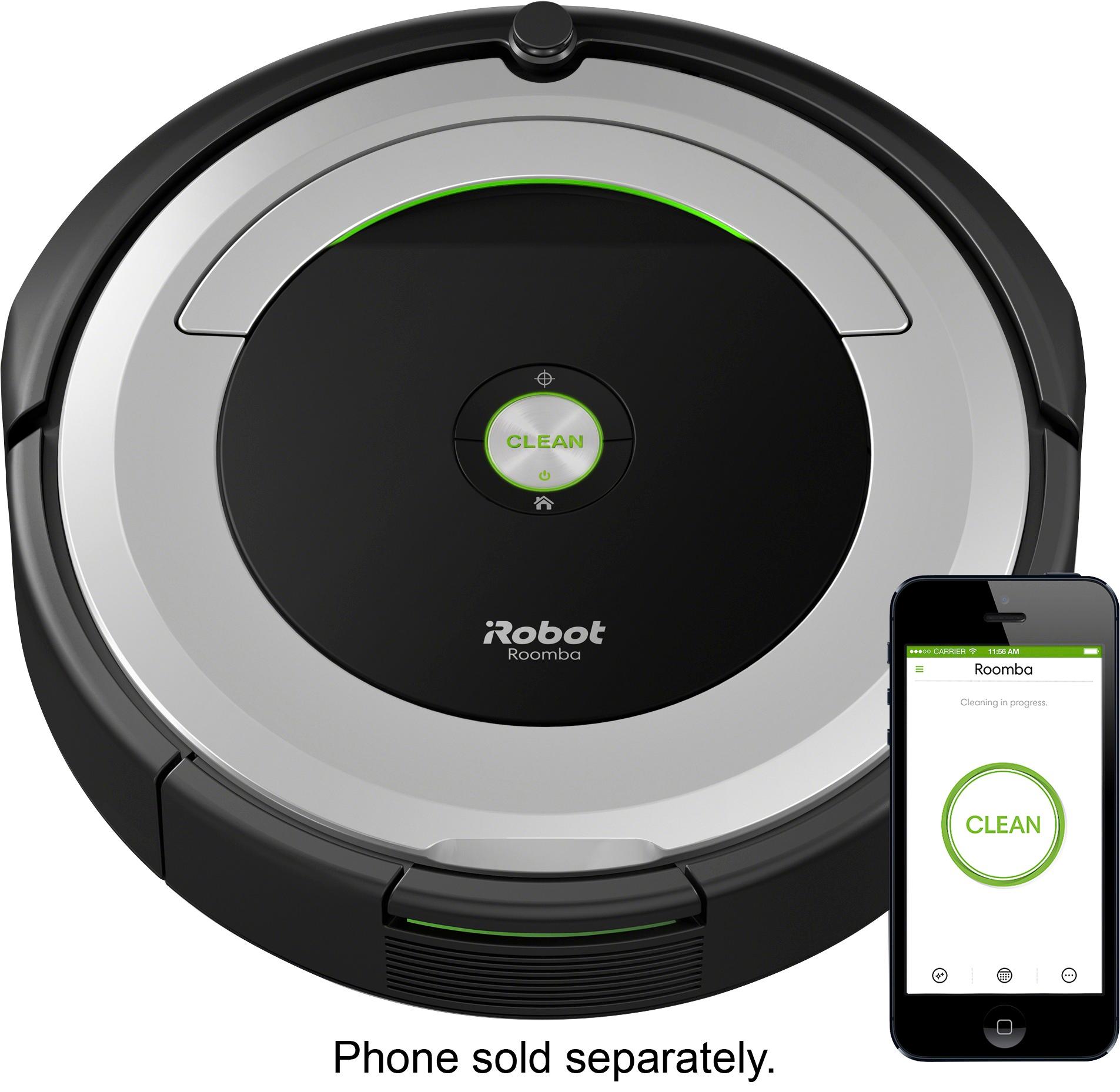
Clean your carpets efficiently with this iRobot Roomba vacuum. It lets you set a schedule for automated vacuuming, and the sensors help it navigate under furniture and around objects on the floor for a more thorough cleaning job. This iRobot Roomba vacuum has internal brushes, agitators and suction to handle debris and pet hair.
Customer Rating
3
Not as "Smart" as I Was Hoping
on August 7, 2017
Posted by: Jturn
from WI
+Automated cleaning with almost no manual intervention
+Wifi connectivity
-Small Battery
-Not as "smart" as the 800 series units
-Only 1 virtual wall included
+Wifi connectivity
-Small Battery
-Not as "smart" as the 800 series units
-Only 1 virtual wall included
The 690 is my first foray into the world of automated robot cleaners, and while is does an adequate job of cleaning, the short battery life leaves me questioning whether it's getting my entire space.
I'm using the 690 in the lower level of my bi-level home, which is about 1000 sq ft of open space. Kicking off a cleaning cycle is very easy, initiated either by pressing the button on the top of the unit or kicking it off via the free Roomba app. Speaking of the app, getting the unit connected to my Wifi network was simple. Download the app, and let it initiate the connection for you. Watching the robot go to work is interesting; it takes some seemingly illogical paths over the room, but after a while, you get a sense that it somewhat understands the space, as it eventually goes along the border of the cleaning space. It does a pretty decent job of cleaning overall (at least as good as you'd think for a machine this small with limited dirt bin capacity). Cleaning out the dirt bin is simple and is the only manual task required to use this otherwise completely automated vacuum.
The biggest downfall of this product in my usage is the battery life. In my space (completely open save for some furniture), the 690's battery runs out before it can complete a full cleaning cycle. Every time, the app alerts to me to a "canceled" job. This wouldn't be an issue if the unit started back up after a charge and continued where it left off. This doesn't appear to be the case, however. I have to manually kick it off for a subsequent clean cycle, which appears to put it back into the beginning cleaning state based on the route it takes. This lead me to thinking that the cleaner isn't as "smart" as I would've expected, which was confirmed with some quick Googling. It appears the real bread and butter of the Roomba lineup starts in the 800 series. The 690 does a decent job of navigation obstacles, but this isn't a unit for those that live cluttered lives. Also, it has a knack for getting itself trapped in rooms; almost every time I've run it, it has gone into my bathroom and shut itself in by closing the door. Now, I know to leave the door closed.
My other main issue with this unit is that iRobot only included 1 virtual wall with it. Virtual walls are small block shaped units which all you to put up a virtual fence, keeping the Roomba out of areas you don't want it to go. This is a great idea, and it works great in my experience, but it'd be great if they'd include at least 2, preferably more.
The 690 does an adequate job of cleaning, and is great for convenience sake as it requires very little in the way of manual intervention to have it operate. However, the drawbacks of the unit leave me wondering whether one of the more expensive units in the Roomba line would be a better investment.
My Best Buy number: 2093619626
Mobile Submission: False
No, I would not recommend this to a friend.
Share this review:


-1point
1of 3voted this as helpful.
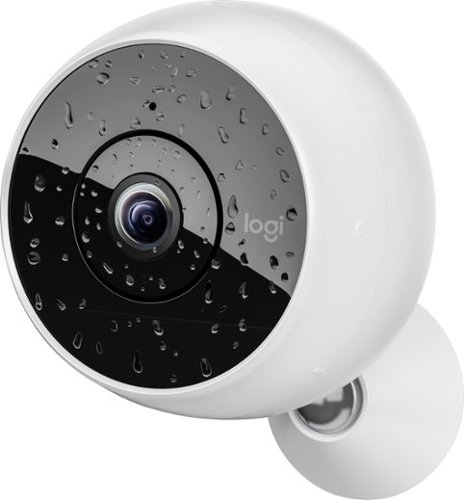
Secure your loved ones with this Logitech Circle 2 security system, which uses smart alerts to keep you informed. Full 1080p HD along with 180-degree capabilities and night vision record high-quality video so you can see what's going on. Advanced Motion Filtering on this Logitech Circle 2 security system keeps you apprised when unexpected activity occurs, eliminating endless viewing.
Customer Rating

2
Limited Usability With Included Components
on August 1, 2017
Posted by: Jturn
from WI
I own a Nest camera, and while I've been very pleased with how that works, I figured I'd give the Logi Circle a try. After using it for a bit, I'll be going back to Nest for my future camera needs.
I have a number of issues with the Circle. The biggest issue I have with this particular model is that it's basically useless unless you mount it. The base is not much of a base at all and rather a means for mounting the camera only. This has proven to be incredibly limiting in my situation. I like the idea of being able to move the camera around and use it in various locations; this isn't really possible with this particular model, without buying additional equipment. My Nest camera's base is clearly made for using either free standing or by mounting.
Another issue that I have with the Circle is the companion app. Again, comparing with the Nest, the circle app is less than refined and user friendly. For example, I found it to be very unintuitive to quickly skim the camera's recent history to see if there's been any activity. Perhaps this is a side effect of having the battery model, which seems to go into a quasi standby mode presumably to save battery. None the less, not very usable.
Finally, to get full use of the cloud features of the Circle, you need to purchase a subscription, not unlike the other cameras in the market. However, each camera requires its own subscription, costing 100 per year. Nest at least gives you a bit of a price break on subsequent camera subscriptions. This cost definitely adds up over time.
Aside from my gripes with the camera, the Circle is very well built, and I have little doubt that it would stand up to the elements if I were to mount it outside. Also, the battery powered operation is a great concept, and makes for flexible placement (assuming you don't mind mounting it). Overall, however, I feel that this camera has a ways to go to catch up to its immediate competition, the Nest.
My Best Buy number: 2093619626
Mobile Submission: True
No, I would not recommend this to a friend.
Share this review:


+1point
1of 1voted this as helpful.
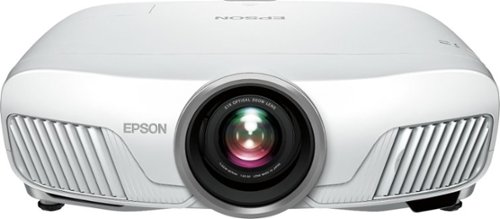
Share with your family, friends or an entire class with this Epson Home Cinema 4000 projector. The 2,200-lumens projector throws clear images that can be seen from around the room, and 4K enhancement brings each graphic to life. This Epson Home Cinema 4000 projector has two HDMI ports for connecting a computer or other device.
Customer Rating
5
Great PQ, Stacked Features, HUGE Enclosure
on June 26, 2017
Posted by: Jturn
from WI
Epson is known for having great home theater projectors for a great price, and the Home Cinema 4000 is no exception. A full feature set combined with very good looking picture make this a projector worth considering if you can afford the price tag. Some will undoubtedly be put off by the GIANT form factor, however.
One of the greatest benefits of this projector is the fact that it has lens shift capability (which is not necessarily the case for all projectors in this price range, though it definitely should be in my opinion). This gives the user a great amount of flexibility in how they can place the projector; you don't need to be dead center to the screen to get a properly proportioned image. The throw distance numbers are quite adequate, as well: you can get
The 4000 has a great feature set, in addition to the lens shift. The projector accepts input formats all the way up to 4K HDR (via the HDMI 2.2 port). This is nice from a "future-proof" standpoint, but the native resolution of the projector is still 1080p, though it is claimed that the true output resolution is somewhere greater than 1080. Opinions vary greatly on whether this should actually be considered a "4K" projector, since it employs what Epson calls "pixel shifting" to achieve "4k Enhancement" picture quality. The inclusion of HDR 10 compatibility is a huge plus here, as the Epson is able to reproduce the entire HDR color spec. You don't see that on projectors in this price range, or anywhere near it for that matter.
Out of the box, the picture quality is quite frankly great, but for those who have the means of having it calibrated, this projector has 2 point white balance controls and full color management for the 3 primary and 3 secondary colors. This allows you to tweak settings at a granular level, which is important for anyone considering a projector at this level. In my situation, I replaced a Panasonic plasma that had quite amazing picture quality (pretty much only the current crop of OLEDs look better to my eyes), so the black level of this projector has taken some acclimation time, but in my experience, this is on par with anything else out there. I've heard DLP projectors tend to show better black levels, but the rainbow effect bothers me greatly so 3LCD projectors like this one are a great option. At peak brightness, the 4000 throws out up to 2,200 lumens, so it performs reasonably well with some ambient light, but you'll still want to light control your room for the best picture possible.
The one downside for me was how large this projector is. It is a beast of a machine, and has a fairly substantial weight (a shade under 30 lbs). Mounting it on the ceiling will most likely require two people and a fair amount of clearance. If you have the real estate, though, this shouldn't be more than a minor annoyance. One thing I've noticed, though, is that this projector is incredibly quiet; most likely attributable to the case size.
In summary, this is a great projector. It checks nearly all the boxes for what I want in a projector (the only missing feature being native 4k resolution, but that's not happening at this price) and has great picture quality. Highly recommended.
My Best Buy number: 2093619626
Mobile Submission: False
I would recommend this to a friend!
Share this review:


+13points
18of 23voted this as helpful.
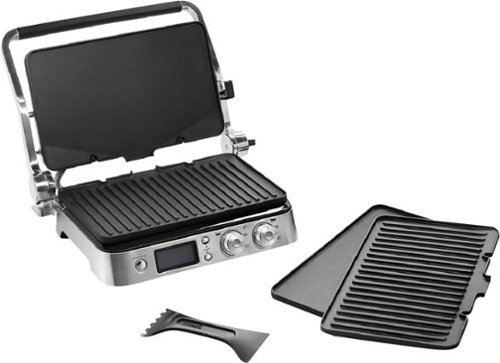
Prepare a wide variety of foods with this nonstick DeLonghi Livenza digital grill. It includes grill and griddle plates that can be switched out depending on the type of food being cooked. This 14.5-inch DeLonghi Livenza digital grill has a hinged top so you can make delicious panini, and it pairs with a digital cookbook app.
Customer Rating
5
A Bit Pricey, But Delivers On Features
on June 12, 2017
Posted by: Jturn
from WI
For years, I've had a Foreman grill, which, for what it is, works well and is priced friendly. This DeLonghi is significantly more expensive than that particular grill, but it provides a number of features and a vast amount of flexibility to make the increased cost worth it.
My favorite feature of this grill is the adjustable hinge. This allows for two awesome grilling modes beyond the normal press mode: one where you can have the grill completely open so you have two separate grill surfaces (which makes the independently adjustable temperature settings for each grate a key feature) and one where you can have the top plate elevated. This gives you the ability to make grilled sandwiches, grill your meat on one side and grill your toppings/buns on the other, etc. Also, the removable grates allow you to switch between a flat surface and a grill surface, which provides a great deal of flexibility (especially awesome in the open position). Finally, build quality seems top notch. The hinge system is rock solid and I don't foresee having any issues long term using the elevation feature. Overall, the only negative to me is the price.
If you're willing to spend the money, this is a great grill. It's definitely worth a premium over cheaper models because of the wealth of grilling options and features.
My Best Buy number: 2093619626
I would recommend this to a friend!
Share this review:


0points
0of 0voted this as helpful.
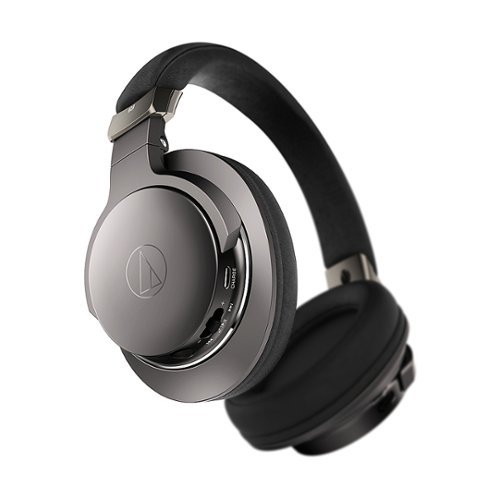
Get high-fidelity audio with these wireless Audio-Technica headphones. Mic and volume switches are built into the earcup for convenient control, and its NFC functionality enables touch pairing to connect with your favorite Bluetooth wireless devices. Memory foam earpads on these over-ear Audio-Technica headphones offer sound isolation and a comfortable fit.
Customer Rating
3
Better Options for the Price
on May 29, 2017
Posted by: Jturn
from WI
These are (mostly) a great sounding set of head phones with little else to offer. The sound quality is very good, especially in wired mode, but should be considered very neutral sounding. There honestly isn't much bass bump on tap here and they can sound harsh at times, with a seemingly treble and mid skewed sound profile. True "audiophiles" may appreciate this, as it tends to not color the sound in my experience, as compared to others in this range. This may not be desirable to most, however, as boosted bass seems to be the popular thing these days. Also, those expecting any level of noise isolation will be severely disappointed. I've used these on a plane and they offer very little in the way of isolation; less than I expected for being full over the ear cans. Granted, they aren't advertised as noise isolating in the description, but don't expect to be pleasantly surprised because they won't deliver.
One positive to note here is that they work in passive mode with the included cable, meaning you can still them if they run out of battery power. This is a huge plus in my book.
All in all, I'd consider these a very good option for those considering themselves audiophiles who want mostly uncolored sound, but for the general/causal listener, there are better options for the price.
My Best Buy number: 2093619626
Mobile Submission: True
No, I would not recommend this to a friend.
Share this review:


-3points
0of 3voted this as helpful.
Jturn's Review Comments
Jturn has not submitted comments on any reviews.
Jturn's Questions
Jturn has not submitted any questions.
Jturn's Answers
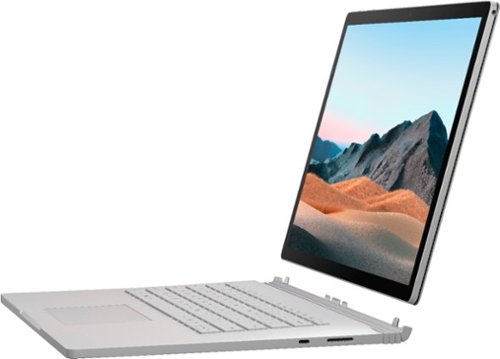
Performance meets versatility. From intensive video and graphics files to high-octane gaming, the most powerful Surface laptop yet combines speed, graphics, and long battery life with the versatility of a laptop, tablet, and portable studio. Tackle your biggest demands with quadcore powered 10th Gen Intel~ Core~ processors, blazing NVIDIA~ graphics, and high-resolution PixelSense~ Display designed for Surface Pen* and touch.
Is there an HDMI port?
Performance meets versatility. From intensive video and graphics files to high-octane gaming, the most powerful Surface laptop yet combines speed, graphics, and long battery life with the versatility of a laptop, tablet, and portable studio. Tackle your biggest demands with quadcore powered 10th Gen Intel~ Core~ processors, blazing NVIDIA~ graphics, and high-resolution PixelSense~ Display designed for Surface Pen* and touch.
Are there additional memory slots to increase RAM on the 15inch 16gb ram 256Gb storage, model?
No, there is no ability to upgrade the RAM or the hard drive on any of the Surface Books. What you buy is what you'll be stuck with.
5 years, 11 months ago
by
Jturn

Completely customize your Wi-Fi Smart Color Thermostat to match your lifestyle and decor. The ENERGY STAR~ certified smart thermostat lets you choose the temperature, schedule, display color and the devices you use to control it all.
Want to replace RTH230B with RTH9580WiFi. Wires connected:G, Y, W has(black wire), R(red wire), Rh(red wire). Also I see a white wire that is not connected to current rth230. How do I know which wire is used for the "c" terminal for the new rth9580WiFi?

Since they're not labeled at the thermostat terminal, you'll need to check at your furnace to see what's connected where. Having the extra wire is great, since you should be able to use that for your common.
8 years, 5 months ago
by
Jturn
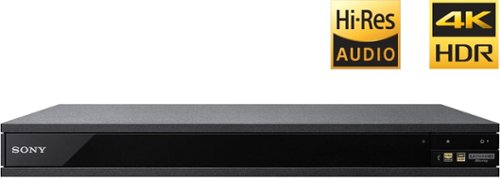
Experience immersive entertainment options with this Sony 4K Blu-ray player. Its Ultra HD resolution provides exceptionally detailed screen images with increased brightness and more realistic color, and its support of Dolby Atmos and DTS:X provides cinema-quality sound. This Sony 4K Blu-ray player supports high-resolution audio formats for more accurate music reproduction.
Does the on-screen display provide information on the video and audio bitrates? Does the display provide data on the audio output?
Yes. The Display button displays bit rate and format information for both audio and video.
9 years, 1 month ago
by
Jturn
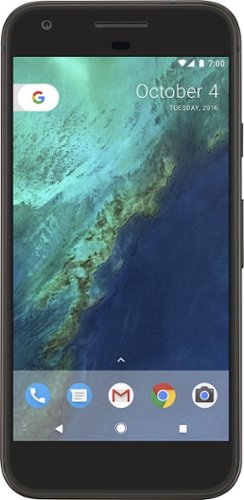
Bring the power of Google directly to your fingertips with the Google Pixel. A large 32GB of storage keep data secure, while unlimited cloud storage transfers data as needed, and it's completely automatic. The large 5-inch screen is protected by Corning Gorilla Glass 4 to ensure the Google Pixel remains scratch-free.
so i wanna get the pixel but with out getting a verizon contract how would i do so?
Your best option is probably to buy the phone directly from Google. The phone will come unlocked and will work as advertised with VZW and Project FI (meaning it should work well with Sprint and TMo).
9 years, 7 months ago
by
Jturn
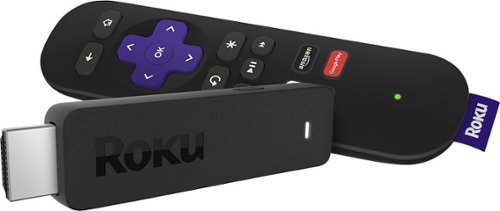
Enjoy HD programming with the Roku Streaming Stick. Plug it into any flat-screen television that has a built-in USB port to view streaming media. This device provides more than 4500 channels on demand and features more than 450,000 movies and TV episodes. Control the Roku Streaming Stick with the included remote or with your smartphone via the Roku Mobile App.
How can you connect the Roku to my theater Amplifier 5.1 sound system?
If your amplifier has an HDMI input, you'll need to plug the stick directly into the amplifier vs. plugging into your TV. The stick doesn't have any external audio outputs.
10 years ago
by
Jturn
Enjoy HD programming with the Roku Streaming Stick. Plug it into any flat-screen television that has a built-in USB port to view streaming media. This device provides more than 4500 channels on demand and features more than 450,000 movies and TV episodes. Control the Roku Streaming Stick with the included remote or with your smartphone via the Roku Mobile App.
The display shows it plugged into two places on the back of the tv. One is obviously the hdmi port, what is the other end plugged into?
Enjoy HD programming with the Roku Streaming Stick. Plug it into any flat-screen television that has a built-in USB port to view streaming media. This device provides more than 4500 channels on demand and features more than 450,000 movies and TV episodes. Control the Roku Streaming Stick with the included remote or with your smartphone via the Roku Mobile App.
Does the stick had profiles for different Netflix users?
Yes. It has the latest Netflix interface, meaning it has full support for profiles (unlike some of the older Roku devices).
10 years ago
by
Jturn
Enjoy HD programming with the Roku Streaming Stick. Plug it into any flat-screen television that has a built-in USB port to view streaming media. This device provides more than 4500 channels on demand and features more than 450,000 movies and TV episodes. Control the Roku Streaming Stick with the included remote or with your smartphone via the Roku Mobile App.
can I download google play store and down load free games like I have on my cell phone?
No. This device does not run Android. If you want the ability to side load apps, you'll need to look at either a Fire device or one of the hundreds of Android based streaming boxes available.
10 years ago
by
Jturn