


Jturn's stats
- Review count180
- Helpfulness votes202
- First reviewNovember 22, 2014
- Last reviewJune 11, 2026
- Featured reviews0
- Average rating4.1
Reviews comments
- Review comment count0
- Helpfulness votes0
- First review commentNone
- Last review commentNone
- Featured review comments0
Questions
- Question count0
- Helpfulness votes0
- First questionNone
- Last questionNone
- Featured questions0
- Answer count9
- Helpfulness votes4
- First answerJune 3, 2016
- Last answerJuly 9, 2020
- Featured answers0
- Best answers1
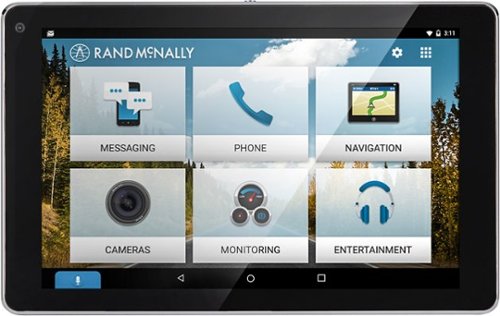
Make driving routines more enjoyable with this OverDryve car system. Its voice assistant capabilities let you read and send text messages by command and also play music in your car without taking your hands off the wheel. The built-in dash cam of this OverDryve car system lets you record trips and capture every moment on the road.
Customer Rating

4
Works Well for Non Connected Cars
on October 27, 2016
Posted by: Jturn
Admittedly, the target market for this product gets smaller by the day. Most modern cars make the Overdryve mostly obsolete. For those looking to upgrade their car without spending a lot of money to become "connected," the Overdryve may be exactly what they're looking for. The app store, while fairly limited at the moment, has potential to keep this thing relevant for years. The screen size is the perfect size and the included mount (and optional dash weighed mount) give you placement flexibility and work well. The ability to download maps in advance allows you to use the device without a data connection (though you can connect to your phone). Possibly the best feature is the FM transmitter, which allows you to not only route onboard sound to stereos which may not have Bluetooth, but allows you to connect your phone via Bluetooth and route that through FM as well. That's probably the most useful feature for anyone with an older vehicle, in my opinion. Overall, it works great for what it is; it's usefulness just isn't apparent for those with newer vehicles.
My Best Buy number: 2093619626
Mobile Submission: True
I would recommend this to a friend!
Share this review:


+2points
2of 2voted this as helpful.
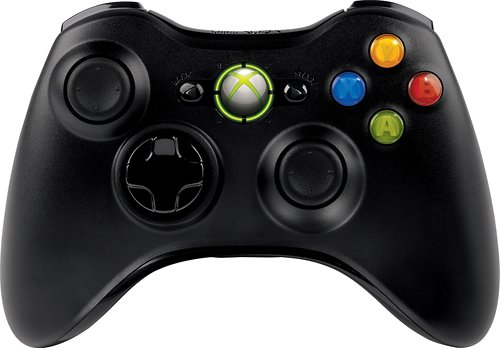
Enhance your gaming with this ergonomically designed Microsoft Xbox 360 JR9-00011 controller that features 2.4GHz wireless technology to provide an up to 30' wireless range from your PC or Xbox 360. Vibration feedback ensures riveting gameplay.
Customer Rating

5
Works Great As a PC Controller
on October 23, 2016
Posted by: Jturn
Verified Purchase:Yes
Bought this to use with a new PC I just build and I must admit... I'm puzzled as to why the regular 360 branded controller, which appears to be identical, is priced much more. In any case, this thing works great. Installation was painless and I've had zero issues with it. Highly recommended for the price.
My Best Buy number: 2093619626
My Best Buy number: 2093619626
Mobile Submission: True
I would recommend this to a friend!
Share this review:


0points
0of 0voted this as helpful.
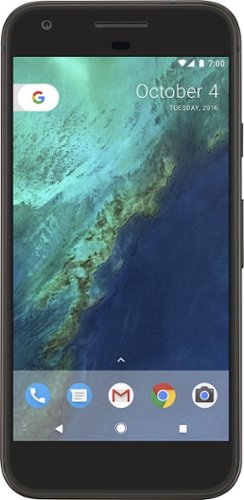
Bring the power of Google directly to your fingertips with the Google Pixel. A large 32GB of storage keep data secure, while unlimited cloud storage transfers data as needed, and it's completely automatic. The large 5-inch screen is protected by Corning Gorilla Glass 4 to ensure the Google Pixel remains scratch-free.
Customer Rating
5
The Greatest Android Phone Ever
on October 21, 2016
Posted by: Jturn
I've been an Android user since the original Motorola Droid was released (late 2009/early 2010). I've had 5 different devices over the years, each considered "flagship" devices for their time, and I can say without a doubt, this is the greatest Android phone ever made.
To start, the negatives. The design is fairly boring. People will compare it to an iPhone (which is a valid comparison) and some may like this, while others will hate it. Overall, the device has great build quality and feels sturdy, but the back is incredibly slippery. Also, while USB-C seems to be the connector of the future, it causes a fairly major inconvenience here since all my existing cables/accessories are micro-USB.
Now, the positives... Android 7.1 is great. This phone is the first Android device that I've used that "feels" like an iPhone. Anyone that's used an iPhone compared to an Android phone knows that there's always been a tangible lag to Android that iOS never really had. This is finally gone with the Pixel. Performance system wide is flawless and significantly better than any other phone I've seen (including the latest round of Galaxy devices). Along with this, the new Google Assistant is pretty useful and will only improve with time as their machine learning implementation gets better.
On the hardware front, things are equally great. As mentioned previously, build quality is top notch. The screen on the Pixel is great; I personally like OLED screens over their LCD counterparts. The fingerprint scanner registers touch instantly, and the drag-down to open the notification shade "move" is instantly useful. Speaking of instant, the camera is lightning fast. It takes photos immediately with no lag, and image quality is as advertised. The newest Galaxy phones probably best the Pixel in certain circumstances, but Google phone has released a phone that has a top tier camera.
Overall, this phone is great. It's a joy to use and finally feels like something that can compete with the iPhone on all fronts. The Pixel comes VERY highly recommended.
My Best Buy number: 2093619626
I would recommend this to a friend!
Share this review:


+1point
1of 1voted this as helpful.
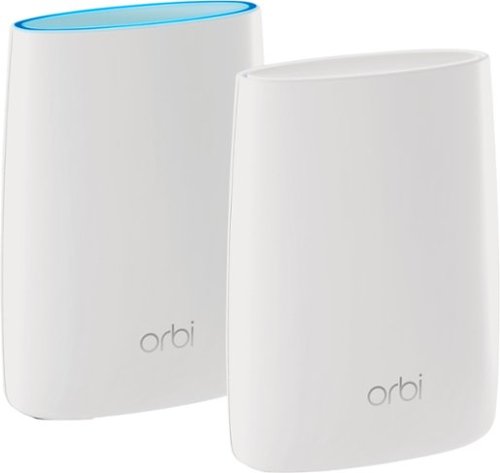
Orbi Whole Home WiFi System delivers up to 3.0Gbps high-performance WiFi. Sleek, modern design with high-gain internal antennas for up to 5,000 square feet of coverage. FastLane3 Technology creates a dedicated Tri-Band WiFi for seamless 4K streaming and gaming everywhere in your home. Keep a single WiFi name for uninterrupted connections as you move from room-to-room. Circle Smart Parental Controls runs on Orbi Routers for a smart way for families to manage content and time online, on any connected device. Provide internet access to guests without sharing your personal network password. Orbi is ready right out of the box and compatible with your ISP. Just use the Orbi app to get started with better WiFi, everywhere in minutes.
Customer Rating
4
Solid Whole Home Option
on September 29, 2016
Posted by: Jturn
Besides some missing features (you can't setup a guest network!), this system works VERY well for blanketing a very large area in a unified network. I've been using the Orbi for a few weeks now and have found it to be extremely reliable, besides one time where I had to restart the main router unit and the attached modem (but I think this was a modem issue, not an Orbi issue). I love the fact that the Orbi creates a single network; both 2.4 and 5ghz networks appear with the same SSID, and the satellite unit also uses the same SSID instead of creating an extended, separate network. Makes maintaining a signal from room to room/floor to floor absolutely effortless.
I did run into an issue during setup that may or may not serve as a "gotcha" for others that are setting the router up. In my situation, I simply swapped my existing router for the Orbi to start, including plugging in an ethernet attached computer to it. I tried to access the router on my phone via the orbilogin.com link, but was unable to connect. Turns out, the router directed the setup protocol to the computer that was connected via ethernet. Not a big deal by any means, but certainly caused a moment of frustration as it appeared as though the automated setup wasn't working.
This unit as is is already a very good system. With automatic updates, I have total faith that the manufacturer will continue to add features to the Orbi to close any existing feature gaps.
My Best Buy number: 2093619626
I would recommend this to a friend!
Share this review:


+1point
1of 1voted this as helpful.
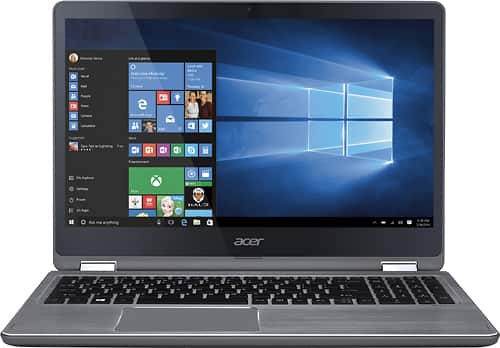
Connect favorite peripherals to this Acer Aspire laptop. Four USB ports let you connect accessories, transfer files or charge a cellphone while you work, and HDMI outputs make dual-screen functionality possible. Access nearby wireless networks with this Acer Aspire laptop and stream videos or upload your own images captured with the built-in HD webcam.
Customer Rating
4
Premium Feeling w/ Below Avg Performance
on July 13, 2016
Posted by: Jturn
Build quality seems top notch for the most part. The brushed metal material used for most of the body and the chrome metal trim used both lead to a premium feeling device which I'd expect to cost much more than these do. Though it's been a short time that I've had the computer, the hinge also seems incredibly sturdy, something which is of large concern for a device of this type.
The display is no more than adequate. In particular, my computer suffers from a pretty significant amount of light bleed from the edges. The display is bright and renders colors well, but the light bleed severely impacts contrast ratio in parts of the screen where it's bad. The native 1080 resolution fits this screen size well in my opinion; it seems the trend these days is to include 4k resolution on screens of this size+, but in my experience, this has far more downsides than upsides (performance takes a hit, things render too small for comfort, etc). The touchscreen is also adequate. I haven't experienced any real issues with touch registration or anything of the sort.
Performance is underwhelming. In general, things are snappy but there are definitely times when things feel sluggish. Of particular note, I was surprised at how long it takes from startup to desktop loaded. Most of this is probably attributable to the fact that the computer comes with a traditional platter drive instead of a solid state drive. This, along with the bloatware which Acer includes out of the box, definitely has more of an impact than I'd expect for a 2016 laptop with a 6th generation Intel i5 processor. Lightweight tasks like browsing and email are obviously well handled. Anything more (video editing, light gaming, etc) may suffer.
The keyboard is very good. The buttons have a pleasant amount of travel, which makes typing very comfortable. The layout is also very good, making use of most of the available real estate to include a number pad and well spaced keys. The only oddity here is the enter button, which for some unknown reason, extends upwards to the "\" button, which makes hitting the enter key prone to mistakes.
The touchpad isn't great. In general, I'm not a fan of touchpads which don't have dedicated left/right click buttons like this one. The pad also has a surprising lot of play; the pad gives way to a light amount of pressure which makes it feel like it's not properly seated. I'm not sure if this is just an issue with mine or not, but it's slightly annoying. Also, the coating feels a bit "tacky" which makes using it more of chore than others I've used.
In general, this is definitely a sufficient computer. Out of the box, it certainly won't wow by merit of its performance, but as mentioned above, I suspect replacing its drive with an SSD (which I plan to do imminently) should help with this. Overall, this feels slightly more premium than the price Acer is charging.
My Best Buy number: 2093619626
I would recommend this to a friend!
Share this review:


+7points
8of 9voted this as helpful.
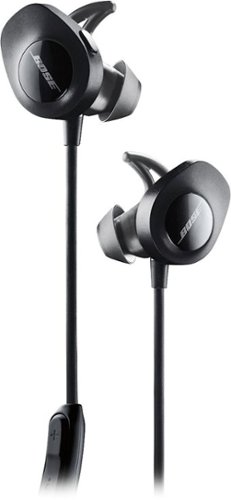
With no wires in the way, Bose SoundSport Wireless Sports Earbuds keep you moving with powerful audio. Perfect for exercise and running with a sweat and weather resistant design and StayHear+ tips designed for comfort and stability. The Tile app makes your headphones easy to find if they ever go missing.
Customer Rating
5
Great Once You Get Used to the Fit
on June 17, 2016
Posted by: Jturn
Fit, sound quality, battery life and durability. These are the primary things I consider when looking for wireless headphones which claim to be for working out. These Bose earphones nail every one of these categories, with a caveat to how they fit.
The first thing I noticed when unboxing these was how large they are. This makes them difficult to get a feel for at first, and even after getting used to them over a couple of weeks, the fit admittedly isn't as good as most other earphones I've had. They include three ear cup sizes, which will help a bit, but the seal isn't quite there (though they thankfully stay in my ears while running, which is very important for this type of product). Fortunately, this doesn't seem to impact sound quality what so ever (versus some earphones which need a tight seal to deliver good sound).
I've sampled a wide range of musical styles with these and, to my ears, I can confidently say they perform as well as my wired Shure and Sennheiser earphones in the same price range. They're definitely not as "transparent" as the other brands; they tend to color the sound a bit toward the bass side of the spectrum, but in my opinion, it's done effectively and not to the point where it's overbearing. One of my favorite songs to test earphones with is Love You To Death by Type O Negative. Given the song's large dynamic range, it helps me test how well headphones perform. The Bose sounded great.
Battery life on these exceeded my expectations a bit. Other wireless earphones I've tried seemed to choke out around the 5 hour mark, but these lasted longer in my usage scenarios. They easily lasted for an entire 8 hour work day (with breaks in there, lunch, etc) with some left over for the next day. I'm not sure on an exact number, but 7 hours seems to be in the ballpark, which I consider to be great.
Build quality on these is top notch. They're incredibly sturdy and feel like they'll be able to take a beating. I've only had them a few weeks so it's tough to measure their long term durability, but I have no concerns about these.
The last thing I'll mention about these is their connectivity via bluetooth. I've been very impressed with just how quickly these things connect. If my phone's bluetooth is on prior to turning the earphones on, they'll connect even before the audio prompt is done (which tells you battery life on startup, and also which device you're connected to). These always connect with ease, which takes some of the usual hassle of dealing with bluetooth devices away. They also have a companion app which is said to ensure that the earphones are "always up to date" but I didn't find much use for it personally.
Overall, I'd definitely recommend these earphones. They feel like a great deal even in this price range and stand up to any other equally priced earphones.
My Best Buy number: 2093619626
I would recommend this to a friend!
Share this review:


-1point
3of 7voted this as helpful.
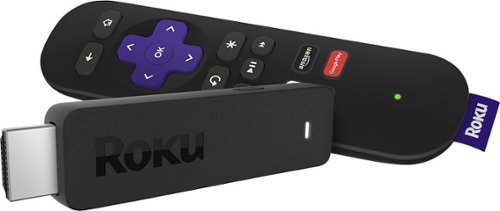
Enjoy HD programming with the Roku Streaming Stick. Plug it into any flat-screen television that has a built-in USB port to view streaming media. This device provides more than 4500 channels on demand and features more than 450,000 movies and TV episodes. Control the Roku Streaming Stick with the included remote or with your smartphone via the Roku Mobile App.
Customer Rating
5
Works Great
on June 3, 2016
Posted by: Jturn
from WI
Verified Purchase:Yes
I've had nearly every iteration of Roku devices since they've launched (except the 4) and in my experience, this might be the best one they've released. The performance is absolutely great (especially if you compare to the first generation stick, which was not good in this regard), wifi connection is rock solid, and the portability makes it useful in any number of situations.
My Best Buy number: 2093619626
My Best Buy number: 2093619626
I would recommend this to a friend!
Share this review:


0points
0of 0voted this as helpful.
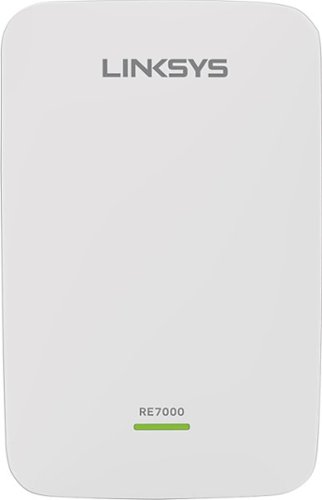
Prevent dead zones around your home with the help of this Linksys Wi-Fi range extender. It works with all types of Wi-Fi routers, and it uses multi-user MIMO for speed and efficiency. This Linksys Wi-Fi range extender can be used to create a different access point or to extend the field of the router~s connection.
Customer Rating
4
Good extender with quirks
on May 20, 2016
Posted by: Jturn
I've been using this range extender in my home for roughly a week (in concert with an Asus AC68U router) and for the most part, it has performed well. My house is a moderately sized two story home, and my router is placed in the lower, far north west corner. I run a number of streaming devices (various Rokus and Chromecasts) throughout my home and this range extender has generally aided in providing a solid connection to devices in the opposite corner of my house (upper south east). Setup was not as seamless as I would have expected, however. Connecting to my router using WPS worked very well for both my 2.4ghz and 5ghz networks. However, on the first time through setup, I enabled the option to mirror my router's settings in hopes of creating a seamless roaming network and this rendered the extender unusable. After multiple resets (the extender wouldn't connect via WPS after the first reset) i got the extender up and running, albeit with two additional/separate networks (for both frequencies). Apparently, seamless roaming is only compatible with certain, Linksys branded routers currently. Hopefully this changes in the future.
Overall, this device works reasonably well, especially if you're not looking for seamless roaming. The web interface feels a bit more modern than others i have tried, and connecting to my router was a cinch.
My Best Buy number: 2093619626
Mobile Submission: True
I would recommend this to a friend!
Share this review:


0points
0of 0voted this as helpful.
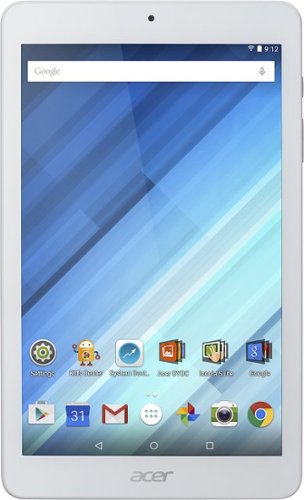
Enjoy a compact tablet that fits neatly in your pocket with this Acer Iconia One 8-inch tablet. It includes a quad-core processor and 1GB of RAM that deliver powerful processing to play all your games and apps, and the 16GB of flash memory ensure this Acer Iconia One 8-inch tablet and store your files.
Customer Rating

3
Budget tablet that works reasonably well
on May 18, 2016
Posted by: Jturn
I've had well over a dozen Android devices over the past 7 or so years, and while this tablet certainly isn't the worst service I've had and actually performs rather admirably, there's still no doubt that you get what you pay for in this case.
To start off, the good. While the screen is a mixed bag (the resolution is a glaring negative, especially for anyone used to a modern retina/qHD+ style screen, and black levels are pretty bad), screen uniformity on my unit was excellent. No corner/edge light bleed, no dead pixels, no issues overall. General performance is also decent; most definitely good for watching videos on YouTube or Google Play Movies (assuming the lack of high resolution isn't off-putting to you), good for browsing, and even passable for some light gaming (here, the resolution is a plus, since it takes less horsepower to render less pixels).
Now, the not so good. The bundled software hinders the experience rather than adds to it overall. The Acer launcher, music and photo apps are highly unnecessary. The barrage of setup screens it presents you with on first load will most likely be intimidating to new to Android users. Speaking of which, this tablet isn't for anyone looking for the latest and greatest Android update. My unit came loaded with 5.1 and has not received an update as of this writing. Also, the camera is what can only be described as useless. The amount of pixelation in the pictures makes them look like they were taken in 05 on a RAZR flip phone. Finally, battery life isn't great.
Overall, this tablet is what it is; a budget tablet that's great for browsing, decent for watching movies and videos, and ok for gaming. It would probably make a great starter device for someone that doesn't need anything fancy or expensive.
My Best Buy number: 2093619626
I would recommend this to a friend!
Share this review:


0points
0of 0voted this as helpful.
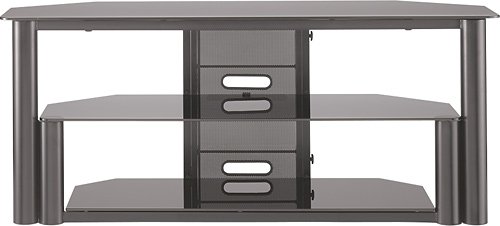
Insignia~ TV Stand: Maintain a neatly organized home theater with this TV stand, which accommodates your flat-panel TV and features 2 tempered-glass shelves to house A/V components. Metal construction provides stability.
Customer Rating
5
Lots of Space, Good Aesthetic
on November 22, 2014
Posted by: Jturn
from WI
Verified Purchase:Yes
I bought this stand for my 55" plasma. I needed a stand large enough to accommodate an oversized Pioneer receiver, PS4, cable box, Roku, Blu-Ray player, and a very large Paradigm Center 3 center channel speaker. This stand fit all of these components without having to stack any of them. The stand is remarkably sturdy, and looks very nice, at a very reasonable price. Only negative is that it does virtually nothing to conceal cords since it has an open back, but that's the tradeoff you make for a well ventilated stand. Definitely worth looking into if you need the abundance of space.
My Best Buy number: 2093619626
My Best Buy number: 2093619626
I would recommend this to a friend!
Share this review:


+6points
6of 6voted this as helpful.
Jturn's Review Comments
Jturn has not submitted comments on any reviews.
Jturn's Questions
Jturn has not submitted any questions.
Jturn's Answers
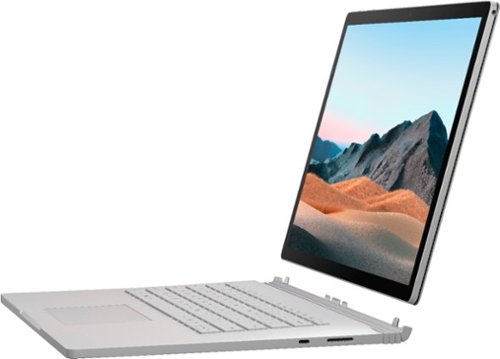
Performance meets versatility. From intensive video and graphics files to high-octane gaming, the most powerful Surface laptop yet combines speed, graphics, and long battery life with the versatility of a laptop, tablet, and portable studio. Tackle your biggest demands with quadcore powered 10th Gen Intel~ Core~ processors, blazing NVIDIA~ graphics, and high-resolution PixelSense~ Display designed for Surface Pen* and touch.
Is there an HDMI port?
Performance meets versatility. From intensive video and graphics files to high-octane gaming, the most powerful Surface laptop yet combines speed, graphics, and long battery life with the versatility of a laptop, tablet, and portable studio. Tackle your biggest demands with quadcore powered 10th Gen Intel~ Core~ processors, blazing NVIDIA~ graphics, and high-resolution PixelSense~ Display designed for Surface Pen* and touch.
Are there additional memory slots to increase RAM on the 15inch 16gb ram 256Gb storage, model?
No, there is no ability to upgrade the RAM or the hard drive on any of the Surface Books. What you buy is what you'll be stuck with.
5 years, 11 months ago
by
Jturn

Completely customize your Wi-Fi Smart Color Thermostat to match your lifestyle and decor. The ENERGY STAR~ certified smart thermostat lets you choose the temperature, schedule, display color and the devices you use to control it all.
Want to replace RTH230B with RTH9580WiFi. Wires connected:G, Y, W has(black wire), R(red wire), Rh(red wire). Also I see a white wire that is not connected to current rth230. How do I know which wire is used for the "c" terminal for the new rth9580WiFi?

Since they're not labeled at the thermostat terminal, you'll need to check at your furnace to see what's connected where. Having the extra wire is great, since you should be able to use that for your common.
8 years, 5 months ago
by
Jturn
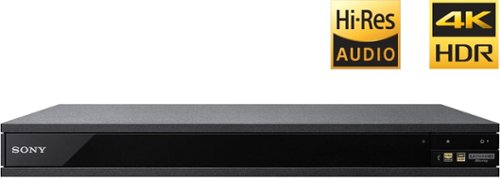
Experience immersive entertainment options with this Sony 4K Blu-ray player. Its Ultra HD resolution provides exceptionally detailed screen images with increased brightness and more realistic color, and its support of Dolby Atmos and DTS:X provides cinema-quality sound. This Sony 4K Blu-ray player supports high-resolution audio formats for more accurate music reproduction.
Does the on-screen display provide information on the video and audio bitrates? Does the display provide data on the audio output?
Yes. The Display button displays bit rate and format information for both audio and video.
9 years, 1 month ago
by
Jturn
Bring the power of Google directly to your fingertips with the Google Pixel. A large 32GB of storage keep data secure, while unlimited cloud storage transfers data as needed, and it's completely automatic. The large 5-inch screen is protected by Corning Gorilla Glass 4 to ensure the Google Pixel remains scratch-free.
so i wanna get the pixel but with out getting a verizon contract how would i do so?
Your best option is probably to buy the phone directly from Google. The phone will come unlocked and will work as advertised with VZW and Project FI (meaning it should work well with Sprint and TMo).
9 years, 7 months ago
by
Jturn
Enjoy HD programming with the Roku Streaming Stick. Plug it into any flat-screen television that has a built-in USB port to view streaming media. This device provides more than 4500 channels on demand and features more than 450,000 movies and TV episodes. Control the Roku Streaming Stick with the included remote or with your smartphone via the Roku Mobile App.
How can you connect the Roku to my theater Amplifier 5.1 sound system?
If your amplifier has an HDMI input, you'll need to plug the stick directly into the amplifier vs. plugging into your TV. The stick doesn't have any external audio outputs.
10 years ago
by
Jturn
Enjoy HD programming with the Roku Streaming Stick. Plug it into any flat-screen television that has a built-in USB port to view streaming media. This device provides more than 4500 channels on demand and features more than 450,000 movies and TV episodes. Control the Roku Streaming Stick with the included remote or with your smartphone via the Roku Mobile App.
The display shows it plugged into two places on the back of the tv. One is obviously the hdmi port, what is the other end plugged into?
Enjoy HD programming with the Roku Streaming Stick. Plug it into any flat-screen television that has a built-in USB port to view streaming media. This device provides more than 4500 channels on demand and features more than 450,000 movies and TV episodes. Control the Roku Streaming Stick with the included remote or with your smartphone via the Roku Mobile App.
Does the stick had profiles for different Netflix users?
Yes. It has the latest Netflix interface, meaning it has full support for profiles (unlike some of the older Roku devices).
10 years ago
by
Jturn
Enjoy HD programming with the Roku Streaming Stick. Plug it into any flat-screen television that has a built-in USB port to view streaming media. This device provides more than 4500 channels on demand and features more than 450,000 movies and TV episodes. Control the Roku Streaming Stick with the included remote or with your smartphone via the Roku Mobile App.
can I download google play store and down load free games like I have on my cell phone?
No. This device does not run Android. If you want the ability to side load apps, you'll need to look at either a Fire device or one of the hundreds of Android based streaming boxes available.
10 years ago
by
Jturn