


Jturn's stats
- Review count180
- Helpfulness votes202
- First reviewNovember 22, 2014
- Last reviewJune 11, 2026
- Featured reviews0
- Average rating4.1
Reviews comments
- Review comment count0
- Helpfulness votes0
- First review commentNone
- Last review commentNone
- Featured review comments0
Questions
- Question count0
- Helpfulness votes0
- First questionNone
- Last questionNone
- Featured questions0
- Answer count9
- Helpfulness votes4
- First answerJune 3, 2016
- Last answerJuly 9, 2020
- Featured answers0
- Best answers1
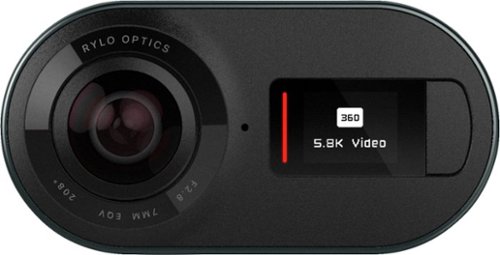
See the whole picture with this Rylo 360 video camera. This compact device extends your perspective by capturing 360 degrees of 5.8K video, perfect for panorama shots and immersive video. This Rylo 360 video camera provides intuitive editing tools through the Rylo iOS app to help you turn your footage into a masterpiece.
Customer Rating

4
Amazing Concepts, Lacking Android App
on May 22, 2018
Posted by: Jturn
from WI
This is one of the coolest gadgets I've used in quite some time, unfortunately hindered by a buggy Android app; I can't speak to the iOS app as I don't have an iPhone, but I'm assuming it works better based on the videos I've seen.
From the second you open the package, this camera screams quality, and looks really sleek. The build quality feels utterly premium, with the heavy duty metal casing, in a way that GoPros simply don't. The camera also consists of only two buttons; the shutter button on the top, which doubles as the power button, and the button beside the screen which toggles between shooting modes. That's it. The idea here is that everything else is handling via the app, which I like a lot. Speaking of which, connection to the app is handled via the included micro USB to micro USB/USB C/Lightning cables. I really like this. Though it's one more cable to lose, connecting directly to my phone to transfer videos and pics is not only faster, but much more reliable than wireless connections that I've used on other cameras for transfer.
Once you start using the camera, you get a sense that this type of camera is the future of amateur video production. The concept that you can shoot a video and later tweak production by dictating shooting angles/directions makes so much sense that it's hard to believe this really hasn't been done before, at least in the way that the Rylo 360 cam does it. The app allows you to set focus points that slowly shift as the video elapses, allowing for smooth pans that look professional. You can also set fixed focal points (for instance, you can lock on to a person's face). This is where I ran into the first bug in the Android app, unfortunately. After setting a fixed focal point on my face for one video, the app wouldn't play back video a few times, and when it did, it pretty easily lost focus. The bright side to this is that, since it's all based on the app, there is a great chance that this will be fixed in the future, and it seems as though Rylo has been dedicated to bringing enhancements and new features to the app; I received a push shortly after getting the camera which enabled longer self timer shutter times as an option.
Besides some app issues, my main issue with the Rylo 360 cam is that it has no water proof rating. This is a fairly significant downside in my eyes. This camera would work best if it had the type of water proofing that is common on some others of this type, but I guess it's an obvious trade off for having a 360 degree camera that actually functions well. Rylo does sell a case which adds water proofing, but it's fairly expensive and the reviews don't seem to be great on it.
In summary, this camera (and more accurately, the app concept) is awesome. It feels like a fairly revolutionary step forward in amateur video shooting, but in my experience, the Android app holds it back from being truly exceptional. I have zero doubt that Rylo will continue to work on this, however.
My Best Buy number: 2093619626
Mobile Submission: False
I would recommend this to a friend!
Share this review:


0points
0of 0voted this as helpful.
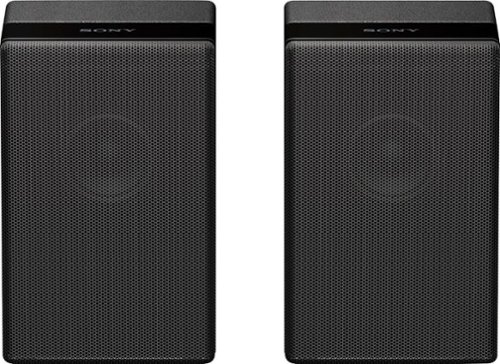
Complete your HT-Z9F surround system with this Sony rear speaker. Place it on a stand or shelf, or mount it to your wall for unobtrusive performance, and connect to other components wirelessly to keep unsightly cables out of your space. This Sony rear speaker's S-Master amp outputs 50W for powerful rear audio.
Customer Rating

5
Incredibly Simple Operation, Good Sound Quality
on May 18, 2018
Posted by: Jturn
from WI
Part of the reason for me deciding to get the Sony HT-Z9F sound bar was because of the availability of these wireless surround speakers. Honestly, there isn't much to say about these other than that they're incredibly simple to use, they have a good aesthetic that matches the main soundbar perfectly (and also feel very well made), and they sound good. The pairing process couldn't have been more simple; you initiate the add through the soundbar settings, plug the rear speakers in, and watch as the system comes together. Once they're paired, you're free to move these speakers to any location you see fit, which is the single largest advantage of these being wireless; all you need is a power source to plug them in, no wires to run across the room.
If you've sprung for the premium priced HT-Z9F soundbar, you'd be well served to consider these add-on surround speakers.
My Best Buy number: 2093619626
Mobile Submission: False
I would recommend this to a friend!
Share this review:


+3points
3of 3voted this as helpful.
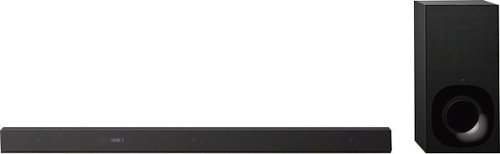
Enjoy premium sound from a streamlined package with this Sony sound bar. The Vertical Surround Engine ensures an easy fit in your entertainment space, and the 3.1-channel Dolby Atmos technology supports an immersive experience. This Sony sound bar operates on Bluetooth or Wi-Fi for streaming your favorite songs, and it comes with a wireless subwoofer to improve bass output.
Customer Rating

3
Good Sound Quality But Little Atmos Effect
on May 9, 2018
Posted by: Jturn
from WI
I was very excited when this sound bar was announced, as it promised the ability to add Dolby Atmos to my existing upstairs living room without the need for a bulky receiver unit, and paired with the wireless surround speakers that are made for this 3.1 system, I wouldn't even need to run cords to the front to get legitimate surround sound! Unfortunately, I've been underwhelmed with the Atmos sound, which may or may not be the result of the room I'm using the system in.
To start, I'll say up front that the sound quality is pretty good for a sound bar. It'll be more than sufficient for most, though audiophiles (which I somewhat consider myself) may be underwhelmed. The included subwoofer has a surprising amount of power for its size, though I had to crank it nearly to max before it felt balanced with the rest of the system. Also, the ability to handle 4K@60hz pass thru is a huge bonus (though it has only 2 HDMI inputs to utilize it).
As stated above, in my particular room setup where this system will be used (which has vaulted ceilings which very well may be negatively impacting the system), the Atmos effect is quite underwhelming. It seems to use the rear speakers (which are an optional extra) to synthesize the Atmos effect, and while it opens up the sound space, I never had a sense of "altitude"; said another way, I never felt as though the sound came from different height planes.
I'm not a fan of how Sony chose to include the inputs for the soundbar. Instead of putting the input ports on the subwoofer unit, which I'd imagine most will nest behind an entertainment center, they elected to place the inputs on the soundbar itself. While this may have been done for technical reasons (perhaps to reduce latency), this poses a convenience issue, especially for those intending to wall mount the soundbar. My next issue with their input placement is that they've chosen to put the inputs at an angle, undoubtedly for those choosing to wall mount. However, they should've given the HDMI ports more clearance. The display/ARC enabled port is the furthest back, and I had quite a bit of trouble connecting a heavy duty cable.
For those looking for a top of the line soundbar with good sound quality and the ability to pass thru the lastest 4K/HDMI spec signal, this fits the bill. When fitted with the optional surround speakers, getting good sounding surround sound couldn't be easier or more convenient, and for these reasons alone I would recommend the system if you can deal with the price. That being said, those expecting to be wowed by the system's Atmos abilities will be underwhelmed.
My Best Buy number: 2093619626
Mobile Submission: False
I would recommend this to a friend!
Share this review:


+9points
12of 15voted this as helpful.
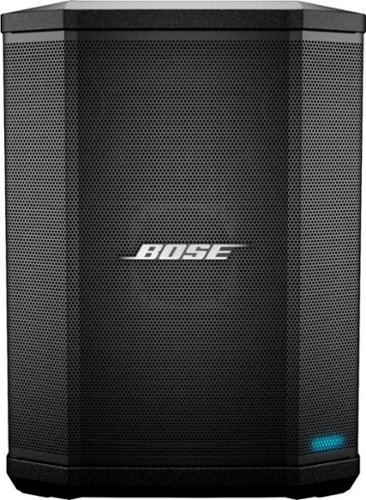
Whether it's streaming music wirelessly or plugging in a microphone, keyboard or guitar, the S1 Pro Portable Bluetooth Speaker and PA System is designed to be your go-anywhere music system for nearly any occasion. With rugged, lightweight materials, the S1 Pro speaker is designed to travel. A convenient carry handle makes it easy to get to the party, and once you're there, let the S1 Pro make it look easy. Place it on the ground, on its side, tilted back, or elevated. The speaker's unique multi-position design and built-in Auto EQ ensure that the music always sounds the way it should and that everyone can hear it. For the ultimate freedom, play for up to 11 hours using the internal rechargeable lithium-ion battery and go wherever the fun is happening. So, when it's your turn to bring the music, bring a pro. Bring the Bose S1 Pro.
Customer Rating
4
Amazing Flexibility and Feature Set, But Expensive
on May 6, 2018
Posted by: Jturn
from WI
The Bose S1 Pro is an amazing little package, with surprising sound quality and ultimate portability. But this comes at a price, which is typical of Bose products (especially their PA systems). Whether the cost to performance ratio is acceptable is highly dependent on the individual, but what I can say for certain is that this unit is quite amazing in what it can do.
I'll start with the cons. As previously mentioned, the biggest con to most will be the cost. For the same price, you can get a number of good performing powered speakers, though nothing that I know of comes close to the S1 in terms of portability. The next biggest issue for my particular needs is that it only includes two instrument/mic level inputs. This means you're either limited to a vocal + guitar type setup, or you'll need an external mixer. Also, Bose did not include a slip cover with the S1, which is disappointing. Finally, real directions were also not included, meaning you need to go online to get the manual for the S1.
Now, the pros of this unit. The S1 Pro strikes an incredibly impressive balance of portability and sound quality. Hooking it up for use by my band's singer (vocals and acoustic) during band practice, which included 2 electric guitars, a bass guitar, and an electronic drum kit to contend with, the S1 Pro kept up with volume levels set below half. The speaker cranked out very good sound quality, especially when considering the size of it. The ToneMatch feature also seems to work well, as it seems to enrich the sound of guitars. Also, for whatever reason, the model being sold by Best Buy apparently includes a battery, which looks to be a $100 add-on else where. This is an awesome accessory for the S1, as it gives you ultimate flexibility to use the speaker in any scenario without the need for power. Bose says the battery will last about 6 hours, and I'm inclined to believe it, as I've used it around my house, as well as at practice for at least 4 hours and it's still going strong. Finally, including Bluetooth connectivity was a good move on Bose's part. This allows you to use this as a monster portable speaker for tailgating, or to easily play music during set breaks. Great feature.
Overall, this speaker performs incredibly well in scenarios that it's made for. For instance, it's not made to be a PA for a full electric rock band, but would function well as a personal monitor, and if paired with another S1 would function extremely well as a PA for an acoustic setup (guitars, keys, and vocals for instance). For those looking for a PA setup that affords incredible flexibility and very good sound quality, this fits the bill, though at a price point that will undoubtedly turn many away. For me, it's worth paying the premium.
My Best Buy number: 2093619626
Mobile Submission: False
I would recommend this to a friend!
Share this review:


+6points
6of 6voted this as helpful.
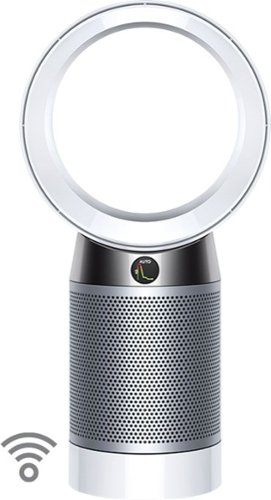
The only purifying fan to clean a whole room properly*. We design our purifying fans to go beyond test chamber conditions and focus on real home conditions ~ this is more than just having an efficient filter.*Dyson engineers and research concluded that to clean an entire room properly, you need to sense pollution events automatically; capture ultrafine pollutants; and project cleaner air around the room using Air Multiplier technology. Only the Dyson purifying fan is designed and tested to do all of this.**Dyson technology helps create a cleaner, healthier home - Our vacuums and purifiers are scientifically proven to capture particles as small as allergens and bacteria.
Customer Rating
4
High Quality But Costly
on April 17, 2018
Posted by: Jturn
from WI
When you buy a Dyson product, you expect a certain level of quality and performance. The DP04 delivers in spades on both of these expectations, but does so at a price that makes it questionable whether it is worth it to experience top of the line air filtration in your home.
Starting at the beginning, the DP04 is dead simple to assemble. It comes in a few pieces that you need to snap together, with directions that are very clearly laid out. The process of hooking it up to your phone has been VASTLY improved from the first generation of products (I own a Pure Hot + Cool, which would not connect to my phone unless I put it into airplane mode).
Features wise, this has it all. When used in concert with the great Dyson app (which has also been vastly improved since the first generation of their products was launched), you get a comprehensive view of the air quality where your DP04 is stationed. The app gives timeline readouts of a number of particulates that may pollute your air, along with humidity and temperature measurements. The app also gives you the ability to control the unit the same as with the included remote. Along with the app improvements comes the very well executed front display. This gives you access to everything you need for those who don't find a need to use the app. Along with the tech aspects of the DP04, the indirect air flow mode where the fan blows backwards is ingenious and well executed. This is a great feature when you want to run the purifier but don't feel like having a fan blowing at you. It's a great, well executed idea.
Performance wise, I can say with confidence that Dyson has improved the purifying ability of this generation of devices an appreciable amount. I believe this is due to the new two stage filter system they've implemented here, with the expected HEPA filter being joined by a carbon filter (my Pure Hot + Cool only has the HEPA filter on it). I've noticed immediate improvement in air filtration while cooking. Left in auto mode, the DP04 is quick to turn on and kick into action when things get a bit smokey or fragrant in the kitchen area. The older Hot + Cool works reasonably well, but the DP04 works great and is quick to remove odors from the air. I was quite pleasantly surprised the first time I ran the DP04 near my open concept kitchen area.
The only downside to the DP04 is the cost, not only the upfront cost of the unit (which is quite steep) but also the long term investment you'll be making in filters. The filters, admittedly, last a LONG time (a year at normal usage, says Dyson), but will be pretty expensive to replace when the time comes. Regardless, being a pet owner and someone living in WI where you can't open the windows for fresh air for 9+ months out of the year, the cost of the unit is worth it for the amazing performance return.
My Best Buy number: 2093619626
Mobile Submission: False
I would recommend this to a friend!
Share this review:


+5points
5of 5voted this as helpful.
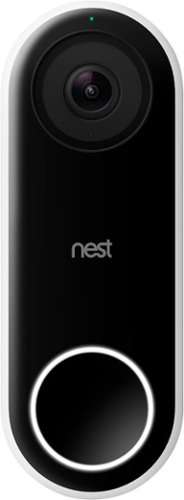
Nest Doorbell (Wired) lets you know who~s there, so you never miss a thing. It replaces your existing wired doorbell and delivers HD video and bright, crisp images, even at night. It~s designed to show you everything at your doorstep ~ people head to toe or packages on the ground. And with 24/7 streaming, you can check in anytime. Or go back and look at a 3-hour snapshot history to see what happened.*
Customer Rating
4
A Great Product Hindered by the Paywall
on March 27, 2018
Posted by: Jturn
from WI
Slowly but surely, I've been updating the primitive areas of my house, from the thermostat to the smoke detectors, and the Nest Hello is the latest device I've gotten to make my home more "smart." This may be the best device yet.
Setting up the Nest Hello was incredibly easy. My home was built in 2007, and already had the necessary wiring to use the Nest Hello; those who have older systems may need to hire a pro to update their wiring. The app walks you through the admittedly simplistic steps of wiring in the chime connector (really easy with the push connectors) and connecting the doorbell. The biggest hurdles I had to overcome were to find which breaker controlled the doorbell and that my previous doorbell, installed on the siding of my house, was mounted too close to an overhang, so I needed to reposition things a bit. Again, setup was really simple and can be done by anyone, short of needing to rewire your chime.
From there, getting connected to my network was also simplistic. Since I already have a Nest Protect, the app instructed me to push the button on it to initiate the connection with the doorbell. This was completely seemless, and required no manual input on my part. Well done, Nest. From there, it walked through some additional steps (does your doorbell work, for instance). Start to finish, I was up and running in 15 minutes.
The first thing I noticed when using this was how good the video quality is. Nest decided to give the camera a 4:3, taller aspect ratio which works incredibly well in this application and gives you a very wide and complete picture of the doorbell's surroundings. Video quality is adjustable, and in a nice touch, Nest shows a data usage estimation for those who are on data caps at home.
The additional features of this doorbell are both the best and worst things about it. I think the biggest differentiating feature is the familiar face ability, allowing you to name people that come to your door. Over time, the Nest learns who people are based on this and will then announce their arrival. Simple feature but really great, especially when combined with a Google Home device, which will tell you who's at the door (assuming you've tagged them previously). The downside to this is that you need a subscription, which starts at $50 per year. Another downside to the subscription model is that Nest has elected only include 3 hours of video history for users choosing not to get the subscription. While a subscription isn't 100% necessary, you're missing out on the main functionality of the Hello without one, unfortunately.
One potential major issue with the Hello that I have not tested yet is the fact that it operates only down to a temperature 14 degrees F. Living in Wisconsin, this will undoubtedly be an issue as we spend a significant chunk of the year around or below 14 degrees. My hope is that it will at the very least still sound the doorbell, just not give you the video functionality, but I guess I'll see the next time the temps drop.
Overall, this is a great product. Well guided setup and a wealth of features make this one of the best on the market, hindered only by the fact that you need to pay a yearly subscription to use those features.
Mobile Submission: False
I would recommend this to a friend!
Share this review:


+2points
2of 2voted this as helpful.
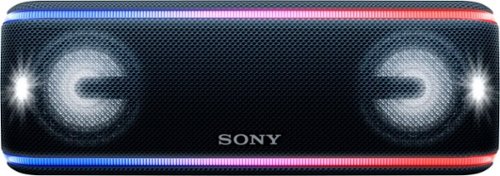
Enjoy an immersive audio experience with this Sony portable wireless speaker. Its Live Sound mode optimizes the direction of the music for a three-dimensional party sound, and its Extra Bass technology, built-in effects and flashing lights enhance the atmosphere. This Sony portable wireless speaker's battery provides up to 24 hours of playback for reliable all-day use.
Customer Rating
5
Lots of Features Backed By Great Quality
on March 26, 2018
Posted by: Jturn
from WI
The bluetooth speaker market is extremely competitive these days, with there being a wide array of options available at virtually any price point. In the upper echelon of portable bluetooth speakers enters the XB41. To be competitive in this market which includes companies like Bose and Beats, you need to marry great sound quality with a wealth of features, which is exactly what Sony has done with this speaker.
For me, sound quality is the most important feature of any speaker. Many portable style speakers leave much to be desired, but the XB41 is not one of those. I own other speakers from this same price range from Bose and UE, and other than the fact that those speakers are multi directional (more on that later), the Sony is as good as those. In particular, the Sony has an impressive amount of bass, which is always what's lacking with these types of speakers. It also goes loud without distorting, which is also somewhat rare.
Build quality is next on my priority list, and again, the XB41 delivers. It is built like a tank, and as a HUGE bonus, includes IP67 rated water and dust proofing. This means it can at the very least be immersed in water, allowing you to not worry about bringing it around the beach, lake, or stream. This will surely be my speaker around water sources.
The XB41 is packed with features which enhance the experience (via the Sony app). To start, battery life here is great. Sony rates the speaker as lasting 24 hours with the lighting features disabled, and so far, that seems to be accurate. Speaking of lighting, using the free Sony app, you can enable or disable the built in lighting for the speaker. While it's cool looking, and a unique feature to include, I'll never use it personally. It's clear Sony is trying to position this speaker as a party tool, because to go along with the lighting, they've included some additional features like "Party Booster" (you tap different areas of the speaker to create some various synth sounds) and the Fiestable app (which lets you make DJ style sounds by moving your phone in different directions). Frankly, as with the lighting, I won't use these particular features. I do, however, plan to use the party chain type feature which allows you to add additional speakers to the mix.
The major downfall of this speaker is that it's directional, whereas most competitors have designed their speakers to be multi directional (360 degree sound). Sony has tried to remedy this with the "live sound" feature, but in my experience, the sound quality is significantly better with this disabled. Since the speaker is quite loud, this in general isn't that much of an issue, but it's definitely worth pointing out.
Overall, this is a very good speaker. It delivers in areas that are important (sound quality, build quality, and battery life) while also giving you some customization that, while I won't use most of them, may appeal to others.
My Best Buy number: 2093619626
Mobile Submission: False
I would recommend this to a friend!
Share this review:


-1point
0of 1voted this as helpful.

Improve your dental care routine with this Philips Sonicare ProtectiveClean electric toothbrush. It has three modes for a customized brushing experience and a pressure sensor to protect your gums from over-brushing. This Philips Sonicare ProtectiveClean electric toothbrush has a built-in timer to encourage you to meet the recommended brushing time.
Customer Rating
4
Top Notch
on March 23, 2018
Posted by: Jturn
from WI
I'm using this toothbrush as a replacement for an Oral B electric toothbrush, and while I prefer that one overall because of the smaller brush heads, this Sonicare toothbrush is a great option. The first thing I noticed about it is how high quality it immediately felt. This thing is built to last. It also has awesome battery life (I have yet to recharge after a week or so of use). Most importantly, though, this toothbrush does a great job cleaning my teeth. My mouth feels noticeably cleaner than after using my previous toothbrush. This is my first "sonic" style toothbrush and I can now see why they're popular. The two issues I had with this is that my package showed up unglued (top and bottom), and I also didn't receive any type of carry case with it, which really should be included. Otherwise, this is a great option for anyone looking to get a new toothbrush.
My Best Buy number: 2093619626
Mobile Submission: False
I would recommend this to a friend!
Share this review:


+1point
1of 1voted this as helpful.
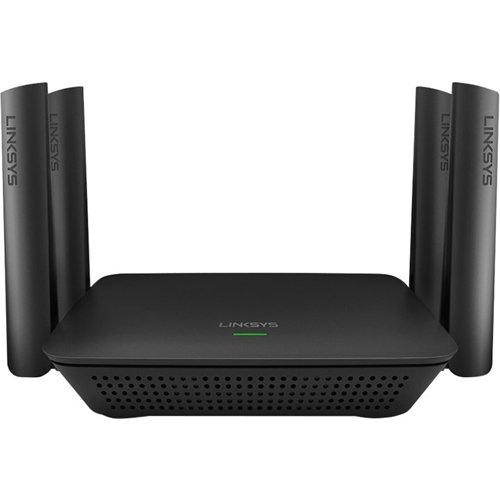
Extend your next-gen AC Wi-Fi connection in hard-to-reach locations of your home such as the backyard, garage, or bedroom, so you can get blazing AC3000 Wi-Fi speeds to Smart TVs, Blu-ray Disc players, iPads, tablets, laptops, and smartphones. Powerful amplifiers and four high-performance external antennas deliver maximum power and range, allowing everyone in your family to enjoy 4K/HD movie streaming, simultaneous online gaming, social media, and more.The Max-Stream RE9000 tri-band range extender helps you get the most out of your home Wi-Fi by delivering faster speeds than dual-band range extenders. Dedicated backhaul technology maximizes Wi-Fi speeds by assigning a single, dedicated 5 GHz Wi-Fi band to your router. This frees up the remaining two bands to focus exclusively on your streaming media players, game consoles, and other connected devices, so you'll enjoy full-strength Wi-Fi without slowdown or degradation.
Customer Rating
4
Does the Job
on March 10, 2018
Posted by: Jturn
from WI
This extender works well. It's easy to setup using WPS, has onboard ethernet ports, and has a very good range. I paired it with my Asus ac68u (which already has good range) and the Linksys covered my entire home, including areas which were very weak with the Asus network. The major downside to this product is that it only offers the ability to create a mess network with compatible routers (certain Linksys models). This means you'll have the mildly annoying "_Ext" network to contend with and will have to actively decide which network to connect to. Granted, if you already have your router and are looking to extend your network, this will get the job done well and will cost less than any mesh network out there. However, if you're like me with an existing Asus router compatible with AiMesh, it makes more sense to utilize that. Overall, the performance is there for this extender, and if you're specifically looking for this type of product, this one will get the job done very well.
My Best Buy number: 2093619626
Mobile Submission: False
I would recommend this to a friend!
Share this review:


0points
0of 0voted this as helpful.

Completely customize your Wi-Fi Smart Color Thermostat to match your lifestyle and decor. The ENERGY STAR~ certified smart thermostat lets you choose the temperature, schedule, display color and the devices you use to control it all.
Customer Rating
3
Not the Smartest of Smart Thermostats
on January 1, 2018
Posted by: Jturn
from WI
+Good design
+Mostly easy to use and intuitive interface
+Modest improvement in my heating bill
-Terrible app design
-Screen is always lit up
+Mostly easy to use and intuitive interface
+Modest improvement in my heating bill
-Terrible app design
-Screen is always lit up
After running a 5-wire thermostat wire and using this thermostat for a couple of months, compared to my old, "dumb" programmable thermostat, I've noticed some modestly appreciable savings in my electric/heating bill. While the interface is mostly easy to use and intuitive, I don't think this thermostat lives in the same category as some of the main competition.
One thing to note up front is that this thermostat requires a C wire to operate. While you can jump a couple wire terminals to get this to work with a 4 wire setup, you lose ability to run your fan without having the AC/heat going. It's nice that they give this option (along with directions on how to do it and even a jumper wire), I opted to run a 5 wire line to replace my older 4 wire.
First, the positive. As mentioned, the interface is mostly easy to use. The main screen presents all the main information in a well laid out manner, and having the outdoor weather presented on the screen is a huge plus. Setting up a schedule is easy, and while switching the temp is a two step process, that too is easily done. Not only is the interface good, the unit itself has a great aesthetic to it. Finally, the unit seems to have helped in lowering my heating bill, even if only by a little. Comparing December of this year to last, the amount of "therms" consumed at my house dropped from 111 to 104 (both months had an average temperature of 28 degrees, so usage should be directly comparable). While that's not a giant savings, every little bit helps.
Now, the not so good. The app, quite frankly, is down right hideous. The aesthetic, at least on Android, looks like it was designed 10 years ago. All the functionality I want is there, which is great, but the look kills it for me. Another complaint about the unit is that the display stays lit all the time. As far as I could tell, there's no way to change this. Finally, while Honeywell lists this as a "learning" thermostat, I found that it's completely reliant on how you setup your schedule. Changing temperatures outside said schedule doesn't seem to have a broader impact on operation. This is in contrast to a Nest, for instance, which adapts its schedule based on how you tweak the temperature over time.
Overall, this is a decent thermostat, but for the price, I'd probably look elsewhere for one with more "smarts."
My Best Buy number: 2093619626
Mobile Submission: True
No, I would not recommend this to a friend.
Share this review:


+2points
2of 2voted this as helpful.
Jturn's Review Comments
Jturn has not submitted comments on any reviews.
Jturn's Questions
Jturn has not submitted any questions.
Jturn's Answers

Performance meets versatility. From intensive video and graphics files to high-octane gaming, the most powerful Surface laptop yet combines speed, graphics, and long battery life with the versatility of a laptop, tablet, and portable studio. Tackle your biggest demands with quadcore powered 10th Gen Intel~ Core~ processors, blazing NVIDIA~ graphics, and high-resolution PixelSense~ Display designed for Surface Pen* and touch.
Is there an HDMI port?
Performance meets versatility. From intensive video and graphics files to high-octane gaming, the most powerful Surface laptop yet combines speed, graphics, and long battery life with the versatility of a laptop, tablet, and portable studio. Tackle your biggest demands with quadcore powered 10th Gen Intel~ Core~ processors, blazing NVIDIA~ graphics, and high-resolution PixelSense~ Display designed for Surface Pen* and touch.
Are there additional memory slots to increase RAM on the 15inch 16gb ram 256Gb storage, model?
No, there is no ability to upgrade the RAM or the hard drive on any of the Surface Books. What you buy is what you'll be stuck with.
5 years, 11 months ago
by
Jturn
Completely customize your Wi-Fi Smart Color Thermostat to match your lifestyle and decor. The ENERGY STAR~ certified smart thermostat lets you choose the temperature, schedule, display color and the devices you use to control it all.
Want to replace RTH230B with RTH9580WiFi. Wires connected:G, Y, W has(black wire), R(red wire), Rh(red wire). Also I see a white wire that is not connected to current rth230. How do I know which wire is used for the "c" terminal for the new rth9580WiFi?

Since they're not labeled at the thermostat terminal, you'll need to check at your furnace to see what's connected where. Having the extra wire is great, since you should be able to use that for your common.
8 years, 5 months ago
by
Jturn
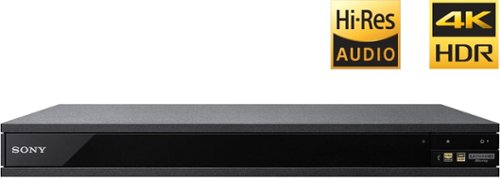
Experience immersive entertainment options with this Sony 4K Blu-ray player. Its Ultra HD resolution provides exceptionally detailed screen images with increased brightness and more realistic color, and its support of Dolby Atmos and DTS:X provides cinema-quality sound. This Sony 4K Blu-ray player supports high-resolution audio formats for more accurate music reproduction.
Does the on-screen display provide information on the video and audio bitrates? Does the display provide data on the audio output?
Yes. The Display button displays bit rate and format information for both audio and video.
9 years, 1 month ago
by
Jturn
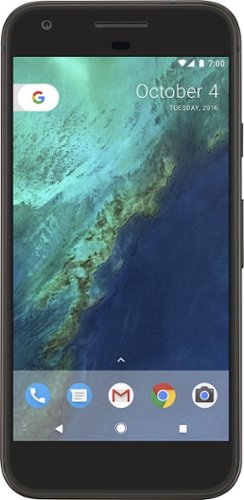
Bring the power of Google directly to your fingertips with the Google Pixel. A large 32GB of storage keep data secure, while unlimited cloud storage transfers data as needed, and it's completely automatic. The large 5-inch screen is protected by Corning Gorilla Glass 4 to ensure the Google Pixel remains scratch-free.
so i wanna get the pixel but with out getting a verizon contract how would i do so?
Your best option is probably to buy the phone directly from Google. The phone will come unlocked and will work as advertised with VZW and Project FI (meaning it should work well with Sprint and TMo).
9 years, 7 months ago
by
Jturn
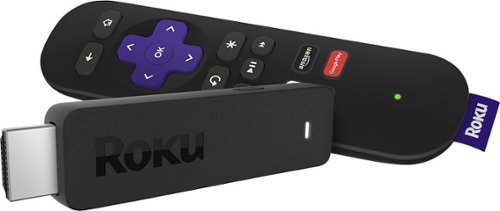
Enjoy HD programming with the Roku Streaming Stick. Plug it into any flat-screen television that has a built-in USB port to view streaming media. This device provides more than 4500 channels on demand and features more than 450,000 movies and TV episodes. Control the Roku Streaming Stick with the included remote or with your smartphone via the Roku Mobile App.
How can you connect the Roku to my theater Amplifier 5.1 sound system?
If your amplifier has an HDMI input, you'll need to plug the stick directly into the amplifier vs. plugging into your TV. The stick doesn't have any external audio outputs.
10 years ago
by
Jturn
Enjoy HD programming with the Roku Streaming Stick. Plug it into any flat-screen television that has a built-in USB port to view streaming media. This device provides more than 4500 channels on demand and features more than 450,000 movies and TV episodes. Control the Roku Streaming Stick with the included remote or with your smartphone via the Roku Mobile App.
The display shows it plugged into two places on the back of the tv. One is obviously the hdmi port, what is the other end plugged into?
Enjoy HD programming with the Roku Streaming Stick. Plug it into any flat-screen television that has a built-in USB port to view streaming media. This device provides more than 4500 channels on demand and features more than 450,000 movies and TV episodes. Control the Roku Streaming Stick with the included remote or with your smartphone via the Roku Mobile App.
Does the stick had profiles for different Netflix users?
Yes. It has the latest Netflix interface, meaning it has full support for profiles (unlike some of the older Roku devices).
10 years ago
by
Jturn
Enjoy HD programming with the Roku Streaming Stick. Plug it into any flat-screen television that has a built-in USB port to view streaming media. This device provides more than 4500 channels on demand and features more than 450,000 movies and TV episodes. Control the Roku Streaming Stick with the included remote or with your smartphone via the Roku Mobile App.
can I download google play store and down load free games like I have on my cell phone?
No. This device does not run Android. If you want the ability to side load apps, you'll need to look at either a Fire device or one of the hundreds of Android based streaming boxes available.
10 years ago
by
Jturn