


Jturn's stats
- Review count180
- Helpfulness votes202
- First reviewNovember 22, 2014
- Last reviewJune 11, 2026
- Featured reviews0
- Average rating4.1
Reviews comments
- Review comment count0
- Helpfulness votes0
- First review commentNone
- Last review commentNone
- Featured review comments0
Questions
- Question count0
- Helpfulness votes0
- First questionNone
- Last questionNone
- Featured questions0
- Answer count9
- Helpfulness votes4
- First answerJune 3, 2016
- Last answerJuly 9, 2020
- Featured answers0
- Best answers1
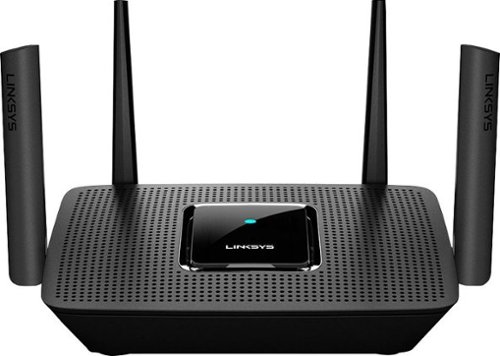
The MR8300 Max Stream~ AC2200 is a high-performance Tri-Band router. Perfect for households that thrive on entertainment, it delivers up to 2.2 Gbps of superior speed throughout your entire home. The Tri-Band and MU-MIMO technology make it ideal for simultaneous streaming of HD movies, online gaming, video calling and supporting all of your smart home devices. MR8300 also grows as your needs do. With its built-in mesh Wi-Fi, instead of investing in a new router, you can expand coverage by simply adding Linksys Velop~ Mesh Wi-Fi nodes for seamless Wi-Fi everywhere.The MR8300 serves as the master router and must connect directly to your modem to create your network. Sets up in minutes with the Linksys app.
Customer Rating

5
Performance and Cost Converge
on February 19, 2019
Posted by: Jturn
from WI
I got this router to replace an aging Google OnHub unit, which has served its purpose quite well but has been showing its age lately as the number of devices in the house have grown precipitously. When choosing a new router, I had two primary requirements; three band mesh capability and MU-MIMO ability. This Linksys MR8300 ticks both boxes, while delivering solid performance at a price point which is more palatable than some other offerings.
Like many competitors, Linksys has opted to rely heavily on their mobile app for router setup. In this case, it works quite well, walking you through the steps and handling everything without issue. They've taken the guesswork out of the sometimes arduous task of setting up a router, and have also given users an easy, visual way to update settings in the process.
Mesh capability was a must, and Linksys has opted to make the MR8300 Velop compatible. While only one router comes in the box, this capability offers a great deal of flexibility in system configuration; if the primary router doesn't blanket your entire house, you have a number of options at various price points for adding mesh nodes based on your needs. Not all mesh systems are created equally, with some systems relegating wireless node backhaul to the same 5ghz band used for broadcasting signal to devices. Thankfully, the MR8300 employs a tri-band setup, meaning it has a separate, dedicated 5ghz band used for node to node transmission, leaving the traditional 5ghz band solely for devices to router packets. This is a must in my eyes, and it works great here, as the MR8300 provides reliable and fast connection throughout my home.
As mentioned above, MU-MIMO ability was also a requirement for me. This is one of the single greatest advancements in router technology over the past few years, and greatly mitigates the annoying packet queue problems of the past (especially important if you need a strong connection that doesn't waver at all, like some work VPN systems demand). Testing the router with multiple streaming and mobile devices simultaneously yielded the expected results; virtually no latency and fast performance all around. My system just felt snappier and more reliable.
So far, I have no complaints with this router, perhaps other than that it looks like... a router. Whereas other options have a more contemporary (and possibly a more "wife friendly") approach to router design, Linksys has designed the MR8300 to look like a traditional router with the flat, stout base and quad external antennas sticking out the sides. For me, that's not a problem but for others, it might be if this needs to be in plain sight.
Overall, this is a great way to upgrade your system to be mesh ready should it not cover your entire space, and comes at a competitive price point for the performance delivered.
Mobile Submission: False
I would recommend this to a friend!
Share this review:


0points
0of 0voted this as helpful.

Saeco Xelsis SM7684/04 Super Automatic Espresso Machine, Titanium Metal Front
Customer Rating

4
"Super Automatic" Describes this Perfectly
on February 14, 2019
Posted by: Jturn
from WI
This is my first foray into the world of automatic coffee/espresso makers, and honestly, I don't intend on going back. The Xelsis takes all the guess work and manual labor out of making the vast number of drinks on tap here (from regular espresso, coffee, and steamed milk all the way through machiato, ristretto, etc), and even alerts you if you need to add water, add beans, or clean out the grounds catcher. Not only can you make any of the drinks on tap, you can alter how they're made (strength, amount of coffee/milk, milk froth amount, body) and save your edits to custom profiles, allowing you to quickly remake your favorites. Frankly, once you add flavor shots, you'll never need to go to a coffee shop again.
Arguably my favorite part, however, is not the absolute ease of creating the drinks. It's the fact that this thing cleans itself completely, the most important aspect of which is the "Hygiesteam" function that steam cleans the milk line. One thing to note is that you're well served to keep a cup around solely for the cleaning cycles. The machine has a waste water reservoir, but it'll fill up quickly if you don't have a cup under the spout.
The one annoyance I have with the machine comes with the automated cleaning cycle, actually. The machine does a rinse cycle on power up AND power down. If you make your drink and don't turn the machine off, it'll power down automatically and run the rinse cycle. As mentioned, if you don't have a cup under there, it'll dump the water into the reservoir.
Overall, this is a luxury device that does exactly as it promises; completely automates the brewing and cleaning processes and creates great tasting drinks that remove all the guesswork.
Mobile Submission: False
I would recommend this to a friend!
Share this review:


0points
1of 2voted this as helpful.
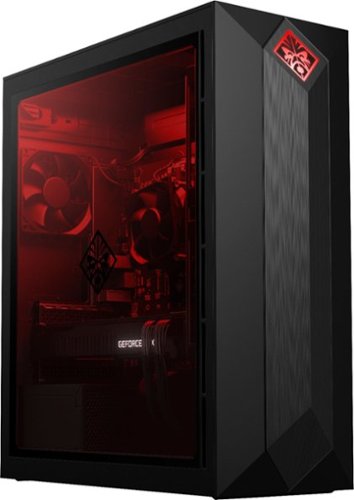
Play to your full potential with this HP OMEN Obelisk desktop. Fluid gaming is ensured with NVIDIA GeForce RTX 20 series graphics and an Intel Core i7 processor, running on Windows 10 Home. Make a statement with customizable RGB lighting and a transparent side panel, and perform easy toolless upgrades in adherence to micro-ATX standards with this HP OMEN Obelisk desktop.
Customer Rating
5
Absolute Knockout Performance
on December 17, 2018
Posted by: Jturn
from WI
If you're considering this machine, you probably already know what this thing is. It is the culmination of the latest generation of top notch components in a surprisingly small package with some touches of customization ability that makes this PC feel like it'll be ready for anything thrown at it.
To start, this thing is locked and loaded with some of the nicest components you can get right now, with the stars of the show being the i7 and GTX 2080. Those teamed with the m.2 SSD ensure that it screams regardless of what you're doing. Gaming is flawless at 1080p and 1440p, and is completely usable at 4k for most games I've tried. Being that the GTX 2080 is the main foundation of this system, I was quite excited to try a game with ray tracing enabled. I opted to purchase Battlefield V and shortly after getting the system, they announced an update to enable RTX and I'm happy to say that it seems to work quite well. Performance takes a slight hit, predictably, but overall, it's worth it in my estimation, especially at the lower aforementioned resolutions. All in all, things are exactly as expected and advertised here. This thing is a monster gaming machine.
HP has also opted to utilize an industry standard micro-ATX motherboard instead of a proprietary setup, which is quite nice for those who may consider throwing this into a different case. Speaking of the case... Even knowing it housed a micro-ATX mobo, I was still surprised by how small this machine is. While the omission of an optical drive is a slight annoyance for a machine in this price range, it helps keep the fascia tidy. The front gives it a monolithic look, which looks great in my opinion. The logo, which is front and center and illuminated, is interesting to look at... I'm not exactly sure what it is, but it's fine I suppose. The side is comprised mostly of a glass panel, putting the well routed internals and colorful interior on full display. For those that like to tweak and personalize things, both the front logo light and internal lighting are customizable with HP's included software. Finally, as far as I can tell, the top of the case is ready for those wishing to add water cooling, which is a really nice touch. I personally don't find it necessary at this point, but it's great to have the option.
One note that I'll reiterate from other reviews I've seen. For whatever reason, this machine NEEDS to have an external display plugged in AND powered up before turning the PC on. Otherwise, you'll get a series of beeps which probably will make you think something is wrong with it. I've not experienced this on any previous PCs (OEM and custom built alike). Turning the PC back off and turning your monitor on remedies the issue.
All in all, this machine delivers across the board. If you're looking for a prebuilt machine that's likely going to be a strong performer for years to come, thanks to the top notch components included, this HP is worth a strong look.
Mobile Submission: False
I would recommend this to a friend!
Share this review:


0points
3of 6voted this as helpful.
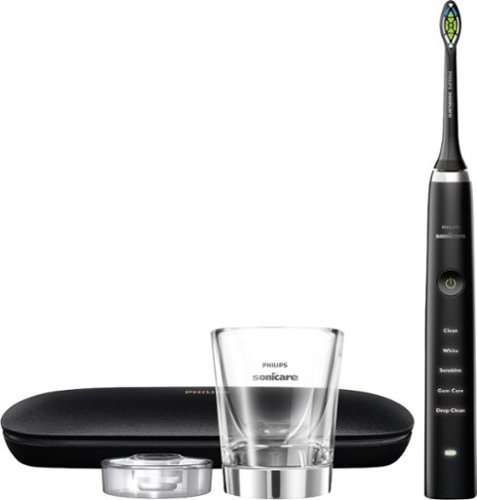
Feel confident in your smile with this Philips Sonicare DiamondClean electric toothbrush. The precision brush head and five brushing modes promote gum health and get rid of plaque and stubborn stains. This Philips Sonicare DiamondClean electric toothbrush features smart timers to help you brush for the optimal length of time.
Customer Rating

2
Slick Design and Features w/ One Big Flaw
on November 23, 2018
Posted by: Jturn
from WI
This is my second Sonicare toothbrush, and while it's the more expensive of the two, it's my second favorite. This is down to one major design flaw that really detracts from the usability of it.
First, I'll cover the positives. This thing is loaded with a plethora of different brushing modes and intensities, and is sure to work for anyone, no matter how sensitive your mouth is. The two including charging bases are really quite nice, though they both take up quite a bit of counter space; one of them is an actual glass which Philips says is intended to double as a rinsing cup, and one that is a more traditional base that you set the brush upright into. This is a different form of inductive charging than my other Sonicare brush, with a flat bottom instead of the pole that sticks up with the other one, which is a major bummer because it means my counter still has two chargers even though the brushes are both Sonicare. The black also looks really fancy, and the toothbrush feels really sturdy, lending to a feeling of quality.
Now, the bad... As mentioned before, this thing has one major design flaw; it only has one button that serves two functions (powering it on and changing brushing intensity). You're not able to set the intensity level before turning the brush on, which frankly doesn't work very well in my opinion, and also means that if you turn the brush on and then try to quickly turn it back off (say to rinse it off), it just switches modes and doesn't turn off. You then have to cycle through all of the modes until you get to the off position. In theory, this shouldn't be much of a problem, but honestly, this is just an annoying thing to deal with that could be easily avoided by just relegating mode changes to a secondary button like my other Sonicare brush. In addition to this annoyance, the button also doesn't feel quite right, as it's actually somewhat difficult to press and almost feels like it's broken.
I really like the Sonicare functionality, as it leaves my mouth feeling cleaner than my previous favorite, the Oral B with round brush heads. Because of the major design flaw mentioned above, however, I would not recommend spending up for this model, instead going for one with two buttons and better usability.
Mobile Submission: False
No, I would not recommend this to a friend.
Share this review:


+6points
6of 6voted this as helpful.
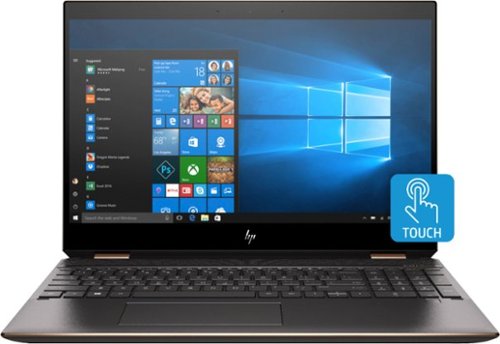
HP Spectre x360 Convertible 2-in-1 Laptop: Embrace your creativity with this 15.6-inch HP Spectre x360 convertible laptop. Featuring a 15.6-inch 4K touch display and an HP digital pen, this laptop lets you write, make notes and express yourself with precise touch controls. This HP Spectre x360 convertible laptop provides a fast, responsive user experience with an Intel Core i7 processor.
Customer Rating
4
Premium Device w/ a Few Drawbacks
on November 23, 2018
Posted by: Jturn
from WI
HP has struck an incredible combination of great performance and premium design with the latest x360 Spectre laptops. While there are a few notable drawbacks to some of the design choices HP has made, overall, this laptop is top of the line in nearly every way.
The first thing that struck me about this laptop is the stunning design. While it may not be for everyone, the angular aesthetic of the Spectre is quite striking and the dark copper/gold color scheme has a premium look to it. Lending to this is the fact that the majority of the surfaces are made of metal (I'm not entirely sure about the bottom, but if it's not metal, it's a premium feeling plastic/composite material). One nice added touch is the included leather carrying case. Even this thing has a premium feel, and is a great way to keep your laptop from getting damaged while transporting it.
One upside to going with a 15" laptop is the real estate available to make a comfortable keyboard. This is one of the better keyboards I've used on a laptop in recent memory. Key feel is great, travel distance feels perfect, and the soft touch keys are comfortable and quiet to type on. They've also put a full keypad on the side, which is great but has a drawback of offsetting the regular/letter keys. HP also made the keyboard backlit, which is more and more common these days, but still appreciated. Overall, this would make a great keyboard to type on for anyone that has long typing sessions. In contrast to the keyboard is the mouse pad. It's serviceable and pretty spacious, but I've found it to be underwhelming overall as it doesn't always accurately register gestures/swipes. As a bonus, HP has included a stylus, which works really well in my experience. It takes AAAA (yes, quadruple A) batteries, which I don't believe I've ever seen before, meaning it isn't rechargeable, and is also free floating, meaning there isn't a slot to insert it into the laptop for storage. However, it's appreciated that they've included it instead of making it an optional additional price.
As expected at this price point, performance is simply great. The specs are top notch, including the 8th gen i7 processor, 16gb of RAM, the discrete video card, and even an M.2 SSD HDD. This all comes together in a package that rarely, if ever, suffers performance lag, and is even serviceable for gaming. You won't be able to game at 4K with high settings obviously, but throttling back the resolution and detail settings a bit results in a surprisingly adequate gaming experience. This thing frankly handles most of anything you can throw at it; I've done some light photo, video and audio editing, all without issue.
While the Spectre is a mostly pleasing system to use, it isn't without a few drawbacks in addition to the underwhelming touch pad mentioned previously. The largest in my mind is the lack of ports. While they've included a headphone port, HDMI port, a micro SD card slot, and 2 USB-C ports (one being a thunderbolt, one being a standard USB-C, evidently with charging capabilities) which is great, there's only one standard USB-A port. This means you need an external USB hub if you, say, want to use an external mouse and keyboard. This isn't exactly a huge deal, but it's an extra charge and is certainly a medium annoyance if you plan to utilize the mobility of this being a laptop. Even one more USB-A port would've made this a non-issue. My next issue is with the screen. While, overall, it looks amazing straight on, even slightly off access I can easily see LOTS of uniformity issues and light bleeding. This again is a medium annoyance, but not a deal breaker by any means. To go along with this is the fact that the monitor hinge seems a bit looser than I'd have expected, which leads me to question how well it'll hold up in the long term (which is completely contradictory to the overall premium build quality of this laptop). Finally, I really like the inclusion of the fingerprint reader for securely logging in, but it's hit or miss. Frequently, it doesn't seem to register my touches, and I'm not sure if this is a Windows 10 issue or a hardware issue, but it's less than stellar, especially compared to the lightning fast print readers you get on phones these days.
Overall, this is a great laptop. HP has done a great job making this feel premium, both in design and performance. While some of the drawbacks detract from the overall package, this thing is highly recommended for anyone looking for a new laptop.
Mobile Submission: False
I would recommend this to a friend!
Share this review:


+1point
1of 1voted this as helpful.
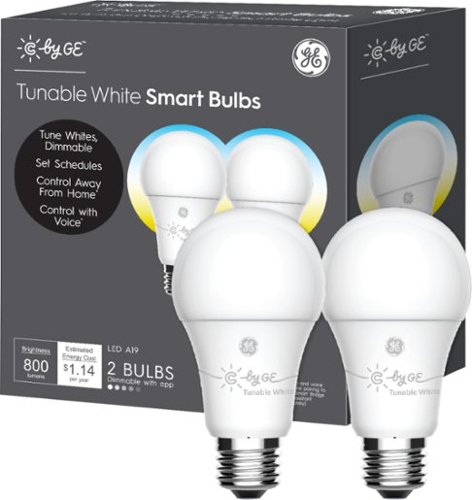
Follow your family's bedtime schedule with this 2-pack of C by GE LED light bulbs. The lighting transition between bright and calm helps improve your sleep routine. Set scenes via the mobile app to optimize these C by GE LED light bulbs for reading and movie nights. The A19 bulb connects directly to Google Home devices via Bluetooth with no additional hub or bridge required to provide quick and easy setup. Use a C by GE Smart Plug or C-Reach Smart Bridge to enable voice control with Amazon Alexa and Apple HomeKit.
Customer Rating
4
Mostly Works Great with Google Assistant
on November 14, 2018
Posted by: Jturn
from WI
The GE C-Sleep lights are a simple and effective way to add smart lights to your home. GE honestly couldn't have made this any easier, provided you have some voice enabled devices already added to your house.
My home was already littered with Google Home devices, so setup was absolutely drop dead simple. GE has done it right with the C series lights; you need nothing more than the light bulbs to get up and running if you're like me and have Google Home devices. You plug the lights in (to any standard socket), wait a moment, and they show up on your network where you can add them via the Google Home app on your phone. This is great, because I dislike the idea of needing to add a separate bridge or upgrading sockets to get smart lighting in my home. At this point, you can control the lights either via the app, by voice with a Home device, or with a Home Hub device, which gives you the most granular control because of the display. This lets you easily turn them on/off, set the color (when it works... see below), and set the brightness level. These also work with Amazon Alexa devices, but I believe you need a bridge/hub device, so setup isn't as simple.
The only issue I've had thus far is that color switching is buggy. Using both voice control and the Home Hub's screen interface, sometimes both bulbs switch colors, sometimes only one does, and other times neither do. I anticipate this being fixed via software update, but at the end of the day, it's a minor annoyance in my situation because I won't need to change colors often. Speaking of colors, this might be a downside for some as well. You can switch colors between the various shades of white and warm amber, but that's it; no festive greens and reds for those looking to take their Christmas celebrations to the next level. I do like what they've done with the C-Sleep bulbs in particular, though. The C-Life bulbs only support the base "Active" lighting profile, while the C-Sleep bulbs go from pure white to soft amber. You can also automate this (bright in the morning through soft at night) which is a nice touch.
Overall, these bulbs come highly recommended. If they fix the color issue mentioned above, I can't imagine a more simplistic and effective way to add smart lighting to your home.
Mobile Submission: False
I would recommend this to a friend!
Share this review:


0points
0of 0voted this as helpful.
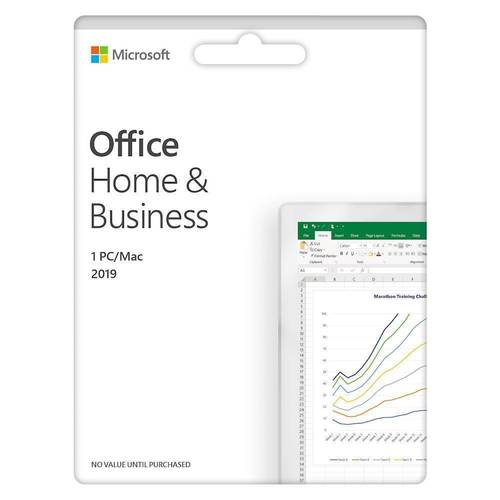
For families and small businesses who want classic Office apps and email installed on one Windows 10 PC or Mac for use at home or work. Classic 2019 versions of Office apps including Word, Excel, PowerPoint, and Outlook. Plus, OneNote for Windows 10.
Customer Rating
4
Worth the Upgrade from 2013 and Older
on November 7, 2018
Posted by: Jturn
from WI
If you're coming from Office 2013 or older, I think this is definitely worth the upgrade. Though Microsoft's main Office focus is now O365 (which I also have a subscription to), I think they were wise to release this for those unwilling to pay a yearly subscription to have the essentials; the main downside is that this product receives no functionality updates like O365, but the trade off will be worth it to some. Visually, things look a little cleaner than older versions of Office, but things will be very familiar for anyone used to their "ribbon" interface. What you get is upgraded functionality under the hood (new charting abilities, templates, etc) that makes this worth the cost for anyone that needs to create documents, spreadsheets, or slides.
Some of my favorite new features are:
-Dark mode: allows you to change the background to black. Honestly, this is a small but incredibly beneficial UI option; not sure what took so long!
-PowerPoint Zoom: this allows you to create really interactive PP slide decks that allow you to have much greater control over navigation. This is a huge update and will be a favorite of PowerPoint power users
-Dark mode: allows you to change the background to black. Honestly, this is a small but incredibly beneficial UI option; not sure what took so long!
-PowerPoint Zoom: this allows you to create really interactive PP slide decks that allow you to have much greater control over navigation. This is a huge update and will be a favorite of PowerPoint power users
The inclusion of Outlook and OneNote may not be needed for some users, but if you know you need these, then this is the version to get. Overall, this is a worthy upgrade, especially for users on 2013 and older.
Mobile Submission: False
I would recommend this to a friend!
Share this review:


0points
0of 0voted this as helpful.

Enjoy interactive streaming with this Google Nest Hub. With the built-in Google Assistant, you can view your calendar, receive alerts and reminders, and control devices from the single dashboard, and voice control lets you access other smart features. This Google Nest Hub lets you listen to music from Spotify and Pandora and view YouTube content. "
Customer Rating

3
Great Performance and Looks, Connection Issues
on November 5, 2018
Posted by: Jturn
from WI
The Google Home Hub was the obvious next step in Google's line of "Home" devices. I own one of the original Home speakers, and use it quite often so I was excited to get the Home Hub, and for the most part, the experience hasn't disappointed.
The touchscreen interface improves the experience in a way that's not only logical but incredibly easy to use. Google has done a great job marrying the existing voice navigation (which already worked very well) with the touchscreen, allowing you to traverse results of whatever search query you've executed. This really is the logical next step, and overall, Google has executed this very well. One area that could be improved upon is how the Hub handles podcasts; asking to see a list of a podcast doesn't work currently, and you can only play the most recent episode. Hopefully Google improves this in the future.
One of the best aspects of the Home Hub is how great the display looks. The specs aren't anything special on paper, but the screen is pleasing to the eye in a way that most tablets are not. At times, it more or less looks like a picture in a frame instead of a screen, and it's always at a brightness level that ensure that it blends into the background.
The speaker on the Home Hub is nothing special. It more or less sounds about on par with the original Google Home, which is to say, it's mediocre but gets the job done. Google could've decided to do more here, but I appreciate the fact that they've made a trade off to keep the price at a friendly level.
The one issue I've had, keeping me from giving this a 5 star review, is that I've had continual connection issues. Once or twice per day, the unit seems to lose connection to my network, showing the "Setup" screen as seen in my attached picture. This is fixed by unplugging the unit and plugging it back in. But it's a fairly major annoyance to need to keep resetting the device. Assuming my unit doesn't have a hardware defect, I'd imagine this will get fixed.
Overall, this is a great device that not only works incredibly well, but also looks great and fits in with the environment around it. Google has made a few decisions here (exclusion of a camera, modest speakers) that make sense for the price point that this device sits at. Assuming they fix the aforementioned connection issues I'm seeing, this is a 5 star device.
Mobile Submission: False
I would recommend this to a friend!
Share this review:


+3points
3of 3voted this as helpful.
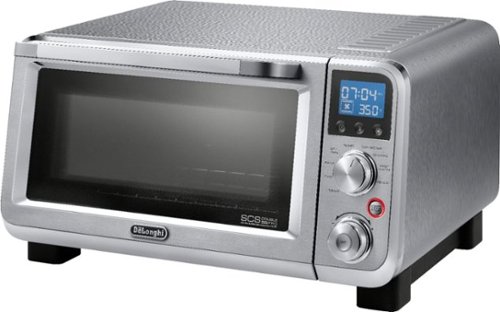
Grill, bake, roast or broil with this Delonghi Livenza 0.5 cu. ft. digital compact convection oven. This compact oven saves space while providing enough capacity to save the hassle, heat and cost of using your full-size oven. This Delonghi Livenza 0.5 cu. ft. digital compact convection oven has toasting _and warming functions for maximum flexibility.
Customer Rating
5
Stylish and High Performing Oven
on October 25, 2018
Posted by: Jturn
from WI
I received this to replace my existing home bar oven that, while good enough, was loud and didn't cook evenly. The difference between my existing oven and this one is night and day. To start, this thing absolutely looks premium. The brushed steel/chrome look is really classy and is a huge upgrade over the cheap looking black ovens you generally see at large B&M stores. More importantly, however, is how evenly this thing cooks. In my attached photo, you can see it cooking a 12" frozen pizza fry, and you can see how well it's cooking. In the preset pizza mode, which lets you select thickness and pizza diameter, the oven engages the convection mode, which aids in uniformity. Speaking of, the convection mode is surprisingly quiet. My old unit rattles like it's ready to fall apart, so this was a very pleasant upgrade. Finally, the laundry list of presets and cooking modes really makes this thing incredibly versatile. I've cooked a few things and they've all turned out perfectly. Highly recommended!
Mobile Submission: False
I would recommend this to a friend!

Share this review:


+2points
3of 4voted this as helpful.
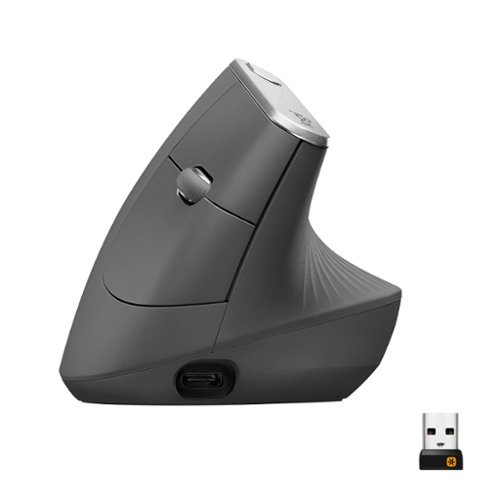
MX Vertical is an advanced ergonomic mouse that combines science-driven design with the elevated performance of Logitech~s MX series. The natural handshake position of MX Vertical reduces wrist pressure and forearm strain. The unique 57~ vertical angle has been optimized for an ergonomic posture without compromising a pixel of performance. MX Vertical features a 4000 DPI high-precision sensor, resulting in 4x less hand movement and reducing fatigue. And the cursor speed switch allows you to instantly adjust DPI speed and accuracy with the touch of a button. MX Vertical stays powered for up to four months on a full charge ~ and gets three hours of use from a one-minute quick charge.
Customer Rating
5
Performance Meets Comfort & Ergonomics
on October 19, 2018
Posted by: Jturn
from WI
I've been eyeing up ergonomic mice for a while now. I spend all day on the computer, which can lead to right arm discomfort. Enter the MX Vertical mouse. This mouse teams Logitech's rock solid optics performance with a mouse that is not only comfortably ergonomic, but also not terrible looking. Button placement is spot on for my hand, and the ribbed texture greatly aids is grip. Also, props to logitech for giving this thing a USB C charging port. Overall, this mouse just feels great, and is highly recommended for anyone that needs an ergo mouse.
Mobile Submission: False
I would recommend this to a friend!
Share this review:


0points
0of 0voted this as helpful.
Jturn's Review Comments
Jturn has not submitted comments on any reviews.
Jturn's Questions
Jturn has not submitted any questions.
Jturn's Answers
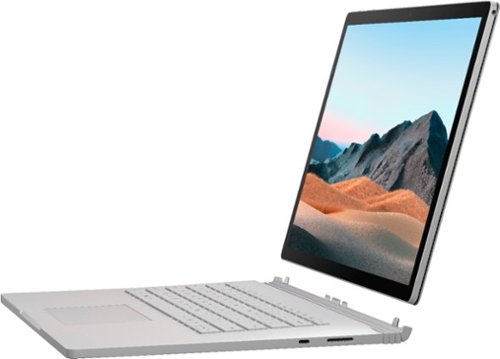
Performance meets versatility. From intensive video and graphics files to high-octane gaming, the most powerful Surface laptop yet combines speed, graphics, and long battery life with the versatility of a laptop, tablet, and portable studio. Tackle your biggest demands with quadcore powered 10th Gen Intel~ Core~ processors, blazing NVIDIA~ graphics, and high-resolution PixelSense~ Display designed for Surface Pen* and touch.
Is there an HDMI port?
Performance meets versatility. From intensive video and graphics files to high-octane gaming, the most powerful Surface laptop yet combines speed, graphics, and long battery life with the versatility of a laptop, tablet, and portable studio. Tackle your biggest demands with quadcore powered 10th Gen Intel~ Core~ processors, blazing NVIDIA~ graphics, and high-resolution PixelSense~ Display designed for Surface Pen* and touch.
Are there additional memory slots to increase RAM on the 15inch 16gb ram 256Gb storage, model?
No, there is no ability to upgrade the RAM or the hard drive on any of the Surface Books. What you buy is what you'll be stuck with.
5 years, 11 months ago
by
Jturn

Completely customize your Wi-Fi Smart Color Thermostat to match your lifestyle and decor. The ENERGY STAR~ certified smart thermostat lets you choose the temperature, schedule, display color and the devices you use to control it all.
Want to replace RTH230B with RTH9580WiFi. Wires connected:G, Y, W has(black wire), R(red wire), Rh(red wire). Also I see a white wire that is not connected to current rth230. How do I know which wire is used for the "c" terminal for the new rth9580WiFi?

Since they're not labeled at the thermostat terminal, you'll need to check at your furnace to see what's connected where. Having the extra wire is great, since you should be able to use that for your common.
8 years, 5 months ago
by
Jturn
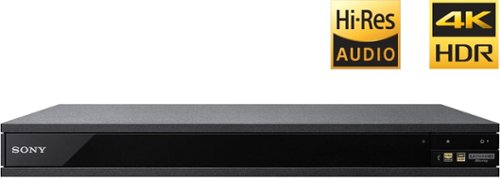
Experience immersive entertainment options with this Sony 4K Blu-ray player. Its Ultra HD resolution provides exceptionally detailed screen images with increased brightness and more realistic color, and its support of Dolby Atmos and DTS:X provides cinema-quality sound. This Sony 4K Blu-ray player supports high-resolution audio formats for more accurate music reproduction.
Does the on-screen display provide information on the video and audio bitrates? Does the display provide data on the audio output?
Yes. The Display button displays bit rate and format information for both audio and video.
9 years, 1 month ago
by
Jturn

Bring the power of Google directly to your fingertips with the Google Pixel. A large 32GB of storage keep data secure, while unlimited cloud storage transfers data as needed, and it's completely automatic. The large 5-inch screen is protected by Corning Gorilla Glass 4 to ensure the Google Pixel remains scratch-free.
so i wanna get the pixel but with out getting a verizon contract how would i do so?
Your best option is probably to buy the phone directly from Google. The phone will come unlocked and will work as advertised with VZW and Project FI (meaning it should work well with Sprint and TMo).
9 years, 7 months ago
by
Jturn
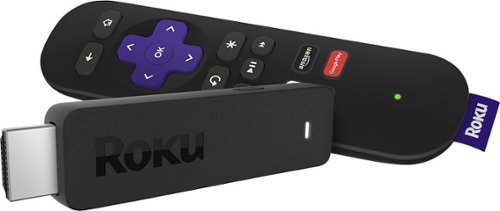
Enjoy HD programming with the Roku Streaming Stick. Plug it into any flat-screen television that has a built-in USB port to view streaming media. This device provides more than 4500 channels on demand and features more than 450,000 movies and TV episodes. Control the Roku Streaming Stick with the included remote or with your smartphone via the Roku Mobile App.
How can you connect the Roku to my theater Amplifier 5.1 sound system?
If your amplifier has an HDMI input, you'll need to plug the stick directly into the amplifier vs. plugging into your TV. The stick doesn't have any external audio outputs.
10 years ago
by
Jturn
Enjoy HD programming with the Roku Streaming Stick. Plug it into any flat-screen television that has a built-in USB port to view streaming media. This device provides more than 4500 channels on demand and features more than 450,000 movies and TV episodes. Control the Roku Streaming Stick with the included remote or with your smartphone via the Roku Mobile App.
The display shows it plugged into two places on the back of the tv. One is obviously the hdmi port, what is the other end plugged into?
Enjoy HD programming with the Roku Streaming Stick. Plug it into any flat-screen television that has a built-in USB port to view streaming media. This device provides more than 4500 channels on demand and features more than 450,000 movies and TV episodes. Control the Roku Streaming Stick with the included remote or with your smartphone via the Roku Mobile App.
Does the stick had profiles for different Netflix users?
Yes. It has the latest Netflix interface, meaning it has full support for profiles (unlike some of the older Roku devices).
10 years ago
by
Jturn
Enjoy HD programming with the Roku Streaming Stick. Plug it into any flat-screen television that has a built-in USB port to view streaming media. This device provides more than 4500 channels on demand and features more than 450,000 movies and TV episodes. Control the Roku Streaming Stick with the included remote or with your smartphone via the Roku Mobile App.
can I download google play store and down load free games like I have on my cell phone?
No. This device does not run Android. If you want the ability to side load apps, you'll need to look at either a Fire device or one of the hundreds of Android based streaming boxes available.
10 years ago
by
Jturn