


Jturn's stats
- Review count180
- Helpfulness votes202
- First reviewNovember 22, 2014
- Last reviewJune 11, 2026
- Featured reviews0
- Average rating4.1
Reviews comments
- Review comment count0
- Helpfulness votes0
- First review commentNone
- Last review commentNone
- Featured review comments0
Questions
- Question count0
- Helpfulness votes0
- First questionNone
- Last questionNone
- Featured questions0
- Answer count9
- Helpfulness votes4
- First answerJune 3, 2016
- Last answerJuly 9, 2020
- Featured answers0
- Best answers1
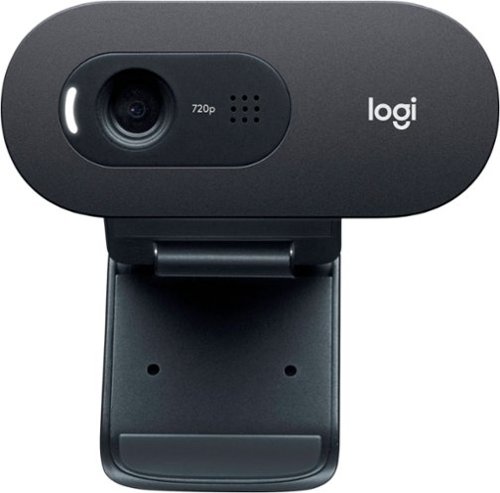
Step up from built-in laptop optics with a webcam that delivers crisp, smooth and colorful widescreen HD 720p video with a 60~ diagonal field of view, fixed focus and auto light correction that adjusts to the illumination of any meeting space. The single, omnidirectional mic features noise-reduction technology and is engineered to support clear, natural conversation up to 3 meters away, even in busy environments like open workspaces and classrooms. Plus, the extra-long USB-A cable and universal clip let you position the webcam on your computer or mount up to 7 ft away.
Customer Rating

3
Mediocre Video Quality
on October 22, 2020
Posted by: Jturn
from WI
As the realities of 2020 have forced me to work from home exclusively, I figured it was time to upgrade from my Mac Books rather poor built in webcam. As such, I decided to give the C505 a try. Overall, I'm not overly impressed with it and will likely revert back to using the built in camera on the MBP.
Setup and ease of use are great with the C505. It's literally a plug and play web cam that I found to work with zero issues on both Mac OS and Windows 10. I was confused at first, thinking I needed drivers but Logitech did a wonderful job ensuring no extras were needed here. Additionally, the stand of the webcam allows for placement in a number of locations; I've used this propped on both a monitor and my Mac Book, and it sits rather securely. One thing of note is that it hangs down over the screen a bit, so if you have a monitor with thin/no bezels (as I do), you'll obscure a bit of your screen. Not a big deal IMO.
Where I was looking for the C505 to deliver was in the image quality department. Unfortunately, it's just not that high quality of a camera. While it's advertised as "HD" it's really only 720p. Of particular note, I found that it doesn't handle scenarios where there is high dynamic range. In my office, the background will generally be fairly dark, while the foreground is generally well lit, and it tends to overexpose the foreground to compensate for the background. In this scenario, the Mac Book Pro's built in camera is far superior. One area where the C505 does VERY well is at completely dark scenes, though. If you're in a darker room, the C505 will work well and will brighten things up. I wish it handled dark and light scenes better. One other potential issue for me is the fact that the field of view is VERY narrow compared to the built in camera. Whereas the built in shows me and a decent chunk of the room, the C505 crops to show basically only me. This is fine given the placement of the camera, but those in confined quarters will likely have issues with how tightly this camera crops.
Overall, there's not much to say about this webcam. It's a no frills option that's incredibly easy to use but that doesn't have very good video quality. If you need a quick and dirty solution, this will suffice. If you're looking for a good quality camera for upgraded business calls or game streaming, I'd look elsewhere.
Mobile Submission: False
No, I would not recommend this to a friend.
Share this review:


0points
0of 0voted this as helpful.
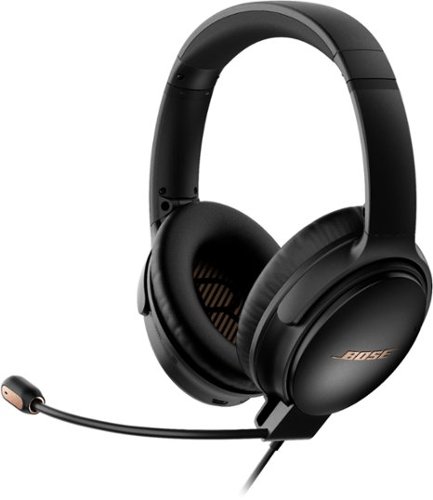
Now you can play everything with the Bose QuietComfort 35 II Gaming Headset. With best-in-class noise cancelling technology, outstanding mic quality, and a comfortable fit for marathon gaming sessions, Bose has created the ultimate gaming headset. And if you need to head out, simply remove the gaming module and enjoy all the lifestyle features of the headphones ~ such as an integrated voice assistant and Bluetooth connectivity. The removable gaming module adds a boom mic, mic mute, and optional PC desktop controller which lets you easily adjust volume and access mic monitoring to ensure your teammates can hear you loud and clear. In lifestyle mode, the built-in noise-rejecting dual-microphone system provides clear calls, even in noisy environments. The Bose QC35 II Gaming Headset clears away noisy distractions so you can focus on your games, your music, or your work. Proprietary technology continuously monitors and measures outside noise and then cancels it by creating an opposite signal. When using the headset in lifestyle mode you can adjust between two levels of active noise cancellation using the Action button or the Bose Connect app. The headphones also features our Volume-Optimized Active EQ to provide balanced audio performance at any volume, up to 40 hours of battery life in wired gaming mode, and a durable, comfortable fit.
Customer Rating

4
Comfortable, Great Sounding Headset
on October 5, 2020
Posted by: Jturn
from WI
My first impression upon seeing that Bose was release the QC35 headset with gaming functionality was "IT'S ABOUT TIME!" I already own a pair of QC35 IIs, and have always pondered the idea of bring their incredible sound quality into the fold with my gaming setup. While it's a bit redundant to have another QC35 set for gaming, honestly, I think it's worth it given the strengths of the QC35 in addition to the functionality they've built in for gaming headset use.
To start, everything you'd expect out of a regular pair of QC35s is on tap here; supreme comfort, amazing sound cancellation technology, and great sound quality. I didn't know if they'd tweak things a bit for this release, but it does honestly appear that Bose may have had leftover stock and decided to repurpose them as a gaming headset. That's not a bad thing, since the QC35s are some of the best headphones you can get, even as new models continue to get released. The additions here include a detachable boom mic and a desktop control puck which houses a volume wheel and a "monitor" button. The mic is very good quality, as you'd expect. It works well and I've had zero complaints of background noise or sound issues in my time using these in both the gaming and professional settings that I've used this headset in. The volume control unit is an interesting feature. I really like this idea instead of having the volume control on the cord (which I find is always annoying). The volume wheel is quite touchy, as it has nearly zero resistance, but it works well. Side note... One feature present in my day to day headset (Arctis 7) which I ALWAYS miss when using other headsets is dual volume control, which allows you to set game volume separate from voice chat volume. It's not necessarily a negative since it's unique to that other brand, but I'll mention the fact that I miss that functionality persistently when not using the Arctis headset. The "self monitor" button mentioned earlier is also an interesting touch; this allows you to pipe your own voice back into the headset. I turned this off because I don't particularly like hearing myself in my headset, but there may be some who find this very useful. It's nice to have the option.
There are some negatives here. To start, it's a wired headset but you still have to charge it separately to reap the full benefits. I can see the intent with which they developed this setup (broader usage scenarios where you can plug this into a console controller and bypass the volume unit), but it really would've been nice to have the cord for audio also charge the unit. That's a real bummer in my opinion. This comes into play because sound quality noticeably improves when you enable noise cancellation, which then requires you to keep the unit charged. It's not required, so that's good at least, but again, if this charged over the same wire as the sound transfer, this would be a non-issue. Another bummer is that the unit charges via micro-usb. This really does lead me to believe that Bose had a stockpile of these that they wanted to get rid of and decided to repurpose them. Nearly everything I use now charges via USB-C, so this is another annoyance that could've been avoided.
Overall, this is a very solid headset. In the headset market, it feels like gaming features come first and sound quality, and at times comfort, is more of an afterthought. With this headset, you're getting the sound quality, comfort, and noise cancellation the QC35s are renowned for, with gaming abilities that are more of the afterthought. In this case, they work well, though, and give you a very solid contender in the crowded gaming headset space. While the price is a bit steep, one thing to consider is that you're also getting world class noise cancelling headphones that can be used outside the context of gaming. With that in mind, these are undeniably the best option for anyone looking to fill both roles.
Mobile Submission: False
I would recommend this to a friend!
Share this review:


0points
0of 0voted this as helpful.

Say goodbye to clutter and hello to this multi-functional~toaster oven!~Enjoy a variety of delicious dishes with ease and convenience using the~Chefman~Toast-Air Dual Function Air Fryer + Oven. No more heating up your kitchen with a full-size oven~~~get the same results as a traditional convection oven with the convenience of countertop cooking for faster and more evenly cooked food. This countertop convection oven is a useful tool in any busy kitchen with variable temperature controls and cooking functions to air fry, bake, broil, convection bake, toast, and more, as well as a temperature range from 200-450~ F to set at the desired temperature.~9 preset options make any kitchen task easy, while the interior cooking light allows you to easily monitor cooking process.~The extra-large 20-liter interior can fit up to 4 slices of toast, a 10-inch pizza, or most baking pans.~With the highly efficient~rapid-air technology and high-speed convection~system,~you can achieve an even, crispy fried~texture using little to no oil.~The rack positioning is designed for maximum space and even air flow ~ if using multiple racks, rotate them halfway through for best results. The air fryer function is perfect for cooking once-frozen leftover foods and making them taste fresh again. This counter oven features an option to select the desired level of toast, from light to dark. With a 60-minute countdown timer and ready signal bell, you always know when your food is ready. The air fry basket, flat wire rack, broil pan, and crumb tray are easily removable and dishwasher safe for convenience and quick clean up; plus, the non-stick interior and stainless-steel exterior wipe~down easily. It~s easier than ever to conquer any cooking need with this toaster-oven air fryer!~
Customer Rating
4
A Jack of All Trades
on September 14, 2020
Posted by: Jturn
from WI
I've been in the market for an air fryer for a while now, but have always had an issue with how small most air fryers are. When I discovered the Chefman Dual Cook, I decided it was time to give it a try. While I don't believe this unit is quite as good as a stand alone air fryer at the specific task of air frying, it does a decent job, and the extra functionality really makes this a great all around option.
The Chefman Dual Cook is an attractive looking appliance, clad in stainless steel with a large touch panel on the front. To me, the form factor was a huge selling point; your regular style air fryer is frankly an eye-sore and takes up a lot of space for very little cooking ability and volume. The usability here is quite good, as well, with the aforementioned touch interface working quite effectively. You also get an absolute wealth of cooking options that I've not seen elsewhere, from baking to air frying, to toasting and dehydrating, this thing really does it all. Additionally, I've also never seen the "Dual Cook" function before either. This allows you to specify two separate cooking phases that run one after the other. I've seen two examples of where this could be used: pizza, where you start on the bake setting and finish with the broil setting, and fries, where you start with the bake setting and finish with the warm setting. I haven't used this yet, but as time goes on, I'm sure I'll think of an application, and having this as an option is great. The one real complaint I have about the Chefman is that the directions leave a lot to be desired. They talk about the basics, and that's it. My hope was that, as other companies tend to do, they would include a recipe book of sorts, giving direction on how to cook some of the staple foods (wings, pizza, etc). No such luck.
Thus far, I've cooked a handful of foods using various cooking methods. Onion coated chicken tenderloins on the regular old bake setting turned out well, but one thing I noticed is that this thing runs hotter than your overage oven at equal temp settings (likely due to the size). You'll want to watch the food the first couple of sessions to get a feel for how hot it runs. Chicken wings on the air fry setting turned out pretty good, as well. To maximize cooking efficiency, I decided to try cooking with two layers using the wire rack in the top position and the fryer basket with the baking sheet in the lower position, set to 400 degrees for 20 minutes. This worked decently well; as expected, the top wings were done first so I took those out, served them up, and moved the lower wings to the upper position for an additional 8 or so minutes and finished those off. I'm not sure if this is recommended or not, but it cuts down significantly on the time it'd take to do two separate batches. Overall, they weren't quite as good as wings I've had in other dedicated air fryers, but that could be down to temp/time settings I picked and my double batch scheme.
This is a great functioning device, which serves a wide array of functions. For me, the air fryer function is what made me decide to go for the Chefman, but the vast cooking abilities of the machine allows me to add an air fryer to my repertoire, while also simultaneously replacing an existing toaster oven and keeping my limited counter space in tact.
Mobile Submission: False
I would recommend this to a friend!
Share this review:


+1point
1of 1voted this as helpful.

Detect allergens and toxins in the air with this uHoo smart indoor air monitor. The uHoo mobile app lets you view nine air quality sensors remotely, providing personalized tips on cleaning the air around your home. This uHoo smart indoor air monitor also features advanced integration capabilities with Amazon Alexa, Google Home, or IFTTT for smooth pairing with air purifiers, dehumidifiers, lights, etc.
Customer Rating
4
Great For Getting a Picture of Your Air Quality
on September 9, 2020
Posted by: Jturn
from WI
The uHoo air monitor is an exceptional option for anyone looking to get a visualization on their indoor air situation over time. The only real decision here is whether the peace of mind is worth the cost of admission.
There really isn't much to this thing. It's a small-ish, unassuming tower that does its job silently in the background, relaying all information to the app. The app does a decent job of displaying the wealth of information the uHoo has stats for, including: temp, humidity, air pressure, CO2, TVOC, PM2.5, CO, NO2, and Ozone. It's an exhaustive list of measurements that's tracked over time on a series of bar graphs. The UI isn't necessarily the most polished thing I've seen, but it does an adequate job of showing the information at hand. They've included some helper text to inform users on each of the aforementioned values being tracked, a nice touch which helps to understand what the various PPM values really mean. Finally, they also list a "Virus Index." This seems to be a calculation based on air pressure, humidity, and other related measurements to determine how likely it is for viruses to survive in your indoor space.
One thing I've noticed while playing around with the app is that it offers quite a surprising amount of customization. You can display the UI in list or grid view, you can set alerts, you can adjust the thresholds for each measurement, etc. It's a nice touch to help fit a wide number of usage scenarios. I left mine at the defaults with the assumption that they're a good marker for the average user.
My only negative in dealing with the uHoo was the setup process. It's admittedly convoluted; you download the app, plug the device, connect to the device's Wifi (which obviously has no internet connection, which may trip some phones up; make sure you select any "Stay connected anyways" options that may arise on your phone), and theoretically let the thing do its setup job. This didn't work the first time, though, and it took repeated resets to get things to finally work. Other gadgets have devised more pain-free ways of doing this (using bluetooth for the initial connection, for instance), and it's the one area I could see an improvement warranted.
Otherwise, this gadget does exactly what it says it's going to do. You already know if you want or need this device, and if you're like me (a parent who went into full on paranoia mode and got this for my newborn's nursery), you'll enjoy the peace of mind that comes with being able to track your indoor air quality over time, albeit at a cost.
Mobile Submission: False
I would recommend this to a friend!
Share this review:


+4points
4of 4voted this as helpful.
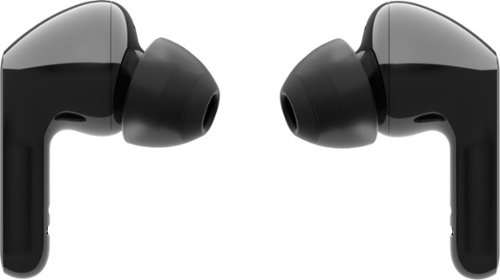
Extraordinary sound and style are yours with the LG TONE Free HBS-FN6 true wireless earbuds. The UVnano charging case kills 99.9% of bacteria* for total confidence~plus save time by refueling your earbuds and case simultaneously with wireless charging capabilities. Ergonomically designed buds, encased in medical-grade silicone, deliver in-ear comfort, while Meridian~ technology ensures rich, true-to-life audio. Premium form and high fidelity~the LG TONE Free HBS-FN6 true wireless earbuds are the total packag
Customer Rating
4
A Solid True Wireless NC Option
on August 19, 2020
Posted by: Jturn
from WI
The amount of choices in the "true wireless" ear bud market grow seemingly by the day, but these from LG bring a new trick to the table. Is it enough to make them worthy of your money?
The first thing I always consider when choosing whether to stick with a pair of ear buds is how comfortable they are. These ones are surprisingly comfortable, causing no discomfort over multiple hour long wearing sessions. The sit well in my ears, and feel well designed from an ergonomic stand point. I've found that this can't be taken for granted with all competitors' products.
Next is sound quality. These do pretty well; they're not quite on the same level as my favorites from Sony, but they're good all the same. Bass is present and rich, but not overpowering (which is a good thing in my mind), while the mids and treble registers are well defined. Again, these aren't likely the best sounding ear buds in this price range, but they do a good job and should be more than adequate for all but the most stern listeners.
After sound quality, battery life is quite important. These do fine. I averaged roughly 5 hours of play time with mine, which is enough for most scenarios, and given the convenience of the charging case, I don't see this is an issue. I'd love to have a set that lasted 10-20 hours, but given the size of these, that's not a realistic expectation.
Finally, I look at features. These LG buds have a few interesting features, one of which that may be a selling point to many; the UV sterilization inside the carrying/charging case. Each ear bud has a small UV lamp that, when activated (which seems to require the case to be plugged in to operate) sterilizes the inner canal of the ear buds. This is an interesting concept, and if nothing else, offers a little piece of mind that your ear buds don't have germs growing in them. Also, the method of control for these is also interesting; each ear bud has a touch sensor, allowing for relatively easy control over what you're hearing. Finally, they offer "Ambient Sound" mode which I find to be incredibly useful when walking around in public. This gives you a bit more spatial awareness of your surrounding, and is a great feature that I use often.
The one downside I should mention is that the accompanying Android app isn't the greatest. On Android 10, it leaves a persistent notification saying "Tone Free is running" which is quite annoying, and I also had a few instances where the app froze and crashed. It's not exactly a requirement to using these ear buds, but having things like EQ control via the app is a pretty solid feature.
Overall, these are a very good option at the price point they're being sold at; they strike a good balance of "decent enough" sound quality with some really nice features, making them a good option for anyone looking for truly wireless earbuds.
Mobile Submission: False
I would recommend this to a friend!
Share this review:


+1point
1of 1voted this as helpful.

Performance meets versatility. From intensive video and graphics files to high-octane gaming, the most powerful Surface laptop yet combines speed, graphics, and long battery life with the versatility of a laptop, tablet, and portable studio. Tackle your biggest demands with quadcore powered 10th Gen Intel~ Core~ processors, blazing NVIDIA~ graphics, and high-resolution PixelSense~ Display designed for Surface Pen* and touch.
Customer Rating
4
Innovative Design, Not Nearly Enough Storage
on July 9, 2020
Posted by: Jturn
from WI
As a member of Best Buy's Tech Insider Network, I'd like to disclose up front that I received this Microsoft Surface Book 3 in exchange for this review. Reviewers in this invitation-only program are provided products for the purpose of writing honest, unbiased reviews. My review has not been impacted by the fact that I've not had to pay for it. With that out of the way...
The latest Surface Book is a well refined package that does a lot of things well. Aesthetics, usability, and build quality come together to deliver a nearly perfect machine, let down by an underwhelming CPU choice and lack of storage (on this particular configuration). It's in a class of its own in terms of design, and would work well for anyone needing a portable design capable machine, but the performance brings into question whether the design is worth the trade offs. Let's dive in.
The screen is absolutely stunning. To my eyes, it's perfect for anyone into content creation (which this machine is undeniably targeted towards). Colors are vivid, blacks are deep black (very little to no backlight bleed, which typically drives me nuts with laptop displays), and the resolution (4K) is predictably stunning on a screen of this size. Making things all the better is the fact that you can detach the screen from the body and use it like a tablet. The 15" variant here is admittedly a little large for the type of usage I get out of it, but I could see this being a giant selling point to anyone doing graphic design and desiring a more slate like setup. The detaching mechanism works pretty flawlessly; you press the detach button on the keyboard, wait a second, and you get a visual prompt that the screen is ready to detach. That's it. In cases where you're using an application that's taking advantage of the discrete GPU inside the keyboard, you'll get a prompt notifying you to deal with whatever you're doing there before you can detach. This is a great feature that Microsoft absolutely nailed here with the Surface Book 3, giving you the usability of a keyboard with a powerful GPU teamed with a flexibility and mobility of a tablet.
Speaking of the keyboard, it is simply put the best laptop keyboard I've ever typed on. Anyone needing a laptop with which to do hours of typing will not be disappointed. The keys are comfortable and have a reassuring amount of travel that really makes it a joy to type on. Similarly, the touch pad also works VERY well, though the small size is quite puzzling to me. There is a lot of real estate available below the keyboard that could've been used to expand the pad, and the Surface Book would've been well served utilizing said space. Also on the input front... No pen included?! To be frank, this laptop is simply too expensive to not bundle the pen in. This is becoming something of a norm, as other competitors have opted to include it (my personal experience being with the HP x360 Spectre). Again, as I see this being geared primarily towards graphic designers and content creators, I feel like it's a big miss of them to not include it here. One other note; while this laptop includes a headphone jack, it's located in the upper right hand side of the screen. I know the overall trends say that most people will be using bluetooth headphones, but this placement is actually a pretty major annoyance since your cord is constantly in the way unless you tuck it under the laptop. It's a small but annoying quirk.
After using my Surface Book 3 for a week, the main issue I've run into is the included amount of storage on this particular configuration. In 2020, 256 GB does not cut it, especially considering Windows 10 cuts a decent chunk of that storage before you've installed a single program. Reiterating the fact that this machine is targeted towards content creators, it's easy to see a scenario where you'll run out of room quite quickly if you do any sort of video or photo editing. While you can obviously supplement with an external drive, that's an unnecessary added cost and pain point in my opinion, and because of the sleek and innovative design of the Surface Book 3, there is ZERO ability to upgrade any of the internal components. What you buy is what you'll be stuck with permanently. Consider that carefully before making your choice.
The other main issue I have with the Surface Book 3, which applies across the all versions and not just this particular configuration, is the processor. Quite frankly, I'm disappointed in the performance of the CPU Microsoft chose to put into this computer. It feels under powered in multimedia tasks, especially when considered next to the included Nvidia GPU. Upon booting it up for the first time, I was actually fairly disappointed in general system responsiveness; turning the machine on takes longer than I'd expect given the solid state drive, and even something as straight forward as watching a 4K video on YouTube caused some scroll lag in Chrome. Scrubbing in Adobe Premiere and scrolling in Photoshop both exhibit disheartening amounts of lag; it'll be enough to slow down professional editors, but will be more of a mere annoyance to prosumer/hobbyists like myself. Thus far, I've attempted some video editing using Premiere and some cell phone shot 4K clips; one particular test I ran was to apply a noise reduction filter (high setting) to a 2:12 length, 4K (~50mbps) MP4 clip, which took about 11 minutes total to complete and was a completely CPU bound task, with a max boost clock of 2.06 GHz. This may give you a bit of a sense of what kind of power we're looking at with the CPU. The Surface Book 3 does the job, but it doesn't do it exactly admirably. Editing photos in Photoshop is a mostly similar experience, especially with RAW images; adding layers and effects to images just isn't as snappy as it feels like it should be. Overall, I'd sum the CPU up as usable but a bit disappointing.
Whereas the CPU is a letdown on the Surface Book 3, the GPU (the very capable GTX 1660 TI Max Q) is the strong point of the computer. It offers up a good amount of horsepower for scenarios ranging from media rendering to gaming. On the topic of gaming, some might be interested to find that my machine scored a 4877 run in Time Spy (3dmark) on a near fresh Windows install, out of the box with latest Nvidia drivers. There are better options for gaming for less money, but realistically, that's not why you're buying this machine anyhow. Overall, the Surface Book 3's gaming acumen is a great added bonus, held back completely by the absolute dearth of storage on this particularly model, especially considering new games like Call of Duty Modern Warfare are pushing or exceeding 200 GB install sizes (making the 256 GB of storage available here a non-starter in that case). Again, consider your needs carefully before deciding on a trim level.
Build quality on the Surface Book 3 is overall top notch. Everything here feels like an ultra premium laptop and compares favorably to my Mac Book Pro (circa mid-2019). The only somewhat questionable design aspect comes from the hinge; it operates well, but the screen is fairly heavy, meaning the machine is not only top heavy in the lap (set it in your lap and it'll start rocking a bit backwards), the hinge "wobbles" a bit when you move the laptop around. Usually this would bother me, but given the hinge mechanism in place here, it's not a big deal honestly since the detach/attaching mechanism works so well.
The TL;DR here is that if you're a content creator looking for the flexibility of a tablet but with the power of a discrete GPU for powerful media rendering that could also allow for some decent gaming, this is likely the only game in town. However, consider both the fact that CPU is slightly underwhelming and that you will forever be stuck with the hardware you buy up front and in this case the 256 GB hard drive kills this build for me. Overall, this is a premium machine that checks most of the boxes, but it's hard for me to overlook those two downfalls.
Mobile Submission: False
No, I would not recommend this to a friend.
Share this review:


+1point
1of 1voted this as helpful.
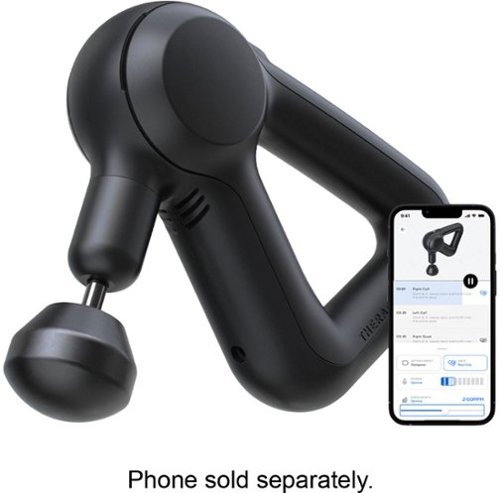
Soothe sore muscles with this Theragun Prime massage device. The brushless motor features QuietForce technology for low sound, while Bluetooth connectivity syncs with your portable device for convenient control and guidance via the Therabody app. This Theragun Prime massager delivers up to 30 lbs. of force to effectively warm up muscles and release tightness.
Posted by: Jturn
from WI
The Theragun Prime is a great option for those in need of a personal deep tissue massaging device. The assorted attachments and power settings make this pretty versatile, as does the design which allows for self use in a number of different positions. The standard massage head is quite large and fairly soft, which allows for usage on tender spots. The heads get progressively more focused and allow you to really pinpoint specific areas of need. When used on the lower back, I generally use one of the two larger heads, which help to relieve a significant amount of pain that I generally feel from my lower back through my legs. When pinpointing areas around my shoulder (if I wake with a knot in my should for instance), I find the smaller attachments tend to work better. Beyond the attachments, the device is also quieter than I assumed it would be; it's still obvious when it's running, but it's not so loud as to disturb someone in the next room. This speaks to the build quality of the unit; it has a sturdy feeling and the motor seems to be well made and should last quite a while.
My only real complaint is that the device intensity setting doesn't go any lower. Certain areas of my back can't handle even the lowest setting, so that's something they may work on in the future. Overall, however, this is a great option for those looking to mitigate chronic muscle aches. The wireless ability (with great battery life), build quality, and ergonomics of the Theragun Prime make this a top notch personal massaging device.
Mobile Submission: False
I would recommend this to a friend!
Share this review:


0points
0of 0voted this as helpful.

Dyson's intelligent and powerful cordless vacuum with twice the suction of any cord-free vacuum.*
Customer Rating
3
Impressive Vacuum w/ One Major Flaw
on March 30, 2020
Posted by: Jturn
from WI
Dyson has a certain track record when it comes to delivering vacuums that work really well with very little loss of suction, and this model is absolutely no different. It delivers what is essentially plugged in suction without the hassle of the power cord, and with a battery that lasts quite a while, and is also removable/swappable to boot (though only one comes in the box, you could buy a second to double your battery life). It's also very versatile. You can use it with the full length setup as a regular vacuum, or you can remove the shaft portion, attach the the based directly to the handle, and make easy work of stairs or upholstery. With the included attachments, this vacuum is a truly versatile and well performing machine. One additional plus is the brush head design. Though I haven't had to clean mine yet, the brushes are quite open and I expect them to be easy to free of hair/debris.
This would be essentially the perfect vacuum except for one major design flaw. To use the vacuum, you need to hold the power trigger down. While the design here is very ergonomic, as far as I can tell there is absolutely no reason for them to not include an on/off switch like all other vacuums. What this means is that it's difficult to use this vacuum for extended periods of time without hand fatigue.
Finally, the color scheme is subjectively a poor choice. The hot pink stick is gaudy looking, but at the end of the day, looks don't really concern me personally.
In the end, I'll still use the Dyson a lot, given it's great performance. It's unfortunate that I'll have to live with their poor power trigger design, but the overall convenience has won me over.
Mobile Submission: False
I would recommend this to a friend!
Share this review:


+3points
3of 3voted this as helpful.

Make every shot count in a firestorm with this Dell Alienware dual-mode gaming mouse. The rechargeable LiIon battery provides up to 350 hours of gaming, and the detachable 6.5-foot cable offers flexible connectivity. This Dell Alienware dual-mode gaming mouse features a 16,000 dpi optical sensor for fast, pinpoint accuracy in the battlefield, while the seven programmable buttons let you customize commonly used commands.
Customer Rating

5
Fairly Barebones, But It's a Performer
on December 19, 2019
Posted by: Jturn
from WI
I'm always on the lookup for new mice, so when I came across the Alienware AW610M, I decided to give it a shot. Though it's barebones when it comes to input buttons, its top notch comfort and wireless/wired performance make this a mice worth considering for gamers.
This is an interesting looking mice. It carries a minimalist amount of buttons; left/right click, scroll wheel with click, DPI adjustment rocker, and back/forward buttons. Besides the back/forward side buttons, it's a lefty-friendly design, and has a wide base stance, complete with LED lights on each side and on top. This wide base lends itself to being very comfortable, as affirmed by a marathon gaming session I put the mouse through 2 days after I got it. Everything feels well placed and stable.
Performance of the AW610M is on par with all the best wireless mice around. Over multiple hours long gaming sessions, I've not once experience any connection issues, latency, etc. Performance-wise, it's as instant wireless as it is plugged in.
I switch mice constantly, but this one feels like a mainstay. I primarily play FPS games, and the relative lack of buttons isn't an issue for me, and the performance and comfort mean I have zero issues with long gaming sessions.
Mobile Submission: False
I would recommend this to a friend!
Share this review:


0points
0of 0voted this as helpful.

Ensure the air you breath is clean with this BISSELL MyAir personal air purifier. The compact size lets you place it almost anywhere, while the activated carbon eliminates common household odors. This BISSELL MyAir personal air purifier boasts a three-in-one filtration system to capture 99.7 percent of 0.3-micron particles such as dander, pollen and dust.
Posted by: Jturn
from WI
The Bissell MyAir purifier is a great option for anyone looking to cleanse the air in a smaller room. The simple setup and ease of use are big selling points, as are the HEPA filtration and activated carbon filter. The purifier has no associated app or smart connection; all the controls are directly on the unit, including the light switch, the speed settings (of which there are three: high, low, sleep), and the timer settings. This no frills approach comes with some downsides, though. There's no auto setting, because there's no detection mechanism; whereby some units will actively monitor the air and kick on if they detect poor air quality, the MyAir is completely manually operated. Additionally, the noise level between the low and high settings is quite great; where some units have the ability to more granularly adjust the speed (and by extension the noise), this unit does not, though it does include a sleep mode which is great for anyone that wants to run the unit at night. Overall, the unit is very effective, though, providing both air filtration and odor reduction, which I confirmed by using in our cat's bathroom. If you're looking for an affordable, easy to use air purifier, I'd recommend this one.
Mobile Submission: False
I would recommend this to a friend!
Share this review:


+1point
1of 1voted this as helpful.
Jturn's Review Comments
Jturn has not submitted comments on any reviews.
Jturn's Questions
Jturn has not submitted any questions.
Jturn's Answers
Performance meets versatility. From intensive video and graphics files to high-octane gaming, the most powerful Surface laptop yet combines speed, graphics, and long battery life with the versatility of a laptop, tablet, and portable studio. Tackle your biggest demands with quadcore powered 10th Gen Intel~ Core~ processors, blazing NVIDIA~ graphics, and high-resolution PixelSense~ Display designed for Surface Pen* and touch.
Is there an HDMI port?
Performance meets versatility. From intensive video and graphics files to high-octane gaming, the most powerful Surface laptop yet combines speed, graphics, and long battery life with the versatility of a laptop, tablet, and portable studio. Tackle your biggest demands with quadcore powered 10th Gen Intel~ Core~ processors, blazing NVIDIA~ graphics, and high-resolution PixelSense~ Display designed for Surface Pen* and touch.
Are there additional memory slots to increase RAM on the 15inch 16gb ram 256Gb storage, model?
No, there is no ability to upgrade the RAM or the hard drive on any of the Surface Books. What you buy is what you'll be stuck with.
5 years, 11 months ago
by
Jturn

Completely customize your Wi-Fi Smart Color Thermostat to match your lifestyle and decor. The ENERGY STAR~ certified smart thermostat lets you choose the temperature, schedule, display color and the devices you use to control it all.
Want to replace RTH230B with RTH9580WiFi. Wires connected:G, Y, W has(black wire), R(red wire), Rh(red wire). Also I see a white wire that is not connected to current rth230. How do I know which wire is used for the "c" terminal for the new rth9580WiFi?

Since they're not labeled at the thermostat terminal, you'll need to check at your furnace to see what's connected where. Having the extra wire is great, since you should be able to use that for your common.
8 years, 5 months ago
by
Jturn
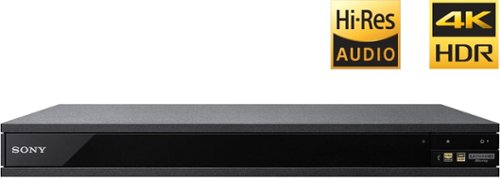
Experience immersive entertainment options with this Sony 4K Blu-ray player. Its Ultra HD resolution provides exceptionally detailed screen images with increased brightness and more realistic color, and its support of Dolby Atmos and DTS:X provides cinema-quality sound. This Sony 4K Blu-ray player supports high-resolution audio formats for more accurate music reproduction.
Does the on-screen display provide information on the video and audio bitrates? Does the display provide data on the audio output?
Yes. The Display button displays bit rate and format information for both audio and video.
9 years, 1 month ago
by
Jturn

Bring the power of Google directly to your fingertips with the Google Pixel. A large 32GB of storage keep data secure, while unlimited cloud storage transfers data as needed, and it's completely automatic. The large 5-inch screen is protected by Corning Gorilla Glass 4 to ensure the Google Pixel remains scratch-free.
so i wanna get the pixel but with out getting a verizon contract how would i do so?
Your best option is probably to buy the phone directly from Google. The phone will come unlocked and will work as advertised with VZW and Project FI (meaning it should work well with Sprint and TMo).
9 years, 7 months ago
by
Jturn
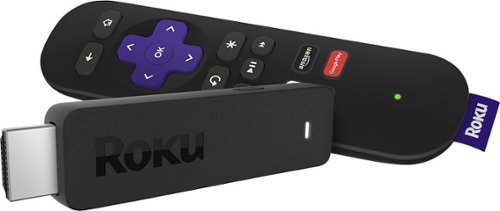
Enjoy HD programming with the Roku Streaming Stick. Plug it into any flat-screen television that has a built-in USB port to view streaming media. This device provides more than 4500 channels on demand and features more than 450,000 movies and TV episodes. Control the Roku Streaming Stick with the included remote or with your smartphone via the Roku Mobile App.
How can you connect the Roku to my theater Amplifier 5.1 sound system?
If your amplifier has an HDMI input, you'll need to plug the stick directly into the amplifier vs. plugging into your TV. The stick doesn't have any external audio outputs.
10 years ago
by
Jturn
Enjoy HD programming with the Roku Streaming Stick. Plug it into any flat-screen television that has a built-in USB port to view streaming media. This device provides more than 4500 channels on demand and features more than 450,000 movies and TV episodes. Control the Roku Streaming Stick with the included remote or with your smartphone via the Roku Mobile App.
The display shows it plugged into two places on the back of the tv. One is obviously the hdmi port, what is the other end plugged into?
Enjoy HD programming with the Roku Streaming Stick. Plug it into any flat-screen television that has a built-in USB port to view streaming media. This device provides more than 4500 channels on demand and features more than 450,000 movies and TV episodes. Control the Roku Streaming Stick with the included remote or with your smartphone via the Roku Mobile App.
Does the stick had profiles for different Netflix users?
Yes. It has the latest Netflix interface, meaning it has full support for profiles (unlike some of the older Roku devices).
10 years ago
by
Jturn
Enjoy HD programming with the Roku Streaming Stick. Plug it into any flat-screen television that has a built-in USB port to view streaming media. This device provides more than 4500 channels on demand and features more than 450,000 movies and TV episodes. Control the Roku Streaming Stick with the included remote or with your smartphone via the Roku Mobile App.
can I download google play store and down load free games like I have on my cell phone?
No. This device does not run Android. If you want the ability to side load apps, you'll need to look at either a Fire device or one of the hundreds of Android based streaming boxes available.
10 years ago
by
Jturn