


Jturn's stats
- Review count180
- Helpfulness votes202
- First reviewNovember 22, 2014
- Last reviewJune 11, 2026
- Featured reviews0
- Average rating4.1
Reviews comments
- Review comment count0
- Helpfulness votes0
- First review commentNone
- Last review commentNone
- Featured review comments0
Questions
- Question count0
- Helpfulness votes0
- First questionNone
- Last questionNone
- Featured questions0
- Answer count9
- Helpfulness votes4
- First answerJune 3, 2016
- Last answerJuly 9, 2020
- Featured answers0
- Best answers1

The Philips Norelco Ultimate Premium Precision Beard Trimmer BT9810/40 is a premium beard, hair, and stubble trimmer. Including: Full steel blades and head, sleek and durable steel design; 100% waterproof; 120 minutes of Lithium Ion run time, 30 quick adjustable lengths zoom wheel in 0.2mm increments (0.4mm to 10mm range) and 1 sturdy reinforced guard attachment to get your precise, even, desired length. This trimmer also cuts hair.
Customer Rating

4
High Quality, Low Ergonomics
on April 5, 2021
Posted by: Jturn
from WI
The Norelco 9000 trimmer is an impeccably built, high quality trimmer that's held back by some odd ergonomic/usability issues. Most of the body is built from steel, and has an incredibly premium feel and heft to it. It includes a beard trimming attachment and a carrying case, and it works incredibly well for beard trimming. Using this to trim my lockdown beard (which was looking rather scraggly), I had no snags and the trimmer cut without bogging down at all, which is more than I can say for any of my previous trimmers.
The ergonomics of the Series 9000 trimmer need some work, though. My first clue to this is the fact that the package has a diagram that confusingly tries to explain how to hold the trimmer. Generally, you shouldn't need an explanation on how to hold a trimmer. The first thing I noticed when trying to use it is that the power button is oddly difficult to hit; seems weird, but for some reason, it's not in a good spot for how I hold the trimmer. The second thing I noticed is that, because the trimmer head has a large "bar" type apparatus that floats above the head (which is where the trimmer guard attaches to), it's surprisingly difficult to see what you're doing when you're trying to get a close trim. Trimming around my ears, for instance, took an unexpected amount of thought and maneuvering to get the trimmer head just right. It's the first time I've experienced this type of difficulty, so it's definitely down to the ergonomic layout of this particular trimmer.
Overall, this is an incredibly high quality, high performance trimmer that made easy work of trimming my beard with zero issues or slow downs. Unfortunately, the layout makes using it a little more difficult than it should be.
Mobile Submission: False
No, I would not recommend this to a friend.
Share this review:


0points
0of 0voted this as helpful.
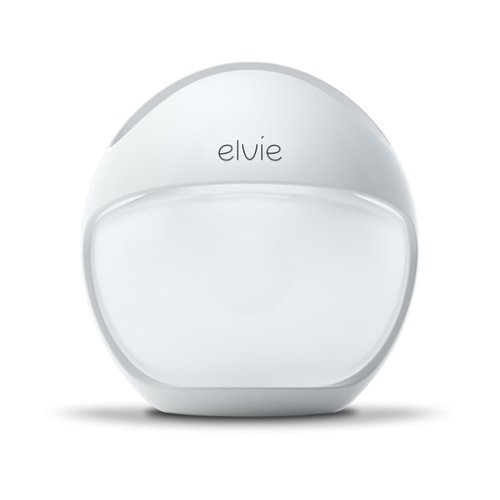
Elvie Curve captures bonus milk in-bra with hassle-free, one-press expression. Less hassle than a traditional manual pump, Elvie Curve lets you effortlessly collect even more milk in three ways: while breastfeeding on the other breast, pumping on the other breast, or whenever your breast feels full. And, unlike other silicone breast pumps, Elvie Curve is contoured to neatly fit in your bra~no jutting out, so you~re free to be out and about.
Customer Rating
4
Great Form Factor, Less than Stellar Performance
on March 7, 2021
Posted by: Jturn
from WI
The Elvie Curve takes the concept of a passive breast pumps in a much more user friendly direction, but given the price, the amount of milk I got from it was less than expected. I transitioned from one of the main competitors to the Elvie because the previous product was terribly designed from a convenience factor; it's basically a huge bottle that cannot be worn discretely. This is huge selling point for the Curve; it's designed similar in shape and form to Elvie's electric pumps, meaning it can be worn in a braw without drawing attention to it. The Curve also has a valve system that allows you to somewhat control the level of suction, which is really handy. This ease of use and ease of cleaning are the main reasons to buy the Curve.
Compared to my last passive silicone pump, I'm getting less milk output overall, by about half an ounce. Given the price, I was hoping for similar, if not improved output, but that's not the case, at least for me. Overall, my decision comes down to ease of use vs. output. In certain circumstances, the Curve is the clear choice, but that's not always the case.
Mobile Submission: False
I would recommend this to a friend!
Share this review:


+2points
2of 2voted this as helpful.
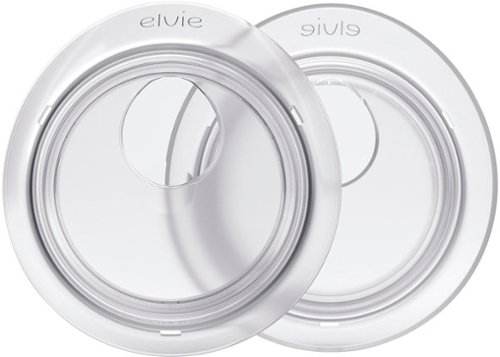
Elvie Catch collects every last drop of milk with leak-free confidence. We know how much you hate to see precious milk go to waste~ so do we. And we also know that every mama should be able to leave the house without worrying about leaks. Enter Elvie Catch, a pair of silicone milk collection cups designed for total comfort and confidence~even if you experience heavy leakage. That way, you can discreetly collect extra milk while making wet patches a thing of the past. Ain~t no stopping you now, mama.

Posted by: Jturn
from WI
Thie Elvie Catch is a great solution for any moms that have turned to breast pads to help with leaking. The Catch is comfortable comfortable enough to wear for a couple of hours on end without issue. They're also simple to use; being only two parts, they're easy to clean and assemble. And finally, based on the ergonomics and shape of them, they're effective at catching milk passively. The only real minor downside is that they're not as easy to empty as they could be for anyone intending to use any milk captured while wearing the Catch. Overall, though, this reusable product is a great option for any of the moms out looking for a better solution to leaking between feeds.
Mobile Submission: False
I would recommend this to a friend!
Share this review:


+1point
1of 1voted this as helpful.

Keep an eye on what matters most with the eufy Spaceview Baby Monitor. View your little ones in HD using the large 5" display from anywhere in your home up to a 1000 feet away. SpaceView pans 330~ to see corner-to corner and tilts 110~ to see from floor to ceiling, giving you a good angle of your baby wherever you place the camera. Instant Noise Alerts You'll receive an alert on the monitor immediately if the ambient noise exceeds the limit you set. Crisp two-way audio allows you to hear and speak to your baby from anywhere in your home.
Customer Rating
4
Easy To Use, Mediocre Picture Quality
on January 19, 2021
Posted by: Jturn
from WI
The eufy Spaceview is a no frills, easy to use, quick to setup baby monitor that is perfect for anyone looking for a camera that "just works." It has some downfalls, but overall, it's a solid performer.
Setup is a literal "plug and play" situation; the monitor comes pre-synced to the camera, so powering both on is all that's required to get up and running. They've included some mounting hardware that can be mounted in a couple of ways (though not too common, I wish they would've included tripod threading on the bottom of the cam to increase potential mounting options). That's it; there's not much else to it, which is a good thing because it just works like it's supposed to (which is more than I can say for some of the alternatives from Motorola, for instance). The monitor works incredibly well from a functionality standpoint. There is zero lag (which again is present in many of the alternatives) and the settings are straight forward and easy to use. The powered camera is a nice touch as well; this lets you rotate the camera to get a different look at the environment. I probably won't use it much, but if I ever need to, it'll be great to have.
There are a couple of downsides here. First, they're using a micro USB connector for power. Being 2021 at this point, that's fairly inexcusable in my opinion. USB C is much more convenient and should've been used here, but in reality, it's mostly just an issue for the monitor since the camera will be plugged in and left alone. Another issue is the picture quality. It's merely ok, but comparing this to modern cameras like a Nest, it seems quite dated. Additionally, the field of view on the camera is quite narrow, so while the camera is powered so you can adjust the angle with ease, you're well served to mount the camera with some distance from the crib. Finally, there's a light on the camera which I wasn't able to find an off switch for; since this is a baby monitor, this should be a setting so you can turn this light off if desired. Finally, there really aren't many extras here. One feature that's feature is a remote viewing protocol, so you're locked in to using the monitor only. eufy says this is done in the interest of security, so it's a valid trade off, but one worth mentioning for those expecting to use their phones to view the camera.
Overall, this is a solid unit. It's very easy to use, and the monitor works very well. You won't get great picture quality, but it's likely a tradeoff given "closed circuit" nature of this unit, which has an incredibly solid range. It doesn't contain any extra frills (like remote viewing) but it does its job exactly as you expect it to. If you're looking for a straight forward and easy to use monitor, this is an incredibly solid option.
Mobile Submission: False
I would recommend this to a friend!
Share this review:


0points
0of 0voted this as helpful.

The Blueair Classic 280i air purifier brings clean, energizing air to spacious bedrooms, living rooms, or any rooms up to 279 sq. ft. A built-in air quality sensor makes it easy to confirm your air is virtually free of asthma and allergy triggers and indoor air pollutants such as mold, dust, pet dander, and pollen by scanning the air quality in real-time and adjusting fan speed to your current air quality. The Classic 280i delivers unmatched performance thanks to HEPASilent technology, which combines electrostatic and mechanical filtration technologies. This combination, pioneered by Blueair, delivers a high Clean Air Delivery Rate (CADR) with whisper-quiet operation (32- 56 dB), using 20-80 W of energy.
Customer Rating
4
Amazing Performance, Expensive Cost of Operation
on January 11, 2021
Posted by: Jturn
from WI
The Blueair Classic is an incredible air purifier, offering a set it and forget it operation that handles cleaning the air around you with zero intervention. It's fairly large (and the filters are the size of my home's furnace filters) but this particular model is capable of recycling a medium room's air 5x per hour. Overall, this is an amazing air purifier that's hampered by the very high long term cost of ownership.
Setup was very simple; you download the app and follow the steps to get the air purifier registered on your Wifi network. It worked flawlessly, which is more than I can say for lots of other "smart" products these days that are a pain to get setup. Once it was setup, that was it. It runs in auto mode and does its thing silently in the background, out of mind. Overall, this thing is great, produces fresh air, and eliminates odors in short order.
The big issue I have with the Blueair Classic is that filters are obscenely expensive. If you want to replace the filter that ships with it, you're going to be shelling out over $100. Blueair offers a subscription service that knocks 15% off the cost, but that still puts it around $100, and when you need to replace it twice per year, the costs quickly add up. Blueair also offers a single stage filter, which sits around $50 and is easier to swallow, but you won't get the same level of performance.
Overall, there's not much else to say other than that this thing works incredibly well. The downside is that you'll have to live with a higher cost of operation over time, but for people needing solid air filtration in their homes, it might be a cost that's worth dealing with.
Mobile Submission: False
I would recommend this to a friend!
Share this review:


0points
0of 0voted this as helpful.

Enhance your creativity potential with this Adobe Photoshop Elements 2021 and Premiere Elements 2021 bundle. The Adobe Sensei AI technology powers automated options to get a starting point for creative exploration, and step-by-step Guided Edits let you create double exposure and animated mattes.
Customer Rating
4
Familiar Features with New AI Smarts
on December 23, 2020
Posted by: Jturn
from WI
Photoshop and Premier have been staples of the entertainment and creative industries for years, and the Elements versions of those products have continued to get incremental updates to make them user friendly, while retaining some of the creative power of their more expensive versions. In this review, I'll touch on some of my favorite features, mostly focused on Premiere Elements since it feels like Photoshop Elements hasn't changed a ton in recent years.
Across both programs, the familiar layout and UI from previous versions has returned. This is good, as everything is laid out in an intuitive and easy to use manner. Included in this bundle is Adobe Organizer, which is a good utility for organizing and managing your media. It also has an incredibly useful auto-tagging feature which helps you find your media by search terms, as well as the auto-creations feature which generates some nice collages, stylistic edits, etc. Finally, Adobe has also continued to integrate some of their Sensei AI functionality into the Elements level programs. This has some interesting features, including things like head tilt adjustment on photos. Adobe says these features continue to evolve and improve, so it'll be interesting to see how they work in the future.
To me, one of the biggest updates to Premiere Elements is the masking feature; you can now make a mask selection that abides by motion tracking. This is in line with industry competitors (I have the most experience with Pinnacle Studio) and in my experience, it works great. Generally, I don't use this feature for video editing because it tends to come off a bit forced (I clearly am not great at creatively using masks) but again, it works well here in my experience and could be hugely useful if you're into that.
Another huge upgrade comes in the form of hardware GPU acceleration. Finally! My main computer consists of an AMD 5900x and an Nvidia RTX 3080. While the 5900x is a beast in its own right, it's hard to beat GPU acceleration, so it's great to see Adobe add this feature.
My main issue with Premiere comes down to format support. Currently, it doesn't support 3D or VR video. This is a slight disappointment, since I have many hours of footage captured on a Rylo cam of various family vacations and random adventures, and it would be nice to edit this footage using Premiere Elements. Additionally, I wasn't able to find a way to get multicam footage to work either. Again, slight disappointment since I have some multicam footage shot on Sony camcorders that would be nice to edit. Overall, these two omissions are acceptable in my book (though, both are supported in aforementioned Pinnacle Studio), but anyone needing this functionality will need to look elsewhere.
Overall, this is a great package, providing trimmed down versions of the industry's best photo and video editing programs. They don't require a subscription, they're easy to use, and they're powerful enough for most any enthusiast level editing task.
Mobile Submission: False
I would recommend this to a friend!
Share this review:


0points
0of 0voted this as helpful.

Elvie Pump (Double) is a smart, slimline wearable electric breast pump with 10 oz / 300 ml capacity. Tucking discreetly in-bra, Elvie Pump can be controlled from the Pump with Elvie app for a seamless hands-free experience~leaving you free to roam where other pumpers dare not go. Elvie Pump is the smallest1, quietest2, and smartest3 electric breast pump. With the new SmartRhythmTM pumping feature, it~s customisable for your changing needs. Choose between four pumping rhythms to optimise your milk output and manage hurdles like sensitive nipples or heavier let-down. That way, you can pump smarter, not harder. Product depth vs. the top 5 best-selling electric breast pumps in the US, UK, Germany and France (Sales data from Q2 2021 to Q2 2022). Acoustic testing in maximum expression mode vs. 2022). Number of app features available to control, monitor and track usage vs. Product depth vs.
Customer Rating
4
Convenient But Difficult To Use At First
on December 1, 2020
Posted by: Jturn
from WI
The Elvie is a massive step forward in how easy pumping can be, providing a level of convenience and usability you can't get from a normal pump, but it comes at the expense of a fairly steep learning curve. Overall, this is a great option for anyone needing to pump on the go, but be prepared to spend time learning how to properly use it.
There are lots of positives to using the Elvie pump. The first thing I noticed is that this is easier to clean than the alternatives (I use both Spectra and Medela pump parts as well). The compact nature of everything lends itself to being quick and easy to clean. The one downside is that Elvie recommends not sterilizing for longer than 5 minutes, meaning using our Baby Brezza sterilizer is out of the question. After cleaning, the next thing I noticed was not only how convenient and comfortable this thing is, but also how efficient it is. Pumping for 10 minutes with the Elvie produces notably better results (ie: more milk pumped) compared to my Spectra pump. Additionally, the Elvie includes two sizes in the package, and this works great for me since on the right I use the smaller flange and on the left I use the larger one. This means I have two full sets available which lends to the convenience factor. Finally, the app in theory is a huge bonus of the Elvie. It gives you not only full control of the two pumps, but also a history timeline (useful for tracking your pumping sessions over time) as well as a readout of how much each site contains while you’re pumping.
The app, however, is also a main downside to the Elvie… The oz estimate that it shows is a semi-difficult to determine graphic (this is hard to explain until you’ve seen how it shows you the estimate). It gives you a general idea of how much you have, but it’s not precise. I’ve seen this time and time again; the app says I have x-amount, which might be close or WAY off to what the actual amount is. This type of inconsistency means it’s not really useful. This is a real problem because it’s difficult to see how much you have unless you look in a mirror so you’re leaving it to the pump to automatically turn off when it’s full. Additionally, the history shown in the app seemed to show incorrect dates (the 12th was showing as the 13th, for instance). Not a big deal, but still seemingly a bug. Of note, I did receive an app update just a couple of days ago that seems to have helped with the ounce estimate being more accurate, so hopefully they continue to enhance and refine this over time.
Beyond the shortcomings of the app, the learning curve is also fairly steep with the Elvie. Whereas using a normal pump is easy to line up because you have full visibility of the flange, the Elvie requires more precise alignment which is difficult to achieve unless you’ve removed the flange from the pump. This process is hard until you’ve done it a few times. This has lead to a couple instances of plugged ducts for me, which obviously is very detrimental to using the Elvie at first. One last shortcoming is that I wish the lights on the pumps were adjustable. I’ve had to cover these with tape so as not to disturb our sleeping baby if I need to go into her nursery while pumping. It’s a minor inconvenience, but this would be a nice feature that I wish the Elvie had. I’ll also note here that the Elvie is not “spill-proof” so while you can remain somewhat active while using it, you cannot “practice yoga” as another competitor advertises for their mobile pump.
Overall, this is an incredibly convenient pump, with a wealth of features, a comfortable fit, and an efficient operation. The app has a number of shortcomings, but hopefully they’ll continue to improve on it over time. This is a very good pump if you’re willing to spend the extra time to learn how to use it.
Mobile Submission: False
I would recommend this to a friend!
Share this review:


0points
0of 0voted this as helpful.
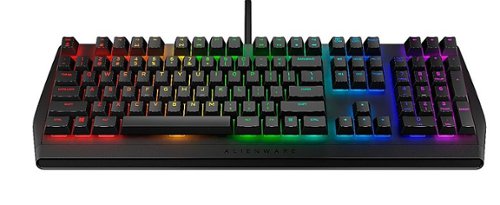
The Alienware RGB Mechanical Gaming Keyboard - AW410K - is an allround gaming keyboard that blends function and immersiveness while still offering industry leading components in an iconic design. Incorporating Cherry~ MX keys in a floating key architecture with anti-ghosting and on-board memory, this keyboard is designed for responsive, immersive gaming in a compact form factor. Gamers can now enjoy greater precision thanks to industry leading Cherry~ MX Brown keys which combine tactile feedback and quiet-click keys with a low actuation force. They can also fully customize their setup and get the most immersive gaming experience with the AlienFX per-key RGB lighting, choosing from approximately 16.8m colors for a fully bespoke gaming experience. Designed for personalization, this gaming keyboard features fully programmable keys for macros and key assignments, while dedicated audio controls allow for quick and accurate adjustments to be made. The Alienware RGB Mechanical Gaming Keyboard is also ergonomically designed with 3 height adjustment settings for greater comfort.
Customer Rating

3
This Could Be Great...
on November 11, 2020
Posted by: Jturn
from WI
Overall, this is a solid gaming keyboard, sporting solid keys and a decent feature set, but I can't help but feel that it's ultimately let down by its shortcomings... The keyboard market is incredibly competitive and I'm not sure the AW410K does enough to stand out.
To start, the important thing here is that it has some great keys, the very nice Cherry MX Browns. This is my first keyboard with these, and I do believe these are now my favorite. I've used Blues for years, owing to my love for the tactile feel they provide, but finally had enough of the overwhelming noise they make. Cherry MX Reds, on the other end of the spectrum, are very quiet, but the linear feel of those just didn't suit my needs (I'm a programmer by day, hobby gamer by night). The Browns sit somewhere in the middle, offering about the same low noise level as the Reds, but with slightly more tactile feel. Not nearly the feel of the Blues, but they're about 80% quieter and the tradeoff is worth it for me. Typing and gaming both feel great on this keyboard, simple as that. Another crucial feature on gaming keyboards is the presence of an extra USB passthrough port, which this board does have. This allows for easy use of wireless mice, which I use exclusively.
I see two main issues here that prevent me from committing to this keyboard long term. First, the board has extensive RGB abilities, but customizing the RGB lighting requires installing Alienware Command Center. I've used this software previously on an Alienware PC, and it mostly got the job done. I no longer have an Alienware PC, and I've found trying to install ACC cumbersome and frankly, not worth the hassle. As such, I'm left with the out of box options, which is unfortunate. My second main issue is that build quality doesn't feel great here. The base is very plastic feeling, and key presses tend to feel very clangy and hollow (for lack of better terms). Being accustomed to Logitech boards with aluminum bases, this is quite a noticeable change in quality. While the keys themselves feel great to type on, the keyboard feels fairly cheap when you bottom the keys out.
Overall, this is a decent keyboard, with great keys and an essential added USB passthrough, but the downsides for me will keep this from being my primary board.
Mobile Submission: False
No, I would not recommend this to a friend.
Share this review:


+1point
1of 1voted this as helpful.
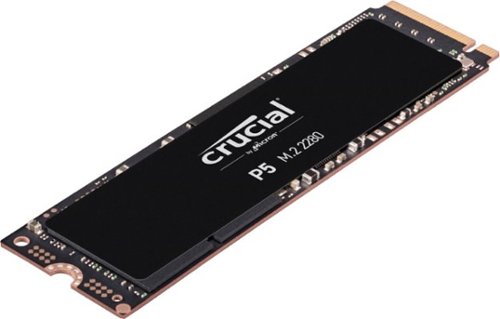
Inspiration comes fast; don~t let ordinary performance slow you down. The Crucial~ P5 SSD delivers impressive speed and fierce data protection with sequential reads up to 3400MB/s. Engineered with NVMe~ technology, the P5 is backed by thousands of validation hours, dozens of qualification tests, and Micron~s reputation for world-class engineering and innovation.
Customer Rating
4
Solid Gen 3 Performance
on November 11, 2020
Posted by: Jturn
from WI
I was excited to add the P5 to my existing stable of NVME drives, that includes everything from the budget Intel 660p, a WD Black, and a gen 4 Sabrent Rocket. The Crucial P5 falls right near the top tier for pcie gen 3.0 drives (right in line with my WD black), but given the increasing prevalence of gen 4.0 drives, I wonder if the value proposition is quite as strong as it may have been even 6 months ago. For anyone interested in what types of performance I'm getting on my machine, I've attached a screenshot from CrystalDiskMark from the drive. It's a near 50% increase over the 660p, which has up to now been my primary game drive. I'll be swapping that for the Crucial. Aside from price, the other potential issue I've seen in usage with the P5 is that it tends to run hot. NVME heatsinks can be had cheaply enough, but it's something to keep in mind if you're working with a smaller micro atx build or something similar.
Overall, this is a solid performer and is a very good option for anyone not needing a gen 4 drive.
Mobile Submission: False
I would recommend this to a friend!

Share this review:


0points
0of 0voted this as helpful.

Find a comfortable typing position with this ergonomic Logitech mechanical illuminated corded aluminum keyboard. The linear Cherry MX Red switches offer quiet performance and a smooth, responsive feel, which is ideal for gaming. This Logitech mechanical illuminated corded aluminum keyboard features five lighting selections for enhanced visibility, while the high-quality construction withstands up to 50 million keystrokes.
Customer Rating
4
Great Typing Keyboard with Zero Extras
on October 28, 2020
Posted by: Jturn
from WI
This seems to be one of the first keyboards (at least that I've seen) that looks to bridge the gap between high performance gaming keyboards and mediocre, work/office focused keyboards. It does that quite well, offering high performance, typically gaming focused Cherry MX Red keys in an aesthetic that would fit in in any office scenario. If you've never typed on Reds, they take a bit of getting used to, since they offer zero tactile feedback, but offer a VERY quiet typing experience; this felt especially weird, as my primary keyboard until now has Cherry MX Blues in them (ie: the loudest, clickity clack keys you could imagine). I prefer the feel of Blues, but everyone else around me much prefers the Reds. To go along with the typing quality, build quality here is typical Logitech in this price bracket; very good. The base seems to be made of aluminum, making things feel very premium. This really is a very good keyboard from a functional standpoint.
The one area with this keyboard is lacking is in the extra features department. While it does include backlighting (which is a must IMO), it's not of the RGB variety. You do have a few lighting options to choose from, but overall, options are limited to what's available onboard. There are no dedicated media controls (though they are available via FN alternates), and the biggest issue for me is there is no included USB passthrough port. I use wireless mice exclusively, so having a port available close by for the receiver is a near must for me, so that's a miss in my book.
Overall, this is a very solid keyboard, as I've come to expect from Logitech. It helps bridge the gap between socially acceptable in an office setting and still high performance for gaming. If you can live without the extra frills that some keyboards afford, this is a very solid option.
Mobile Submission: False
No, I would not recommend this to a friend.
Share this review:


0points
0of 0voted this as helpful.
Jturn's Review Comments
Jturn has not submitted comments on any reviews.
Jturn's Questions
Jturn has not submitted any questions.
Jturn's Answers

Performance meets versatility. From intensive video and graphics files to high-octane gaming, the most powerful Surface laptop yet combines speed, graphics, and long battery life with the versatility of a laptop, tablet, and portable studio. Tackle your biggest demands with quadcore powered 10th Gen Intel~ Core~ processors, blazing NVIDIA~ graphics, and high-resolution PixelSense~ Display designed for Surface Pen* and touch.
Is there an HDMI port?
Performance meets versatility. From intensive video and graphics files to high-octane gaming, the most powerful Surface laptop yet combines speed, graphics, and long battery life with the versatility of a laptop, tablet, and portable studio. Tackle your biggest demands with quadcore powered 10th Gen Intel~ Core~ processors, blazing NVIDIA~ graphics, and high-resolution PixelSense~ Display designed for Surface Pen* and touch.
Are there additional memory slots to increase RAM on the 15inch 16gb ram 256Gb storage, model?
No, there is no ability to upgrade the RAM or the hard drive on any of the Surface Books. What you buy is what you'll be stuck with.
5 years, 11 months ago
by
Jturn

Completely customize your Wi-Fi Smart Color Thermostat to match your lifestyle and decor. The ENERGY STAR~ certified smart thermostat lets you choose the temperature, schedule, display color and the devices you use to control it all.
Want to replace RTH230B with RTH9580WiFi. Wires connected:G, Y, W has(black wire), R(red wire), Rh(red wire). Also I see a white wire that is not connected to current rth230. How do I know which wire is used for the "c" terminal for the new rth9580WiFi?

Since they're not labeled at the thermostat terminal, you'll need to check at your furnace to see what's connected where. Having the extra wire is great, since you should be able to use that for your common.
8 years, 5 months ago
by
Jturn
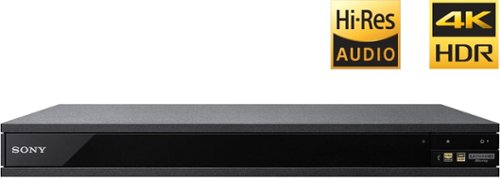
Experience immersive entertainment options with this Sony 4K Blu-ray player. Its Ultra HD resolution provides exceptionally detailed screen images with increased brightness and more realistic color, and its support of Dolby Atmos and DTS:X provides cinema-quality sound. This Sony 4K Blu-ray player supports high-resolution audio formats for more accurate music reproduction.
Does the on-screen display provide information on the video and audio bitrates? Does the display provide data on the audio output?
Yes. The Display button displays bit rate and format information for both audio and video.
9 years, 1 month ago
by
Jturn

Bring the power of Google directly to your fingertips with the Google Pixel. A large 32GB of storage keep data secure, while unlimited cloud storage transfers data as needed, and it's completely automatic. The large 5-inch screen is protected by Corning Gorilla Glass 4 to ensure the Google Pixel remains scratch-free.
so i wanna get the pixel but with out getting a verizon contract how would i do so?
Your best option is probably to buy the phone directly from Google. The phone will come unlocked and will work as advertised with VZW and Project FI (meaning it should work well with Sprint and TMo).
9 years, 7 months ago
by
Jturn
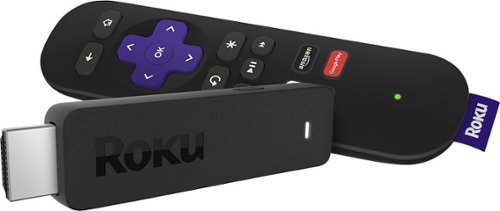
Enjoy HD programming with the Roku Streaming Stick. Plug it into any flat-screen television that has a built-in USB port to view streaming media. This device provides more than 4500 channels on demand and features more than 450,000 movies and TV episodes. Control the Roku Streaming Stick with the included remote or with your smartphone via the Roku Mobile App.
How can you connect the Roku to my theater Amplifier 5.1 sound system?
If your amplifier has an HDMI input, you'll need to plug the stick directly into the amplifier vs. plugging into your TV. The stick doesn't have any external audio outputs.
10 years ago
by
Jturn
Enjoy HD programming with the Roku Streaming Stick. Plug it into any flat-screen television that has a built-in USB port to view streaming media. This device provides more than 4500 channels on demand and features more than 450,000 movies and TV episodes. Control the Roku Streaming Stick with the included remote or with your smartphone via the Roku Mobile App.
The display shows it plugged into two places on the back of the tv. One is obviously the hdmi port, what is the other end plugged into?
Enjoy HD programming with the Roku Streaming Stick. Plug it into any flat-screen television that has a built-in USB port to view streaming media. This device provides more than 4500 channels on demand and features more than 450,000 movies and TV episodes. Control the Roku Streaming Stick with the included remote or with your smartphone via the Roku Mobile App.
Does the stick had profiles for different Netflix users?
Yes. It has the latest Netflix interface, meaning it has full support for profiles (unlike some of the older Roku devices).
10 years ago
by
Jturn
Enjoy HD programming with the Roku Streaming Stick. Plug it into any flat-screen television that has a built-in USB port to view streaming media. This device provides more than 4500 channels on demand and features more than 450,000 movies and TV episodes. Control the Roku Streaming Stick with the included remote or with your smartphone via the Roku Mobile App.
can I download google play store and down load free games like I have on my cell phone?
No. This device does not run Android. If you want the ability to side load apps, you'll need to look at either a Fire device or one of the hundreds of Android based streaming boxes available.
10 years ago
by
Jturn